Best Free Voice Changer Software for PC and Mac (2026)
Compare the 6 best free voice changer programs for Windows and Mac. Covers real-time effects, VoIP support, gaming compatibility, and sound libraries.
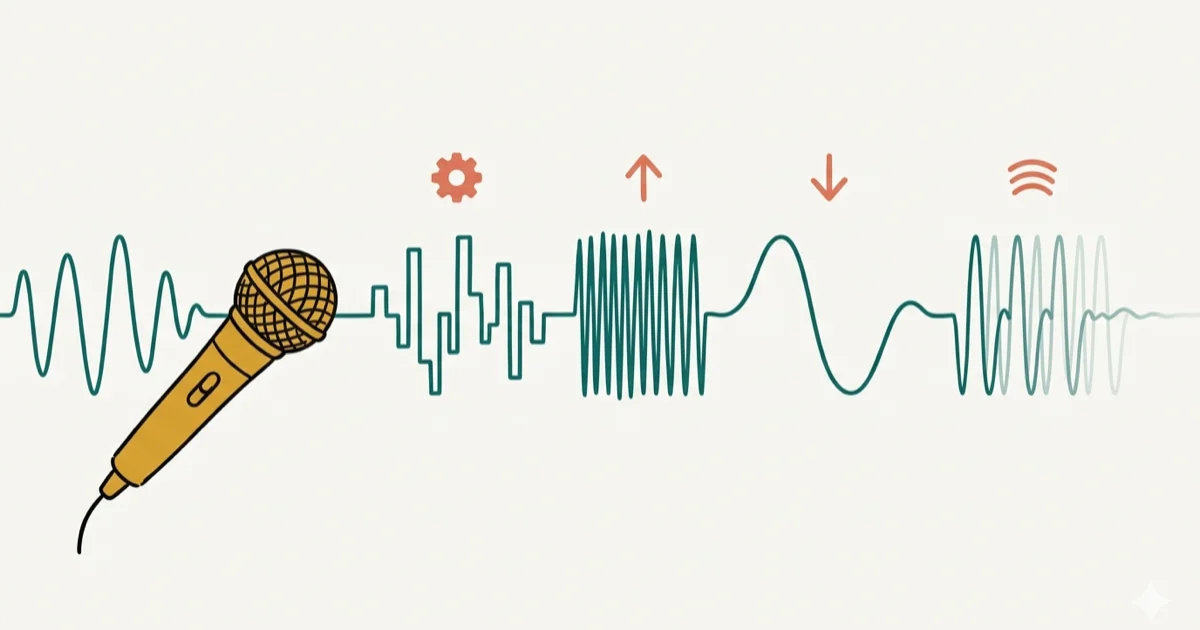
Quick AnswerVoicemod and Clownfish Voice Changer are the best free voice changers for PC. Both offer real-time voice effects for gaming, streaming, and VoIP calls.
A good free voice changer can turn a boring gaming session or video call into something far more entertaining. This roundup covers six of the most popular options across Windows and Mac worth installing.
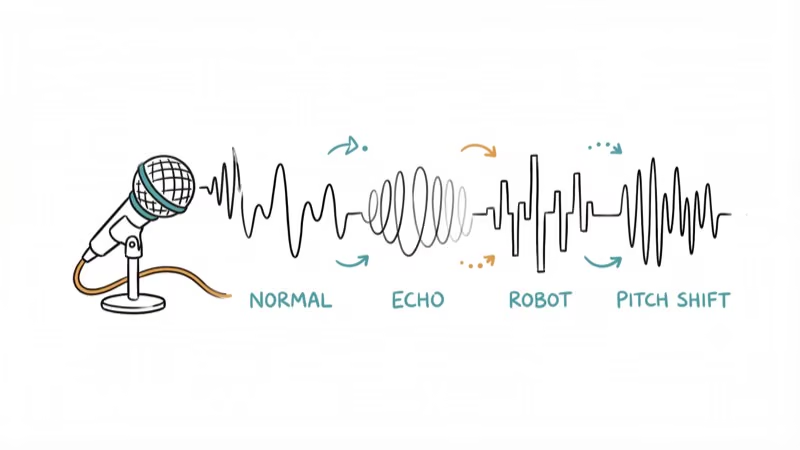
Voice changers fall into two categories: real-time changers that modify your voice during live calls and gaming, and post-recording changers that let you apply effects to saved audio files. The tools below cover both types, though most focus on real-time use.
Use voice changers only with your own account, your own recordings, or a call or stream where everyone involved understands the effect. Altered voices can confuse identity and consent, so stay within legal privacy boundaries, follow platform rules, and avoid using voice effects to impersonate another person or bypass moderation.
- Voicemod offers the widest real-time effect library and works with Discord, Twitch, and most online games
- Clownfish Voice Changer is completely free with no paid tier and supports system-wide microphone modification
- Voxal Voice Changer runs on both Windows and Mac, making it the best cross-platform option
- MorphVOX Pro is widely rated highest for voice quality, but the free version only has 3 voices
- Most free voice changers use under 50 MB of RAM and won’t noticeably slow your PC during gameplay
#What Should You Look for in a Free Voice Changer?
These are the factors that matter most when picking a free voice changer:
#Gaming and Streaming Support
Platforms like Twitch, Facebook Live, and YouTube rely on real-time audio. Games such as Counter-Strike, World of Warcraft, and Fortnite also offer in-game voice chat. Running a voice changer on Discord and Twitch at the same time exposes which programs handle both platforms cleanly and which introduce audio lag. Your chosen software should explicitly list the platforms it supports.
#VoIP Compatibility
The voice changer you pick must work with VoIP apps like Skype, Discord, TeamSpeak, and Viber. Voice chat is central to how people use platforms like Discord, so VoIP support isn’t optional.
#Sound Library
A solid voice changer offers a large collection of effects and voices. Some programs also bundle background sounds like rain, traffic, or crowd noise. Voicemod’s library of 90+ effects is significantly more versatile than Clownfish’s 14 built-in presets.
#Price
Most voice changers offer a free tier alongside paid upgrades. Free versions typically limit the number of available effects or restrict certain features. If you don’t want those restrictions, you’ll need the premium version.
#User Interface
A complicated interface can ruin even the best effect library. You want a program with a clean, intuitive layout that lets you switch voices mid-conversation.
If you’re curious about safety, check our guide on whether Voicemod is safe to use before installing.
For platform-specific recommendations, explore our roundups of voice changers for Discord and voice changers for Zoom.
#Which Free Voice Changers Are Worth Installing?
Here are the six best free voice changer programs, including real-time and post-recording options.
#Best Completely Free Voice Changers
#1) Voicemod
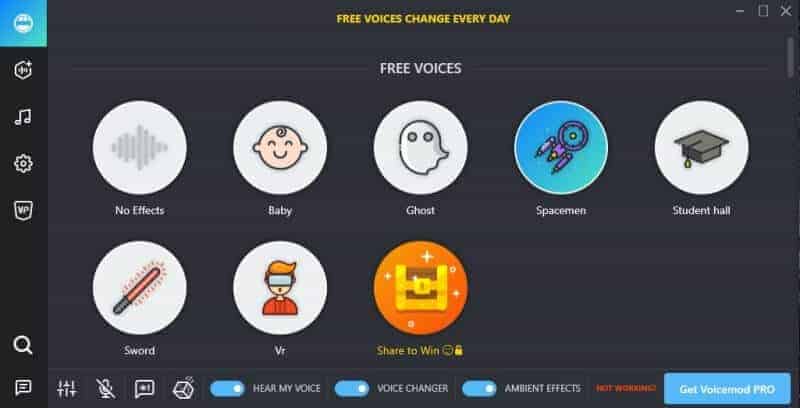
If you’re looking for a reliable voice-changing option for chatting and streaming, Voicemod is a strong starting point. It’s one of the most popular free voice changers available.
Voicemod also offers a paid version. Compatible streaming and chat apps include Twitch, Skype, Discord, Stream Deck, and VRChat.
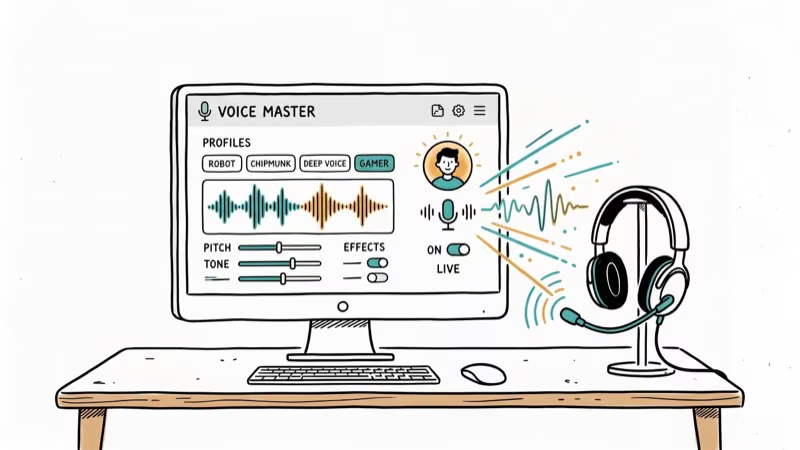
Voicemod is a real-time voice changer, so it modifies your voice during live calls and gameplay. It supports games like Minecraft, Fortnite, and PUBG. The effect library includes Baby, Chipmunk, Android, Police, Alien, and dozens more. You can also explore voice changers for Google Meet if you need something for meetings.
#2) Morph VOX
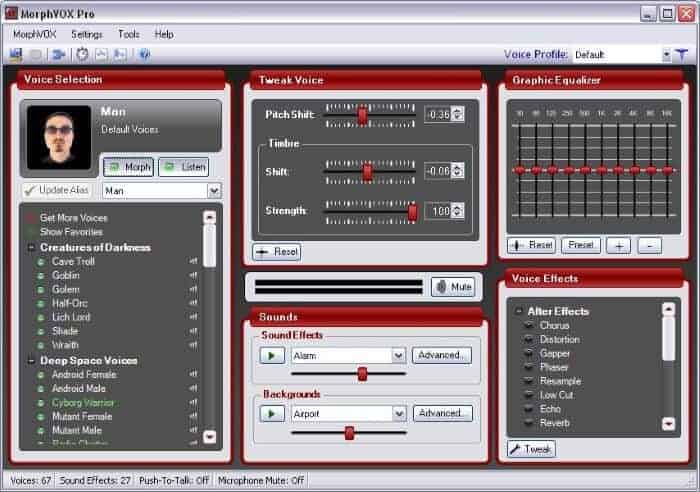
MorphVOX offers both free and paid versions with a solid feature set. The free version is called MorphVox Junior, and the paid version is MorphVox Pro.
MorphVOX is a real-time voice changer you can use for gaming and online communication. It integrates easily with chat platforms and games, and it also lets you add background noise effects.
MorphVOX only runs on Windows. The free version is limited to three voice presets: male, female, and kid. If you don’t like that restriction, MorphVox Pro removes it entirely. There’s also a 7-day fully functional trial available.
#3) Voxal Voice Changer
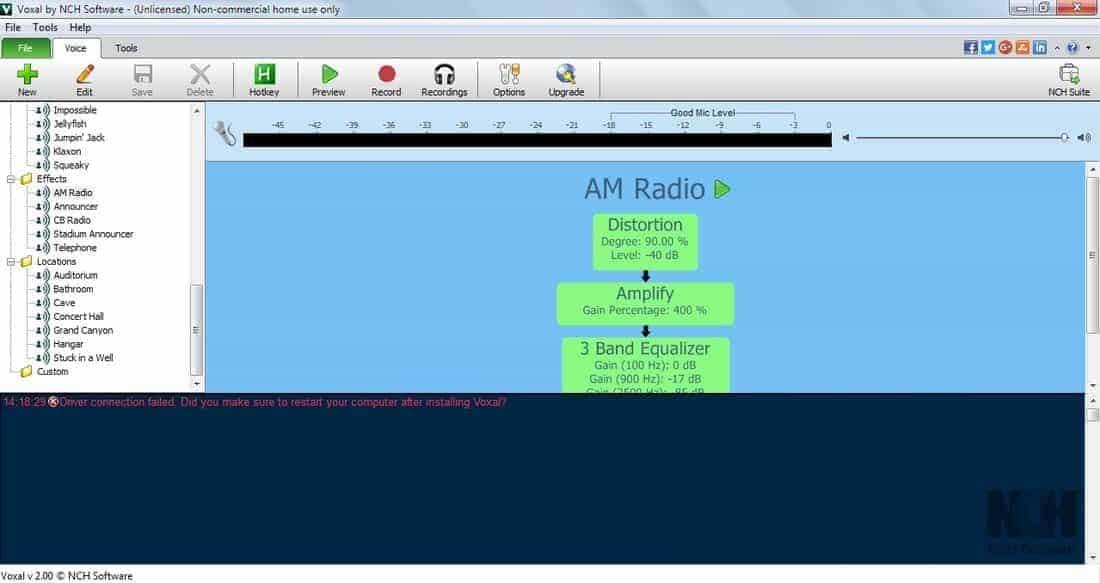
Voxal Voice Changer is a lightweight program with a clean interface. It works with any application that uses a microphone, so you can use it with virtually any game or chat app.
Voxal changes your voice in real time and can also modify pre-recorded audio files. It runs on both Windows and Mac, making it the most versatile cross-platform pick on this list.
Voxal is free for personal home use. You’ll need to buy a license for business purposes. A 14-day trial of the full version is also available. If you need a solid microphone for streaming, pair it with a quality mic for the best results.
#Best Premium Voice Changers With Free Trials
#4) All-In-One Voice Changer
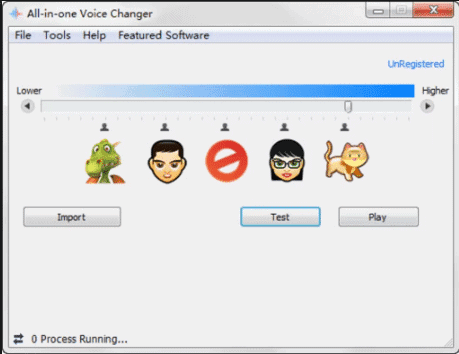
If you enjoy pranking friends and relatives, this software is a solid choice. It isn’t free, but the trial version includes a cat voice effect at no cost.
The standout feature here is mid-conversation voice switching. You can change your voice on the fly while talking, which makes calls unpredictable and entertaining.
A slide bar lets you adjust voice pitch by dragging left or right. Besides real-time changes, the software also lets you modify pre-recorded .wav audio files.
All-in-One Voice Changer was originally designed for online dating use cases. It also connects to IM tools like QQ International and Yahoo Messenger.
#5) Clownfish Voice Changer
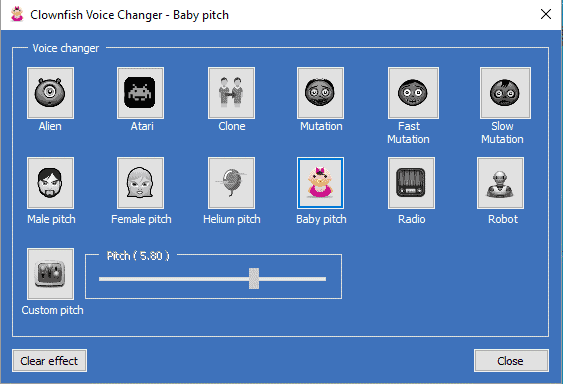
Clownfish Voice Changer installs quickly and runs only on Windows. It barely uses any CPU resources, so you won’t notice a performance hit during gaming sessions.
Voice options include Baby Pitch, Female Pitch, Male Pitch, Robot, Alien, and Darth Vader. Clownfish works system-wide with any app that uses a microphone, including Skype, Discord, Viber, and TeamSpeak. You can also use it inside your favorite games without extra configuration.
Read our full Clownfish Voice Changer review for a deeper look at its features and limitations.
#6) AV Voice Changer Software Diamond
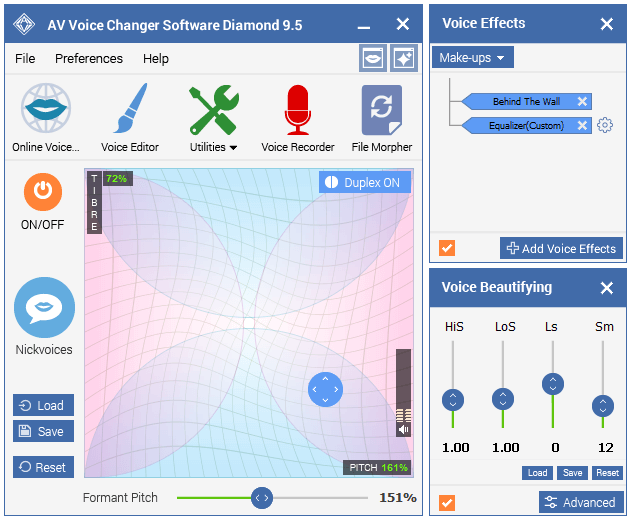
AV Voice Changer Software Diamond isn’t free, but it includes a trial version. You can integrate it with Skype, Twitch, Discord, and Steam, making it useful for live streaming and chat.
Changing your voice is straightforward. Just apply an audio effect or adjust the voice preferences slider, and the modification happens instantly.
AV Voice Changer also lets you edit saved audio files. You can make a voice sound more feminine, deeper, or pitched higher than the original recording. According to NCH Software’s audio guide, pitch shifting combined with formant adjustment produces the most natural-sounding results across all voice changers.
#Tips for Getting Better Voice Effects
Close any unnecessary audio apps before launching your voice changer. Running Spotify or a video player alongside a voice changer can cause audio routing conflicts on Windows.
Use headphones instead of speakers. Without headphones, your microphone picks up the modified output and creates a feedback loop that distorts everything. Microsoft’s audio troubleshooting guide recommends that users set their voice changer as the default input device in Windows Sound Settings to avoid routing conflicts with other apps.
#Setting Up a Voice Changer in Streamlabs OBS
Streamers can route any of these programs into a Streamlabs OBS broadcast. Launch the voice changer before Streamlabs so its virtual audio device registers with Windows, then open Settings → Audio and set Mic/Auxiliary Audio Device 1 to the changer’s virtual microphone, such as Voicemod Virtual Audio Device or Voxal Output. Enable Monitor and Output in the Audio Mixer so you can hear yourself, then speak and confirm the meter moves on the modified track rather than the raw mic.
If audio sounds robotic only inside Streamlabs but normal in Discord, the routing chain usually missed a step. Toggling Streamlabs’ audio device dropdown off and on forces it to re-register the virtual device, which clears the problem in most cases.
For complex routing, such as sending an unmodified voice to Discord while streaming the changed voice, add Voicemeeter Banana as a hub. VB-Audio’s Voicemeeter Banana page states that 3 virtual inputs and 3 virtual outputs ship with the app, enough to split one mic into a clean Discord bus and a modified stream bus without extra hardware.
Streamers who also do paid voiceover work can step up to AV Voice Changer Diamond, which adds manual pitch, timbre, and formant sliders that preset-based tools skip. Our OBS black screen fix guide covers related Streamlabs quirks.
Some links on this page are affiliate links, which means fone.tips may earn a commission at no extra cost to you.
#Male to Female Voice Conversion
Yes. Every desktop program in this roundup ships female or pitch-shift presets, and male-to-female conversion is one of the most common uses in content creation and character role-play. Voicemod’s female presets are among the most natural-sounding on Windows, while Voxal’s free tier covers basic pitch and formant shifts on both Windows and Mac.
Android users have lighter options. Girls Voice Changer focuses purely on male-to-female pitch adjustment and takes about 8 MB of storage, Voice Changer with Effects adds 40+ modifications beyond gender swapping, and VoiceFX processes recorded files offline on the phone. All three work without a desktop PC, though most mobile apps modify recordings rather than live calls.
Higher-pitched male voices transform most naturally. Whatever program you pick, use these effects only on your own accounts and recordings, and never to impersonate a real person.
#Quick Comparison of All 6 Voice Changers
| Software | Free Version | Real-Time | OS | VoIP Support |
|---|---|---|---|---|
| Voicemod | Yes (limited effects) | Yes | Windows | Discord, Skype, Twitch |
| MorphVOX | Yes (3 voices) | Yes | Windows | Discord, TeamSpeak |
| Voxal | Yes (home use) | Yes | Windows, Mac | All microphone apps |
| All-in-One | Trial only | Yes | Windows | QQ, Yahoo Messenger |
| Clownfish | Fully free | Yes | Windows | System-wide |
| AV Voice Changer | Trial only | Yes | Windows | Skype, Twitch, Steam |
Screamingbee, the maker of MorphVOX, reported that their Pro version includes 44 voice presets compared to just 3 in the free Junior edition. That gap is the largest free-vs-paid difference among all six programs listed here.
#Frequently Asked Questions
Can I use voice changer software for voice-over projects?
Yes, many voice changers provide effects suitable for voice-over work. You can experiment with pitch, formant, and modulation settings to match your desired style.
Is voice changer software compatible with online games?
Most real-time voice changers work with online games. Voicemod, Clownfish, and MorphVOX all support titles like Fortnite, Minecraft, and CS2.
Can voice changer software be used during live calls?
Yes. Programs like Voicemod and Voxal support live voice modulation on Discord, Skype, and TeamSpeak. The effect applies instantly with no noticeable delay.
Are there voice changer apps for mobile devices?
Voice changer apps exist for both Android and iOS. Most mobile apps let you apply effects to pre-recorded audio, though some support real-time modification during calls.
Can I switch back to my original voice while using a voice changer?
Every voice changer on this list lets you disable effects instantly. Just turn off the modulation setting or click the bypass button to return to your natural voice.
Do free voice changers affect audio quality?
Free voice changers can introduce slight latency or background noise, especially on lower-end hardware. Lightweight options like Clownfish and Voicemod add only minimal delay on most modern systems, which is barely noticeable during live calls.
#Bottom Line
For most users, Voicemod is the best free voice changer thanks to its large effect library and broad platform support. If you want something completely free with no paid upsell, Clownfish Voice Changer is the way to go. Mac users should stick with Voxal Voice Changer since it’s the only strong cross-platform option on this list.

Apps Crashing After iOS 27 Update? Fix Order (2026)
Apps crashing after the iOS 27 update? Update the app in the App Store first, then offload and reinstall to clear stale cache, then restart. The fix order.

Do AI Translation Earbuds Work Offline? What to Know
Do AI translation earbuds work offline? A few do with downloaded language packs, but most need the cloud. Here's what works offline and what you give up.
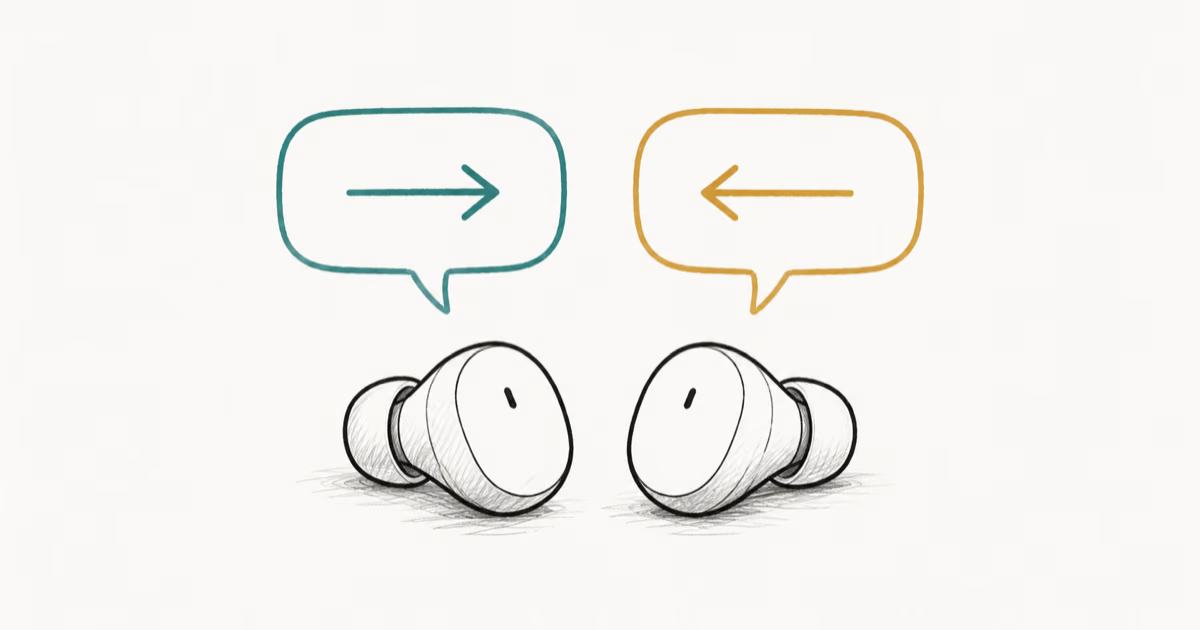
How to Set Up Translation Earbuds (Pairing and Modes)
How to set up translation earbuds: charge, install the app, pair over Bluetooth, pick two languages, and choose a mode. A step-by-step first-use guide.
Translation Earbuds Not Translating? How to Fix Them
Translation earbuds not translating? Usually it's the app, the internet, or the language settings. Here's how to fix pairing, sound, and lag fast.