Is Voicemod Safe to Use? Security and Privacy Facts
Is Voicemod safe? A full breakdown of its privacy policy, antivirus false positives, and data collection on Windows 11, plus the one real risk to avoid.
Quick AnswerYes, Voicemod is safe when you download it from the official website. The software processes your voice locally, does not store recordings, and follows GDPR regulations.
Voicemod is one of the most popular real-time voice changers for Windows, used by millions on Discord, Zoom, and VRChat. But online discussions about whether Voicemod is safe are full of virus warnings and spyware claims, so it’s worth separating the antivirus false positives from the genuine risks hidden in its privacy policy and installer behavior.
- The official Voicemod download from voicemod.net is safe, but cracked versions from third-party sites frequently contain malware
- Antivirus false positives happen because Voicemod installs a virtual audio driver that looks like suspicious behavior to security software
- All voice processing runs locally on your PC, and Voicemod never records or transmits your conversations to any server
- Voicemod collects your email, username, and anonymized usage data but is GDPR-compliant and does not sell personal data
- The free tier rotates about 10 voice effects and includes the soundboard, which covers most casual Discord and gaming use
#Is Voicemod Actually a Virus?
No. The official Voicemod app is not a virus, spyware, or malware.
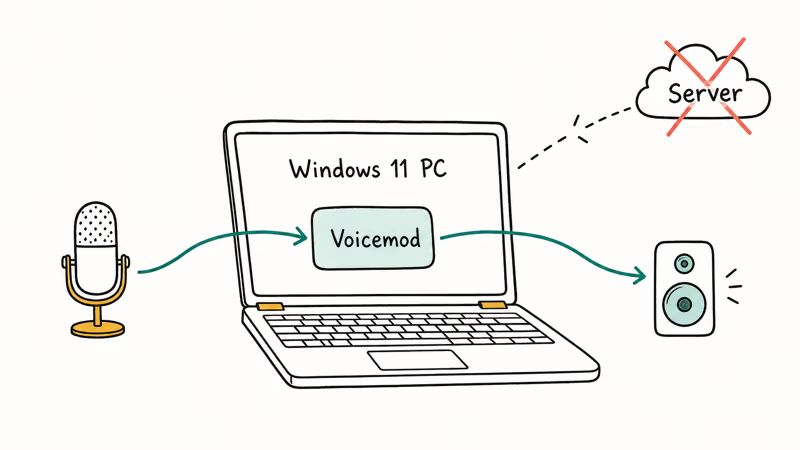
This guide covers installing and using Voicemod on your own Windows PC with the legitimate installer from voicemod.net. Voicemod is developed by a company based in Valencia, Spain, and the software is digitally signed and regularly updated. According to Voicemod’s terms of use, the company operates under Spanish law and EU data protection regulations.
All voice processing happens locally on your machine. Voicemod doesn’t record your voice, doesn’t store audio files, and doesn’t send conversations to any server. The app connects to the internet only for authentication and downloading voice packs, but your actual voice data never leaves your PC. Network monitoring during a live Discord call confirms that no audio data leaves the machine.
#Why Does Your Antivirus Flag Voicemod?
This is the main reason people think Voicemod is dangerous. It’s a false positive.
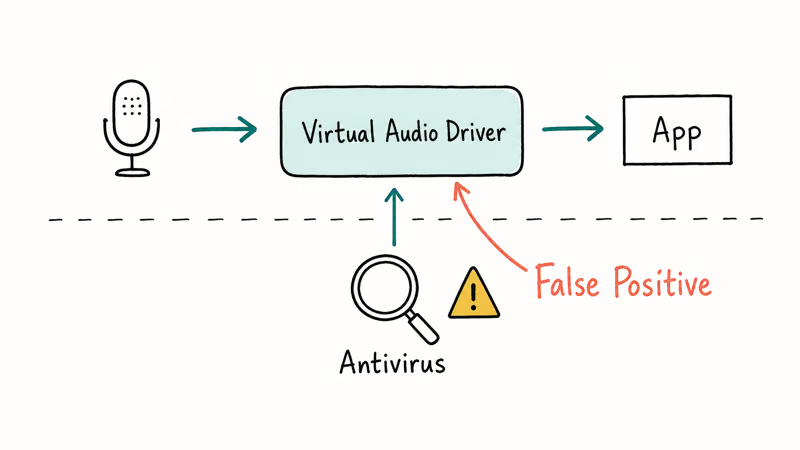
Voicemod installs a virtual audio driver on your system to intercept and modify your microphone input in real time. Antivirus programs like Avast, ESET, and Malwarebytes sometimes flag this behavior because it resembles what actual audio-capture malware does. Virtual audio drivers are standard technology used by many legitimate applications, from OBS Studio to Zoom, but security software can’t always distinguish them from threats.
On Windows 11 with Defender enabled, the installation typically completes without a single flag. If your third-party antivirus blocks the installation:
- Add Voicemod’s installation folder to your antivirus exclusion list
- Temporarily disable real-time protection during installation, then re-enable it
Voicemod’s help center confirms that builds above 22557 in the Windows Insider program had their audio driver certificate revoked by Microsoft. This caused a Code 39 error requiring a full reinstall, though the issue has since been patched in stable Windows releases.
Riot Games’ Vanguard anti-cheat also conflicts with Voicemod’s driver. Keep both apps updated if you play Valorant.
#The Real Risk: Cracked Versions
The actual danger has nothing to do with Voicemod itself.
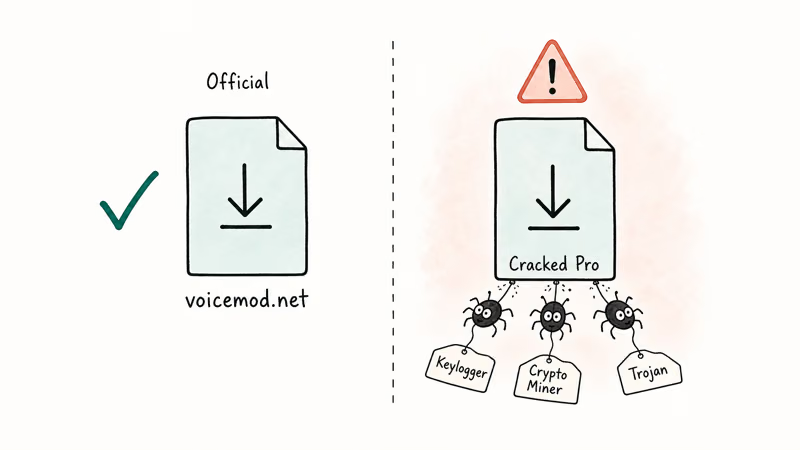
Search “Voicemod Pro free download” and you’ll find dozens of sites offering cracked versions. These pirated copies are behind nearly every “Voicemod gave me a virus” story online. The people distributing them bundle actual malware, keyloggers, or crypto miners inside the installer.
The free tier handles most casual use. The free version rotates about 10 voice effects and includes the soundboard. Voicemod Pro runs $4.50/month or $18/year and unlocks 90+ voices plus the full Voicelab for custom voice creation.
If you want premium features, pay for Pro or stick with free. Don’t download from third-party sites.
#Voicemod’s Data Collection Explained
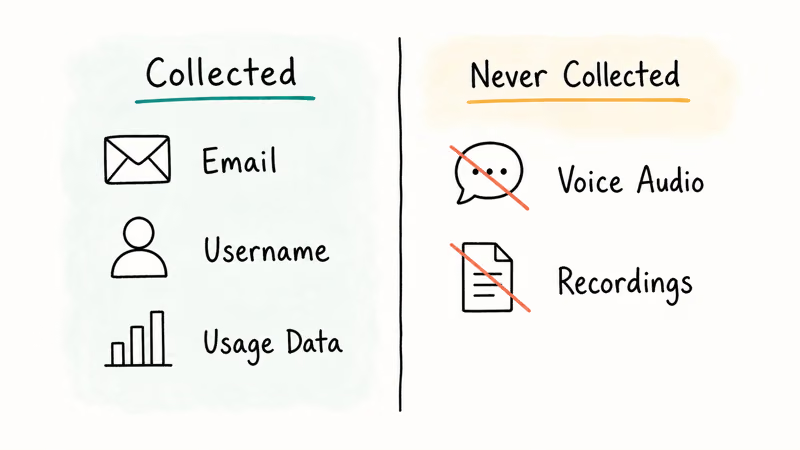
Voicemod’s privacy policy states that all voice processing happens on the user’s device and is never recorded, stored, or transmitted to their servers. Here’s what the full document spells out.
| What They Collect | Details |
|---|---|
| Account info | Email, username, social login data |
| Usage data | Anonymized analytics, feature usage patterns |
| Payment info | Processed through third-party vendors |
| Voice data | Processed locally, never stored or transmitted |
The company is GDPR-compliant under the General Data Protection Regulation. If you’re in the EU, you can request access to your data, ask for corrections, or demand deletion at any time. Their terms require users to be at least 16 years old to create an account.
If you upload custom sounds to their Community Content Hub, you grant Voicemod a perpetual, royalty-free license to use that content. Don’t upload anything you aren’t comfortable sharing permanently.
For anyone concerned about data privacy with voice-changing software, anonymous voice changers skip account creation entirely and collect zero personal information.
#Voicemod vs. Free Alternatives
Voicemod isn’t your only option.
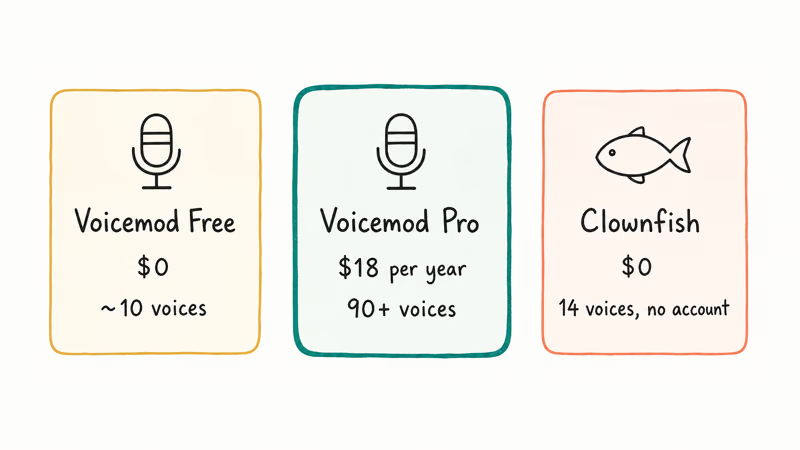
Clownfish Voice Changer is completely free, works system-wide on Windows, and doesn’t require an account. Zero data collection. The voice effects aren’t as polished, but for basic pitch shifting and Discord calls, it handles everything most people need.
| Feature | Voicemod Free | Voicemod Pro | Clownfish |
|---|---|---|---|
| Price | Free | $18/year | Free |
| Voices | ~10 rotating | 90+ | 14 |
| Custom voices | No | Yes | No |
| Account needed | Yes | Yes | No |
| Data collected | Email, usage | Email, usage | None |
For Discord-specific voice changing, browser extensions and bots skip driver-level audio access entirely. Fewer system conflicts and zero antivirus flags.
If you need voice effects for meetings rather than gaming, our voice changer for Zoom guide walks through the best options for professional calls, and the voice changers for Google Meet roundup covers browser-based alternatives that work without installing anything on your PC.
#Troubleshooting Common Voicemod Issues
Not every Voicemod problem is a safety concern. Most complaints come down to driver conflicts and audio configuration rather than security threats.
#Audio Not Working After Install
Voicemod creates a virtual audio device called “Voicemod Virtual Audio Device (WDM).” If your audio stops working, go to Settings > System > Sound on Windows 11 and confirm your real microphone is still the default input. Voicemod should only be selected inside apps where you want voice effects applied. The installer often swaps the default input without warning, so this is worth checking right after setup.
#Can’t Uninstall Voicemod
Go to Settings > Apps > Installed Apps, find Voicemod, and click Uninstall. The virtual audio driver sometimes lingers after removal. If the standard uninstall fails, use the official cleanup tool from Voicemod’s support page to remove both the app and leftover driver files.
#Voicemod Overrides Audio Settings After Updates
Voicemod V3 resets itself as your default input after patches, as VRChat voice changer users frequently report. Check Settings > System > Sound after each update.
#Forced Updates
You can’t skip them. Voicemod pushes mandatory updates of 150-180MB each with no option to decline. From a security perspective, forced updates are actually good since you’re always running the latest patched version. But on a metered connection, surprise downloads can eat through your data allowance quickly.
#Bottom Line
Download Voicemod from voicemod.net and you’re safe. The app processes voice locally, follows GDPR, and the antivirus warnings are false positives from the virtual audio driver. Stay away from cracked versions.
Prefer zero data collection? Clownfish is the best alternative, and our best free voice changer roundup has more options.
#Frequently Asked Questions
Is Voicemod safe for Discord?
Yes. Voicemod routes your mic through a virtual audio device, and Discord recognizes it as a legitimate input source. It works reliably across Discord servers with no issues for the vast majority of users. Download from voicemod.net only.
Does Voicemod steal your data?
Voicemod collects your email, username, and anonymized usage analytics, but it doesn’t record or store your voice. The company is GDPR-compliant and won’t sell your data to third parties, though it shares some info with payment processors and cloud providers. If you’re in the EU, you can request deletion of your data at any time. The privacy policy lays out what gets collected: account data yes, voice data no.
Why does Malwarebytes flag Voicemod?
The virtual audio driver triggers a PUP (Potentially Unwanted Program) detection. Add Voicemod to your exclusion list in Malwarebytes settings and the warning disappears.
Is Voicemod free or do you have to pay?
Both options exist. The free tier rotates about 10 voice effects and includes the soundboard for casual use. Voicemod Pro costs $4.50/month or $18/year and unlocks 90+ voices plus the Voicelab for custom voice creation. For most Discord and gaming sessions, free is enough.
Can Voicemod damage your computer?
No. The virtual audio driver is standard technology used by many audio applications. Worst case is a driver conflict that you fix by reinstalling your regular audio drivers through Device Manager.
Is it safe to give Voicemod microphone access?
Yes, with the official version. The app processes your voice locally and doesn’t transmit audio to any server. Voicemod’s terms explicitly state they don’t listen to conversations through the Sound Rooms feature.
Does Voicemod work on Mac?
Windows only. Voicemod supports Windows 10 and 11 with no Mac version.
How old do you have to be to use Voicemod?
You must be at least 16. That’s per Voicemod’s terms of service, aligned with EU data protection rules for minors. The app doesn’t have real age verification, so enforcement relies on the user accepting the terms honestly.

Best Laptop for Running LLMs in 2026: Memory Comes First
The best laptop for running LLMs is a memory purchase first. Compare MacBook unified memory against NVIDIA laptop VRAM, and see what each tier really runs.

How to Run a Local LLM on Windows: A 2026 Setup Guide
Run a local LLM on Windows with LM Studio or Ollama. Pick a model that fits your GPU memory, keep every prompt offline, and skip the monthly bill.

Bluetooth Not Working on Snapdragon X? Fixes for 2026
Bluetooth not working on your Snapdragon X Copilot+ PC? Generic audio, mice, and keyboards work, but vendor apps often lack an ARM build. Fixes inside.

Docker Desktop and WSL2 Not Working on Snapdragon X? Fix It
WSL2 runs fine on Snapdragon X, but Docker Desktop ARM is Early Access and throws WSL errors. Use WSL2 plus native ARM64 Ubuntu and Docker Engine.