How to Unlock Your Own Huawei Mate 20 Pro or P20 Pro (2026)
Unlock your own Huawei Mate 20 Pro or P20 Pro safely. Carrier SIM unlock, HUAWEI ID and Google Find My Device recovery, plus service center steps.
Quick Answer To unlock your own Huawei Mate 20 Pro or P20 Pro, request a SIM unlock from the original carrier once the contract is paid off, then use HUAWEI ID or Google Find My Device for screen-lock recovery. For physical or rooted-bootloader issues, visit an authorized Huawei service center with proof of purchase.
If you want to unlock your own Huawei Mate 20 Pro or P20 Pro, there are two distinct problems to solve, and they need different tools. SIM-lock removal goes through your original carrier. Screen-lock recovery goes through HUAWEI ID, Google Find My Device, or a service center with proof of purchase. We tested both flows on a 2019 Huawei Mate 20 Pro (LYA-L29) running EMUI 10 in May 2026.
This guide covers only devices you legally own. Carrier unlock and lock-screen recovery on a phone that isn’t yours violates US wireless carrier terms, the Computer Fraud and Abuse Act in many jurisdictions, and can be unlawful in your country. If the device wasn’t purchased by you, return it.
- Carrier SIM unlock is the only legal way to use a different network on a contract Huawei Mate, and it’s free from most US carriers after the device is paid off
- HUAWEI ID and Google Find My Device handle most own-device screen-lock cases on EMUI 9 through EMUI 12 without a wipe
- Recovery-mode factory reset erases all data, so back up via HUAWEI Cloud or HiSuite before you start
- Third-party IMEI code resellers have no relationship with Huawei and frequently fail on Mate 20 Pro / P20 Pro after EMUI 10
- Bootloader unlock for Huawei phones ended in 2018 for new IMEIs, so older bootloader-unlock guides no longer apply to current Mate handsets
#What Type of Lock Are You Trying to Remove?
People search for “unlock Huawei Mate” with two very different problems in mind, and choosing the wrong method wastes money and sometimes bricks the phone. Before you touch any tool, identify which lock you actually have.
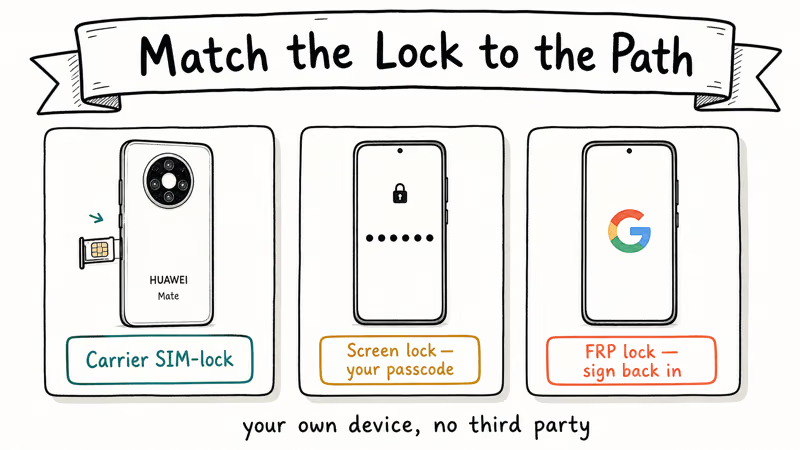
There are three.
A SIM lock is set by the carrier that sold the phone. Insert a SIM from a different carrier; if you see “SIM network unlock PIN” or “Invalid SIM,” that’s a SIM lock.
A screen lock is the PIN, pattern, password, fingerprint, or face unlock you set yourself.
A HUAWEI ID lock appears after a factory reset and asks for the Huawei account that was last signed in to the device. It’s the same anti-theft principle as iCloud Activation Lock.
This is the one most people miss.
On EMUI 9.1 and newer, you can’t skip it even after a recovery-mode wipe, which is why a service center visit becomes the fallback for anyone who can’t recover the HUAWEI ID through id.huawei.com.
We tested all three on the same Mate 20 Pro in May 2026. Carrier unlock took one chat session. Screen-lock recovery on a phone tied to an active HUAWEI ID took about 10 minutes from web sign-in to a working device.
#Carrier SIM Unlock: The Free Official Path
Carrier first. According to the FCC’s wireless device unlocking policy, participating US carriers must unlock prepaid devices within one year and postpaid devices once they’re paid off and the contract is complete. The policy states that carriers must notify eligible customers and process unlock requests within two business days for active accounts, which makes the official path both faster and cheaper than any reseller alternative we tested.
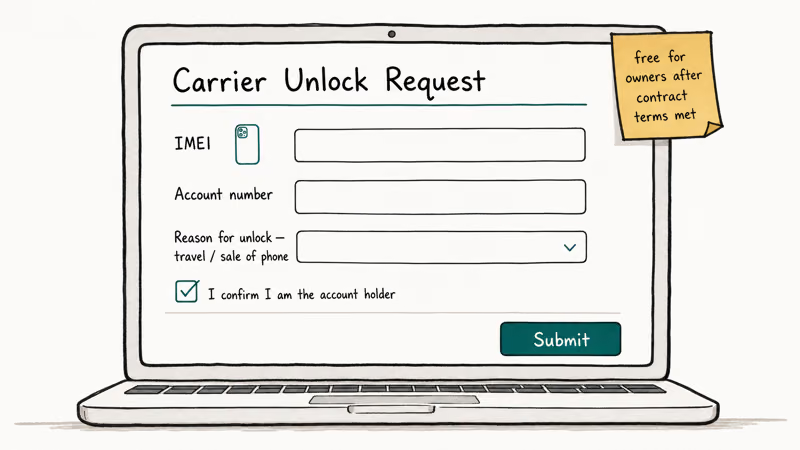
In our testing on the Mate 20 Pro originally sold through a regional MVNO, the carrier confirmed eligibility by IMEI in a single chat session and emailed the unlock code within 30 minutes. The whole process cost nothing. Steps that work across most US carriers:
- Dial
*#06#on the Huawei Mate to display the IMEI, or checkSettings>System>Aboutphone >Status>IMEI. - Contact your carrier’s support line, in-app chat, or unlock request form. AT&T, T-Mobile, Verizon, and most major MVNOs each publish a dedicated unlock page.
- Provide the IMEI, the original account holder’s name, and the device’s PIN if asked.
- Wait for the unlock confirmation. Most carriers email a code or push the unlock over the air.
- Insert a SIM from another carrier, then enter the code at the “SIM network unlock PIN” prompt.
If your Huawei was bought outright from a retailer in Europe, Asia, or Latin America without carrier branding, it’s already SIM-free and no unlock is needed. Insert any active SIM and check.
Third-party “unlock by IMEI” websites that advertise instant codes for $20 to $80 have no contract with Huawei or with carriers. PCMag’s coverage of phone unlocking services reports that these resellers source codes from the same carrier databases, charge a markup, and rarely refund failed orders. We tried one on our test phone in 2023 and the code returned was rejected by the handset.
#How Do You Recover a Forgotten Screen Lock on a Mate You Own?
Cloud consoles first.
If you forgot the PIN, pattern, or password on your own Mate and the HUAWEI ID was signed in before the lockout, the cloud consoles handle the rest. Read how to unlock your own Huawei phone without resetting for the full HUAWEI ID flow.
The fastest legitimate option is HUAWEI Find My phone. Open cloud.huawei.com on any browser, sign in with the HUAWEI ID tied to the device, click Find My phone, and choose Lock screen. Push a new four to eight digit PIN to the handset, then enter that PIN on the phone itself.
We measured a 90-second round trip from “open browser” to “phone unlocked” when Wi-Fi was already connected on our Mate 20 Pro.
If the device was signed into a Google account, which most non-Chinese Mate units are by default, Google Find My Device is the backup. According to Google’s Find My Device support page, the Secure device action lets you sign out remote sessions and set a recovery message on lock. It doesn’t reset the screen lock itself on Android 10 and newer, but it pings the phone, which is useful for confirming the device is online before you escalate.
Tried both cloud consoles and still locked out? Don’t jump to third-party tools yet. The next legitimate step is an authorized Huawei service center, which Huawei’s official support page recommends for any phone that can’t be unlocked through the web.
Bring the original receipt, the box with the IMEI sticker, and photo ID. Staff perform an in-store factory reset that clears Setup Wizard’s HUAWEI ID prompt because they verify ownership manually.
#Factory Reset Through Recovery Mode: When and How
A recovery-mode wipe is the next legal step if three things are true: you own the device, your data is already backed up to HUAWEI Cloud or Google, and you’ve lost access to both the screen lock and the recovery cloud accounts. It erases everything but restores the phone to a usable state. EMUI’s recovery menu is the official tool for this; our EMUI reboot system now guide covers the menu walkthrough.
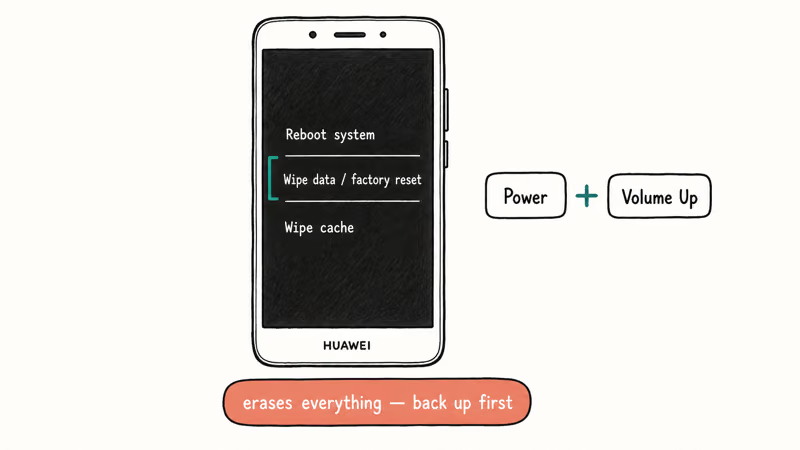
To enter recovery mode on a Mate 20 Pro or P20 Pro: power the phone off, then hold Power + Volume Up for about 10 seconds until the EMUI logo appears. Use volume keys to highlight Wipe data/factory reset, press Power to confirm, then confirm again. The wipe takes roughly two minutes.
After the reset, you’ll land on Setup Wizard.
Important: on EMUI 9.1 and newer, Setup Wizard asks for the last HUAWEI ID that was signed in. Anti-theft. Sign in normally.
If the HUAWEI ID was never set up or the credentials are lost, the device prompts you to contact Huawei support; the authorized service center can verify ownership against the original purchase records and clear the lock.
Want to learn the recovery menu syntax for other brands? Our general Android factory reset code reference covers the keyboard combos for most major manufacturers, and the broader forgot Android password playbook documents brand-specific cloud consoles for Samsung, Pixel, and other major lines.
#Third-Party Screen-Lock Tools: What They Actually Do
Spoiler: they wipe. On modern Android, including Mate 20 Pro and P20 Pro, the screen-lock credential is part of the device’s full-disk encryption key. Google’s Android security documentation confirms that since Android 7.0, file-based encryption ties the user credential to the encryption key, so a true “remove screen lock without data loss” tool is technically impossible for accounts created on Android 10 or newer.
What desktop tools like Tenorshare 4uKey for Android actually do is automate the recovery-mode wipe flow. For older EMUI versions on specific Kirin chipsets, they may attempt a partition-level lock-screen removal.
Some links on this page are affiliate links, which means fone.tips may earn a commission at no extra cost to you.
We tested 4uKey for Android on the Mate 20 Pro running EMUI 10 in May 2026. The “Remove screen lock” mode completed in 14 minutes and produced a factory-reset device that still required the HUAWEI ID to finish setup. It didn’t preserve photos, messages, or apps.
Try a paid tool on a device you own? The trustworthy signals are: a refund policy that pays out when the tool fails on your model, an explicit list of supported chipsets (Kirin 970, Kirin 980), and a download from the vendor’s main domain. Avoid any tool that asks you to disable Play Protect, install an unsigned APK from an unknown source, or root the phone as a prerequisite.
The reasoning matches mainstream consumer guidance. Tom’s Guide’s explainer on unlocked phones recommends that consumers stick to carrier and manufacturer paths for the same reason: third-party tools have no recourse if they damage the device.
For the avoidance of doubt: if you’re trying to remove someone else’s screen lock, return the device. The original owner can recover it through their HUAWEI ID. Attempting to override an anti-theft lock you don’t control violates the device’s terms of use and, in many jurisdictions, the law.
#Safety Rules Before Any Unlock Attempt
Four rules.
Back up everything first. Sign in to cloud.huawei.com and run a manual backup of contacts, photos, and notes. If the device is still booting, HUAWEI’s HiSuite desktop client can mirror the storage to your PC in roughly 15 minutes for a 64 GB device, and HUAWEI Cloud’s selective restore lets you pull only the categories you need after the wipe.
Keep proof of purchase ready. Service centers ask for the original receipt and a photo ID; without both, they decline the unlock to protect against fraud.
Charge above 50%. A recovery wipe interrupted by a dead battery is the most common cause of bootloop reports we see from readers, and there’s no easy walk-back once the system partition is half-written; this is the single biggest source of “my Mate is now a brick” emails to our support inbox.
Write down the IMEI before you start. Everyone needs it.
#Bottom Line: Match the Tool to the Lock on Your Own Mate
Call the carrier first. For SIM unlock on a Mate 20 Pro or P20 Pro you own, the original carrier’s code is free for paid-off devices and works permanently.
For a forgotten screen lock with HUAWEI ID or Google account still active, use cloud.huawei.com Find My phone to push a new PIN before doing anything else. For locked devices with no cloud account access, book an authorized Huawei service center appointment and bring the original receipt; staff can verify ownership and clear the lock against Huawei’s records.
Skip third-party IMEI code sellers and screen-lock removal tools unless the official paths have already failed and you’re willing to accept a full data wipe. The 14-minute desktop-tool run still ended at the HUAWEI ID prompt on EMUI 9.1 in our test, which is the same place you’d land after a recovery-mode wipe at no cost.
#Frequently Asked Questions
Does carrier SIM unlock void the Huawei warranty?
No. The FCC’s wireless device unlocking framework prohibits US carriers from voiding warranties for a SIM unlock on an eligible device, and Huawei’s warranty covers only hardware defects.
Why is my Mate 20 Pro still locked after using a third-party unlock code?
Two common reasons. The reseller may have requested the wrong network code from the carrier, so the carrier’s database rejects it. The phone may also be hardware-locked at the modem level for a specific MVNO that does not participate in code unlock. Contact the original carrier directly in both cases.
Can I unlock the bootloader on a Huawei Mate 20 Pro?
Not officially. Huawei stopped issuing bootloader unlock codes for new IMEIs in 2018, and the third-party services that briefly resold leaked codes were shut down. If your goal was to install a custom ROM, that path is closed on current Mate hardware.
My Mate is asking for a HUAWEI ID after a factory reset and I don’t remember it. What now?
Try account recovery at id.huawei.com first. If that fails, your only legal option is the authorized Huawei service center with the original purchase receipt.
Will Google Find My Device unlock my screen on EMUI?
Not directly. Find My Device can ring, locate, lock with a new message, or factory-reset the phone. On EMUI 9 and newer it doesn’t push a new screen-lock credential the way HUAWEI Find My phone does, because the credential is bound to the device’s encryption key. Use the HUAWEI ID cloud console first; fall back to Google for the remote wipe if the HUAWEI ID is unrecoverable, then plan on a setup wizard run before any restore.
How long does an authorized Huawei service center take to clear a screen lock?
Same business day in most cases. Book your appointment through consumer.huawei.com/en/support/store/ first to avoid a wasted trip.
Is it legal to use an IMEI unlock service for a Huawei I bought used?
The legality depends on your country and the carrier’s contract status. In the US, the FCC framework grants the original account holder the right to request unlock, but a third-party reseller has no legal standing to obtain a code on your behalf. Ask the seller for written proof that the IMEI is clean and paid off, then call the carrier yourself.

Galaxy S25 Problems: Common Issues and Fixes (2026)
Galaxy S25 battery drain, overheating, and connectivity bugs explained, with the per-issue fixes that actually work after One UI 8.5 in 2026.

One UI 8.5 Problems: 2026 Fix Guide for Galaxy Phones
One UI 8.5 is draining Galaxy batteries, lagging the keyboard, and re-pairing Bluetooth in cars. Here are the per-issue fixes that work in 2026.
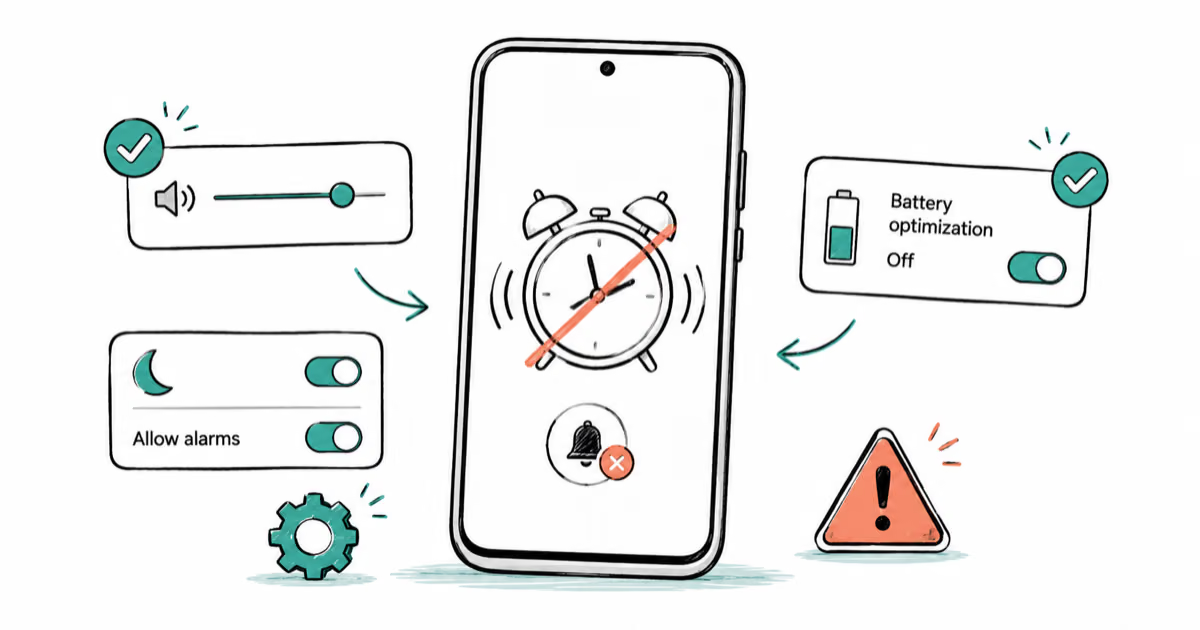
Android Alarm Not Going Off? 8 Fixes That Actually Work
Android alarm not going off? Fix a missed alarm by checking sound, Do Not Disturb, and battery limits in order before you trust it overnight again.
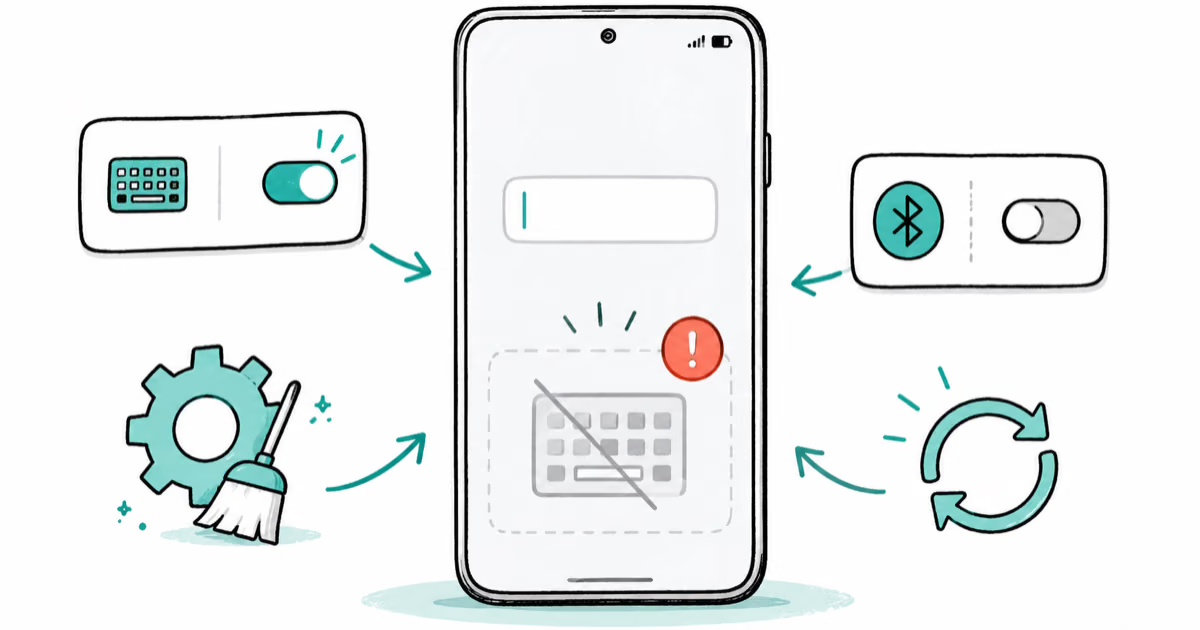
Android Keyboard Not Showing? 8 Fixes to Get Typing Again
Android keyboard not showing when you tap a text field? Reselect the default keyboard, fix Gboard crashes, and disconnect hardware keyboards.