Download or Record BBC iPlayer for Personal Use (2026)
Download BBC iPlayer with the official app, or screen-record for personal time-shifting in 2026. UK TV License rules, CDPA section 70, and what to avoid.
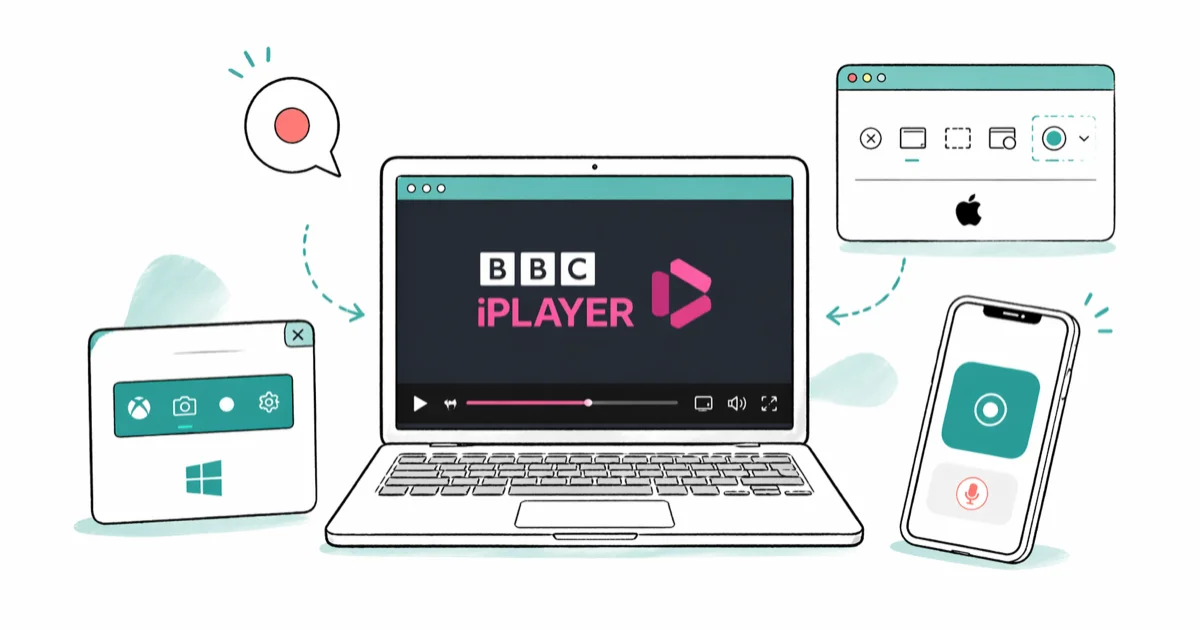
Quick AnswerBBC iPlayer's built-in download feature is the legitimate path: tap the download arrow in the iOS, Android, or Windows iPlayer app and the file plays offline for up to 30 days. For shows missing the download button, OBS Studio screen-recording on your own device is the fallback that fits UK time-shifting law.
This guide assumes you hold a valid UK TV License and you’re using your own device to time-shift BBC iPlayer content for personal offline viewing. It covers the official iPlayer download flow on iOS, Android, and Windows, plus OBS Studio as the fallback for live broadcasts.
- The iPlayer mobile app on iOS and Android, and the Windows iPlayer app, all support official downloads through the cloud icon next to each show
- Most iPlayer downloads expire 30 days after download or 7 days after you start watching
- Live BBC broadcasts can be recorded on Sky Q, Virgin TV 360, Freeview Play, and YouView for personal time-shifting
- OBS Studio screen-recording on your own device is the fallback when a show has no download button
- A valid UK TV License is required for both live BBC viewing and any iPlayer access since September 2016
#Is It Legal to Record BBC iPlayer?
Yes, in the UK, with strict limits.
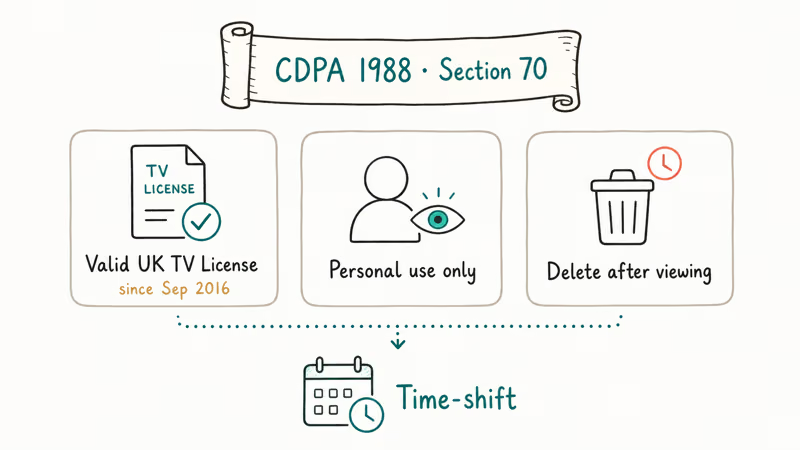
The Copyright, Designs and Patents Act 1988 section 70 (the time-shifting exemption) lets you record a broadcast on your own equipment for personal viewing at a more convenient time. According to BBC’s terms of use, iPlayer content is licensed for your private use only, and the file or recording stays legal only while it serves that purpose. Once you’ve watched the show, the legal basis for keeping the copy expires.
Three rules sit on top of that exemption. Hold a valid UK TV License (required since September 2016 for any iPlayer access). Keep the recording for yourself, with no upload anywhere. Delete it after viewing.
If you live outside the UK, iPlayer is geo-restricted by IP. Bypassing that geo-block with a VPN violates BBC’s terms of use regardless of method, so this guide doesn’t cover non-UK access. Inside the UK, our streaming with a VPN guide explains why a UK-IP VPN is unnecessary for License holders watching at home.
#Downloading BBC iPlayer Officially
The cleanest path is the BBC’s own download button. No third-party tool, no DRM workaround, no legal grey area.
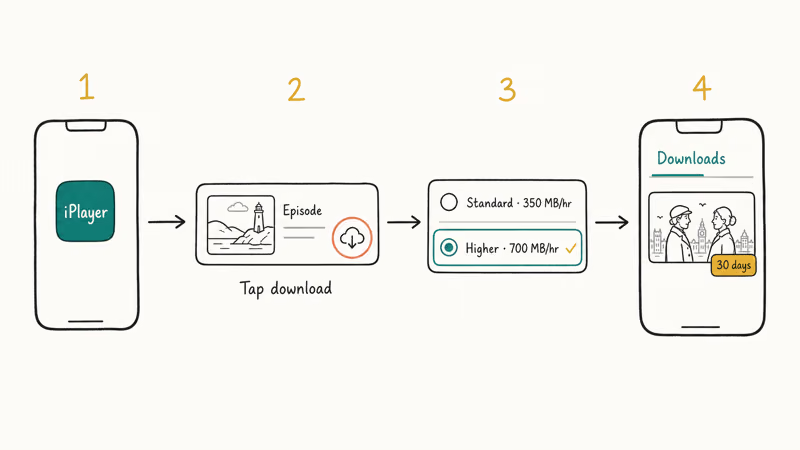
Open the iPlayer app on your iPhone, iPad, Android phone, or Windows 10/11 PC, and find the show. Tap the cloud-with-down-arrow icon next to the episode. Pick Standard or Higher Quality (about 350MB or 700MB per hour). The episode downloads to your device and plays offline from the Downloads tab inside the app.
Higher Quality downloads use more storage than Standard downloads, so check available space before saving longer programmes.
The Windows iPlayer app stores downloads inside its app-managed local data and plays them offline from the app.
According to BBC’s iPlayer downloads help page, most downloaded shows expire 30 days after download. Once you start watching, you usually have 7 days to finish. A few series carry shorter windows for licensing reasons. The app shows the remaining time on each thumbnail.
The download button is missing on a small number of shows where the BBC doesn’t hold offline rights. That’s the only legitimate reason to reach for the screen-recording fallback below.
#Why Won’t Some Shows Download From iPlayer?
Three reasons account for almost every missing download arrow.
Rights restriction. Some films, sports clips, and co-produced dramas don’t include offline rights. The BBC can’t offer downloads for those even to UK License holders. The button simply isn’t there.
Live or just-aired content. Live broadcasts and shows that finished in the last few minutes aren’t yet packaged for download. Wait an hour and the arrow usually appears.
Quick check: are you in the app, not the browser?
Browser instead of app. The iPlayer website at bbc.co.uk/iplayer doesn’t offer downloads at all. Downloads are an app-only feature. Install the official iPlayer app from the App Store, Google Play, or the Microsoft Store.
Linux desktop has no official iPlayer app. Stream in browser only.
#How to Record Live BBC With Your TV Box
Live BBC One, Two, Three, Four, and the news channels can be recorded by every mainstream UK TV platform. This is the most boring and most legitimate option for time-shifting a live broadcast.
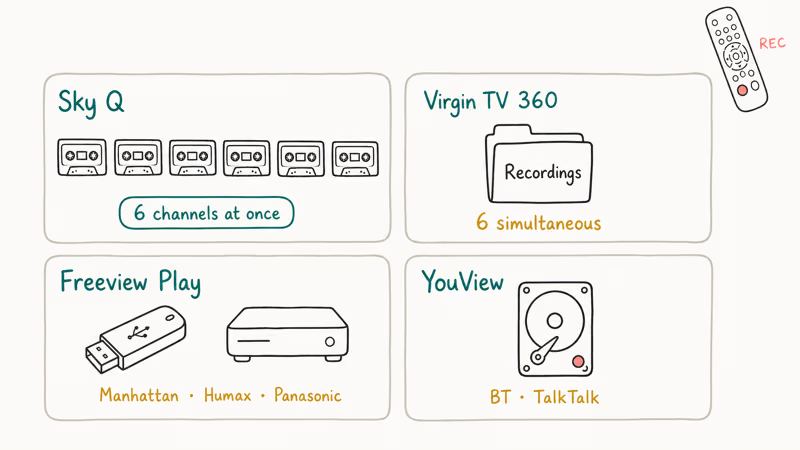
Sky Q records up to six channels at once to its built-in hard drive. Press the red button during a programme to start recording, or schedule from the EPG. Virgin TV 360 records up to six shows simultaneously and stores them in the Recordings folder. Freeview Play boxes from Manhattan, Humax, and Panasonic record to USB or internal storage under My Recordings, and YouView (BT and TalkTalk boxes) does the same.
According to the Wikipedia entry on the CDPA 1988 section 70 exemption, recording broadcast TV for personal time-shifting is explicitly covered when the recording is for private and domestic use only.
On TV platforms with built-in recording, completed broadcasts appear in the platform’s Recordings library for later personal viewing.
#When OBS Studio Screen Recording Makes Sense
OBS Studio is a free, open-source screen recorder for Windows, macOS, and Linux. It captures whatever’s on your screen, including the iPlayer browser tab.
The legal framing matters here. Screen-recording iPlayer playback on your own device is a technical workaround that fits inside the same CDPA section 70 time-shifting exemption. You’re recording a broadcast for personal viewing at a more convenient time, on equipment you own.
The recording stays for you alone. Delete it after viewing.
Use OBS only for shows where the official download button is missing, such as live broadcasts that aren’t yet downloadable or specific clips with no offline rights. If the iPlayer app offers a download, use that instead.
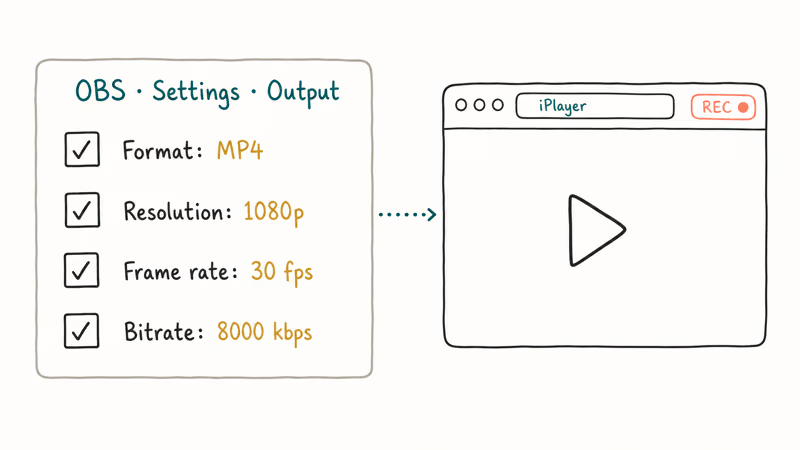
To set OBS up: download from obsproject.com, install, then add a Display Capture source for your full screen or a Window Capture source pointed at your browser. Set output to MP4 at 1080p, 30fps, and 8000kbps in Settings > Output. Hit Start Recording, switch to your iPlayer tab, and play the show. Press Start Recording again to stop.
OBS can save iPlayer browser capture to MP4 on Windows. On macOS, you may need an audio-routing tool such as BlackHole to capture system audio; without it, OBS captures video only. If your macOS recording then needs to play on Windows, our convert video to MP4 guide covers HandBrake settings.
#What to Avoid
A few categories of tool look attractive online but cross legal lines.
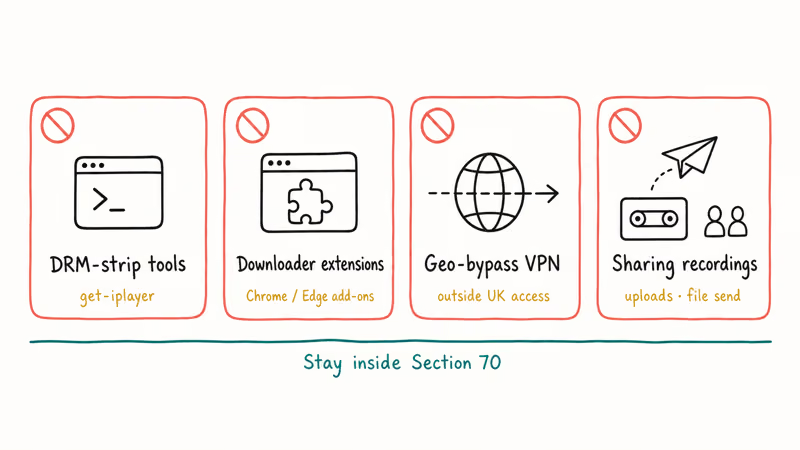
get-iplayer and other DRM-strip tools. These work by stripping the BBC’s DRM from the iPlayer stream. The strip itself violates the UK Digital Economy Act 2017, which criminalised DRM circumvention. It also violates the EU Copyright Directive 2019 in member states, and US users would land in DMCA section 1201 territory. Your TV License doesn’t cover DRM circumvention.
Third-party “BBC iPlayer Downloader” Chrome extensions. Most are wrappers around the same DRM-strip code, and a non-trivial share are malware vectors. According to Microsoft’s Edge add-on guidance, users should install only verified extensions from the official store and treat media-download wrappers with suspicion. Stick to the BBC’s own apps.
VPN to access iPlayer from outside the UK. This is geo-bypass, not time-shifting. BBC’s terms of use prohibit it explicitly, and the TV License can’t be issued to a non-UK address.
Sharing recordings. Even with a valid TV License, even for content you legitimately downloaded, sharing the file with a friend or uploading to a public site violates BBC copyright. The section 70 exemption stays personal — it doesn’t extend to redistribution. If you want a friend to watch, point them at iPlayer with their own License.
For anything else you might want to record from your screen, our Screencast-O-Matic review and best video players guides cover legal screen-capture and playback workflows.
#Bottom Line
Use the iPlayer app’s official download button first. It works on iOS, Android, and Windows, gives you 30 days of offline viewing, and asks nothing of your conscience. For live BBC, schedule the recording on your Sky Q, Virgin TV 360, Freeview Play, or YouView box.
Reach for OBS Studio only when the download arrow is missing and you need to time-shift a specific show. Delete the file after watching to stay inside the CDPA section 70 boundary. If your iPhone screen recording has no sound when you try OBS or the iOS recorder, our fix guide covers iOS 16, 17, and 18.
#Frequently Asked Questions
Do I need a TV License to download from BBC iPlayer?
Yes. A valid UK TV License has been required for any iPlayer access since September 2016, including downloads.
How long do BBC iPlayer downloads last?
Most expire 30 days after download, or 7 days after first play. The thumbnail shows the timer.
Can I record BBC iPlayer on my computer if there’s no download button?
Yes, with OBS Studio on your own device, for personal time-shifting only. The CDPA 1988 section 70 covers recording a broadcast for viewing at a more convenient time. Delete the recording after watching, don’t share it, and don’t upload it anywhere. If the show has a download button, use that instead.
Is get-iplayer legal in the UK?
No. get-iplayer and similar tools strip the BBC’s DRM from iPlayer streams, which is criminalised under the UK Digital Economy Act 2017. Your TV License doesn’t authorise DRM circumvention. The official BBC iPlayer app on iOS, Android, and Windows is the legitimate way to download iPlayer content.
Can I download BBC iPlayer on a Mac?
The BBC doesn’t ship an official iPlayer app for macOS, so Mac users can only stream in browser. Use OBS Studio for personal time-shifting if a specific show needs it.
Why does the BBC iPlayer Android app block screen recording?
The Android iPlayer app uses Android’s FLAG_SECURE to block screen capture, which is a DRM enforcement choice by the BBC. According to Google’s Android developer documentation, this flag prevents both screenshots and screen recording at the OS level. Use the app’s built-in download arrow instead.
Can I share my BBC iPlayer download with family?
No. The TV License covers your household and personal viewing on devices you own. Sharing the downloaded file outside your household, uploading to a cloud share link, or sending the file to a friend all violate BBC copyright. Each viewer needs their own License, and each viewer should download through their own iPlayer account.
What file format do iPlayer downloads use?
iPlayer downloads are encrypted MP4 files locked to your device through Widevine or PlayReady DRM, depending on platform. They play only inside the iPlayer app. They can’t be moved to another device or converted with HandBrake. If you need a portable file, screen-record the playback on your own device with OBS Studio for personal use only — our record a Discord call walkthrough covers similar local-recorder setup.

Google Messages Error 3100: Why RCS Is Broken on Galaxy
Google Messages RCS error 3100 hits Galaxy owners after phone or carrier switches. Google told 9to5Google a fix is coming. Here's what actually helps.

Is This Bank App Real? Spot a Fake App on Your Home Screen
A bank app can land on your home screen from a web page with no install warning. Learn the checks that tell a real banking app from a phishing web app.

Apps Crashing After iOS 27 Update? Fix Order (2026)
Apps crashing after the iOS 27 update? Update the app in the App Store first, then offload and reinstall to clear stale cache, then restart. The fix order.

Do AI Translation Earbuds Work Offline? What to Know
Do AI translation earbuds work offline? A few do with downloaded language packs, but most need the cloud. Here's what works offline and what you give up.