Pokemon GO Soft Ban: Causes, Recovery, and Prevention
Pokemon GO soft ban from a legitimate flight, drive, or subway commute? Wait it out 4-12 hours, then prevent the next one with these proven habits.
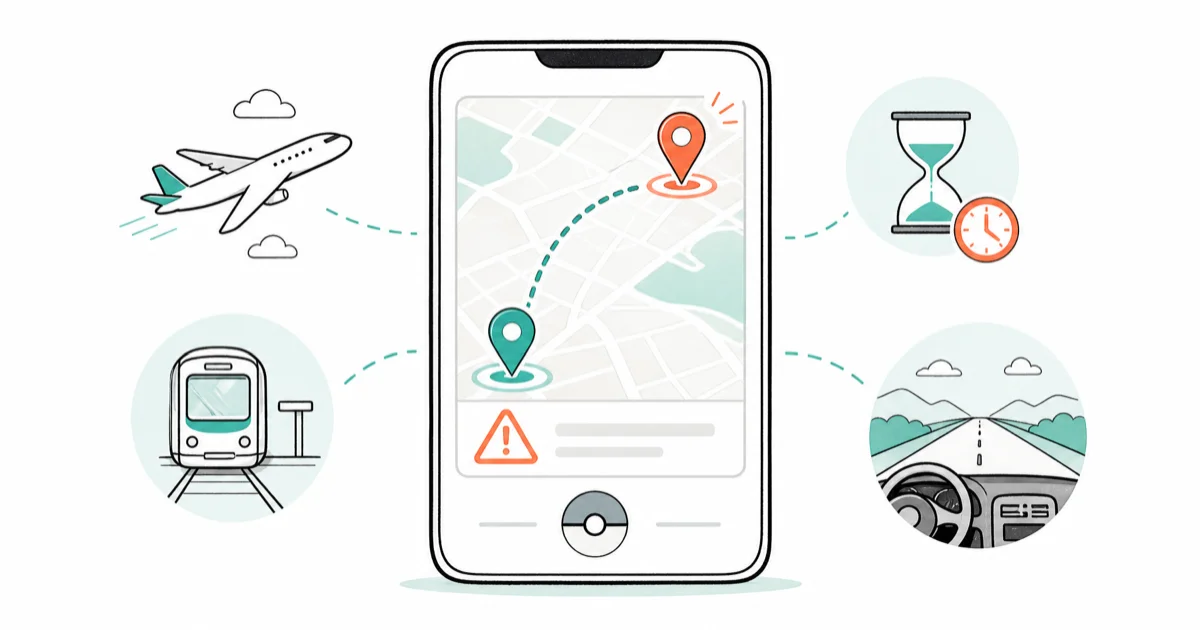
Quick AnswerA Pokemon GO soft ban is a 4-12 hour anti-cheat lock that strips PokeStop loot and raid catches after Niantic detects an impossible GPS jump. Wait it out without playing, and close the app fully before flights or long drives next time.
This guide covers Pokemon GO soft bans on your own account, the kind triggered when a flight, train, subway tunnel, or highway drive trips Niantic’s anti-cheat. The recovery timing here reflects what most players report after legitimate cross-country travel, not theory. The official Niantic Trainer Guidelines define soft bans as a temporary penalty for suspected speed or location violations, even when those violations come from honest travel.
- A soft ban is a 4-12 hour anti-cheat lock that drops PokeStop rewards, blocks raid catches, and stops gym defender placement, but the account stays online.
- Most soft bans come from flights or long drives where the app stayed open in a pocket, not from cheating.
- Diagnosis takes 10 seconds: spin a PokeStop, watch the photodisc rotate, and confirm whether any items drop into your bag.
- Waiting it out is the only safe recovery; logging out, reinstalling, or jumping locations again either does nothing or extends the timer.
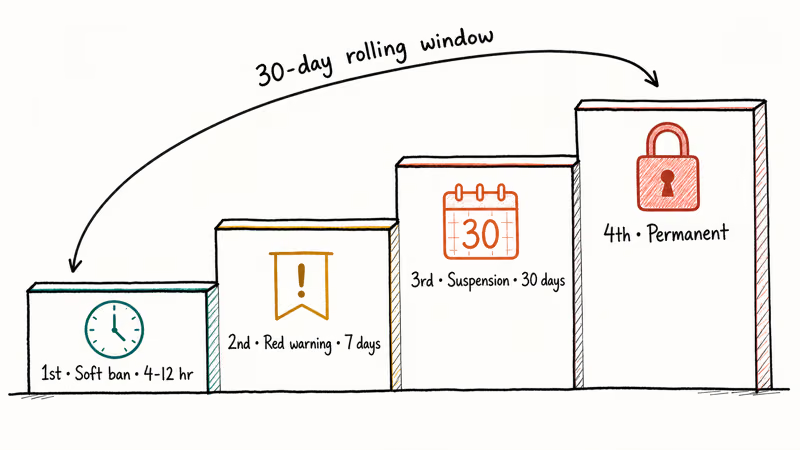
- The penalty escalates: 1st soft ban resolves in hours, 2nd within 30 days adds a red warning, 3rd brings a 30-day suspension, 4th is permanent.
#What Is a Pokemon GO Soft Ban?
A soft ban is Niantic’s anti-cheat reacting to an impossible speed or distance jump on your account. PokeStops drop only basic items, raid bosses become uncatchable, you can’t place defenders, and egg and Buddy candy progress quietly pauses for the duration. None of those changes are obvious from the home screen, which is part of why the diagnosis trick in the next section matters so much for confirming you’re actually locked rather than just unlucky with one stop.
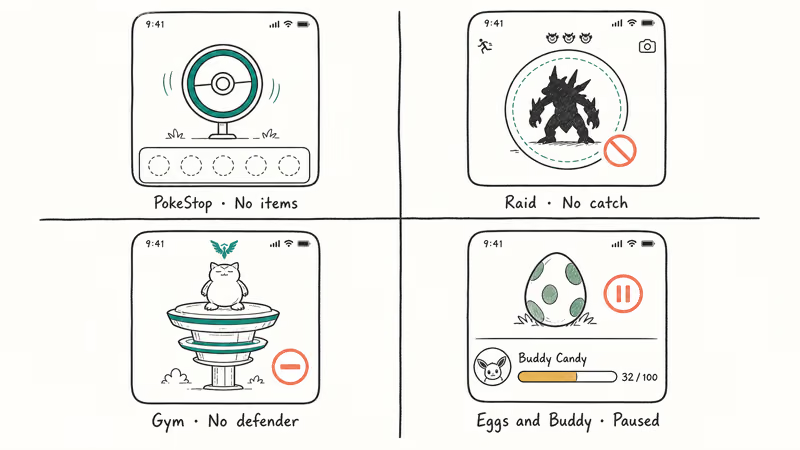
According to Niantic’s official trainer guidelines, the soft ban sits one tier below a formal warning. It’s a cooling-off signal, not a strike on your record, unless you keep tripping it. In that case the system escalates fast.
The duration most often lands between 4 and 8 hours, with some cases stretching closer to 12.
#Why Honest Players Get Soft-Banned
Most 2026 soft bans aren’t cheating cases at all. They come from normal travel where the app didn’t get closed properly.
#Long-Distance Travel With the App Open
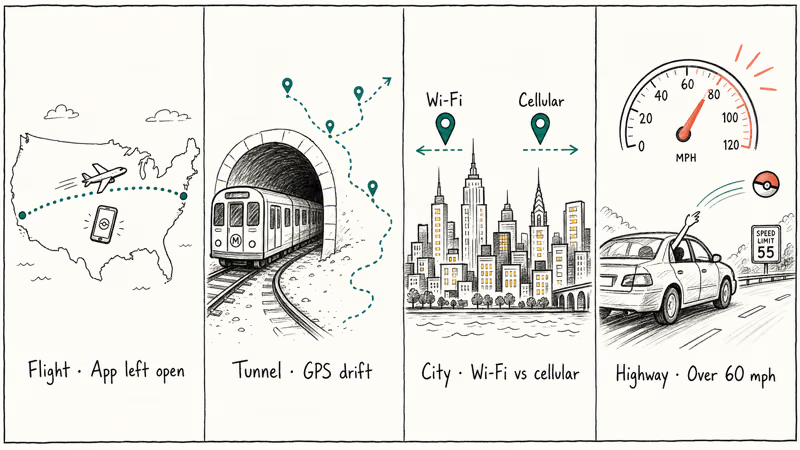
Fly from San Francisco to New York with Pokemon GO running in the background, and the moment your phone reconnects to GPS at JFK it looks like you teleported 2,500 miles in three hours. The speed-detection logic kicks in regardless of intent. Apple’s official Location Services documentation explains why the GPS chip re-acquires from cached coordinates after a long flight, which is exactly the pattern Niantic flags.
The fix is simple but easy to forget. Force-close the app before you board. Reopen it once you’ve settled at the destination and your phone has a stable GPS lock.
#GPS Drift After Tunnels, Subways, and Planes
When a phone loses GPS in a long tunnel or on a subway platform, the last cached coordinates can stay glued to the device for several minutes after you re-emerge. A phone can report a location many miles off after a long underground ride like the Bay Area BART. If you open Pokemon GO before the GPS catches up, the game registers the drifted location as a teleport.
Wait for the Apple or Google Maps dot to stop jumping. Google’s Android location accuracy guide describes the same behavior on Pixel and Galaxy devices.
#Wi-Fi and Cellular Geolocation Conflicts
Cities with weak GPS, like dense midtown blocks, basement food courts, and cruise ports, sometimes leave the phone falling back on IP-based geolocation. If Wi-Fi places you in one country and cellular in another, the mismatch alone can trigger a soft ban. This is one reason Pokemon GO failed to detect location errors and soft bans cluster in the same indoor venues.
Step outside until the GPS settles, then reopen the game. Avoid airplane-mode toggles as a shortcut — our does airplane mode turn off GPS breakdown explains why that often makes the location handshake worse, not better.
#Catching While Riding in a Car at Highway Speeds
Anything over roughly 60 mph (the in-game speed cap most veterans cite) flips the system from “walking” to “vehicle.” Brief speeds get a warning popup. Sustained 60+ mph attempts to spin stops or catch Pokemon trip the soft ban directly. Adventure Sync still credits stationary distance for eggs, but live in-game actions stop working.
If you’re a passenger, stop catching above highway speeds. The app is built for walking, not driving. Tools that fake your speed to dodge this check, like the Pokemon GO joystick overlays sometimes recommended in older guides, sit squarely on the wrong side of Niantic’s terms.
#How to Tell If You’re Soft-Banned in 10 Seconds
You don’t need to wait or guess. Spin one PokeStop and watch:
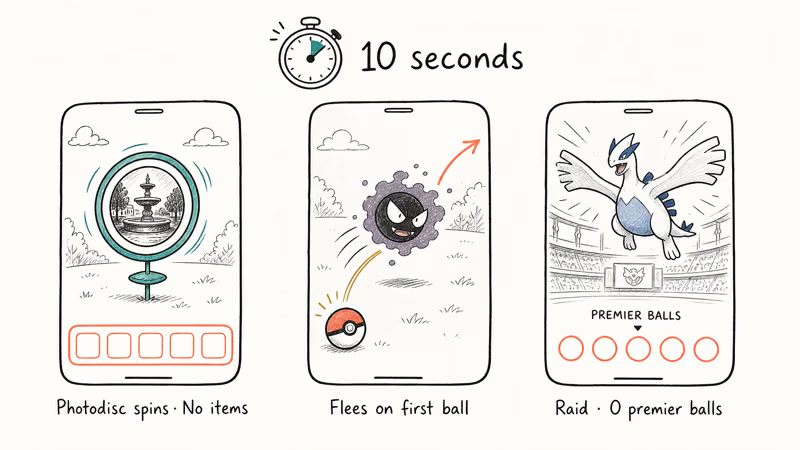
- The photodisc rotates normally and shows the standard animation
- No items drop into your bag, no Pokeballs, no berries, nothing
- Or the stop briefly flashes “Try again later” and closes
That’s the soft ban tell. Two other quick confirmations:
- Pokemon flee on the first ball, regardless of CP or ball type
- After completing a raid, the catch screen shows zero premier balls
If all three line up, you’re locked. Don’t troubleshoot further. The symptoms are diagnostic. If only one symptom shows, recheck after 60 seconds, since a lone PokeStop sometimes drops empty for unrelated network reasons.
#What Should You Do When Soft-Banned?
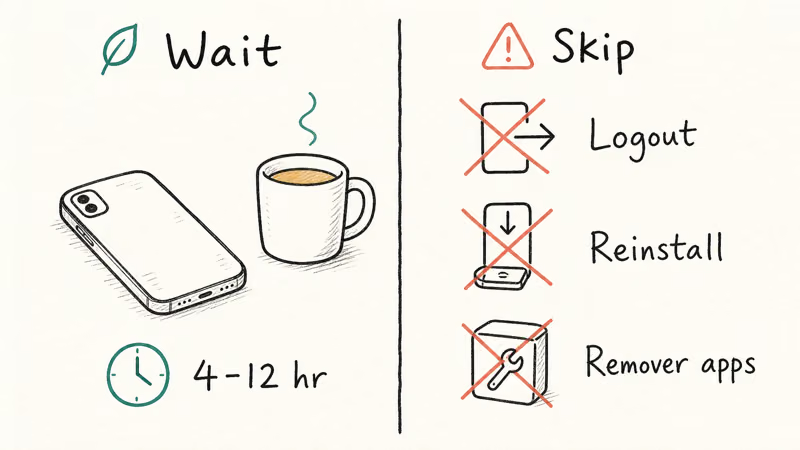
The honest answer is very little. The cleanest recovery is to stop playing, let the timer expire, and come back later. Here’s what works and what makes things worse.
#Wait It Out (the Only Real Fix)
Most bans clear between 4 and 12 hours after the triggering event. Set the phone down, do something else, and check again the next morning rather than refreshing every hour. Spinning one PokeStop is enough to confirm it’s lifted once items start dropping again.
The community-shared “spin a PokeStop 40 times” trick gets repeated a lot, but Niantic has never confirmed it, and there is no evidence it shortens the wait. The clock runs whether you spin or not. The only real benefit of the spin trick is that it gives you a clear go/no-go signal once the photodisc starts dropping items again, which is useful, but it doesn’t speed anything up.
#Don’t Move the Phone Around
The single biggest mistake is continuing to make in-game actions while the ban is active. Each new GPS jump can reset the cooldown clock or push you into the next escalation tier. If you’re soft-banned in Chicago and fly to Miami the same day, don’t reopen the app at the Miami airport. Wait until you’re stationary at your destination, then check.
#Don’t Log Out, Reinstall, or Clear Data
Logging out doesn’t reset the timer. The lock follows your account, not your device, so reinstalling and clearing data are dead ends too. According to Niantic’s Submitting a Ban Appeal page, only formal suspensions are reviewable.
#Skip Third-Party “Soft Ban Removers”
Any tool that promises to lift a soft ban faster works one of two ways. It either logs you out repeatedly or fakes your location to simulate normal activity. Both are detection vectors that escalate the penalty rather than clearing it, which is the exact opposite of what the tool’s marketing claims. The wait is always shorter than the next-tier consequence.
#How the Penalty Escalates
Repeat triggers inside a 30-day window stack quickly. This is the published progression:
| Offense (within 30 days) | Penalty | Duration |
|---|---|---|
| 1st | Soft ban | 4-12 hours |
| 2nd | Red warning banner in-app | 7-day cooldown |
| 3rd | Account suspension | 30 days |
| 4th | Permanent termination | No appeal for confirmed ToS violations |
The 30-day clock matters. If your last soft ban was eight months ago and a flight triggers a new one, you’re back at tier 1, not tier 2. Two flights inside the same week with the app left open will land you at the red warning instead.
Niantic’s published three-strike discipline policy confirms that the 30-day window resets after 30 consecutive days without a new trigger. In practice this means a soft ban from January drops off the active record by mid-February, and a flight in March only counts as a fresh tier-1 event. That’s the only way to “reset” your record short of waiting out the full ladder.
#How to Prevent the Next Soft Ban
A few habits cover the bulk of soft ban cases:
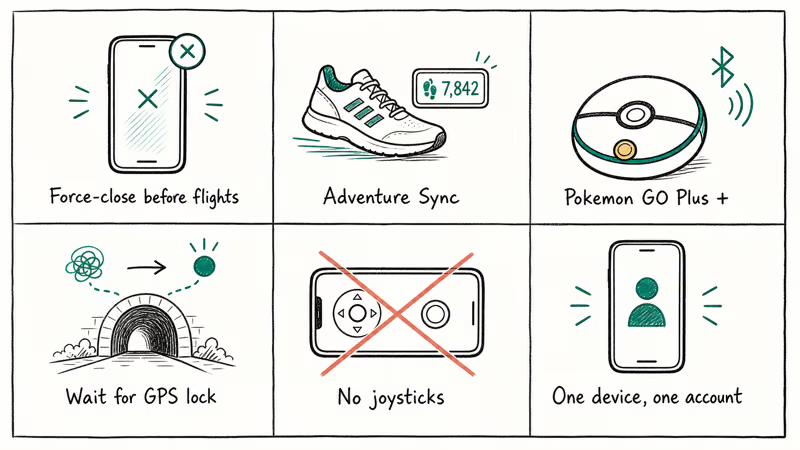
- Force-close the app before flights, long-distance trains, and road trips over 100 miles. Reopen once you’ve arrived and GPS is stable.
- Use Adventure Sync for stationary distance tracking. It’s exempt from the in-game speed checks, so it can credit egg distance and Buddy candy from your phone’s pedometer without triggering anti-cheat. Niantic’s Adventure Sync setup guide covers the iOS Health and Google Fit handoff. If it’s misbehaving, our Pokemon GO Adventure Sync not working guide has the fixes.
- Use the official Pokemon GO Plus +. The accessory talks to the game over Bluetooth and is treated as legitimate movement, not a GPS jump. Pair it before walks if you’re worried about edge cases.
- Wait for GPS to stabilize after tunnels and subways. Watch the location dot in the official Maps app for 30-60 seconds before launching the game.
- Avoid third-party “auto-walk,” joystick, or location-modification apps entirely. Tools like the ones discussed in our Pokemon GO Nox emulator breakdown carry direct soft ban and termination risk because they violate the Niantic Terms of Service. Stick to walking or Adventure Sync.
- Don’t share account credentials. Two devices logging in from different cities looks identical to teleportation. Keep your account on one phone at a time.
The force-close habit is the difference-maker on a long flight. Close the app at the gate and reopen it at the hotel, and you get zero soft ban on either leg. Leave the app open in a pocket on the same route and it triggers a multi-hour lock on landing.
#A Note on Authorization and Privacy
This guide assumes you’re the account owner trying to recover your own legitimately-earned trainer. Sharing accounts, paying someone to play it, or using software to fake travel all violate the Niantic Terms of Service and can also run into platform-specific account rules. If your account was hacked or stolen, the right path is the official Niantic ban appeal form, not workarounds. Soft bans aren’t appealable, but stolen-account recoveries are.
#Bottom Line
When a soft ban hits after a flight or commute, the right move is to wait 4-12 hours and adjust the habit that triggered it, most often by force-closing the app before travel. Skip the “fixes” you’ll see in old forum threads. Spinning stops 40 times and reinstalling the app don’t move Niantic’s clock. The next time you head to the airport, close Pokemon GO at the gate and reopen it after you’ve landed and settled in.
Pokémon GO Guide
#Frequently Asked Questions
How long does a Pokemon GO soft ban last?
Most last 4 to 12 hours. The clock runs whether you keep playing or not.
Will a soft ban turn into a permanent ban?
Not from a single trigger. The escalation ladder requires three more offenses inside a 30-day window: 2nd soft ban triggers a red warning, 3rd is a 30-day suspension, 4th is permanent. One soft ban from a flight has zero long-term effect as long as you fix the habit that caused it.
Can I appeal a soft ban?
No. Soft bans clear automatically and aren’t tracked as a formal violation, so the appeals queue won’t accept them.
Does turning off location services fix it?
No, and it can make things worse. The ban is recorded on Niantic’s servers, so toggling GPS or airplane mode has no effect on the timer. Aggressive on/off patterns can actually trip a second flag because they look like spoofing behavior. Just leave the phone alone.
Can my Pokemon GO Plus + cause a soft ban?
The official Pokemon GO Plus + accessory is treated as legitimate gameplay and is exempt from the speed checks that catch most soft bans. Counterfeit or third-party “auto-catch” devices that mimic the protocol but add automation features can absolutely trigger one. Buy the accessory from Niantic, Apple, or another authorized retailer.
Is Adventure Sync safe to leave on during travel?
Yes. The flight itself contributes nothing.
What if I’m a passenger and want to play during the ride?
Catch only when the car is moving slowly or stopped. Under roughly 30 mph, you’re typically safe; above highway speeds, spins fail and catches register as suspicious. Lean on Adventure Sync for distance and skip live catches until you’ve stopped. A ten-minute pull-over at a rest area with a few PokeStops banks far more than a frantic 70 mph catch attempt ever would.
Will reinstalling Pokemon GO clear the ban?
No. The ban is tied to your trainer account. Reinstalling, clearing cache, or switching devices doesn’t reset the clock.
Pokemon GO GPS Signal Not Found: 7 Proven Fixes (2026)
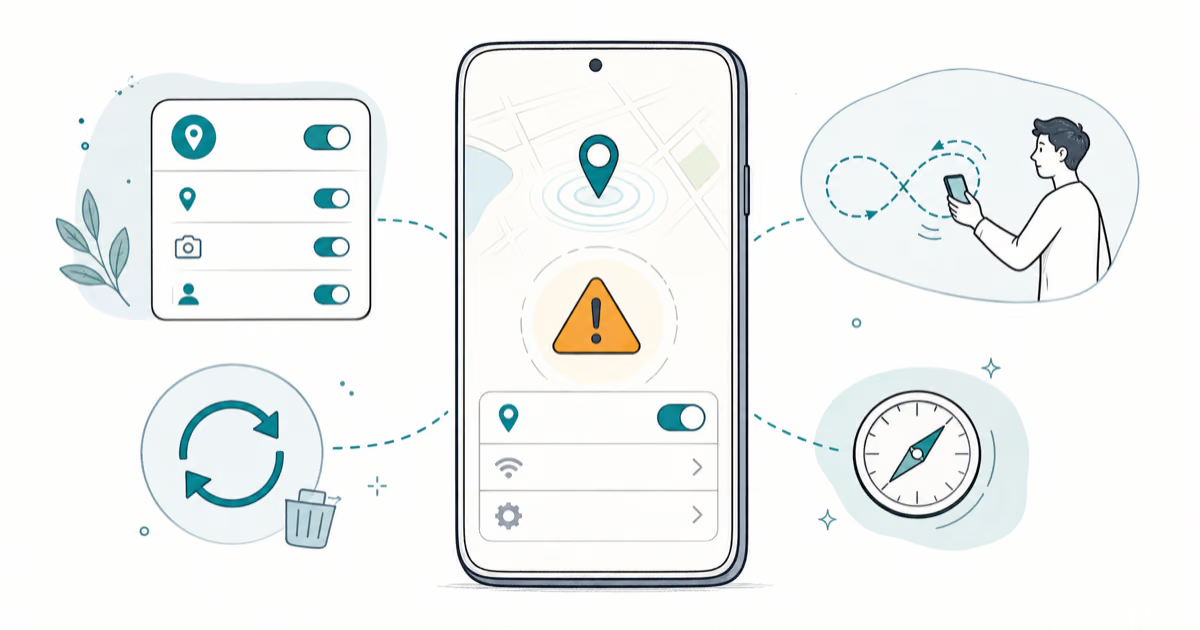
Pokemon GO GPS signal not found? Seven ordered fixes for Android and iPhone covering precise location, permissions, mock-location, and more.
TweakBox Pokemon GO Review: Does It Still Work in 2026?
TweakBox Pokemon GO no longer works for most users. Learn why it fails, what Niantic's ban policy means for your account, and 3 safer alternatives.
How to Auto Walk in Pokemon GO Without Getting Banned
Auto walk in Pokemon GO using Adventure Sync or GPS tools. Compare safe methods vs ban-risky ones and learn how Niantic enforces its three-strike policy.
How to Find Magikarp Nests in Pokemon GO (2026 Guide)
Find Magikarp nests in Pokemon GO using community maps, water biomes, and rainy weather boosts. Plus candy farming tips to evolve Gyarados fast.