PimEyes Alternatives for Self-Search and Privacy Protection
Self-search alternatives to PimEyes for finding where your own photo appears online, plus GDPR and CCPA opt-out paths to remove your face from databases.
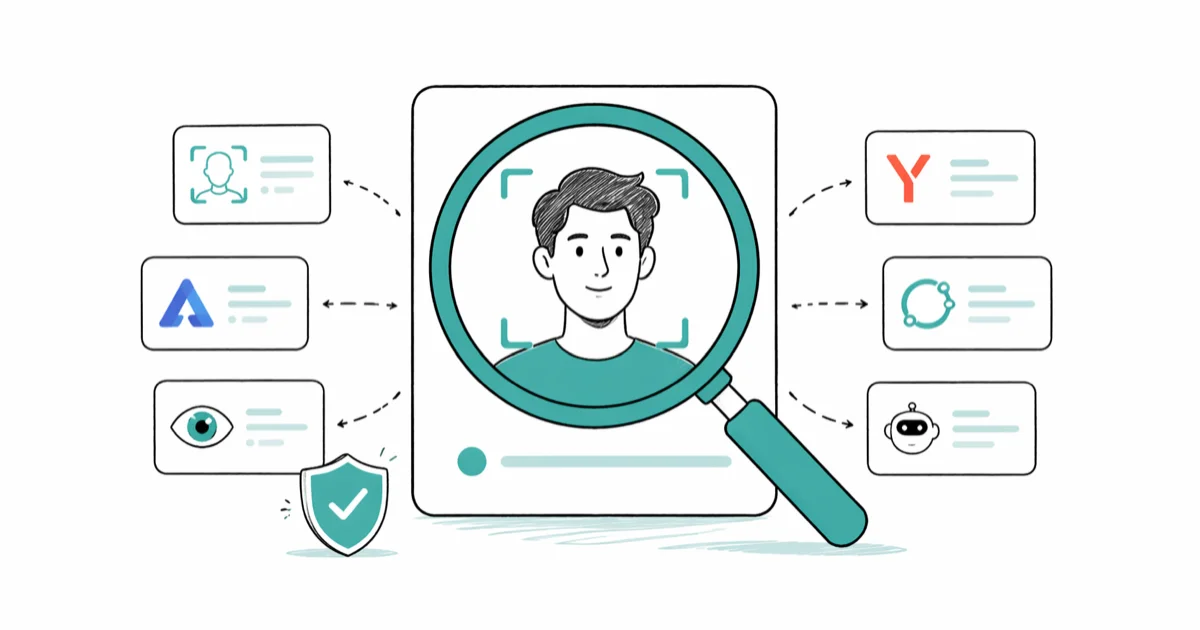
Quick AnswerUse Google Images, Yandex Images, and TinEye to find where your photo appears online, then send takedown or opt-out requests. Have I Been Trained checks LAION AI datasets and links to Spawning's opt-out registry.
PimEyes is a face-search engine, not a face-removal service. This guide covers self-search alternatives for finding your own photo online.
- Google Images and Yandex Images are free reverse-image tools you can use without an account to find where your own photo has been reposted
- TinEye indexes over 50 billion images and excels at finding exact and near-duplicate copies of your photos
- Have I Been Trained searches the LAION-5B and LAION-2B datasets used to train Stable Diffusion, Midjourney, and other open AI models
- Belgium’s Data Protection Authority fined PimEyes 5,000 euros in May 2024 for failing to honor GDPR removal requests
- GDPR Article 17 (right to erasure) and the CCPA’s right-to-delete give you legal grounds to demand your face be removed from face-search databases
#Why Self-Search Tools Matter for Your Privacy
Most coverage of PimEyes treats it as a tool for searching other people. That framing has a problem. Searching strangers’ faces without consent is illegal under GDPR Article 9 in the EU, runs afoul of stalking statutes in many US states, and has driven repeated regulator actions against face-search vendors.
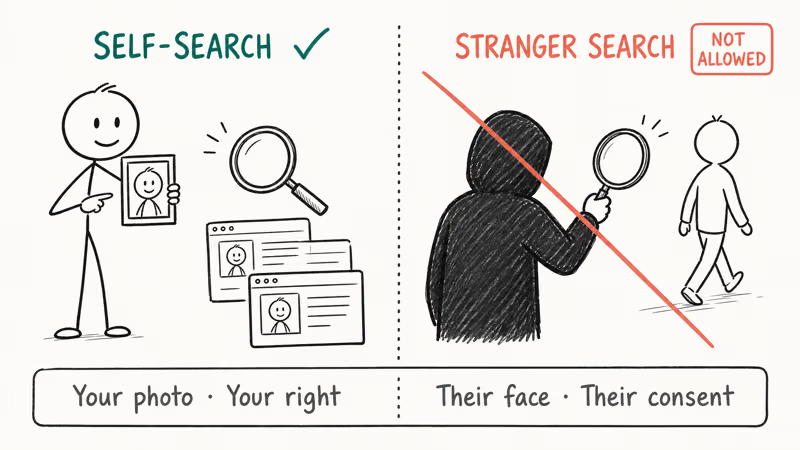
We focus on the other use case here: finding where YOUR photo has appeared online so you can request takedowns, opt-outs, or DMCA removals. This is what privacy researchers, journalists, doxing victims, and creators worried about scraped portfolio work actually need.
According to a 2024 ICO enforcement notice, the UK Information Commissioner’s Office fined Clearview AI more than 7.5 million pounds and ordered it to delete UK residents’ data because the company had scraped faces without consent. Belgium’s Data Protection Authority issued a similar order against PimEyes in 2024. The legal pattern is consistent: scraping faces without consent is unlawful in most of Europe and increasingly in US states.
#Free Reverse-Image Tools for Self-Search
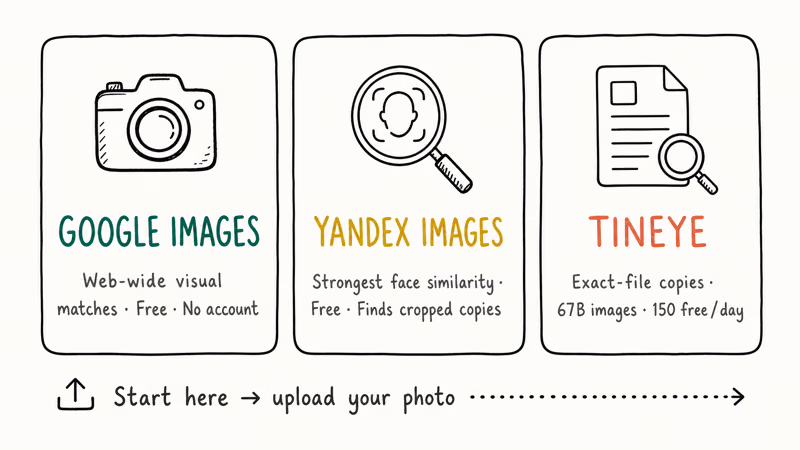
Start here before paying for anything. These three tools cover most cases when you want to find your own photo across the web.
#Google Images
Open images.google.com, click the camera icon in the search bar, and either paste a URL or upload your photo. Google searches the entire indexed web for visual matches and pages that include similar images. It’s free, requires no account, and works on mobile.
Google’s coverage is strongest for English-language sites, mainstream social platforms, and news outlets. A single profile photo will often surface the original social page, any press articles that reused it, and business directories that scraped it without your knowledge.
The weakness: Google matches images, not faces.
#Yandex Images
Yandex’s reverse search is widely considered the strongest face-similarity engine in the consumer free tier. Open yandex.com/images, click the camera icon, and upload. The Russian search engine’s face-clustering model often finds the same person in different photos, including filtered, cropped, or low-resolution copies that Google misses.
On the same profile shot, Yandex frequently returns matches Google misses, especially filtered, cropped, or low-resolution copies of the same face.
#TinEye
TinEye is a pure reverse-image engine, not a face engine. It will find an exact or near-exact copy of your photo, but it won’t match a different photo of the same person. According to TinEye’s about page, the index contains over 50 billion images and is updated continuously.
This makes TinEye the right tool for tracking stolen artwork, scraped product photos, and reposted profile pictures. Free up to 150 searches per day. Paid plans start at 200 dollars per month for the Alerts feature, which notifies you when a new copy appears.
#Tools Built Specifically for Monitoring Your Own Photos
The reverse-image trio above works for ad-hoc checks. If you want ongoing monitoring of where your photos appear over time, two specialized services are built for that exact use case: one for creators worried about commercial misuse of portfolio images, and one for anyone who wants to know whether their face has been swept into AI training datasets that fed Stable Diffusion, Midjourney, and the open-weight model ecosystem.
#Berify
Berify lets you upload your portfolio and receive alerts whenever a new copy appears online. It’s built for photographers, illustrators, and creators who need to catch unauthorized commercial use of their work. Pricing starts around 8 dollars per month.
The tool is watermark-aware. Berify can flag a watermark-stripped repost as a copy of your original.
#Have I Been Trained
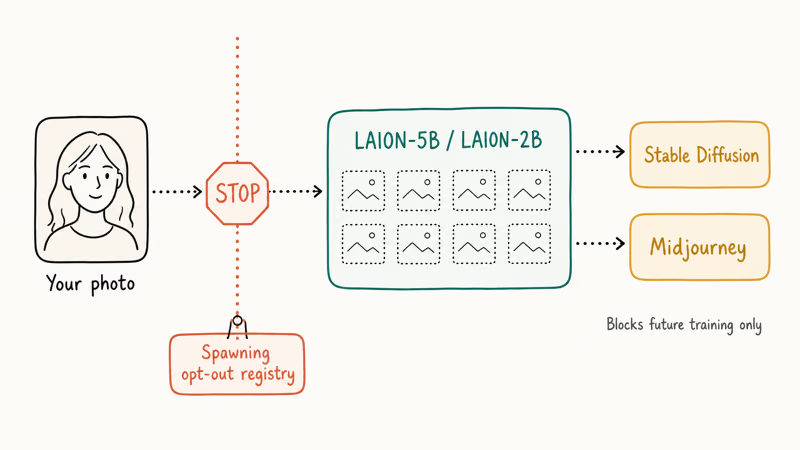
Have I Been Trained searches the LAION-5B and LAION-2B image datasets, which were used to train Stable Diffusion, Midjourney, and several other open generative models. Spawning, the company that operates the search, also runs an opt-out registry that participating model trainers honor.
A portfolio image that was scraped into LAION typically shows up as several hits, sometimes with the watermark intact and sometimes as cropped derivatives. Artists and photographers whose work appears in those datasets can use the Spawning opt-out registry to block future training runs. Stability AI honors the registry for new Stable Diffusion releases, and several other model trainers have signed on voluntarily.
#How Do You Get Your Face Removed From PimEyes?
You have a legal right to ask. PimEyes itself publishes an opt-out form, and EU residents have GDPR Article 17 backing that demand. The catch is that you usually need to send a recent photo of yourself plus an ID document, which feels uncomfortable but is how the verification works.
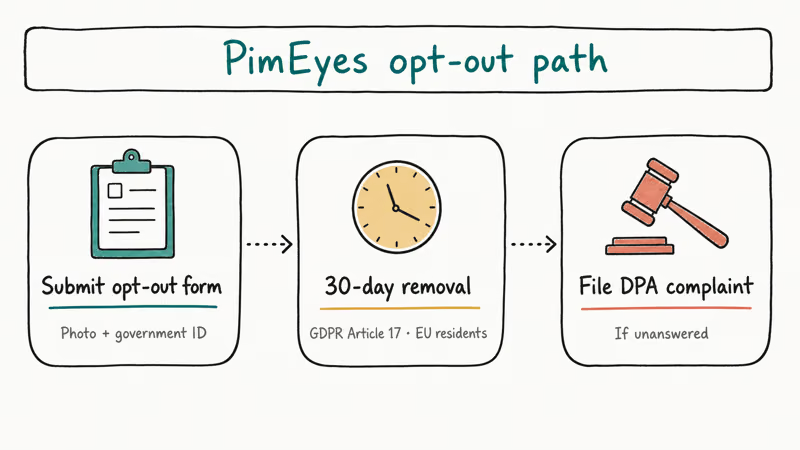
The full path:
- Open the PimEyes opt-out form and submit a photo plus government ID.
- PimEyes is required to confirm receipt and remove indexed results within 30 days for EU residents under GDPR.
- If they don’t, file a complaint with your national Data Protection Authority. According to the Belgian DPA’s May 2024 decision, regulators do enforce this against face-search vendors.
US residents in California can file a CCPA right-to-delete request even though there is no equivalent of GDPR Article 17 at federal level. Send a written request citing CCPA and ask for confirmation in writing.
#Opt-Out Paths for Other Face Databases
PimEyes is not the only face-search service. The pattern below applies across the major databases.
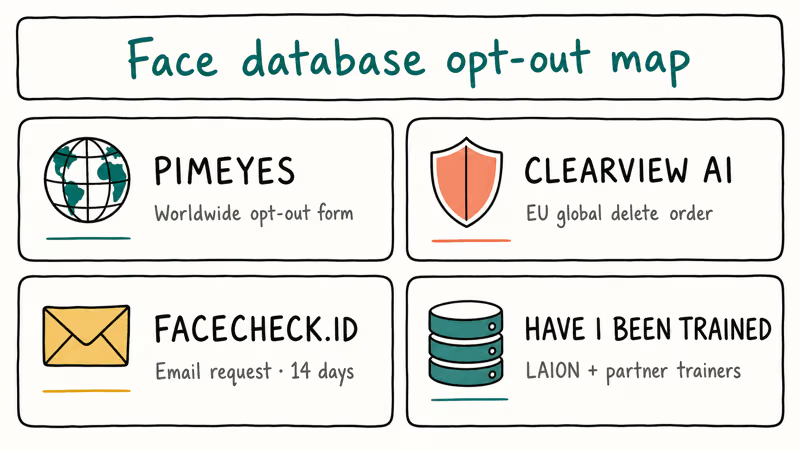
| Service | Opt-out path | Coverage |
|---|---|---|
| PimEyes | pimeyes.com/en/opt-out | Worldwide |
| Clearview AI | clearview.ai/privacy/requests | Global removal orders enforced |
| Facecheck.ID | facecheck.id/contact | Manual email request |
| Have I Been Trained / Spawning | haveibeentrained.com/opt-out | LAION + participating model trainers |
A few notes on each. Clearview AI is contractually limited to US law-enforcement customers, but EU privacy authorities have ordered it to delete EU residents’ data globally. Facecheck.ID processes opt-out requests by email; expect a response within 14 days based on user reports on Reddit. Have I Been Trained’s opt-out only affects future model training, not models already released.
For a generic GDPR Article 17 or CCPA right-to-delete template, the European Data Protection Board’s official guidance describes the required elements: identity proof, specific data you want erased, the legal basis, and a contact for the response.
#Is It Legal to Search Other People With These Tools?
In short: no, not without their consent in most jurisdictions. GDPR Article 9 classifies biometric data, including face templates, as a special category that requires explicit consent for processing. Several US states including Illinois, Texas, and Washington have biometric privacy laws that can trigger civil penalties.
Beyond the legal layer, searching for an ex, a coworker, or a person you met once and want to identify is the kind of behavior every face-search vendor’s terms of service prohibits, and it’s often the same behavior that a stalking statute will reach. We don’t cover those use cases, and we don’t recommend any tool whose primary marketing is “find anyone.”
Worried about being on the receiving end? Audit yourself first.
#Combining Self-Search With Other Identity Audits
Reverse face search tells you where your photo has been reposted. It does not tell you what other public information about you is exposed. A complete self-audit pairs face search with identity-search tools that work on different signals.
A starter checklist:
- Reverse-image search your top three profile photos through Google and Yandex.
- Run a reverse email lookup on the addresses you use publicly.
- Check what dating sites surface your photo with a dating profile search or Tinder profile search, and audit your own number against the same databases with our reverse dating profile lookup guide.
- Search your username with Snapchat username lookup and Instagram reverse image search to see what is tied to that handle.
- Search a burner number with a TextNow number lookup to confirm a throwaway phone is not surfacing real info.
If a phone number social media search returns your real name and city, that is a stronger doxing risk than your face appearing on three blogs.
#Bottom Line
Start with Google Images and Yandex Images on your most-used profile photos. Use TinEye to track exact reposts. Submit a Have I Been Trained opt-out if you are a creator or have a public-facing portfolio. File the PimEyes opt-out form and any equivalent at Clearview AI and Facecheck.ID.
Don’t search other people. The legal and ethical risks are real, and EU and US regulators are now actively enforcing against vendors that build their business on scraped faces.
#Frequently Asked Questions
Is there a free way to find every site that has my photo?
No single free tool catches everything, but Google Images and Yandex Images together give you the broadest coverage. Google tends to surface mainstream and English-language pages, while Yandex adds matches Google misses, often on Russian-hosted forums. TinEye then catches exact reposts of the same file. The three together cover most of what is indexable.
Can I get my face removed from PimEyes if I’m not in the EU?
Yes, anyone can submit the opt-out form regardless of where you live. EU residents have GDPR Article 17 as a legal backstop, and the Belgian DPA’s 2024 fine confirms regulators will enforce this. US residents in California can cite CCPA. Outside those jurisdictions, removal depends on the company honoring the request voluntarily.
What is the difference between TinEye and Google Images?
TinEye matches the exact file. Google matches the file plus visually similar images and pages.
How do I opt out of AI training datasets?
Go to Have I Been Trained, search the LAION dataset for your image, and submit it to Spawning’s opt-out registry.
Is it legal to use Yandex to search a stranger’s face?
In most cases, no. EU law treats face templates as biometric data under GDPR Article 9, which requires explicit consent before processing. Illinois, Texas, and Washington enforce similar protections in the US. Even where it isn’t criminal, face-search usually violates the search engine’s terms of service and can be cited in a stalking or harassment claim.
What should I do if I find my photo on a site I never authorized?
Send a takedown request first, citing copyright if you took the photo or GDPR Article 17 / CCPA right-to-delete if you didn’t. Most legitimate sites comply within 14 days. If they don’t, escalate: DMCA takedown to the host (every major hosting provider has a DMCA contact), a complaint to the Data Protection Authority for EU sites, or a small-claims action for damages in the US.
Are there any face-search tools I should actively avoid?
Yes. Avoid anything whose marketing emphasizes “find anyone.”
How often should I run a self-search?
Quarterly works for most people. Set a calendar reminder.

Google Messages Error 3100: Why RCS Is Broken on Galaxy
Google Messages RCS error 3100 hits Galaxy owners after phone or carrier switches. Google told 9to5Google a fix is coming. Here's what actually helps.

Is This Bank App Real? Spot a Fake App on Your Home Screen
A bank app can land on your home screen from a web page with no install warning. Learn the checks that tell a real banking app from a phishing web app.

Apps Crashing After iOS 27 Update? Fix Order (2026)
Apps crashing after the iOS 27 update? Update the app in the App Store first, then offload and reinstall to clear stale cache, then restart. The fix order.

Do AI Translation Earbuds Work Offline? What to Know
Do AI translation earbuds work offline? A few do with downloaded language packs, but most need the cloud. Here's what works offline and what you give up.