Free Meta Quest VR Games for Kids: 10 Safe Picks 2026
10 free Meta Quest VR games safe for kids 8-14, with Meta parental supervision setup, account age guidance, and tips for short supervised VR play.
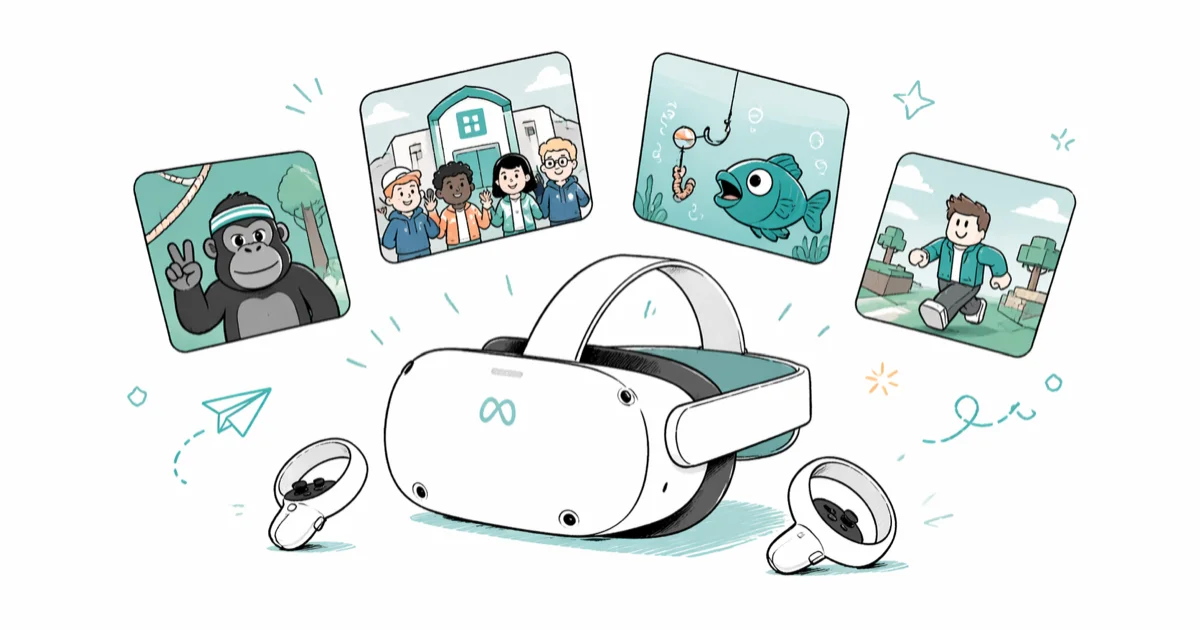
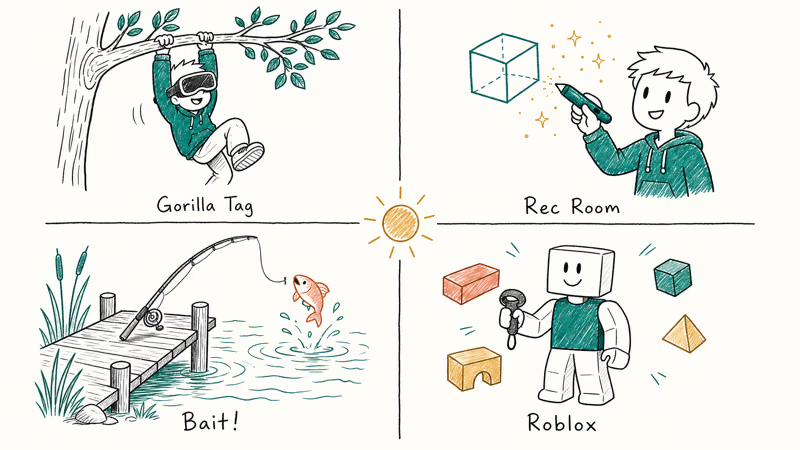
Quick AnswerThe top free Meta Quest VR games for kids are Gorilla Tag, Rec Room, Bait!, and Roblox. Meta allows parent-managed accounts for kids aged 10 and older, and adults should supervise every session.
This list narrows 10 of the most popular free Meta Quest titles down to the ones that are actually fun, age-appropriate, and safe to hand a child aged 8-14 once parental supervision is configured. Every game on this list is free to download. Every recommendation assumes you’re setting up the headset for your own child, or one you’re responsible for, with the parent’s Meta account linked through Meta Family Center.
- Meta now allows parent-managed Quest accounts for kids aged 10-12, with full supervision controls
- Gorilla Tag, Rec Room, Bait!, and Roblox are the strongest picks for kids aged 8-14
- All 10 games are free to download; some include optional cosmetic purchases that you can block
- Keep early sessions to about 20-30 minutes and require a break before the next round
- Meta Family Center handles app approvals, daily time caps, voice chat, and friend request limits
#Which Free VR Games Are Safe for Kids Under 13?
Not every free game on the Meta Quest store is built for younger players. Some include open voice chat with strangers, others have combat or content that’s too intense for elementary-school kids. The 10 picks below clear three bars: age-appropriate content, social-safety options that you control, and enough staying power to keep kids engaged.
Meta lowered the supervised-account age floor in recent years; the platform itself launched in 2019, and the Meta Quest history page on Wikipedia tracks each generation since.
Gorilla Tag is the standout. Players climb, run, and play tag in tree-lined maps using hand tracking only, no controllers needed.
The game is rated for ages 10 and up on Meta’s Gorilla Tag store listing. That hand-only design also means it still works if your child’s Oculus controller isn’t working. Default voice chat is open, so switch the in-game setting to “friends only” before a younger child ever joins a public lobby.
Rec Room is part game, part social platform. Kids explore user-built rooms, design their own spaces with the Maker Pen tool, and join seasonal events. Many kids spend more time building than playing the bundled mini-games. Rec Room has a junior-account mode for players under 13 that auto-mutes voice chat with strangers, limits who can send friend requests, and lets parents review the account’s settings any time from the Rec Room companion app on iOS or Android.
Roblox brings its enormous library of user-created experiences to VR. According to Roblox’s safety documentation, parental controls let you restrict messaging, filter experiences by age rating, and require a PIN to change settings. Turn on the age filter first; without it, the catalog includes experiences built for older teens.
Bait! is a relaxing VR fishing game with eight lakes and over 60 fish species. There’s no competition, no countdown, and no strangers chatting in your child’s ear. Kids cast lines, explore the lakeside, and unlock new rods at their own pace. It tends to be a clear favorite with younger kids aged 8-10.
#Setting Up Meta Quest Parental Controls
Meta added a dedicated parental supervision system to Quest in 2023. It’s now the single most important step before letting a child use the headset.
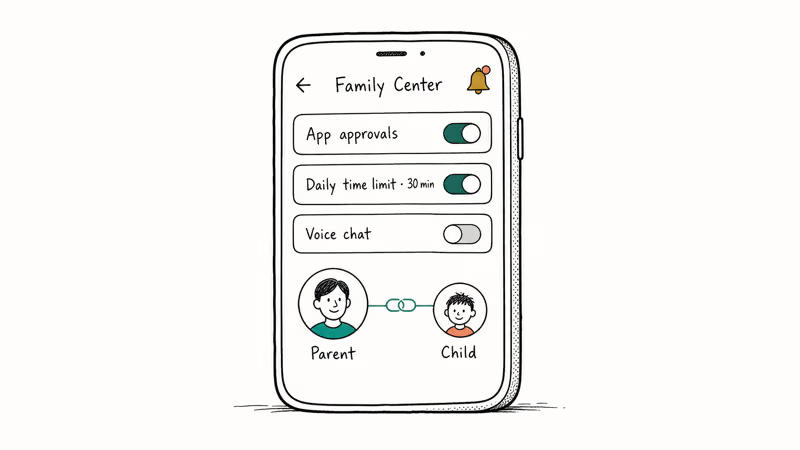
According to Meta’s parental supervision documentation, parents can approve or block every app download, set daily time limits, and review which apps a child uses most. Setup runs through Meta Family Center on the parent’s phone and takes about 5 minutes once both accounts exist.
To enable supervision: open the Meta app, go to Menu, then Family Center. Link the parent account to the child’s account. Both sides have to confirm the link, and the child can leave the supervision relationship later but can’t do it silently. The parent gets a notification.
Here’s what you can control once supervision is on:
- App approvals. Your child requests a download. You approve or deny it from your phone.
- Daily time limits. Set a per-day cap (around 30 minutes is sensible for kids under 10).
- Social settings. Block voice chat by default, restrict friend requests, or limit multiplayer to confirmed friends.
- Content rating filter. Show only age-appropriate titles in the store.
- Privacy review. See which apps your child has linked, and unlink any that asked for more data than they need.
Review these settings every few months. Some apps update their permissions or add new features that re-enable chat or in-app purchases.
If you want broader internet safety coverage across every device in the house, not just the headset, a parental control router is a useful complement to Meta’s built-in tools. For device-level limits beyond the headset, our guide to TikTok parental controls follows the same Meta-style approval pattern and is worth reading alongside Quest setup.
#Creative and Exploration Games
Beyond the top four picks, these titles focus on creativity and exploration rather than competition. They’re quieter games where kids build, explore, or just look around. Useful when the goal is unwind time, not high-energy play.
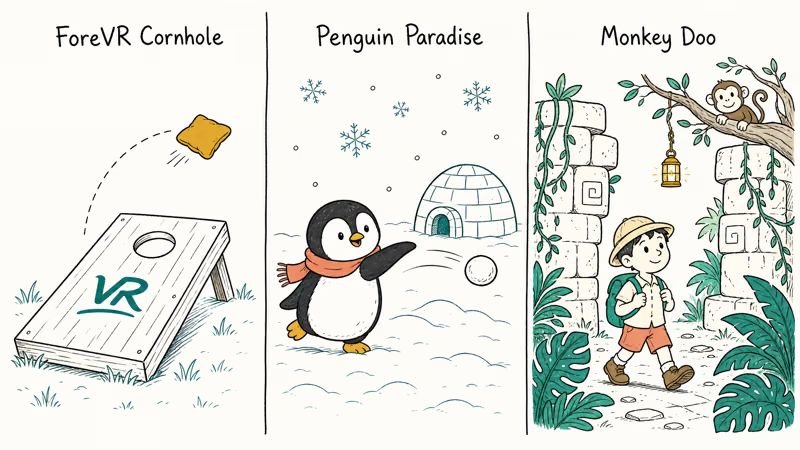
ForeVR Cornhole turns the backyard beanbag toss into VR. The throwing physics feel accurate, and there are over 50 bag designs to unlock. A 7-year-old can pick it up in minutes.
Penguin Paradise drops kids into an arctic playground with snowball fights, gentle skiing, and penguin avatar customization. The colorful art style keeps younger players engaged without sensory overload, and the social features let friends team up in chilly mini-games. It holds the attention of kids under 10 through a full play session without much fuss.
Monkey Doo sends players through jungles and ancient ruins in the Bermuda Triangle. There’s no combat, just light platforming and discovery, which fits the 6-9 age window.
#Sports and Active VR Games
These two get kids moving and work well for players who want physical activity in VR rather than seated play.
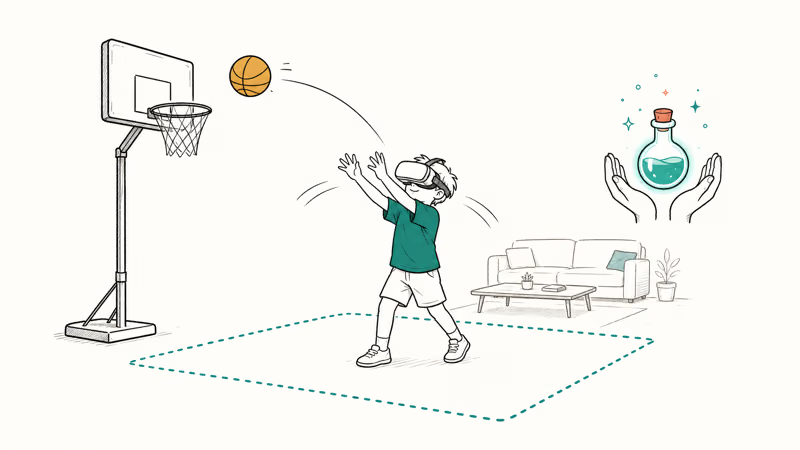
Elixir is a hand-tracking game where players become an apprentice to a sorceress, washing and feeding enchanted creatures using only their hands. According to Meta’s Elixir store page, the game is rated for all ages and uses no controllers. That makes it a good companion to other VR games you can play without a controller.
GYM CLASS Basketball VR lets kids shoot hoops and play 3v3 pickup games in virtual gyms.
#What Should Parents Watch For During VR Play?
Safety goes beyond toggling the right switches in Family Center. With kids aged 8-14, a few patterns come up that the parental control panel doesn’t cover.
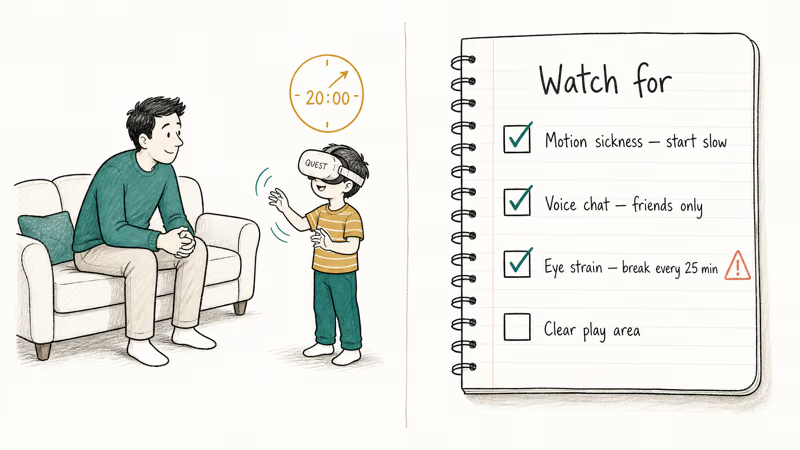
Motion sickness affects a meaningful share of first-time players, especially during a first session in a fast-moving game. Starting kids on stationary titles like Bait! and Elixir before introducing Gorilla Tag’s climbing motion cuts the discomfort noticeably.
Voice chat is the biggest social-safety concern. Gorilla Tag, Rec Room, and Roblox all default to open chat where adults the child doesn’t know can talk into the game. Disable the headset microphone in Quest’s system settings, or mute other players inside each game, before the first multiplayer match. Meta’s documentation states that muting works on a per-app basis, so you have to repeat the toggle in each game.
Eye strain and balance loss are the other two to watch for.
Kids should sit or stand near a couch or wall, the play area should be clear of toys and pets, and any session should pause for a 5-minute break every 20-25 minutes. If a child says their eyes feel tired, the room is spinning, or they have a headache, end the session and skip VR for the rest of the day.
Privacy law matters here, not just comfort. The headset has cameras, microphones, and hand-tracking sensors that produce real data about your home. Treat the Quest like any connected device: keep it on home Wi-Fi only, never share an account with another household, and review which apps have access to voice chat or camera passthrough. Read Meta’s privacy policy before linking a child account, and disable passthrough and recording for that account by default.
#Headset Comfort and Refund Tips
The stock Quest strap puts pressure on the forehead after about 15-20 minutes. An upgraded head strap for Quest 2 shifts weight onto the back of the skull and is the single most worthwhile accessory to add before any other.
You can request a refund for an Oculus game within 14 days if play time is under two hours.
Not every VR title is safe for kids. Games like the VR horror titles we cover separately can be intense even for older teenagers, so always check the Quest store age rating. Families without a headset can try VR games for iPhone on affordable cardboard-style viewers first.
#Bottom Line
Start with Gorilla Tag for active kids, Rec Room for builders, or Bait! for kids who get motion sick easily. Set up Meta Family Center supervision and the daily time limit before the headset ever leaves the box. Stay in the room for the first three or four sessions so your child gets used to the controls and you can confirm the audio, comfort, and social settings are right for their age.
#Frequently Asked Questions
What age does Meta recommend for Quest headsets?
Meta allows parent-managed Quest accounts for children aged 10-12 and standalone accounts from age 13.
Are these games really free?
Yes, all 10 games are free to download with no upfront cost. Several include optional in-app purchases for cosmetic items like avatar skins, hats, or virtual currency, and a few have paid expansion content beyond the base game. None require payment to access core gameplay. Open Meta Family Center, scroll to the supervised account, and disable in-app purchases there to block surprise charges before your child ever sees the storefront.
Can VR cause motion sickness in kids?
Many first-time players feel motion sickness in faster games. Start with stationary titles like Bait! or Elixir, keep early sessions under 20 minutes, and make sure the headset fits snugly. If discomfort persists after three or four sessions, pause VR for a week before reintroducing it slowly with shorter sessions and the easier games on this list.
How do I set up parental controls on Meta Quest?
Open the Meta app on your phone, go to Menu, then Family Center, and link your account to your child’s account. The setup takes about 5 minutes. Both the parent and the child have to confirm the link.
Can my child play these games with friends safely?
Yes, with two settings on. Set Rec Room and Gorilla Tag to friends-only chat, and require new friend requests to be approved by the parent account through Family Center. That keeps the gameplay social with the kids your child actually knows while blocking strangers from messaging them.
Is the Quest comfortable enough for a child?
The stock strap works for short sessions but gets uncomfortable after 15-20 minutes on smaller heads. A third-party head strap fixes most of that.
Do these games need a Wi-Fi connection?
Most do. Bait! is playable offline once installed, but Gorilla Tag, Rec Room, Roblox, and the other multiplayer titles all need an active connection. Wi-Fi is also required to download every free game from the Meta Quest store.
How long should kids play VR each day?
Aim for about 20-30 minutes per session for kids under 10 and a maximum of one hour per day for older kids and teens, with a 5-minute break every 20-25 minutes. Stop the session early if your child mentions blurry vision, dizziness, or a headache.

Fortnite Stuck on the Loading Screen? Fix It in 2026
Fortnite stuck on the loading screen? Check server status, fix the Windows N Media Pack and DirectX 11 on PC, clear the console cache, and verify files.

Minecraft Keeps Crashing? Java and Bedrock Fixes (2026)
Minecraft keeps crashing on startup or mid-game? Update your GPU driver, remove mods on Java, and reinstall Gaming Services on Bedrock. Fixes for both.

Pokemon GO Not Loading? Fix the Loading Screen 2026
Pokemon GO not loading or stuck on the Pokeball? Check server status, fix automatic date and time, grant location permission, clear the cache, and update.

PS5 Controller Not Charging? 9 Fixes That Work (2026)
DualSense not charging? Swap the cable, use a rear port in Rest Mode, clean the USB-C port, and check power settings. 9 fixes for a dead PS5 controller.