Best VR Games for iPhone in 2026: 4 Picks That Still Run
Four VR games for iPhone still run in 2026 inside a $15 Cardboard viewer. See which titles work, which feel stale, and exactly what gear you need.
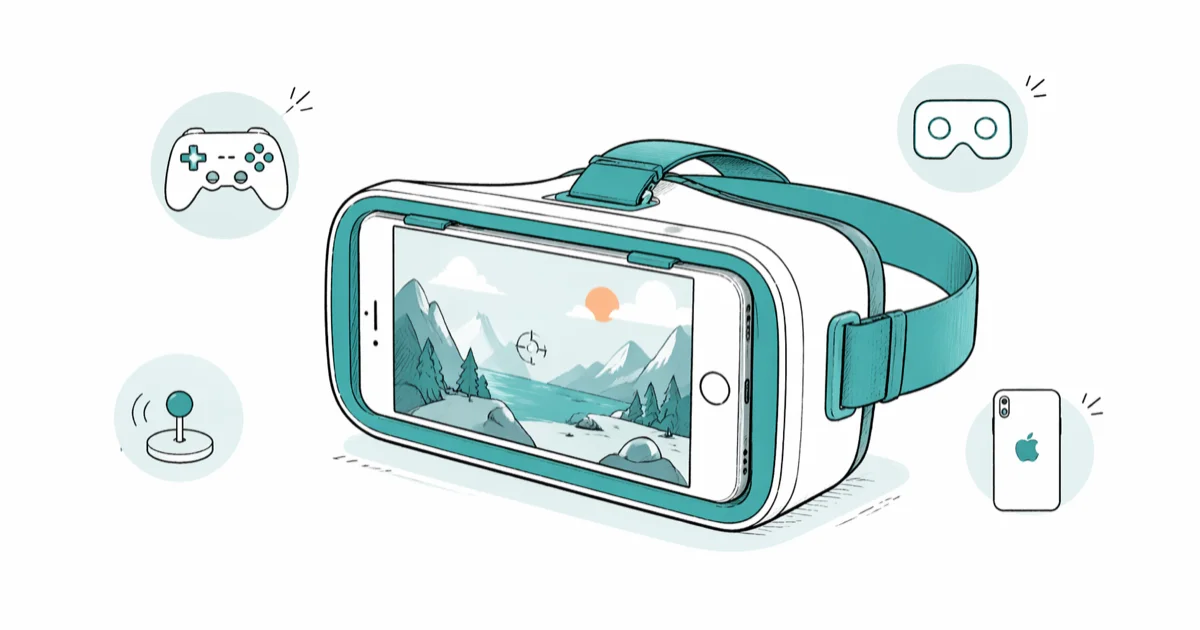
Quick AnswerOnly a small handful of VR games for iPhone still work in 2026: VR X-Racer for arcade space combat, InCell VR for microscopic racing, Fractal Combat X for fractal flight missions, and Final Kick VR for penalty-shoot soccer. All four run on a current iPhone paired with a $10 to $25 Cardboard-style viewer.
VR games for iPhone are a shrinking category in 2026. Apple shifted its attention to Vision Pro, Google open-sourced and walked away from Cardboard, and most iPhone-side VR titles haven’t been updated in three or four years. The four games below still install on a current iPhone, still support a $15 Cardboard viewer, and still offer a usable session of head-tracked mobile VR.
Treat this as a snapshot of what’s left, not a forward-looking platform.
- VR X-Racer, InCell VR, Fractal Combat X, and Final Kick VR all still install on a current iPhone and run inside a $15 Cardboard-style headset.
- iPhone VR relies on the device gyroscope and a passive Cardboard viewer; no external sensors, base stations, or controllers are needed.
- Google open-sourced the Cardboard SDK in November 2019 and stopped active maintenance, so today’s iOS Cardboard apps run on community code.
- Apple’s mainline VR and AR platform is Vision Pro, which launched in February 2024 at $3,499 and does not run iPhone VR apps natively.
- A workable Cardboard headset costs $10 to $25 on Amazon, and every game on this list has a non-VR hand-held mode if you skip the viewer.
#How Does VR on iPhone Actually Work?
VR on iPhone is the simplest form of consumer virtual reality. The phone slides into a plastic or cardboard headset, the screen splits into two side-by-side images, and a pair of lenses turns each half into a stereoscopic view for one eye. The iPhone’s gyroscope, accelerometer, and magnetometer track head rotation, so the game responds in real time when you look around.
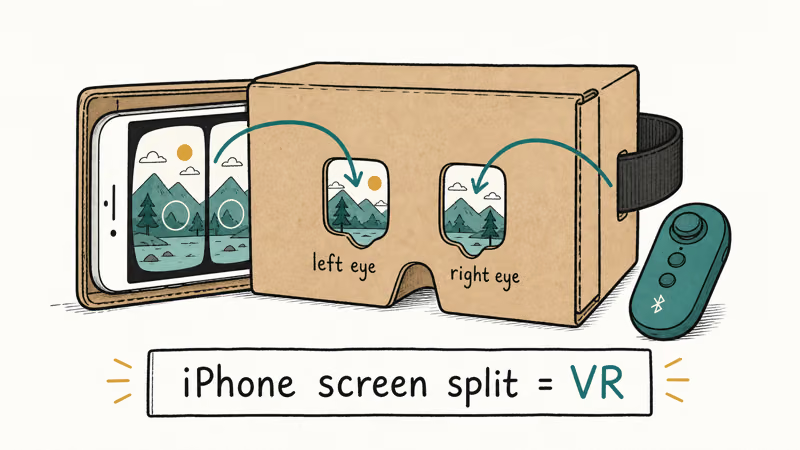
No outside-in sensors. No controllers. No cables.
The whole stack was popularized by Google Cardboard in 2014. The Google Cardboard overview is now the safer durable source than old product-blog URLs; iOS apps that still ship Cardboard support are built on those open-source bindings or on the older Google VR SDK.
None of these four games requires a separate controller. They use either gaze-based selection (look at a button for about two seconds to click) or a single magnet-trigger or Bluetooth-button input that ships with most Cardboard-style viewers. Setup from app install to first session is quick, usually a few minutes per game.
A standalone headset is the alternative.
If you want VR with hand controls and full positional tracking, you’re looking at a Quest or Vision Pro, not an iPhone. The Android side of the same Cardboard era sits in the same dormant state; this VR player for Android guide covers the parallel ecosystem.
#VR X-Racer: Arcade Space Combat With Cardboard Support
VR X-Racer is the closest thing iPhone has to an action arcade in VR. You pilot a spaceship through alien fire while dodging incoming missiles and pulling the trigger on your viewer to return shots. Head movement tilts your craft. Tracks run 90 to 120 seconds, and the game ships with three free rotating tracks per day plus a buy-all in-app upgrade around $3.
Gyroscope tracking generally holds up well during fast head turns on a modern iPhone, since head rotation is read straight from the device sensors. Frame pacing is the weakest link.
The game targets 60 fps, but heavy particle effects can push the frame rate down far enough to break immersion. According to the App Store listing, the game supports iOS 12 and later, which makes it compatible with every iPhone Apple still ships software updates for in 2026.
What works:
- A clean Cardboard mode that doesn’t require a Google account or login.
- Daily-rotating free tracks if you want to test before paying.
- Hand-held mode if you don’t have a viewer; gameplay still works without VR.
What doesn’t:
- The 60 fps target is showing its age on iPhones with 120 Hz ProMotion displays.
- Ad pop-ups between tracks; enable airplane mode for a cleaner session.
VR X-Racer is the closest spiritual cousin on this list to VR games without a controller on Quest, since gaze and a single trigger button drive the entire experience.
#InCell VR: A Microscopic Racing World
InCell VR is the most visually distinctive game on this list. You shrink to microscopic scale and race a stylized capsule through the interior of a human cell, dodging ribosomes and threading mitochondria. The art direction is closer to a cell-biology textbook than a chrome-sci-fi shooter, and the soundtrack leans atmospheric rather than aggressive.
The game launched specifically for Cardboard-era mobile VR. The developer hasn’t shipped a major update since 2018, yet the title still installs from the App Store and runs on current iOS versions.
Controls feel dated. Tracks are short, and head-tilt steering plus a Cardboard magnet trigger are the only inputs.
According to the App Store InCell VR listing, the game supports iOS 11 and later, which keeps it compatible with every iPhone still receiving updates.
This is the game most likely to cause motion discomfort. The combination of a racing camera and microscopic environment makes spatial cues tricky, so keep early sessions to about five minutes until you know how your stomach handles it. If you’ve enjoyed slower-paced VR horror games on Quest where motion is deliberate, InCell VR’s racing pace can feel jarring by contrast.
#Fractal Combat X: Fractal Landscapes and Story Missions
Fractal Combat X has the deepest single-player content on this list. The game runs a multi-hour story campaign across fractal worlds, with mission types that rotate between dogfights, base assaults, and high-speed evasion runs. Even in 2026, the art direction holds up because fractal geometry doesn’t date the way photorealistic art from 2015 does.
VR mode is optional. Most players run it as a standard tilt-and-touch flight game on a flat iPhone screen.
According to the App Store Fractal Combat X listing, the game supports iOS 11 and later. In Cardboard mode the binocular split renders cleanly, but the heads-up display is harder to read at the low effective resolution each eye gets; expect to lean on audio cues for missile warnings rather than the on-screen tracker.
Frame pacing in VR mode tends to stay smooth, since the fractal art style is lighter to render than photorealistic environments.
The downside is content gating. The story campaign opens for free, but later missions and ships sit behind in-app purchases that haven’t been updated in years, and some store listings carry placeholder pricing.
#Final Kick VR: Penalty-Shoot Soccer in a Stadium
Final Kick VR is the most casual title on the list. You take penalty kicks against keepers from teams in a fictional international league, climb a small ladder of tournaments, and earn new stadium skins. Sessions are short by design. A full tournament is 6 to 10 kicks, and a single kick is around 20 seconds.
VR mode places you in the kicker’s first-person view inside a stadium. The crowd roar, stadium lighting, and goal-net camera angle are the strongest immersion moments, and the gameplay loop maps cleanly to a Cardboard viewer because you only need head-tracking plus one input (the magnet or Bluetooth button) per kick.
Free, with ads. You can play in non-VR mode too; the same matches render on a flat screen with on-screen swipe controls.
The kick physics are grounded for a free-to-play mobile game, with curve and power controlled by swipe direction in non-VR mode and head-tracked aiming in VR.
The main drawback is ad density. Without a paid in-app purchase, you’ll see a video ad after roughly every two kicks, which interrupts the flow of a tournament more than the ad load in many other free-to-play mobile games. Buying the no-ads upgrade for around $3 turns the game into a much cleaner experience and is the first change worth making if you plan to play more than a handful of matches.
#Quick Comparison of the Four Games
| Game | Best For | VR Mode | Free Tier | Approx. Session |
|---|---|---|---|---|
| VR X-Racer | Arcade space combat | Cardboard | 3 tracks/day | 5 to 10 min |
| InCell VR | Stylized microscopic racing | Cardboard | Free trial levels | 5 to 8 min |
| Fractal Combat X | Long story campaign, fractal art | Cardboard | Free missions | 15 to 30 min |
| Final Kick VR | Casual penalty kicks | Cardboard | Free with ads | 3 to 5 min |
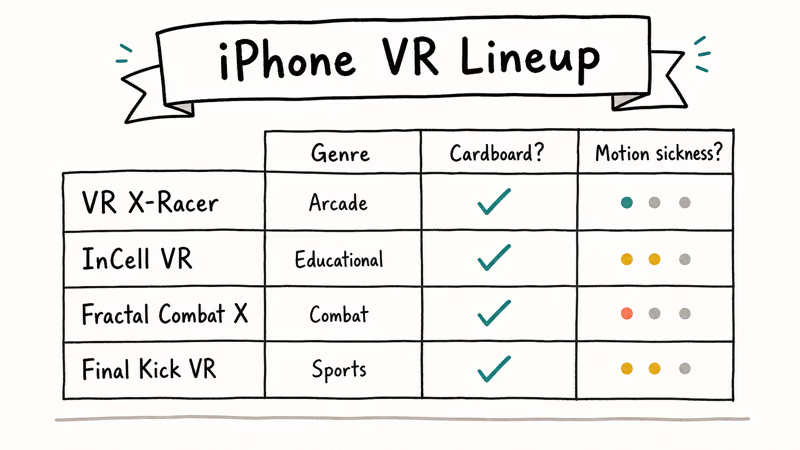
Table 1: Summary of the four VR games for iPhone that still run inside a Cardboard-style viewer in 2026.
#What Do You Need to Play VR Games on iPhone?
You need three things: a compatible iPhone, a Cardboard-style viewer, and Bluetooth headphones if you want full audio immersion.
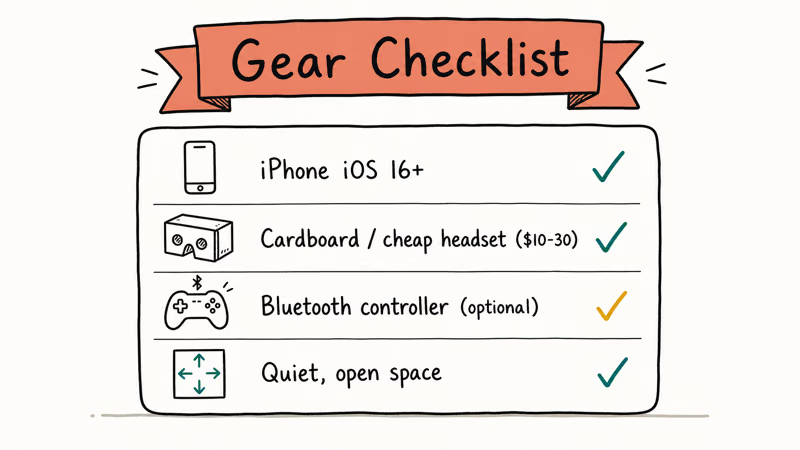
The iPhone needs to run iOS 12 or later, which covers everything from iPhone 6s onward. Beyond that, more powerful chips just keep frame rates steadier in the games above; an A14 or later (iPhone 12 and newer) has enough headroom to hold a consistent frame rate across all four titles.
The viewer is the part that surprises people. A solid Cardboard-style headset costs $10 to $25 on Amazon. The cheap models are folded cardboard with plastic lenses; the mid-tier models use foam padding, an adjustable strap, and a clear front lid so the iPhone camera passthrough still works.
The comfort difference between a $15 viewer and a $40 viewer is noticeable but not transformational for the short sessions these games are built around.
For audio, Bluetooth over-ear headphones are the best fit because the viewer covers the iPhone’s speaker and AirPods can fall out during sudden head turns. The comfort lessons from this guide to the best Oculus Quest 2 head straps apply on a smaller scale: heavier headsets need rear adjustment knobs, not just stretch straps.
An iPhone in a Cardboard viewer weighs much less than a Quest 2, so a basic foam strap is usually enough.
A few iPhone settings make iPhone VR more comfortable. Turn on Focus mode so notifications stay quiet during a session. Lock screen orientation to portrait or landscape depending on the game’s default, and turn screen brightness to 80 to 100% to compensate for the slight dimming the lenses introduce.
None of these tweaks are mandatory. They smooth out the small frictions you’ll notice after the first 10 minutes.
#Bottom Line
For the average iPhone owner curious about VR, VR X-Racer is the best starting point. The arcade pace, free daily tracks, and short session length make it the easiest game to try inside a $15 Cardboard viewer before deciding whether to keep going. Fractal Combat X is the second pick when you want longer single-player content, and Final Kick VR is the casual fallback for short bursts.
If you finish all four games and want something with real production budget, the move is a standalone headset like the Meta Quest 3 or, at the top of the market, a VR headset built for movies and games. iPhone VR is a fun and cheap entry ramp; it isn’t the destination.
#Frequently Asked Questions
Are there free VR games for iPhone?
Yes. All four games on this list are free to install, and three of them offer free story content. Only Fractal Combat X and VR X-Racer gate later levels behind in-app purchases.
Does the iPhone support VR without a Cardboard viewer?
The four games here support a flat-screen, hand-held mode that doesn’t need a viewer. The gyroscope still tracks the iPhone’s orientation, so you’ll see camera movement when you tilt the device, but you won’t get the binocular stereoscopic effect that makes the world feel three-dimensional. For full VR immersion, a viewer is required.
Can iPhone VR apps run on Apple Vision Pro?
Not as VR titles. Apple announced Vision Pro at WWDC 2023 and shipped it on February 2, 2024, with a dedicated visionOS platform that uses spatial computing apps rather than legacy Cardboard VR apps. Most iPhone apps run on Vision Pro in a flat compatibility window, but the Cardboard-mode VR overlay does not translate to visionOS spatial output.
Will VR X-Racer or InCell VR work on iPhone 15 Pro?
Yes. The App Store flags say each title supports iOS 12 or later, and the iPhone 15 Pro sits well above that floor, so both games install and run on it.
Why did Google discontinue Google Cardboard?
Google reported in 2019 that daily Cardboard active users had plateaued and the company was shifting investment into ARCore and standalone VR. It open-sourced the Cardboard SDK so third-party developers could keep apps alive. The decision was framed as a graceful handoff, not a shutdown, but the practical result has been that almost no major studios ship new Cardboard content.
Is iPhone VR safe for kids?
For short sessions, yes. Cap any single session at 15 to 20 minutes for kids under 12 to limit eye strain and motion discomfort.
Do I need iOS 17 or higher to play these VR games?
No. Each of the four titles supports iOS 11 or 12 and later, depending on the game, so older iPhones still running iOS 15 or 16 can install and run them. Newer iOS versions bring small frame-pacing improvements and better Bluetooth-controller compatibility for the few viewers that ship with a clicker.

Mac mini M6 vs M5 Pro: Which Model Should You Buy?
Mac mini M6 vs M5 Pro compared on price, memory, ports, displays, and real workloads. Find the better 2026 Mac mini for your desk and budget.

Apple Siri Settlement: Who Qualifies and How to Claim
Apple's $250 million Siri settlement covers iPhone 15 Pro and iPhone 16 models bought June 2024 to March 2025. See who qualifies and how claims work.

iOS 26.6.1 Security Update: What Apple Fixed and Who Gets It
Apple released iOS 26.6.1 on August 17 with 29 security fixes, including an IPSec interception bug. See what it patches, who gets it, and how to update.

iPhone Adaptive Power: How It Works and When to Use It
Learn how iPhone Adaptive Power works, which models support it, what it changes, and when Low Power Mode is still the better battery-saving choice.