MacBook Fan Always Running? Causes and Fixes (2026)
A constantly loud MacBook fan usually means a process is pinning the CPU. Find it in Activity Monitor, clear thermal causes, and quiet the fan for good.
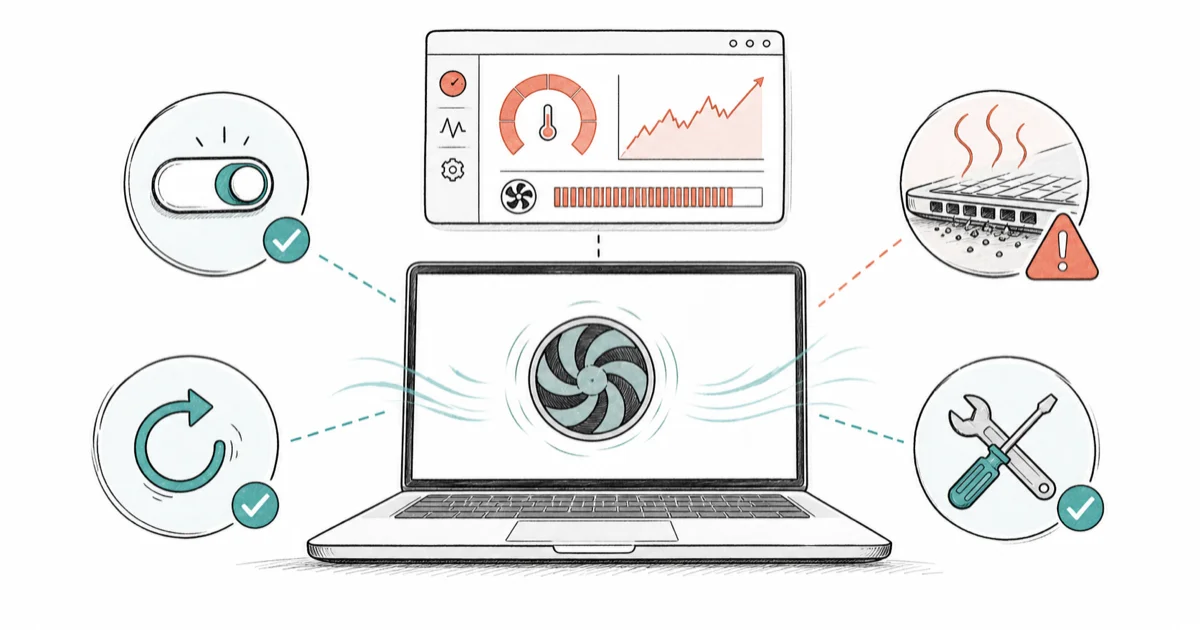
Quick AnswerA MacBook fan that runs constantly is almost always cooling a process that's pinning the CPU. Open Activity Monitor, sort by CPU, and quit the offending app. Heat from dust, a blocked vent, or a soft surface keeps the fan high even when the Mac is idle.
A MacBook fan that never stops spinning is the machine’s way of shouting that something is working it too hard. The culprit is almost always a runaway process pinning the CPU, with heat as the second usual suspect. Start with Activity Monitor, then move to heat and vent checks before assuming hardware.
- A constant fan almost always means a process is pinning the CPU, not a hardware fault
- Activity Monitor sorted by CPU shows the exact app or process causing the load
- Dust, a blocked vent, or a soft surface like a bed traps heat and keeps the fan high
- Spotlight indexing and Time Machine backups spike the fan temporarily, then settle
- Apple silicon MacBook Air models have no fan at all, so they throttle instead
#Why Is Your MacBook Fan Always Running?
The fan responds to heat, and heat comes from work. When the fan won’t quiet down, something is generating a lot of it, either a hungry process or a physical heat trap.
Software is the more common cause. A stuck app or runaway tab can peg a CPU core and keep the fan racing.
The rest is physical. A clogged vent, a thick layer of dust inside, or a soft surface that blocks airflow all force the fan to work harder for the same cooling. Our guide to a MacBook overheating fix digs into the thermal side in detail.
#Finding the Process Pinning the CPU
This is where you catch the offender red-handed. The tool is Activity Monitor, and it takes 30 seconds.
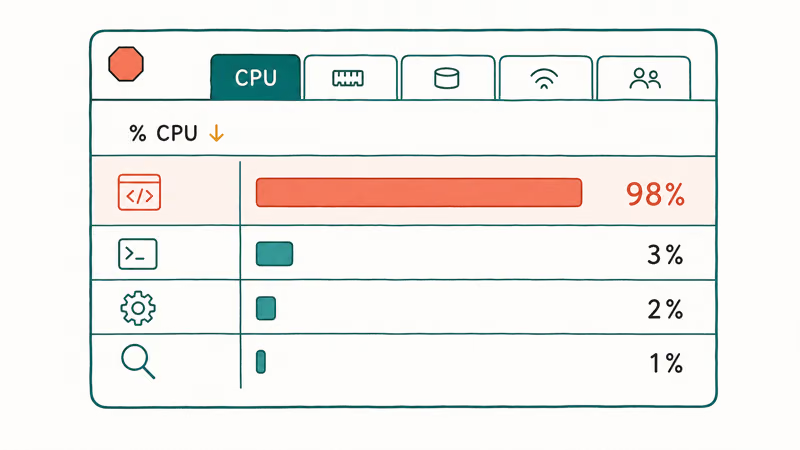
Open Activity Monitor from Applications, Utilities, then click the CPU tab and the ”% CPU” column header to sort by usage. According to Apple, 1 runaway process can dominate that list, and Apple’s Activity Monitor guide explains you can “see the CPU activity on your Mac in the Activity Monitor window.” The process at the top of that sorted list is almost always your fan trigger.
Once you spot it, act. A frozen app gets the stop button; an unfamiliar process gets a quick web search first. Quit the right one and the fan winds down within a minute.
#Thermal Causes: Dust, Vents, and Surfaces
Sometimes the CPU is calm and the fan still roars. That points at heat the fan simply can’t shed fast enough, which is almost always a physical airflow problem rather than a software one, and the fixes here cost little to nothing and take only a minute or two to try before you assume the worst.
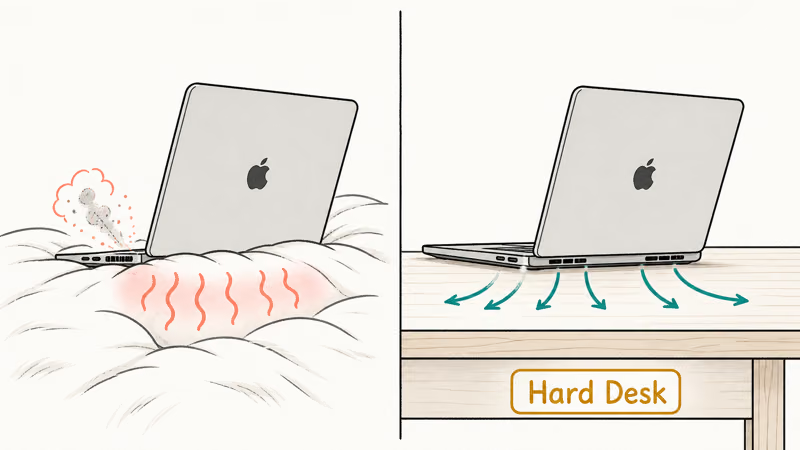
The simplest fix costs nothing: move the MacBook onto a hard, flat surface, off your lap, bed, or couch. Soft materials block the bottom vents and trap heat instantly.
Then think about dust. Over a year or two, the internal fan and vents collect a felt-like layer that strangles airflow, so the fan spins faster to compensate.
A can of compressed air around the vents helps, and a professional interior cleaning helps more. Apple’s Activity Monitor CPU guide helps confirm whether the heat is software-driven before you open anything up. A battery that runs hot often shares this root cause, which is why a MacBook battery draining fast frequently shows up alongside fan noise.
#Software Fixes: Indexing, Updates, and SMC
Some fan spikes are completely normal and temporary. According to Apple’s guide on fan noise, the fans run faster when the processor is “indexing the hard drive with Spotlight after you migrate data,” and Apple confirms that this “rushing-air sound is a normal part of the cooling process.” After a macOS update or a big file import, the fan climbs for a while, then settles.
Time Machine backups do the same, as does a browser with dozens of heavy tabs. Give these a few minutes to finish.
Trimming what loads at startup also helps, so managing login items on Mac cuts the background load, and clearing caches on Mac frees space a thrashing system needs.
On Intel MacBooks, resetting the SMC (System Management Controller) can fix a fan that’s stuck on full for no clear reason. Apple states that the SMC handles thermal management, so a reset can clear a stuck fan state. The steps vary by model, but it’s a safe, well-documented fix when the fan ignores a calm CPU.
#Intel vs Apple Silicon Fan Behavior
The MacBook in your hands changes the whole conversation. Intel MacBooks run hotter and rely heavily on active fans, so they’re the ones that scream under load.
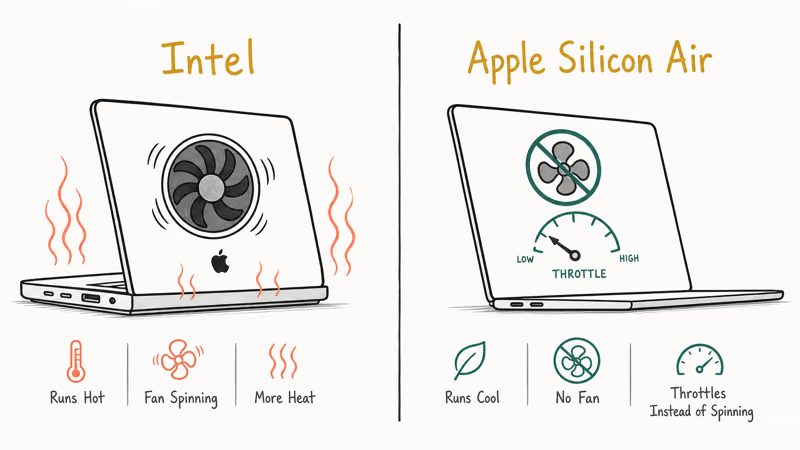
Apple silicon changed the math. The M-series chips run far cooler, and the MacBook Air has no fan at all. When an Air gets hot, it can’t spin up a fan, so it quietly throttles performance instead, which means a loud-fan complaint on an Air is impossible by design.
The fan-equipped MacBook Pro models on Apple silicon still spin up, but far less often than their Intel predecessors. If your Apple silicon Pro runs its fan constantly, treat it like any other case: open Activity Monitor first, then check for a blocked vent or dust. A Mac that also keeps crashing under that heat points to a deeper thermal problem worth a closer look.
#When Should You Worry About Fan Noise?
Most fan noise is harmless, but a few patterns deserve attention. A short roar that fades is fine; a constant scream is a flag.
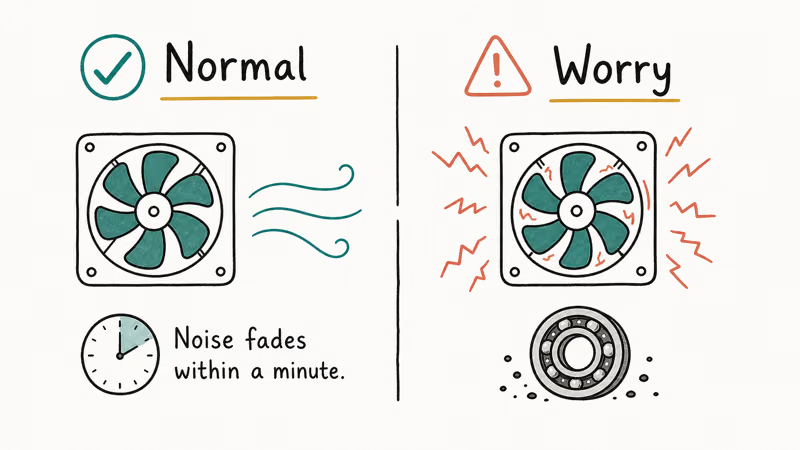
If the fan stays maxed for hours with a calm CPU and a clean, hard surface, that’s unusual. A grinding or rattling sound, instead of a smooth whoosh, can mean the fan bearing itself is failing, which is a real repair.
A healthy fan should calm down after the offending process quits, which is a useful sign that the hardware probably isn’t the problem. If yours never settles, or the Mac shuts itself down from heat, treat that as urgent and check whether it also keeps restarting under load, since a system that overheats badly enough to power off is a different and more serious problem than ordinary fan noise.
#Bottom Line
When your MacBook fan won’t stop, resist the urge to assume it’s dying. Open Activity Monitor, sort by CPU, and quit whatever process sits at the top, because a runaway app is the cause far more often than failing hardware.
If the CPU is calm but the fan still roars, move the Mac to a hard surface and clear the dust from its vents. Remember that a fresh macOS update or a Time Machine backup spikes the fan on purpose, so give indexing a few minutes before worrying. And if you own a MacBook Air on Apple silicon, there’s no fan to fix at all.
#Frequently Asked Questions
Why is my MacBook fan running so loud?
Almost always because a process is pinning the CPU. Open Activity Monitor, sort by CPU, and quit the app at the top. If the CPU looks calm, blame a blocked vent, dust, or a soft surface.
How do I find what’s making my MacBook fan spin?
Open Activity Monitor, click the CPU tab, and sort by the ”% CPU” column. The process at the top is your culprit. If it’s a frozen app, quit it. If it’s an unfamiliar system process, look up its name before force-quitting, because some background tasks are essential and quitting the wrong one can cause its own problems that are harder to untangle than the fan noise was.
Is it normal for the fan to run when the Mac is idle?
Not for long. Brief spikes during Spotlight indexing or a Time Machine backup are normal and settle within minutes. A fan that runs constantly at idle usually means a background process is stuck eating CPU, so check Activity Monitor to find it.
Does dust make a MacBook fan run constantly?
Yes. Dust clogs the fan and vents over time, so it spins faster to move the same air. Compressed air helps; a pro cleaning helps more.
Should I reset the SMC to fix fan noise?
On Intel MacBooks, yes, it’s worth trying when the fan stays on full for no clear reason and the CPU is calm. The SMC controls fan behavior, and a reset can clear a stuck state. Apple silicon Macs don’t have a user-resettable SMC, so this step doesn’t apply to them.
Do MacBook Air and Apple silicon models have fans?
The MacBook Air has no fan on any Apple silicon model, so it throttles performance instead of spinning up. The MacBook Pro does have fans even on Apple silicon, but they run much less aggressively than on older Intel machines.

macOS 27 Compatible Macs: Every Supported Model (2026)
macOS 27 Golden Gate runs only on Apple Silicon Macs. Here is the full list of supported M-series models and the four Intel Macs that lose support.

macOS 27 Golden Gate: Every Major New Feature Confirmed
macOS 27 Golden Gate goes Apple Silicon only, adds a Gemini-powered Siri, refines Liquid Glass, and rebuilds Spotlight. Here is every confirmed change.

macOS 27 Liquid Glass: Every Readability Fix Explained
macOS 27 Golden Gate refines Liquid Glass with an intensity slider, better contrast, cleaner window corners, and edge-to-edge sidebars to fix readability.

macOS 27 Performance: What Golden Gate Makes Faster
macOS 27 Golden Gate speeds up AirDrop, network file browsing, Safari, and Spotlight, with core system improvements on the Apple Silicon-only release.