iPhone Black Screen: Safe Power, Restart, and Service Checks
Check an iPhone black screen with current Apple force-restart, one-hour charging, liquid-safety, computer, backup, and official repair guidance.
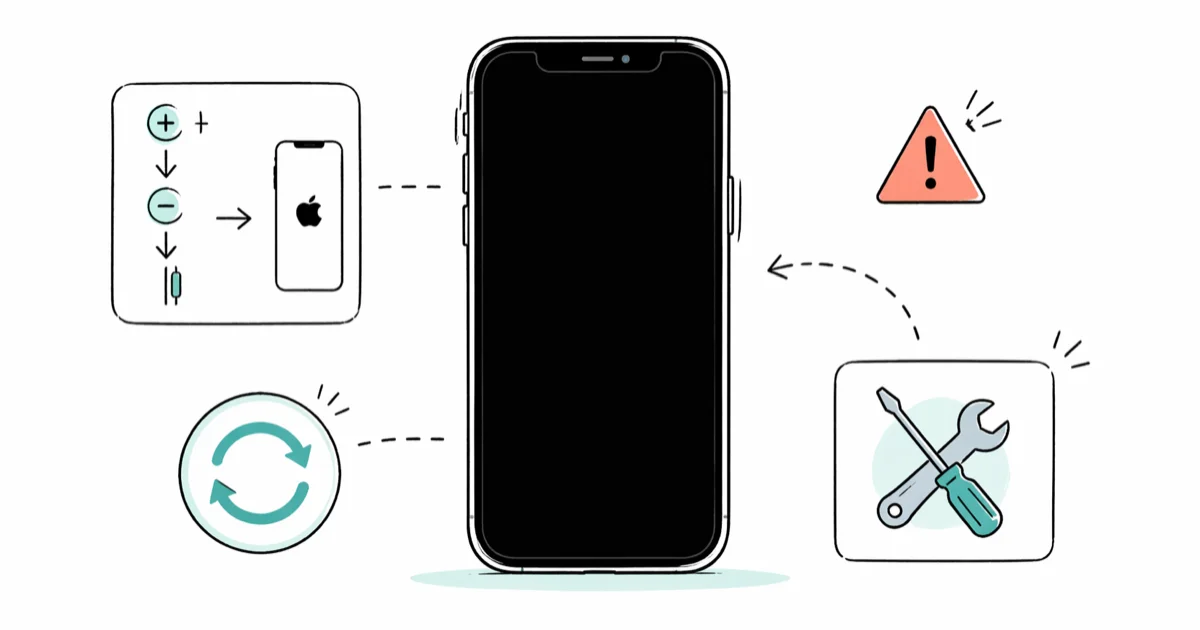
Quick AnswerForce restart with the model-specific buttons. If the iPhone is dry but still won't turn on, Apple says to charge it for one hour and try again; if the screen stays black, arrange service.
A black screen can mean the iPhone is frozen, discharged, wet, damaged, or running with a failed display. Start with non-destructive checks and don’t erase the device merely to diagnose a screen you can’t see.
Only follow this guide for your own iPhone or with the owner’s explicit permission. Using recovery to access another person’s device without consent can violate privacy laws. A black screen doesn’t remove the passcode or Activation Lock.
- Force restart with the button sequence for the iPhone model and hold until the Apple logo appears
- If the iPhone still won’t turn on, Apple says to charge it for one hour and try again
- Don’t cable-charge a wet connector until the iPhone and cable are dry
- A computer connection can help identify whether the phone is responding, but don’t choose Restore as a display test
- If force restart and charging don’t bring the screen back, Apple says the iPhone may need service
#1. Is the iPhone Still Responding?
Increase the room brightness and look for an Apple logo, low-battery icon, progress bar, or Connect to computer screen. Call the iPhone from another phone and listen for a ring or vibration. Connect it to power and listen for a charging sound.
These observations can show that the phone is responding, but they don’t prove a particular component has failed. A faint glow, vibration, or computer detection is not enough to label the problem as definitely “software” or “display hardware.”
If an Apple logo is visible, use the stuck-on-Apple-logo guide. If the phone repeatedly restarts, use the restart-loop guide. A fully black, silent device belongs in the sequence below.
#2. Force Restart the iPhone
According to Apple’s current black-screen and force-restart article, use the model-specific sequences below.
iPhone with Face ID and iPhone 8 or later:
- Press and quickly release Volume Up.
- Press and quickly release Volume Down.
- Hold the Side button until the Apple logo appears.
Apple notes that the logo can take longer than ten seconds to appear. Don’t stop at an unsupported universal twenty-second cutoff.
iPhone 7 or iPhone 7 Plus: Hold the Side button and Volume Down together until the Apple logo appears.
iPhone 6s or earlier, including iPhone SE (1st generation): Hold the Home button and the Side or Top button until the Apple logo appears.
A force restart does not erase personal data. If the logo appears but startup does not finish, switch to the symptom-specific loading-screen guide.
#3. Charge for Apple’s Documented Time
If the iPhone still doesn’t turn on, connect a known-good Apple-compatible cable and power adapter. According to Apple’s current black-screen article, charge the iPhone for one hour, then try the force restart again.
If a low-charge battery icon appears, Apple says to check the charging hardware and charge for 30 minutes or until the iPhone starts. These are Apple-documented troubleshooting conditions, not proof that the battery or display is healthy.
Try another known-good cable, adapter, and wall outlet if charging does not begin. The iPhone-won’t-turn-on guide covers charging-port and power checks without promising that one cable swap fixes every device.
#4. Stop if the Connector Is Wet
Don’t follow the charging step when the connector or cable is wet. According to Apple’s liquid-detection guidance, unplug the cable and don’t reconnect it until the iPhone and cable are dry.
Hold the connector downward, tap the iPhone gently against your hand, and leave it in a dry area with airflow. Apple says you can try a cable again after at least 30 minutes; if the alert returns, drying can take up to a day. Don’t use heat, compressed air, a swab, paper towel, or rice.
A fixed “wait 24 hours before any power” rule is too broad. Follow the actual liquid alert and Apple’s staged instructions. The liquid-detected guide explains that separate condition.
#5. Check Whether a Computer Recognizes the iPhone
Connect the dry iPhone with a known-good data cable and open Finder on a current Mac or Apple Devices on Windows. Detection can show that the phone is communicating even if its display remains black.
Don’t click Restore merely because the computer sees the iPhone. Apple’s computer restore guide states that Restore erases information and settings. If the device is available for a backup and you can complete any required trust or passcode step, back it up before a destructive action; don’t promise that a black-screen iPhone can always create a new backup.
If the computer reports a recovery screen or named error, use the iPhone-won’t-restore guide instead of a generic DFU timing diagram.
#6. Look for Hardware or Safety Clues
Arrange service promptly after a drop, bending, visible screen separation, overheating, a swollen enclosure, or continuing liquid symptoms. Stop charging a device that becomes abnormally hot or shows physical swelling.
A screen that flickered, showed lines, or reacted to pressure before going black may need display service, but those clues are not a remote diagnosis. Record what happened and use the screen-flicker guide to describe the symptom accurately.
#7. When Does a Black Screen Need Service?
Apple’s iPhone service page says the device must be inspected for a personalized estimate. Model, region, coverage, damage, tax, shipping, and the service provider can change the final fee.
Don’t use a universal screen-repair price, a flat AppleCare fee, or a third-party-shop range without the exact model, plan, region, and current quote. Apple or an authorized service provider can inspect a phone that remains black after force restart and charging.
#Bottom Line
Force restart with the correct button sequence. If the iPhone still won’t turn on and it’s dry, charge it for Apple’s documented one hour and try again. A computer can show whether the device responds, but Restore erases it and should not be used as a blind display test. If the screen remains black, arrange service.
#Frequently Asked Questions
Does a black screen always mean the display is broken?
No. A frozen system, discharged battery, wet connector, failed display, internal damage, or another power problem can look similar. The non-destructive checks narrow the symptom but don’t remotely identify the failed part.
How long should I charge an iPhone with a black screen?
Apple’s current article says to charge it for one hour and try again. If a low-battery icon appears, it says to charge for 30 minutes or until the iPhone starts.
Can I use Recovery Mode or DFU Mode on a black screen?
Don’t enter a timed DFU sequence blindly. First use force restart, charging, cable, and service checks. If Finder or Apple Devices identifies a Recovery Mode condition, follow Apple’s current Recovery Mode flow and understand that Restore erases data.
Will Restore fix a failed display?
A software restore can’t repair damaged display hardware, and it erases the iPhone. Don’t use Restore merely to test a black screen.
Is it safe to charge after liquid exposure?
Not by cable while the connector or cable is wet. Follow Apple’s liquid-alert instructions and wait until both are dry. A dry back may allow compatible wireless charging, but stop if the device becomes hot or shows damage.
How much will Apple charge?
There is no accurate universal number. Apple’s current service page asks for the device and coverage details and says an inspection is needed for a personalized final estimate.
Can I recover data from a black-screen iPhone?
A previously trusted computer might recognize it, but a passcode or trust confirmation may still be required. Don’t assume a new backup is possible, and don’t erase the iPhone before checking existing backups and service options.

Mac mini M6 vs M5 Pro: Which Model Should You Buy?
Mac mini M6 vs M5 Pro compared on price, memory, ports, displays, and real workloads. Find the better 2026 Mac mini for your desk and budget.

Apple Siri Settlement: Who Qualifies and How to Claim
Apple's $250 million Siri settlement covers iPhone 15 Pro and iPhone 16 models bought June 2024 to March 2025. See who qualifies and how claims work.

iOS 26.6.1 Security Update: What Apple Fixed and Who Gets It
Apple released iOS 26.6.1 on August 17 with 29 security fixes, including an IPSec interception bug. See what it patches, who gets it, and how to update.

iPhone Adaptive Power: How It Works and When to Use It
Learn how iPhone Adaptive Power works, which models support it, what it changes, and when Low Power Mode is still the better battery-saving choice.