iCloud Private Relay vs VPN: Which Protects You in 2026?
iCloud Private Relay vs VPN compared for 2026: what each one covers, IP and DNS privacy, region switching, app traffic, and when you still need a VPN.
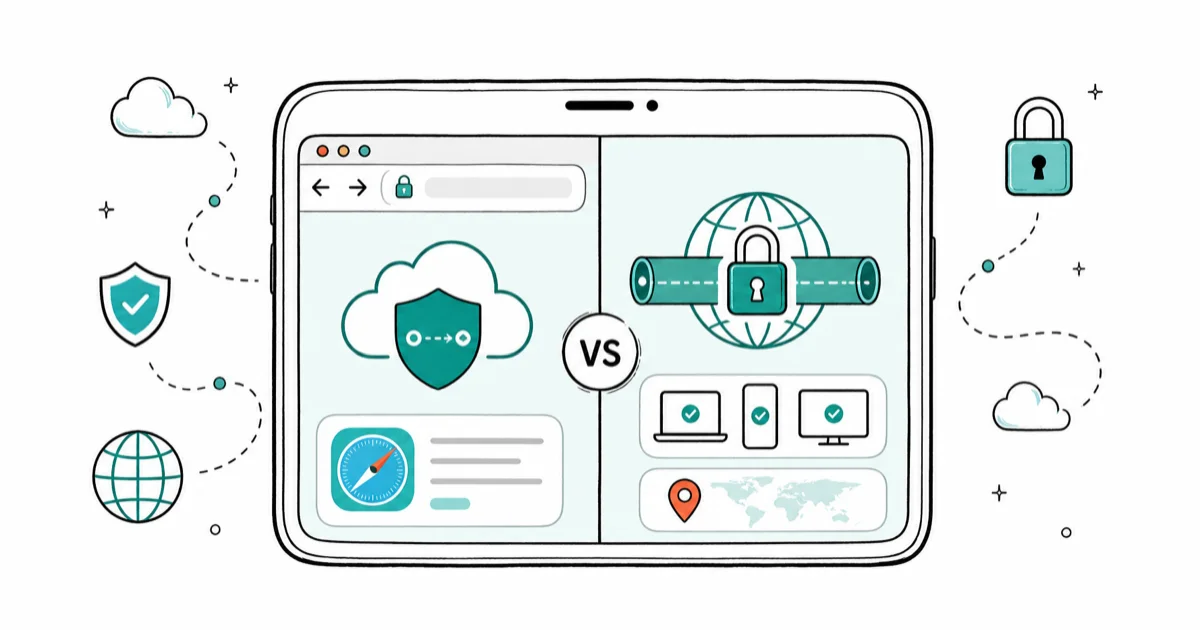
Quick AnsweriCloud Private Relay hides your Safari browsing and IP address, but it only covers Safari and some Apple traffic. A VPN encrypts your whole device and lets you change regions. Private Relay is a privacy bonus, not a VPN replacement.
iCloud Private Relay vs VPN is a common mix-up, but the two tools do different jobs. Private Relay is an iCloud+ feature that hides your Safari browsing and masks your IP address. A VPN encrypts traffic from your entire device and can place you in another country. The practical difference is coverage: Private Relay is Safari-focused, while a VPN covers far more traffic and region use cases.
- Private Relay only protects Safari and limited Apple traffic, not your whole device
- A VPN encrypts all app traffic and lets you choose a server location or region
- Research published in August 2026 showed Private Relay can leak your real IP through passkey, DNS prefetch, and WebTransport requests; Apple says it’s investigating
- Private Relay does not let you change your country, so it can’t unblock region-locked streaming
- For public Wi-Fi privacy alone, Private Relay helps; for full coverage, a VPN is still the answer
#The Difference Between Private Relay and a VPN
The short version: Private Relay is a narrow Safari privacy tool, and a VPN is a whole-device encryption tool. They overlap, but they’re not interchangeable.
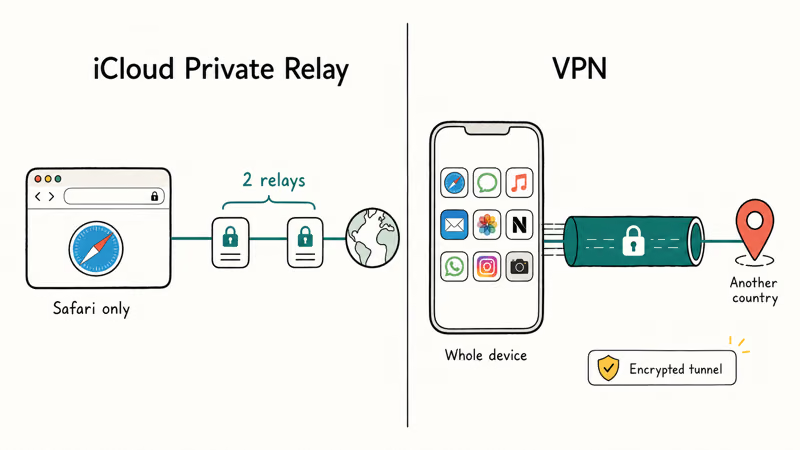
Apple’s iCloud Private Relay page explains how the feature masks your IP and Safari activity. Apple states that traffic passes through 2 separate relays, so neither Apple nor the relay operator sees both who you are and what you visit. It’s bundled with iCloud+, with no separate app.
A VPN works at the device level instead. It builds an encrypted tunnel that carries traffic from every app, not just Safari, and routes it through a server you choose. That server can sit in another city or country, which is why a VPN changes your apparent location while Private Relay can’t, and why streaming services treat the two so differently. Our best VPN for iPhone roundup compares the providers worth paying for.
iCloud Private Relay vs VPN coverage
| Capability | iCloud Private Relay | VPN |
|---|---|---|
| Covers all apps | No, Safari only | Yes |
| Hides IP address | Yes, for Safari | Yes, device-wide |
| Change country/region | No | Yes |
| Encrypts public Wi-Fi | Safari traffic | All traffic |
| Cost | Included with iCloud+ | Separate subscription |
#Does Private Relay Protect All Apps?
No. Private Relay only covers Safari and some unencrypted background traffic. Every other app handles its own connection.
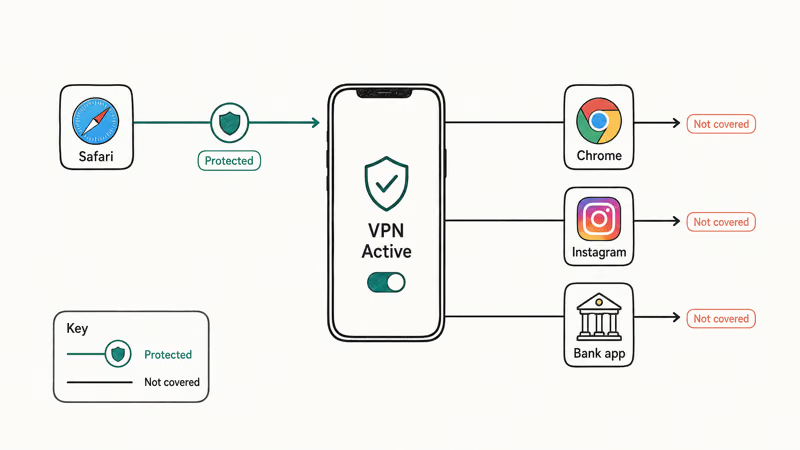
When you open Instagram, a banking app, or Chrome, that traffic skips Private Relay entirely. So if your goal is to hide activity across your whole phone, Private Relay leaves big gaps. According to Apple’s iCloud Private Relay guide, the feature is built specifically around Safari browsing privacy and the related DNS lookups.
A VPN closes those gaps because it sits below the apps. Everything routes through the tunnel. If you regularly use non-Safari browsers or privacy-sensitive apps, that device-wide coverage is the deciding factor. For a deeper look at when public networks actually put you at risk, see do you need a VPN on public Wi-Fi.
#Where Private Relay Leaks Your Real IP Address
Private Relay’s IP masking has known holes, and the newest came to light on August 4, 2026.
Security researchers Tommy Mysk and Talal Haj Bakry showed that three WebKit features bypass Private Relay entirely: DNS prefetching, WebAuthn related-origin requests (part of how passkeys work), and WebTransport connections. According to the Mysk research post, each path runs outside WebKit’s normal page loading, so a site built to exploit them sees your real IP address or DNS servers.
The gap matters because WebKit powers Safari and, in most regions, every other iPhone browser. MacRumors reports that Apple told 404 Media it’s investigating, without committing to a fix timeline. The researchers confirmed a full-tunnel VPN stays unaffected because it carries traffic below the browser.
#Where Private Relay Beats a VPN
Private Relay wins on simplicity, battery, and price. If you already pay for iCloud+, it costs nothing extra and turns on with one toggle.
For everyday Safari browsing on home or public Wi-Fi, Private Relay is plenty useful. It masks your IP from the sites you visit and from network snoops, with almost no setup. It also avoids the extra app, server list, and provider choice that come with a VPN.
It’s also less likely to break websites. Some sites block known VPN servers, but Private Relay’s relays are less frequently flagged. For a casual user who mainly wants Safari privacy and dislikes fiddling with settings, Private Relay is the lower-friction choice.
#When Do You Still Need a VPN?
You need a VPN whenever Safari-only coverage isn’t enough. That covers more situations than people expect.
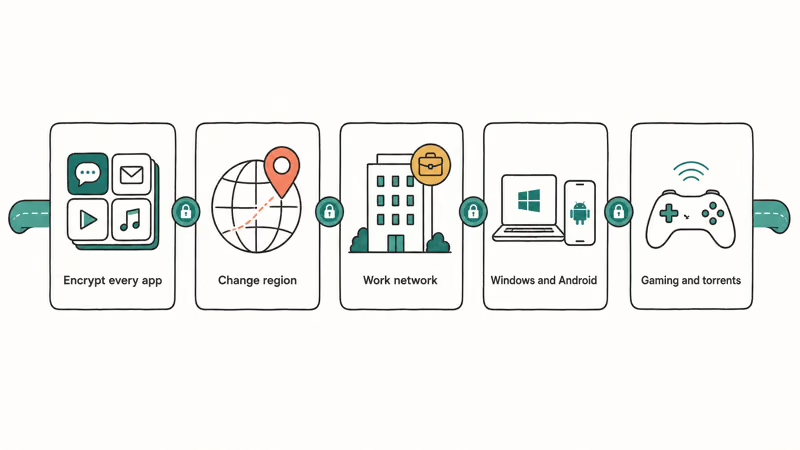
Reach for a VPN if you want to encrypt traffic from every app, change your region to access content, use a work network securely, or protect torrent and gaming traffic. Private Relay does none of those. A VPN also works on Windows and Android, while Private Relay is Apple-only and useless on a PC or non-Apple phone.
Travelers lean on VPNs too. A VPN can make it look like you’re back home for banking or streaming. If the connection itself acts up, the VPN not working on iPhone guide covers the common failures and fixes.
#Privacy Tradeoffs to Weigh
Both tools improve privacy, but each asks you to trust someone. With Private Relay, you trust Apple and its relay partners. With a VPN, you trust the provider’s no-logs claim, so pick one with an independently audited policy rather than a free service that may quietly log and sell your traffic. PCMag’s VPN coverage recommends audited no-logs providers over free ones for exactly this reason.
One honesty note: neither tool makes you anonymous. Logging into your accounts still identifies you, and only your own devices and accounts are legally yours to protect under each service’s privacy policy. To lock down the rest of your phone, the iPhone privacy settings checklist is a solid next step.
#How to Turn On Private Relay
To turn on Private Relay, open Settings, tap your name, choose iCloud, then Private Relay, and flip it on. It requires an active iCloud+ plan.
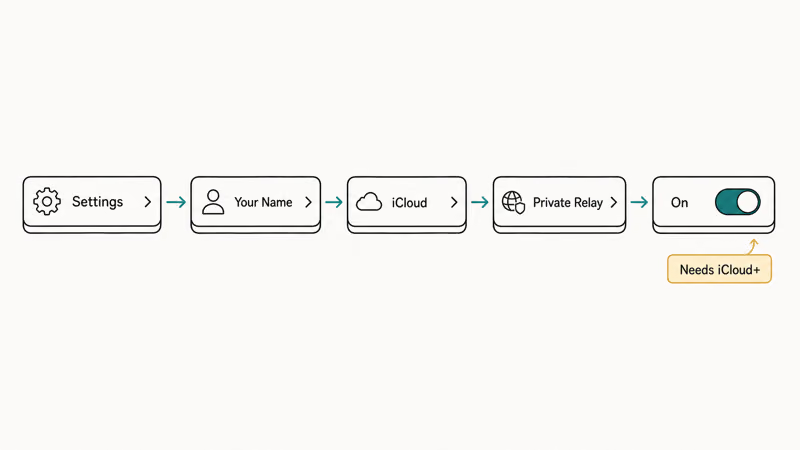
If it’s grayed out, your iCloud+ subscription may have lapsed or your region may not support it, since Private Relay is unavailable in a handful of countries. Worried your data already leaked before you locked things down? Our guide on how to tell if your phone is hacked helps you check.
#Bottom Line
Treat iCloud Private Relay as a free Safari privacy upgrade, not a VPN. If you already have iCloud+ and mainly want to hide Safari browsing on public Wi-Fi, turn Private Relay on and enjoy it. The moment you need whole-device encryption, region switching, work-network access, or protection on Windows and Android, a VPN is the tool that actually does the job. Many people keep both, switching to a VPN only when they need full coverage.
#Frequently Asked Questions
Is iCloud Private Relay a VPN?
No. Private Relay is a Safari-only privacy feature included with iCloud+, while a VPN encrypts your entire device. Private Relay hides your Safari IP and browsing, but it can’t change your country or cover other apps the way a VPN does.
Can iCloud Private Relay change my country for streaming?
No, it can’t. Private Relay deliberately keeps you in your general region. For region switching to unblock streaming, you need a VPN.
Does Private Relay cover apps besides Safari?
Mostly no. It protects Safari browsing and some related unencrypted traffic, but other apps like Chrome, Instagram, and banking apps connect on their own. A VPN is the option that covers every app on the device.
Do I need both Private Relay and a VPN?
You can use both, but not at the same time for the same traffic, since most VPNs disable Private Relay while connected. Many people keep Private Relay on for everyday Safari use and switch on a VPN when they need full-device protection or a different region.
Does iCloud Private Relay leak your real IP address?
It can in narrow cases. Research published in August 2026 showed that three WebKit features, DNS prefetching, passkey related-origin requests, and WebTransport, bypass Private Relay and can expose your real IP or DNS servers to a site built to abuse them. Apple says it’s investigating. A full-tunnel VPN is not affected because it captures all traffic from the device, though split-tunnel setups can leave gaps.
Why is Private Relay grayed out in my settings?
The most common reasons are a lapsed iCloud+ subscription or an unsupported region, since Private Relay is unavailable in a few countries and may be turned off on managed or corporate networks. Confirm your iCloud+ plan is active, then try a different network to rule out a network-level block before you assume the feature is broken on your device.
Is Private Relay slower than a VPN?
Usually no. Private Relay adds very little overhead for Safari and rarely feels slow. A VPN can be slower because it encrypts all traffic and routes it through a distant server, though a good provider keeps the slowdown minor.

Is This Bank App Real? Spot a Fake App on Your Home Screen
A bank app can land on your home screen from a web page with no install warning. Learn the checks that tell a real banking app from a phishing web app.

Passkeys Not Syncing Between iPhone and Windows? Read This
Passkeys not syncing between iPhone and Windows is by design, not a bug. Here is why iCloud passkeys skip Windows Hello and the three ways to fix it.

VPN Not Working on Snapdragon X? Why It Fails, How to Fix
Your VPN won't install or connect on a Snapdragon X Copilot Plus PC because Windows on ARM can't emulate the network driver. Here are the fixes that work.

How to Check If a Link Is Safe Before You Click It
Learn how to check if a link is safe with official-first steps: read the real domain, use the app instead, and treat scanners as a second opinion only.