How to View Your Facebook Inbox Messages on Any Device
Access your Facebook inbox on phone or desktop, recover your account if locked out, and spot signs of unauthorized access with these legitimate steps.
Quick AnswerSign in to Messenger or facebook.com with your own credentials to view your inbox on phone, tablet, or desktop. If you can't sign in, use Facebook's Find Your Account flow to recover access through your email or phone number.
Reading your Facebook inbox shouldn’t require a workaround. Sign in on Messenger, facebook.com, or the Facebook mobile app, and every conversation appears in the same inbox. Meta has also built recovery and security tools so you can still reach your messages when something breaks. This guide walks through the official paths for opening your own inbox, getting back in when you can’t sign in, and spotting any unauthorized activity on your account.
- Messenger, facebook.com, and the Facebook app all sync the same inbox in real time, so you only need to sign in on one trusted device.
- Facebook’s Find Your Account tool resets access through a registered email, phone number, or a trusted contact when you forget your password.
- Two-factor authentication blocks most unauthorized inbox access, and Meta turns on stricter checks for new device logins by default.
- The Security and Login page lists every active session by device, browser, and approximate city so you can confirm only your own devices are signed in.
- Messenger Kids and Supervised Accounts are the only Meta-approved ways for a parent to view a child’s messages, and both require the child’s account to be set up with consent.
#Opening Your Inbox on Mobile and Desktop
Your Facebook inbox lives in one place across every Meta surface. The Messenger app, the chat panel on facebook.com, and the messages tab in the Facebook app for iOS and Android all read from the same conversation store.
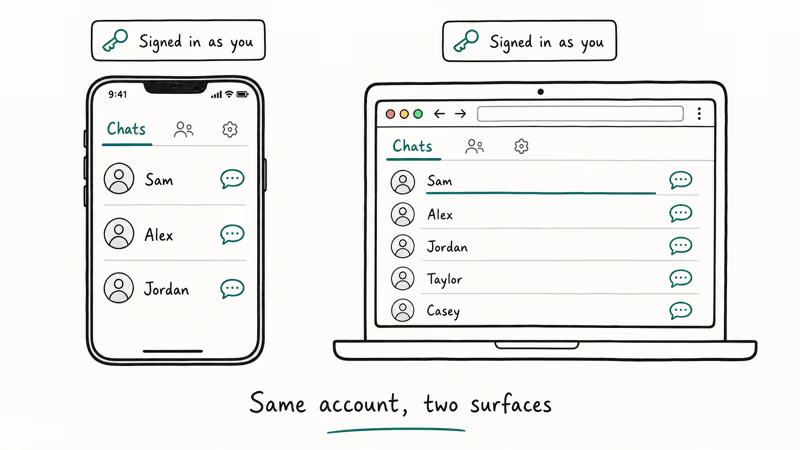
A message you open on your laptop disappears from the unread list on your phone within a second or two. Read receipts sync near-instantly in every direction across devices, both for one-on-one chats and group conversations.
On a phone, open Messenger and tap the chats tab.
The chats tab shows every recent conversation, while the marketplace tab keeps buyer and seller chats separate so business pings don’t clutter your personal inbox. If Messenger won’t load at all, try the Facebook app’s messages icon (the lightning bolt at the top right) as a fallback, and use messenger.com from a browser if both apps misbehave. According to Meta’s Messenger Help Center, the inbox sometimes lags during outages but doesn’t lose messages once delivery is confirmed by the server.
On a desktop, click the messages icon in facebook.com’s top toolbar, or open messenger.com directly for a full-screen view that puts your message requests, archived chats, and Messenger group chats all on one screen.
Mac and Windows users can install the Messenger desktop app, which surfaces notifications without keeping a browser tab open. If your Facebook app keeps signing you out, that’s a session token problem rather than an inbox issue. Our guide on why Facebook says your session has expired covers the most common causes and the cookie and cache resets that fix it without losing message history.
#How Do You Recover Your Inbox When You Can’t Sign In?
Account recovery is the right path when you can’t reach your own inbox. Don’t look for back-door tools — they won’t work, and entering your password into a third-party site is the fastest way to actually lose access. Facebook’s official Find Your Account tool walks through the same checks Meta’s support team would run, and it usually takes under five minutes.
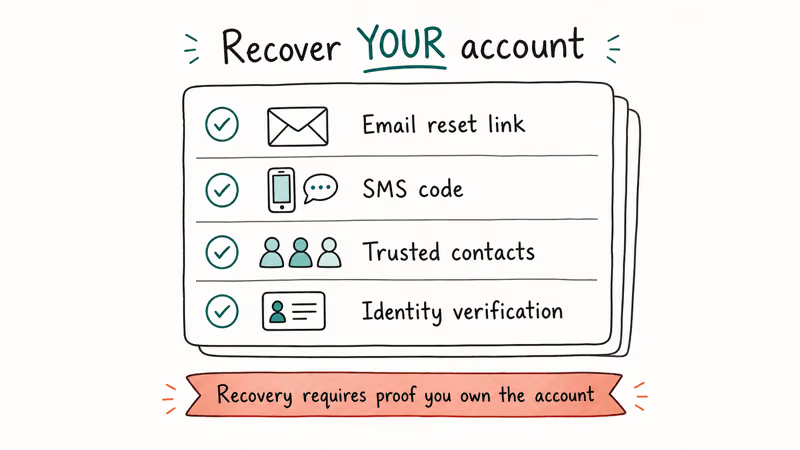
Start at facebook.com/login/identify on any browser. Enter the email address, phone number, or username tied to the account. Facebook will surface every account that matches, blurring the name slightly for privacy. Pick the one that looks like yours.
Choose how you want the recovery code delivered. The three delivery options are SMS to the phone on file, an email to your registered inbox, or a code from your authenticator app if you previously set one up.
The SMS code usually arrives quickly and the email code shortly after. According to Facebook’s account recovery help page, the codes expire after 10 minutes, so don’t request one until you’re ready to enter it.
Trusted Contacts is the fallback when you can’t reach your email or phone. If you set this up earlier, Facebook sends three of your chosen friends a special recovery URL. They read the URL to you, and the combined codes unlock the account. Facebook recommends setting up at least three trusted contacts before you ever need them, because the system requires all three URLs to recover the account.
If recovery still fails, Meta has an identity-confirmation upload step. The form at facebook.com/help/contact/183000765122339 asks for a government ID. ID-based recovery takes about 24 to 48 hours during normal periods. Keep a copy of the case number so you can follow up if the queue is backed up.
#Reading Older or Archived Conversations in Your Inbox
Older chats are still in your inbox, just hidden from the main view. Messenger archives a conversation the moment you swipe it left on the chats tab, and there’s no time limit on archived storage.
To see an archived chat, tap your profile photo in the top left, open the gear icon, and pick Archived Chats. On desktop, the same option lives under the three-dot menu next to the search bar.
Sometimes a conversation looks gone, but the cause is a glitch.
The Messenger app stores a local index of your chat list. When that index gets corrupted (usually after a forced update or a low-storage incident), recent threads disappear from view even though the messages still live on Meta’s servers. Clearing the Messenger cache on Android resets that local index without deleting any server-side history. Our walkthrough on how to clear the Facebook cache covers the steps for both Android and iOS.
For a complete copy of your inbox, use Facebook’s Download Your Information tool at facebook.com/dyi. Choose Messages, pick a JSON or HTML format, and request the export. According to Meta’s data download help page, the export usually finishes within a few hours, and the resulting file contains every message you’ve ever sent or received from that account. Our step-by-step on how to export and print Facebook messages breaks down how to read the file once it arrives.
#Spotting Devices and Sessions on Your Account
Facebook keeps a public log of every device that has signed into your account. Open Settings, choose Security and Login, and look at the Where You’re Logged In section.
Each entry shows the device type (iPhone, Pixel, Chrome on Windows), the browser, and the approximate location based on IP. If anything looks unfamiliar, tap the three dots next to that session and choose Log Out.
Read receipts are a softer signal. If a friend says you read their message at a time you were asleep, the most likely cause is a synced device leaving Messenger open in the background. Your laptop counts as a read view even if you weren’t at the keyboard.
Apple’s Continuity features can also auto-read notifications on a paired Mac. Sign out of Messenger on devices you don’t actively use.
Some signs of actual unauthorized access are more obvious. Sudden password reset emails you didn’t request, messages marked as read before you opened them, posts you didn’t write, or friend requests sent from your account all suggest someone else has signed in. Meta’s identifying a compromised account help page states that any of those signals should trigger an immediate password change and a full session logout from the Security and Login page.
#What Should You Do If You Suspect Unauthorized Access?
Act fast and in the right order. Changing your password first is tempting, but if the attacker has access to your email, they can use Facebook’s recovery flow to lock you out again. Start with email security, then move to Facebook itself.
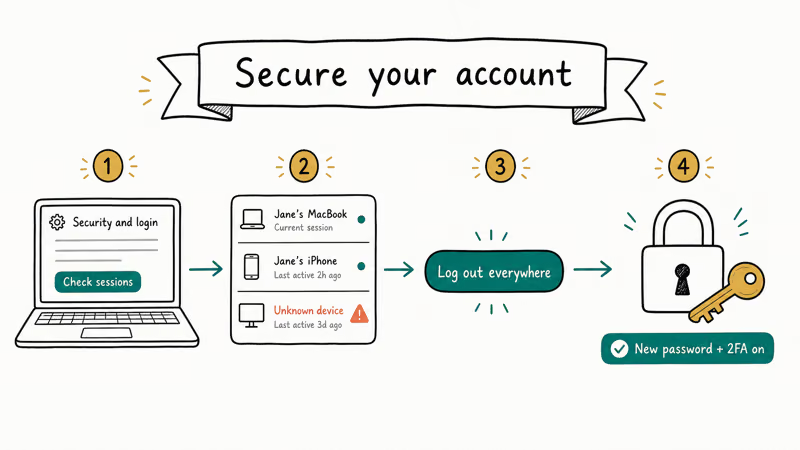
First, check your email account. Sign in, change the email password to something new, and turn on two-factor authentication if it isn’t already on. Look at the recent activity log for unfamiliar sign-ins, and remove any forwarding rules an attacker may have added to siphon your mail. Our Gmail account recovery walkthrough covers what to do if your email itself is compromised.
Second, return to Facebook. Go to Settings, Security and Login, and choose Log Out of All Sessions, which kicks every device including the attacker. Then change your Facebook password to a long, unique passphrase. Facebook recommends 12 characters or more with no reused phrases from other accounts.
Turn on two-factor authentication with an authenticator app instead of SMS. Two-factor authentication using an authenticator app is much harder to intercept than SMS codes, which can be hijacked through SIM-swap attacks.
Third, review the Authorized Logins list and remove any browser or app you don’t recognize. If posts were made from your account during the breach, report them through facebook.com/help/contact/356792327587078 so Meta can remove them from your timeline.
#Family Supervision Through Messenger Kids and Supervised Accounts
Parents who want to see what their child is doing in Messenger have two Meta-approved paths, and both require the child’s account to be set up with consent. There is no legitimate way to view another adult’s inbox without their knowledge. Any tool that promises otherwise is either a scam or illegal under most jurisdictions, including the United States, Canada, the United Kingdom, and the European Union.
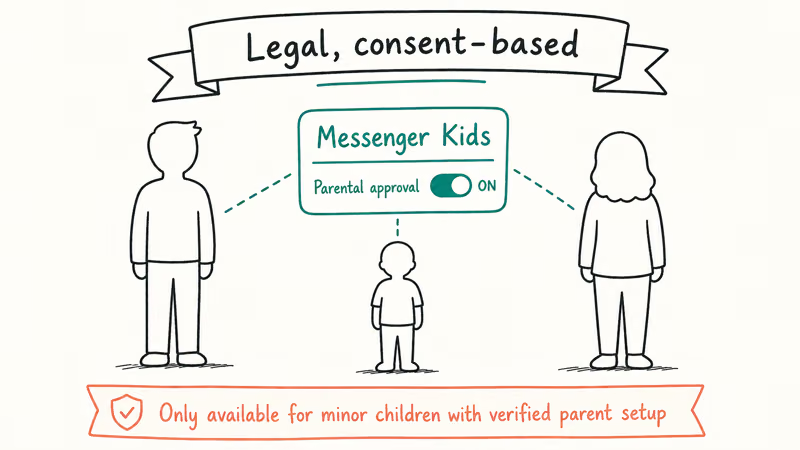
Messenger Kids is the option for children under 13. The app is installed on the child’s device, but the parent links it through the Parent Dashboard in the main Facebook app. From there, the parent can review contacts, see chat history including messages and images, and set screen-time limits. Meta announced in 2021 that Messenger Kids contact controls were updated so children can only message people the parent has explicitly approved.
Supervised Accounts work for teens 13 and older on Instagram and Messenger. The teen opts in by accepting an invitation. Parents see contacts and time spent, but not the actual messages.
According to Meta’s Family Center page, the supervised account framework is built around transparency, and teens see a clear notice when supervision is active. For shared family devices, the simplest control is a separate user profile on Android or a Screen Time passcode on iOS. That stops a curious child from opening your inbox without you needing any spy software.
#Bottom Line
If you just want to read your own inbox, sign in to Messenger or facebook.com on any device. Every conversation syncs in seconds, archived chats included.
Locked out? Start at facebook.com/login/identify, recover access with a registered email or phone number, then turn on two-factor authentication so it doesn’t happen again. Parents should use Messenger Kids for under-13s or Supervised Accounts for teens. There is no Meta-approved or legal path to covertly read another adult’s Facebook inbox, and any tool that claims otherwise is a scam.
#Frequently Asked Questions
Can I see my Facebook messages without opening the Messenger app?
Yes. Go to facebook.com on a desktop browser or messenger.com directly to read every conversation without installing Messenger.
What happens to messages I delete from my Facebook inbox?
Deleting only removes the message from your own view of the conversation. The other person’s copy stays intact, and Meta retains regular (non-encrypted) chats on its servers for a limited retention period for safety and legal compliance, so deletion isn’t the same as erasure from the platform. You can’t restore a deleted message from your inbox once it’s gone from your end.
Will the other person know if I read their Facebook message?
Yes, if you have read receipts on. A small profile picture appears under their last message when you view it. Secret conversations with end-to-end encryption disable read receipts by default.
How do I view Facebook messages from a banned or disabled account?
You can’t access messages from an account that Meta has fully disabled, because the account is removed from the server. If the ban is temporary, the inbox returns when the suspension lifts. For permanently disabled accounts, request a download of your information at facebook.com/dyi before the deletion period ends.
Is it legal to read someone else’s Facebook messages without permission?
No. Reading someone else’s private messages without their consent is a violation of Meta’s terms of service and is illegal under wiretap and computer fraud laws in the United States, Canada, the UK, the EU, and most other countries. Penalties can include fines and prison time, even for messages between spouses or family members.
Why does my inbox look empty when I sign in on a new device?
The inbox loads in stages: recent chats first, older history in the background. Connect to Wi-Fi to finish faster.
How do I see deleted Facebook conversations on my own account?
If you only archived the conversation, open Messenger, tap your profile photo, choose the gear icon, and select Archived Chats. If you deleted the entire conversation, it’s gone from your inbox view. Request a full data download at facebook.com/dyi to see every message the account ever exchanged.
What should I do if I get a message that I never opened but shows as read?
Check Settings, Security and Login for active sessions on devices you don’t own. Log out of every unfamiliar session, change your password, and turn on two-factor authentication. If the read marker appeared on a device you do own, it’s usually a background sync from a paired Mac or a notification preview that registered as a view.

Google Messages Error 3100: Why RCS Is Broken on Galaxy
Google Messages RCS error 3100 hits Galaxy owners after phone or carrier switches. Google told 9to5Google a fix is coming. Here's what actually helps.

Is This Bank App Real? Spot a Fake App on Your Home Screen
A bank app can land on your home screen from a web page with no install warning. Learn the checks that tell a real banking app from a phishing web app.

Apps Crashing After iOS 27 Update? Fix Order (2026)
Apps crashing after the iOS 27 update? Update the app in the App Store first, then offload and reinstall to clear stale cache, then restart. The fix order.

Do AI Translation Earbuds Work Offline? What to Know
Do AI translation earbuds work offline? A few do with downloaded language packs, but most need the cloud. Here's what works offline and what you give up.