How to Cancel a DoorDash Order to Get a Full Refund
Learn how to cancel a DoorDash order on the app, website, or by phone, when full refunds apply, how partial refunds work, and refund timing.
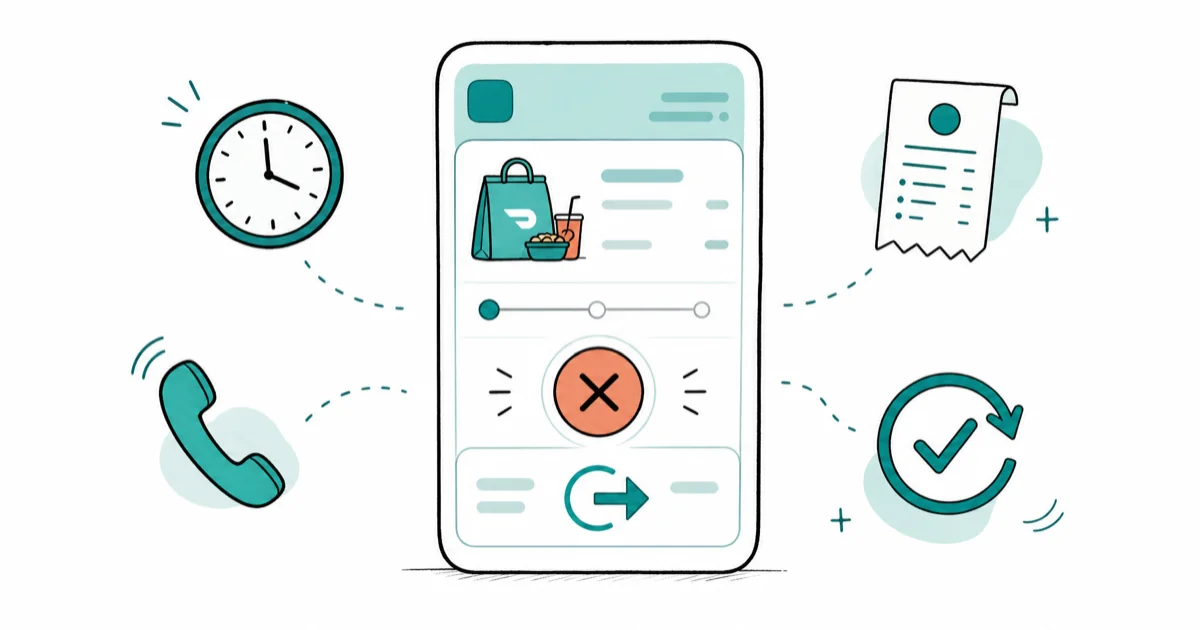
Quick AnswerOpen the DoorDash app, tap your order, select 'Help,' then 'Cancel Order,' and confirm. A full refund applies only if the restaurant hasn't confirmed the order yet.
You can cancel a DoorDash order from the same screen where you placed it, but the size of your refund depends on how far the order has moved. Cancel before the restaurant taps “confirm” and you get every dollar back. Cancel after that and your refund shrinks, sometimes to a small fraction of what you paid.
- A full refund is only guaranteed before the restaurant confirms the order and before a Dasher has been assigned to the pickup.
- Once the kitchen starts cooking, your refund drops to partial because DoorDash has to pay the store for ingredients and labor already used.
- The fastest cancel path is the DoorDash app: Orders tab, Help, Cancel Order, takes under a minute on a normal connection.
- Wrong items, missing items, or unreasonably late deliveries qualify for a post-delivery refund through the Order Issue flow.
- DoorDash issues four refund shapes: full refund to your card, partial refund, DoorDash credits, or a free re-delivery on a corrected order.
#How to Cancel a DoorDash Order in the App
Speed matters here.
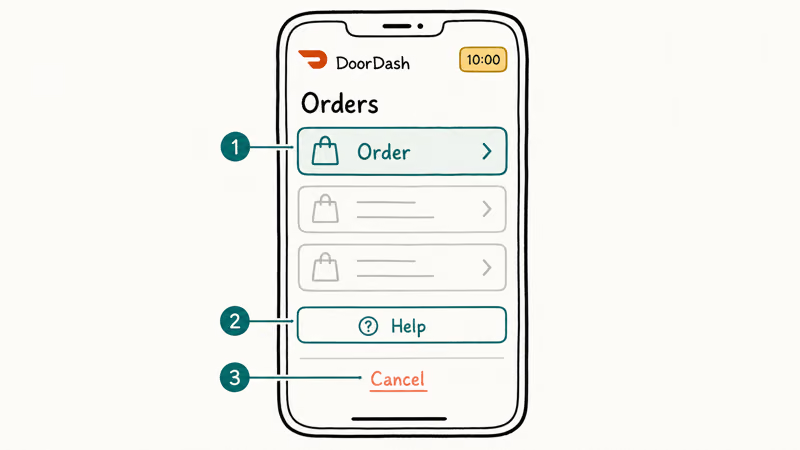
The mobile app is the fastest place to cancel because that’s where most customers placed the order, and the cancel button sits two taps away from the order screen the moment DoorDash sends the receipt. The whole flow from app launch to cancel confirmation usually takes under a minute, even when the order screen has to refresh once or twice on a slow cellular connection.
Follow these steps:
- Open the DoorDash app and sign in if you aren’t already.
- Tap the Orders tab at the bottom of the screen.
- Select the active order you want to stop.
- Tap Help in the top-right corner.
- Choose Cancel Order.
- Read the refund summary DoorDash shows you, then tap Continue to confirm.
If the cancel button is greyed out or missing, the order has already moved past self-service eligibility, and you’ll have to contact a live support agent through the chat or phone paths we cover further down.
For related account cleanup, our guide on removing a saved payment method from DoorDash walks through stopping a card from being charged again.
#Canceling From the DoorDash Website
The web flow looks almost identical to the app, but it matters when your phone’s battery is dead or the iOS app is glitching and refuses to load past the splash screen no matter how many times you force-quit and relaunch.
Quick six-click path:
- Go to doordash.com and sign in with the same account you used on mobile.
- Click the menu icon (three lines) in the top-left corner.
- Click Orders.
- Open the order you want to cancel.
- Click Help, then Cancel Order.
- Confirm the refund estimate.
The web version shows the same refund preview as the app. Switching channels won’t change the number.
If your problem is actually a recurring DashPass charge rather than a one-time order, we’ve got a separate walkthrough on how to cancel your DoorDash subscription that handles the membership cancel flow.
#When Does DoorDash Give a Full Refund?
A full refund only applies in a narrow window: the moment after you tap “Place Order” and before the merchant taps “Confirm” on their kitchen tablet, plus a separate window when the kitchen never confirms at all and the system times the order out.
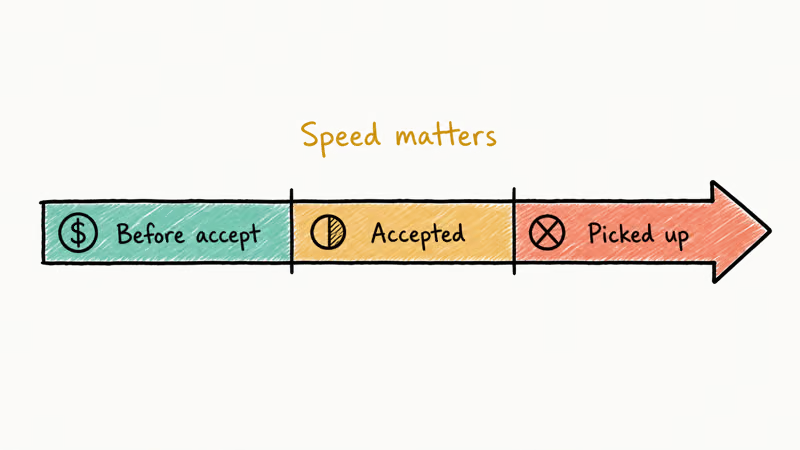
That no-confirm window is usually short, often just a few minutes during a busy dinner rush, and it tends to stay open a little longer on quieter weekday afternoons when kitchens aren’t slammed.
DoorDash’s refund policy states that refunds typically take up to 5 business days to post to your original payment method, depending on the issuing bank, and you’ll see the cancellation reflected in the Orders tab almost immediately even if the money lags. According to Wikipedia’s DoorDash entry, the company launched its delivery service in 2013, which means kitchen-confirmation speed now varies a lot by region and merchant type.
| Order status when you cancel | Refund you'll see |
|---|---|
| Not confirmed, no Dasher assigned | Full refund |
| Not confirmed, Dasher already assigned | Full refund |
| Confirmed by restaurant, no Dasher assigned | Partial refund |
| Confirmed and Dasher assigned | No automatic refund |
| Delivered with missing or wrong items | Case-by-case refund |
#What Happens After You Cancel?
The refund is queued immediately. The money lands later.
DoorDash’s Common Refund Questions help article confirms that processing typically takes up to 5 business days to show on a credit or debit card depending on the issuing bank. Refunds tied to a PayPal or Apple Pay balance tend to post faster than card refunds, often within about a day.
If you paid with DoorDash credits or a gift card balance, the refund returns to that balance within a few minutes.
You’ll also get an automatic confirmation email summarizing the cancellation, the refund amount, and the original payment method. Keep that email. It’s the easiest piece of evidence to attach if you ever need to dispute a refund that came in lower than the system promised at cancel time.
#Refund Types DoorDash Issues
DoorDash doesn’t always pay you back the same way. The platform supports four refund shapes.
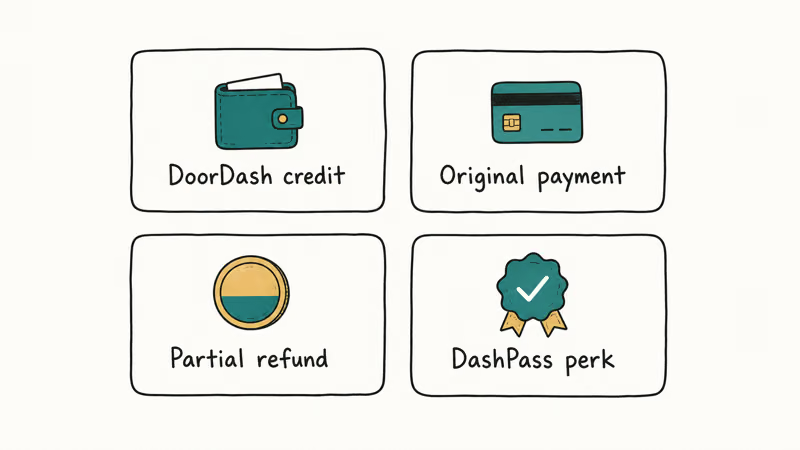
Full refund. Returns the entire pre-tax and tax amount to the original payment method, which is the default path when you cancel before confirmation or when the kitchen never confirms the order.
Partial refund. Covers the unprepared portion. The kitchen keeps the rest.
DoorDash credits. Instead of refunding cash, DoorDash sometimes pushes a credit balance to your account that applies to future orders, and the platform often defaults to credits on repeat refund requests from the same account because credits are cheaper than a card chargeback round-trip and a credit lock-in keeps the customer ordering through DoorDash rather than switching to a competitor.
Free re-delivery. Reserved for clear merchant errors: wrong dish, missing entrée, or food spilled in transit. Re-delivery is the rarest of the four because it requires the original restaurant to remake the order while DoorDash dispatches a new Dasher.
According to DoorDash’s cancellation help article, the system also issues a full refund when the kitchen rejects an order or fails to confirm within the default timeout, which means slow restaurants effectively work in your favor.
For a parallel walk-through on a similar service, our Grubhub order cancellation guide covers the same logic with different button names and a tighter refund window.
#How to Request a Refund Through Support
When the self-service cancel option disappears, you’ve got two backup paths.
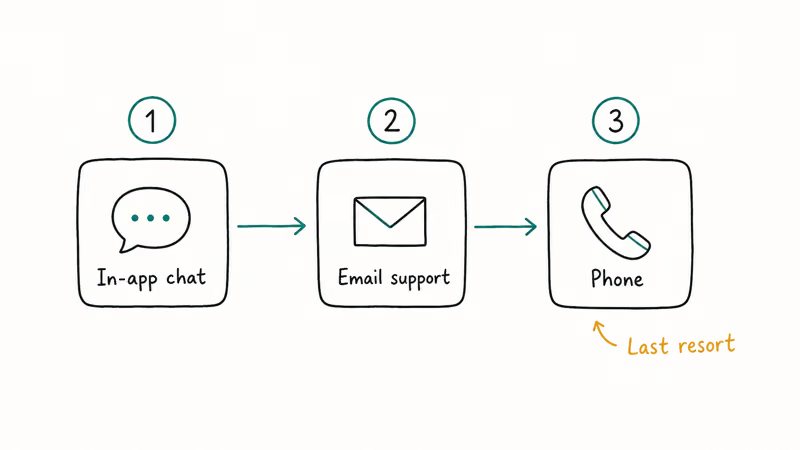
The in-app chat and the support phone line both feed into the same ticketing system, but they differ in speed and in what an agent is empowered to do for you, and the right choice depends on whether your issue is a refund-amount dispute, a missing-item complaint, or a Dasher-related safety problem that needs Trust and Safety review.
In-app chat
- Open the order page.
- Tap Help and choose Order Issue.
- Describe the problem (wrong item, missing item, very late delivery, food quality issue).
- Submit. Response time is usually 10 to 20 minutes during business hours.
Phone support
DoorDash’s published customer support number is 855-973-1040. Phone reps can issue refunds directly when the in-app option is blocked, and they can escalate Dasher misconduct to a Trust and Safety reviewer.
DoorDash’s missing items help page states that agents can issue credits for unfulfilled items if reported within 24 hours of delivery, so don’t let a wrong-bag complaint sit overnight. Attach photos.
Refund requests that include a clear photo of the missing entrée or wrong dish usually resolve faster than text-only complaints, because a photo gives the agent the visual proof they need without a back-and-forth. A strong, well-lit shot of the sealed bag or the incomplete order can sometimes push an agent from a partial credit toward a full refund, so it’s worth snapping one before you even open the chat.
If your DoorDash use covers multiple regions, our overview of DoorDash service across state lines explains how refunds work when your billing address and delivery address sit in different states.
#Why a Dasher Can’t Cancel Your Order
A Dasher can refuse a pickup or hand the order back to support. They can’t cancel for you.
The system separates the two roles intentionally: customers cancel orders, Dashers unassign deliveries, and the database treats those events very differently. When a Dasher unassigns an order after pickup, DoorDash routes the order to another available driver rather than refunding you, and if no replacement Dasher is available within a reasonable window, support steps in and either issues credits or a full card refund depending on how long the food has been sitting and whether it’s still safe to deliver.
This is rare, but when it does happen the resulting refund commonly lands as DoorDash credits rather than cash back to your card.
For drivers wondering how this affects their numbers, our Dasher cash-out guide covers how unassign rates feed into completion-rate scoring.
#Bottom Line
Cancel within the first 2 to 3 minutes of placing the order and you’ll almost always get a full refund back to your card. Wait until the restaurant taps Confirm and you’re stuck with a partial refund that may not cover much, especially on high-tip orders. If you can’t find the Cancel Order button at all, call 855-973-1040, since phone agents can override the self-service block when an order falls into a refund-eligible gray zone the app misclassifies.
#Frequently Asked Questions
Can I cancel a DoorDash order after the restaurant confirms it?
Yes, but the refund will be partial rather than full. The kitchen has already started spending time and ingredients, so DoorDash keeps that portion to compensate the merchant for work already in progress.
How long does a DoorDash refund take to show up?
Credit and debit card refunds usually post within 5 business days, depending on the issuing bank. DoorDash credits land in your account balance within a few minutes, and gift-card-funded refunds are typically instant.
What if my order arrives with missing items?
Use the Order Issue flow inside the order screen and submit a complaint within 24 hours of delivery. Attach a photo when you can.
Can I cancel after a Dasher has picked up the food?
The in-app cancel button is gone by that point in the order lifecycle. Your only option is to contact support, and the standard outcome is no refund unless the delivery fails outright or the food arrives in unusable condition that the photo evidence backs up.
Will DoorDash refund the tip if I cancel?
Tips are refunded automatically when no Dasher has been assigned to the order yet. Once a Dasher has accepted the pickup, the tip stays with them even if the rest of the order is partially refunded back to your card.
Does DoorDash charge a cancellation fee?
No separate cancellation fee. The cost of a late cancel is just the partial-refund math.
How do I dispute a partial refund I think should be full?
Reply to the cancellation confirmation email or use the in-app chat to escalate. Include the order time, the cancellation time, and a clear description of the order status at the moment you canceled. A screenshot of the order screen at cancel time helps the support agent reconstruct exactly which refund tier should have applied to your situation.
Can I cancel a scheduled DoorDash order in advance?
Yes. Scheduled cancellations are the easiest full-refund category on the platform because the prep window hasn’t opened yet and no kitchen resources have been allocated against your order. Open the order from the Orders tab and tap Cancel anytime before the scheduled prep window begins, and the refund posts as if you never placed it.

Google Messages Error 3100: Why RCS Is Broken on Galaxy
Google Messages RCS error 3100 hits Galaxy owners after phone or carrier switches. Google told 9to5Google a fix is coming. Here's what actually helps.

Is This Bank App Real? Spot a Fake App on Your Home Screen
A bank app can land on your home screen from a web page with no install warning. Learn the checks that tell a real banking app from a phishing web app.

Apps Crashing After iOS 27 Update? Fix Order (2026)
Apps crashing after the iOS 27 update? Update the app in the App Store first, then offload and reinstall to clear stale cache, then restart. The fix order.

Do AI Translation Earbuds Work Offline? What to Know
Do AI translation earbuds work offline? A few do with downloaded language packs, but most need the cloud. Here's what works offline and what you give up.