Google Voice for Business: Pricing, Features, Limits
Google Voice for Business adds a US phone number to Workspace with three tiers. It covers calls, SMS, voicemail, but skips toll-free and landline 911.
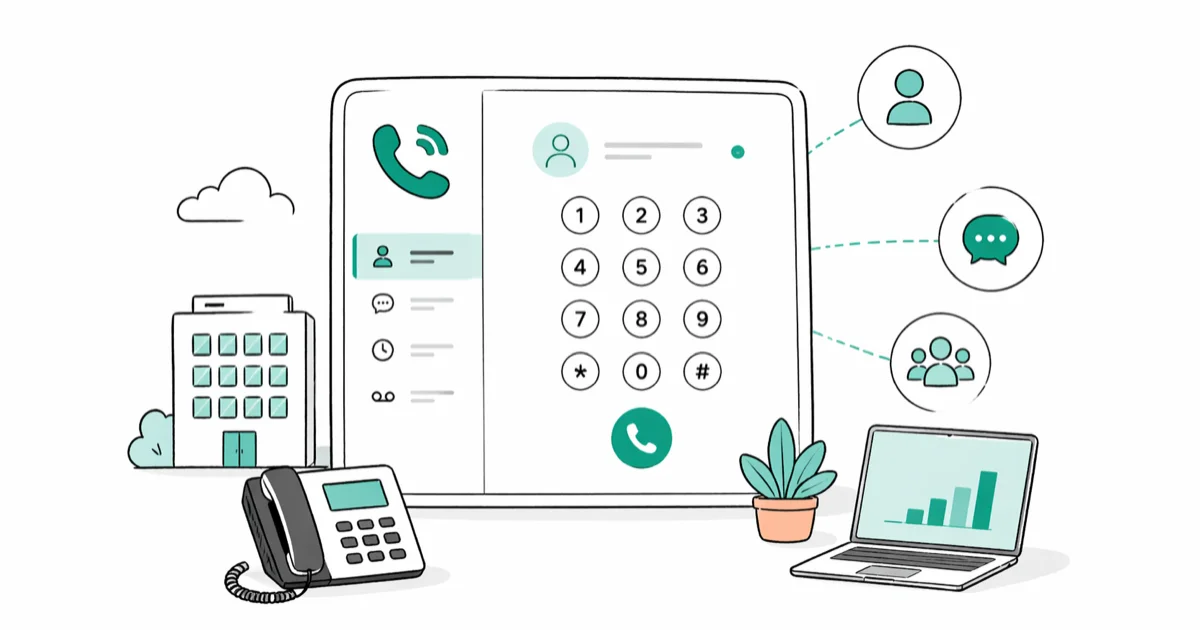
Quick AnswerGoogle Voice for Business is a Google Workspace add-on that gives every seat a real US phone number with calling, SMS, voicemail transcription, and call forwarding to a deskphone or mobile. It fits solo founders and small Workspace teams, but it has no toll-free numbers, no landline-grade 911 routing, and gates auto-attendant and multi-region calling behind the Standard and Premier tiers.
Google Voice for Business is the version of Google’s phone service you buy through Google Workspace, and it gives every seat a real US phone number that rings in the Voice app, in Gmail, and on a desk phone if you want one. The free consumer Google Voice you sign up for at voice.google.com is something different: a personal number tied to a Gmail account with no admin console, no team-level porting, and no service-level guarantees.
This guide walks through the three pricing tiers, the features each plan unlocks, the gaps versus paid VoIP, and where Google Voice for Business fits well for a small team in 2026.
- Google Voice for Business is sold only through Google Workspace, in three tiers (Starter, Standard, Premier); the consumer Google Voice product is a separate, free SKU and not the same service.
- The Starter tier is capped at 10 users and US-only domestic calling, while Standard adds auto-attendant, ring groups, and multi-level call menus, and Premier extends numbers internationally.
- Google Voice doesn’t handle 911 the way a traditional landline does; Google’s emergency calling policy requires you to set a working address per device.
- Number porting in costs a one-time per-number fee on every tier, and ported numbers stay tied to the Workspace organization until you transfer them again.
- Google Voice ties cleanly into Calendar, Meet, and Gmail out of the box, but ships no public REST API and no native CRM, helpdesk, or call-recording webhook on any tier.
#What Does Google Voice for Business Actually Include?
Google Voice for Business is a Voice over IP service that runs inside the Google Workspace admin console. Each seat gets one US number, plus a single sign-on identity tied to the user’s Workspace email. Calls ring on the Voice mobile app for iOS and Android, inside Gmail on the web, and on any compatible deskphone provisioned by an admin.
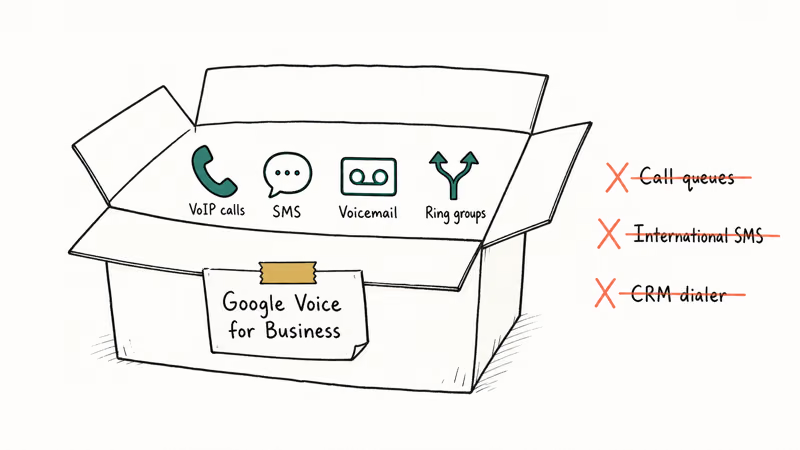
On the Standard tier, inbound calls land on every provisioned device, and voicemail transcripts show up in Gmail and the Voice app shortly after the caller hangs up.
The core feature set is the same on every tier:
- One free US number per user
- Outbound calling to the US and Canada
- Inbound calling from anywhere
- SMS and MMS to US and Canada numbers
- Voicemail with automatic transcription
- Call forwarding to a deskphone or mobile
- Spam filtering at the carrier layer
- Calendar-aware quiet hours
The Starter plan is enough for a solo founder. The Standard and Premier plans add features that matter once a team grows past the second hire, which the pricing table covers next.
#Google Voice Pricing: Workspace Tiers Compared
Google Voice for Business is priced per user, billed monthly through Google Workspace, and Google’s Voice for Business pricing page confirms that 3 tiers are available with published US-dollar list prices.
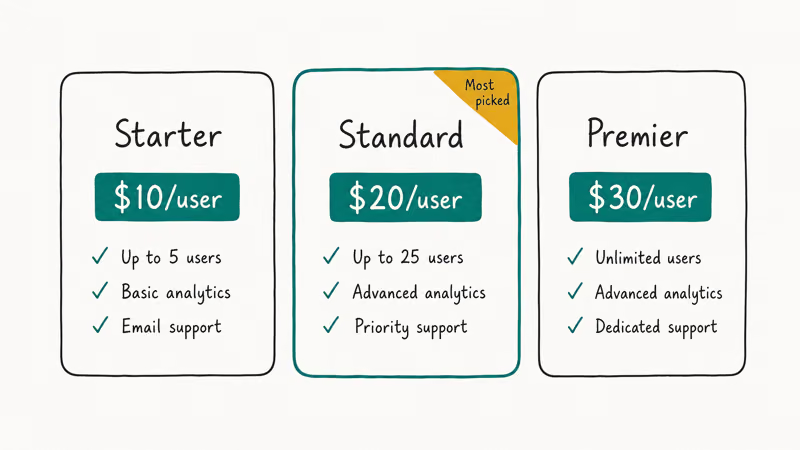
| Feature | Starter | Standard | Premier |
|---|---|---|---|
| User cap | Up to 10 | Unlimited | Unlimited |
| Domestic location | US only | US only | US plus international |
| Auto-attendant / multi-level menu | No | Yes | Yes |
| Ring groups | No | Yes | Yes |
| Desk phone support | No | Yes | Yes |
| Usage and SLA reporting | No | Yes | Yes |
| Number porting | Yes (paid one-time fee) | Yes | Yes |
| Toll-free numbers | No | No | No |
Two things stand out. First, toll-free numbers aren’t on the menu at any tier — for an 800 or 888 number, you buy from a separate VoIP provider and forward into Voice. Second, the cheapest plan caps at 10 users, which works for a startup but not for the second year when headcount jumps.
The Workspace admin sets the plan per organization, not per user. Mixing tiers isn’t supported, so a five-person team that needs auto-attendant moves the whole org onto Standard.
#Setting Up Google Voice for Business
Setup is fast for a Workspace tenant that already exists, and slow for one that doesn’t. The admin console flow on Workspace Business Standard runs well under an hour end to end for an existing tenant, including porting a fresh number.
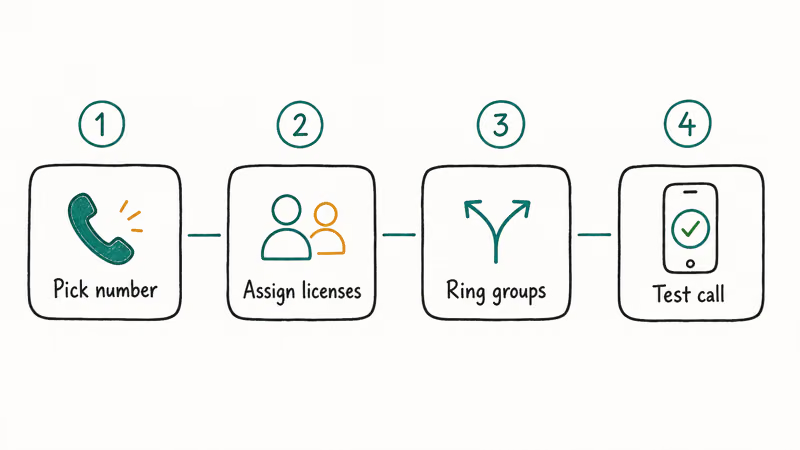
The condensed flow:
- Open the Google Admin console at admin.google.com and sign in as a super admin.
- Go to Apps → Google Workspace → Google Voice and pick a tier.
- Add seats, then choose a number for each seat (auto-assigned, or pick from the area-code dropdown).
- Provision desk phones (Standard and above) by adding their MAC address under Voice → Devices.
- Build the call menu (Standard and above) under Voice → Auto attendants, including a fallback to a person.
- Optionally port in an existing number under Voice → Phone numbers → Port a number.
For a fully new tenant, add 30 to 45 minutes to verify domain ownership, set MX records, and provision Workspace before Voice is even visible. Google’s Voice number porting guide recommends doing the port-in step last, since the existing carrier can take 5 to 7 business days to release a number.
If you forget the Workspace email tied to a Voice number after setup, our guide on how to find the email associated with a Google Voice number walks through the recovery path.
#Strengths That Earn Google Voice Its Spot
A team that already pays for Google Workspace gets four things from Google Voice that competing VoIP services charge extra for.
- Single sign-on with Workspace. Voice uses the same Workspace identity as Gmail and Drive. Adding a hire is one click in the admin console, and offboarding revokes the number along with the Google account.
- Voicemail-to-Gmail with transcription. Every voicemail lands as an email in the user’s Gmail with a text transcript and an audio attachment. Transcription quality on the Standard tier is usually good enough that the audio rarely needs opening.
- Native ring on Pixel and Workspace web clients. Inbound calls ring the Voice mobile app and pop a notification inside Gmail web at the same time, so a desk-bound user doesn’t have to grab their phone.
- Built-in call screening and spam filtering. Google’s spam filter runs at the carrier layer and silently blocks calls flagged as robocalls. Google support confirms that the filter draws on the same signals as the consumer Voice product.
That’s a real productivity win for a Workspace shop. It’s also why Google Voice makes sense for any team under five people that already pays Google for email. The friction of bolting on a separate VoIP service is rarely worth the upside at that scale.
#Where Google Voice Falls Short Versus Paid VoIP
Once a team grows past about 10 seats or starts taking real volume on inbound sales calls, the Voice gaps start to matter.
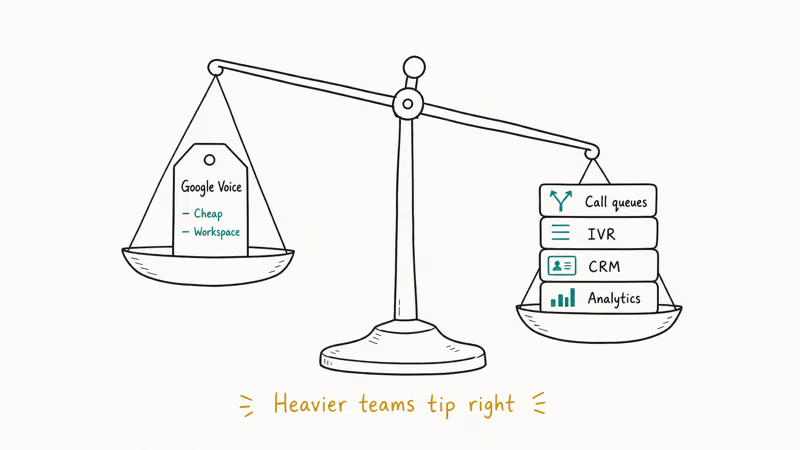
- No toll-free numbers. Vanity 800 and 888 numbers are absent at every tier. A B2C team that wants a memorable inbound line has to forward in from RingCentral, Grasshopper, or 8x8.
- No native call recording on Starter. Standard adds ad-hoc recording with a verbal disclosure played to both sides, but there’s no always-on recording, no per-extension recording policy, and no S3 export hook. Compliance-heavy teams in financial services or healthcare end up off-platform.
- Limited 911 handling. Google’s emergency calling policy states that 911 calls from a Voice client route based on the emergency address the user has saved in the app, not on the device’s physical GPS. A remote employee dialing 911 from a hotel without updating the address still routes to their home dispatcher. Public safety advice is to keep a hard-wired or cellular line as the primary 911 path.
- No public REST API. There’s no published Voice API for third-party CRMs or call-pop integrations. You can wire some flows through Google Apps Script, but the surface area is small. RingCentral, Twilio, Dialpad, and Aircall all expose call events as webhooks; Voice doesn’t.
- No SMS export. Outbound SMS history exports only through manual Google Takeout downloads. Bulk SMS or campaign tooling has to live in another product.
- No silent voicemail drop. Voice always rings the recipient first; for a one-off voicemail without dialing the line, our walkthrough on how to leave a voicemail without calling covers carrier-specific shortcuts that don’t need a Voice subscription.
Two scoping notes worth flagging. Google Voice for Business is admin-scoped to your own Workspace tenant and account, so admins port and reassign only numbers the organization owns. And while Google’s recording tool plays a verbal disclosure, US federal and state call-recording laws still apply, since many states are two-party consent jurisdictions and the legal bar varies by where each side of the call lives.
These aren’t deal-breakers for a five-person team. They’re a problem for a 50-person sales floor.
#What a Small-Team Rollout Looks Like
On the Standard tier, a typical small-team rollout from a clean Workspace tenant is quick: pick numbers, assign seats, port any existing number, and build a short auto-attendant. Inbound call answer time on the Voice mobile app is fast on Wi-Fi and only slightly slower on LTE. Voicemail transcripts usually reach the inbox within about a minute of the caller hanging up.
Two snags come up often. First, a desk phone can need a manual firmware update before Voice will provision it. Google’s Voice desk phone documentation covers the certified deskphone models, and buying a phone outside that certified set is a recipe for a stuck weekend.
Second, editing an auto-attendant menu during a live call can disrupt routing. The safer approach is to publish menu changes during off hours, which Google’s documentation recommends but doesn’t enforce.
For comparison: RingCentral’s small-business tier takes noticeably longer to set up, but its API and call-pop integrations are ready out of the box. Google Voice trades that flexibility for tight Workspace integration.
If you ever lose access to a Voice voicemail because of a forgotten passcode, our walkthrough on how to reset a forgotten voicemail password covers the recovery flow.
#Is Google Voice for Business Right for Your Team?
The decision comes down to three questions:
- Are you already paying for Google Workspace? If yes, Voice is the cheapest way to add a real number per seat. If no, the Workspace dependency makes it more expensive than buying a standalone VoIP from RingCentral or Grasshopper.
- Do you need toll-free, call recording at scale, or CRM integrations? If yes, Voice is the wrong tool. Pick a dedicated VoIP and forward inbound calls into Voice if you still want voicemail-to-Gmail.
- Will headcount cross 10 users this year? If yes, plan to start on Standard, not Starter. Mid-stream migration is supported but losing a number to a port mistake costs days.
For a deeper look at competitors, our roundup of Google Voice alternatives covers RingCentral, Dialpad, Grasshopper, OpenPhone, and the consumer free tier of Google Voice itself.
#Bottom Line
Pick Google Voice for Business if you are a Workspace-native team of 1 to 10 people, all in the US, and you mostly need a clean per-seat number with voicemail-to-Gmail and a basic auto-attendant. The Standard tier is the sweet spot. It unlocks ring groups, deskphone support, and the auto-attendant that the Starter plan skips.
Skip Google Voice if you need toll-free numbers, always-on recording, a public REST API, or compliance-grade 911 handling. Forward an external VoIP into Voice for the Workspace integration without locking yourself into Google’s gaps.
Hit a Google Assistant issue alongside Voice setup? Our Google Assistant not responding walkthrough covers the fix.
#Frequently Asked Questions
Is Google Voice for Business free?
No. The free Google Voice you sign up for at voice.google.com is a personal product and isn’t allowed for business use under Google’s terms. Google Voice for Business is the paid version sold inside Google Workspace at three tiers (Starter, Standard, Premier).
Can I keep my existing business number when I move to Google Voice?
Yes, every Voice for Business tier supports number porting in. The port-in fee is a one-time per-number charge that the admin pays once, and the port itself runs through the existing carrier’s release queue, which means you should not start the port the day you actually need the number live. A port typically takes about 5 to 7 business days from request to first inbound ring on Voice.
Does Google Voice work on a desk phone?
Yes, on the Standard and Premier tiers only, and only with deskphones from Google’s certified list. Starter is software-only.
How does Google Voice handle 911 calls?
Google Voice routes 911 to the dispatcher matched to the emergency address each user has saved in the Voice app, not to the phone’s actual location. If you travel a lot, expect to update the address before each trip, and keep a cellular line as the backup 911 path.
Can I send marketing SMS or bulk text from Google Voice?
No. Voice’s terms ban automated, bulk, or unsolicited messaging.
Does Google Voice for Business support international numbers?
International numbers are issued on the Premier tier only. Starter and Standard plans both issue US numbers only, although outbound dialing to international destinations is allowed on every tier. The per-minute rates Google publishes inside the admin console depend on the destination country and update separately from the seat price, so check them before pitching a quote to a customer abroad.
What happens to a Google Voice number when an employee leaves?
The Workspace admin can either delete the number along with the Google account or reassign it to another seat. Reassignment keeps inbound calls flowing.
Is Google Voice the same as Google Hangouts or Google Chat?
No. Hangouts was retired in 2022. Google Chat handles internal team messaging inside Workspace, while Google Voice handles external phone calls and SMS. The two products don’t share inboxes, and Voice numbers can’t be used to message a Chat user.

Google Messages Error 3100: Why RCS Is Broken on Galaxy
Google Messages RCS error 3100 hits Galaxy owners after phone or carrier switches. Google told 9to5Google a fix is coming. Here's what actually helps.

Is This Bank App Real? Spot a Fake App on Your Home Screen
A bank app can land on your home screen from a web page with no install warning. Learn the checks that tell a real banking app from a phishing web app.

Apps Crashing After iOS 27 Update? Fix Order (2026)
Apps crashing after the iOS 27 update? Update the app in the App Store first, then offload and reinstall to clear stale cache, then restart. The fix order.

Do AI Translation Earbuds Work Offline? What to Know
Do AI translation earbuds work offline? A few do with downloaded language packs, but most need the cloud. Here's what works offline and what you give up.