How to Find the Email Behind Your Own Google Voice Number
Recover the Gmail tied to your own Google Voice number using Google account recovery, old SMS receipts, and legal self-recovery steps for 2026.
Quick AnswerTo find the Gmail tied to your own Google Voice number, open accounts.google.com/signin/recovery and enter the Voice number. Google will list the masked Gmail addresses that own it and email a sign-in link to each.
You forgot which Gmail owns your Google Voice number. This guide walks through the legal, official ways to recover your own account and reconnect the number to it. It’s written for a Voice line you control or one you’re legally authorized to recover, and it’s not a reverse-lookup tutorial for numbers belonging to someone else.
- Google Voice numbers aren’t publicly searchable; even Google won’t share another account’s email
- Start at accounts.google.com/signin/recovery to get a sign-in link for every matching Gmail
- Old SMS codes and voice-noreply billing emails are the fastest trails back to the owner Gmail
- BeenVerified and Spokeo don’t query Google’s database; they almost never find the right email
- Looking up someone else’s Voice number without consent can breach TCPA, stalking laws, and GDPR
#Why Google Voice Numbers Are Not Publicly Searchable
Google Voice is a VoIP layer that sits on top of a Google account. The number itself is leased from a carrier like Bandwidth or Level 3. The account holder is stored only in Google’s internal records. No public directory, no white-pages database, and no third-party aggregator has access to that mapping.
Google’s Voice privacy notice states that account data is released only to the account holder or to law enforcement with a valid subpoena. That rules out every paid lookup site.
Sites promising to “find the email behind any Google Voice number” are guessing from leaked marketing data, not querying Google.
A paid BeenVerified report run against a Voice number typically returns a name and a few unrelated email addresses, none of which is the Gmail that actually owns the number. The reports recycle public records, and Voice numbers aren’t in those records.
The owner address is usually sitting in your own inbox under an old verification email the whole time.
The practical takeaway: if the number is yours, the shortest path runs through Google’s own recovery and your own records. If the number isn’t yours, stop reading and skip to the legal section.
#The Legal Boundaries of a Voice Number Email Lookup
You can look up the email tied to your own Google Voice number. You can also run the lookup on a line a court or employer has explicitly authorized you to recover. Anything past that line runs into several overlapping laws at once, and each one carries its own penalty.
According to 47 U.S. Code § 227, the federal Telephone Consumer Protection Act restricts unauthorized telephone-number data gathering for marketing or harassment purposes. State anti-stalking statutes add criminal exposure on top.
California’s cyberstalking law at Penal Code § 646.9 carries up to 5 years in state prison for electronic surveillance of an identified person. New York and Texas have near-identical provisions. Google’s Terms of Service also prohibit “collecting or extracting data” from Google services in ways users didn’t consent to.
Privacy law piles on. GDPR Article 6 requires a lawful basis for processing any identifiable data belonging to an EU resident. California’s CCPA gives California residents a right to know what personal data is collected about them and to delete it. A third-party email-from-number search has no lawful basis under either rule.
Three narrow situations are defensible:
- Self-recovery. You lost access to your own Google Voice number and need it back.
- Guardian recovery. You’re a legal guardian recovering a minor dependent’s account.
- Employer recovery. You’re an admin recovering a work Voice number assigned to a former employee under written policy.
If your situation isn’t one of those three, this guide won’t help you. Trying the steps on someone else’s number may be a crime.
#How Do You Recover the Gmail Behind Your Own Google Voice Number?
Start with Google’s own recovery flow. It’s free, official, and designed for exactly this case.
#Step 1: Run Google Account Recovery With the Voice Number
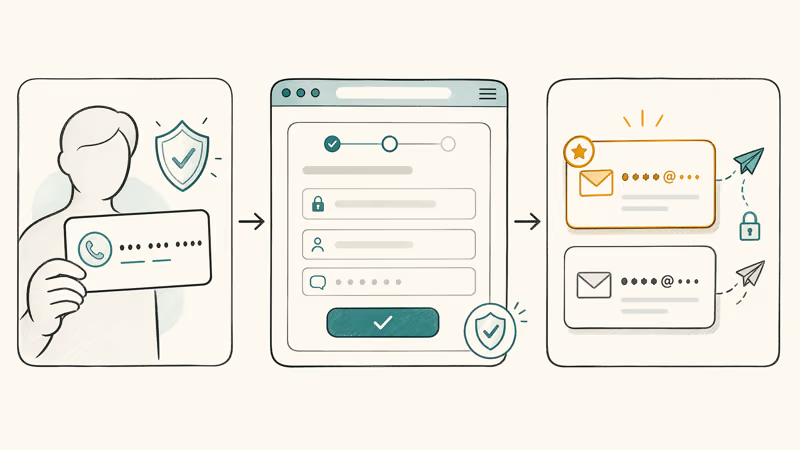
Open accounts.google.com/signin/recovery in a private browsing window. Enter the 10-digit Google Voice number in the “Email or phone” field. Google will match it against every Gmail that claims it as a Voice line or recovery number, then send a masked preview and sign-in link to each match.
After you submit the form, Google usually surfaces every matching Gmail within a minute or two. For a number tied to more than one account, that can include the actual owner Gmail plus any old recovery address still linked to it. No payment, no third-party tool.
If Google says “couldn’t find your account,” the number was never registered, or you mistyped it. Re-check at voice.google.com.
#Step 2: Search Your Own Inbox for Google Voice Receipts
Google sends a verification or welcome email every time a Voice number is claimed, and monthly billing emails if you ever added calling credit. Open every Gmail address you have ever used and run these three searches in the Gmail search bar:
from:voice-noreply@google.com"Google Voice number""your new Google Voice number"
The oldest message in the first search is almost always the claim confirmation for the number. Its inbox is the account that owns the Voice line. Checking each inbox in turn usually surfaces that confirmation within the first one or two you try.
#Step 3: Check SMS Receipts on the Forwarding Phone
If you set up call forwarding during the original claim, the carrier phone received a six-digit verification code via SMS.
On iPhone, open Messages, search “Google,” and scroll to the oldest result. On Android, open Messages, tap the three-dot menu, and search “Google verification.” The message body usually reads “G-NNNNNN is your Google verification code,” and the sender ID is a short code. The date of that SMS is the date you claimed the number. That narrows the Gmail to whichever account you used that day.
#Step 4: Ask Google Voice Support If You Still Can’t Reconnect
If steps 1 through 3 fail, open the Google Voice help center and start a support conversation. Google recommends describing the number, the approximate date of claim, and any recovery email or phone still linked to the account. Support won’t tell you the email of a stranger’s number. For a number you can prove you control, they can send a recovery link to the registered Gmail without reading the address out.
#Methods That Waste Your Money
Paid people-search sites and reverse-phone aggregators rarely return useful email data for Voice numbers. Don’t pay them.
#BeenVerified, Spokeo, and Intelius
BeenVerified, Spokeo, and Intelius all pull from public records, voter rolls, and breach-exposed marketing databases. Voice numbers rarely appear in any of those sources. They aren’t issued to a physical address and aren’t registered with the SSA or state DMVs. The FTC’s guide to phone scams confirms that most consumer-grade lookup sites recycle public records rather than tapping private telephone databases.
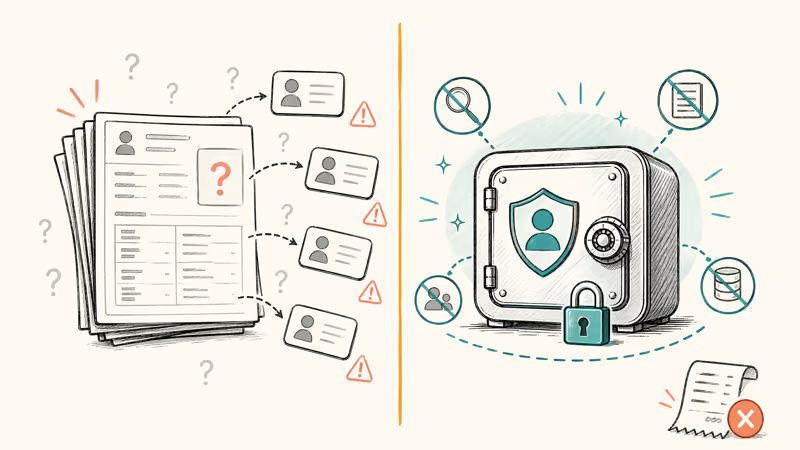
Run a Voice number through all three and the results are consistently useless. BeenVerified tends to return no email match, Spokeo returns unrelated emails that never logged into the account, and Intelius often times out entirely.
The money spent buys zero usable results.
#Google Search With the Number in Quotes
This free method sometimes works, but only when you personally posted the Voice number on a website, forum, or social profile under your real name. Run the number in three formats:
"555-123-4567"with dashes"+15551234567"with country code"(555) 123-4567"with parentheses
If the number appears, the accompanying profile may reveal an associated email. It’s self-discovery through your own public footprint, which is why it’s legal and occasionally useful. It won’t find emails for numbers the owner kept private.
#Social Media Cross-Reference
If you linked your Voice number to Instagram, Twitter, or Facebook, logging into that social account usually shows the linked email.
Instagram shows it under Settings, Security, Login activity. Twitter shows it under Settings, Your account. Facebook shows it under Settings, Personal and account information. Our social media search by phone number guide covers the recovery order when the number bounces across multiple platforms.
#Reporting Abuse or Scams From a Voice Number
If you’re getting unwanted calls or texts from a Google Voice number, the goal isn’t to identify the owner. It’s to block them and, if the conduct is illegal, report them to authorities who can subpoena the records.
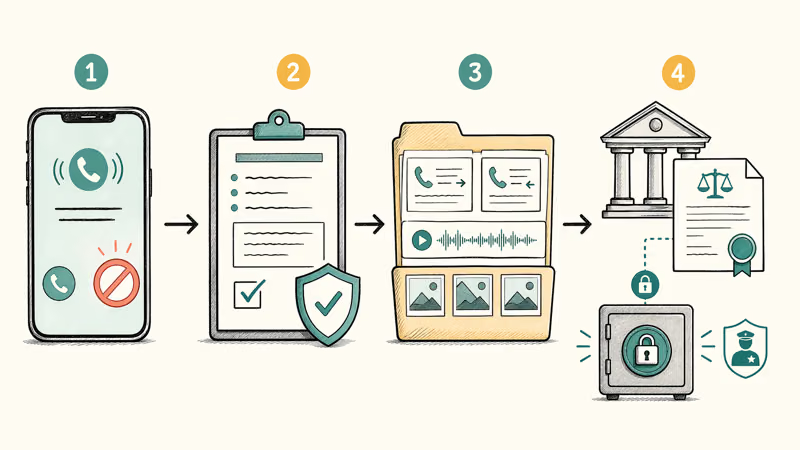
Block the number inside your phone app first.
- iPhone. Open Phone, tap the info icon next to the call in Recents, scroll down, and tap Block this Caller.
- Android. Open Phone, tap Recents, long-press the number, and select Block.
Report the number to Google through the abuse report form. The FTC also accepts reports at reportfraud.ftc.gov. If the calls rise to harassment, file a police report.
Law enforcement can serve a subpoena under the federal Stored Communications Act. Under that legal process, Google will produce the account email tied to the number, a level of access no consumer tool can match. Keep every voicemail, screenshot, and call log as evidence, because prosecutors and civil attorneys will request them when they evaluate the case.
#How Can You Prevent Losing Track of Which Gmail Owns a Voice Number?
Set up three fences around every Google Voice number you claim so this problem doesn’t come back.
1. Add a persistent recovery email and recovery phone. Open myaccount.google.com/security on the account that owns the Voice number and fill both fields. The recovery email should be an inbox you actually check every month, and the recovery phone should be a SIM you still pay for.
2. Forward every Voice email to a central archive. In Gmail, go to Settings, Forwarding and POP/IMAP, and forward voice-noreply notifications to your main inbox with a label.
3. Keep a password manager entry for each Google account, with the Voice number in the Notes field. Password managers like 1Password and Bitwarden let you search by note content, so searching the number surfaces the account instantly.
The Google account security checkup is also worth running once a quarter. It flags any account where your recovery options have gone stale.
For a broader audit of numbers leaving your control, our guide on how to change your phone number on TikTok walks through the same migration pattern that applies to any app tied to a Voice line. The best reverse email lookup guide covers the mirror problem: finding a number when you already know the email.
#Bottom Line
If this is your own Google Voice number, run Google’s account recovery flow at accounts.google.com/signin/recovery first, then search your own inboxes for from:voice-noreply@google.com. Between the two, most owners find the Gmail in under 10 minutes without paying a cent.
If the number isn’t yours, stop. The legal, official, and technical paths all lead to the same wall. Google won’t share another account’s email, and paid aggregators that claim to do so are selling guesses. If the number is abusing you, block and report it through Google Voice abuse reporting and the FTC instead of buying a subscription.
For migrations and alternatives, see Google Voice alternative if you’re leaving the service entirely, or Google Voice for business if you’re consolidating lines across a team account.
#Frequently Asked Questions
Can Google tell me who owns a Google Voice number?
No. Google’s Voice privacy policy limits account disclosures to the account holder or to law enforcement with a valid subpoena or warrant. Google will send a recovery link to the registered Gmail if you prove you control the number, but it won’t read the address out to you.
Do free reverse phone lookup sites work on Google Voice numbers?
Almost never. Voice numbers aren’t indexed in the public-records feeds free sites aggregate. Searches return “no data found” or a generic “VoIP provider” label in almost every case.
Is it legal to find the email tied to someone else’s Google Voice number?
Usually not, outside law enforcement or court-ordered processes. Federal law under 47 U.S. Code § 227 restricts unauthorized phone-data collection, and most US states criminalize electronic surveillance under anti-stalking statutes (California’s § 646.9 reaches 5 years in state prison). If you have a legitimate safety concern, report the behavior instead.
I forgot my Gmail password and my Google Voice number is my only recovery contact. What now?
Open accounts.google.com/signin/recovery, enter the Voice number, and request the sign-in link. Google sends a recovery code to the Voice number itself, which you can read in the Voice app or at voice.google.com if any session still works. If you’ve also lost the number, start support at the Google Voice help center and be ready to verify older recovery contacts, past passwords, and the approximate account creation date. Expect this slower path to take three to five business days.
Can my employer look up the Gmail behind a Google Voice number assigned to me?
Only if your employer owns the Workspace account. Workspace admins can run account lookups on company-owned numbers through admin.google.com. Personal Voice numbers stay your account, and extracting them without consent triggers state privacy-statute liability.
How long does Google’s account recovery process take?
A few minutes on the fast path, once you submit the form at accounts.google.com/signin/recovery. The slow path takes three to five business days if Google needs additional verification because the account has stale recovery contacts or no recent activity. Keeping a recovery email and recovery phone up to date is the single biggest factor that keeps recovery fast, and it costs nothing to set up in advance before you ever need it.
What if the Google Voice number was ported to another carrier?
A ported number isn’t a Google Voice number anymore. The current carrier is the account holder now, so start there. If you ported out and want to know which Gmail used to own the number, search your old inboxes for from:voice-noreply@google.com.
Should I trust a service that promises to “find any Google Voice owner email”?
No. Any service making that promise is either guessing from unrelated public records or scraping old breach data, both of which are unreliable and legally risky to rely on. These paid services routinely fail to return the correct email even for a number you own. Save the money and start with Google’s own recovery flow.

Google Messages Error 3100: Why RCS Is Broken on Galaxy
Google Messages RCS error 3100 hits Galaxy owners after phone or carrier switches. Google told 9to5Google a fix is coming. Here's what actually helps.

Is This Bank App Real? Spot a Fake App on Your Home Screen
A bank app can land on your home screen from a web page with no install warning. Learn the checks that tell a real banking app from a phishing web app.

Apps Crashing After iOS 27 Update? Fix Order (2026)
Apps crashing after the iOS 27 update? Update the app in the App Store first, then offload and reinstall to clear stale cache, then restart. The fix order.

Do AI Translation Earbuds Work Offline? What to Know
Do AI translation earbuds work offline? A few do with downloaded language packs, but most need the cloud. Here's what works offline and what you give up.