Google Messages Chats Missing After Switching Phones
Google Messages chats missing after switching phones? Learn what Google backup restores, how RCS keeps chats server-side, and when the old phone is needed.
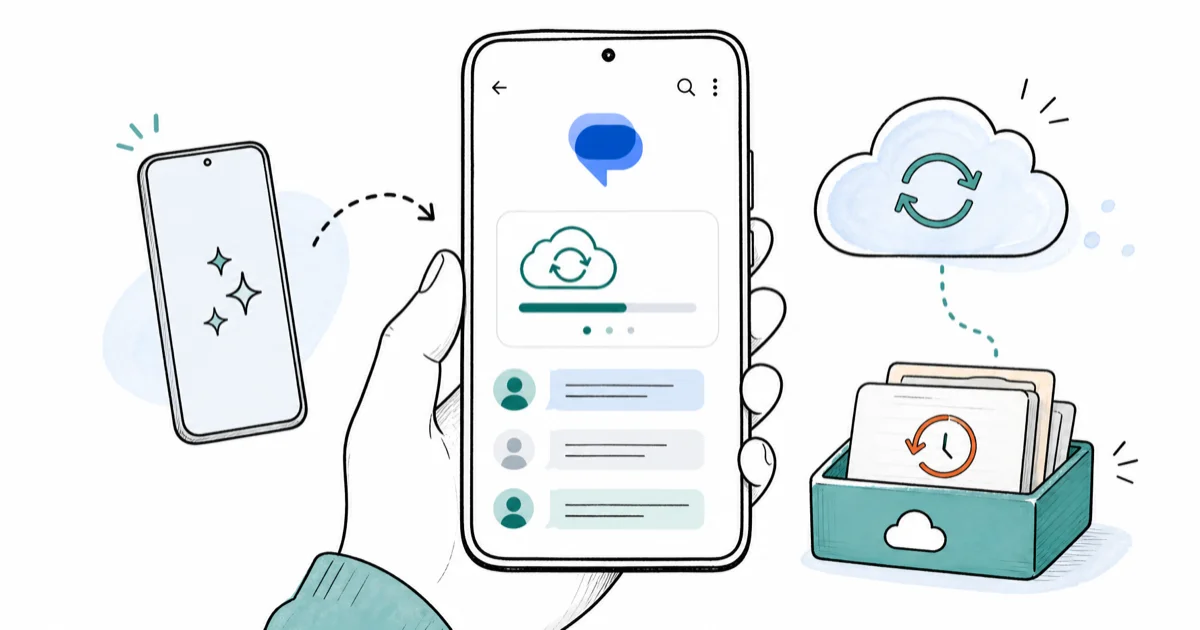
Quick AnswerRe-register RCS on the new phone first, since RCS chats live on Google's servers and resync once your number verifies. For older SMS and MMS, restore the Google backup you made before the switch.
Google Messages chats missing after switching phones usually comes down to one thing: RCS and SMS restore in completely different ways. RCS threads can reappear once RCS re-verifies, while older SMS depends on Google backup or a transfer tool.
The honest part most guides skip: not everything always comes back. What returns depends on whether you had Messages backup on, whether RCS was active, and whether you still have the old phone.
- RCS chats live on Google’s servers, so they resync once you re-register RCS and verify your number on the new phone, no backup file needed
- SMS and MMS only restore if Google backup was on before the switch, or if your migration tool copied them across directly
- Samsung Smart Switch and Google’s setup transfer handle SMS differently, so a missing thread often means the wrong tool moved it
- The old phone is your safest source, so keep it charged and unwiped until every conversation you care about shows on the new device
- Media in MMS and RCS can lag behind the text, so give attachments time to redownload before assuming they’re gone
#Why Are Google Messages Chats Missing After Switching Phones?
Two messaging systems hide behind one app. SMS and MMS are stored locally on each phone and only move if a backup or migration tool carries them. RCS, the newer chat protocol, keeps conversations tied to your Google account and phone number on Google’s servers.
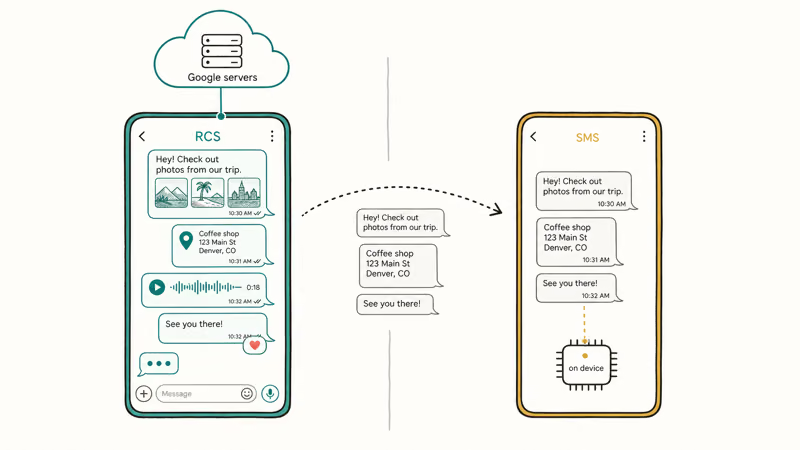
That split explains almost every “missing chats” report. If your RCS threads vanished, the cause is usually that RCS hasn’t re-registered yet on the new phone. If your old SMS texts are gone, the cause is usually a backup that was never made or a migration tool that skipped them.
According to Google’s RCS help documentation, RCS chats are tied to your phone number and require verification on each device, which is why a fresh phone shows empty threads until RCS finishes registering. Google’s Messages feature overview confirms that 1 phone number can only have RCS active on a single device at a time, so the new phone has to claim the registration before your chats appear.
Worth knowing before you panic: a new phone often shows nothing for the first few minutes while RCS handshakes. Give it time before restoring anything.
#Did Google Backup Include Your SMS and MMS?
This is the question that decides everything for your older texts. Google’s device backup can include SMS and MMS, but only if backup was enabled before you switched, and only for the conversations that existed at backup time.
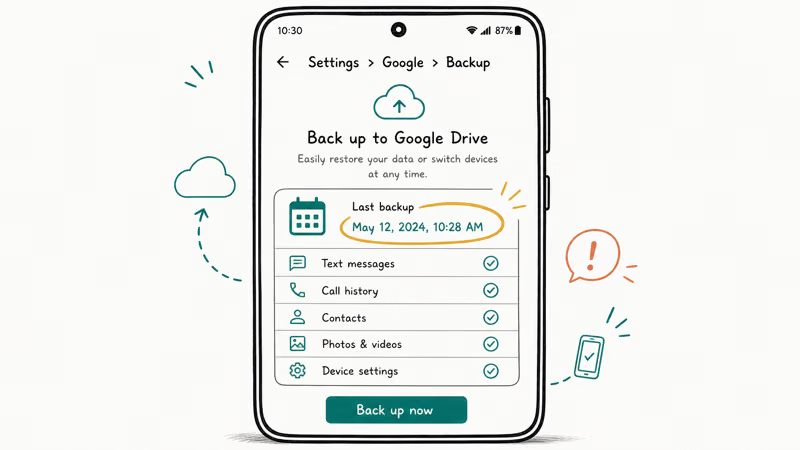
Check what you have. On the old phone, open Settings > Google > Backup and read the last backup date. A recent backup with messages included means your texts can come back during the new phone’s setup, while a stale or message-less backup tells you the texts were never captured and a different recovery route is needed.
According to Google’s Android backup documentation, Android backs up SMS and a range of app data to your Google account, and that backup restores during the initial setup of a new device, not afterward. That timing detail matters more than anything.
#What if I already finished setup?
If you skipped the message restore during setup, the cleanest fix is to factory reset the new phone and run setup again, choosing to restore from your Google backup. That’s drastic, so only do it if the texts really matter. Our guide on Android app backup and restore covers the wider backup picture if you want to confirm what’s recoverable first.
#Fix RCS Registration on the New Phone
Start here for missing chat threads, because RCS re-registration brings back server-side conversations without any backup file. Open Google Messages, tap your profile, go to Messages settings > RCS chats, and confirm chat features show Connected. If it’s stuck, toggle RCS off, restart the phone, and toggle it back on.
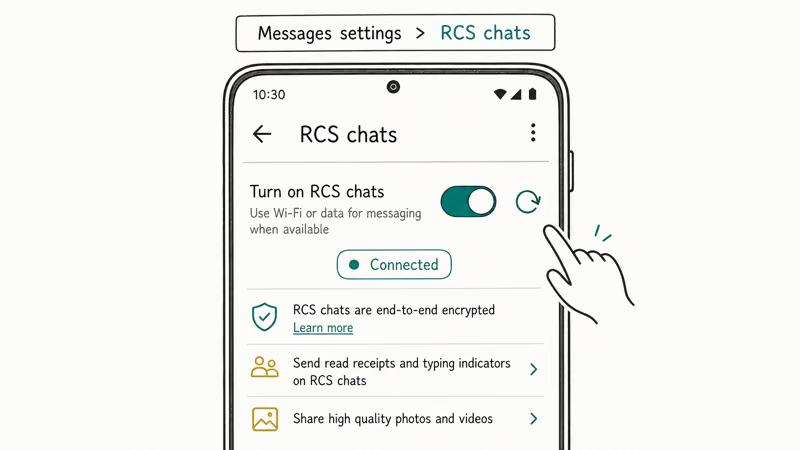
RCS may sit on “Setting up” before it connects, and recent chat threads can populate on their own. No file restore is involved for true RCS chats.
If RCS won’t verify, the usual blockers are a missing data connection, a number that hasn’t fully ported, or a SIM that isn’t active yet. If you also moved an eSIM, confirm the line is live first using our guide on how to transfer eSIM to a new Android, since RCS can’t register without an active number.
One caveat worth stating plainly: RCS only restores chats that were RCS in the first place. A thread that was plain SMS won’t come back through RCS, no matter how many times you re-register.
#Recover Media and Old Conversations Safely
Text often arrives before its attachments. Photos and videos in MMS and RCS download on a delay, so a thread can look complete in words while images still show a placeholder or a download arrow. Tap the attachment to pull it, and give it a minute on Wi-Fi.
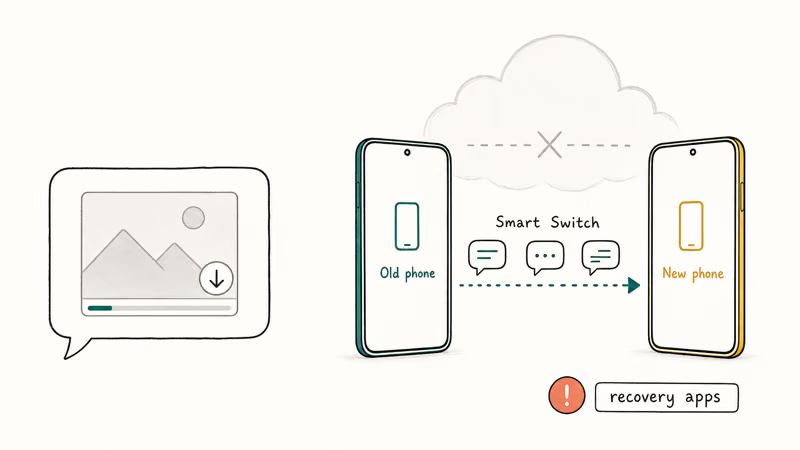
For conversations that a backup didn’t cover, the old phone is your best source. Manufacturer tools like Samsung Smart Switch can copy messages directly between phones, which sidesteps the Google backup entirely. If that transfer hangs, our guide on a Samsung Smart Switch stuck transfer gets it moving again. And if you’re sharing photos rather than full threads, our guide on how to use Quick Share moves media between Android devices fast.
Be realistic about third-party “SMS recovery” apps. Most can’t read another phone’s deleted messages, and the ones promising miracles are usually selling hope, sometimes bundling adware or asking for permissions no recovery tool needs. Stick to your own backup, your own old phone, and the manufacturer’s official transfer tool, which together cover everything that’s actually recoverable.
Messages inside a protected space won’t appear in a normal transfer. Our guide on Samsung Secure Folder explains why that content migrates separately.
#Recovering Chats When the Old Phone Is Gone
This is where honesty matters most. If you’ve already wiped, sold, or lost the old phone, and you had no Google backup, the SMS and MMS on it are most likely gone for good. There’s no server copy of plain text messages.
Your RCS chats are the exception. Because they live on Google’s servers, re-registering RCS on the new phone can still pull them back even without the old device. Verify your number, open Messages settings > RCS chats, wait for chat features to connect, and check whether the threads reappear. This is the one category of conversation that survives losing the old phone entirely, so it’s always worth trying before you write anything off as gone.
#Knowing When to Stop and Ask for Help
For SMS-only threads with no backup, ask the other person to share their side. Or accept the loss and turn on Messages backup now.
Set it before the next switch, not after. A backup taken today can’t recover what’s already gone, but it protects every conversation from this point forward, so the next phone migration carries your full SMS and MMS history across without any of this guesswork.
#Bottom Line
Re-register RCS first. It recovers the most conversations, because RCS chats resync the moment your number verifies. No backup file is involved.
For older SMS and MMS, your only reliable sources are a Google backup made before the switch or the old phone itself. If both are gone, plain texts are unrecoverable, so turn on Messages backup today to protect the next migration.
#Frequently Asked Questions
Google Messages chats missing after switching phones, what is the first thing to check?
Open Google Messages, go to RCS chats settings, and confirm chat features show Connected. RCS conversations live on Google’s servers and resync once your number verifies, so this recovers most missing threads without any backup. If RCS is stuck, toggle it off, restart, and toggle it back on. Most of the time the threads repopulate within a minute or two of the connection going green, with no file restore needed at all.
Why did this start right after the device switch?
Switching phones resets the local message store and forces RCS to re-register on the new device. The gap you see is the window between switching and that re-sync finishing.
Does this require resetting my new phone?
Only if you skipped the message restore during initial setup and you need older SMS back. Google’s backup restores during first-time setup, not afterward, so recovering it means a factory reset and a fresh setup. Skip the reset if RCS re-registration already brought back the chats you care about.
What official support page should I check first?
Start with Google’s RCS help page for missing chat threads. For older SMS and MMS, Google’s Android backup page is the right reference.
What should I avoid doing?
Don’t wipe or sell the old phone until every conversation you care about shows on the new one. The old device is the only guaranteed source for SMS that wasn’t backed up. Also skip the paid “SMS recovery” apps, since most can’t read another phone’s deleted messages and several are outright scams.
When should I contact support?
Contact your carrier if RCS won’t verify after your number has fully ported and your data connection works, since the block may be a provisioning issue on their end. Contact Google support if RCS chats stay empty even after verification, your number is active, and you’ve confirmed chat features show as connected.

Pixel 11 vs Pixel 10: What Changed and Who Should Upgrade
Pixel 11 vs Pixel 10: same screen and camera resolution, new Tensor G6, 25W wireless, and Gemini Intelligence. Here is who should actually upgrade.

Verizon Not Receiving Texts? How to Fix It in 9 Steps
Verizon not receiving texts? Fix it in 9 steps: check Message Blocking in My Verizon, reset network settings, deregister iMessage, and call support.
Pixel Battery Drain: What Google's July Fix Really Covers
Google marked the Pixel idle battery drain bug fixed in July, but only some phones got the patch. Here is who is covered, who is not, and what to try.
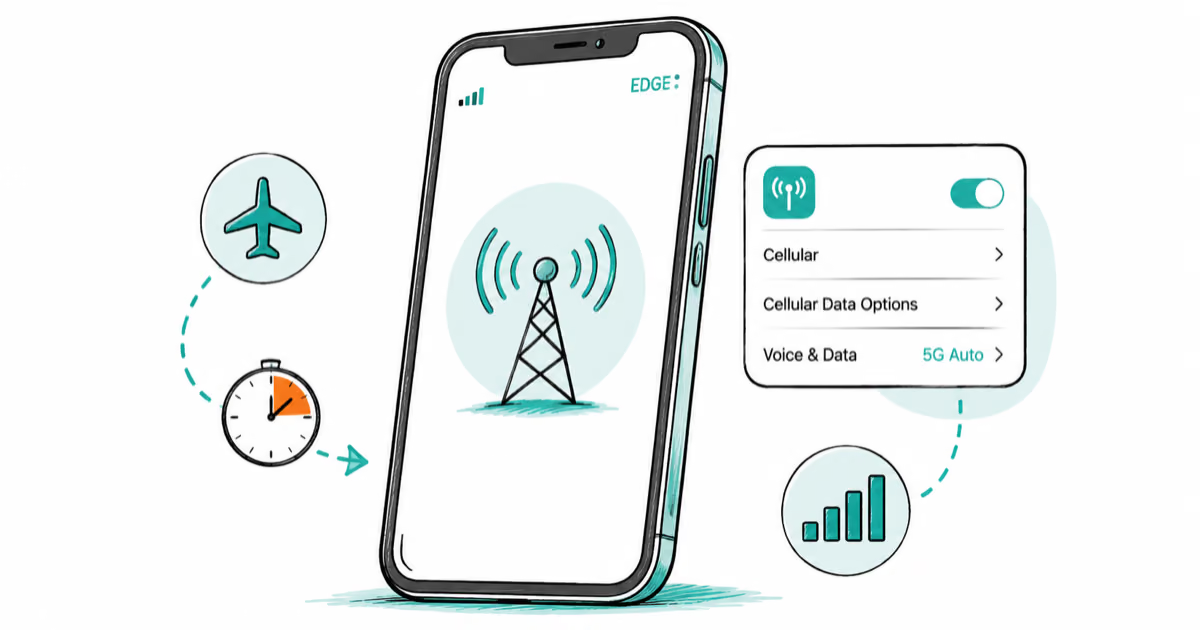
iPhone Stuck on EDGE? How to Get 5G or LTE Back (2026)
iPhone stuck on EDGE with crawling data? Here's why the E icon appears, which settings force 5G or LTE back, and when the problem is your carrier.