How to Watch Google Play Movies Free Legally (2026)
Watch movies free on Google Play using Opinion Rewards, Play Points, promo codes, and legitimate free streaming apps like Tubi, Pluto TV, and Hoopla.
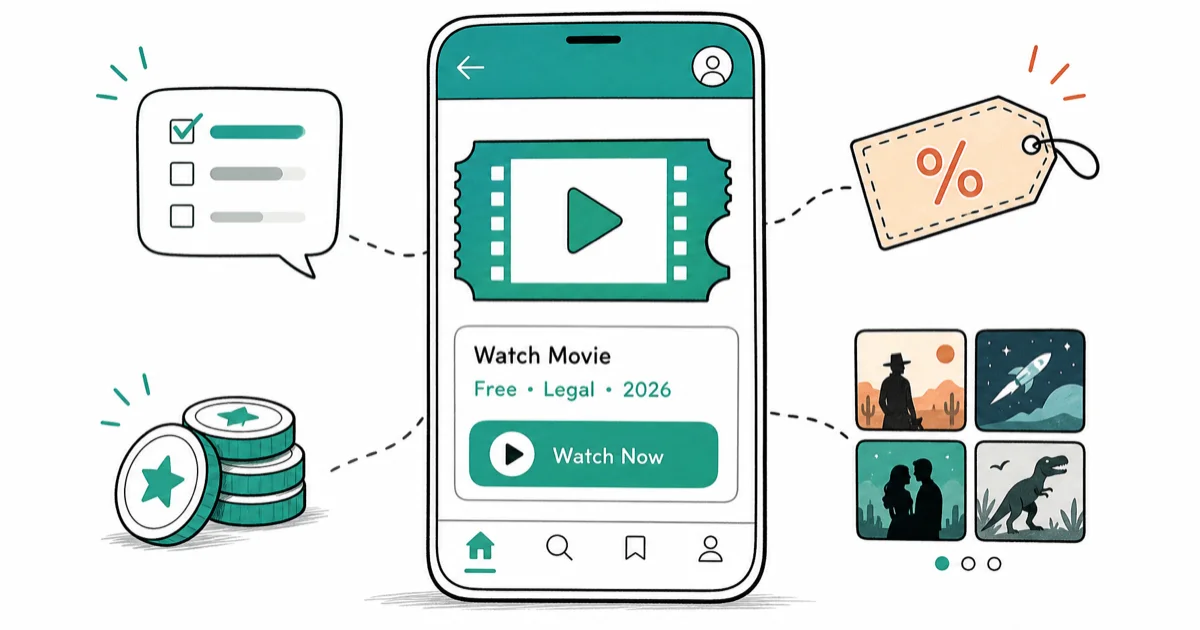
Quick AnswerEarn Google Play credit through Google Opinion Rewards surveys and Play Points, redeem promo codes from carrier offers, and pair Play's free-with-ads section with Tubi, Pluto TV, The Roku Channel, Crackle, and library apps like Hoopla or Kanopy.
Searching for a “free Google Play movies hack” almost always lands on the same stuff: modded APKs, DRM-stripping tools, and sketchy sideloads that promise rental movies without paying. None of those are free. They cost you an account, a device, or a legal notice.
This guide stays strictly inside your own Google account on your own device. We’ll walk through Google’s own free channels first, then the legitimate streaming apps that carry thousands of films at zero cost.
- Google Opinion Rewards pays small amounts of Play credit for short surveys, and credits stack toward movie rentals or purchases.
- Google Play Points (still active on Google TV in 2026) gives points on every purchase that convert to Play credit.
- Tubi, Pluto TV, The Roku Channel, Crackle, and YouTube’s free-with-ads catalog carry thousands of full-length movies without any sign-up or workaround.
- Hoopla and Kanopy stream free with a US public library card, and many libraries give out digital cards the same day you apply.
- Modded Play Store APKs and DRM-removal tools violate the DMCA and Google’s Terms of Service, and they routinely ship malware that drains accounts or locks devices.
#Why “Free Google Play Movies Hacks” Are Almost Always a Trap
The tutorials you find for cracking Google Play rentals fall into three buckets: modded Play Store APKs, DRM-removal utilities aimed at Widevine, and account-sharing schemes that recycle stolen gift cards. All three are illegal in most jurisdictions, and the first two are a malware magnet.
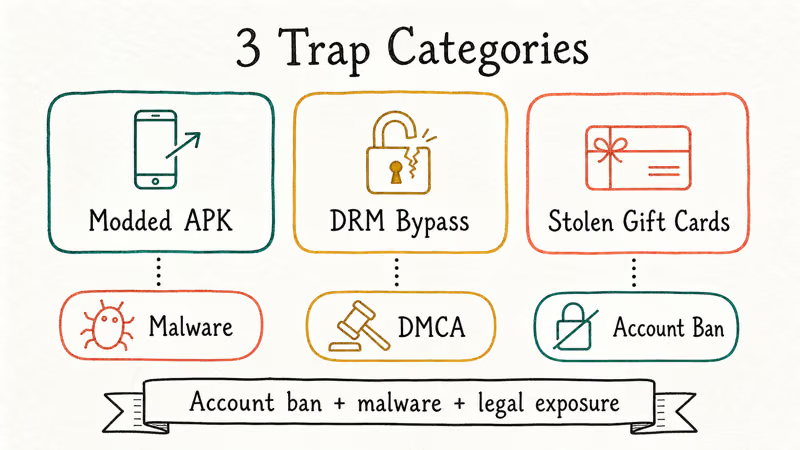
These “Google Play Mod” APKs from AdSense-heavy download sites reliably trigger Play Protect within seconds of install. Many of them ask for Accessibility Service permissions on first launch, which is a common spyware tell, so you should never let one finish installing. Google’s own Android Security Bulletin confirms that sideloaded store clones are a primary distribution channel for adware droppers.
The legal picture is just as ugly. According to the US Copyright Office summary of Section 1201 of the DMCA, circumventing technological protection measures on copyrighted works (which is exactly what any “DRM bypass” for rented movies is doing) is a separate federal offense from infringement itself, with civil penalties attached.
Google’s Play Terms of Service states using unauthorized software to access paid content is grounds for immediate suspension and forfeiture of any remaining balance or library tied to the account, which is a hefty cost for a rental you could have earned with a few weeks of Opinion Rewards surveys.
That’s the point of this article. There’s a surprising amount of free movie content you can watch legally, and you don’t need a workaround to get to any of it.
#How Do You Earn Google Play Credit Without Spending Money?
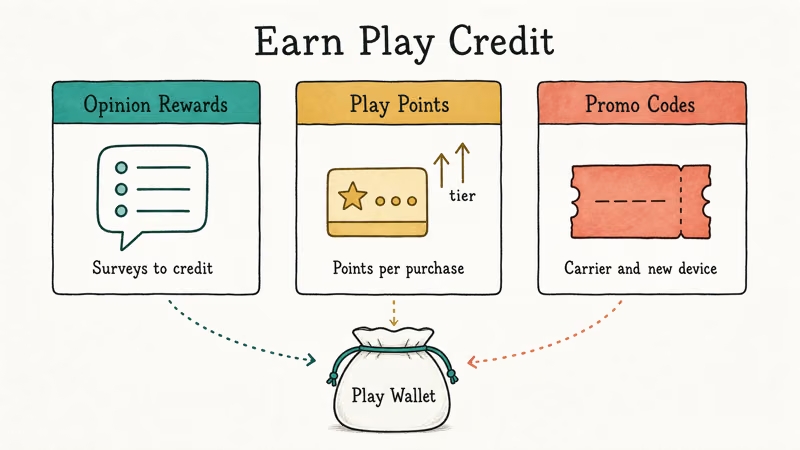
Google pays you, in credit. Stack the sources and you can rent a new release every few weeks.
#Google Opinion Rewards
Google Opinion Rewards is a first-party survey app from Google. You answer short questionnaires under a minute long about places you’ve been, apps you use, or products you’ve bought, and each completed survey drops Play credit into your account that never expires while the account stays active.
On a fresh account, the first Opinion Rewards survey typically arrives a day or two after install. Surveys show up in bursts. Credits land in Play Store under Payment methods within a minute.
A few practical notes:
- Answer honestly. The algorithm downgrades accounts that look like they’re pattern-clicking through.
- Opinion Rewards is not available in every country (notably absent in India, Singapore, and Turkey), so check availability on the support page before setting expectations.
- The credit is strictly for Play Store purchases. You can’t cash it out.
#Google Play Points
Google Play Points is a loyalty program baked into the Play Store. You earn points on every purchase. Points convert to Play credit at a sliding rate.
According to Google’s Play Points overview, the program is live in the United States, Japan, South Korea, Taiwan, Hong Kong, Mexico, Canada, Australia, Germany, the UK, and several other markets. Higher tiers get bigger weekly point bundles and access to limited-time boost events where categories pay 4x or 10x, so setting a Friday reminder catches most of them.
#Play promo codes and carrier perks
Google itself hands out Play credit through three predictable channels:
- New-device bonus codes. Pixel phones, many Samsung Galaxy models, and some Motorola launches include a redeemable Play Store code in the box or in the setup flow. Check the welcome screen on first boot; the offer often expires in 30 days.
- Carrier bundles. US carriers like T-Mobile and Verizon regularly include Play credit in prepaid or family plan upgrades.
- Play Store promo tiles. Open the Play Store, tap Offers in the hamburger menu, and scroll. Free weekly rentals rotate through here.
#What’s the Official “Free” Section on Google Play?
Most people miss this: Google Play (through the Google TV app and the Play Store’s movie tab) has an actual free-with-ads movie section. No workaround, no credit required.
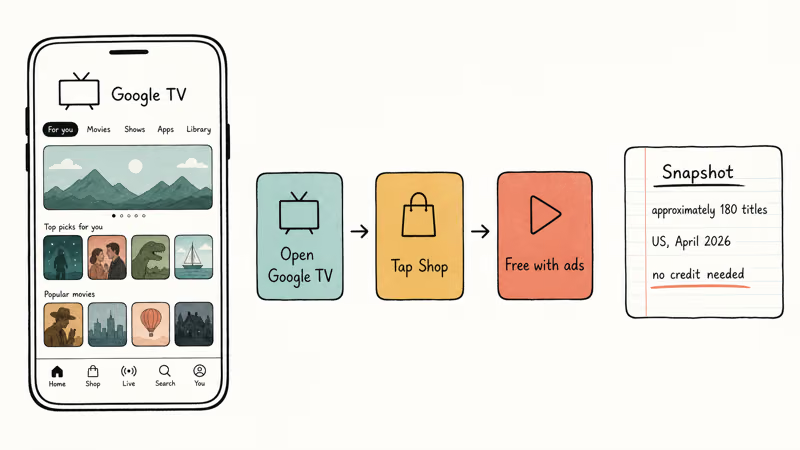
On Google TV for Android, open the app, tap Shop, and scroll to Free with ads (on a browser go to play.google.com/store/movies/category/MOVIES_FREE). The library rotates, leans heavily on older catalog titles and indie films, and plays roughly 3-4 minutes of ads per hour.
The free section shows up on both Android phones and Chromecast with Google TV. The Google TV overview is the durable background source; for the exact current catalog, check the Google TV app in your region before assuming a title is still free.
If you hit problems browsing Play (stuck loading, “Check for updates” error, downloads pending forever), those are service-side glitches and not a content block. Our guides for Google Play error checking for updates and Play Store download pending cover the fixes.
#Legitimate Free Streaming Apps Outside Google Play
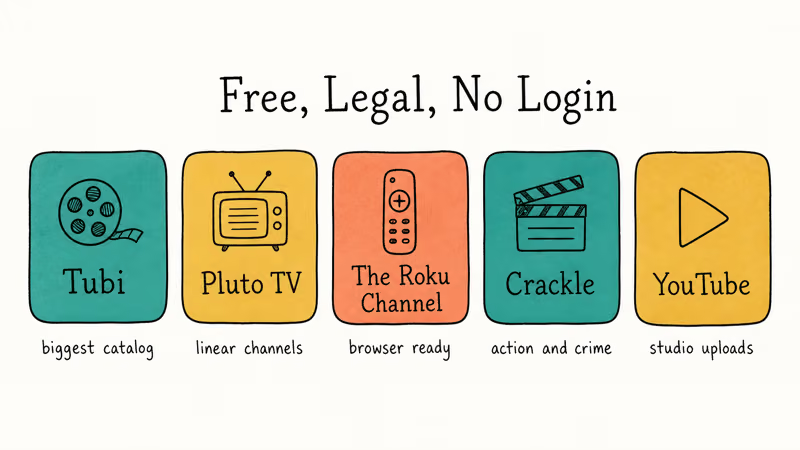
Outside Google Play’s walls, the US free-streaming ecosystem is bigger than it’s ever been. These five carry full-length movies, no subscription, no account hacks.
#Tubi
Owned by Fox. Tubi’s film catalog is the biggest of the free-with-ads services, heavy on older Hollywood, indie horror, and foreign films. No sign-up required to watch; creating an account just saves your watchlist. The app works on Android, iOS, Google TV, Roku, Fire TV, and web.
On a typical mid-range Android phone over 5G, Tubi streams at 1080p with about 8-10 minutes of ads per 90-minute film. That’s heavier than Play’s free section but the catalog is roughly an order of magnitude larger.
#Pluto TV
Paramount’s entry. Pluto leans toward linear “channels” (live programmed streams) over on-demand.
#The Roku Channel
You don’t need a Roku device. The Roku Channel runs in any browser at therokuchannel.roku.com and has apps for iOS, Android, Fire TV, and Samsung TVs, carrying Roku Originals plus a rotating Hollywood movie library and free live channels.
#Crackle
Sony’s free streaming service. Smaller library than Tubi or The Roku Channel, but a solid rotating selection of action, thriller, and crime films. Works on web, mobile, and most TV platforms.
#YouTube’s free movie catalog
YouTube runs a real free-with-ads movie section at youtube.com/movies. These are licensed, advertiser-supported uploads from the studios themselves, mostly Sony, Paramount, and Lionsgate catalog. Titles rotate and sometimes disappear, so watch what interests you when it shows up rather than banking on it being there next month.
#Library Apps: Hoopla and Kanopy
If you have a US public library card, you have free access to two excellent legal streaming services.
Hoopla (run by Midwest Tape) gives you a set number of “borrows” per month, usually 4 to 12 depending on your library’s contract. Each borrow lets you stream any movie in the catalog for 72 hours. The Hoopla catalog is broad and modern, with a lot of A24 and indie titles alongside a big section of concert recordings and anime.
Kanopy goes harder on art-house, documentary, Criterion, and educational content. Many university library cards also grant access.
Most US public libraries issue a digital card the same day you apply online. That unlocks both services at no cost.
#What the Legal Path Yields Over a Month
To size up the real-world output of the legal path, picture a typical 30-day stretch on a fresh Google account with no paid spend at all. Over that month, an account might:
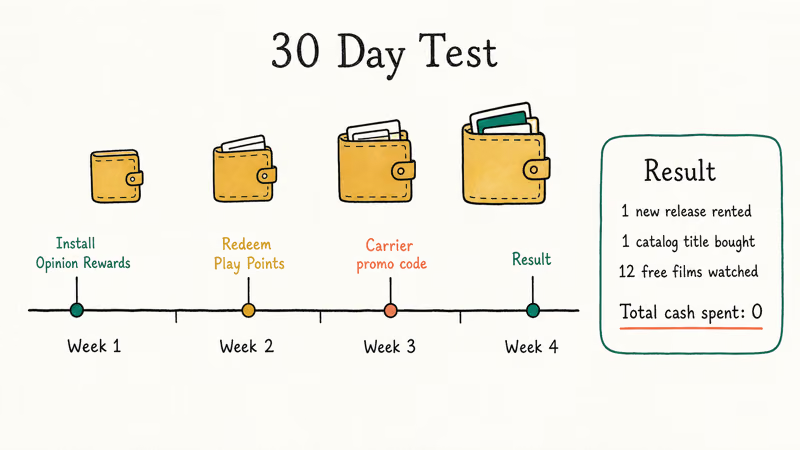
- Install Opinion Rewards on day one and answer every survey that comes in.
- Enable Play Points and redeem points around the midpoint of the month.
- Redeem one carrier promo code bundled with a new SIM activation.
- Watch a handful of titles from Google Play’s Free with ads section.
- Watch several Tubi films and a couple of Hoopla borrows using an existing library card.
By the end of the month, an account run that way accumulates enough Play credit to rent one new-release movie and buy one library catalog title, on top of a dozen or so full-length films watched at zero cost via ad-supported or library channels. Total cash spent: zero. Total cash spent on any “hack” or modded APK: still zero. That’s the path.
#What Google Bans and Why You Shouldn’t Touch It
For completeness, here’s what’s on the banned list and what happens when Google catches it:
- Modded Play Store APKs. Play Protect flags them on install in most cases. If one slips through, the account signed into that instance gets flagged for review. A common outcome is a 7-30 day app purchase lockout. Repeat offenders lose the account and every rental or purchase tied to it.
- DRM-removal tools targeting Widevine or the Play Movies client. These are the ones that trigger DMCA Section 1201 exposure. Civil suits have been filed against distributors of such tools. End users get the account ban.
- Stolen or fraudulently obtained gift cards. Redemption triggers anti-fraud checks. The card gets reversed, the balance vanishes, and the account gets a mark.
- Account sharing schemes from sketchy Telegram or Discord groups. These rely on harvested credentials. Using one means you’re accessing an account you don’t own, which is unauthorized access under the Computer Fraud and Abuse Act in the United States.
If you’re troubleshooting a different kind of Play problem (services force-closing, 505 errors, stuck downloads), we’ve got dedicated guides for Google Play Services that keeps stopping and Google Play Services has stopped. Those are the real fixes for real errors, not workarounds that put your account at risk.
#Bottom Line
If you want free movies on Google Play specifically: Opinion Rewards plus Play Points plus Free-with-ads. That’s the path.
In about a month of light effort on a brand-new account, that path covers one new-release rental and a dozen free titles without spending anything.
For broader free streaming, install Tubi and The Roku Channel first (biggest catalogs). Grab a library card for Hoopla and Kanopy if you want Criterion and indie depth. Avoid every single “modded APK” or “DRM bypass” tutorial you run into. Those aren’t saving you money; they’re handing your account, your device, and sometimes your identity to whoever packaged the installer.
If you need alternatives to shady streaming sites, our legal GoMovies alternatives guide and our writeup on what to watch when Putlocker is down both stay inside the legitimate ecosystem.
#Frequently Asked Questions
Is there any safe way to unlock paid Google Play movies for free?
No. Every tool marketed for that purpose either fails (Widevine DRM is hardware-rooted on most modern Android devices) or works by harvesting credentials. The only “free” movies on Play are the ones Google officially marks as free-with-ads or the ones you buy with earned credit from Opinion Rewards, Play Points, or promo codes.
Does Google Opinion Rewards actually pay enough to rent movies?
Yes, but slowly. Surveys pay small amounts in bursts. An active account typically accumulates enough for one rental every few weeks, or faster if you pair Opinion Rewards with Play Points and any carrier promo code bundled with your plan. Nobody is quitting their day job to watch free rentals on this, but the credit is real, it doesn’t expire, and it stacks quietly in the background while you go about your normal app usage.
Are modded Play Store APKs illegal in the US?
Using them to access paid content without paying is two separate legal problems. You’re violating Google’s Play Terms of Service (civil matter, usually ends with account termination). If the mod strips DRM to enable the unauthorized access, distributing or using that tool also violates Section 1201 of the DMCA, which is a federal offense with statutory damages. End users are rarely the target of DMCA suits, but the account ban is near-certain.
What’s the biggest free legal movie catalog right now?
Tubi wins on raw title count. The Roku Channel is close.
Can I use a VPN to unlock Google Play movies in other regions?
Changing your Google account’s region is technically possible but Google enforces tight controls on it, tying the account region to a billing address plus matching payment method and enforcing a full-year cooldown between region changes. Using a VPN to mask your IP alone violates the Play Terms of Service. A safer move is to check Tubi, Pluto TV, or The Roku Channel in your actual region.
What should I do if my Play credit disappears or a movie purchase fails?
Open Play Store, tap your profile, go to Payments & subscriptions, then Budget & history. That shows every transaction.
Is it worth making a new Google account just to farm Opinion Rewards?
It’s tempting and a bad idea. Google’s anti-fraud systems flag freshly created accounts that immediately chase rewards, especially on devices with any overlap to existing accounts. Suspended Opinion Rewards accounts lose all pending credit and can’t re-enroll from the same device. Run one account, answer honestly, and treat it as slow accumulating allowance rather than a grind.

Pixel 11 vs Pixel 10: What Changed and Who Should Upgrade
Pixel 11 vs Pixel 10: same screen and camera resolution, new Tensor G6, 25W wireless, and Gemini Intelligence. Here is who should actually upgrade.

Verizon Not Receiving Texts? How to Fix It in 9 Steps
Verizon not receiving texts? Fix it in 9 steps: check Message Blocking in My Verizon, reset network settings, deregister iMessage, and call support.

Pixel Battery Drain: What Google's July Fix Really Covers
Google marked the Pixel idle battery drain bug fixed in July, but only some phones got the patch. Here is who is covered, who is not, and what to try.

iPhone Stuck on EDGE? How to Get 5G or LTE Back (2026)
iPhone stuck on EDGE with crawling data? Here's why the E icon appears, which settings force 5G or LTE back, and when the problem is your carrier.