Discord vs WhatsApp: A Detailed Comparison Guide for 2026
Compare Discord vs WhatsApp on features, privacy, group chats, voice calls, and file sharing to choose the right messaging app for your needs.
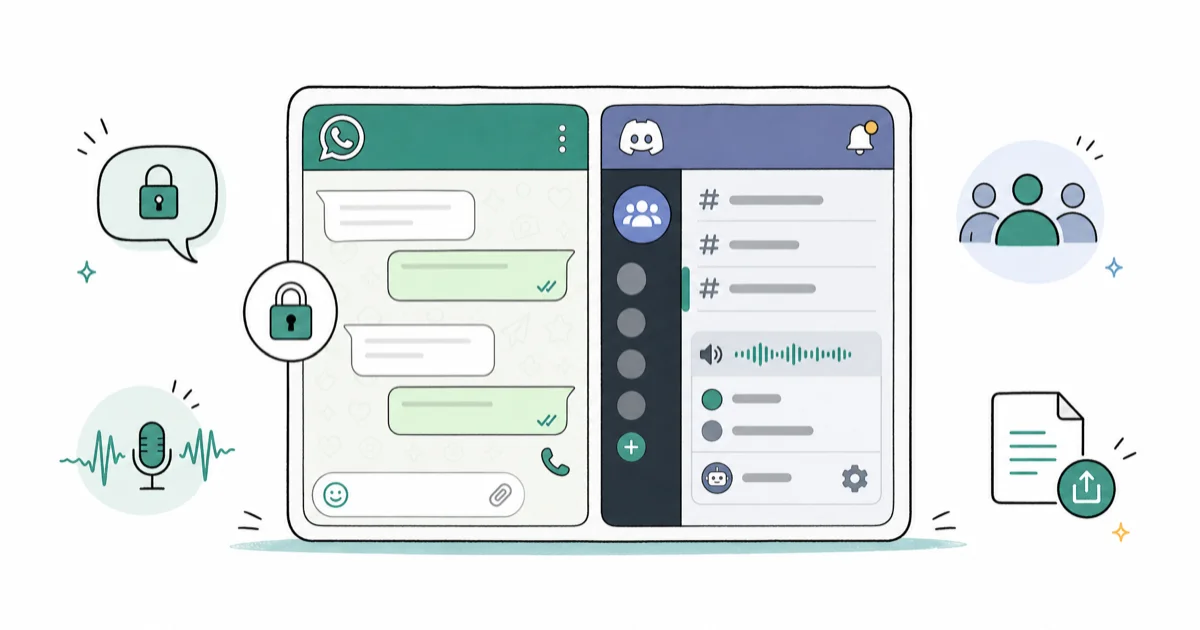
Quick AnswerWhatsApp is better for private one-on-one and small group messaging with end-to-end encryption. Discord is better for large community interactions with organized servers, voice channels, and extensive bot integrations.
Instant messaging apps have become a core part of daily communication. Two of the most popular options right now are Discord and WhatsApp, but they serve very different purposes.
Both apps offer messaging and calling. Their audiences differ.
This guide compares the practical differences that matter when choosing between them.
#A Quick Overview of Discord and WhatsApp
First, here is what each app is for:
#What Is Discord?
Discord is a free voice, video, and text chat app designed for gamers and online communities. Users can create or join interest-based servers and communicate via text channels, voice channels, and direct messages. According to Discord’s company page, the platform reached 150 million monthly active users and hosts over 19 million active servers every day.
With Discord, you can chat with friends while playing games together, coordinate with teammates, or hang out in a server focused on your favorite hobby or fandom. The platform makes it easy to build close-knit communities around shared interests.
- How to unblock yourself from Discord
- Look up a Discord user ID
- Check if someone blocked you on Discord
#What is WhatsApp?
WhatsApp supports private chats, calls, groups, media, and documents.
According to Wikipedia’s WhatsApp article, WhatsApp reached 2 billion users in February 2020. That makes it the most widely used messaging app globally.
WhatsApp is designed primarily for private communication with individuals and groups. Many people use WhatsApp to stay in touch with friends and family. Businesses also use WhatsApp to engage with customers.
Now let’s take a deeper look at how Discord and WhatsApp compare across some key factors:
#Main Features Face-Off
#Communication
Discord offers extensive communication capabilities, including:
- Text chat in servers/channels or direct messages
- Voice chat in channels or private calls
- Video chat and screen sharing
- Media embedding from sites like YouTube and Twitch
WhatsApp’s communication features include:
- Text messaging with individuals and groups
- Voice and video calling
- Media sharing (photos, videos, GIFs, documents)
- Voice messages
- Status updates
Verdict: Discord offers more options for group communication, while WhatsApp is better for private chats.
#Customization
Discord provides ample customization options including:
- Custom usernames, avatars, banners, and statuses
- Ability to create customized emoji
- Setting specific notification preferences
- Customizing servers with images, channels, and moderation
WhatsApp has limited customization such as:
- Changing profile picture and “about” info
- Customizing some notification settings
- Tweaking chat wallpapers and themes
Verdict: Discord is the clear winner when it comes to customization freedom.
#User Experience
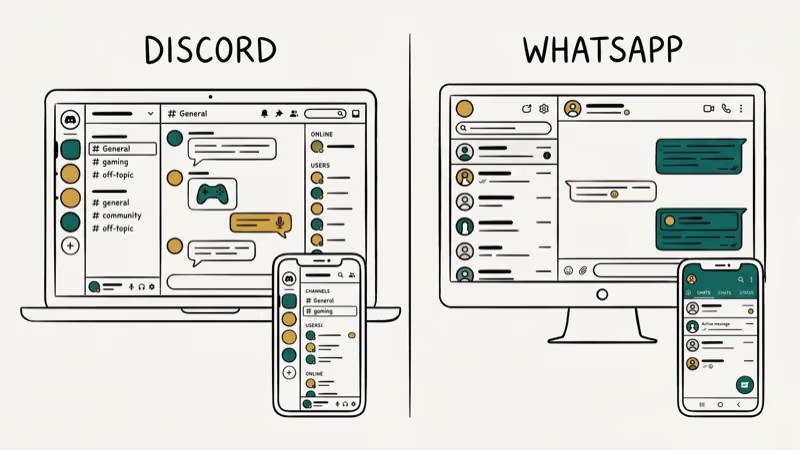
Discord’s interface can be overwhelming initially with its server/channel system, but most users get the hang of it quickly. Key features:
- Server-focused layout and navigation
- Distinctive chat channels for focused topics
- Organized user roles and permissions
- Keyboard shortcuts for quick actions
- Light and dark theme options
WhatsApp delivers an intuitive, user-friendly experience:
- Simple contacts-focused navigation
- Conversational, chronological chat threads
- Easy-to-use calling and media sharing
- Automatic syncing across devices
- Automatic sorting of media into albums
Verdict: WhatsApp offers better UX, especially for new users.
#Security
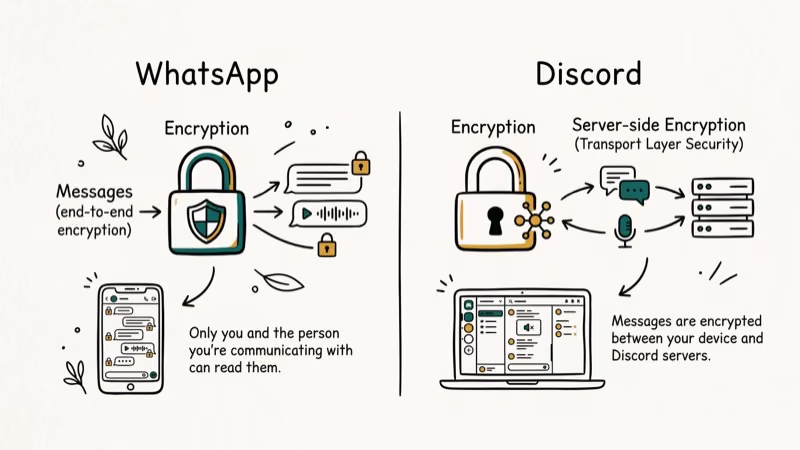
Discord uses standard TLS/SSL encryption to protect data in transit and some at-rest encryption. However, chats are not end-to-end encrypted. Security features include:
- Secure data transmission via TLS
- Verified servers with trusted certificates
- Customizable server moderation and roles
- Blocking/reporting tools
- Optional two-factor authentication
WhatsApp provides end-to-end encryption for chats and calls by default. Key security aspects:
- End-to-end encryption for messages
- Encrypted backups (optional)
- Two-factor authentication option
- User reporting and blocking
- No plaintext chat logs stored on servers
Verdict: WhatsApp is more secure overall thanks to its end-to-end encryption. Wikipedia’s Signal Protocol article states that WhatsApp adopted end-to-end encryption for all messages in April 2016, covering over 1 billion users at that time.
#Which Devices Support Discord and WhatsApp?
Both Discord and WhatsApp are available on multiple platforms for convenience and flexibility:
Discord is accessible via:
- Desktop apps for Windows, Mac, Linux
- Mobile apps for iOS and Android
- Web browser interface
WhatsApp is available on:
- iOS and Android smartphones
- WhatsApp Web browser interface
- WhatsApp Desktop app for Mac and Windows
So whether you prefer desktop or mobile, both Discord and WhatsApp have you covered. WhatsApp just lacks native Linux support.
#Cost Comparison
When it comes to cost, here’s how Discord and WhatsApp stack up:
- Discord is 100% free to use with no limits. They offer an optional “Discord Nitro” subscription with extra features like animated emoji, larger file uploads, and custom profile badges.
- WhatsApp is free to download and use. They offer some optional paid business features like WhatsApp Business API access and advanced messaging tools.
So if you’re looking for a messaging platform with no subscription fees, both Discord and WhatsApp fit the bill. Discord gives you more features for free, while WhatsApp offers business add-ons for a price.
#User Base Demographics
Understanding the typical users of each platform can help determine if one fits your needs better:
- Discord is predominantly used by gamers and online communities. Most users are under 35.
- WhatsApp has a highly diverse international user base. It’s popular worldwide across all age groups. WhatsApp sees significant use for personal communication and business messaging.
So while there is some overlap, Discord targets specific online subcultures while WhatsApp aims for mass mainstream adoption.
#Ease of Use
For new users, WhatsApp is more intuitive and simple to start using. You download the app, verify your number, and start chatting with contacts who also have it. Everything is designed to be familiar.
Discord has a steeper learning curve. Its server and channel system isn’t immediately obvious to newcomers. WhatsApp is usually faster for basic calling because it centers on phone contacts and a simpler chat list.
Once you learn Discord’s server, channel, and voice-room structure, it’s easy and effective to use.
WhatsApp wins on approachability. Discord offers more depth for experienced users.
#How Do File Sharing Limits Compare?
When it comes to sharing files or media, here are the restrictions to be aware of:
- Discord: 8 MB file upload limit by default, 50 MB for Discord Nitro subscribers
- WhatsApp: 64 MB for Android, and up to 100 MB on iPhone
So WhatsApp allows bigger individual file transfers, while Discord requires a paid subscription for 50+ MB files.
#Group Size Limits
If you need to coordinate large groups, Discord is better equipped:
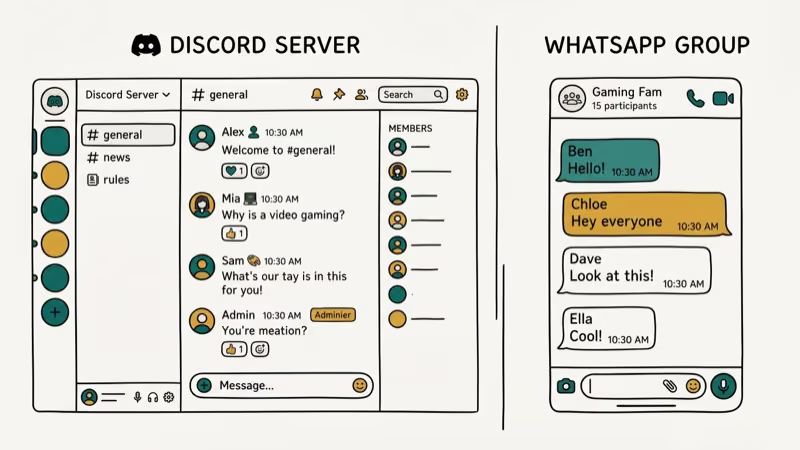
- Discord: Allows up to 500 users per server
- WhatsApp: Limits groups to 256 participants max
For giant communities, Discord is the way to go. WhatsApp is better for smaller work teams and friend groups.
#Search Capabilities
Both apps enable searching message history, but Discord has more advanced search and filtering options:
- Search messages by keywords, date range, specific users
- Filter results by server, channel, attachments, and more
- Quickly jump between search results
WhatsApp’s chat search features are more basic:
- Search keywords in any conversation
- Filter by links, photos, GIFs, audio, videos, docs
So Discord provides more powerful tools for digging through your chat history.
#Integrations and APIs
If you want to connect with other apps and services, Discord leads in integration support:
- Built-in integrations for platforms like YouTube, Reddit, Twitch, and more
- Discord developer API allows custom integrations
- Webhooks to connect Discord with external apps
WhatsApp has limited integration capabilities:
- WhatsApp Business API for business tools
- Third-party Zapier integration
So Discord is the preferable option if you want to unify multiple services.
#Final Verdict: Discord vs WhatsApp
So in the end, is Discord or WhatsApp the better messaging platform? Here are some key points to summarize how they compare:
Discord pros:
- Ideal for online gaming communities and fandoms
- More features for public group communication
- Highly customizable servers and user profiles
- More integrations with third-party apps/services
- Completely free to use (no subscription needed)
WhatsApp pros:
- Simpler onboarding for new users
- Preferred for private communication
- More secure end-to-end encryption
- Larger file transfer support
- Massive global user base
#Choose Discord if:
- You want to build an online community around gaming or shared interests
- Customization and integrations are important to your workflow
- You want unlimited free group messaging capabilities
#Choose WhatsApp if:
- You mainly need simple private messaging/calling
- You prioritize security and end-to-end encryption
- You want to easily communicate one-on-one or in small groups
- You need to share files up to 100MB in size
Both platforms have different strengths, so choose based on your communication needs.
- WhatsApp reached 2 billion users in 2020; Discord reports 150 million monthly users
- WhatsApp uses end-to-end encryption by default; Discord encrypts data in transit but does not offer E2E encryption
- Discord servers can hold up to 500 users; WhatsApp caps group chats at 256 participants
- WhatsApp allows file transfers up to 100MB on iPhone; Discord free users are limited to 8MB per file
- Discord is better for building large communities around shared interests; WhatsApp is better for private one-on-one and small group messaging
#FAQ About Discord and WhatsApp
#Is Discord fully encrypted like WhatsApp?
No, Discord does not provide end-to-end encryption. Messages are encrypted in transit but decrypted on Discord’s servers. WhatsApp uses end-to-end encryption by default for better privacy.
#Can businesses use WhatsApp for customer communication?
Yes, WhatsApp offers special WhatsApp Business accounts with tools for automated messaging, profiles, quick replies, labels, and analytics. The WhatsApp Business API also allows deeper integration with business systems.
#Does Discord work with all games and game consoles?
Discord supports mobile chat and voice while gaming across platforms.
#Can I use WhatsApp if I don’t have a SIM card or phone number?
Unfortunately, WhatsApp requires a real phone number to verify your identity during setup. It does offer WhatsApp Web access from desktop without a SIM card though.
#Is there a limit to how many Discord servers I can join?
There is no hard limit, but Discord recommends limiting yourself to under 100 servers to maintain performance. You can always leave servers you no longer use.
#Can I use WhatsApp on multiple devices at the same time?
Yes, WhatsApp supports desktop, mobile, and linked-device access.
#Does Discord work on slow internet connections?
Discord is designed to function well on slower connections. Features like Go Live streaming and screen sharing may lag or get choppy though. Video calling requires faster internet overall.
#Bottom Line
Choose WhatsApp for private, encrypted messaging with contacts who already use it.
Choose Discord if you’re building or joining a community around gaming, a hobby, or any shared interest. Discord’s servers, voice channels, and extensive bot integrations are unmatched for that use case.
If you need both private chats AND a community hub, use both. They don’t compete directly.
For more context, see our Discord vs Telegram comparison. Our Discord vs Zoom article helps if you’re evaluating Discord for work calls.
If you’ve been blocked by a contact, you can also unblock yourself from WhatsApp.

Google Messages Error 3100: Why RCS Is Broken on Galaxy
Google Messages RCS error 3100 hits Galaxy owners after phone or carrier switches. Google told 9to5Google a fix is coming. Here's what actually helps.

Is This Bank App Real? Spot a Fake App on Your Home Screen
A bank app can land on your home screen from a web page with no install warning. Learn the checks that tell a real banking app from a phishing web app.

Apps Crashing After iOS 27 Update? Fix Order (2026)
Apps crashing after the iOS 27 update? Update the app in the App Store first, then offload and reinstall to clear stale cache, then restart. The fix order.

Do AI Translation Earbuds Work Offline? What to Know
Do AI translation earbuds work offline? A few do with downloaded language packs, but most need the cloud. Here's what works offline and what you give up.