Discord ID Lookup: Find Any User ID in Minutes (2026)
Find any Discord user ID with these easy lookup methods, including Developer Mode, contact sync, and third-party tools that work in minutes.
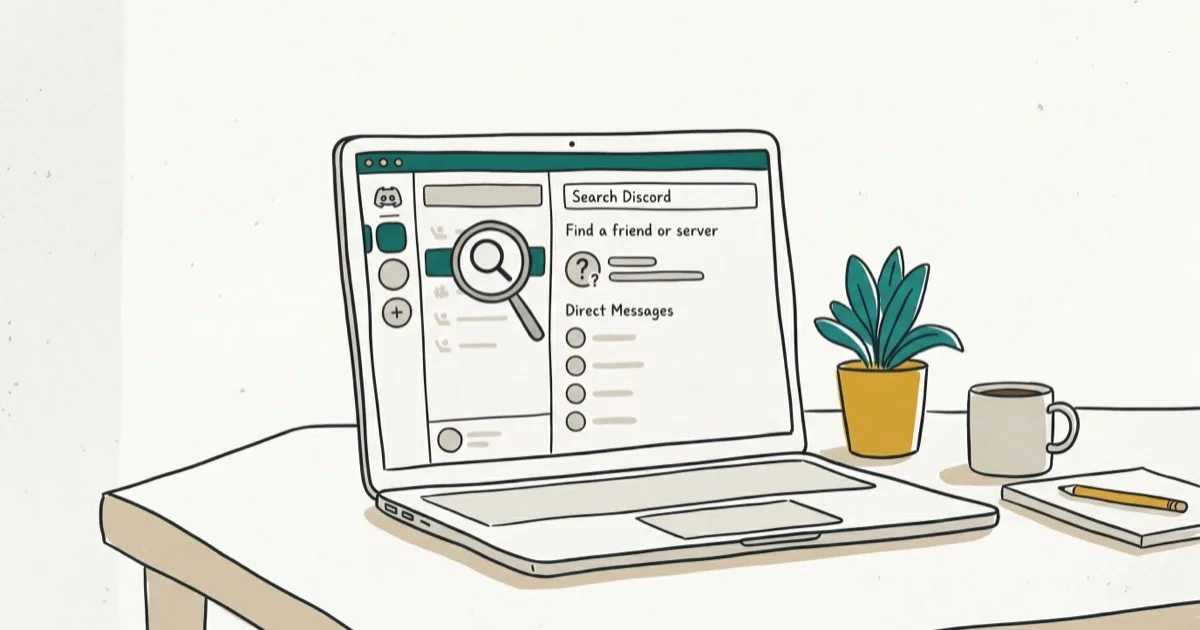
Quick AnswerTo look up a Discord ID, enable Developer Mode in Discord settings, then right-click any user, message, or server and select 'Copy ID.' This works whether or not the person is on your friends list.
Every Discord account has a unique 18-digit numeric ID, and knowing how to find it helps with server management, moderation, and tracking down users. The three methods below cover desktop and mobile.
Look up Discord IDs only from your own account, your own server, or a moderation space where you are authorized to help. IDs can connect users to profiles, logs, and reports, so stay within legal privacy boundaries, avoid doxxing, and use the information only for support, safety, moderation, or administration.
- Every Discord account has a unique numeric ID that can’t be changed
- Developer Mode in settings unlocks Copy ID for any user or server
- Copy ID works for friends and anyone visible in a shared server
- Syncing phone contacts helps you find people without their tag
- People search tools cross-reference profiles across 120+ platforms
#What Is a Discord ID and Why Does It Matter?
Discord is the go-to platform for gamers, streamers, and online communities. According to The Verge’s coverage, it surpassed 200 million monthly active users in early 2024. Each account gets a unique numeric ID that never changes, even when someone updates their username.
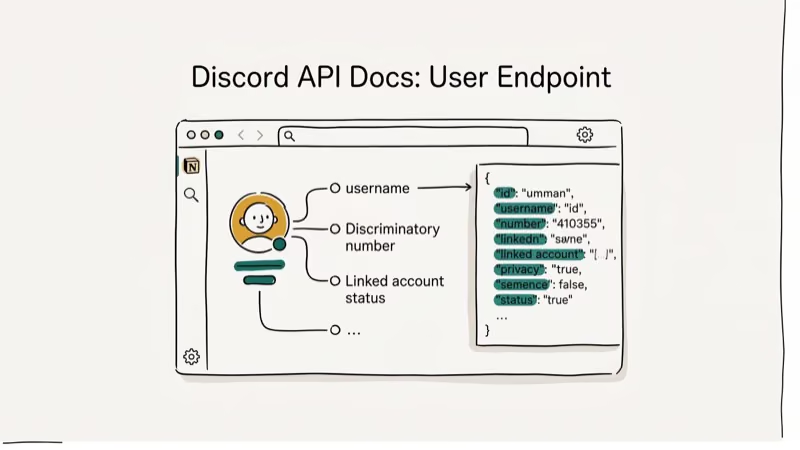
This ID is permanent. It’s useful for server moderation, bot configuration, and verifying someone’s identity when usernames look similar. Two near-identical usernames can carry completely different 18-digit IDs, so the ID is the reliable way to ban the right person in a large server.
If you’re also curious about finding people on other platforms, check out our guide on Snapchat username lookup.
#How Do You Find a Discord ID Using Developer Mode?
This is the fastest method. Discord’s built-in Developer Mode exposes the Copy ID option across desktop, browser, and mobile apps, and it takes just three steps to set up.
Step 1. Open Discord and click the cogwheel icon at the bottom left.
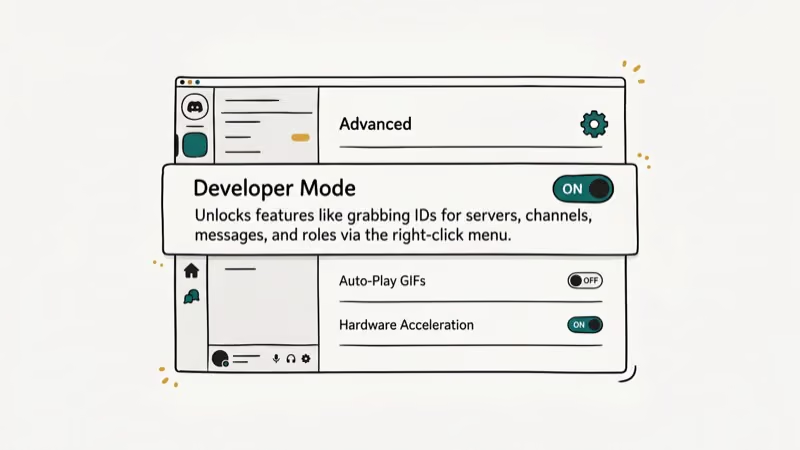
Step 2. Scroll to Advanced on the left sidebar and toggle on Developer Mode.
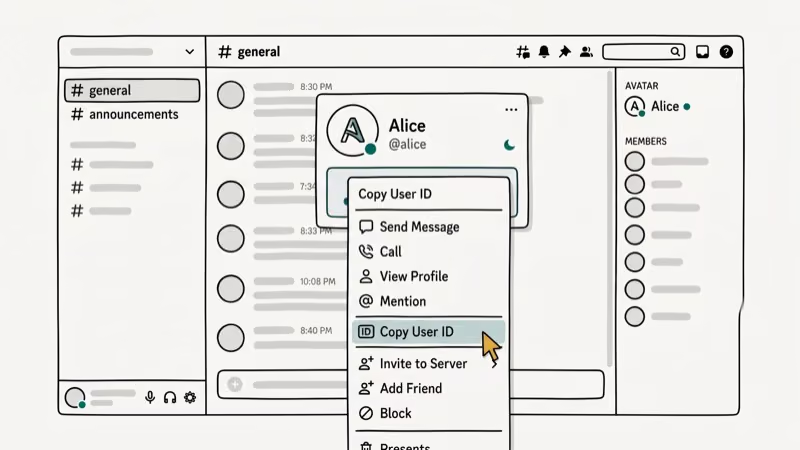
Step 3. Go back to any server or DM, right-click the user you want to look up, and select Copy ID. Paste it into a notepad or a bot command field.
According to Discord’s developer documentation, these IDs follow the Snowflake format, which encodes the exact timestamp of when the account was created. That means you can actually decode a Discord ID to find out the account’s creation date, which is a handy trick for spotting alt accounts.
Copy ID works the same way across Discord desktop, the web app, and the mobile app once Developer Mode is on.
#How to Find a Discord ID by Syncing Contacts
Don’t know someone’s username? If you have their phone number saved, Discord’s contact sync feature can help. This method works only on the mobile app, and the setup takes about a minute.
- Open Discord on your phone and tap the Friends tab at the bottom
- Tap Find Your Friends at the top of the list
- Toggle on Allow Contacts to Add Me and tap Find Friends
You’ll need to verify your phone number and grant Discord access to your contacts. The app then scans your contact list and shows anyone who’s registered on Discord with that number. Once they appear, add them as a friend, enable Developer Mode (see the previous section), and right-click to copy their ID.
This approach is limited because it only finds people whose phone numbers you already have. But it’s useful when you know someone personally and want to connect on Discord without asking for their tag. For related privacy topics, you might want to read about how to tell if someone blocked you on Discord.
#Using a People Search Engine for Discord ID Lookup
When someone isn’t on your friends list and you don’t share a server, third-party people search tools can fill the gap.
#Spokeo
Spokeo searches across more than 120 websites and social media platforms to find linked profiles from a name, email, or phone number.
Some links on this page are affiliate links, which means fone.tips may earn a commission at no extra cost to you.
- Go to the Spokeo website
- Choose your search type (name, email, or phone) and enter the info
- Click Search Now and wait a few minutes for the report
The report lists social media profiles tied to that person, which can include their Discord account. Spokeo aggregates records from a wide range of public sources into a single profile.
#Social Catfish
Social Catfish started as an online dating investigation service but has expanded to cover broader social media searches, including Discord.
- Go to the Social Catfish website
- Upload a photo or enter a name, email, or phone number
- Click Search and wait for results
The search typically takes 1-2 minutes. You’ll need to pay to unlock the full report. Social Catfish confirms that it scans dating apps like Bumble and Tinder along with mainstream platforms like Facebook and Discord.
If you’re interested in finding people on other platforms, our Instagram name checker guide covers 10 tools for checking username availability.
#Decoding a Discord ID Timestamp
Every Discord ID contains an embedded creation timestamp using the Snowflake format. You can extract the exact date and time an account was created by converting the ID. Online tools like Discord Snowflake Converter handle this automatically. Just paste the 18-digit ID and it returns the registration date.
Server moderators use this technique to spot freshly created alt accounts. If someone joins your server and their account was made 5 minutes ago, that’s a red flag worth investigating before they cause trouble.
#Discord ID Lookup Tips for Server Moderators
If you run a Discord server, knowing how to look up IDs quickly can speed up your moderation workflow.
- Log ban reasons with the user’s ID, not their username, since usernames can change
- Use bot commands like
/userinfo @usernamein popular bots like MEE6 or Dyno to pull up a user’s ID, join date, and role history in one step - Save IDs in a moderation spreadsheet so you can track repeat offenders across username changes
For moderators dealing with raids or mass spam, Discord’s Safety Center recommends enabling verification levels and using AutoMod alongside manual ID-based lookups to filter out alt accounts efficiently.
#Comparing Discord ID Lookup Methods
| Method | Works For | Speed | Cost |
|---|---|---|---|
| Developer Mode | Any visible user | Under 30 seconds | Free |
| Contact Sync | People in your phone contacts | 1-2 minutes | Free |
| Spokeo | Anyone with public online presence | 3-5 minutes | Paid |
| Social Catfish | Anyone with social media profiles | 2-3 minutes | Paid |
Developer Mode is the clear winner for speed and cost. People search tools make sense only when you can’t find someone through Discord directly and need to cross-reference other platforms. Our guide on Discord vs Telegram compares more platform-specific features if you’re evaluating alternatives.
#Bottom Line
Finding a Discord ID takes less than a minute with Developer Mode — just toggle it on in Advanced settings, right-click any user, and hit Copy ID. For users you don’t share a server with, contact sync and people search tools like Spokeo or Social Catfish fill the gap. Pick the method that matches your situation: Developer Mode for quick lookups, contact sync for people already in your phone, and search engines when you only have a name or email.
For more Discord tips, check out our guides on how to stream Disney Plus on Discord and how to record a Discord call.
If you want to dress up your messages too, our walkthrough on Discord text formatting covers bold, italics, code blocks, and spoilers.
#Frequently Asked Questions
Can you change your Discord ID?
No. Your Discord ID is permanent and can’t be modified or transferred.
Why isn’t the Copy ID option showing in Discord?
You need Developer Mode turned on. Go to User Settings, scroll to the Advanced tab, and toggle Developer Mode on. After that, right-click any user, message, channel, or server to see the Copy ID option. This works on desktop, browser, and mobile versions.
Can someone find my personal information using my Discord ID?
Not directly. A Discord ID is just a numeric identifier and doesn’t contain your email, phone number, or real name. Someone could use the ID with a Discord bot to look up your public profile info like username and avatar, but bots can’t access private data like your email or linked phone number. Keep your profile details minimal if privacy matters to you.
What does an invalid Discord ID error mean?
It usually means you’ve copied the ID incorrectly or the account has been deleted. Double-check for typos or extra spaces. Discord IDs are always 17-20 digits long.
How do you look up a Discord ID on mobile?
Open the Discord mobile app, go to Settings, tap Appearance or Advanced, and enable Developer Mode. Then go to any user’s profile, tap the three-dot menu, and select Copy ID.
Is there a way to find someone’s Discord without their tag?
Yes. You can sync your phone contacts through the Discord mobile app to find people you already know. People search engines like Spokeo or Social Catfish are another option. Enter a name, email, or phone number, and these services pull up linked social media profiles, including Discord accounts, from their databases of public records.

Google Messages Error 3100: Why RCS Is Broken on Galaxy
Google Messages RCS error 3100 hits Galaxy owners after phone or carrier switches. Google told 9to5Google a fix is coming. Here's what actually helps.

Is This Bank App Real? Spot a Fake App on Your Home Screen
A bank app can land on your home screen from a web page with no install warning. Learn the checks that tell a real banking app from a phishing web app.

Apps Crashing After iOS 27 Update? Fix Order (2026)
Apps crashing after the iOS 27 update? Update the app in the App Store first, then offload and reinstall to clear stale cache, then restart. The fix order.

Do AI Translation Earbuds Work Offline? What to Know
Do AI translation earbuds work offline? A few do with downloaded language packs, but most need the cloud. Here's what works offline and what you give up.