CBS App Not Working: 8 Fixes for Android, iPhone, and Roku
Troubleshoot CBS or Paramount+ on Android, iPhone, Roku, Fire TV, and browsers with eight ordered checks, safe reinstall steps, and account fixes.
Quick AnswerCheck whether other titles or devices work, then force-close and update the exact app you use. On Roku, restart before removing and reinstalling CBS or Paramount+.
The CBS or Paramount+ app stopped loading, froze mid-episode, or won’t open. First identify the app and account: CBS All Access became Paramount+, while the CBS app remained a separate TV-provider option. Then use these fixes on a device or account you own.
- Check whether other titles, devices, or streaming apps work before changing settings
- Force-close the app, update it, and restart the device before reinstalling
- Android can clear an app cache; iPhone can offload; Roku has no per-app cache button
- Removing a Roku app also removes it from other Roku devices linked to the same account
- Account, browser, and service interruptions need different fixes
Start with service status, force-close, and an update before deeper device resets. These checks don’t change account settings.
#Why Is the CBS App Not Working?
Four things typically cause CBS app failures: server outages, device or app problems, account issues, and browser conflicts.
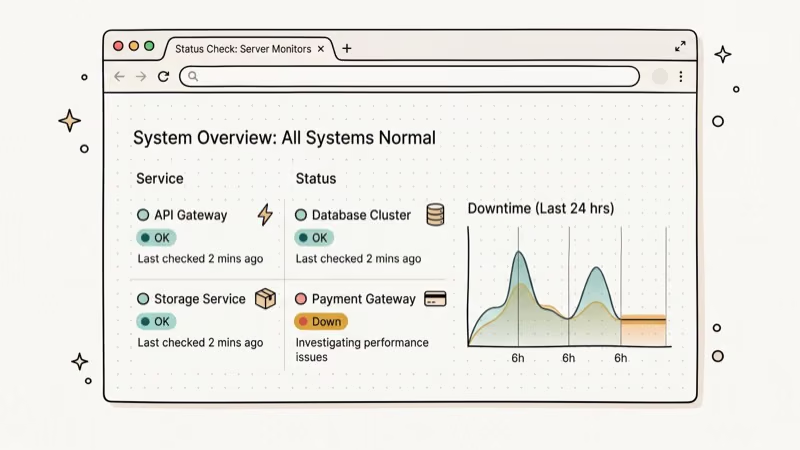
Service interruptions can affect one title, one app, or the whole service. Downdetector’s CBS tracking page shows user reports, but it isn’t an official status declaration. Test another title and device before concluding the service is down.
App or device problems include a stuck app process, an outdated build, damaged local data, or a network problem.
Account issues such as an expired subscription, a declined payment, or too many simultaneous streams can block playback even when the app itself opens. These are account-side fixes only.
Browser conflicts can affect users watching at paramountplus.com. A private window or a temporary extension test can separate a browser issue from an account issue.
#Steps 1 Through 3: Quick Checks
Work through these in order and test playback after each one.
#Step 1: Check CBS Server Status First
Try a second title in the same app, then try another streaming app on the same device. If only CBS or Paramount+ fails across multiple devices, check the provider’s help center and Downdetector’s CBS page. A report spike is a clue, not proof; retry later without changing device settings.
#Step 2: Force-Close and Reopen the App
A stuck app process can cause blank screens and spinning load indicators.
On iPhone: Open the app switcher using the gesture or Home button for your model, swipe the CBS or Paramount+ card upward, then reopen it.
On Android: Go to Settings > Apps > CBS (or Paramount+), tap Force Stop, then reopen. Menu names vary by manufacturer.
On Roku: Press Home, then reopen the channel.
Force-closing is the first quick reset for blank screens and frozen loading states. If the app still fails, Android users can continue to Step 3; iPhone users can use the offload option there, while Roku users should skip to the Step 5 restart.
#Step 3: Clear the App Cache
Damaged local app data can cause playback errors, login failures, and black screens. Start with the least disruptive platform-specific option.
On Android:
- Go to
Settings>Apps>CBS(or Paramount+) - Tap Storage and cache
- Tap Clear cache only (not Clear storage, which logs you out)
On iPhone: iOS doesn’t have a manual cache-clear option. Go to Settings > General > iPhone Storage > CBS/Paramount+, then tap Offload App and reinstall it. Apple’s current storage guide says offloading frees the storage used by an app while keeping its documents and data, whereas deleting removes the app and its related data. Apple doesn’t promise that an offloaded app preserves an active login, so be ready to sign in again.
On Roku: There is no per-app cache button. Skip to Step 5 for a system restart; use Step 6 only if a restart and update don’t help.
After clearing, reopen the app and try playing a video. For the full Android cache process including cookies, see how to clear cache, cookies, and history on Android.
#Steps 4 and 5: Update and Restart
Try these if the quick fixes didn’t work.
#Step 4: Update the CBS App
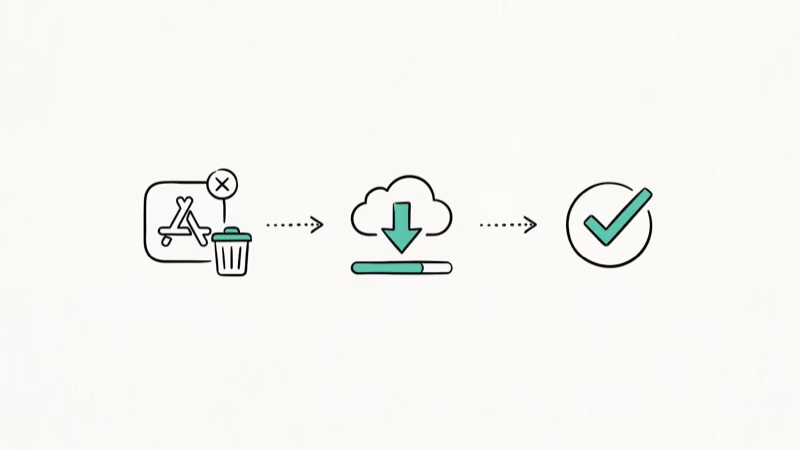
An outdated app can cause login loops or playback errors. Paramount’s launch guidance confirms that CBS All Access transitioned to Paramount+, while the CBS app remained separate. Update the app whose icon and account you actually use.
On iPhone: Open the App Store, tap your profile icon, find CBS or Paramount+, and tap Update if available.
On Android: Open the Play Store, search for CBS or Paramount+, and tap Update.
On Roku: Highlight the app on Home, press the star (*) button, and choose Check for updates. Also update Roku OS at Settings > System > Software update > Check now.
On Fire TV: Update through the Amazon Appstore.
#Step 5: Restart Your Device
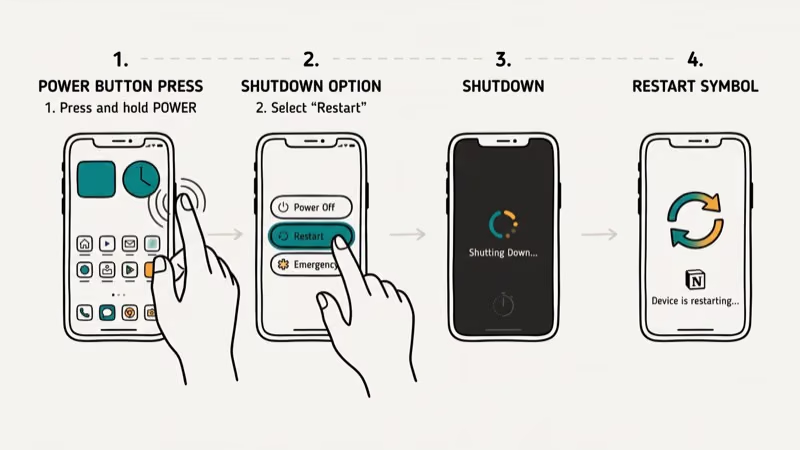
On Android: Open the power menu and tap Restart. The button combination varies by phone.
On iPhone: Use the power-off controls for your model, turn the phone off, then turn it back on.
On Roku: Go to Settings > System > Power > System restart. If there is no Power submenu, choose System restart directly under System. Roku’s current guide also allows unplugging the device for at least 10 seconds before reconnecting it.
#Step 6: Reinstall the TV App Carefully
Use this only after the update and full restart. Reinstalling signs you out and can affect other devices linked to the same platform account.
#CBS App Not Working on Roku
According to Roku’s current playback troubleshooting sequence, you should highlight CBS or Paramount+, press the star (*) button, choose Remove app, confirm, and perform the Step 5 system restart. Then open Store > Apps, search for the same app, and add it again.
Roku states that adding or removing an app applies to the Roku account, so removal also affects other Roku devices linked to it. If Remove app isn’t available because the subscription is billed through Roku, don’t cancel a working subscription just to troubleshoot; use the update/restart steps and contact support instead. Don’t unlink the whole Roku device.
#CBS App Not Working on Fire TV
Reinstall only after an update and restart fail.
Go to Settings > Applications > Manage Installed Applications > CBS or Paramount+. Select Uninstall, confirm, then reinstall the same app from the Amazon Appstore. If the Amazon app is not working on your Fire TV, troubleshoot the store before attempting another reinstall.
If the app installs but immediately crashes, your Fire TV likely needs a firmware update. Go to Settings > My Fire TV > About > Check for System Updates.
#Step 7: Is the Browser Causing Playback Errors?
Test the title in a private window first.
Extensions: Temporarily disable content blockers for paramountplus.com, test playback, then re-enable extensions one at a time. Don’t leave protection disabled on unrelated sites.
Firefox site protection: If the private-window test points to a browser setting, use the shield icon to test protection for this site only. Restore it if playback still fails.
Browser cache: In Chrome, press Ctrl+Shift+Delete (Windows) or Cmd+Shift+Delete (Mac). Set the time range to All time, check Cached images and files and Cookies, then click Clear data. Mac users can also follow this guide on how to clear cache on Mac, which covers Safari and Firefox in detail.
After clearing, sign back in and try playing a video. Browser cache and tracking-protection conflicts can cause buffering even when the mobile or TV app works normally.
#Step 8: Check the Account and Contact Support
When the app loads but video won’t play, the account is one possibility to check after the device and service tests above.
Log in at paramountplus.com on a desktop browser and check whether the subscription is active, whether a recent payment was declined, and whether too many streams are active. According to Paramount’s support article, the service currently allows a maximum of three concurrent streams. CBS-app users should instead verify the TV-provider sign-in tied to that app.
If your subscription lapsed, reactivate from the website rather than the app.
If the account page looks correct but playback still fails, note the exact on-screen error and contact Paramount+ support. To cancel CBS All Access entirely, that separate guide covers account-store billing paths.
Only review or change an account you own or are authorized to manage. Never send a support agent your password or one-time code; sharing either can violate your account privacy and enable a takeover. Use the official Help Center and redact billing details from screenshots.
For similar issues on other apps, the fixes for YouTube not working on Android and Facebook Messenger not working follow comparable troubleshooting paths.
#Bottom Line
Start with service status to avoid unnecessary device changes.
If the service appears available, force-close the app, update it, and restart the device. Android can clear a local cache, iPhone can offload the app, and Roku should use a system restart before a careful remove-and-reinstall sequence.
If nothing works, contact Paramount+ support with the app name, device model, operating-system version, title you tested, and exact error text.
#Frequently Asked Questions
Why does the CBS app keep buffering even with fast internet?
A speed test alone doesn’t identify the cause. Compare a second title, another streaming app on the same device, and the same title on another device. If only one app or device fails, continue with the platform steps above; if the same service fails across devices, check the official Help Center and treat a Downdetector spike as a clue rather than proof of an outage.
Can I watch CBS for free without a subscription?
CBS and Paramount+ aren’t the same access path. Paramount’s launch guidance says the CBS app can use a participating TV-provider account for local CBS viewing, while Paramount+ is a separate subscription service. Check the current plan and regional availability pages before signing up.
Why am I getting a “content not available in your region” error?
The message alone doesn’t identify one cause. Paramount’s current US terms say access can depend on the subscription territory, your location, plan, content rights, and whether a VPN is in use. Turn off any VPN or proxy, confirm you are using the service in the territory where you subscribed, and test another title. If the error remains while those conditions are met, contact support with the exact title and message rather than trying to bypass the location check.
How do I fix a black screen on the CBS app?
Use the restart path for your device. For Roku, choose Settings > System > Power > System restart (or System restart directly under System), or unplug it for at least 10 seconds before reconnecting. On Android, clear only the app cache; on iPhone, offload and reinstall from Settings > General > iPhone Storage.
Why can’t I log in to the CBS app after the Paramount+ rebrand?
First confirm which app and sign-in you use. Paramount’s launch guidance says CBS All Access became Paramount+, while the CBS app remained a separate TV-provider option. For Paramount+, use the official password-reset flow for the email tied to that account; for the CBS app, reauthenticate with the participating TV provider. An Apple or Google billing account isn’t proof that it’s also the app login, so verify the subscription source separately.
Does the CBS app work on all Android versions?
Support changes as operating systems age. Paramount’s current terms direct users to its Help Center for the live device and operating-system list. If the Play Store doesn’t offer Install or Update for your device, check that list instead of sideloading an old build.
Why does the CBS app work on Wi-Fi but not on mobile data?
Confirm CBS or Paramount+ has cellular-data permission, then compare the same title on Wi-Fi. If only mobile data fails, check your carrier plan and phone’s data-saver settings; don’t assume the app is down.
How do I contact CBS or Paramount+ support?
Go to help.paramountplus.com, click the speech-bubble icon, and type Agent, as directed by Paramount’s current terms. Have your account email, device type, operating-system version, and exact error text ready.

Google Messages Error 3100: Why RCS Is Broken on Galaxy
Google Messages RCS error 3100 hits Galaxy owners after phone or carrier switches. Google told 9to5Google a fix is coming. Here's what actually helps.

Is This Bank App Real? Spot a Fake App on Your Home Screen
A bank app can land on your home screen from a web page with no install warning. Learn the checks that tell a real banking app from a phishing web app.

Apps Crashing After iOS 27 Update? Fix Order (2026)
Apps crashing after the iOS 27 update? Update the app in the App Store first, then offload and reinstall to clear stale cache, then restart. The fix order.

Do AI Translation Earbuds Work Offline? What to Know
Do AI translation earbuds work offline? A few do with downloaded language packs, but most need the cloud. Here's what works offline and what you give up.