How to Cancel CBS All Access on Any Device in 2026
Cancel CBS All Access (now Paramount+) on iPhone, Mac, or Roku. Step-by-step instructions for each platform, plus what to expect after cancellation.
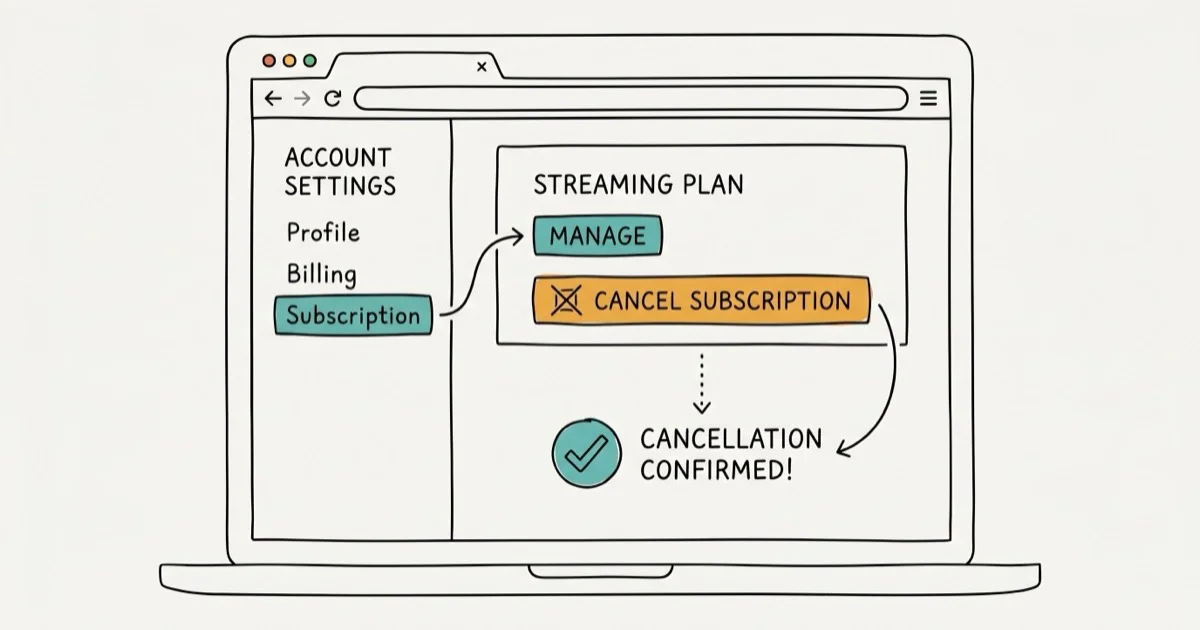
Quick AnswerTo cancel CBS All Access (now Paramount+), log into your account on the CBS website and go to My Account > Cancel My Subscription. For Apple device subscribers, cancel through Settings > Apple ID > Subscriptions. For Roku subscribers, cancel through the Roku Channel Store.
CBS All Access rebranded as Paramount+ in 2021, but the cancellation process still depends on where you originally subscribed: Paramount+, Apple, Roku, or another billing partner.
- CBS All Access is now Paramount+ but the cancellation steps remain identical
- You can cancel at any time with no early termination fee or penalty
- Service continues until the end of your current billing period after you cancel
- Apple device subscribers must cancel through iOS Settings, not the CBS website
- Roku subscribers cancel through the Roku Channel Store or Roku website
#CBS All Access Is Now Paramount+
CBS All Access officially became Paramount+ on March 4, 2021. According to Paramount+‘s official announcement, the rebrand brought together CBS, Paramount Network, Comedy Central, and MTV under one streaming service.
The pricing structure updated with the rebrand. The ad-supported plan costs $5.99 per month, while the ad-free Essential tier costs $9.99 per month. Both plans allow 2 simultaneous streams and work on iOS, Android, Roku, Apple TV, Chromecast, and Xbox One.
If your account still shows CBS All Access branding, the cancellation steps below still apply. The account management pages and subscription settings work the same way.
#How to Cancel CBS All Access Through the Website
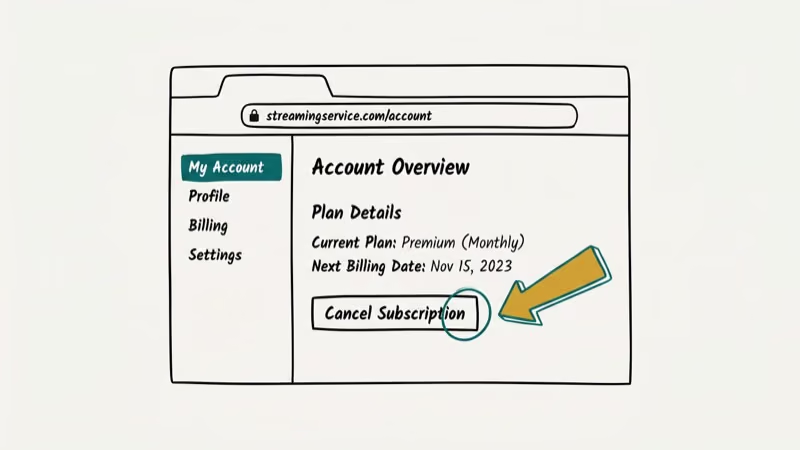
Canceling through the official CBS or Paramount+ website is the most straightforward method if you signed up directly with CBS (not through Apple, Roku, or another third party).
Steps to cancel through the website:
Go to the CBS All Access website and sign into your account. Click your profile icon and select My Account from the dropdown. Scroll to the Subscription section and click Cancel My Subscription. The site will ask you to confirm your reason for canceling, then process the cancellation.
After the website cancellation goes through, you’ll receive a confirmation email.
Your account stays active until the end of your current billing period. If you’ve paid for the month, you keep full access until that period expires. According to Paramount+‘s cancellation FAQ, no refunds are issued for unused days in a billing cycle.
#Can You Cancel CBS All Access on iPhone or iPad?
Yes, but only if you subscribed through the App Store. Apple handles billing separately from CBS, so App Store subscribers must cancel through iOS Settings rather than the CBS website.
How to cancel on iPhone or iPad:
Open the Settings app on your iPhone. Tap your Apple ID at the top of the screen, then select Subscriptions. Find CBS All Access or Paramount+ in the list and tap it. Tap Cancel Subscription and confirm.
If you don’t see the subscription under Apple’s active subscriptions list, it may have already expired or you may have subscribed through a different platform.
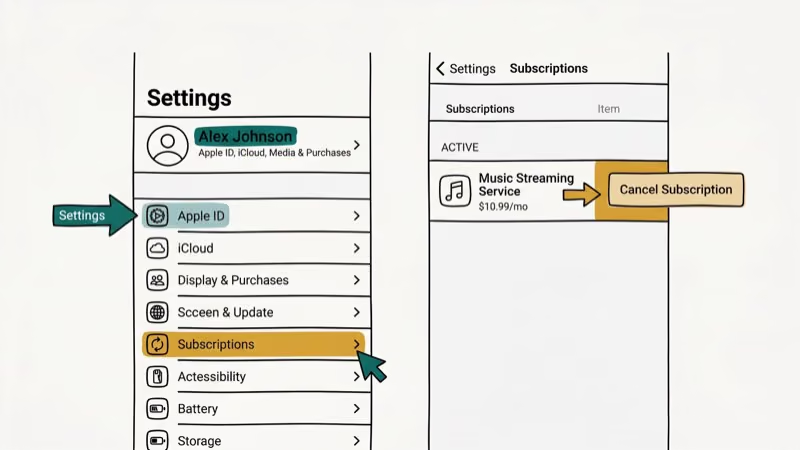
The same access rules apply: service continues until the end of your billing cycle. If you want to activate STARZ or set up a different streaming service, you can do that from the same Subscriptions screen.
#How to Cancel CBS All Access on Mac via the App Store
Mac users subscribed through iTunes (now the App Store on macOS) cancel through their Apple account settings.
Open the App Store on your Mac, then click your Apple ID at the bottom of the sidebar. Select View Information and scroll to the Subscriptions section. Click Manage next to Subscriptions, find CBS All Access or Paramount+, and select Cancel Subscription.
On older Macs running macOS Mojave or earlier with iTunes still installed, go to Account > View My Account, scroll to the Settings section, and click Manage next to Subscriptions.
#How to Cancel CBS All Access on Roku
Roku subscriptions are managed through the Roku platform, not the CBS website.
Steps to cancel on Roku:
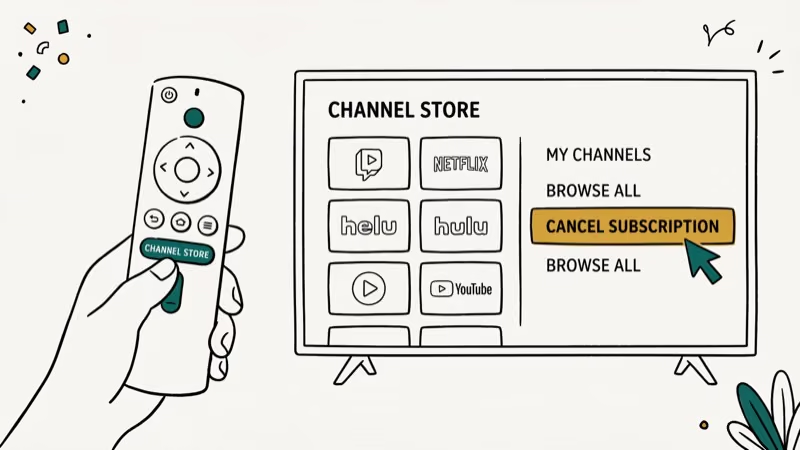
Go to the Home Screen on your Roku device. Using the remote, highlight the CBS All Access channel in your channel list. Press the Star (*) button on the remote to open the channel’s options menu. Select Manage Subscription, then choose Cancel Subscription and confirm.
Alternatively, you can cancel from any browser by going to my.roku.com, logging into your account, and managing your subscriptions from there. According to Roku’s subscription management page, changes take effect at the end of your current billing cycle.
If you’re experiencing issues with the CBS app that led you to cancel, check out CBS app not working for troubleshooting steps first.
PCMag’s review of Paramount+ found that the service offers over 40,000 episodes of TV content and earned a 4-star rating. Many users cancel and later resubscribe for specific shows or seasons, which is easy since CBS keeps your account active after cancellation. If you’re auditing multiple subscriptions, see how to cancel Adobe subscription without fee for another platform-specific process.
You may also want to clean up adjacent streaming and marketplace charges. Check out how to cancel your StubHub order for ticketing refunds, or read how do I cancel STARZ if your STARZ trial is rolling into a paid month.
#What Happens After You Cancel?
Three things happen when you cancel CBS All Access:
Access continues. You keep full access to all CBS All Access content until the end of your current billing period. There’s no immediate cutoff.
No automatic refund. CBS doesn’t refund unused days in your billing cycle. If you just renewed yesterday, you’ll have access for another 29 days but won’t get that money back.
Resubscribing is easy. Your account isn’t deleted when you cancel. You can resubscribe at any time by signing back in and choosing a new plan. Your viewing history and settings will still be there.
#Bottom Line
Canceling CBS All Access takes under 5 minutes on any platform. The key is matching your cancellation method to how you originally subscribed: website for direct CBS signups, iOS Settings for App Store subscribers, and Roku Channel Store for Roku subscribers. There’s no cancellation fee regardless of platform.
#Frequently Asked Questions
Is there a fee to cancel CBS All Access?
No. CBS All Access (Paramount+) doesn’t charge an early termination fee. You can cancel at any time, and your access continues until the end of your current billing period.
Can I get a refund if I cancel CBS All Access?
CBS All Access doesn’t typically offer refunds for unused portions of a billing cycle. You keep access until the period ends, but no money is returned for the remaining days.
Can I re-subscribe to CBS All Access after canceling?
Yes. Your account stays intact after cancellation. Sign back in at any time and choose a new plan to resume your subscription. Previous viewing history is preserved.
Will I lose access immediately if I cancel?
No. Service continues until the end of your current billing period. If you cancel on day 5 of a 30-day cycle, you’ll have access for the remaining 25 days.
Can I download shows before canceling my CBS All Access subscription?
CBS All Access allows downloads on supported mobile devices while your subscription is active. Downloaded content becomes inaccessible once your subscription ends, so watch downloaded shows before the billing period expires.
Why doesn’t the CBS website show my subscription?
If you subscribed through Apple, Roku, Amazon, or another partner, CBS doesn’t hold your billing information directly. Go to the platform where you originally subscribed to manage your account and cancel there.
What devices support CBS All Access cancellation through the website?
Any device with a browser can cancel through the CBS website, but only if you originally subscribed directly with CBS. If you signed up through an app store or platform, you must cancel through that same platform.

Google Messages Error 3100: Why RCS Is Broken on Galaxy
Google Messages RCS error 3100 hits Galaxy owners after phone or carrier switches. Google told 9to5Google a fix is coming. Here's what actually helps.

Is This Bank App Real? Spot a Fake App on Your Home Screen
A bank app can land on your home screen from a web page with no install warning. Learn the checks that tell a real banking app from a phishing web app.

Apps Crashing After iOS 27 Update? Fix Order (2026)
Apps crashing after the iOS 27 update? Update the app in the App Store first, then offload and reinstall to clear stale cache, then restart. The fix order.

Do AI Translation Earbuds Work Offline? What to Know
Do AI translation earbuds work offline? A few do with downloaded language packs, but most need the cloud. Here's what works offline and what you give up.