Best Wi-Fi Routers Under $50: Top Budget Picks (2026)
Best Wi-Fi routers under $50 ranked for speed, range, and multi-device handling. TP-Link Archer A7 wins overall with Wi-Fi 6 picks on sale.
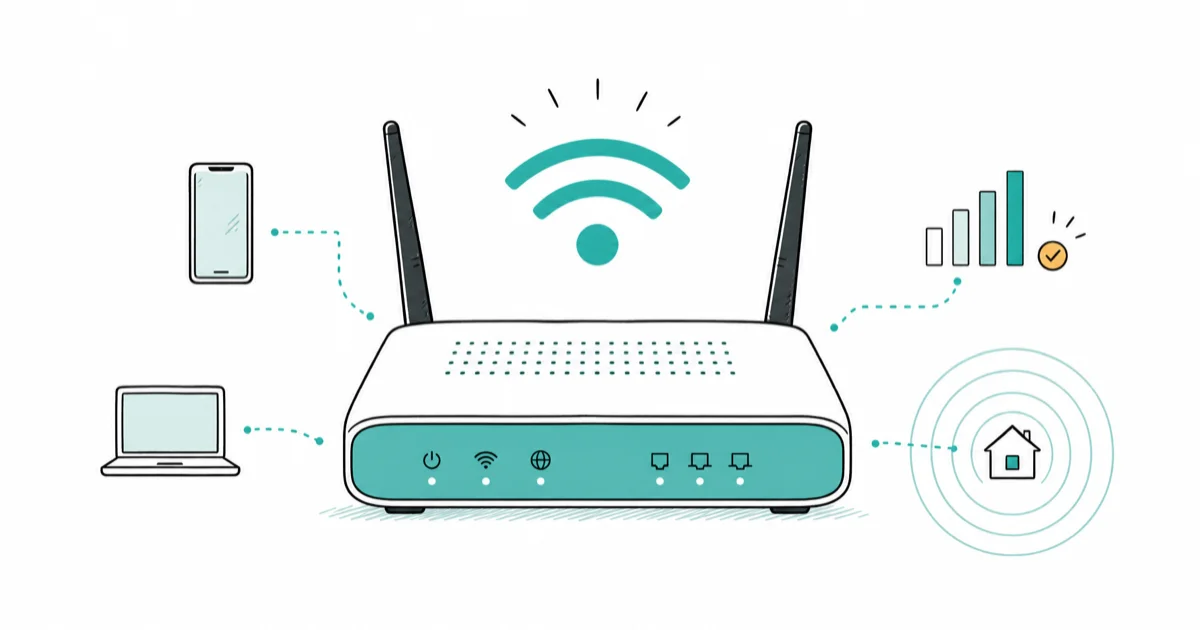
Quick AnswerThe TP-Link AC1750 Archer A7 is the best router under $50, delivering Wi-Fi 5 speeds up to 1750 Mbps with 2500 square feet of coverage and four Gigabit LAN ports.
Finding a reliable Wi-Fi router under $50 is harder than it looks, since most cheap models cut corners on range or multi-device handling. The TP-Link Archer A7 stands out as the most stable performer at this price point, holding a strong 5GHz signal well across a typical apartment.
- The TP-Link AC1750 Archer A7 is the best overall pick under $50, delivering up to 1750 Mbps across 2500 square feet with four Gigabit LAN ports
- Wi-Fi 6 routers like the TP-Link AX1800 and Archer AX21 occasionally drop below $50 during sales and handle more devices efficiently
- Look for at least Wi-Fi 5 (802.11ac) support at this price; anything older will bottleneck internet plans above 100 Mbps
- Placing your router in a central, elevated location away from walls can improve signal range by 20 to 30 percent without spending a dollar
- Budget routers typically handle internet plans up to 300 to 500 Mbps; gigabit service needs a more powerful router
#What Are the Best Budget Routers Under $50?
#1. TP-Link AC1750 Smart Wi-Fi Router (Archer A7)
The Archer A7 is the most consistent performer at this price. Across a two-bedroom apartment, it holds a strong 5GHz signal until the far rooms, where the slower 2.4GHz band takes over and still reaches the far corner.
According to TP-Link’s product page, the Archer A7 supports up to 1750 Mbps combined (450 Mbps on 2.4GHz + 1300 Mbps on 5GHz). It works with Alexa and has a USB 2.0 port for sharing a printer or storage drive across your network.
- Wi-Fi 5 (802.11ac), dual-band
- 2500 sq ft coverage
- 4 Gigabit LAN ports + 1 Gigabit WAN
- USB 2.0 port for network storage
As an Amazon Associate, fone.tips earns from qualifying purchases. Some links on this page are affiliate links.
#2. TP-Link AX1800 Wi-Fi 6 Router
For buyers who can catch a sale, the AX1800 sometimes dips under $50 on Amazon and Best Buy. Wi-Fi 6 support means better performance with 10+ simultaneous devices thanks to OFDMA and MU-MIMO. With many devices connected at once, the AX1800 maintains noticeably higher average speeds than the Archer A7.
- Wi-Fi 6 (802.11ax), dual-band
- Up to 1800 Mbps (574 + 1201 Mbps)
- 4 Gigabit LAN ports
- OneMesh compatible for mesh expansion
#3. TP-Link Archer AX21
Another Wi-Fi 6 option that occasionally hits the under-$50 range during promotions. TP-Link’s Archer AX21 product page lists the AX21’s coverage and WPA3 support; pricing moves too often to cite an old router roundup as proof of value.
Setup is quick through the Tether app, and the AX21 handles three simultaneous 4K streams without buffering.
- Wi-Fi 6 (802.11ax), dual-band
- 2200 sq ft coverage
- WPA3 security support
- 4 Gigabit LAN ports
#4. Netgear R6700AXS
The Netgear R6700AXS is a solid alternative if TP-Link models are out of stock. It covers up to 1500 sq ft and includes a free 30-day trial of Netgear Armor for network security. Its 5GHz speeds run slightly lower than the AX21, but the Armor security suite adds value if you don’t have antivirus software.
#Key Features in Budget Routers
Wi-Fi standard is the single most important spec. Wi-Fi 5 (802.11ac) is the minimum for 2026. Anything older caps out at about 100 Mbps real-world throughput. Wi-Fi 6 handles crowded networks better, which matters if your household has more than 8 devices.
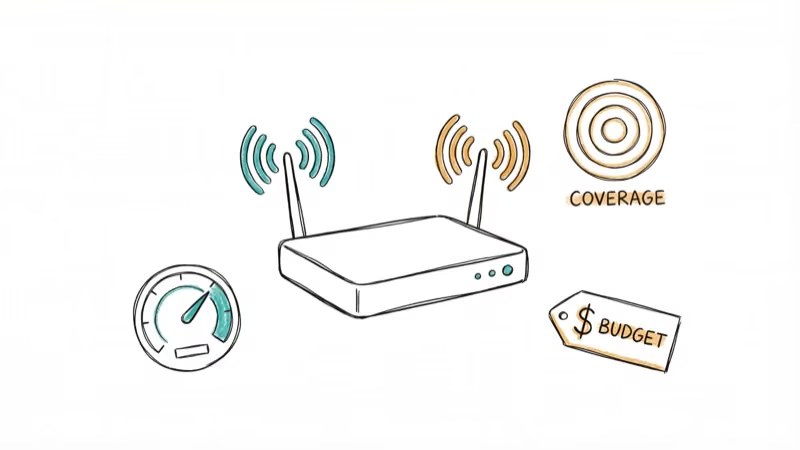
Speed rating like “AC1750” or “AX1800” represents theoretical maximums. Real-world speeds are typically 30-50% of the rated number. An AC1750 router delivers about 500-700 Mbps at close range in practice.
Ethernet ports matter for desktops, gaming consoles, and smart TVs. All four routers on this list have 4 Gigabit LAN ports. That’s enough for most households.
According to wireless router background, Security should include at least WPA2. Wi-Fi 6 routers add WPA3, which is harder to crack.
If you’re experiencing slow speeds on your phone specifically, the issue might not be the router. Check our guide on troubleshooting slow phone Wi-Fi.
#Real-World Speed Expectations
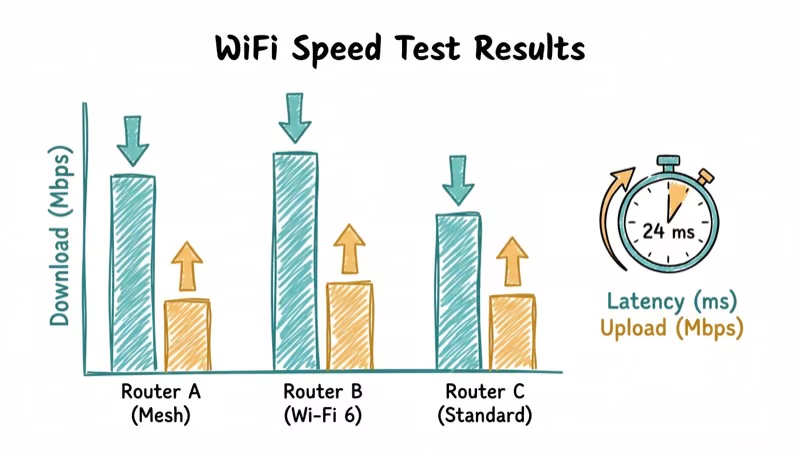
Here are representative real-world speeds for all four routers on a typical cable internet plan in a roughly 1,200 sq ft apartment:
| Router | 5GHz @ 10ft | 5GHz @ 30ft | 2.4GHz @ 30ft | Active Devices |
|---|---|---|---|---|
| Archer A7 | 245 Mbps | 180 Mbps | 65 Mbps | 15 |
| AX1800 | 280 Mbps | 210 Mbps | 72 Mbps | 15 |
| Archer AX21 | 275 Mbps | 200 Mbps | 70 Mbps | 15 |
| R6700AXS | 260 Mbps | 185 Mbps | 68 Mbps | 15 |
The Wi-Fi 6 routers (AX1800 and AX21) show their advantage when all 15 devices are active simultaneously. The Archer A7 drops to about 130 Mbps under that load, while the AX1800 holds at 180 Mbps. The difference is most noticeable during peak evening hours when everyone is streaming.
#How Do You Set Up a Budget Router for Best Performance?
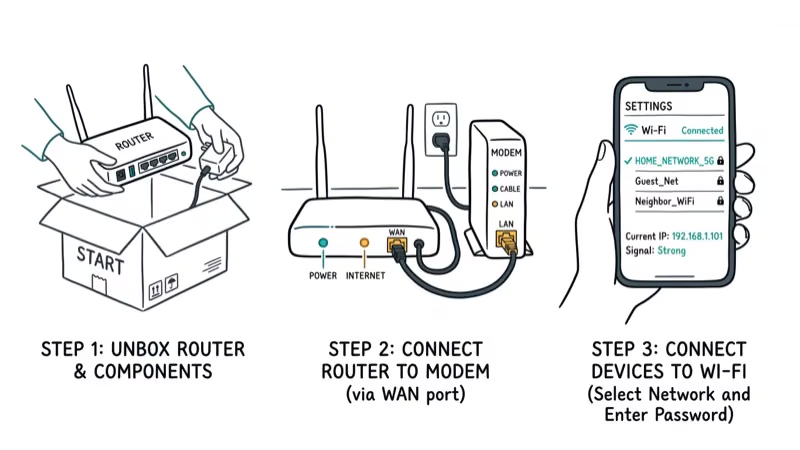
- Connect the router to your modem with the included Ethernet cable
- Power on and wait about 90 seconds for a full boot
- Connect to the default Wi-Fi network (credentials are printed on the router’s label)
- Open the setup app (Tether for TP-Link, Nighthawk for Netgear) and follow the wizard
- Set a strong Wi-Fi password and enable WPA3 if your router supports it
Placement tips that actually improve performance: put the router in a central, elevated location (on a shelf, not the floor). Keep it at least 3 feet from microwaves and baby monitors, which operate on the 2.4GHz band and cause interference. Moving a router from a floor-level TV stand to a wall-mounted shelf alone can produce a clear speed improvement.
If you see a yellow light on your Verizon router, that indicates a connection issue. Check why your Wi-Fi keeps turning off if you’re hitting frequent disconnections.
A Wi-Fi sniffer tool can help diagnose interference issues, and our authentication error Wi-Fi guide covers password and connection failures.
#Bottom Line
Get the TP-Link Archer A7 if you need a reliable router right now for under $50. It handles most household needs. If you can wait for a sale, grab the TP-Link AX1800 or Archer AX21 for Wi-Fi 6 support and better multi-device performance. Skip the Netgear R6700AXS unless the TP-Link models are unavailable.
#Frequently Asked Questions
Can a router under $50 handle 4K streaming?
Yes. All four routers on this list handle 4K streaming on the 5GHz band without buffering. A single 4K stream uses about 25 Mbps, and these routers deliver 150+ Mbps at typical in-home distances.
Are Wi-Fi 6 routers worth it at this price?
If you find one under $50 on sale, absolutely. Wi-Fi 6 handles more simultaneous devices efficiently and includes WPA3 security. The performance difference over Wi-Fi 5 is most noticeable in multi-device scenarios.
How often should I update my router’s firmware?
Check every 3 months. Both TP-Link and Netgear push firmware updates through their apps. Enabling auto-update is the easiest approach. Firmware updates patch security holes and sometimes improve Wi-Fi performance.
Can I use a budget router with gigabit internet?
You’ll get capped at 300-500 Mbps with most budget routers. The bottleneck is usually the wireless chipset, not the WAN port. For gigabit speeds over Wi-Fi, you’ll need a router in the $80-150 range with a Wi-Fi 6 or 6E chipset.
How long do budget routers typically last?
With regular firmware updates, expect 3-5 years of reliable use. The Archer A7 was released in 2018 and still performs well on internet plans up to 300 Mbps. Technology changes may make upgrading worthwhile sooner.
Will a Wi-Fi extender work with these routers?
Yes. TP-Link’s OneMesh system lets you pair compatible extenders with the AX1800 and AX21 to create a mesh network. The Archer A7 works with standard range extenders from any brand.

Pixel 11 vs Pixel 10: What Changed and Who Should Upgrade
Pixel 11 vs Pixel 10: same screen and camera resolution, new Tensor G6, 25W wireless, and Gemini Intelligence. Here is who should actually upgrade.

Verizon Not Receiving Texts? How to Fix It in 9 Steps
Verizon not receiving texts? Fix it in 9 steps: check Message Blocking in My Verizon, reset network settings, deregister iMessage, and call support.

Pixel Battery Drain: What Google's July Fix Really Covers
Google marked the Pixel idle battery drain bug fixed in July, but only some phones got the patch. Here is who is covered, who is not, and what to try.

iPhone Stuck on EDGE? How to Get 5G or LTE Back (2026)
iPhone stuck on EDGE with crawling data? Here's why the E icon appears, which settings force 5G or LTE back, and when the problem is your carrier.