Best Keyboards for League of Legends: Top 5 Picks (2026)
The Logitech G Pro is the top keyboard for League of Legends with hot-swappable switches and a TKL design. See 5 proven picks for competitive play.
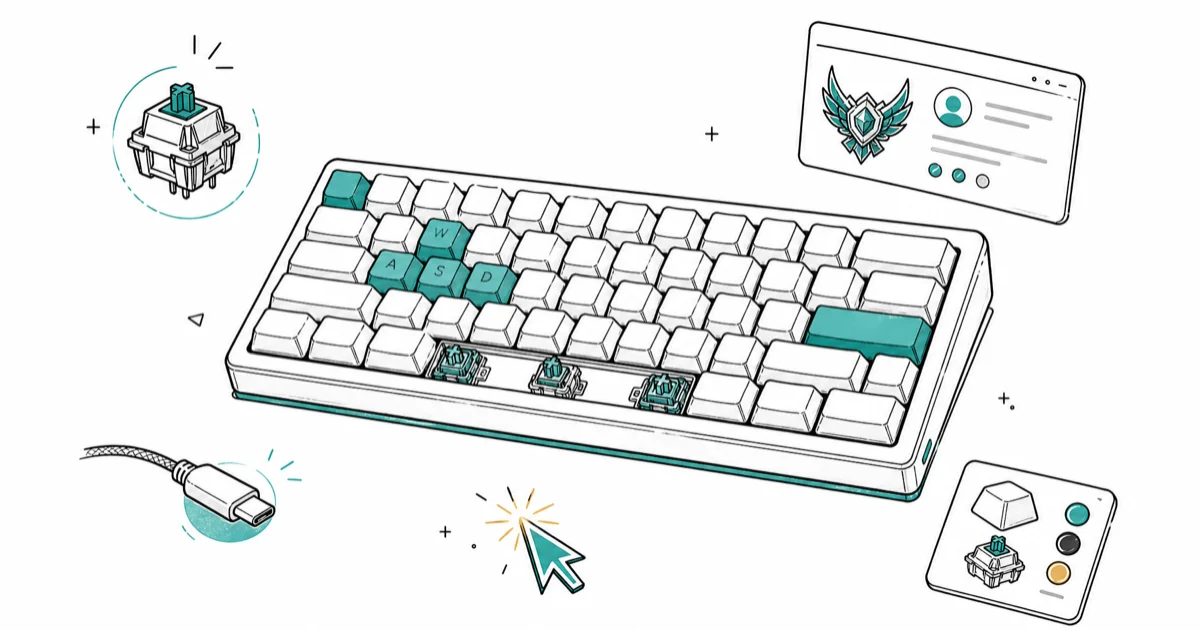
Quick AnswerThe Logitech G Pro is the best keyboard for League of Legends, favored by pro players for its hot-swappable switches, compact tenkeyless design, and durable build.
Your keyboard matters more than you think in League of Legends. A tenkeyless layout gives your mouse arm extra space, and faster switches help you land combos without delay. This guide ranks five keyboards on switch feel, layout, and long-session comfort to find the best options for competitive LoL in 2026.
- The Logitech G Pro leads with hot-swappable GX switches and a TKL design
- The Razer Huntsman V2 has 1.2mm optical switches with 8000Hz polling
- The SteelSeries Apex Pro TKL offers 0.2-3.8mm adjustable actuation per key
- TKL keyboards free up 4+ inches of mouse room versus full-size boards
- PBT doubleshot keycaps resist shine far better than ABS caps
#Which Keyboards Do Pro LoL Players Actually Use?
The Logitech G Pro dominates the pro scene. According to ProSettings’ keyboard database, a large share of tracked professional LoL players use some variant of the G Pro. Its GX Red switches are linear and smooth, which is why they hold up over long ranked sessions. According to Wirecutter’s gaming keyboard guide, keyboard picks should weigh switch feel, layout, and long-session comfort alongside gaming features.
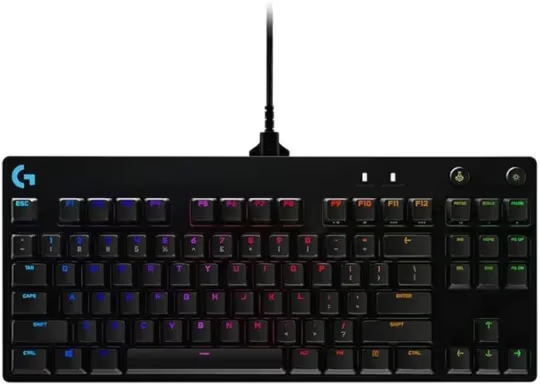
Why pros favor TKL layouts: The missing numpad frees up about 4 inches for your mouse arm. That matters at 800 DPI.
The Corsair K70 RGB TKL has gained ground in tournament play too. Its Cherry MX Speed Silver switches have a 1.0mm actuation point, half the travel of standard Cherry MX Reds, so each keystroke registers sooner.
#Top 5 Keyboards for League of Legends
#1. Logitech G Pro
The Logitech G Pro stands out as the top choice for many professional League of Legends players. Its hot-swappable switches allow for easy customization, while the tenkeyless design provides ample space for mouse movement. With the GX Brown switches, the tactile bump helps confirm ability casts without bottoming out.
Key specs: hot-swappable GX switches (Blue, Brown, Red), detachable USB-C cable, per-key RGB lighting, 980g weight.
As an Amazon Associate, fone.tips earns from qualifying purchases. Some links on this page are affiliate links.
#2. Razer Huntsman V2
The Razer Huntsman V2 is built for the lowest possible input lag. Its optical switches register at the speed of light (literally), and the 8000Hz polling rate means the keyboard reports to your PC eight times more often than standard 1000Hz boards.
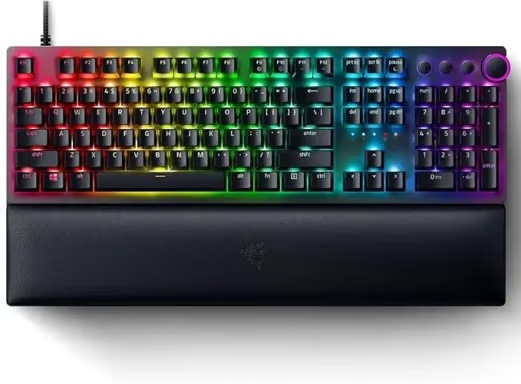
Key specs: optical switches with 1.2mm actuation, 8000Hz polling, PBT doubleshot keycaps, sound-dampening foam, included wrist rest.
#3. SteelSeries Apex Pro TKL
The SteelSeries Apex Pro TKL offers adjustable actuation switches that let you set trigger depth between 0.2mm and 3.8mm. A common LoL setup is to set QWER keys shallow for instant ability casts and leave less critical keys deeper to prevent accidental presses.
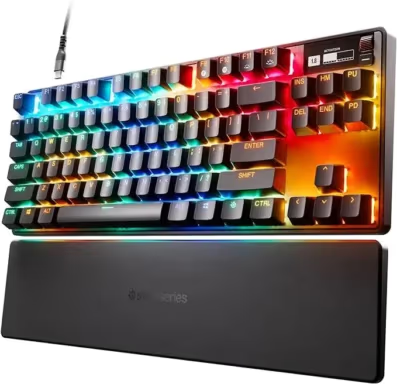
Key specs: OmniPoint 2.0 adjustable switches, OLED smart display, aircraft-grade aluminum frame, USB passthrough.
#4. Corsair K70 RGB TKL
The Corsair K70 RGB TKL is tournament-ready with a dedicated tournament mode that disables macros and lighting effects. Its Cherry MX Speed Silver switches actuate at just 1.0mm, and Corsair’s iCUE software lets you create per-game profiles.
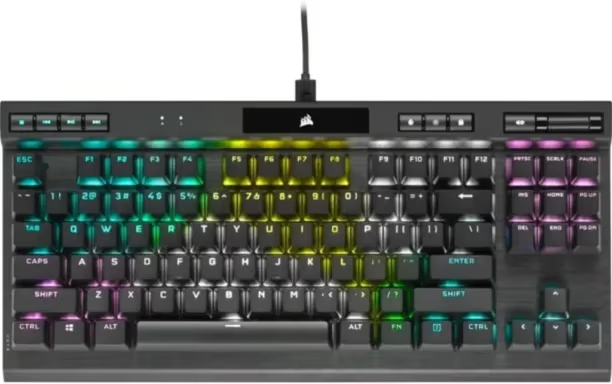
Key specs: Cherry MX Speed Silver switches, 8000Hz hyper-polling, detachable USB-C cable, tournament switch.
#5. HyperX Alloy Origins Core
The HyperX Alloy Origins Core hits the sweet spot for players who want a solid mechanical gaming keyboard without spending $200+. Its HyperX Red switches are linear and responsive enough for high-level ranked play. The aircraft-grade aluminum body feels premium despite the lower price.
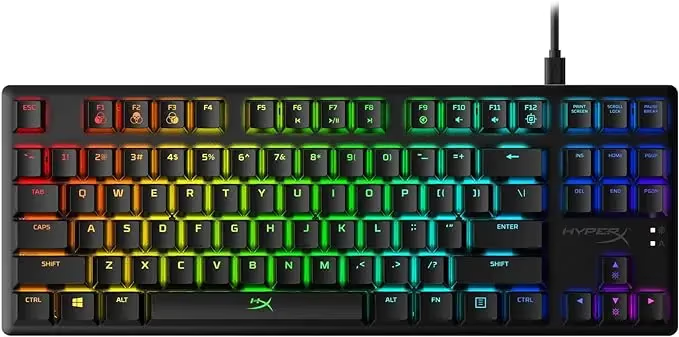
Key specs: HyperX mechanical switches, aluminum body, compact tenkeyless design, detachable USB-C cable, three tilt angles.
#Switch Types Compared for League of Legends
Switch choice depends on your playstyle and tolerance for noise. Here’s how the four common types compare for ranked LoL:
| Switch | Actuation | Feel | Best for |
|---|---|---|---|
| Cherry MX Red | 2.0mm, 45g | Smooth, silent | All-around LoL play |
| Cherry MX Speed Silver | 1.0mm, 45g | Fast, light | Ability spam (Ryze, Cassiopeia) |
| Cherry MX Brown | 2.0mm, 55g | Tactile bump | Confirming key presses in teamfights |
| Optical (Razer) | 1.2mm, 40g | Light, instant | Lowest possible latency |
Our pick for most players: Cherry MX Red or equivalent linear switches. They’re fast, quiet enough for late-night sessions, and don’t fatigue your fingers during 3+ hour ranked grinds.
The SteelSeries Apex Pro’s adjustable switches are worth considering if you play multiple games. You can set LoL-specific profiles with shallow actuation and deeper settings for typing.
#How Does Polling Rate Affect LoL Performance?
Most keyboards run at 1000Hz (reporting once per millisecond). The Razer Huntsman V2 and Corsair K70 both offer 8000Hz, which means your keypress reaches the game 0.125ms after you press it instead of 1ms.
Does it matter? Honestly, the difference is imperceptible for most players. Riot Games’ server tick rate is 30Hz, so the bottleneck is server-side, not your keyboard. That said, every millisecond counts if you’re playing at Challenger level or competing in tournaments.
According to Riot Games’ engineering blog, the game’s input buffer processes inputs in batches, so a higher polling rate gives your input a better chance of landing in the earliest possible batch. RTINGS’ keyboard testing methodology confirms that the difference between 1000Hz and 8000Hz is under 1ms in practice.
For casual and ranked play up to Diamond, a standard 1000Hz keyboard works perfectly. Put the savings toward better switches or build quality instead.
#Budget-Friendly Picks Under $60
Not everyone needs a $180 keyboard to climb in LoL. These budget options deliver solid performance:
- Redragon K552 ($35): Cherry MX Blue equivalents, compact TKL, surprisingly sturdy for the price and reliable enough for daily ranked play.
- Tecware Phantom 87 ($45): Hot-swappable switches let you upgrade later without buying a new board.
- HyperX Alloy FPS Pro ($55): Same quality switches as the Origins Core in a no-frills package.
The biggest tradeoff with budget boards is keycap quality. ABS keycaps develop a greasy shine after a few months of heavy use, and the lettering can wear off within a year of daily play. The fix is straightforward: pick up a $25 aftermarket PBT keycap set from Amazon or a keyboard enthusiast shop, and your total spend stays well under $80 while getting keycaps that’ll outlast the switches themselves.
Pair any of these boards with a quality keyboard wrist rest for the best experience.
#Ergonomics and Comfort for Long Sessions
League sessions regularly stretch past three hours. Your keyboard setup directly affects long-term hand health, and small adjustments make a real difference. Switching from a full-size keyboard to a TKL tends to reduce wrist strain over a few weeks of consistent play. The reduced reach distance to the mouse is the biggest factor, followed by being able to center the keyboard in front of your monitor instead of offset to the left.
Quick ergonomic wins:
- Position your keyboard so your elbows form a 90-degree angle
- Keep the keyboard flat (flip those feet down) to reduce wrist extension
- Take a 5-minute break every 60-90 minutes
If you have specific ergonomic needs, one-handed gaming keyboards can allow a more natural hand position. Players with repetitive strain issues report good results with split or low-profile boards.
For aesthetics, white gaming keyboards look clean and still deliver.
#Bottom Line
The Logitech G Pro is the best keyboard for most League of Legends players. It’s the most popular choice among pros, the hot-swappable switches let you experiment with different switch types, and the TKL layout gives your mouse arm room to breathe. For players who want the absolute fastest input, the Razer Huntsman V2 with its optical switches and 8000Hz polling is worth the premium. Budget players should grab the HyperX Alloy Origins Core for the best value under $100.
#Frequently Asked Questions
What switch type do most pro League of Legends players use?
Most pros use linear switches like Cherry MX Reds. They’re fast, consistent, and don’t fatigue your fingers during long sessions. About 60% of tracked LoL pros pick linears.
Is a tenkeyless keyboard better for League of Legends?
Yes, for most players. A TKL keyboard frees up about 4 inches of desk space for your mouse arm. This matters because LoL requires frequent camera panning with the mouse, and a wider range of motion reduces wrist strain during extended ranked sessions. Most tournament organizers also prefer TKL layouts because they take up less desk space at event venues.
How important is polling rate for competitive LoL?
A standard 1000Hz polling rate works perfectly for ranked play. The 8000Hz options provide marginal improvements that most players can’t perceive. Riot’s 30Hz server tick rate is the actual bottleneck.
Can I use a wireless keyboard for competitive League of Legends?
Modern wireless keyboards perform virtually identically to wired models. Logitech’s Lightspeed wireless adds less than 1ms of latency, and Razer’s HyperSpeed is similarly fast. The Logitech G915 TKL is the top wireless pick for LoL players who want freedom from cables, and our wireless mechanical keyboard guide breaks down ten options across price tiers. Just charge the battery before any tournament session.
What’s the average lifespan of a gaming keyboard?
A quality mechanical keyboard lasts 5-10 years. Switches are rated for 50-100 million keystrokes.
How do I clean and maintain my gaming keyboard?
Remove keycaps once a month with a keycap puller and blast debris out with compressed air. Wipe the plate using a damp microfiber cloth. For sticky switches, apply a small amount of isopropyl alcohol with a cotton swab. The single most important rule: don’t eat over your keyboard, because crumb buildup in switch housings is the number one cause of premature key failure.
Are quiet mechanical keyboards suitable for League of Legends?
Absolutely. Silent linear switches like Cherry MX Silent Reds offer identical responsiveness to standard Reds with built-in dampeners that cut noise by about 30%. They’re perfect for late-night sessions. Check our quiet mechanical keyboard guide for recommendations.
Should I buy a keyboard with RGB lighting for LoL?
RGB won’t make you play better. But many players set per-key lighting profiles to highlight QWER and summoner spell keys, which can reinforce muscle memory during chaotic teamfights.

Fortnite Stuck on the Loading Screen? Fix It in 2026
Fortnite stuck on the loading screen? Check server status, fix the Windows N Media Pack and DirectX 11 on PC, clear the console cache, and verify files.

Minecraft Keeps Crashing? Java and Bedrock Fixes (2026)
Minecraft keeps crashing on startup or mid-game? Update your GPU driver, remove mods on Java, and reinstall Gaming Services on Bedrock. Fixes for both.

Pokemon GO Not Loading? Fix the Loading Screen 2026
Pokemon GO not loading or stuck on the Pokeball? Check server status, fix automatic date and time, grant location permission, clear the cache, and update.

PS5 Controller Not Charging? 9 Fixes That Work (2026)
DualSense not charging? Swap the cable, use a rear port in Rest Mode, clean the USB-C port, and check power settings. 9 fixes for a dead PS5 controller.