Best Wireless Mechanical Keyboards: 10 Picks Proven (2026)
A ranking of 10 wireless mechanical keyboards for gaming and typing. Covers budget to premium picks with switch types, battery life, and connectivity.
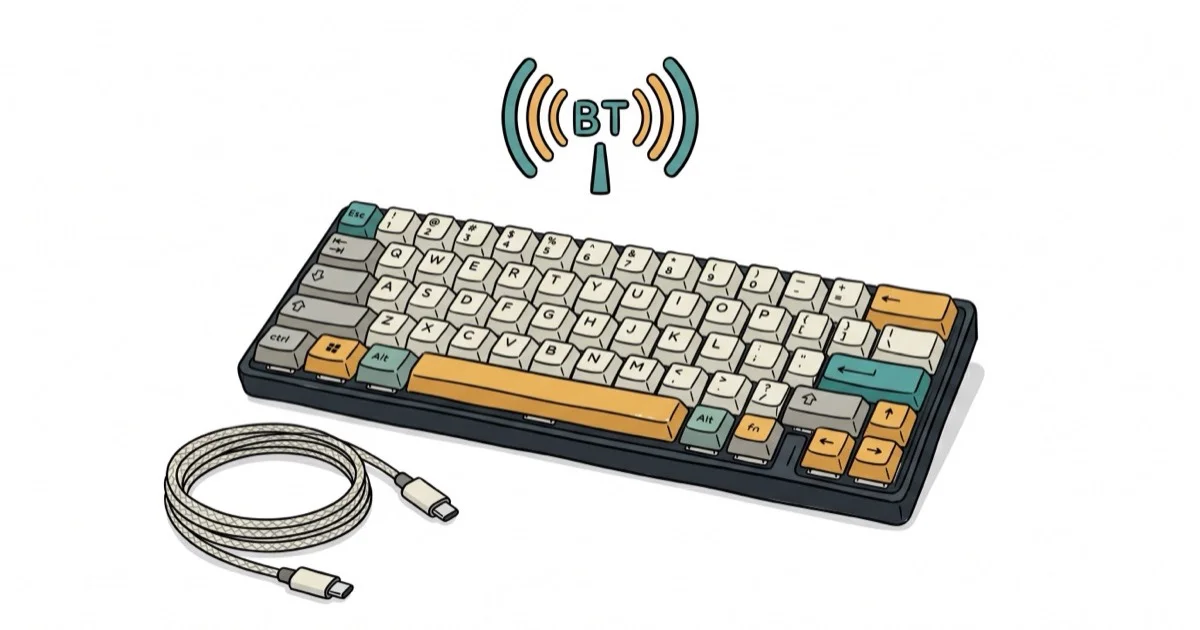
Quick AnswerThe ASUS ROG Strix Scope II 96 Wireless is the best overall wireless mechanical keyboard in 2026, combining ROG NX switches, an aluminum top plate, and tri-mode connectivity with a compact 96% layout.
Wireless mechanical keyboards have eliminated the latency gap that kept serious gamers on wired connections. This ranking covers 10 models across gaming, typing, and mixed-use scenarios to find the ones worth buying in 2026.
- The ASUS ROG Strix Scope II 96 Wireless tops our list with ROG NX switches and aluminum build
- Budget options like the Keychron K2 deliver 240 hours of battery life for under $90
- Modern 2.4 GHz wireless adds under 1ms latency compared to wired connections
- Hot-swappable switches let you change the feel without desoldering
- Low-profile models like the Logitech G915 are 40% thinner than standard designs
#The Best Wireless Mechanical Keyboards: Our Top Picks and Where to Buy
Here is the short version on each pick and where to buy it before the full breakdown below.
#ASUS ROG Strix Scope II 96 Wireless
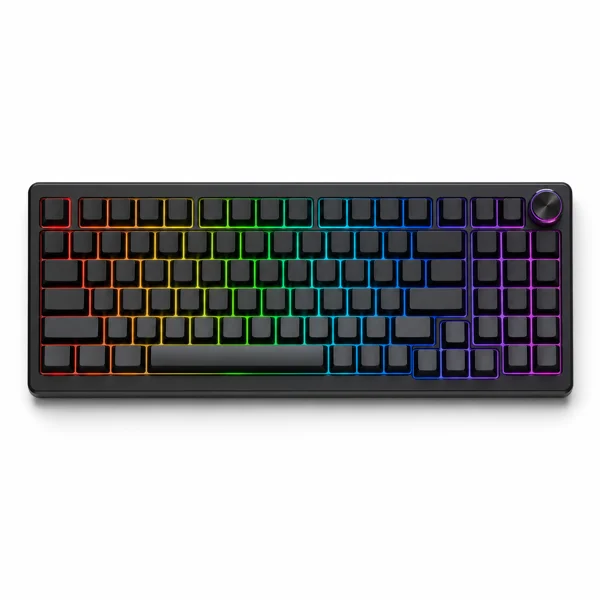
- Hot-swap switches tune feel without solder
- Aluminum plate kills keystroke wobble and echo
- 96% layout keeps a numpad on a compact board
Last updated on Jun 30, 2026
As an Amazon Associate fone.tips earns from qualifying purchases. Prices and availability on Amazon are accurate as of the date above and subject to change.
#Keychron K2 (Version 2)
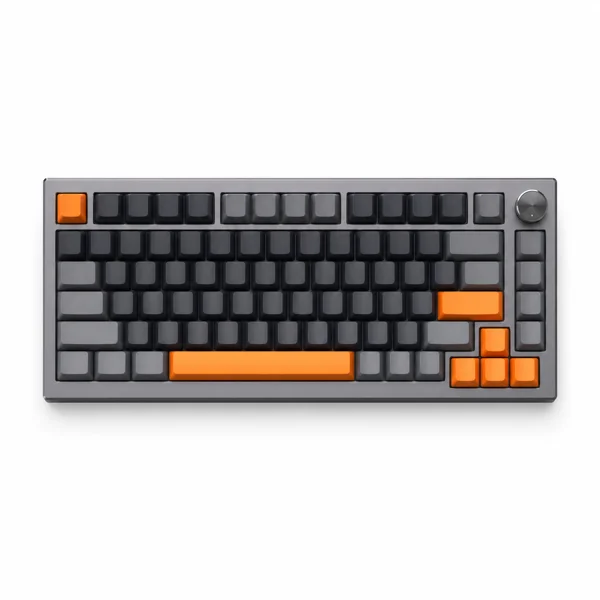
- 240-hour battery on a charge with backlight off
- Pairs with up to 3 devices over Bluetooth
- Mac and Windows keycaps in the box
Last updated on Jun 30, 2026
As an Amazon Associate fone.tips earns from qualifying purchases. Prices and availability on Amazon are accurate as of the date above and subject to change.
#Logitech G915 Lightspeed
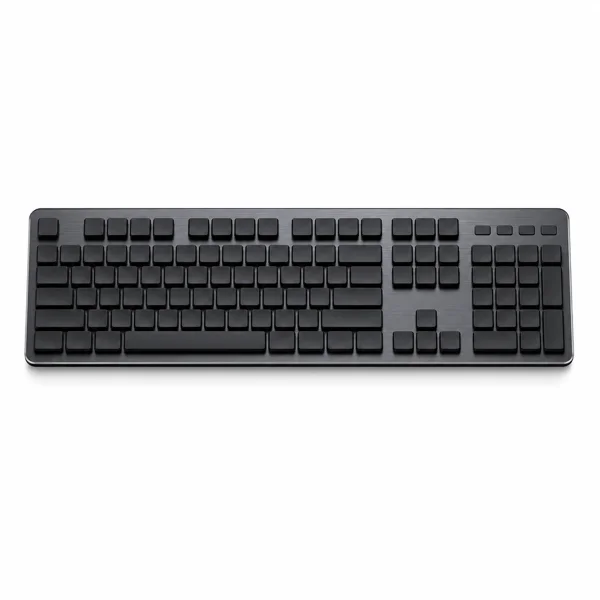
- 22mm low-profile body feels like a laptop board
- Lightspeed wireless matches wired 1ms response
- Aircraft-grade aluminum deck with no flex
Last updated on Jun 30, 2026
As an Amazon Associate fone.tips earns from qualifying purchases. Prices and availability on Amazon are accurate as of the date above and subject to change.
#SteelSeries Apex Pro TKL Wireless
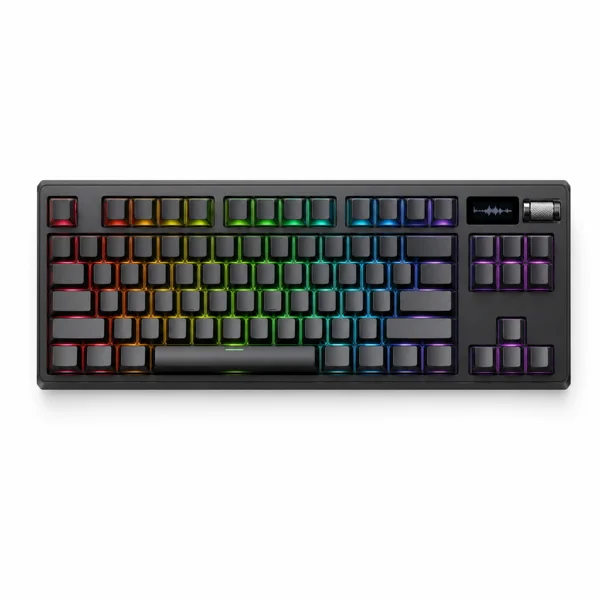
- Per-key actuation tuning from 0.1mm to 4mm
- Magnetic switches enable rapid-trigger inputs
- OLED screen shows settings without software
Last updated on Jun 30, 2026
As an Amazon Associate fone.tips earns from qualifying purchases. Prices and availability on Amazon are accurate as of the date above and subject to change.
#What Makes a Great Wireless Mechanical Keyboard?
A great wireless mechanical keyboard balances switch feel, build quality, wireless stability, battery life, and value across both all-day typing and gaming use.
According to Tom’s Guide’s mechanical keyboard rankings, wireless models have closed the performance gap to within 1ms of wired keyboards for gaming. The days of needing a cable for competitive play are over.
For reference, we also maintain a guide on silent gaming keyboards if noise is your primary concern.
#Best Overall: ASUS ROG Strix Scope II 96
ASUS earned our top spot with the Scope II 96. ROG NX mechanical switches feel crisp with a tactile bump, the aluminum top plate adds weight and stability, and the sound dampening keeps keystrokes from echoing.
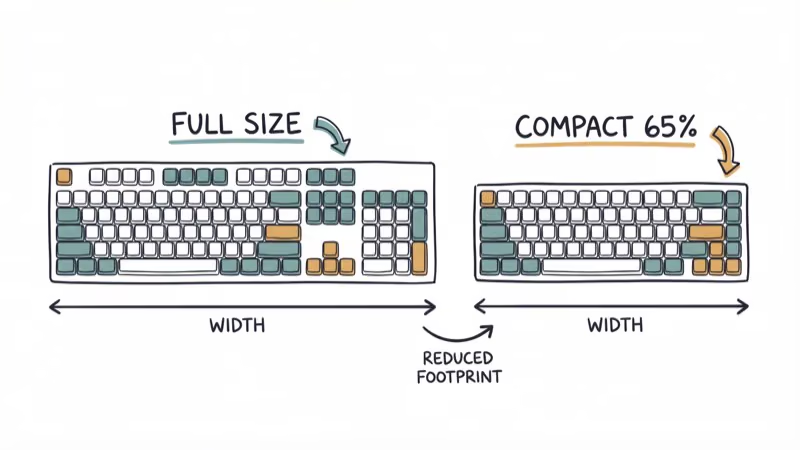
The 96% layout keeps the numpad while trimming the navigation cluster, which frees up mouse space without sacrificing productivity keys. Tri-mode connectivity (2.4 GHz, Bluetooth, and USB-C) covers every use case.
In fast titles like Valorant and CS2, the 2.4 GHz mode shows no perceptible input lag compared to a wired connection. Battery lasts about 200 hours without RGB.
#Best Budget: Keychron K2 (Version 2)
The K2 V2 is the entry point we recommend for anyone buying their first wireless mechanical keyboard. At roughly $80-$90, it offers hot-swappable switches, Bluetooth for up to 3 devices, and Mac/Windows dual compatibility.
Battery life is the standout. It runs for hundreds of hours without backlighting and noticeably less with white LEDs on. That’s weeks of daily use between charges for most people.
The compact 75% layout fits on small desks. The optional aluminum frame adds $10 but improves the feel significantly. PCMag’s Keychron K2 review recommends it as one of the best values in wireless mechanical keyboards under $100. This board shows you don’t need to spend $200 for a great wireless mechanical experience.
#Premium Picks for Enthusiasts
#Logitech G915 Lightspeed
The G915 is a low-profile wireless mechanical keyboard with GL switches that sit 40% shorter than standard Cherry MX. If you type on a laptop all day and want the same low-profile feel on a desktop keyboard, this is the one.
Logitech rates Lightspeed wireless for 1ms response times. According to a wireless-keyboard primer, dedicated 2.4 GHz radio links reach lower latency than Bluetooth by using a dongle on a fixed channel. The aircraft-grade aluminum body feels expensive because it’s premium: the G915 runs $200-$250 depending on the switch variant.
The 30-hour battery with RGB on means weekly charging for heavy users. Dedicated media controls and customizable G-keys round out the feature set.
#ASUS ROG Azoth
The Azoth targets keyboard enthusiasts who care about acoustics. Its gasket-mount design isolates the switch plate from the case, producing a deeper, thockier sound profile than standard tray-mount keyboards. Three-layer dampening reduces hollow resonance.
A built-in OLED display shows system stats, custom animations, and typing speed. Hot-swappable ROG NX switches and premium PBT double-shot keycaps complete the package. At $250+, it’s the most expensive keyboard on this list, but the typing experience justifies the price for daily 8-hour users.
#Corsair K100 Air Wireless RGB
The K100 Air is one of the thinnest wireless mechanical keyboards available at just 11mm. Cherry MX Ultra Low Profile switches provide a typing feel closer to a laptop than a traditional mechanical board.
Hyper-polling technology drops the poll rate to 0.25ms, faster than most wireless keyboards. The aircraft-grade aluminum frame weighs only 580 grams. Battery runs 200+ hours without lighting.
#Best for Competitive Gaming
#SteelSeries Apex Pro TKL Wireless
The Apex Pro TKL’s OmniPoint 2.0 switches let you adjust the actuation distance from 0.2mm to 3.8mm per key. Set WASD keys to 0.2mm for instant response and other keys to 2mm for comfortable typing. No other keyboard offers this level of per-key customization.
Dual actuation triggers two actions from a single keypress. Press halfway for one command, press fully for another. In a game like Fortnite, this feature cuts the number of keys needed for complex build sequences.
For a matching setup, a keyboard wrist rest reduces strain during long gaming sessions. If you also need a gaming mouse to pair with it, our top picks cover competitive options.
#Corsair K63 Wireless
Budget gaming pick at around $80. Cherry MX Red switches, tenkeyless layout, 75-hour battery, and dedicated media controls. The K63 won’t match the Apex Pro’s customization, but it delivers reliable wireless gaming performance at half the price.
The blue LED backlighting is single-color only (no RGB), which some gamers prefer for its cleaner look.

#Portable Wireless Mechanical Keyboards
#Keychron K3
The K3 is an ultra-slim 75% keyboard with low-profile Gateron switches. At 17mm thick, it slides into a laptop bag without adding bulk. Hot-swappable switches let you experiment with different feels.
Multi-device Bluetooth connects to your phone, tablet, and PC simultaneously. The compact size plus wireless freedom make it a strong pick for coffee-shop work and travel.
#ASUS ROG Falchion NX
The Falchion NX fits a 65% layout with a 450-hour battery into a case that comes with its own protective cover. The unique touch panel on the side replaces dedicated media keys with swipe and tap controls.
For someone who alternates between a desk and a membrane keyboard on the go, the Falchion NX bridges the quality gap.
#Which Switch Type Should You Pick?
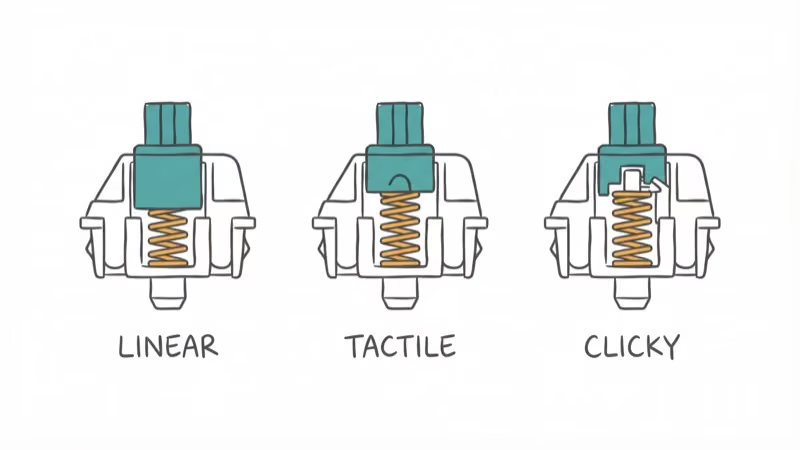
Switches determine how your keyboard feels and sounds. Here’s the breakdown:
| Switch type | Feel | Sound | Best for |
|---|---|---|---|
| Linear (Red) | Smooth, no bump | Quiet | Gaming |
| Tactile (Brown) | Bump at actuation | Moderate | Typing + gaming |
| Clicky (Blue) | Bump + audible click | Loud | Typing only |
| Low-profile | Shallow travel | Quiet | Laptop feel |
For people who both game and type, tactile switches tend to work best. The bump tells your fingers when the key registered without bottoming out, which reduces finger fatigue over 8+ hours. If you share an office or stream with an open mic, linear switches are the quieter choice.
#Bottom Line
The ASUS ROG Strix Scope II 96 gives you the best balance of gaming performance, build quality, and features. The Keychron K2 V2 delivers 90% of that experience at half the price. For low-profile fans, the Logitech G915 Lightspeed remains the benchmark.
Pick your switch type first (linear for gaming, tactile for mixed use), then choose based on size and budget. A desk with LED lights completes the setup if you want RGB to match your keyboard.
#Frequently Asked Questions
Are wireless mechanical keyboards good for gaming?
Yes. Modern 2.4 GHz wireless connections add under 1ms of latency compared to wired. Flagship boards like the SteelSeries Apex Pro TKL and ASUS ROG Strix Scope II 96 perform on par with their wired counterparts in fast titles like Valorant and CS2.
How long do wireless mechanical keyboard batteries last?
The Keychron K2 lasts 240+ hours without backlighting, while the ASUS ROG Falchion NX hits 450 hours. With RGB active, expect 30-100 hours depending on brightness. Most charge via USB-C in 3-4 hours.
Can I use a wireless mechanical keyboard with multiple devices?
Yes. Bluetooth models like the Keychron K2 and K3 connect to up to 3 devices simultaneously. Switch between them with a keyboard shortcut. 2.4 GHz connections are typically dedicated to one device.
What’s the difference between mechanical and membrane keyboards?
Mechanical keyboards use individual spring-loaded switches under each key, providing a distinct tactile feel, faster response, and longer lifespan (50-100 million keystrokes). Membrane keyboards use a rubber dome that’s quieter and cheaper but feels mushier and wears out faster.
Are wireless mechanical keyboards more expensive than wired?
By about $20-$50 for equivalent models. The wireless radio, battery, and charging circuit add cost. Budget wireless options like the Keychron K2 at $80-$90 still beat many wired keyboards in overall value.
Do hot-swappable switches matter?
They let you change switch types without soldering. If you start with linear switches and decide you want tactile, you pull out the old switches and press in new ones. It takes about 30 minutes for a full board swap. This feature adds roughly $10-$20 to the price but saves you from buying an entirely new keyboard.
Which wireless mechanical keyboard is best for office use?
The Keychron K2 with brown (tactile) switches. Quiet enough for shared offices, comfortable for all-day typing, and the Bluetooth multi-device support lets you switch between work laptop and personal PC instantly.
How do I maintain a wireless mechanical keyboard?
Remove keycaps monthly and blow out dust with compressed air. Wipe the plate with a dry microfiber cloth. For sticky switches, use a keycap puller and clean with isopropyl alcohol on a cotton swab. Charge the battery before it hits 0% to preserve long-term battery health.

Best Laptop for Running LLMs in 2026: Memory Comes First
The best laptop for running LLMs is a memory purchase first. Compare MacBook unified memory against NVIDIA laptop VRAM, and see what each tier really runs.

Pixel 11 vs Pixel 10: What Changed and Who Should Upgrade
Pixel 11 vs Pixel 10: same screen and camera resolution, new Tensor G6, 25W wireless, and Gemini Intelligence. Here is who should actually upgrade.

Best Power Bank for iPad in 2026: Pro, Air, and Mini
Best power bank for iPad in 2026. Compare mAh tiers and USB-C PD wattage for iPad Pro, Air, and mini, plus airline Wh math, cables, and travel tips.

Best Power Bank With Built-In Cable: Top 2026 Picks
Best power bank with built-in cable picks for 2026. Compare single USB-C, multi-connector, and retractable laptop banks, plus airline Wh math.