Best Keyboard Wrist Rests for Ergonomic Typing in 2026
Find the best keyboard wrist rests in 2026, comparing HyperX, Razer, DELTAHUB, and Gimars models with memory foam, gel, and ergonomic designs.
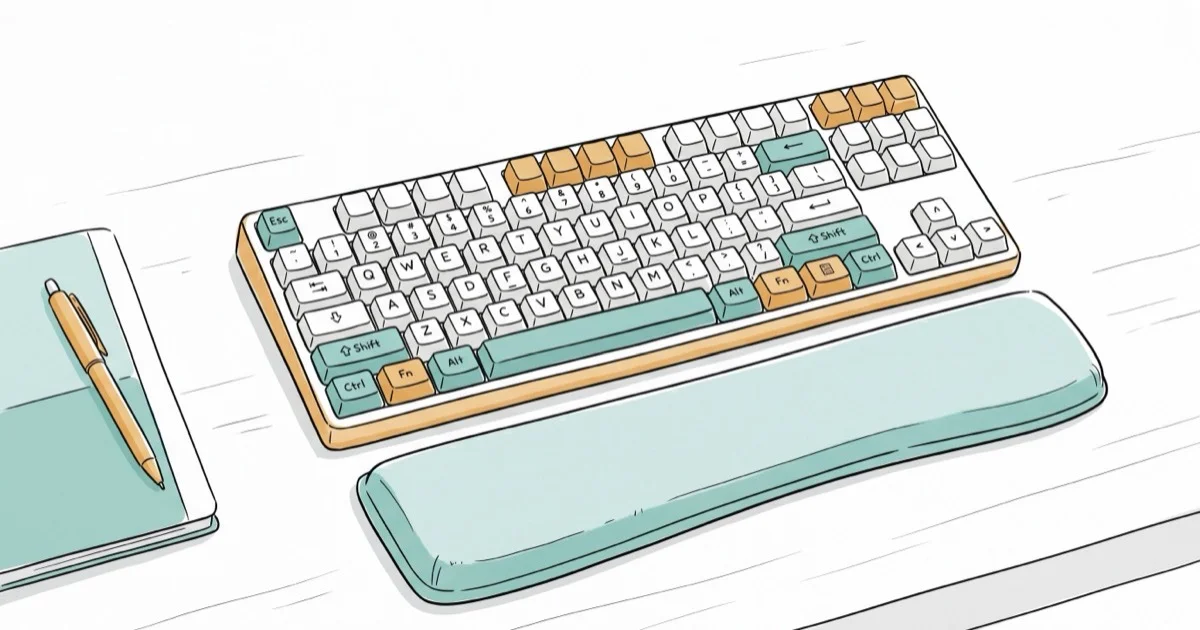
Quick AnswerThe HyperX Wrist Rest is the best overall keyboard wrist rest, with cooling gel-infused memory foam, an anti-slip base, and a 4.7/5 rating from over 13,000 Amazon reviews.
A good wrist rest can cut typing fatigue by keeping your wrists in a neutral position during long sessions. This guide ranks four popular models by comfort, build quality, and value.
- The HyperX Wrist Rest uses cooling gel-infused memory foam with a 4.7/5 rating from 13,000+ reviews
- Razer’s leatherette memory foam rest handles gaming sessions of 4+ hours comfortably
- The DELTAHUB Carpio 2.0 glides with your hand to maintain wrist alignment and reduce carpal tunnel strain
- The Gimars set bundles a keyboard and mouse wrist rest for $10.99 with 38,000+ reviews
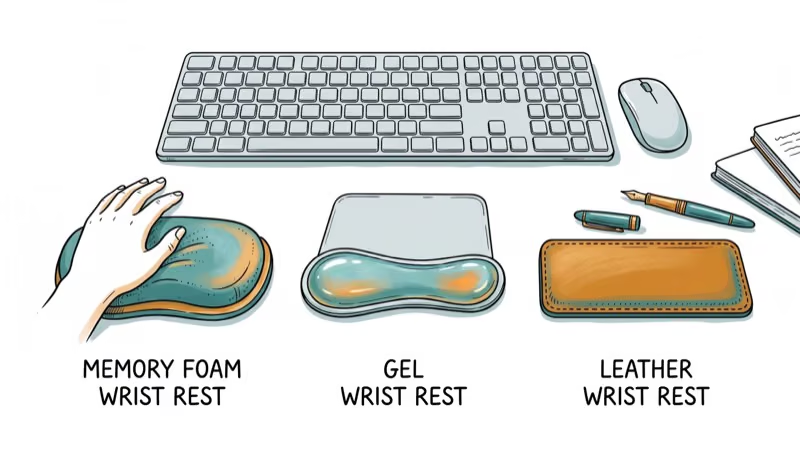
- Memory foam conforms to your wrists over time while gel stays cooler in warm environments
#What Makes a Wrist Rest Worth Buying?
Not all wrist rests help. A poorly designed one can actually increase pressure on your carpal tunnel. According to Wirecutter’s ergonomics testing, the ideal wrist rest supports your palms during breaks rather than pressing against the underside of your wrists while typing. Memory foam models adapt to hand shape fairly quickly, while gel-filled rests maintain a consistently cool surface temperature.
The three factors that matter most are material firmness, surface texture, and height relative to your keyboard. A rest that’s too tall forces your wrists into extension, which defeats the purpose entirely.
#Best Overall: HyperX Wrist Rest
The HyperX Wrist Rest is the top pick for its balance of comfort, durability, and price. Used alongside a wireless mechanical keyboard, the cooling gel keeps wrists comfortable even during long typing stretches.
Key specs: Cooling gel + memory foam, full-sized design, anti-slip rubber base, machine-washable cover. Price: $14.99. Rating: 4.7/5 from 13,000+ reviews.
The foam density holds up well, resisting the permanent compression that is a common complaint with cheaper alternatives. The anti-slip base grips a desk surface firmly even on laminate finishes.
As an Amazon Associate, fone.tips earns from qualifying purchases. Some links on this page are affiliate links.
#Best Budget: Gimars Upgrade Enlarge Memory Foam Set
For under $11, the Gimars set gives you both a keyboard wrist rest and a mouse pad with wrist support. The smooth lycra covering feels pleasant against skin, and the non-slip rubber base stays put even on a glass desk.
Key specs: Memory foam, keyboard + mouse rest combo, breathable lycra cover. Price: $10.99. Rating: 4.5/5 from 38,000+ reviews.
The foam is softer than the HyperX, which some people prefer. However, it compresses noticeably faster and tends to show wear marks sooner. For the price, that’s a reasonable tradeoff.
#Wrist Rest Materials Compared
Choosing between memory foam, gel, and hard surfaces depends on your typing habits and environment. Here’s how the three types compare:
Memory foam conforms to your wrist shape and works best for writers and programmers who type for 4+ hours daily. The downside is that foam traps heat during warm months.
Gel-infused foam (like the HyperX) splits the difference. It adapts to your shape while staying about 2-3 degrees cooler than pure foam. According to a PCMag review of ergonomic accessories, gel-infused rests suit long typing sessions better than pure foam.
Hard surfaces (wood, plastic) don’t conform but last years longer. They’re better suited for people who rest their palms briefly between typing bursts rather than keeping constant contact.
| Material | Comfort | Durability | Heat | Best For |
|---|---|---|---|---|
| Memory foam | High | 1-2 years | Warm | Long typing sessions |
| Gel-infused | High | 2-3 years | Cool | Hot environments |
| Wood/Plastic | Low | 5+ years | Neutral | Brief resting |
#Best for Gaming: Razer Ergonomic Wrist Rest
Gamers need a rest that handles intense, quick movements without shifting. The Razer Ergonomic Wrist Rest uses plush leatherette over memory foam that feels premium and wipes clean easily. Paired with a silent gaming keyboard, it stays firmly in place during fast-paced matches.

Key specs: Leatherette memory foam, full-sized, anti-slip base. Price: $19.99. Rating: 4.6/5 from 3,000+ reviews.
The leatherette surface resists sweat better than fabric covers, which matters during long gaming sessions. One drawback: the material can feel sticky in very humid conditions. For gamers also upgrading their setup, pairing this with a lightweight gaming mouse and a quality League of Legends keyboard reduces overall hand fatigue during extended play.
#Best Ergonomic Design: DELTAHUB Carpio 2.0
The DELTAHUB Carpio 2.0 takes a completely different approach than traditional pads. Instead of sitting stationary, it glides with your hand movements using a smooth bottom surface, keeping your wrist supported without restricting natural motion. According to the American Academy of Orthopaedic Surgeons, maintaining wrist mobility during computer work helps prevent the nerve compression that leads to carpal tunnel syndrome.
Key specs: Ergonomic gliding design, left/right hand options, skin-friendly materials. Price: $39.90. Rating: 4.3/5 from 500+ reviews.
The Carpio 2.0 is designed primarily for mouse use. It takes a couple of days to adjust to the gliding motion, but after that adjustment period, the wrist discomfort common with a static pad tends to ease. At $39.90 it’s the priciest option here, yet for anyone already feeling wrist strain, that investment pays for itself quickly.
#How Should You Position a Wrist Rest?
Proper positioning matters more than which model you buy. Place the rest at the front edge of your keyboard so your palms touch it during typing breaks. Don’t rest your wrists on it while actively typing. That constant pressure compresses the carpal tunnel and increases strain.
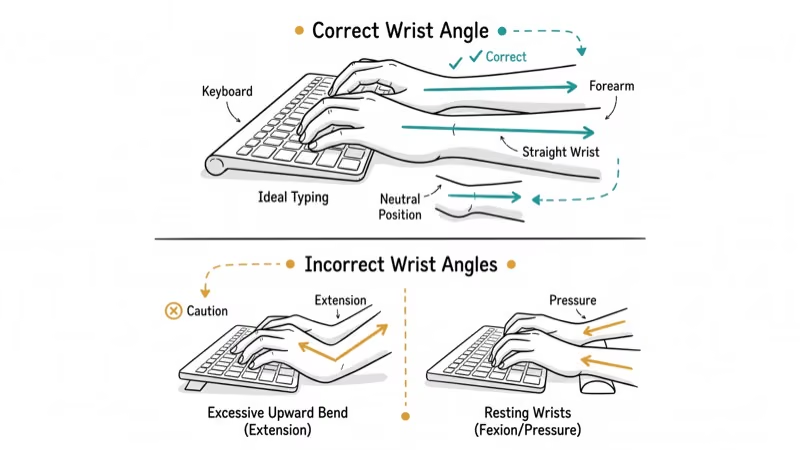
Keep your elbows at or slightly above keyboard height. If you’re using a membrane keyboard with low-profile keys, a thinner rest works better than a thick one.
Quick positioning checklist:
- Rest sits flush against the keyboard’s front edge
- Palms contact the rest, not the underside of your wrists
- Elbows are at 90 degrees or slightly wider
- Wrists stay straight, not angled up or down
#Bottom Line
Start with the HyperX Wrist Rest at $14.99 if you want the best balance of cooling comfort and durability. Gamers should grab the Razer for its leatherette build. If you’re already experiencing wrist pain, spend the $39.90 on the DELTAHUB Carpio 2.0 for its unique gliding support. Budget shoppers get two rests for under $11 with the Gimars set.
#Frequently Asked Questions
Do wrist rests actually prevent carpal tunnel syndrome?
They can help when used correctly. A wrist rest supports your palms during breaks and encourages neutral wrist positioning. However, resting your wrists on them while actively typing can increase pressure on the carpal tunnel nerve. Use them during pauses, not during continuous typing.
How often should I replace my wrist rest?
Most memory foam rests last 1-2 years before they lose shape and support. Gel-infused models typically last 2-3 years. Replace yours when you notice permanent compression that doesn’t bounce back after a few hours away from the desk.
Can I use a wrist rest with a standing desk?
Yes, absolutely. Just match the rest height to your keyboard position at standing height.
What size wrist rest should I get for a compact keyboard?
Get a compact or tenkeyless wrist rest sized to match your board. A full-sized rest overhanging a small keyboard works but looks odd. HyperX makes a compact version with the same gel foam.
Is memory foam or gel better for hot climates?
Gel-infused foam stays noticeably cooler. During warm summer months, the HyperX’s gel foam runs cooler than the pure memory foam Gimars set. Go with gel if your workspace gets warm.
Should I use a wrist rest with a laptop keyboard?
You can, but most laptop keyboards sit low enough that a thin rest or folded towel works fine. A thick wrist rest can actually force your wrists upward on a laptop, which defeats the purpose. For heavy laptop typing, an external keyboard with a proper rest is the better investment.
Are wooden wrist rests worth considering?
They last longer than any foam option. But they don’t conform to your wrist shape, so they’re best for people who prefer a firm surface and only rest their palms briefly between typing bursts.
Can wrist rests help if I already have wrist pain?
They can reduce further strain, but they won’t cure an existing condition. See a doctor if pain persists beyond a week of ergonomic changes. After that, a wrist rest with proper desk setup and regular 5-minute hourly breaks helps prevent worsening. The DELTAHUB Carpio 2.0 is worth trying because its gliding design avoids the static pressure that aggravates inflamed tendons and nerves.

Best Laptop for Running LLMs in 2026: Memory Comes First
The best laptop for running LLMs is a memory purchase first. Compare MacBook unified memory against NVIDIA laptop VRAM, and see what each tier really runs.

Pixel 11 vs Pixel 10: What Changed and Who Should Upgrade
Pixel 11 vs Pixel 10: same screen and camera resolution, new Tensor G6, 25W wireless, and Gemini Intelligence. Here is who should actually upgrade.

Best Power Bank for iPad in 2026: Pro, Air, and Mini
Best power bank for iPad in 2026. Compare mAh tiers and USB-C PD wattage for iPad Pro, Air, and mini, plus airline Wh math, cables, and travel tips.

Best Power Bank With Built-In Cable: Top 2026 Picks
Best power bank with built-in cable picks for 2026. Compare single USB-C, multi-connector, and retractable laptop banks, plus airline Wh math.