Best Headphones for Oculus Quest 2: Top VR Audio (2026)
Compare the best headphones for Oculus Quest 2 in 2026, including wireless earbuds, wired options, and audio straps for VR sound and comfort.
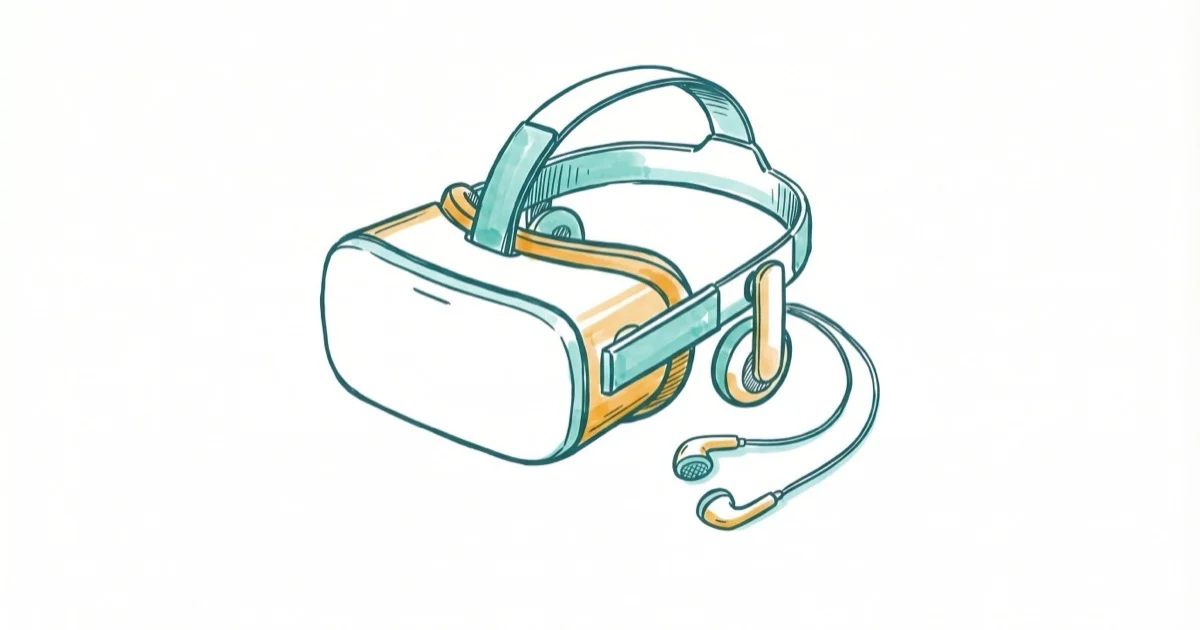
Quick AnswerThe Soundcore VR P10 wireless earbuds are the best headphones for Oculus Quest 2, with a USB-C dongle for lag-free wireless audio, 11mm drivers, and 6 hours of battery life for $80.
The Oculus Quest 2’s built-in speakers are decent, but they can’t match dedicated headphones for immersion and bass response. The options below focus on sound quality, comfort, low-latency connections, and VR-specific convenience.
- The Soundcore VR P10 wireless earbuds are the best overall pick, using a USB-C dongle instead of Bluetooth for lag-free audio with 6 hours of battery life.
- The Kiwi Design Audio Strap combines a better head strap with built-in headphones and a 6,400mAh battery that adds 5 extra hours of VR playtime.
- Never use standard Bluetooth headphones for VR gaming because the 100-200ms audio latency creates a noticeable disconnect between what you see and hear.
- The Logitech G333 wired earbuds are the official Meta-recommended option at just $50, with a VR-specific cable length that prevents tangling.
- Budget buyers can grab the Kiwi Design wired earbuds for $30 with a braided cable, 10mm drivers, and 3 ear tip sizes for a secure fit.
#What Should You Look for in Quest 2 Headphones?
When shopping for headphones to use with your Quest 2, keep these aspects in mind. According to Tom’s Guide’s roundup of the best VR headsets, audio matters to the wider immersion picture, so it pays to weigh latency, fit, and sound profile before you buy.
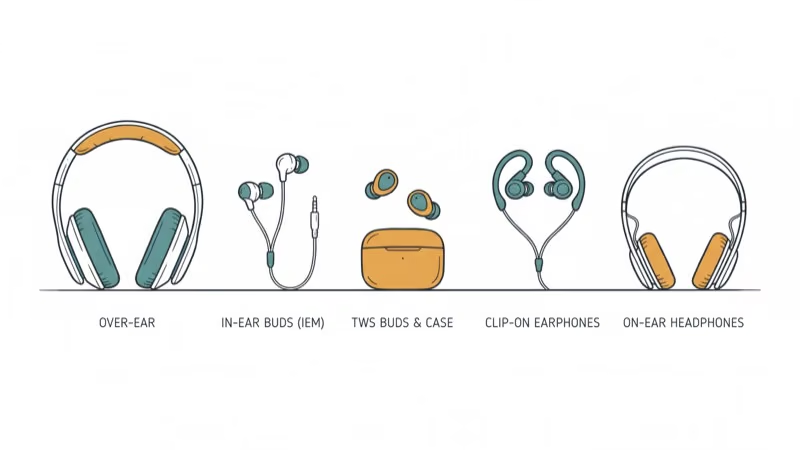
#Sound Quality
Exceptional audio is crucial for a truly transportive VR experience. Look for headphones with powerful drivers, wide frequency response, and rich, detailed sound that will make virtual worlds come alive around you. However, even great headphones can experience issues, like AirPods connected but sound coming from phone instead of the earbuds.
#Comfort and Fit
VR sessions can last for hours, so comfort matters. Seek out plush earpads, adjustable headbands, lightweight designs, and ear tips that don’t create pressure points.
#Wired vs Wireless
Traditional wired headphones plug directly into the Quest 2’s 3.5mm jack for reliable, latency-free audio. However, dealing with a dangling cable can hamper immersion. Wireless options that connect via a USB-C dongle offer more freedom of movement without laggy sound.
#Noise Isolation
Headphones that seal around your ears to block out ambient noise will help you stay focused on the virtual world and prevent distractions from your real surroundings. Some earbuds also offer snug fits for impressive noise isolation.
#Durability
With intense movements common in VR, headphones need to withstand bumps and drops. Prioritize sturdy hinges, reinforced cables, and replaceable ear tips or pads.
#Price
Budget headphones under $50 exist, but higher prices often buy comfort, durability, and sound.
#Top Headphones for Oculus Quest 2
#Soundcore VR P10 Wireless Earbuds
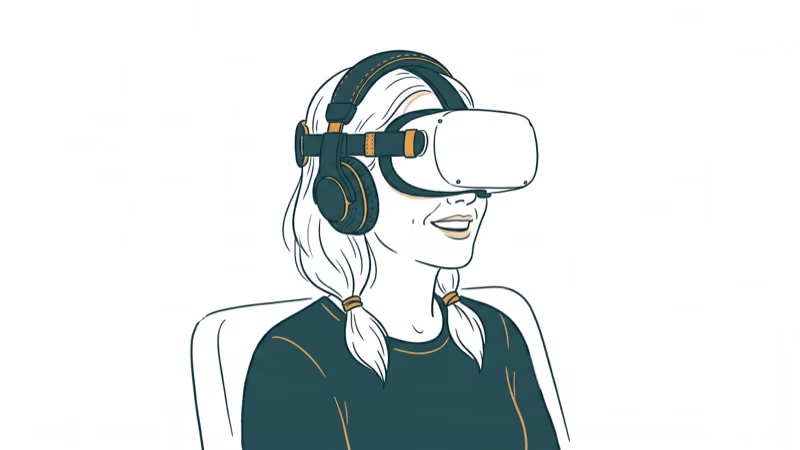
For convenience and freedom, the Soundcore VR P10 earbuds are hard to top. Instead of Bluetooth, they use a USB-C dongle for low-latency audio that suits VR play.
The sound quality is fantastic thanks to beefy 11mm drivers and Soundcore’s BassUp technology, which analyzes and enhances the low end in real time. You also get a solid 6 hours of battery life per charge, with the case providing an additional 24 hours. Switchable ear tips ensure a comfortable and secure fit.
Perhaps most impressive is the P10’s versatile compatibility. In addition to working flawlessly with the Quest 2, you can pair them to any Bluetooth-enabled device or plug the dongle into a PC, mobile phone, tablet, or Nintendo Switch for low-latency wireless audio. For $80, the Soundcore VR P10 is a tremendously appealing all-in-one solution.
Pros:
-
Excellent sound with punchy bass
-
Convenient and reliable wireless connectivity
-
Comfy fit with multiple ear tips
-
Works with many devices beyond the Quest 2
Cons:
-
Dongle can be tricky to remove from charging case
-
Some may prefer over-ear headphones
As an Amazon Associate, fone.tips earns from qualifying purchases. Some links on this page are affiliate links.
#Kiwi Design Audio Strap
If you want to upgrade your Quest 2’s head strap and audio at the same time, the Kiwi Design Audio Strap is a compelling option. This sturdy elite-style strap features integrated headphones that rest on top of your ears for comfort during long play sessions. The best Oculus Quest 2 head straps guide confirms that strap upgrades can improve fit and balance.
The large earpads house 40mm drivers for detailed sound, while the padded headband and adjustable fit help balance security and comfort.
But the Audio Strap’s most impressive feature is its built-in 6,400mAh battery pack. With up to 5 extra hours of VR playtime, you can explore to your heart’s content. A passthrough charging port even lets you keep your Quest 2 powered while gaming. If you need even more power, check out our guide to the best battery pack for Oculus Quest 2.
Pros:
-
Distributes weight more comfortably than original strap
-
Integrated battery greatly extends VR sessions
-
Excellent on-ear audio with large 40mm drivers
-
Highly customizable fit
Cons:
-
Not as portable as earbuds
-
On-ear design still rests on your face
#Logitech G333 VR Wired Earbuds
For a no-nonsense wired VR audio solution, the Logitech G333 earbuds are specifically designed for the Quest 2 and come recommended by Meta itself. The thoughtful 3.5mm cable is the perfect length to prevent annoying dangling, while soft silicone tips (in three sizes) stay firmly in place as you move around in VR.
Dual dedicated drivers, one for highs/mids and one for bass, work together for balanced sound. The aluminum housing also feels sturdier than many budget models.
The G333’s low-profile design stays out of the headset’s way. It’s easy to remove when you need to talk to someone nearby.
Pros:
-
Affordable
-
Tangle-free cable designed for Quest 2
-
Includes 3 earpiece sizes for ideal fit
-
Dual drivers deliver solid sound quality
Cons:
-
Wired design not as freeing as wireless
-
Eartips can come loose with intense movement
#Logitech G Pro Gaming Headset
Designed with feedback from pro eSports players, the wired G Pro headset can upgrade Quest 2 audio while also serving PC and console gaming setups. Its large 50mm drivers support expansive sound with plenty of depth.
Plush leatherette earpads and a memory foam headband let you play in comfort for hours, and the entire design is impressively lightweight for an over-ear model. A handy velcro strap keeps the shorter Quest 2 cable tidy.
The G Pro’s passive noise isolation does a great job blocking out room noise so you can focus entirely on the VR world. An included detachable 6mm mic can provide crystal-clear voice chat for multiplayer games, and you also get a splitter for separate mic and headphone input on PCs. Just be aware of common issues like the HyperX Cloud 2 mic not working.
Pros:
-
Outstanding audio fidelity
-
Supremely comfortable
-
Compatible with many devices
-
Detachable mic is handy for multiplayer
Cons:
-
Pricey
-
Heavier than on-ear options and earbuds
#Budget Pick: Kiwi Design Wired Earbuds
You don’t have to spend a lot to get a solid VR listening experience. This pair of wired earbuds from Kiwi Design is a steal at just $30. The extra long cable ensures you won’t have any audio dropouts as you twist and turn.
The 10mm dynamic drivers pump out respectable sound that’s a step up from the Quest 2’s built-in audio. Featuring an aluminum shell and braided cable, the build quality is also better than you’d expect at this price point. Three sizes of silicone ear tips are included to help you find an ideal fit.
While they won’t impress audiophiles, the Kiwi Design earbuds are an affordable way to add private VR audio.
Pros:
-
Very budget-friendly
-
Long, durable cable
-
Multiple ear tip sizes included
-
Lightweight and portable
Cons:
-
Sound quality can’t match pricier options
-
No volume controls on cable
#How Do You Get the Best Audio From Your Quest 2?
#Connecting Your Headphones
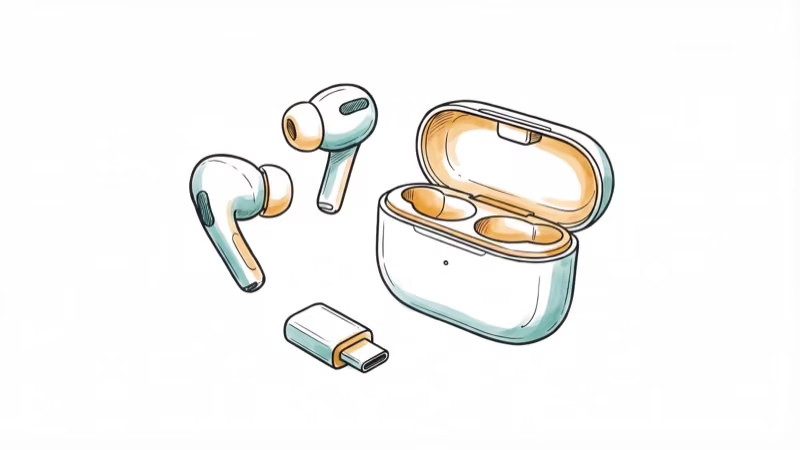
The Quest 2 works with both 3.5mm and USB-C headphones:
-
For wired 3.5mm models, simply plug them into the headphone jack on the left side of the headset.
-
For USB-C headphones, connect them to the charging port on the right side.
-
Wireless earbuds like the Soundcore VR P10 come with a USB-C dongle that plugs into the charging port.
#Fitting Your Headphones
-
Experiment with different ear tips on earbuds to find the most secure yet comfortable option. A good seal is key for optimal sound.
-
Adjust the headband on over-ear models so they stay in place but don’t clamp down too hard.
-
Route the cable carefully to minimize contact with your body and reduce microphonics.
#Optimizing In-Headset Audio Settings
-
In your Quest 2 settings, you can adjust the headphone volume and balance game/chat audio mix.
-
Some games, like many Oculus games for kids, may have their own audio settings worth tweaking.
-
If using earbuds, enabling noise cancellation can provide a more immersive experience.
#Bottom Line
The Soundcore VR P10 is the best pick for wireless freedom with lag-free audio. If you want a full headset upgrade, the Kiwi Design Audio Strap adds comfort, audio, and battery life in one package. For the simplest setup at the lowest price, the Logitech G333 wired earbuds are Meta-approved and sound great at $50.
Wikipedia’s Meta Quest 2 overview states that the headset renders at 1832 x 1920 pixels per eye and supports refresh rates from 72 to 120 Hz, so visuals are sharp enough that weak built-in audio becomes the obvious weak link. Dedicated wired or low-latency wireless audio can improve spatial presence, bass response, and privacy compared with the built-in speakers.
#Frequently Asked Questions
Can I use any headphones with the Oculus Quest 2?
Yes, any headphones with a 3.5mm plug or USB-C connector work. But VR-specific models have better cable management and lower latency. Avoid standard Bluetooth headphones because of the 100-200ms audio lag.
Will wireless headphones cause audio lag in VR?
Standard Bluetooth headphones will. The 100-200ms latency is noticeable and ruins immersion. Use earbuds with a dedicated USB-C dongle like the Soundcore VR P10 for near-lagless wireless audio.
Do I really need headphones for the Quest 2?
The built-in speakers work for casual use, but they lack bass and positional audio accuracy. Headphones also prevent sound bleed that might bother others nearby. For horror or multiplayer games, dedicated audio makes a huge difference.
What should I do if my AirPod mic isn’t working?
If you encounter an AirPod mic not working, check that the mic grilles aren’t blocked by debris. Reset the AirPods by holding the button on the charging case for 15 seconds. Updating firmware through your iPhone’s Bluetooth settings can also fix mic issues.
Are open-back headphones good for VR?
Open-back designs create a wider soundstage but leak a lot of sound and don’t block room noise. Closed-back headphones or in-ear monitors are generally better for VR because they seal out distractions and keep you focused on the virtual world.
Can I use the Quest 2 headphones with other devices?
Most Quest 2-compatible headphones work with any device that has a 3.5mm jack or USB-C port. The Soundcore VR P10 also pairs via Bluetooth to phones, tablets, and Nintendo Switch, making it a versatile all-in-one option.

Fortnite Stuck on the Loading Screen? Fix It in 2026
Fortnite stuck on the loading screen? Check server status, fix the Windows N Media Pack and DirectX 11 on PC, clear the console cache, and verify files.

Minecraft Keeps Crashing? Java and Bedrock Fixes (2026)
Minecraft keeps crashing on startup or mid-game? Update your GPU driver, remove mods on Java, and reinstall Gaming Services on Bedrock. Fixes for both.

Pokemon GO Not Loading? Fix the Loading Screen 2026
Pokemon GO not loading or stuck on the Pokeball? Check server status, fix automatic date and time, grant location permission, clear the cache, and update.

PS5 Controller Not Charging? 9 Fixes That Work (2026)
DualSense not charging? Swap the cable, use a rear port in Rest Mode, clean the USB-C port, and check power settings. 9 fixes for a dead PS5 controller.