watchOS 27 Features: What Apple Watch Gets in 2026
watchOS 27 brings a standalone Siri app, single-hand gestures, an on-watch Workout Buddy, perimenopause cycle tracking, and a unified Find My app.
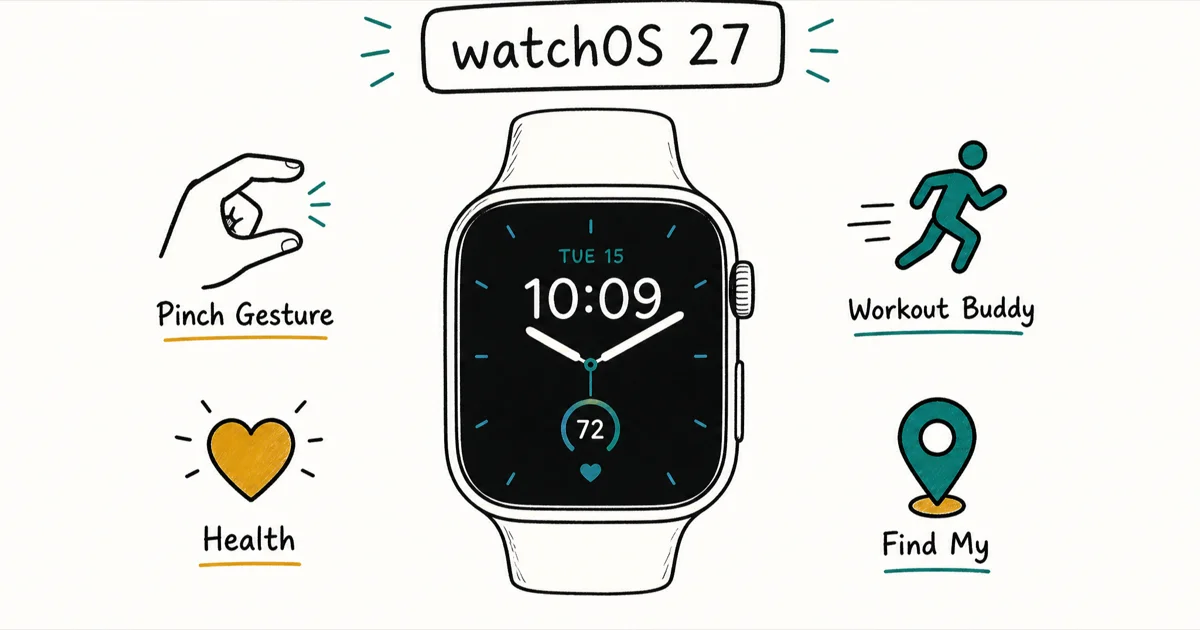
Quick AnswerwatchOS 27 adds a standalone Siri app, single-hand gestures, an on-watch Workout Buddy, and a unified Find My app. The first developer beta arrived June 8, 2026.
Apple unveiled the watchOS 27 features at WWDC 2026, headlined by a standalone Siri app, single-hand gestures, and a Workout Buddy that finally runs on the watch itself. The first developer beta arrived June 8, 2026.
The theme is clear: do more without reaching for your iPhone. This release ships alongside the broader iOS 27 update and shares the same Liquid Glass design language Apple introduced last year, so the watch and phone now feel like one polished system rather than two screens you juggle between.
- Two developer betas have shipped (June 8 and June 23, 2026); the general release is expected around September.
- A standalone Siri app keeps all your conversations in one place and syncs them across your devices, so a question you start on the watch can finish on your iPhone.
- A single index-thumb tap selects Smart Stack widgets.
- Workout Buddy now runs on the watch itself, giving pace, distance, and duration coaching without an iPhone nearby.
- Cycle Tracking adds perimenopause and menopause support, while Find My merges devices, people, and items into one app.
#The Biggest Changes in watchOS 27
The phone-side companion is our iOS 27 new features guide, which covers the same Liquid Glass design language on iPhone.
Most of the experience now moves onto your wrist. Apple’s biggest additions cluster around Siri, fitness, and a redesigned way to navigate apps.
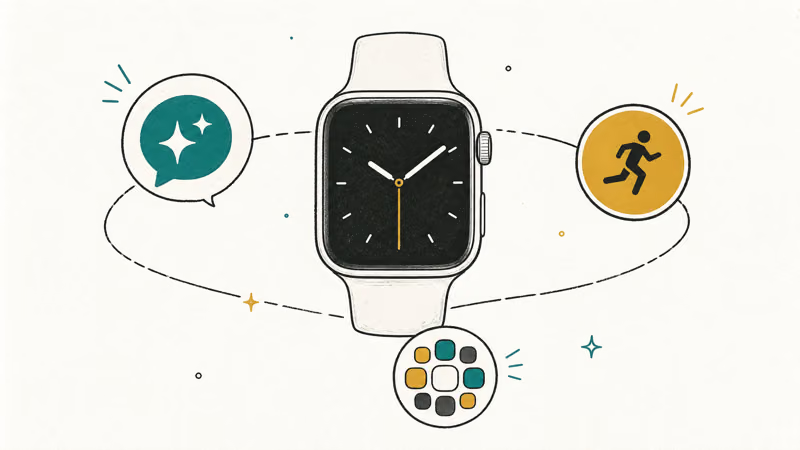
The standalone Siri app is the marquee feature, and it mirrors the iOS 27 Siri redesign Apple brought to the iPhone. According to Apple’s watchOS page, a dedicated app “brings together all your conversations in one place,” and you can pin a conversation for quick access or start a fresh one right from your wrist. That conversation history syncs across your devices, so a question you start on your watch can continue on your iPhone.
One caveat up front: the Siri app needs newer Apple Intelligence-capable hardware, so its support is narrower than watchOS 27 overall. We break down the exact lineup below.
Pair that with the new Dynamic App Grid. Apple states it “automatically highlights Siri-suggested apps, including your most popular and recently used ones,” so the apps you actually use float to the top instead of hiding in a sea of round icons.
Apple’s documentation frames the Dynamic App Grid around the same Siri suggestion logic that already reorders the Smart Stack. Independent coverage from the5krunner confirms these features shipped in the first developer build on June 8, 2026.
#How do the new single-hand gestures work?
This is the part you’ll feel every day. watchOS 27 expands the gesture system so you can respond to the watch without touching the screen at all.
The core move is a single index-thumb tap. Apple says this lets you “select a widget in the Smart Stack and quickly see what’s relevant to you, even if your other hand is occupied.” So a quick pinch surfaces the widget you need while you carry groceries or hold a coffee. The5krunner describes the same index-and-thumb tap driving Smart Stack widget selection, which matches Apple’s framing.
The existing double-pinch gesture already targets moments when one hand is occupied, and Apple is expanding that idea here. The difference now is breadth: more of the interface responds, and Smart Stack suggestions are expanded so the right widget sits one tap away.
#Does Workout Buddy work without an iPhone?
Yes, and that’s the most requested change here. In watchOS 27, Workout Buddy runs on the watch itself rather than depending on a paired iPhone being nearby.
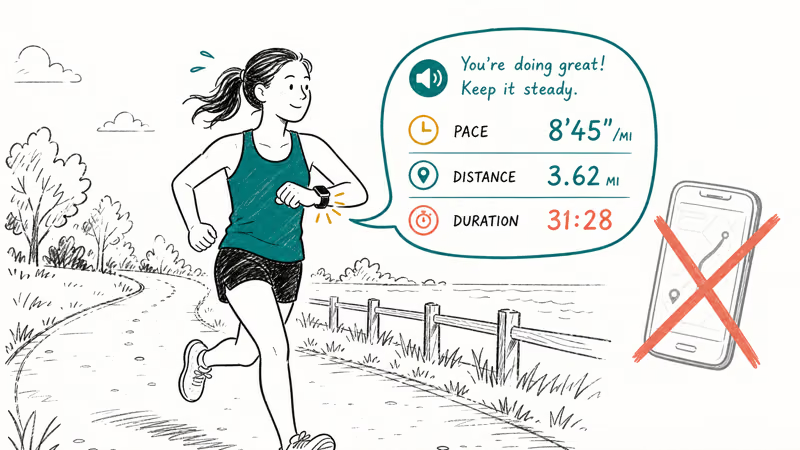
Apple confirms that Workout Buddy now surfaces 3 live data insights, covering your progress for pace, distance, and workout duration. In practice that means the coaching voice can pull from your live metrics during a run or walk and prompt you based on how the session is going. Apple also notes the feature now supports Spanish alongside English.
Running phone-free was simply not possible before this release, since Workout Buddy previously leaned on a nearby iPhone for its coaching. For phone-free runners, that single change is what makes the entire upgrade worth installing, and it’s the standout reason to move quickly once the public build lands this fall.
Indoor accuracy also improves. Apple says updated motion-tracking algorithms “help measure the distance of your treadmill runs and walks more precisely right from your wrist,” fixing a long-standing sore spot.
#Health and Find My get smarter
Beyond fitness, watchOS 27 adds two changes that matter for daily peace of mind.
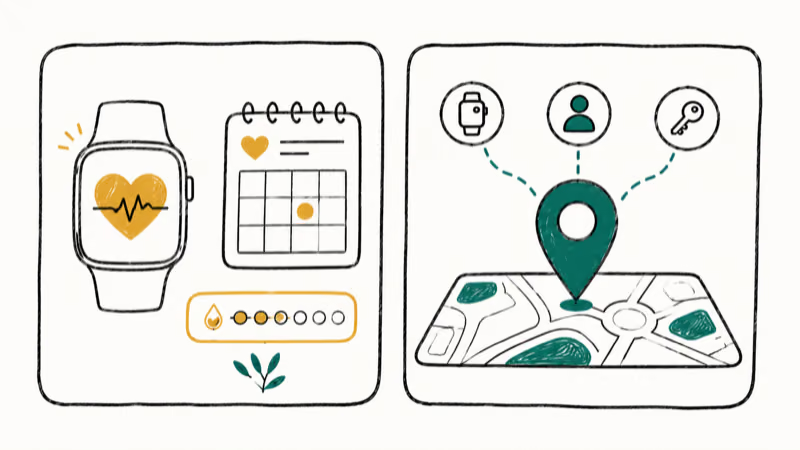
Cycle Tracking expands its health insights. Apple states that Cycle Tracking in the Health app “can provide notifications when your logged cycle patterns are suggestive of perimenopause,” along with symptom tracking and educational resources. The5krunner reports the update adds both perimenopause and menopause support, broadening who the feature serves.
Find My also gets a cleanup. Apple confirms that “Find Devices, Find People, and Find Items are now streamlined into the Find My app,” giving you a single map-centric view of everything you track. If you’ve ever fumbled between separate screens looking for a misplaced AirTag versus a family member, the consolidated layout is a real quality-of-life win. It pairs naturally with the way you already set up Find My on iPhone.
#Apple Watch Models That Support watchOS 27
Apple narrowed the supported lineup this year. The5krunner reports the update runs on the Series 9 through 11, plus Ultra 2, Ultra 3, and the SE 3, while dropping the Series 6 through 8, the first Ultra, and the second-gen SE. Our watchOS 27 compatible Apple Watch models list has the full lineup.
Watch out for one nuance: the standalone Siri app has stricter requirements than the rest of the update. The5krunner notes it needs a Series 10 or later, an Ultra 2 or later, or the SE 3, plus a paired iPhone 15 Pro or iPhone 16 or later. That leaves the Series 9 out even though it otherwise runs watchOS 27. If you’re stuck on an older watch, our guide to common Apple Watch update errors can help.
#watchOS 27 Release Date and Beta Timeline
The rollout follows Apple’s usual beta cadence. According to Apple’s developer releases page, the first developer beta shipped as build 24R5289n on June 8, 2026, the same day as the WWDC keynote. The public beta arrived in July 2026, and The5krunner expects a general release around September 2026, lining up with the new iPhone and Apple Watch hardware.
Apple seeded the second developer beta as build 24R5305g on June 23, 2026, a day after the iOS 27 and macOS 27 beta 2 builds. It reached every compatible model except the Apple Watch Ultra 3, which sat out this round.
Seeds have continued through developer beta 6 (build 24R5353a), released August 17, 2026, as the latest build for testers. The public beta is now available, released in July 2026.
Want to try it early? The beta path mirrors the iOS 27 beta timeline. Install betas only on a secondary device, since early builds shorten battery life and break third-party apps. Our iOS 27 features breakdown covers the companion phone software.
#Bottom Line
Upgrade with confidence. watchOS 27 is worth installing once it leaves beta if you own a Series 10 or later, an Ultra 2 or later, or the SE 3. On those models, the standalone Siri app and on-watch Workout Buddy cut your iPhone dependence in a way no past update managed. The single-tap gesture pays off the first time you dismiss a call with one hand full, and the unified Find My view quietly saves time every day.
Series 9 owners still get most of the release, including the gestures, the unified Find My app, and perimenopause cycle tracking. The one thing they miss is the Siri app, so temper expectations there before you update.
If your watch is a Series 8 or older, this release skips you entirely. The bigger question then is whether to upgrade hardware this fall. For everyone with a supported watch, wait for the September public release rather than gambling on beta battery drain. Then enjoy the gestures and fitness coaching that make this one of the more useful watchOS updates in recent memory.
iOS 27 Beta
#Frequently Asked Questions
When does watchOS 27 come out?
Apple released the first developer beta on June 8, 2026, and the second on June 23, 2026. A public beta is now available, with the general release likely arriving in September 2026 alongside new Apple Watch hardware.
Which Apple Watch models support watchOS 27?
watchOS 27 runs on the Series 9, 10, and 11, the Ultra 2 and Ultra 3, and the SE 3. Apple dropped support for the Series 6, 7, and 8, the original Ultra, and the second-generation SE. If your model is older than the Series 9, you won’t be able to install it.
Does the standalone Siri app work on every supported watch?
No. The Siri app has stricter hardware requirements than the rest of the update. It needs a Series 10 or later, an Ultra 2 or later, or the SE 3, so the Series 9 is excluded even though it otherwise runs watchOS 27. A paired iPhone 15 Pro or iPhone 16 or later is also required.
Can Workout Buddy run without my iPhone in watchOS 27?
Yes. This is one of the headline changes. Workout Buddy now runs on the watch itself and delivers pace, distance, and duration coaching during a workout without your iPhone needing to be nearby. It also adds Spanish language support.
What changed with Find My in watchOS 27?
Apple merged Find Devices, Find People, and Find Items into a single Find My app with a map-centric view. Instead of jumping between separate screens, you now see everything you track in one place, which makes locating a lost AirTag or a family member noticeably faster. The watch mirrors the same unified layout Apple rolled out across iPhone and iPad, so the experience stays consistent no matter which device you reach for first.
Is watchOS 27 safe to install as a beta?
Betas are early software and can cause shorter battery life, app crashes, and bugs. Install the watchOS 27 beta only on a secondary watch. If your watch is your daily companion, wait for the public September release.
What new health features does watchOS 27 add?
The biggest health change is Cycle Tracking, which now provides notifications when your logged patterns suggest perimenopause and adds menopause support with symptom tracking and educational resources. Indoor treadmill distance accuracy also improves thanks to updated motion-tracking algorithms.
Apple Intelligence Not Working on iPhone? Fixes (2026)
Apple Intelligence not working on iPhone after iOS 27? Turn off Low Power Mode, stay on Wi-Fi while charging, and free up 7 GB. Step-by-step fixes.

Apps Crashing After iOS 27 Update? Fix Order (2026)
Apps crashing after the iOS 27 update? Update the app in the App Store first, then offload and reinstall to clear stale cache, then restart. The fix order.

Genmoji or Image Playground Not Working? iOS 27 Fix
Genmoji or Image Playground not working on iOS 27? Turn on Apple Intelligence, free up 7 GB, drop Low Power Mode, and let the image model finish.
iOS 27 Problems and How to Fix Each of Them (2026)
iOS 27 problems? Battery drain, overheating, Wi-Fi drops, crashing apps, and Apple Intelligence stuck. Each problem with its top fix and full guide here.