Voicemail Icon Missing on iPhone: 7 Checks and Fixes
Troubleshoot a missing iPhone voicemail icon with carrier settings, network reset, iOS update, account support checks, and official escalation paths.
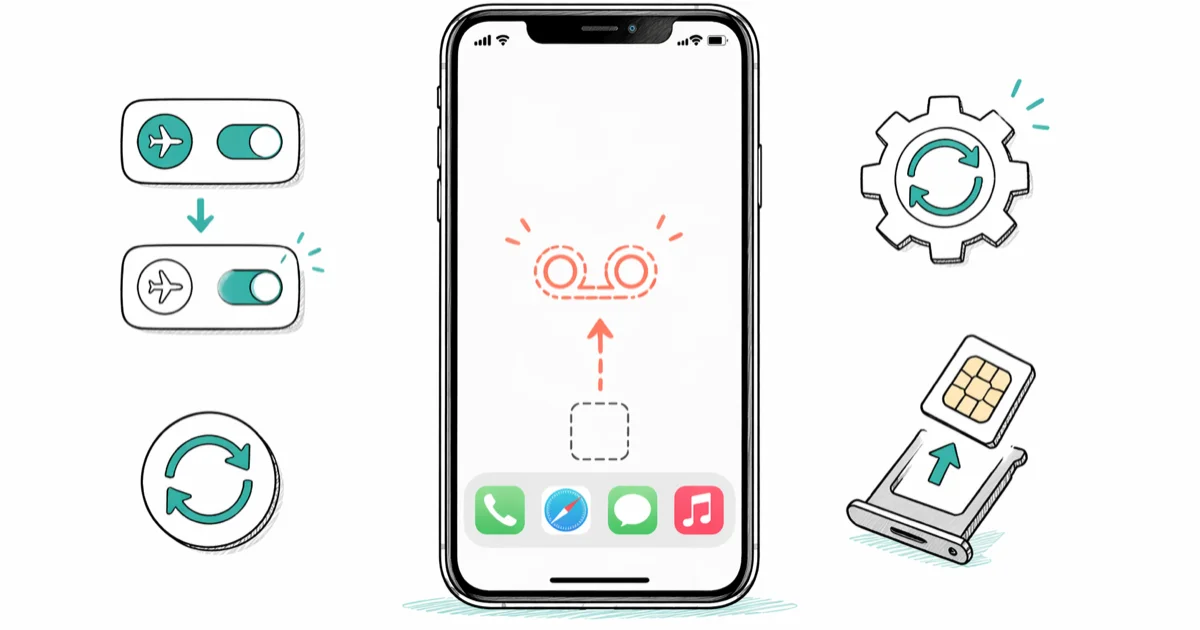
Quick AnswerOpen Settings > General > About and install a carrier settings update if prompted. If the voicemail control stays missing, restart, update iOS, confirm carrier support, and ask the carrier to check the line.
The voicemail control in the Phone app is missing or blank. Start with the carrier connection and carrier settings, then verify that the feature is supported for your line before using broader reset options.
Use these steps only for your own device, account, files, or content you have explicit permission to manage. Unauthorized access or sharing can violate law, privacy rights, and platform terms, so don’t use this guide to bypass someone else’s controls. When available, start with the official support option, built-in settings menu, or vendor documentation before trying manual fixes.
- Toggle Airplane Mode as a quick connection test, then recheck the Phone app
- Install a carrier settings update from
Settings>General>Aboutif prompted - Check for an iOS update before resetting network settings
- Visual Voicemail is available only from supported carriers in supported regions
- Ask the carrier to verify voicemail on your line when the local checks fail
#Why Does the Voicemail Icon Disappear on iPhone?
Visual Voicemail combines the Phone app with a voicemail service supplied by supported carriers.
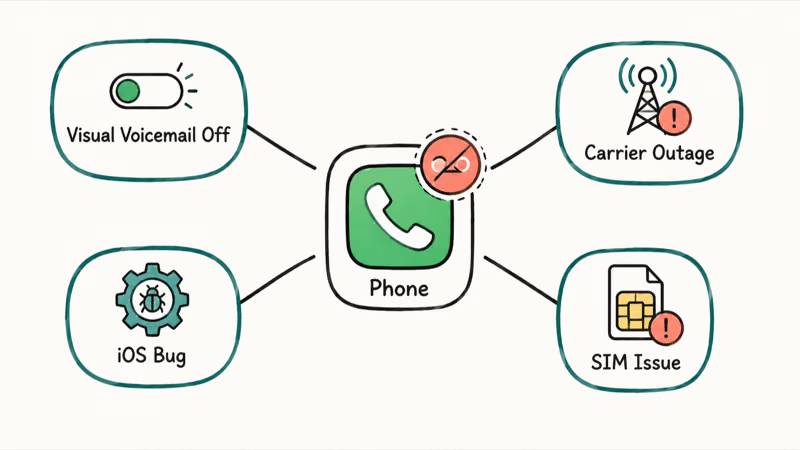
According to Apple’s Voicemail setup guide, Voicemail, Visual Voicemail, and Live Voicemail are available only from select carriers in select countries or regions. A missing control can therefore reflect feature support, account provisioning, connectivity, carrier settings, or local Phone app state; the symptom alone doesn’t identify one cause.
This is different from visual voicemail being unavailable, which has its own set of causes. The fix below addresses the icon disappearing completely from the Phone app.
#Two Fast Fixes to Try First
Start here before changing broader network settings.
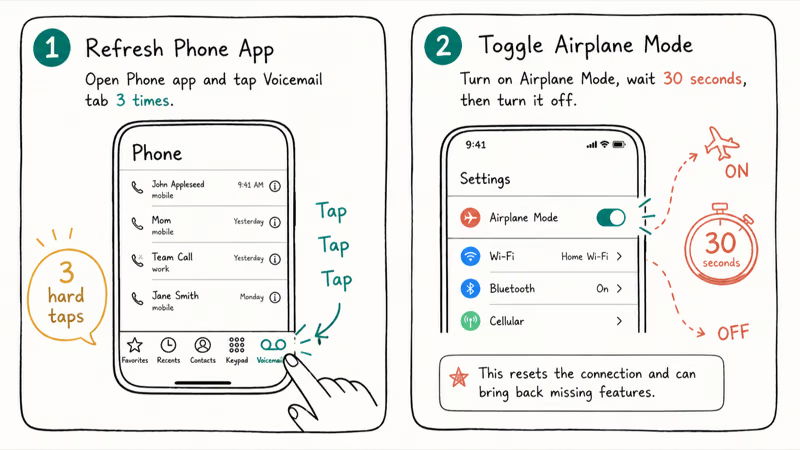
#1. Toggle Airplane Mode
Open Control Center and tap the airplane icon, wait briefly, then tap it again. Once the carrier name and signal return, reopen the Phone app. Treat this as a connection test, not proof that Airplane Mode repairs voicemail provisioning.
#2. Update Carrier Settings
Carrier settings are separate from iOS updates and can change cellular connectivity or add carrier features.
According to Apple’s carrier settings guide, an available update appears as a prompt and installation takes less than one minute. Open Settings > General > About, tap Update if prompted, then reopen the Phone app. If no prompt appears, contact the carrier if you need confirmation that its settings are current.
#Software-Based Fixes for Persistent Cases
Try these when Airplane Mode and carrier settings didn’t help. Each one targets a different layer of the problem.
#3. Restart Your iPhone
Restart once before broader changes. Follow Apple’s restart guide for your model, then reopen the Phone app.
#4. Check for an iOS Update
Follow Apple’s iPhone update steps: go to Settings > General > Software Update. If an update is available, tap Download and Install and let the iPhone restart.
After updating, open the Phone app and check the voicemail tab immediately. If the icon reappears, you’re done.
#5. Confirm Carrier and Plan Support
Check Apple’s current carrier feature list for your country or region, then confirm with the carrier that Visual Voicemail is included on your line. This step also covers eSIM-only iPhones because it checks the service rather than assuming a physical SIM tray exists.
#6. Reset Your Voicemail Password
A password problem can block voicemail authentication or access, but resetting it doesn’t guarantee that a completely missing Phone-app control will return. Apple’s voicemail settings guide provides the built-in path: open Settings > Apps > Phone > Change Voicemail Password. If that control isn’t available or the reset fails, use the carrier’s current official support channel.
If you have forgotten your voicemail password entirely, that guide covers the carrier-by-carrier reset process in detail.
#7. Reset Network Settings
Use this only after the lighter checks. Go to Settings > General > Transfer or Reset iPhone > Reset > Reset Network Settings and enter your passcode. According to Apple’s reset guide, this removes previously used networks and VPN settings that weren’t installed by a management profile. Reconnect to Wi-Fi afterward and check the Phone app.
#When to Call Your Carrier
If the checks above fail, ask the carrier to verify that voicemail and Visual Voicemail are enabled and provisioned for your line.
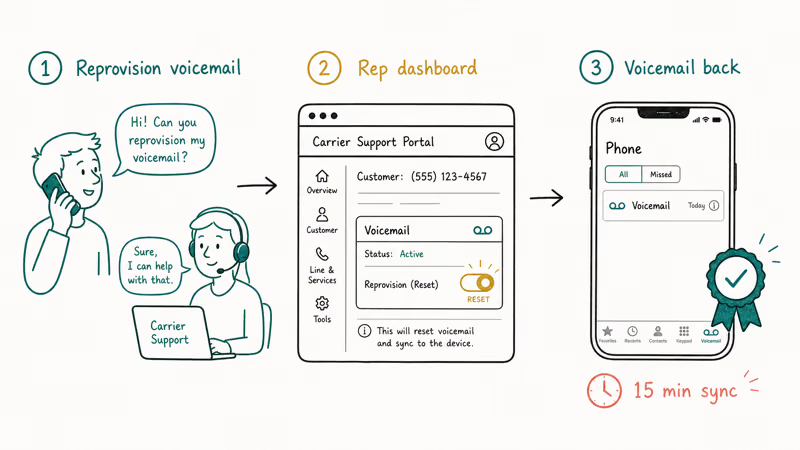
Describe exactly what is missing in the Phone app and what you’ve already tried. Ask the representative to check the line’s voicemail feature and follow the carrier’s current official reset or reprovisioning process; don’t assume one dial code or menu applies to every carrier.
#What Actually Causes the Voicemail Icon to Go Missing?
Use these four categories to isolate the symptom.
Carrier or plan support. Visual Voicemail isn’t offered by every carrier in every region, and availability can depend on the line.
Carrier settings or provisioning. Check About locally; ask the carrier about account-side provisioning.
Phone app or iOS state. Restart and install an available iOS update, then retest without claiming a specific release caused the problem.
Local network configuration. Reset Network Settings is a later step because it removes saved network and VPN settings.
If your iPhone is going straight to voicemail on incoming calls, that is a separate but related issue. The missing icon and the calls-going-to-voicemail problem can happen at the same time but have different fixes.
If cellular data is not working at the same time, fix that first. iOS can’t sync with the voicemail server when cellular data is completely broken.
#Accessing Voicemail While the Icon Is Missing
Apple’s voicemail checking guide says that when Visual Voicemail isn’t available, you can call your mobile number from another phone, press * or # as directed by your carrier, and enter the voicemail password. Carrier procedures vary, so use the carrier’s instructions if that sequence differs. You can also leave a voicemail without calling if you need to send a message while troubleshooting.
#Bottom Line
Start with the connection and carrier settings, then update iOS and confirm that Visual Voicemail is supported for the line. Save Reset Network Settings for later because it removes saved network configuration.
A missing phone icon follows a completely different troubleshooting path and is not covered here.
For messages that disappeared when the icon went missing, see how to recover deleted voicemail on iPhone once the tab is back.
#Frequently Asked Questions
Why did my voicemail icon disappear after an iOS update?
The timing doesn’t prove that the update caused a voicemail regression. Restart, check Settings > General > About for a carrier settings prompt, install any newer iOS update, and ask the carrier to verify support if the control remains missing.
Does resetting network settings delete my contacts or messages?
Apple says Reset Network Settings removes previously used networks and VPN settings not installed by a management profile. It doesn’t select the erase-content option, but you should record network details you need to reconnect.
Can I check voicemail without the icon?
Yes. Apple documents checking from another phone by dialing your mobile number and using * or # as directed by the carrier before entering your voicemail password.
Will a factory reset fix the missing voicemail icon?
Don’t factory-reset solely because the voicemail control is missing. Confirm carrier support and account provisioning first; erase the device only if Apple or the carrier recommends it for a diagnosed issue and you have a current backup.
How long does it take to fix the missing voicemail icon?
Airplane Mode is the quickest check. Network settings reset takes longer because the phone has to rebuild carrier and Wi-Fi settings.
Does this problem affect all iPhone models?
Visual Voicemail availability depends on the carrier and region, and the Phone app layout can differ by iOS version. Use the current menu shown on your iPhone rather than assuming every model presents the same tab.
What if my carrier does not support visual voicemail?
Apple says Visual Voicemail is available only from select carriers in select countries or regions. Check Apple’s carrier list, then ask the carrier whether the feature is included and enabled on your line.
How do I know if my carrier reset the voicemail box successfully?
After the carrier says the account-side work is complete, reopen the Phone app and follow any setup prompt. Ask whether your greeting or password must be created again, and call back if the expected control still doesn’t appear after the carrier’s stated activation window.

Mac mini M6 vs M5 Pro: Which Model Should You Buy?
Mac mini M6 vs M5 Pro compared on price, memory, ports, displays, and real workloads. Find the better 2026 Mac mini for your desk and budget.
Apple Siri Settlement: Who Qualifies and How to Claim
Apple's $250 million Siri settlement covers iPhone 15 Pro and iPhone 16 models bought June 2024 to March 2025. See who qualifies and how claims work.
iOS 26.6.1 Security Update: What Apple Fixed and Who Gets It
Apple released iOS 26.6.1 on August 17 with 29 security fixes, including an IPSec interception bug. See what it patches, who gets it, and how to update.
iPhone Adaptive Power: How It Works and When to Use It
Learn how iPhone Adaptive Power works, which models support it, what it changes, and when Low Power Mode is still the better battery-saving choice.