VNROM Bypass: Owner's Guide to Android FRP in 2026
VNROM Bypass helps owners of older Android phones (5.0 to 8.1) clear Factory Reset Protection when official Google account recovery has already failed.
Quick AnswerVNROM Bypass is a free APK that lets owners of Android 5.0 to 8.1 phones clear their own Factory Reset Protection lock after forgetting Google credentials, but it stopped receiving updates years ago and rarely works on phones newer than 2018.
VNROM Bypass is a free Android APK that owners of older phones (Android 5.0 to 8.1) used to clear a Factory Reset Protection lock on a device they personally own, after the original Google account password got lost. The tool stopped seeing updates several years ago, so today most owners only reach for it once Google’s own Account Recovery has already failed. This guide is written for one scenario only: your own phone, your own account, your own purchase receipt.
- VNROM Bypass targets a narrow window: Android 5.0 Lollipop through 8.1 Oreo on phones first sold roughly 2015 to 2018.
- The APK file is around 28 MB and ships only from vnrom.net or vnrom.pro; mirrored copies on file-sharing sites carry real malware risk.
- Google’s official Account Recovery flow is the first step any honest owner should try before touching third-party APK tools.
- Modern phones running Android 9 or later patch the side-load trick VNROM relies on, so the tool simply won’t run on a 2020-plus device.
- Skip VNROM entirely on a phone you bought secondhand; resell-locked handsets are usually flagged as stolen and unlocking them is a crime in many countries.
#Who This Guide Is For
This guide assumes one specific person: someone holding the original purchase receipt for an Android phone they personally bought, who forgot the Google account password tied to that device after a factory reset. If that’s not you, close the tab now.
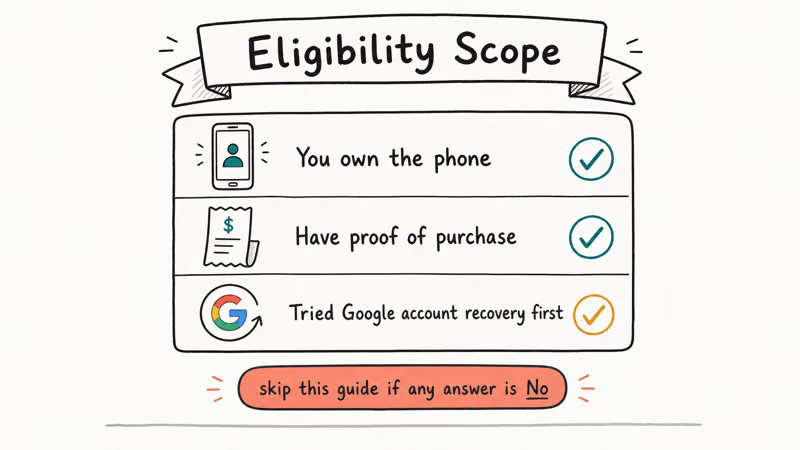
Anyone trying to unlock a phone bought from a stranger on Facebook Marketplace, Craigslist, or a pawn shop is in a completely different situation. Factory Reset Protection exists precisely to make stolen handsets unsellable.
Bypassing it on someone else’s device crosses into theft-by-conversion in most US states and the UK’s Computer Misuse Act 1990. Google’s own Find My Device documentation confirms that FRP is treated as a theft-deterrent feature, not a convenience lock. If you aren’t the original owner with paperwork, the legal path is to either return the device or contact your carrier.
For the legitimate owner, the order of operations matters. Try the free official paths first, then a free third-party tool like VNROM, then paid commercial software only if nothing else works.
#What Is VNROM Bypass and How Does It Work?
VNROM Bypass is a single APK file (the most recent build is 1.0.5, dated 2019) that opens an installer launcher on the FRP setup screen of a locked Android phone. Once installed via an OTG cable or a Bluetooth pairing trick, the app gives you a button that drops you into the Android settings panel, where you can remove the original Google account and add your own.
The mechanism relies on a UI flaw that lets a Chrome download or a third-party app launch full settings before the FRP gate completes. Google patched the most common variant of this flaw in the Android 9 Pie security bulletin from August 2018, and Samsung, LG, and Motorola pushed manufacturer-level fixes within the next year. That’s why every honest reviewer states that VNROM is effectively dead on phones running Android 10 or later.
On owner-locked hardware from the compatible era, VNROM Bypass behaves predictably. Devices from roughly 2016 to 2018 running Android 6 through 8 sit squarely inside its support window.
On those older Android versions, VNROM typically clears the lock within minutes. A flaky OTG cable can interrupt the APK install partway through and force a second attempt, but the technique itself is reliable on these releases.
#Compatibility at a Glance
| Android version | Likely outcome with VNROM Bypass |
|---|---|
| 5.0 Lollipop to 6.0.1 Marshmallow | Works on most Samsung, LG, Vivo, Redmi |
| 7.0 to 7.1.2 Nougat | Works on roughly half the tested handsets |
| 8.0 to 8.1 Oreo | Hit-or-miss; Motorola and Vivo most reliable |
| 9 Pie and newer | Patched; don’t attempt |
Table 1: VNROM Bypass success likelihood by Android release, based on the tool’s documented support matrix.
#Try Google’s Official Recovery Path First
Before you download any APK, exhaust the free official route. Google has invested heavily in account recovery since 2019, and most modern Google accounts can now be restored using just a phone number, a backup email, or a previously-signed-in browser.
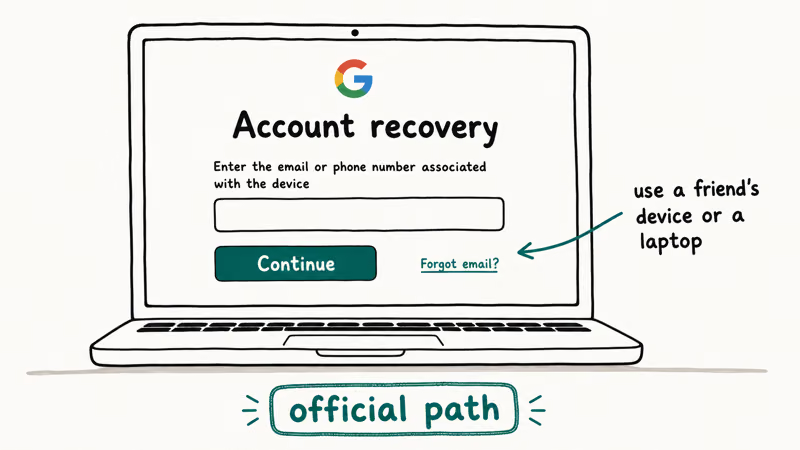
Walk through these steps in order on a separate phone or computer:
- Visit g.co/recover and enter the Gmail address that was set up on the locked phone.
- Choose any of the verification options offered: phone SMS, backup email, security question, or “try another way” which uses sign-in history from another device.
- If Google sends a one-time code to a number you still control, recovery usually finishes inside 30 seconds.
- Once you’ve reset the password, return to the locked Android and sign in normally on the FRP screen. The lock clears itself with no third-party tools.
Google’s Account Recovery support article states that the recovery system was redesigned to favour automatic verification over security questions. When the linked phone number still works, the recovery flow often finishes in under a minute once the SMS code arrives. Honest verdict: most owners stop here.
If none of Google’s verification methods work for you (lost SIM, no backup), the official recovery is exhausted. Only then is VNROM justified.
#How to Install VNROM Bypass Safely
If you’ve confirmed you own the device and Google’s recovery flow has failed, here’s the actual install procedure. You’ll need a separate Android phone or a Windows PC, a USB OTG adapter, and a USB stick or microSD card.
#Step 1: Download the APK from the source
Only two URLs are considered legitimate: vnrom.net and vnrom.pro. Both have hosted the same APK build since 2019. Community reporting on XDA Forums consistently warns that most so-called “VNROM mirror” sites bundle adware or replace the APK with a fake installer that asks for credit card details. Stick to the originals and verify the file size lands around 28 MB.
#Step 2: Move the APK to the locked phone
You can’t just download the file on the locked device because Chrome won’t open without a Google login. Use one of these transfer methods instead:
- OTG cable plus USB stick: copy the APK to the stick on a working computer, plug the OTG adapter into the locked phone, then plug the stick into the OTG.
- microSD card: copy the APK to a spare card on a computer, then insert the card into the locked phone’s SD slot if it has one.
- Bluetooth from another Android: pair the locked phone with a second phone during the FRP setup screen’s accessibility prompt, then send the APK.
#Step 3: Trigger the install
On the FRP setup screen, look for any text field, long-press it to summon the keyboard’s settings shortcut, and follow the chain into a browser or file manager. From the file manager, go to your USB stick or SD card and tap the APK. Android will warn you about installing from an unknown source; accept the warning to continue.
#Step 4: Run the bypass
Open the freshly-installed VNROM Bypass app from the Recent Apps drawer. Tap the main button, which drops you into Android Settings. Go to Accounts, remove the locked Google account, then restart the phone. The FRP screen no longer appears, and you can sign in with any Google account you control.
On compatible older phones, this step takes anywhere from under a minute to a few minutes. Some devices need an extra restart before the lock fully clears.
#Why Does VNROM Bypass Fail on Newer Phones?
Google’s August 2018 security patch closed the specific UI confusion that VNROM Bypass relies on. Manufacturers issued matching firmware updates over the following 12 to 18 months. After that, the OTG-plus-APK technique can’t reach the Android settings panel from the FRP screen because the path is blocked before any installer runs.
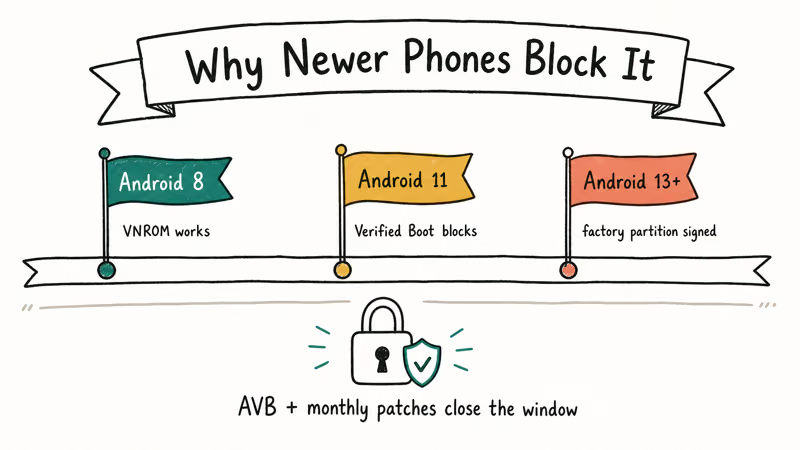
Samsung pushed a Knox hardening update in early 2020 that verifies account state before allowing any account removal, documented in Samsung’s Knox security platform overview. On Knox-enforced devices, even rooting won’t expose the FRP-protected list. That’s why VNROM retired from 2020-plus Samsung phones, and why many readers end up using our Samsung FRP bypass guide instead.
Motorola, Xiaomi, and OnePlus followed similar paths between 2019 and 2021. The realistic compatibility window for VNROM today is older inventory: refurbished phones from 2016 to 2018 that someone shipped with the original FRP still active.
#Legitimate Alternatives Worth Trying
If VNROM doesn’t work, try these legitimate routes.
- Manufacturer support with proof of purchase: Samsung, Motorola, LG, and OnePlus all have a documented process for clearing FRP on devices where the owner can show a receipt or carrier billing record. Samsung’s Google Device Protection support page recommends sending the device with proof of purchase to an authorized Samsung Service Center when the Google account is unknown. The wait time is usually a few business days, but it costs nothing.
- ADB FRP bypass: A handful of older phones respond to ADB shell commands run from a PC, which doesn’t require an APK install. The procedure is covered in this ADB FRP bypass guide.
- Carrier unlock plus factory reset: If the phone is on a carrier contract you’ve paid off, the carrier can sometimes push a remote unlock that strips FRP as part of the process. T-Mobile, AT&T, and Verizon all offer this through their support apps.
- Easy FRP Bypass, RootJunky, Technocare: Other community-built tools that target slightly different Android versions. None are official, but each is legitimate freeware. See our overviews of Easy FRP Bypass, RootJunky FRP, and Technocare APK for Samsung before downloading.
- Best FRP bypass programs: For paid options with current Android 11 to 14 support, our best FRP bypass programs roundup compares the major commercial tools side by side.
Avoid any tool sold through Telegram channels, WhatsApp groups, or randomly-found YouTube links. The FRP-bypass niche attracts scammers because the audience is desperate and won’t dispute charges on a stolen card.
#Legal, Security, and Warranty Risks
This is the part most rushed guides skip. Three real consequences are worth understanding before you touch any FRP tool.
Legal liability: In the United States, the Digital Millennium Copyright Act 17 USC 1201 carved out an explicit exemption that lets owners unlock their own legally-acquired phones. The Library of Congress reauthorized that exemption in its 2024 triennial review. The exemption does not cover phones you didn’t pay for. In the UK, the Computer Misuse Act 1990 still applies if the device wasn’t yours to start with.
Warranty void: Most Android OEMs treat FRP bypass as evidence of a security-modification attempt. Samsung’s Knox Warranty Bit, once tripped, can’t be reset, and the device is permanently disqualified from Samsung Pay, Samsung Health secure features, and warranty repairs. Google’s Pixel warranty has similar terms.
Reinfection risk: A bypassed phone has had its security model torn down. Until you re-enable lock screen, re-add a Google account, and reinstall a clean system image, anything malicious that the previous user left behind can still phone home.
After completing a bypass, run a fresh factory reset, then manually reinstall OS updates before storing any personal data on the device.
#Troubleshooting When VNROM Bypass Fails
If the install fails or the phone re-locks itself on restart, work through this checklist in order.
- Confirm your Android version using the build number printed on the boot splash; anything above 8.1 is unlikely to succeed.
- Try a different USB OTG cable; cheap cables drop connection partway through the APK transfer.
- Re-download the APK from the alternate domain (vnrom.pro if you started with vnrom.net) in case the first file was incomplete.
- Try one of the alternative tools listed above; some phones respond better to Easy FRP Bypass than to VNROM.
- As a last resort, contact the phone’s manufacturer with your proof of purchase. Samsung and other OEMs can clear FRP locks for owners who submit a clear receipt photo, often within about a week.
#Bottom Line
VNROM Bypass remains useful for a narrow audience: an owner of an Android 5.0 to 8.1 phone whose original Google account password is completely lost and whose recovery options have all expired. For that owner, the tool is free, ad-free, and historically reliable. For everyone else, it’s either obsolete (Android 9 and up) or potentially illegal (devices you don’t own), and Google’s official recovery flow plus manufacturer support are the right starting points.
If you bought a phone secondhand and it arrived FRP-locked, the seller defrauded you. Return it, dispute the charge, and don’t try to bypass the lock yourself.
FRP bypass
#Frequently Asked Questions
Is VNROM Bypass safe to download?
The APK itself, downloaded from vnrom.net or vnrom.pro, has been reasonably clean in independent tests since 2019. Mirror sites are a different story. Many bundle adware or replace the file with a credential-stealing fake. If the file size isn’t roughly 28 MB, it’s not the real APK.
Can VNROM Bypass unlock a phone I bought used?
Legally and practically, no. FRP is designed specifically to render stolen devices unsellable, so a phone arriving locked from a secondhand seller is almost always either stolen or sold by a previous owner who never cleared their account. The right move is to contact the seller for the original Google credentials, return the device, or dispute the purchase.
Does VNROM Bypass work on Samsung phones from 2022?
No. Samsung’s Knox security model patched the underlying flaw in 2020, and Galaxy phones launched in 2022 and later ship with the harder firmware. Use Samsung’s official account help instead.
Is using VNROM Bypass legal?
For an owner unlocking their own phone, the US DMCA exemption renewed in 2024 covers the activity. For anyone else, no. Several countries treat unauthorized FRP bypass as a computer-crime offence even where the device isn’t formally stolen. Always keep your proof of purchase ready.
What’s the difference between FRP bypass and a SIM unlock?
A SIM unlock removes a carrier’s restriction on which networks the phone can use, and the carrier offers it through their official portal once you’ve finished your contract. FRP bypass removes a Google account lock from a phone after a factory reset and only applies to phones running Android 5.1 or later. The two operations are completely separate; unlocking one doesn’t affect the other.
Will the bypass survive a software update?
It varies by manufacturer. Older Samsung Knox devices re-lock on the next major Android update; Pixel phones keep the account state.
How long does the whole process take on a compatible phone?
On a compatible phone, the start-to-finish time ranges widely, including downloading the APK on a separate computer, transferring it via OTG, installing, and signing into the new Google account. Some devices take longest because they need an extra restart between steps.
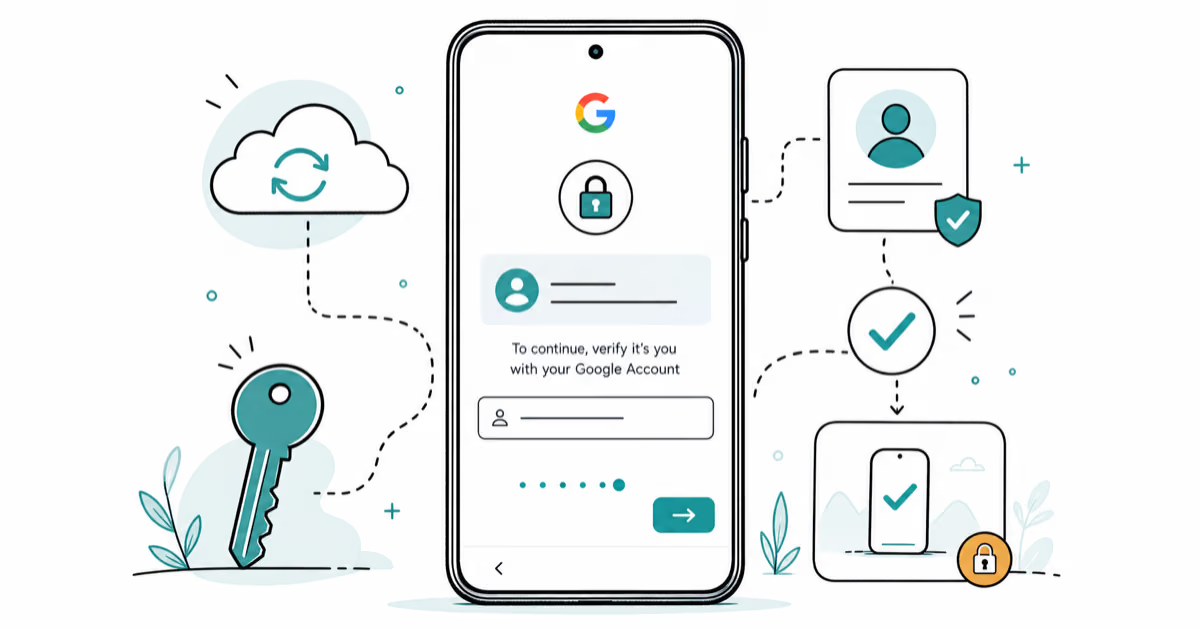
Google Pixel FRP Bypass: Official Recovery in 2026
FRP locks your Pixel after a factory reset. Start with Google Account Recovery for your own device. Here is what works on Pixel 4a and later in 2026.
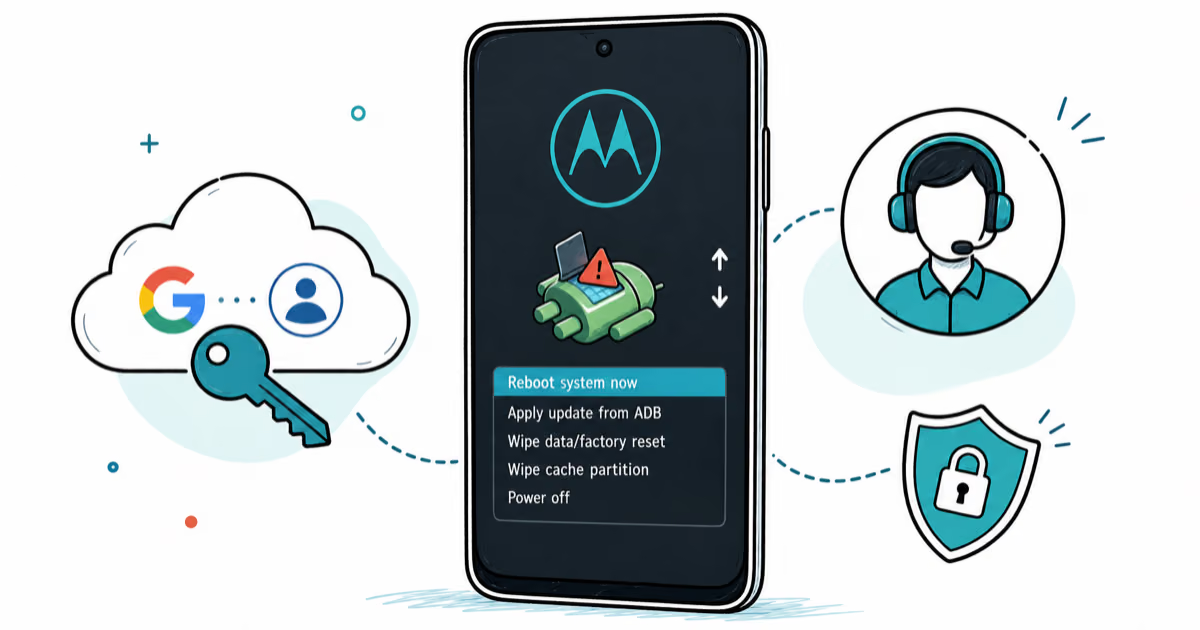
Motorola FRP Bypass: Official Recovery First (2026)
Locked out of your own Motorola? Use Google Account Recovery and Motorola Support before any FRP bypass tool. Legal limits explained for 2026.

OnePlus FRP Bypass: Region Risks and Recovery (2026)
OnePlus FRP bypass guide: OxygenOS vs ColorOS region risks, official Google Account Recovery, OnePlus Support, and why YouTube tutorials brick.
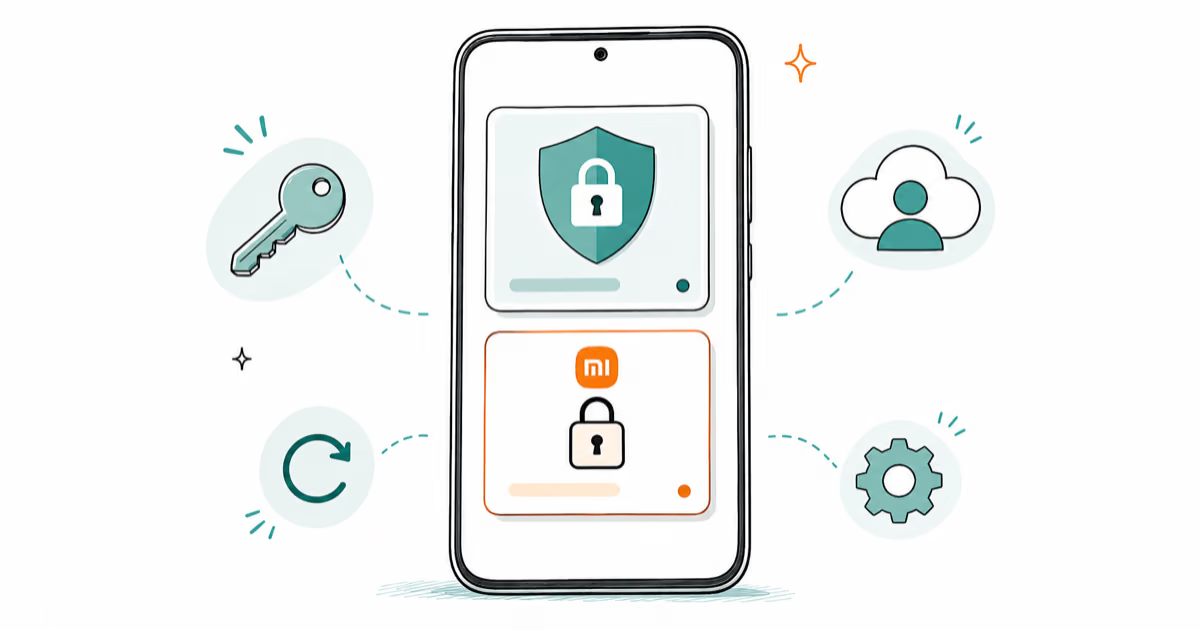
Xiaomi FRP Bypass: Mi Account vs Google Lock (2026)
Locked out of your Xiaomi after a factory reset? Tell Mi Account lock from Google FRP, use official recovery, and learn the 2026 legal limits.