Bypass Samsung FRP With Technocare APK (Legal Owner Guide)
Locked out of your own Samsung phone? Compare Find My Mobile, Google account recovery, and Technocare APK for owner FRP unlock with legal safeguards.

Quick AnswerUse Samsung Find My Mobile first to remote unlock your own Galaxy, then try Google account recovery to clear FRP, and treat Technocare APK as a last resort for forgotten-password devices you legally own.
If you’ve forgotten the Google credentials on your own Samsung phone after a factory reset, you’ve hit Factory Reset Protection (FRP). This guide walks through the legal owner path: Samsung’s official Find My Mobile remote unlock first, Google’s account recovery flow second, and Technocare APK only as a third-party fallback when both official routes fail on a device you can prove you own.
- Find My Mobile is Samsung’s official remote unlock for Galaxy devices registered to your own Samsung account before the lock.
- Google account recovery clears FRP after a factory reset by re-verifying the email address that was synced to the device.
- Technocare APK is a third-party APK with no official website; treat it as a last-resort fallback, not a primary tool.
- FRP bypass is legal only on your own forgotten-password device; using these methods on a found, resold, or stolen phone is illegal.
- Tenorshare 4uKey for Android offers a paid alternative with guided steps and a published support site for Galaxy owners.
#Use Samsung Find My Mobile First (Method 1)
Find My Mobile is the official Samsung route, and it’s the first thing you should try if the locked phone is yours. According to Samsung’s Find My Mobile support documentation, the service can remotely unlock a registered Galaxy device, locate it, back up data, and trigger a factory reset, all from any browser at findmymobile.samsung.com.
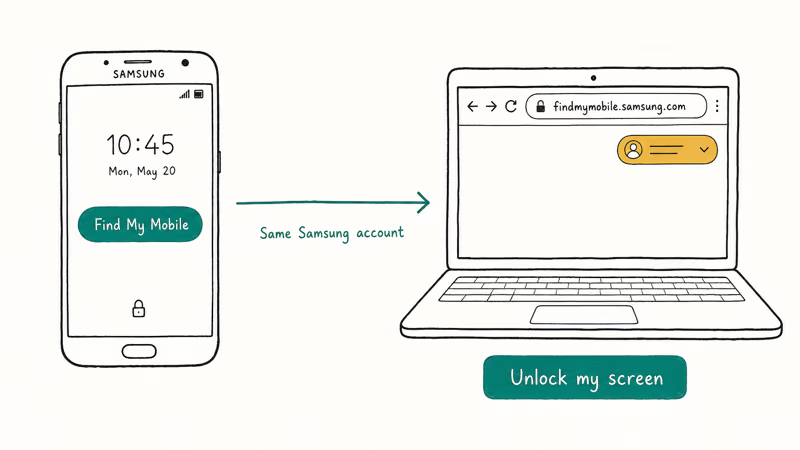
Three conditions must be true before the FRP triggered:
- The device was signed in to a Samsung account that you still control.
- “Remote unlock” was enabled in the device’s lock screen settings.
- The phone has internet connectivity (Wi-Fi or mobile data).
Samsung’s own remote unlock can clear the screen lock without a data wipe or third-party software touching the phone, following the pattern Samsung publishes in its remote unlock walkthrough.
If your own Galaxy meets those three conditions, this is the cleanest, free, warranty-safe option.
But there’s a caveat. If the device wasn’t registered to your Samsung account before the factory reset, Find My Mobile can’t help. Move on to Method 2 instead of reaching for riskier tools right away.
#Recover Your Google Account as Method 2
Once a Samsung phone has been factory reset, FRP asks for the Google account that was last signed in. Google’s Android Help center states that this lock activates only when a Google account was synced to the device before the reset, so you can clear it by proving you own that account.
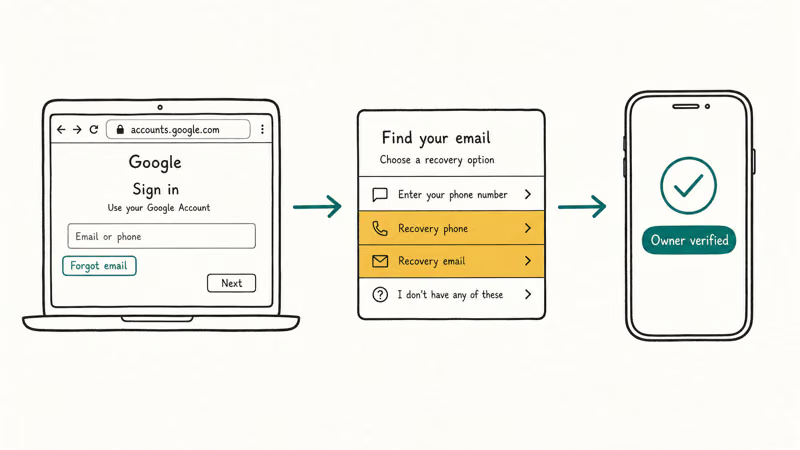
Open the Google account recovery flow at accounts.google.com/signin/recovery on a separate device and answer Google’s questions.
The recovery wizard accepts older passwords, recovery email codes, recovery phone codes, and security questions; answer enough of them correctly and Google unlocks the password reset directly.
If the Google account is your own, entering a known or recovered password on the FRP screen clears the lock. A recently changed Google password can take time to propagate before it’s accepted here.
Done. No third-party APK needed.
If you can’t recover the original Google account, Google’s official guidance recommends contacting an account specialist through the Google support form. They can sometimes verify ownership through the original purchase email, the linked phone number’s billing history, or an attached YouTube channel.
It’s slower than an APK.
But it produces a clean, supportable result with no warranty risk and no malware exposure attached to the device, which the unsigned-APK route never offers no matter how quickly it runs.
#Why Technocare APK Is Method 3 Only
Technocare APK is a third-party Android package that some users sideload to skip past the FRP screen on certain Samsung models. There’s no official Technocare website, no published changelog, and no signed binary, which means you can’t verify the publisher or audit the app for malware before installing.
That doesn’t make every copy malicious. But it does mean the risk profile is different from Samsung’s own flow.
Multiple mirror sites distribute APKs labeled “Technocare,” and there’s no central authority confirming which build is genuine. Different “Technocare” mirrors can produce files with mismatched SHA-256 hashes, which is exactly the warning sign you’d expect when an unsigned APK gets passed around between unofficial uploaders.
Technocare also has hard limits. It only works on a subset of older Samsung Galaxy devices running specific Android versions; newer models with Knox-enforced FRP and One UI patches block the workaround entirely. The interface is sparse, the steps depend on quirks like USB-OTG sticks, and the published instructions you’ll find vary by mirror site.
If Find My Mobile and Google recovery both fail on a phone you own, and you’re comfortable accepting the security trade-off, Technocare can be one of the fallback options. But you should pair it with strong post-bypass hygiene: factory reset again, sign in with a fresh Google account, and run a malware scan before restoring any personal data. For more context, our Samsung FRP tool comparison and bypass FRP without a computer walkthrough cover related routes for owner-recovery scenarios.
#Is Technocare APK Safe to Use?
The honest answer: it depends on which copy you download and what you’re protecting. Technocare itself is a small APK, but it’s been re-uploaded across dozens of unofficial sites, and any of those mirrors can repackage it with adware, banking trojans, or persistent spyware. Without a verified publisher, there’s no canonical SHA-256 hash to compare against.
Even a clean copy carries practical risks. It requires you to enable “Install unknown apps” on the phone, side-load through a USB-OTG drive, and grant broad accessibility permissions; each step widens the attack surface, especially if you skip the post-unlock factory reset that’s supposed to wipe the temporary trust state Technocare relies on.
There’s also a warranty angle worth weighing.
Samsung’s warranty terms state that unauthorized firmware modifications can void coverage, and aggressive FRP workarounds sometimes flip the Knox e-fuse, which leaves a permanent trace in the bootloader. If you might still need warranty service, the Find My Mobile route or a paid tool with vendor support is safer than an unsigned APK.
#When Is FRP Bypass Actually Legal?
FRP exists because anti-theft laws in the U.S., U.K., and EU require manufacturers to make stolen smartphones harder to resell. The lock isn’t just a technical feature; it’s part of how Samsung and Google comply with those rules.
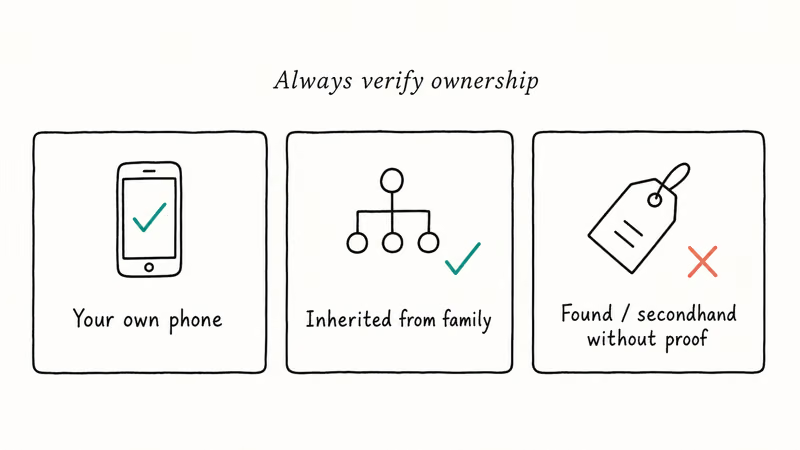
That makes the legal line clear. FRP bypass is legitimate only when all three of the following apply:
- You can prove ownership of the device (purchase receipt, original carrier contract, gift documentation).
- You forgot the password to your own account, not someone else’s.
- You aren’t trying to flip the phone, mask its IMEI, or sell it on without disclosing it was reset around FRP.
Bypassing FRP on a phone you found, bought used “as-is” without verifying its origin, or acquired through theft is illegal in most jurisdictions. The U.S. FCC’s stolen device guide explains that resale of stolen devices can violate state and federal laws, and carriers can permanently block the IMEI from their networks once a device is reported stolen.
That permanent block matters. Even a “successful” FRP bypass on a stolen phone leaves you with a brick that can’t connect to a U.S. carrier.
If a phone shows up on your bench with no proof of purchase, the right move is to return it to the seller or hand it over to local police with the IMEI; not to push it through any unlock workflow. For a forgotten-password device that’s clearly yours, the forgot Samsung Galaxy password walkthrough covers the safest sequence.
#Tenorshare 4uKey for Android: Easier Alternative
If you’ve exhausted Find My Mobile and Google recovery on your own device and want a guided alternative to Technocare APK, Tenorshare 4uKey for Android is the option we recommend.
It’s a paid Windows/macOS app from Tenorshare, a software vendor that publishes a real support site, signed installers, and a refund policy.
Tenorshare’s official 4uKey for Android product page confirms that the tool focuses on Samsung Galaxy FRP removal and screen-lock unlock for owner-recovery scenarios. The interface walks through device selection, system version pickers, and on-device confirmation steps, which is typically easier to follow than the patchwork instructions you’ll see for Technocare.
The paid model brings practical guardrails:
- The installer is signed and downloads from one canonical URL, so you can verify what you’re running.
- Tenorshare’s support team can answer FRP questions over email and live chat.
- If the tool fails on your specific Galaxy model, the refund window gives you a way out.
The trade-off is cost. Technocare is free; 4uKey for Android isn’t. If you’re already going to spend an hour wrestling with an unsigned APK, paying for a guided tool that lists supported models, includes step-by-step prompts, and offers vendor support can be worth the price for one-time owner unlocks.
As an Amazon Associate fone.tips earns from qualifying purchases through some product links.
#Find My Mobile vs 4uKey: Side-by-Side
Find My Mobile and Tenorshare 4uKey solve different sides of the same problem, so the comparison is about which tool fits your situation, not which one is “better.”
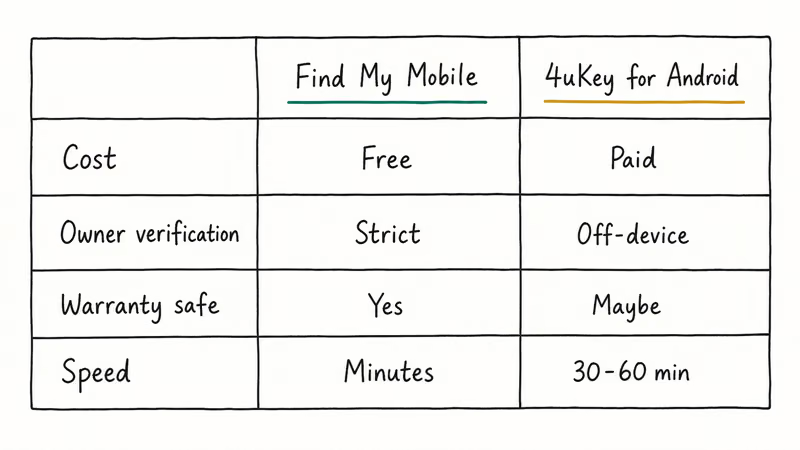
Find My Mobile wins on:
- Cost (it’s free).
- Trust (it’s Samsung’s first-party service).
- Data preservation (the remote unlock can clear the screen lock without wiping user files).
- Warranty safety (no third-party software touches the device).
4uKey for Android wins when:
- The Samsung account wasn’t registered before the lock occurred.
- The device is offline and Find My Mobile can’t reach it.
- You need a guided desktop workflow because the on-phone steps confuse you.
- Google account recovery has already failed and the owner has proof of purchase.
A pragmatic owner sequence looks like this: try Find My Mobile, then Google account recovery, then 4uKey, with Technocare APK as a final option only if you’re comfortable side-loading an unsigned APK. Our Samsung bypass guide and disable FRP lock explainer dig into when each tier makes sense.
#Bottom Line
For your own Samsung phone, Samsung’s Find My Mobile is the right starting point and clears most owner-recovery scenarios without third-party software. If the Samsung account wasn’t tied to the device, Google’s account recovery flow is the next step and addresses the FRP screen directly.
Method 3 is the fallback, not the default.
Technocare APK earns that slot only because it’s free and it sometimes works on older Galaxy models. The absence of an official site, a verified publisher, or vendor support makes it the riskiest choice on the list. If you’d rather pay for a guided experience with real support, Tenorshare 4uKey for Android is a more defensible alternative.
Across all three options, the legal frame stays the same: these tools are for forgotten-password devices you can prove you own. Resale, found, or stolen Samsung phones aren’t a fit, and pushing them through any FRP workaround is unlawful.
FRP bypass
#Frequently Asked Questions
Is Technocare APK free to download?
Yes, the APK is distributed free across mirror sites.
The catch is that there’s no official Technocare website, so each download carries a risk that the file you fetched has been modified. Always scan the APK with at least one reputable antivirus before installing it on a Samsung device, and double-check that the source is one you’ve used before.
Does Technocare work on every Samsung Galaxy?
No. Technocare targets a narrow window of older Galaxy devices on specific Android versions. Newer models with One UI 5 and later, plus Knox-enforced FRP, generally block the workaround, so don’t expect it to clear the lock on a recent flagship.
Will using Technocare void my Samsung warranty?
It can.
Samsung’s warranty terms state that unauthorized firmware modifications can void coverage. Aggressive FRP workarounds sometimes trip the Knox e-fuse, which is one-way and leaves a permanent flag in the bootloader. If you might still need warranty service, Find My Mobile or a vendor-supported tool is the safer call, and the cost difference is usually trivial compared to the risk of losing free warranty coverage on a flagship.
Is it legal to bypass FRP on a Samsung phone?
Only if it’s your own forgotten-password device and you can prove you own it. Bypassing FRP on a found, bought-used-as-is, or stolen Samsung phone is illegal in most jurisdictions; the FCC’s stolen device guide describes the federal exposure.
What’s the safest free option to clear FRP on my own phone?
Samsung Find My Mobile, when the device was registered to your Samsung account before the lock.
How is Tenorshare 4uKey different from Technocare APK?
4uKey for Android is a paid desktop app from a publisher with a public support site, signed installers, and a refund policy. Technocare is an unsigned APK distributed through unofficial mirrors. The functionality overlaps, but the trust profile and the support level differ sharply.
What should I do if I bought a used Samsung phone that’s locked?
Contact the seller, ask for the Samsung account credentials or the original purchase receipt, and verify they were the first owner. If they can’t provide either, return the device. Pushing the phone through any FRP bypass without ownership proof exposes you to legal risk under the same anti-theft rules that put FRP on the phone in the first place, and the device often won’t connect to a U.S. carrier afterward because the IMEI may already be in the stolen-phone database.
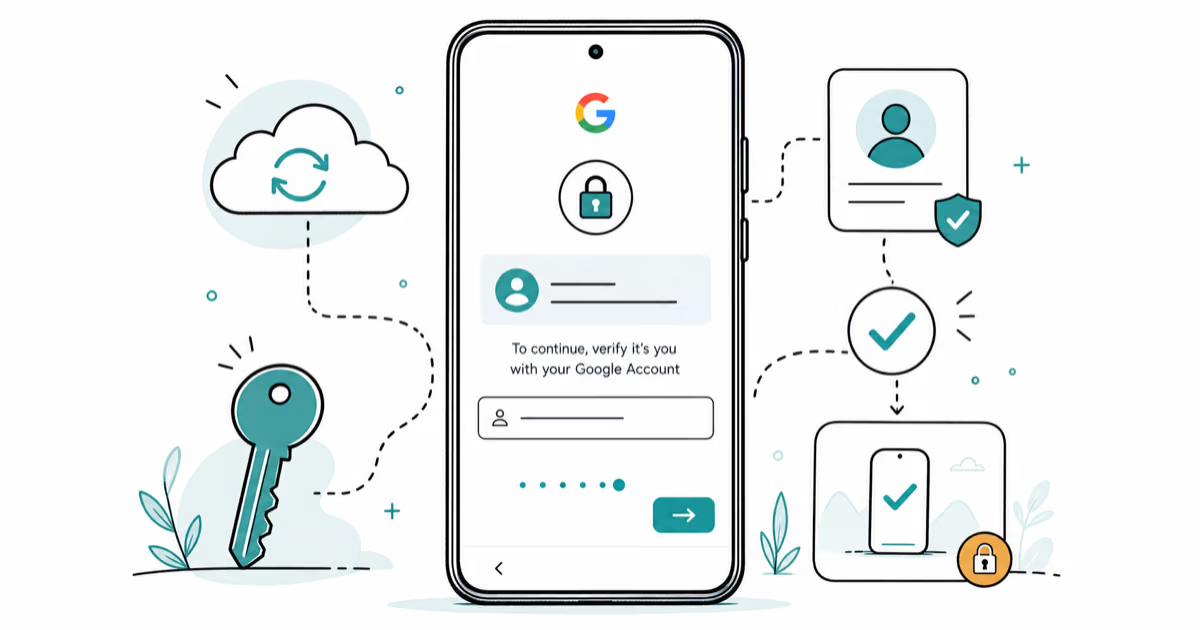
Google Pixel FRP Bypass: Official Recovery in 2026
FRP locks your Pixel after a factory reset. Start with Google Account Recovery for your own device. Here is what works on Pixel 4a and later in 2026.
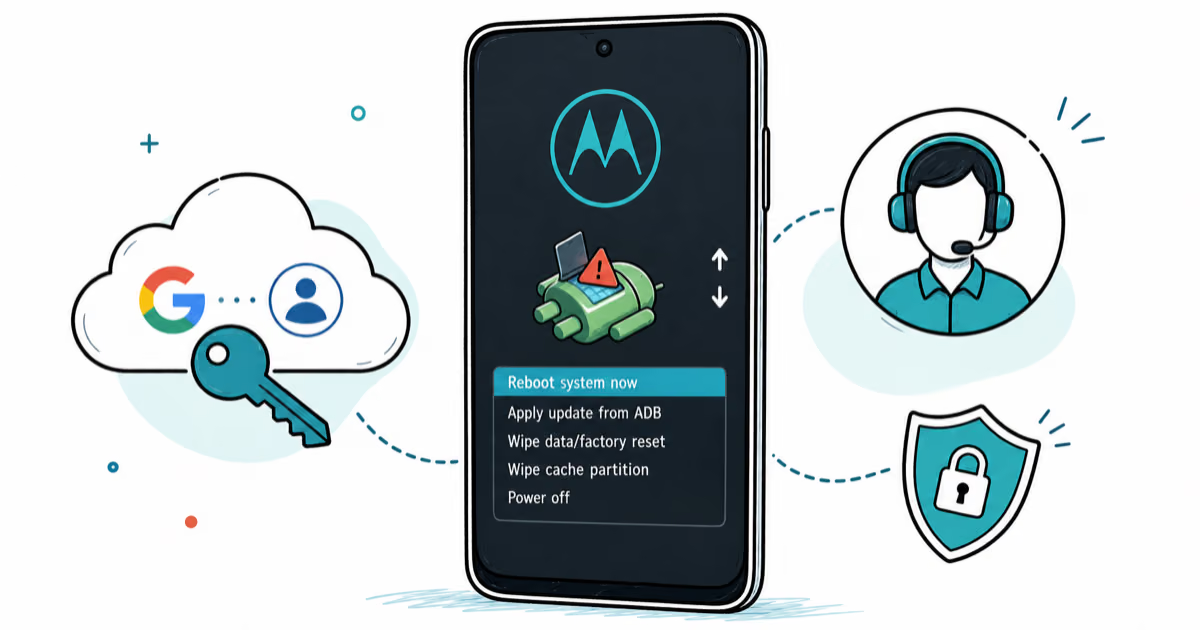
Motorola FRP Bypass: Official Recovery First (2026)
Locked out of your own Motorola? Use Google Account Recovery and Motorola Support before any FRP bypass tool. Legal limits explained for 2026.
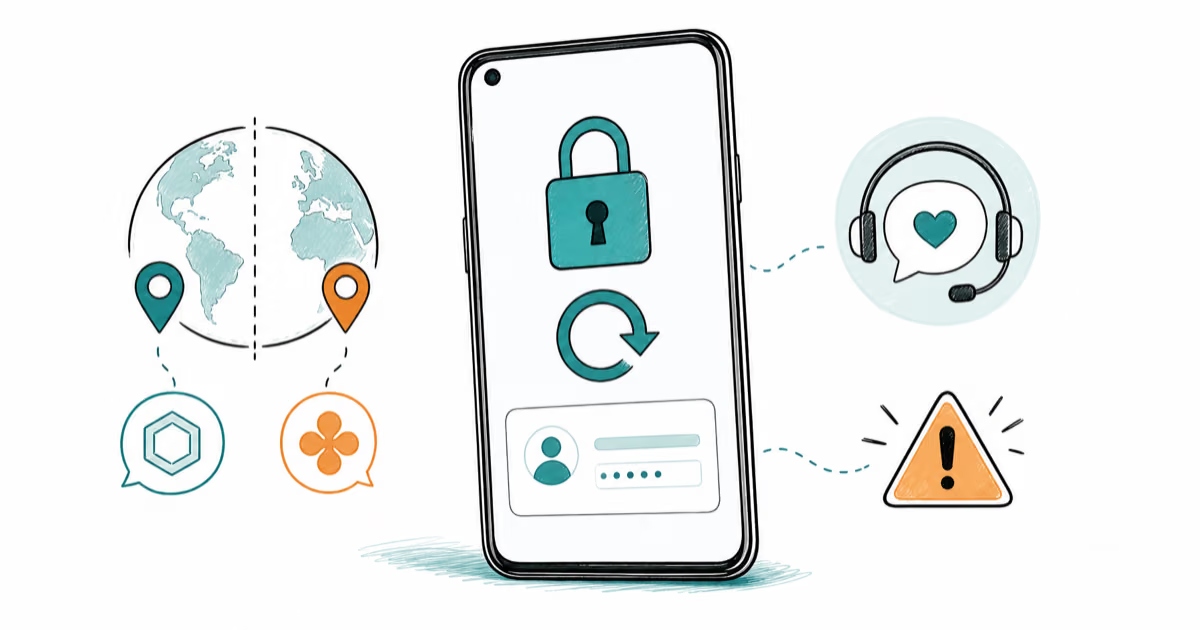
OnePlus FRP Bypass: Region Risks and Recovery (2026)
OnePlus FRP bypass guide: OxygenOS vs ColorOS region risks, official Google Account Recovery, OnePlus Support, and why YouTube tutorials brick.
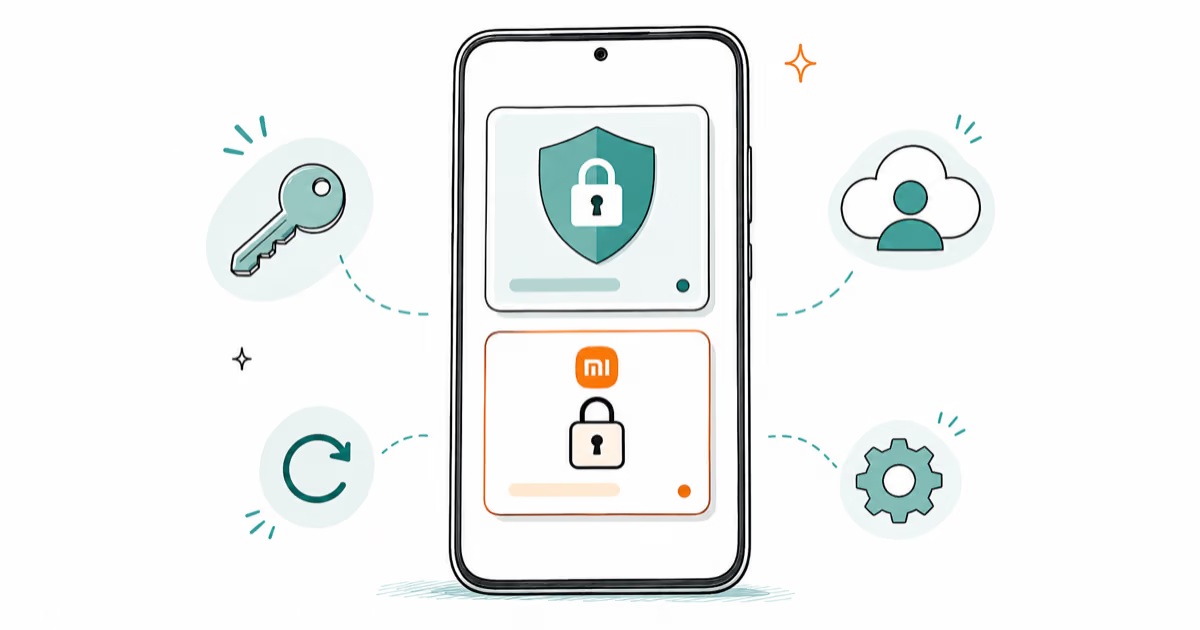
Xiaomi FRP Bypass: Mi Account vs Google Lock (2026)
Locked out of your Xiaomi after a factory reset? Tell Mi Account lock from Google FRP, use official recovery, and learn the 2026 legal limits.