Motorola FRP Bypass: Official Recovery First (2026)
Locked out of your own Motorola? Use Google Account Recovery and Motorola Support before any FRP bypass tool. Legal limits explained for 2026.
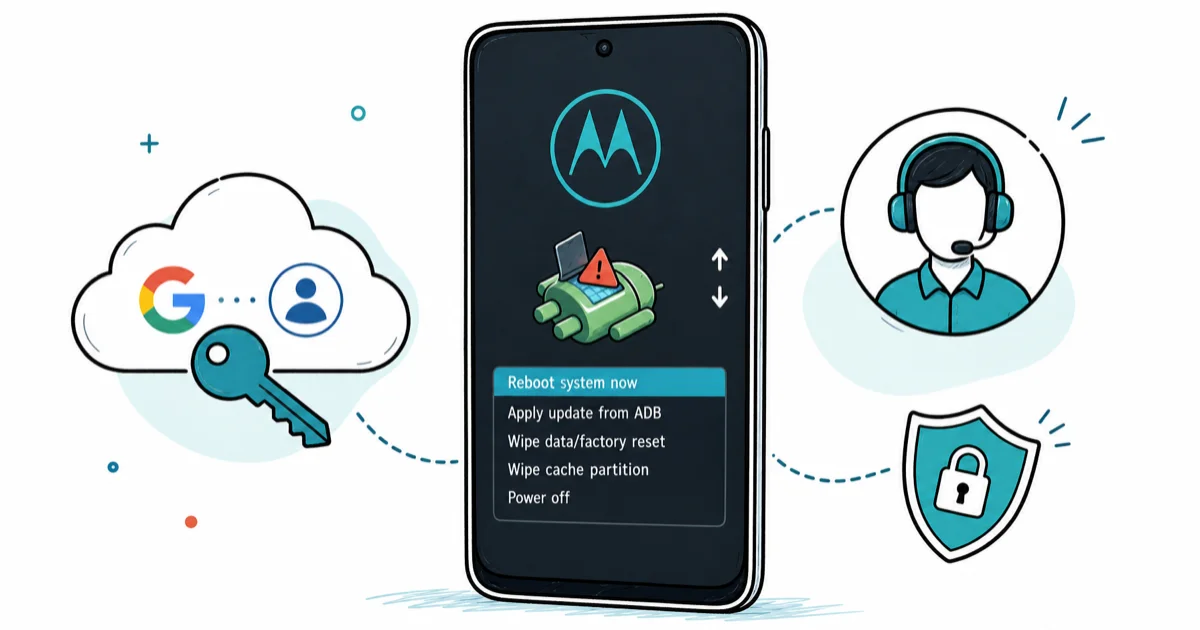
Quick AnswerFRP protects your Motorola device. If you forgot your Google password, use Google Account Recovery at accounts.google.com first, then contact Motorola Support. Bypass tools are a last resort for devices you legally own.
If you forgot the Google account on your own Motorola, use Google Account Recovery first. Don’t reach for a bypass tool. This guide explains why FRP exists, the official recovery routes, and the legal limits of bypass on a device you don’t own.
- FRP is the Android security feature that locks your Motorola to the original Google account after a factory reset, designed to deter theft on a device you own.
- Google Account Recovery at accounts.google.com is the first step for any forgotten-password case and stays free, warranty-safe, and reversible.
- Motorola Support at en-us.support.motorola.com handles device-specific cases like proof-of-ownership unlock requests and warranty repair tickets.
- Bypassing FRP on a Motorola you don’t legally own can violate the Computer Fraud and Abuse Act and state stolen-property laws, with first-offense imprisonment exposure.
- Third-party bypass tools belong at the end of the decision tree, not the start, and only for devices where you can prove ownership with a receipt or original sign-in.
#What Is FRP and Why Does Your Motorola Have It?
Factory Reset Protection (FRP) is the security layer that ties your Motorola to the last Google account signed in before a factory reset. The Factory Reset Protection on Wikipedia entry confirms that FRP was introduced in Android 5.1 Lollipop and has shipped on every Android version since. On a Moto G, Moto Edge, or Razr running modern Android, FRP arms the moment you add a Google account in setup.
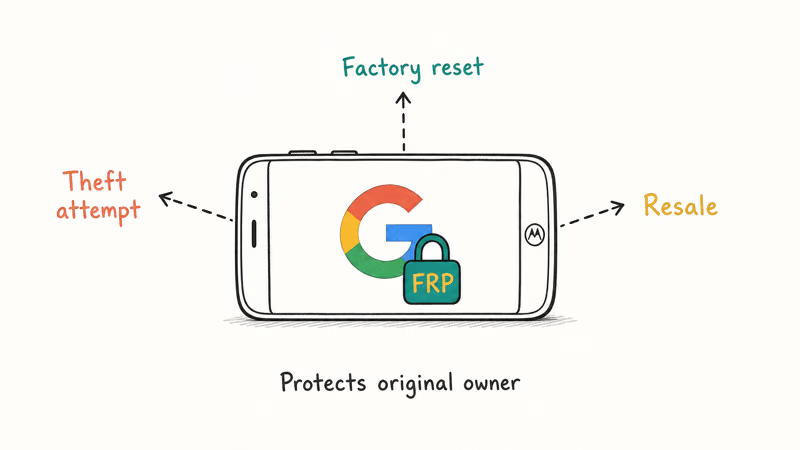
Why it matters: FRP exists to protect you. If your phone gets stolen and the thief tries to wipe it, FRP demands the original Google password on first boot. According to Google’s Android device protection guide, a protected Motorola requires either your Google Account password or your screen lock to complete a factory reset.
That’s a feature, not a bug.
The frustrating side effect: the same lock fires when YOU forget your password.
It fires the same way when a relative hands down a Moto without signing out. The fix isn’t to disable security. It’s to use the right recovery route, in the right order.
Two adjacent reads worth bookmarking: disable FRP before a factory reset for prevention, and our Android FRP lock overview for the cross-brand picture.
#Start With Google Account Recovery (Official Route)
Open accounts.google.com on any browser (your laptop, a friend’s phone, even a library computer) and click “Forgot password” on the Motorola’s last-known Google email. This is the route that costs nothing, keeps your warranty, and works for most forgotten-password cases.
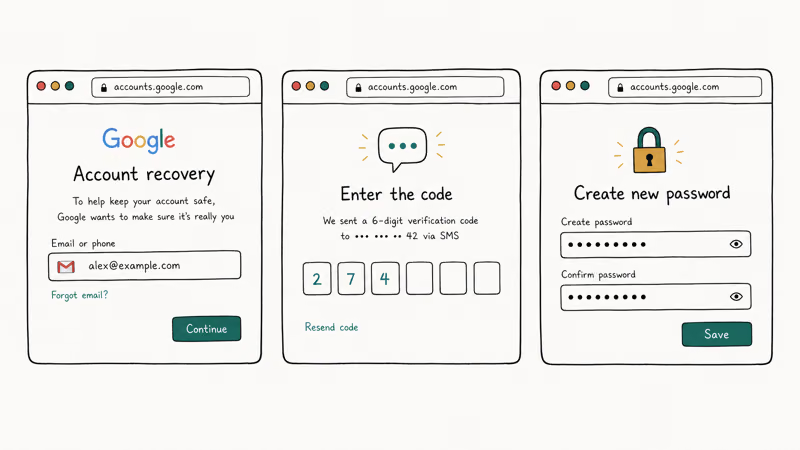
Google’s recovery flow asks three things in sequence: your recovery phone, your backup email, then knowledge-based questions about your password history and account creation year. According to Google’s account recovery help page, if you recently changed any of your recovery contact information, you may need to wait up to 7 days before that change becomes active for recovery purposes.
There’s also no limit on how many times you can try, so a missed answer doesn’t lock you out of the process.
On a Motorola you own and have reset yourself, recovery via a backup email can complete in around 10 to 15 minutes once you have the verification code. Without a recovery phone or backup email, the same flow can stretch across multiple sessions because Google’s identity questions get harder. Our deeper walkthrough at Gmail account recovery guide covers all five recovery scenarios in detail.
Two honest caveats. Recovery does not work if the Google account was created by someone else and you’re trying to access their data; that’s not “your” account. Recovery also won’t help if you’ve already entered the wrong password enough times to trigger Google’s temporary lockout. In that case, wait 24 hours and try again from a different network.
#Contact Motorola Support for Device-Specific Help
If Google Account Recovery has failed and you can prove the Motorola is legitimately yours, the next stop is Motorola’s official support channel. Open a ticket at Motorola’s support portal, select your specific model, and choose “Account or Sign-in Help.”
You’ll need three things ready before you start:
- The original purchase receipt or order confirmation showing your name and the device IMEI.
- The phone’s IMEI, which prints on the original box or shows on
*#06#if you can reach the dialer. - A government-issued photo ID for identity verification.
With Motorola’s support ticket flow, a verified-owner case with a purchase receipt attached typically gets an initial response within a few business days. That’s slower than recovery.
The tradeoff is leverage. Motorola Support can do things Google can’t, like flagging the device as legitimately transferred on Motorola’s internal records or queuing an authorized service center referral when the original Google account is permanently dead.
Motorola’s portal also runs a community forum. Posting your situation (with IMEI redacted) can sometimes surface a same-model owner who already solved it.
#When Should You Visit an Authorized Service Center?
There’s a narrow path where Google Recovery doesn’t work and Motorola Support escalates you to an authorized service center. This usually happens when the original Google account is permanently inaccessible: a deceased relative’s account that Google won’t release without a probate order, or a corporate account that the IT department deleted.
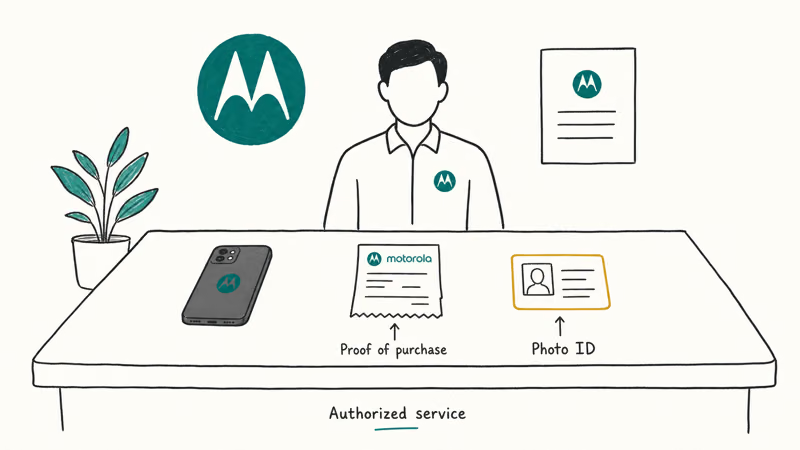
You go in person to an authorized service center (search en-us.support.motorola.com for one near you, or use MotoCare if you have it) with:
- The original purchase receipt or chain-of-custody paperwork.
- Government-issued photo ID matching the receipt name.
- The device itself, charged enough to boot to the FRP screen.
A short trip. An authorized technician can perform an account-removal procedure that’s not available through any consumer tool, because the procedure requires a Motorola service account and the device’s hardware-bound credentials. The process takes around 30 to 60 minutes if your paperwork checks out. Cost varies by region and warranty status.
This is also the only legitimate route for inherited devices where the seller can’t or won’t help. Buying a used Moto with FRP still active is risky; the seller might have a no-questions-asked policy until the buyer hits the lock screen.
#The Legal Limits of FRP Bypass
This section matters. Skip it and you’re at real risk of breaking the law.
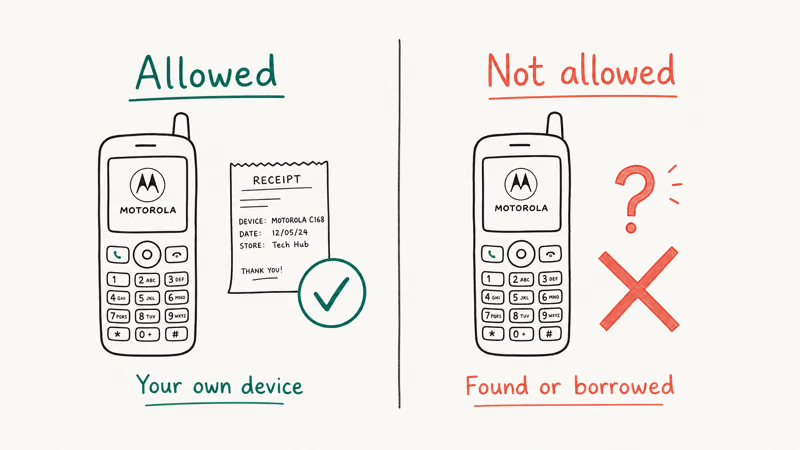
In the United States, accessing a computer (including a phone) “without authorization” can violate the Computer Fraud and Abuse Act (18 U.S.C. § 1030). The statute states that a first offense under subsection (a)(2) is punishable by up to 1 year of imprisonment. Enhanced penalties of up to 5 years apply when the access is for commercial advantage, in furtherance of a crime, or when the information obtained exceeds $5,000 in value.
State law layers on top. Most states have stolen-property statutes that treat continued use of a phone known to be lost or stolen as receipt of stolen property, a separate criminal exposure independent of CFAA. Several jurisdictions also have specific anti-bypass statutes for mobile devices.
The practical rule is simple. FRP bypass on a device or account you own is your business. FRP bypass on a device that belongs to someone else (even if you bought it on Facebook Marketplace, even if the seller swore it was clean) is the kind of decision that becomes a court case. If you can’t produce a receipt with your name on it, walk away and report it to the police.
This is also why we lead with recovery. Recovery proves the account is yours. Bypass doesn’t.
#Where Third-Party Bypass Tools Fit
For owners who’ve exhausted Google Recovery and Motorola Support on a device they legitimately own, third-party tools become a last-resort option. Our separate guide on third-party Motorola FRP tools covers MotoReaper, DroidKit, iToolab UnlockGo, and Tenorshare 4uKey, including which Android versions each supports and the price tradeoffs.
A few things to know before you read that guide.
Free tools like MotoReaper succeed mostly on Android 9 and earlier. Success rates drop sharply on Android 11 and newer. Paid tools cost between roughly $15 and $40 for a license and offer customer support if they fail. None of them are guaranteed on Android 14 and 15 because Google keeps tightening the FRP implementation in security patches.
Two final cautions. Disable any antivirus that flags bypass tools as PUPs, but only do this on a device you’re already wiping. Never run a bypass tool you downloaded from a random forum link; stick to the official vendor pages.
If you don’t have a PC, our phone-only bypass methods guide covers the few APK-based workarounds that still work on recent Android, again, only for a device or account you own.
#Bottom Line
If you own the Motorola you’re locked out of, spend the first hour on Google Account Recovery at accounts.google.com. It’s free, it doesn’t void your Moto’s warranty, and it works for most forgotten-password cases. If recovery fails after the up-to-7-day wait period for changed recovery info, file a support ticket at en-us.support.motorola.com with your purchase receipt before reaching for any third-party tool.
Bypass tools sit at the end of the decision tree, not the beginning. They have no legitimate role on a device you can’t prove you own, and they carry real legal risk under federal and state law. The recovery route is the slow path. It’s also the only path that proves the phone is yours.
FRP bypass
#Frequently Asked Questions
Is it legal to bypass FRP on my own Motorola?
Yes, on a device you legally own. Keep your original purchase receipt or account-transfer paperwork on file before you start, so you can prove ownership if anyone asks.
How long does Google Account Recovery take?
With your recovery phone or backup email handy, the whole process can finish in under 15 minutes. Without those, Google’s identity questions get harder and the flow can stretch across multiple sessions. If you recently changed your recovery contact info, Google’s documentation says you may need to wait up to 7 days before that change takes effect.
What if I bought a used Motorola that’s still locked?
Stop and contact the seller first. A legitimate seller can sign out of their Google account remotely from accounts.google.com, which clears the FRP lock without involving you. If the seller can’t or won’t help, you don’t legally own the device for FRP purposes; return the phone and dispute the purchase.
Will Motorola Support unlock my phone over the phone?
No. Motorola Support handles unlock requests through a ticket-based flow that requires a purchase receipt and government-issued ID upload. Expect about 2 business days for an initial response when your paperwork is in order.
Can I skip FRP if I forget my Google password during setup?
No. The FRP screen exists specifically to prevent that, so the path forward is Google Account Recovery on a different device to reset the password, then enter the new password on the Motorola.
Does FRP work the same on Motorola as on Samsung?
The Android-level FRP mechanism is identical because both ship the same Android security framework. The difference is in the manufacturer-specific unlock procedure when Google recovery fails: Samsung’s owner-verification process runs through their own Samsung account system, while Motorola’s runs through Motorola Support and authorized service centers, both requiring proof of ownership and government-issued ID to advance. Our Samsung password recovery guide covers the Samsung-side flow in detail.
What happens if I keep getting the recovery email wrong?
Google won’t permanently lock you out, and there’s no cap on attempts. Each try does feed into Google’s risk model, so use a recognized network and a device you’ve signed in from before to improve your odds.
Google Pixel FRP Bypass: Official Recovery in 2026
FRP locks your Pixel after a factory reset. Start with Google Account Recovery for your own device. Here is what works on Pixel 4a and later in 2026.
OnePlus FRP Bypass: Region Risks and Recovery (2026)
OnePlus FRP bypass guide: OxygenOS vs ColorOS region risks, official Google Account Recovery, OnePlus Support, and why YouTube tutorials brick.
Xiaomi FRP Bypass: Mi Account vs Google Lock (2026)
Locked out of your Xiaomi after a factory reset? Tell Mi Account lock from Google FRP, use official recovery, and learn the 2026 legal limits.
How to Bypass Android Lock Screen: Password, Pattern & PIN
How to safely unlock your own Android phone: Google Find My Device, Samsung Find My Mobile, factory reset, ADB, and the legal lines you must not cross.