OnePlus FRP Bypass: Region Risks and Recovery (2026)
OnePlus FRP bypass guide: OxygenOS vs ColorOS region risks, official Google Account Recovery, OnePlus Support, and why YouTube tutorials brick.
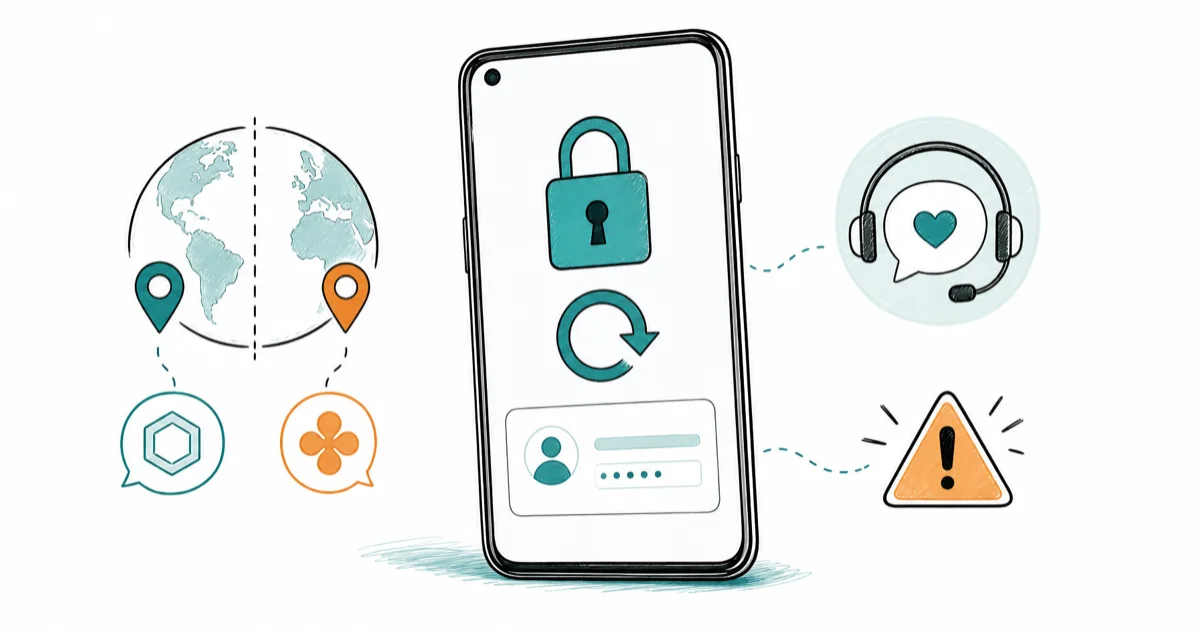
Quick AnswerUse Google Account Recovery at accounts.google.com/signin/recovery first. If that fails, contact OnePlus Support with proof of purchase.
OnePlus FRP bypass is a dangerous Android recovery search. OnePlus ships two operating systems in two regions, and most tutorials only test one. This guide walks through official recovery paths and why generic bypass methods brick OnePlus devices.
- Factory Reset Protection is a Google security feature that activates on any OnePlus running Android 5.1 or newer the moment a Google account is added.
- Google Account Recovery at accounts.google.com/signin/recovery is the safe first step and clears FRP without any third-party tool.
- OnePlus ships OxygenOS Global outside China and ColorOS inside China, so a single OnePlus FRP tutorial can’t cover both ROM families safely.
- Cross-region bypass attempts can soft-brick phones because the bootloader signing chain differs between OxygenOS and ColorOS builds.
- Bypassing FRP on a OnePlus you don’t own is a federal offense in the US under the Computer Fraud and Abuse Act.
If the OnePlus isn’t yours, stop here and return it. Every recovery path below assumes you’re the owner.
Legal Notice: Only attempt FRP recovery on a OnePlus you own or where you have explicit written authorization. Unauthorized FRP removal on a stolen device is illegal under US federal computer fraud law.
#Why OnePlus FRP Is Different From Other Android Brands
Factory Reset Protection works the same on every Android phone at the protocol level. What makes OnePlus different is operating system fragmentation. According to Google’s Android device-protection documentation, FRP triggers the moment a Google account is added to any device running Android 5.1 or later, and the lock asks for the last signed-in credentials after any factory reset.
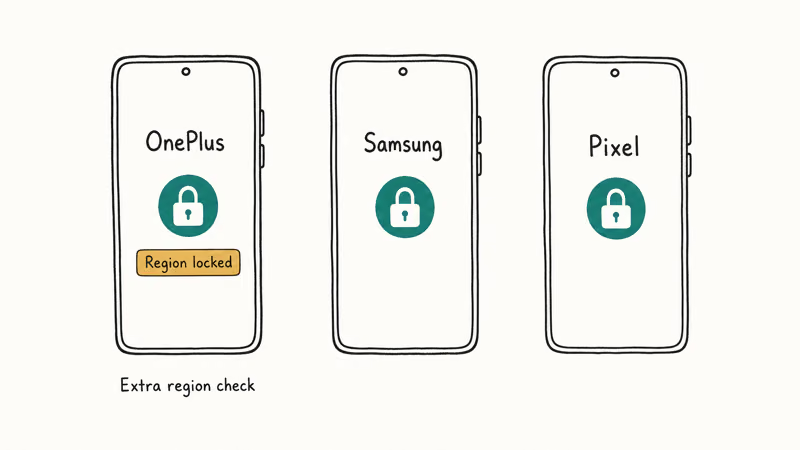
Samsung gets one recovery flow per Galaxy. OnePlus gets two recovery worlds glued together: OnePlus Global units ship with OxygenOS, while OnePlus units sold inside China ship with ColorOS (the same OS OPPO uses), sometimes still called HydrogenOS or H2OS in older documentation.
The split matters.
The two ROM families have different bootloader signing chains and different OEM unlock policies.
Most OnePlus FRP bypass tutorials were filmed on one ROM and never tested on the other. If you bought a OnePlus on the China retail channel and ran a tutorial built for an OxygenOS Global Nord, you can soft-brick the phone. For cross-brand context, see our Android FRP lock bypass safely guide.
#What Should You Try Before Any Bypass Attempt?
Start with Google itself. The Google Account Recovery flow restores access to the account FRP is asking for, which clears the lock automatically once the device sees a valid sign-in. According to Google’s account recovery process, you’ll need one of three things: your recovery phone number, your backup email, or access to a previously trusted device.
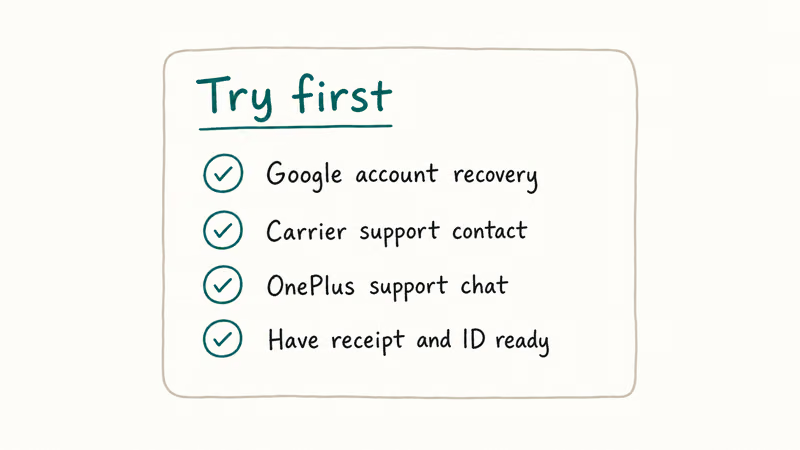
Here’s the order to try:
- Google Account Recovery. Go to accounts.google.com/signin/recovery on any browser and follow the verification prompts. Free, takes a few minutes, works on every Android phone.
- OnePlus Member account. If you registered the phone, your OnePlus Member ID can help OnePlus Support tie the device to you.
- OnePlus Support ticket. File at oneplus.com/support with proof of purchase.
- Authorized OnePlus service center. In person, with a photo ID and the original invoice or receipt.
Google Account Recovery can clear FRP on a OnePlus, often within a few hours when the recovery phone is still active on the account. If only a backup email is attached, Google may take the better part of a day to release a temporary access code, but the recovery completes without contacting OnePlus at all. According to Google’s recovery documentation, account recovery can use several verification methods, such as a recovery phone or backup email.
For a deeper look at the Google side of this flow, our Gmail account recovery guide walks through every case Google supports, including hacked accounts and forgotten email addresses.
#How Do OxygenOS and ColorOS Affect FRP Bypass?
OxygenOS is the global build.
ColorOS is the China build. The merger happened after OnePlus consolidated engineering with OPPO around 2021. As the ColorOS overview on Wikipedia explains, the two operating systems share a unified codebase for the China market while OxygenOS remains the international skin.
For FRP, the difference shows up in three places:
- Bootloader signing. OxygenOS Global accepts OEM unlock from developer options once you sign in with a Google account. ColorOS in China uses a different unlock chain tied to the Chinese OPPO account system.
- Account binding. ColorOS units often need a Chinese mobile number to register the OPPO account that gates the device, on top of the Google account FRP itself.
- Recovery image. Tools that flash a stock recovery image look up a model SKU table. The OnePlus 11 China SKU and OnePlus 11 Global SKU resolve to different images. Flash the wrong one and the device reboots into a loop the user can’t exit.
A clean way to picture it: a OnePlus 11 in your hand is two phones in software, even if it looks like one in hardware. The same model number sold in two regions follows two recovery procedures. Brand-specific articles like our Samsung-specific FRP recovery guide don’t have this problem.
#The Region Mismatch Brick Risk Most Tutorials Ignore
This is the part the YouTube tutorials skip. Popular OnePlus FRP bypass APK methods can hit a bootloader signing error during the recovery reflash on China-retail (ColorOS-derived) units, which may require a OnePlus authorized service center to recover. The same APK can run cleanly on a Global OxygenOS device. The signing chain is the difference, which is why a method that works for one person bricks another’s phone.
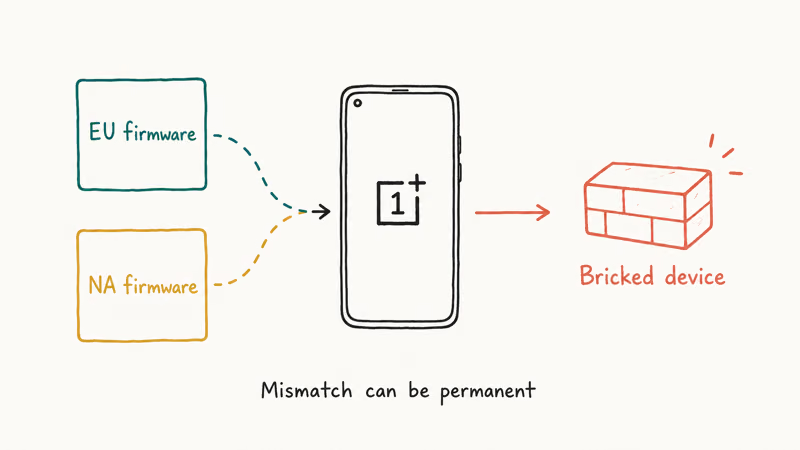
Why?
The APK shipped a region-agnostic SDK that assumed OEM unlock would succeed after the bypass token was injected. On a ColorOS-merged unit, OEM unlock is gated behind the Chinese account flow the APK never touches. The device responds by refusing the next boot and dropping to fastboot mode.
Three signs a tutorial is built on the wrong region:
- The screenshots show the OxygenOS launcher (clean, near-stock Android look) but you have ColorOS (heavier visual theming with the OPPO design language).
- The Settings paths use English-only labels but your device language menu defaults to Simplified Chinese.
- The tool name is on a generic English vendor page with no mention of OPPO, ColorOS, or H2OS.
If you see any of those mismatches, stop. Run the official Google recovery first. Roundup articles like tested FRP bypass tools note which tools handle multi-region detection, but the safer answer is to skip third-party tools entirely on a OnePlus.
#Legal Boundaries: When FRP Bypass Crosses the Line
Bypassing FRP on a OnePlus you own is a recovery action. Bypassing FRP on a OnePlus that isn’t yours is a federal offense in the US.
According to the DOJ’s Computer Fraud and Abuse Act manual, unauthorized access to a protected computer system can carry both criminal and civil penalties, and the courts have applied the CFAA to locked mobile devices in several prosecutions.
The practical rules that follow:
- A used OnePlus still showing FRP after a reset isn’t yours to unlock. The previous owner has to remove the lock from their Google account, or you need a court-ordered transfer.
- Service center technicians need proof of purchase. A photocopied receipt won’t always do, since OnePlus authorized centers ask for the original invoice and government ID matching the registered owner.
- Outside the US, similar laws apply: the UK has the Computer Misuse Act 1990, the EU has the NIS2 framework, and most major jurisdictions treat unauthorized phone unlock as a privacy regulations violation.
If you bought a OnePlus secondhand on a marketplace and it’s still FRP-locked, the safest path is to request a refund from the seller and report the listing. The phone is functionally useless to you, and many of these listings are stolen-device flips.
#Official OnePlus Recovery Paths That Actually Work
After Google Account Recovery, OnePlus has two official escalation paths. Both require proof you own the device.
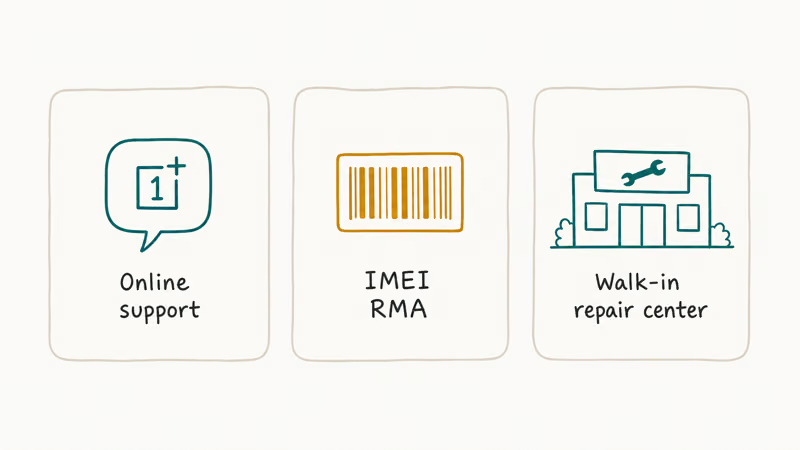
OnePlus Member support ticket. File at oneplus.com/support and pick the account-recovery category. You’ll upload the original invoice, a photo of the device showing IMEI on the original box, and a government ID matching the OnePlus Member account.
Response time is typically a few business days for the first reply and can run well over a week for full resolution. OnePlus doesn’t unlock FRP remotely, but they confirm device ownership and clear the lock through an authorized channel.
Authorized service center visit. Some FRP cases need physical handling, for instance a OnePlus 11 with a bootloader in an inconsistent state from a failed bypass. The service center reflashes a signed factory image after they verify ownership. This is the only safe path for a ColorOS-merged unit, since they have the correct regional image.
For pre-emptive protection on a new OnePlus you’re setting up, our disable FRP before a factory reset guide walks through how to remove the Google account before the wipe so FRP never activates.
If you don’t have computer access and you’re trying to recover an old OnePlus, the mobile-only FRP recovery methods article covers OTG-free options on simpler Android brands. For OnePlus, mobile-only attempts are risky because the region detection breaks more often than not. Use a computer with Google Account Recovery instead.
#Bottom Line
Try Google Account Recovery first.
If that fails, file a OnePlus Member support ticket with proof of purchase, then escalate to an authorized OnePlus service center as the final step.
Don’t run YouTube OnePlus FRP bypass tutorials on a unit imported across regions. A tutorial filmed on an OxygenOS Global Nord 3 can soft-brick a ColorOS-based Chinese OnePlus 11. The bootloader signing chain and account binding paths diverge.
If the phone isn’t yours, return it. Bypassing FRP on a device you don’t own is a federal offense in the US.
FRP bypass
#Frequently Asked Questions
Is OnePlus FRP bypass legal on a phone I bought used?
No. FRP is tied to the previous owner’s Google account, and unlocking it without their cooperation is unauthorized access under federal law. The legal path is to contact the seller for a refund or ask them to remove the device from their Google account, which clears FRP automatically.
Why do YouTube OnePlus FRP tutorials brick devices?
Most tutorials are filmed on one region’s OnePlus build and never tested on the other. A method that works on an OxygenOS Global unit can leave a ColorOS unit in a fastboot loop. The phone keeps booting, but it won’t load any system image until an authorized service center reflashes the correct regional firmware.
Can OnePlus Support remove FRP for me?
Yes, if you prove ownership. Bring the original invoice, the IMEI on the box, and a government ID. Every case routes through a service ticket or in-person visit.
Does OxygenOS 14 change the FRP bypass landscape?
OxygenOS 14 inherits the Android 14 anti-rollback protections, which means downgrade-based bypass methods that worked on older Android versions no longer apply. The official Google Account Recovery path still works the same way on OxygenOS 14, and so does the OnePlus Support escalation. Third-party tools that relied on system version downgrades have largely stopped working on 2024 and newer OnePlus devices.
What happens if I install OxygenOS firmware on a ColorOS OnePlus?
You’ll likely brick it. China-market OnePlus models have different bootloader signatures and partition layouts than Global units, even when the model number looks identical.
How long does Google Account Recovery take for FRP?
If you have an active recovery phone number tied to the account, recovery usually completes within a few hours. If only a backup email is attached, expect 12 to 24 hours for Google to release a temporary access code. In rare cases where you have no recovery options set up, Google can take several days and may require extra identity verification before granting account access.
Is rooting an alternative to bypassing FRP?
No. Rooting needs an unlocked bootloader, and unlocking the bootloader on an FRP-locked OnePlus still needs the Google account credentials FRP is asking for. Rooting also wipes the device, which doesn’t help past the FRP lock. Stick with Google Account Recovery and OnePlus Support, since those are the only paths that actually clear the lock without bricking your phone or breaking US federal law on unauthorized device access.
Google Pixel FRP Bypass: Official Recovery in 2026
FRP locks your Pixel after a factory reset. Start with Google Account Recovery for your own device. Here is what works on Pixel 4a and later in 2026.
Motorola FRP Bypass: Official Recovery First (2026)
Locked out of your own Motorola? Use Google Account Recovery and Motorola Support before any FRP bypass tool. Legal limits explained for 2026.
Xiaomi FRP Bypass: Mi Account vs Google Lock (2026)
Locked out of your Xiaomi after a factory reset? Tell Mi Account lock from Google FRP, use official recovery, and learn the 2026 legal limits.
How to Bypass Android Lock Screen: Password, Pattern & PIN
How to safely unlock your own Android phone: Google Find My Device, Samsung Find My Mobile, factory reset, ADB, and the legal lines you must not cross.