Google Pixel FRP Bypass: Official Recovery in 2026
FRP locks your Pixel after a factory reset. Start with Google Account Recovery for your own device. Here is what works on Pixel 4a and later in 2026.
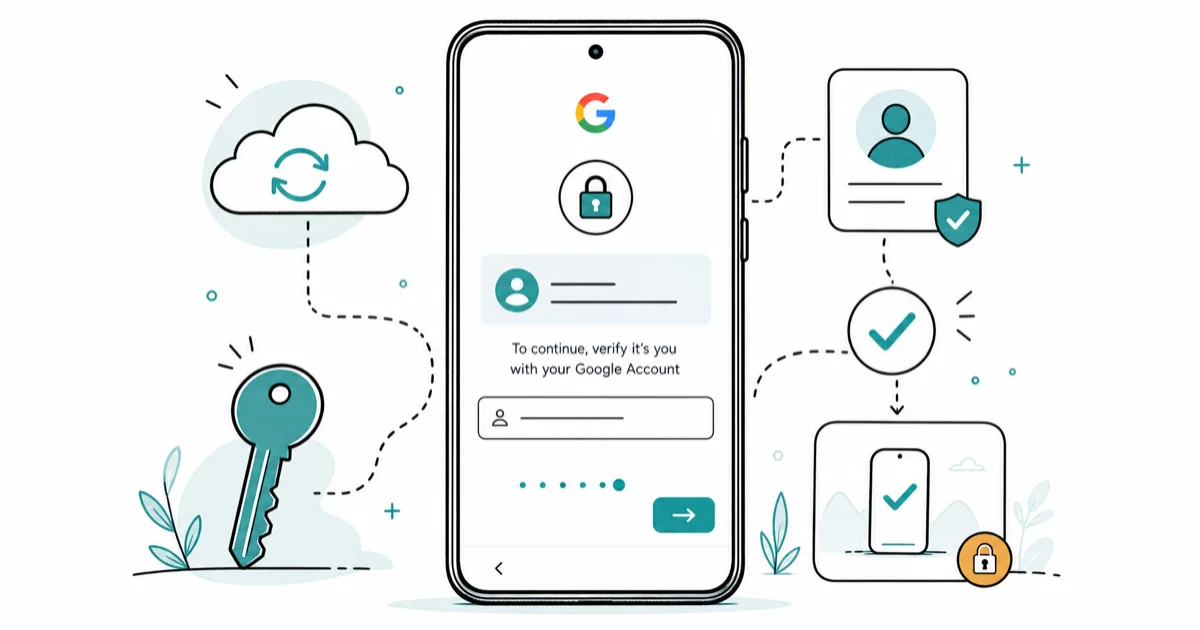
Quick AnswerStart with Google Account Recovery for your own Pixel. If recovery succeeds, the FRP lock clears within minutes. Most third-party Pixel bypass tools stopped working on Pixel 4a and later.
Factory Reset Protection (FRP) on your Pixel exists to protect you, not block you. If you reset your own device and now see the Google account prompt, Google Account Recovery is the fastest legitimate path back in. This guide walks the official recovery flow first, explains why YouTube Pixel FRP bypass tutorials mostly fail on Pixel 4a and later, and covers the legal boundary you cross the moment the device isn’t yours.
- FRP triggers automatically on every Pixel running Android 5.1 or later when a Google account is linked to it before a factory reset.
- Google Account Recovery handles forgot-password, forgot-email, and compromised-account paths and is the only Google-blessed way back into your own Pixel.
- Pixel 4a and later use hardened FRP anchored to the Titan M security chip; most third-party bypass tools that worked on older Android devices fail on these.
- Bypassing FRP on a Pixel you don’t own may violate the US Computer Fraud and Abuse Act and similar laws in other countries.
- If you bought a used Pixel with FRP still active, the seller can release it remotely from their Google account in under five minutes.
#What Is FRP and Why Does Your Pixel Have It?
FRP stands for Factory Reset Protection. Google first shipped it in Android 5.1 (Lollipop) and has tightened it on every Pixel generation since. The job is simple: if someone steals your Pixel and wipes it, the device stays locked at the setup wizard until the previous Google account password is entered.
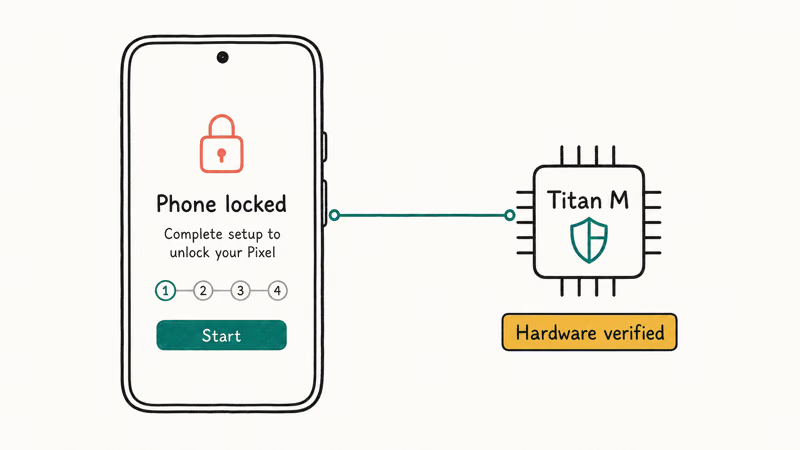
Google’s Android device protection documentation states that all 3 factory-reset paths require authentication: the Settings app, the recovery-mode button combo, and the Find Hub remote wipe. According to the same page, you’ll need to either unlock the screen or enter the linked Google Account password before the reset can complete.
On Pixel hardware specifically, FRP rides on the Titan M security chip that shipped with Pixel 3. That’s hardware verification, not a software prompt the setup wizard can be coaxed past.
Want to disable FRP cleanly before a reset? See how to disable FRP lock. Removing your Google account in Settings ahead of time stops the lock from arming at all, which is the cleanest pre-reset hygiene step you can take on a Pixel you own, and it sidesteps every recovery scenario covered later in this guide.
On a current Pixel running Android 15, the FRP screen appears during the first post-reset boot. There’s no menu option, accessibility shortcut, or developer setting that pushes past it without the previous Google account password.
#Official Google Account Recovery Path (Start Here)
Google Account Recovery is the first and only path you should try on your own device. It’s free, takes minutes if your verification options are current, and doesn’t break anything on the Pixel itself.
According to Google’s Account Recovery help page, the recovery flow handles 4 scenarios for your own account: forgotten password, forgotten email or username, a compromised account, and other sign-in problems. Google’s documentation states that there’s no cap on the number of attempts you can make, so wrong guesses don’t lock you out of the recovery process.
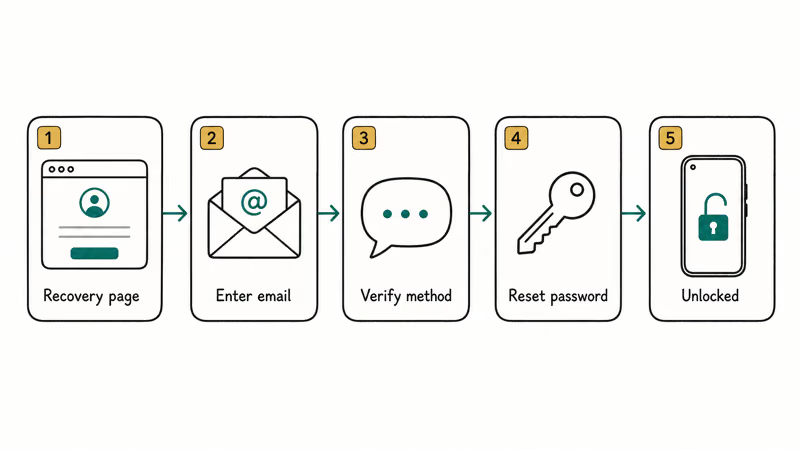
The recovery sequence on a locked Pixel looks like this:
- On another phone or computer, go to accounts.google.com/signin/recovery
- Enter the Google email tied to the Pixel before the reset
- Pick a verification method: SMS to your recovery phone, code to your recovery email, security-question challenge, or push prompt to a previously trusted device
- Reset the password on the recovery flow
- Return to the locked Pixel and sign in with the new password
This path runs entirely on the recovery side. From the “Forgot password?” tap to a home-screen unlock, most of the wait is the SMS code arriving. The Pixel clears FRP the moment the new password is accepted, with no extra reboot needed. For Gmail-specific recovery edge cases (no recovery phone on file, deleted recovery email), the Gmail account recovery process covers each scenario in detail.
Google’s Account Recovery documentation explicitly warns against third-party password recovery services. Those services either fail outright or socially engineer Google’s recovery flow on your behalf, and Google flags both as red signals on the account.
#Why Most Pixel FRP Bypass Tools Stopped Working After Pixel 4a
Search “Pixel FRP bypass” on YouTube and you’ll find dozens of tutorials promising a one-click solution. Most of them are recordings made between 2021 and 2024 on older Android versions, and they no longer work on Pixel 4a and later running current security patches.
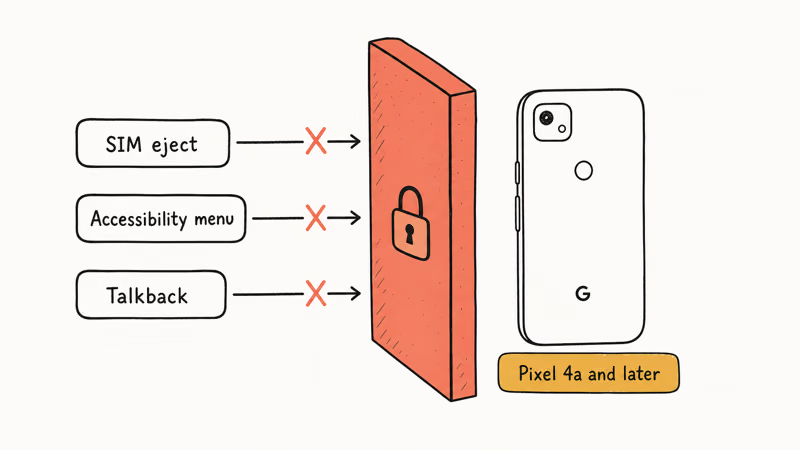
Three things changed. First, Google hardened the setup wizard on Pixel 4a and after, the SIM-eject trick that surfaced an Android Settings shortcut on older devices doesn’t fire. Second, the accessibility menu that some methods used as a launcher has been locked down behind the same FRP gate. Third, monthly Pixel security patches close newly discovered escapes within one or two cycles, so a method that worked in March often fails by May.
On modern Pixels with a current security patch, the popular YouTube bypass methods generally fail. The SIM-eject route tends to stall at the language picker without surfacing a clickable Settings shortcut, the accessibility-menu method rarely reaches a launcher, and the Talkback-keyboard exploit is typically blocked at the second screen.
The walkthroughs that still partially work today usually require a Windows PC, a specific Pixel-model driver, and a downloadable bypass package. The cross-OEM FRP lock bypass on Android guide covers them in detail if you’ve exhausted official recovery on a device you own.
The honest read: own the Pixel, recovery failed? Next stop is Google Pixel support with proof of purchase, not a YouTube tool.
#When Is It Legal to Remove the Lock on a Pixel?
Short version: legal on your own device, almost certainly illegal on someone else’s. The longer answer depends on which country you’re in and how you obtained the Pixel.
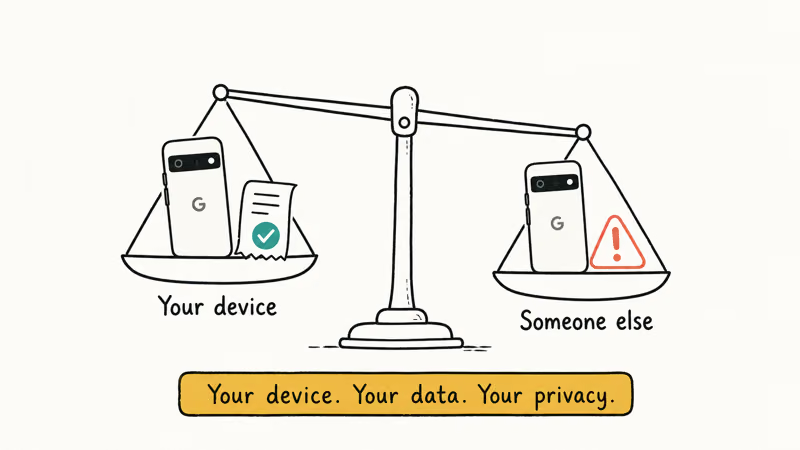
In the United States, the Computer Fraud and Abuse Act (CFAA) makes it a federal crime to access a computer “without authorization” or to exceed authorized access. The Electronic Frontier Foundation’s CFAA reform page confirms that the law’s “without authorization” language is intentionally broad and has been applied to many unauthorized device-access scenarios. Bypassing FRP on a Pixel that isn’t yours falls squarely inside the kind of conduct the CFAA targets.
Outside the US, similar laws apply: the UK has the Computer Misuse Act, Canada has Section 342.1 of the Criminal Code, and the EU has the directive on attacks against information systems. None of these have a “but I bought it on eBay without checking” defence.
The two legitimate scenarios are narrow:
- You own the Pixel and have proof, original purchase receipt, carrier account, or Google order history
- You’re handling a deceased family member’s device and have legal authority (executor letter, probate documentation)
Beyond those, the right move isn’t a bypass, it’s contacting the seller (used market), the carrier (network-locked device), or a probate attorney (estate situation). If you can’t establish ownership, you shouldn’t be attempting recovery at all.
#What to Do if You Bought a Used Pixel With FRP Still Active
This is the most common legitimate frustration: you bought a Pixel from a marketplace, the seller forgot to sign out, and now you’re staring at the previous owner’s Google account prompt. There’s a clean fix that doesn’t require any tool.
Contact the seller and ask them to remove the device from their Google account remotely. From any browser they sign into myaccount.google.com, go to Security, find the Pixel under “Your devices”, and click Sign out. Within a few minutes of that sign-out, the FRP binding on the Pixel releases and a fresh factory reset puts you on the standard setup wizard.
If the seller doesn’t respond or claims they can’t help, escalate to the marketplace’s resolution process, eBay, Swappa, Mercari, and Facebook Marketplace all treat “device locked to seller’s account” as a buyer-protection case. Get a refund and move on. Don’t try bypass FRP without a computer routes on a device whose ownership chain you can’t verify, because each of those routes assumes you own what you’re unlocking.
Going forward, before completing any used-Pixel purchase, ask the seller to do a factory reset in front of you (in-person sale) or send a video of them removing their account from Settings before shipping (remote sale). That single step prevents the FRP situation entirely.
#How to Prevent FRP Lockouts on Your Own Pixel
Prevention is faster than recovery. Three habits keep your Pixel out of the FRP trap:
- Keep your Google account recovery options current. Open Settings, tap your account, go to Manage your Google Account, and verify your recovery phone and recovery email under Security. Google’s account recovery only works if these are reachable.
- Remove the Google account before any reset.
Settings>Passwords &accounts >Google>Removeaccount. Then do the factory reset. FRP can’t arm if there’s no account bound to the device at reset time. - Enable a screen lock you actually remember. PIN, pattern, or biometric, pick one and use it. A device with no screen lock skips FRP arming on reset, but that means no theft protection either.
Selling or trading in a Pixel? Sign out first, then reset. The Pixel Phone Help site covers the trade-in flow.
#Bottom Line
Start with Google Account Recovery for your own Pixel. It’s free, official, and clears FRP within minutes of a successful password reset. If recovery fails, escalate to Google Pixel support with proof of purchase rather than chasing bypass tools that mostly stopped working on Pixel 4a and later.
Bought a used Pixel with FRP still active? Ask the seller to remove the device from their Google account remotely. If they won’t, file a buyer-protection claim and get your money back. Never run a bypass tool against a Pixel that isn’t yours, since it likely violates the Computer Fraud and Abuse Act regardless of how the tool markets itself.
FRP bypass
#Frequently Asked Questions
Can I bypass FRP on my own Pixel without a computer?
Possibly, but rarely. No-PC bypass methods that worked on older Android phones generally fail on Pixel 4a and later running current security patches, so Google Account Recovery is almost always the faster path.
Does Google Account Recovery work if I forgot both my password and recovery email?
Yes, but you’ll need at least one verification path. The flow accepts security questions, a backup phone number, or a trusted device still signed in. It also looks at signals like the IP address and computer you’re recovering from, so try a network you’ve used before.
If none of those paths surface, Google’s help docs warn that no third party can recover the account on your behalf.
Is it legal to remove FRP from a used Pixel I bought online?
Only with a clean ownership trail. If the seller transferred the device through a marketplace with buyer protection and confirmed the sale, you have authorization. Without that paper trail, US courts have generally treated unauthorized FRP removal under the Computer Fraud and Abuse Act.
Why does my Pixel FRP screen reject the right password?
Two common causes. First, the Pixel asks for the password tied to the account at the moment of the last reset, so if you’ve changed the password since, try the older one before the change. Second, two-factor authentication can hide a confirmation prompt on a trusted device, and if you miss it the Pixel rejects the attempt.
Will a factory reset alone clear FRP on a Pixel?
No. The reset is what arms FRP, not what clears it.
Can Google Pixel support unlock my phone for me?
In limited cases, yes. Google’s support team can verify ownership through original purchase receipts, carrier records, or Google Store order history. The process takes days rather than minutes and isn’t available for grey-market devices.
Bring the original receipt, the IMEI sticker from the box, and any order confirmation email tied to your name. Start the request through the Pixel Phone Help Security & Protection section.
Are FRP bypass tools safe to use on a Pixel?
Generally no. PC-based Pixel FRP tools often install drivers and background services that linger after the bypass attempt, and several have been flagged by mainstream antivirus engines. Even when the tool itself is clean, you’re running unsigned executables with admin rights against a device you’ve trusted enough to plug in.
How is Pixel FRP different from Samsung FRP?
Samsung layers Knox security on standard Android FRP, so the Samsung FRP bypass paths are heavily model-specific. Pixel FRP is closer to stock Android FRP plus Titan M hardware verification, which means fewer model-by-model quirks and fewer setup-wizard escapes. Try Google Account Recovery first on either ecosystem.
Motorola FRP Bypass: Official Recovery First (2026)
Locked out of your own Motorola? Use Google Account Recovery and Motorola Support before any FRP bypass tool. Legal limits explained for 2026.
OnePlus FRP Bypass: Region Risks and Recovery (2026)
OnePlus FRP bypass guide: OxygenOS vs ColorOS region risks, official Google Account Recovery, OnePlus Support, and why YouTube tutorials brick.
Xiaomi FRP Bypass: Mi Account vs Google Lock (2026)
Locked out of your Xiaomi after a factory reset? Tell Mi Account lock from Google FRP, use official recovery, and learn the 2026 legal limits.
How to Bypass Android Lock Screen: Password, Pattern & PIN
How to safely unlock your own Android phone: Google Find My Device, Samsung Find My Mobile, factory reset, ADB, and the legal lines you must not cross.