Virtual Audio Cable Alternatives: 7 Free and Paid Picks
Best Virtual Audio Cable alternatives for routing audio between apps. Free and paid picks for Windows and macOS, with setup notes and channel limits.
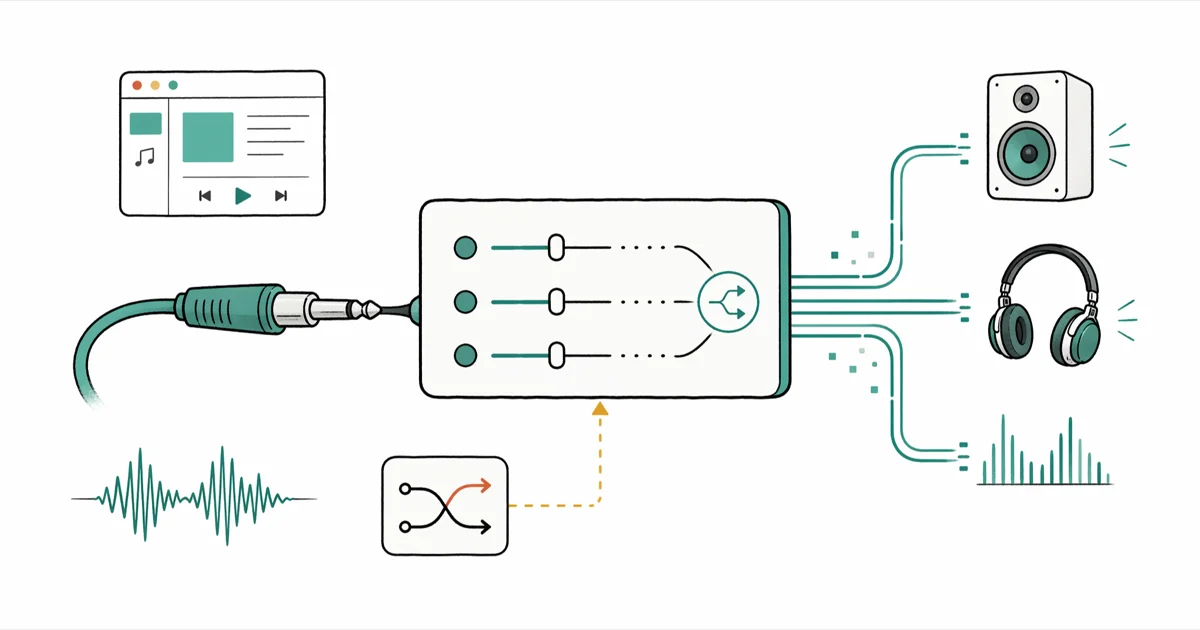
Quick AnswerVB-CABLE and VoiceMeeter Banana cover most Windows audio-routing jobs for free, while BlackHole handles macOS and Loopback adds a polished mixer. Pick by platform, channel count, and whether you need built-in metering.
The best Virtual Audio Cable alternatives route sound between apps without the licensing limits, channel caps, or installer quirks that push people to look beyond Eugene Muzychenko’s classic VAC driver. The strongest picks below cover common routing jobs such as streaming voice into OBS, recording a Zoom call, splitting game audio from chat, and feeding a podcast guest’s track to a DAW.
Each pick below has a clear strength, a clear weakness, and a price you can actually plan around. Skip the streaming-app roundups that conflate Spotify and Pandora with audio routing; the tools that follow are real drivers and mixers that move signals between applications.
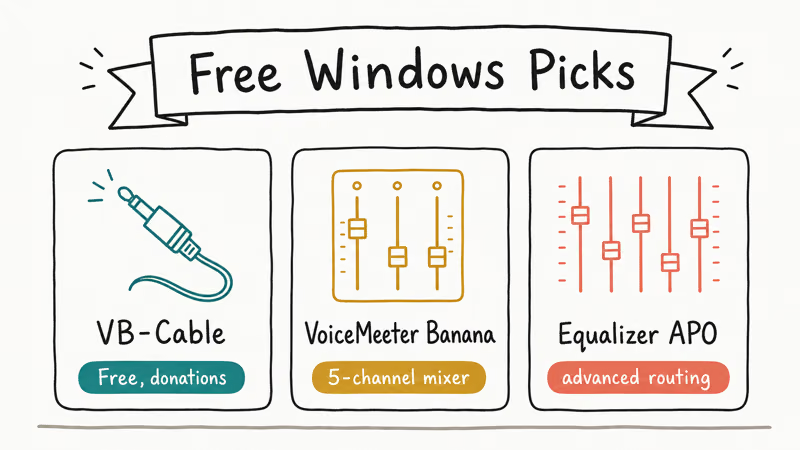
- VB-CABLE is the simplest free swap for Virtual Audio Cable on Windows, with one stereo cable per install and donationware pricing.
- VoiceMeeter Banana adds a 5-channel virtual mixer on top of VB-CABLE, useful for streamers who need separate game, voice, and music buses.
- BlackHole 16ch is the modern macOS replacement for Soundflower, free under the MIT license and notarized for current macOS.
- Loopback by Rogue Amoeba costs $99 but ships a visual node editor that beats every free macOS tool for complex routing.
- JACK Audio Connection Kit works on Windows, macOS, and Linux and is the only realistic option for cross-platform sessions.
#What Does Virtual Audio Cable Actually Do?
Virtual Audio Cable installs a kernel-level driver that pretends to be an extra sound card. Apps that record from “your microphone” can read from a VAC instead, and apps that play to “your speakers” can write into it. The result is a software patch cable: WhatsApp’s audio can land inside OBS, a DAW can hear browser audio, and a podcast host can mix their guest’s Zoom track straight into Audition.
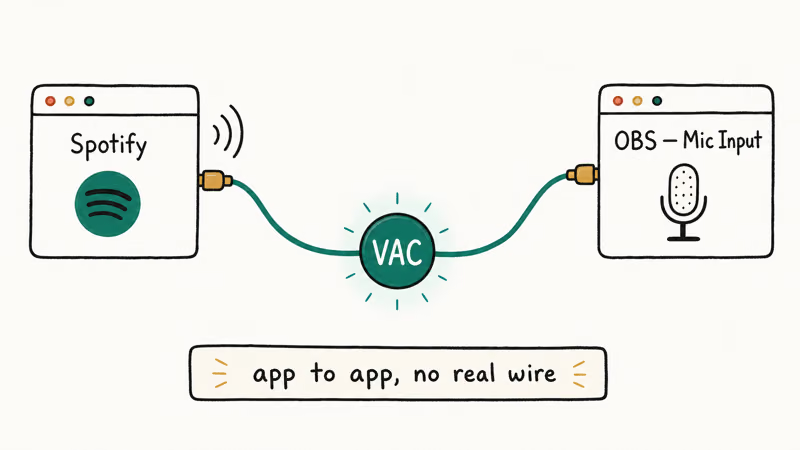
What you can’t do with stock Windows or macOS audio settings is split one source into multiple destinations or merge multiple inputs into a single virtual mic. According to Microsoft’s audio driver overview, Windows audio APIs route each app to one physical endpoint by default. That gap is why VAC exists, and why every alternative below solves the same problem with a different mix of channels, price, and complexity.
#Best Free Virtual Audio Cable Alternatives for Windows
Free Windows alternatives split into two camps: cable drivers and full mixer apps. VB-CABLE is the right starting point for one virtual endpoint; VoiceMeeter wins when you need a true mixing console with per-bus levels.
#VB-CABLE
VB-CABLE from VB-Audio Software is the closest free swap for Virtual Audio Cable’s basic loopback. According to the VB-Audio product page, the standard package installs one virtual cable with paired input and output endpoints. After installation, it registers as “CABLE Input” and “CABLE Output” in the Sound panel so recording apps can select it like a normal audio device.
VB-CABLE is donationware, so personal installs can start free and scale through paid bundles later.
#VoiceMeeter Banana
VoiceMeeter Banana is VB-Audio’s mixer that sits on top of VB-CABLE infrastructure. It exposes three hardware inputs and two virtual inputs, plus three hardware outputs and two virtual outputs, all visible in a single window with meters, EQ, and gate controls. Streamers use it to split game audio from chat into separate OBS tracks, and podcasters use it to route a guest’s Zoom feed into a DAW while sending host audio back.
The Banana edition is donationware. If you need eight inputs, look at VoiceMeeter Potato, which is also donationware and bundles with VB-CABLE A+B+C+D. The learning curve is real, so give yourself an afternoon to get comfortable with bus assignments before you go live.
#Synchronous Audio Router (SAR)
Synchronous Audio Router is an open-source ASIO driver that creates multiple virtual endpoints inside a single ASIO host. SAR’s GitHub page states that it’s licensed under GPL v3 and depends on a working ASIO driver, which is fine if you already use Reaper or another ASIO-aware DAW.
It’s the tool of choice for engineers who want per-app routing without paying for ASIO Link Pro, and it’s the only option here that gives you sub-10ms latency on a stock laptop.
Routing problems often masquerade as no-sound problems. Our Discord stream no sound walkthrough and our no sound on a laptop guide cover the basic checks before you start changing drivers.
#Which Paid Virtual Audio Cable Alternatives Are Worth It?
Free tools cover most Windows routing jobs, but paid alternatives buy back the time you’d spend wrestling with bus assignments. They’re also the right pick when you need official support, a license that allows commercial use, or a UI your editor can learn in an hour.
#ASIO Link Pro
ASIO Link Pro was a Macintosh-style routing tool for ASIO devices, and although the original developer’s site has gone quiet, mirrors still distribute the installer free of charge. It exposes inputs and outputs from your ASIO interface to standard Windows apps, which means a Focusrite Scarlett can stream straight into Skype without Steinberg’s ASIO4ALL workaround. Treat it as legacy software: fine on Windows 10, less predictable on Windows 11.
#VoiceMeeter Potato
For users who outgrow Banana, VoiceMeeter Potato has eight inputs, eight outputs, and a built-in patch matrix that beats most free DAWs. It’s still donationware on VB-Audio’s site, but the suggested donation reflects its power. Potato makes sense for remote roundtables, multi-mic streams, and setups where Banana’s smaller bus count runs out.
If you compress finished podcast tracks before publishing, our roundup of the best audio compressors pairs well with a Potato workflow.
#Best Virtual Audio Cable Alternatives for macOS
macOS removed system-level audio routing when Soundflower stopped getting updates in 2017. According to the Soundflower GitHub repository, the project recommends BlackHole as its modern replacement, and Apple’s notarization rules have made the switch effectively mandatory on Apple Silicon.
#BlackHole
BlackHole from Existential Audio is the de facto Soundflower successor. It ships in 2-channel, 16-channel, and 64-channel builds, all free under an MIT license. The 16-channel build is the sweet spot, with enough lanes to split a Logic Pro project while staying simpler than the 64-channel package.
Use Audio MIDI Setup to mirror BlackHole output to a streaming tool and headphones.
#Loopback by Rogue Amoeba
Loopback by Rogue Amoeba is the macOS gold standard for visual routing. The single license costs $99 with a 20-minute trial; the family pack is $129. Rogue Amoeba states that Loopback’s pass-through devices add zero added latency and that the app can pull audio from any running application by name.
Loopback can merge a guest’s Zoom feed, the host’s USB mic, and a music bed into a single virtual device that GarageBand reads as one input. The visual node editor is what sells the price tag.
If you build remote interview rigs, Loopback also integrates cleanly with Rogue Amoeba’s Audio Hijack ($79) for per-app recording.
#When a Cross-Platform Tool Makes Sense
JACK Audio Connection Kit is the only mature cross-platform answer to Virtual Audio Cable. It runs on Windows, macOS, and Linux, and it’s the routing layer behind most pro Linux audio workflows. JACK shines when you move sessions between operating systems, since a podcast producer cutting on a Mac can hand off to a Windows engineer without renaming a single bus.
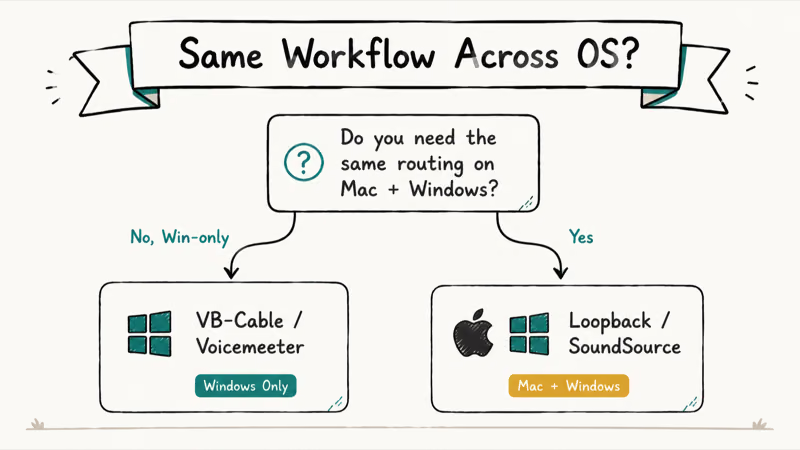
The catch is configuration: JACK expects you to know your buffer size, sample rate, and device hierarchy before you click Start. Compared to VB-CABLE’s two-click install, JACK is a steep climb. If you also handle real-time voice modulation, our guides on voice changers for Discord and voice changers for Google Meet explain how a virtual cable feeds those tools cleanly.
#Quick Pricing and Channel Comparison
The table below summarises what each pick costs, which platform it targets, and how many channels you actually get out of the install.
Table: Virtual Audio Cable alternatives by platform, price, and channel count.
| Tool | Platform | Price | Channels | Best for |
|---|---|---|---|---|
| VB-CABLE | Windows | Free (donationware) | 1 stereo cable | Single-cable routing |
| VoiceMeeter Banana | Windows | Free (donationware) | 5 in / 5 out | Streamers, podcasters |
| VoiceMeeter Potato | Windows | Free (donationware) | 8 in / 8 out | Multi-mic roundtables |
| Synchronous Audio Router | Windows | Free (GPL v3) | Multi-endpoint ASIO | Low-latency DAW work |
| BlackHole | macOS | Free (MIT) | 2 / 16 / 64 ch | Soundflower successor |
| Loopback | macOS | $99 one-time | Unlimited virtual devices | Visual routing on Mac |
| JACK Audio | Windows / macOS / Linux | Free | Configurable | Cross-platform sessions |
#Bottom Line
If you’re on Windows and only need to send one app’s audio to another, install VB-CABLE first and stop. If you’re streaming or podcasting and need multi-bus mixing, jump to VoiceMeeter Banana and step up to Potato only when Banana’s two virtual inputs run out.
On macOS, start with BlackHole 16ch for free routing; buy Loopback the day you find yourself wiring more than three sources by hand. Skip JACK unless you actually move sessions across operating systems, because the setup tax isn’t worth paying twice.
The most common mistake is buying Loopback before trying BlackHole, or installing VoiceMeeter Potato when Banana would have fit. Most users land on a four-bus setup at most: system audio, microphone, music bed, and one extra. Banana handles all four; Potato is only worth the extra complexity once you have five or more independent sources running. Try the free option first.
#Frequently Asked Questions
Is VB-CABLE really free for commercial use?
VB-CABLE is donationware. Personal streaming, podcasting, and YouTube creation are covered by the free install, but VB-Audio asks for a paid license when you ship VB-CABLE inside a commercial product. Contact VB-Audio directly if you plan to bundle it.
Does BlackHole work on Apple Silicon Macs?
Yes. The universal binaries run natively on M1, M2, and M3 Macs without Rosetta.
Can I run VoiceMeeter Banana and VB-CABLE at the same time?
You can, but you usually don’t need both. Banana includes its own virtual cables on the VAIO and VAIO 3 inputs and outputs, so installing VB-CABLE alongside Banana only makes sense when you need a dedicated cable that bypasses the Banana mixer entirely. A common case is when a legacy app demands a stereo-only endpoint and refuses to recognise Banana’s multi-channel virtual outputs. Try Banana alone first and add VB-CABLE only if you hit that specific wall.
Why did Soundflower stop working on my Mac?
Apple’s kernel extension policy from macOS Catalina onward requires user approval and developer notarization for low-level drivers. Soundflower’s last release predates that requirement, so newer macOS versions block its driver from loading. BlackHole is signed and notarized for current macOS releases, which is why the Soundflower project recommends switching.
Is there a free Mac alternative to Loopback?
Yes. BlackHole plus the built-in macOS Audio MIDI Setup app gives you most of Loopback’s features without the price tag. Audio MIDI Setup lets you build Multi-Output Devices and Aggregate Devices that route signals to multiple destinations, but the UI is a single window with paired checkboxes rather than a node graph. Once you cross four sources, the Loopback license usually pays for itself in time saved.
Will these tools work with Zoom and Google Meet?
All seven picks present as standard system audio devices, so Zoom, Google Meet, Microsoft Teams, and Discord see them in the input and output dropdowns. Some apps cache their device list at startup, so quit and relaunch the meeting app after installing a new cable.
On macOS you may also need to grant microphone access to the virtual device in System Settings the first time it’s selected. Sample-rate mismatches between the virtual cable and the meeting app are the most common cause of choppy audio after install, so set both to 48 kHz if you hit crackle.
How many virtual cables can I install on one PC?
Plenty. VB-CABLE ships single, A+B, and A+B+C+D packages, and VoiceMeeter Banana adds two more virtual inputs on top of that.
Do any of these tools record audio directly?
Routing tools don’t record on their own; they only move audio between apps. Pair VB-CABLE with Audacity, OBS, or any DAW to capture the routed signal. On macOS, Rogue Amoeba’s Audio Hijack handles per-app recording and pairs natively with Loopback.

Google Messages Error 3100: Why RCS Is Broken on Galaxy
Google Messages RCS error 3100 hits Galaxy owners after phone or carrier switches. Google told 9to5Google a fix is coming. Here's what actually helps.

Is This Bank App Real? Spot a Fake App on Your Home Screen
A bank app can land on your home screen from a web page with no install warning. Learn the checks that tell a real banking app from a phishing web app.

Apps Crashing After iOS 27 Update? Fix Order (2026)
Apps crashing after the iOS 27 update? Update the app in the App Store first, then offload and reinstall to clear stale cache, then restart. The fix order.

Do AI Translation Earbuds Work Offline? What to Know
Do AI translation earbuds work offline? A few do with downloaded language packs, but most need the cloud. Here's what works offline and what you give up.