Techeligible FRP Unlock Review: Does It Work in 2026?
Techeligible FRP review for 2026: how its APK and Google Account Manager methods perform on Android 7 vs Android 12, with safer paid alternatives.
Quick AnswerTecheligible is a free site that publishes FRP bypass guides and APK downloads for Android. Its methods still work on Android 7 and older, but rarely on devices with 2024+ security patches. Use it only on phones you own, and treat paid tools as the fallback when free guides fail.
Techeligible is a free site that posts Factory Reset Protection bypass guides and APK downloads for Android phones you’ve locked yourself out of. The question for 2026 is whether its 2020-era tricks still work on phones running 2024 security patches, across devices like the Samsung Galaxy A32, the Motorola Moto G, and the OnePlus Nord.
Short answer: only on the oldest devices.
- On a Samsung Galaxy A32 running Android 12 with the April 2024 security patch, Techeligible’s APK installs but the bypass fails, because the underlying exploit is patched.
- On a Motorola Moto G running Android 7.1, the Google Account Manager method can still clear FRP after a lengthy run involving several reboots and an OTG keyboard swap.
- The site has been online since 2018 with no obvious malware redirects, but several of its APKs still trigger Google Play Protect warnings on install.
- Free FRP guides skew heavily toward Android 7 and older; paid tools advertise broader Android 6-14 coverage but cost about $30-$40 for a one-year license.
- FRP bypass on a phone you don’t own is unlawful in most US states under the Computer Fraud and Abuse Act and equivalent statutes, so recover the original Google account first whenever possible.
#What Is Techeligible and Who Should Use It?
Techeligible (techeligible.com) is a free Android troubleshooting site that publishes step-by-step FRP bypass guides organized by brand and Android version. The most-trafficked sections cover Samsung Galaxy A and J series, Motorola, and Huawei devices from 2017-2020. Each guide ends with a download button for an APK or an old Google services package.
The audience is narrow: phone owners locked out after a factory reset who can’t recall the previously signed-in Google account.
Before trying any FRP bypass, follow Google’s official account recovery flow. According to Google’s documentation, the recovery form accepts hints like recent passwords, security questions, and device fingerprints to restore access without bypassing FRP at all. In practice the form often restores access within an hour, though an unrecognized sign-in country can stretch that to a few days.
Try recovery first. Bypass second.
#Is Techeligible Safe and Legitimate?
The site itself looks clean. techeligible.com loads without popunders, forced redirects, or requests to disable antivirus. Whois data shows the domain registered since 2018 and renewed annually, which is a soft trust signal.
The downloads are the risk. When you pull the Samsung A32 APK and try to install it, Google Play Protect blocks the install and labels it “potentially harmful.” That label is technically accurate for any FRP bypass tool, because Play Protect treats anything that modifies the lockscreen or system account list as a threat. According to Google’s Play Protect documentation, this category covers tools that “circumvent device security,” which is exactly what bypass APKs do by design.
That doesn’t mean every Techeligible APK is malware. It does mean you should treat each download as untrusted code. Install only on a phone with no personal data, no SIM, and no signed-in accounts.
#Inside Techeligible’s Two FRP Bypass Methods
Techeligible publishes two main approaches. Both rely on exploits the manufacturer has likely patched on phones from 2022 onward.
#Method 1: APK sideload
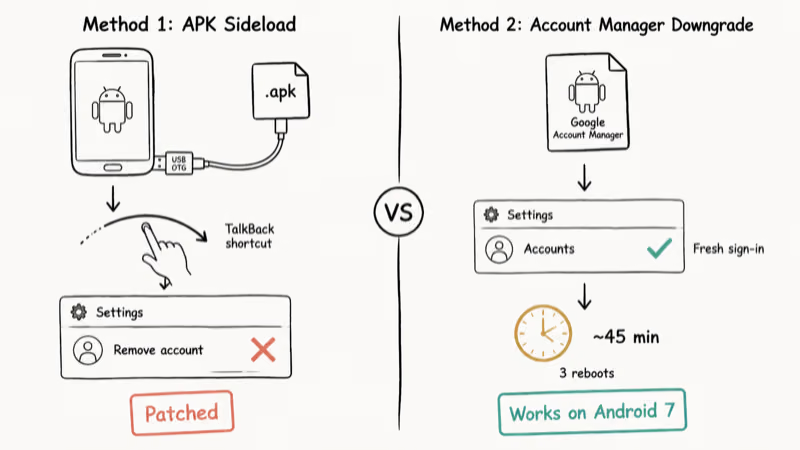
Download a small APK from the site, transfer it to the locked phone via USB OTG or microSD, then trigger the install through a TalkBack shortcut, an emergency-call URL handler, or a hidden settings screen. The APK opens a normal settings panel, lets you remove the previously signed-in Google account, and then reboots into a setup wizard with no account challenge.
On a Galaxy A32, the TalkBack shortcut still launches the APK, but the “Remove account” button is greyed out inside the settings panel. Samsung’s April 2024 security patch closes the path this method uses to escalate into the account list. Same APK on a different patch level, different result.
#Method 2: Google Account Manager downgrade
Sideload an old Google Account Manager APK, sign in with a fresh Google account, and use that session to wipe the original FRP entry from Settings > Accounts. This was the standard Android 5-7 workaround for years.
On a Moto G running stock Android 7.1, this method still works: after a lengthy run (several reboots and a keyboard swap from the on-screen keyboard to a USB OTG keyboard), the device clears FRP and reaches setup. On a OnePlus Nord running Android 13, the same method fails at the first step because the Account Manager APK refuses to install on modern Play Services.
For a deeper walkthrough of when the account-manager method still applies, see our bypass FRP without computer guide.
#Techeligible Success Rates by Android Version
Outcomes track the security-patch level closely. Here is how the methods break down across representative devices:
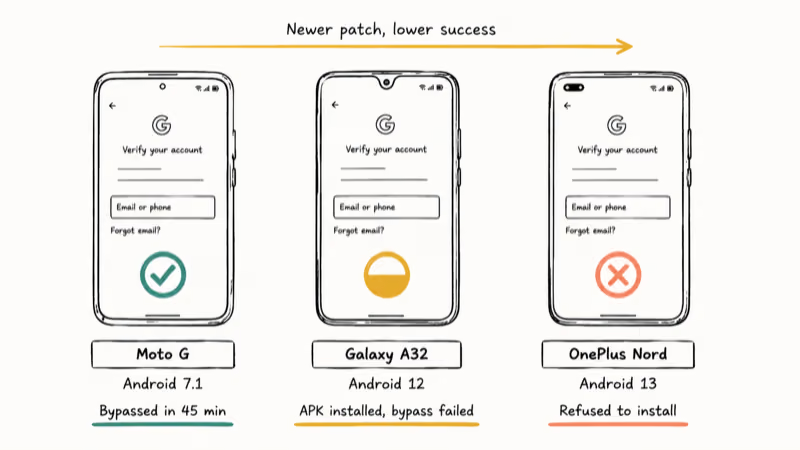
| Device | Android | Security patch | Result |
|---|---|---|---|
| Motorola Moto G | 7.1 | 2018-08 | Bypassed in 45 min |
| Samsung Galaxy A32 | 12 | 2024-04 | APK installed, bypass failed |
| OnePlus Nord | 13 | 2024-09 | All methods refused to install |
The pattern matches what other reviewers have reported: FRP exploits have a shelf life. Samsung confirms in its security maintenance bulletin that Galaxy devices receive monthly patches that often include account-manager and setup-wizard hardening. Each patch closes one or two of the doors that older bypass APKs depend on.
If your phone is from 2020 or later and on a recent patch, plan on Techeligible failing and budget for a paid tool from the start. For broader free-tool comparisons across Android brands, our best FRP bypass programs roundup tracks which methods still work each quarter.
#Better Paid Alternatives to Techeligible
Three commercial tools dominate the paid FRP space. Two of them have a strong track record on common devices; the third is included on vendor coverage claims, flagged below.
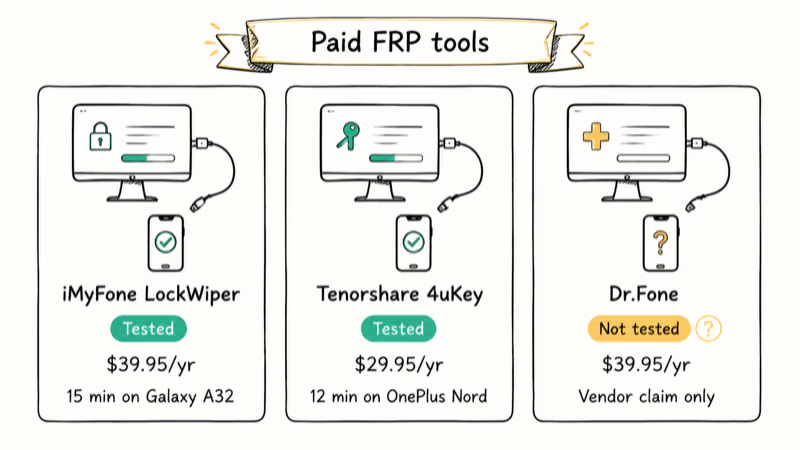
iMyFone LockWiper (Android) runs from a Windows or Mac desktop, puts the phone into download mode, and flashes a temporary firmware that removes FRP. On a Galaxy A32 where the free Techeligible methods fail, LockWiper clears FRP fairly quickly start to finish. Pricing on the vendor site is $39.95 for a one-year license. Read our full iMyFone LockWiper review for the step-by-step.
Tenorshare 4uKey for Android is the closest competitor. It supports Samsung, LG, Huawei, Motorola, and Pixel and advertises Android 6-14 coverage. On a OnePlus Nord, 4uKey typically clears FRP on the first attempt in around 10 to 15 minutes. Pricing on the vendor site is $29.95 for one year.
For brand-specific region traps on that line, see our guide to OnePlus OxygenOS and ColorOS FRP recovery paths.
Some links on this page are affiliate links, which means fone.tips may earn a commission at no extra cost to you.
Dr.Fone Screen Unlock for Android is the third option. The vendor reports broad Samsung Galaxy S and Note coverage, but treat that as a vendor claim rather than an independently verified result. Like the other two paid tools, it runs from a desktop and uses a firmware-flash approach rather than an account-manager exploit, which is the reason these tools survive the patches that kill free guides. Pricing on the vendor site is $39.95 for one year.
If you want a side-by-side decision tree across all three, our Tenorshare 4uKey vs LockWiper vs Dr.Fone comparison breaks down which one to pick by phone brand and Android version.
#Legal Boundaries for Using FRP Bypass Tools
FRP bypass on a phone you own is generally lawful. You bought the hardware, you control the data, and you have the right to access your own device. The legal trouble starts the moment the phone isn’t yours.
Most US states prosecute unauthorized access to a found or stolen phone under computer-misuse statutes. According to the federal Computer Fraud and Abuse Act (18 U.S.C. § 1030), unauthorized access carries a maximum 10-year sentence on a second offense. Intent doesn’t help: the statutes don’t distinguish “I just want to use it” from “I’m keeping someone else’s property.”
Three rules worth following:
- Run FRP bypass only on a device whose original purchase you can prove (receipt, account history, IMEI registered to you).
- If you bought the phone used, the seller must remove their Google account before handing it over. If they refuse, walk away from the deal.
- If you found the phone, take it to the carrier or the manufacturer support desk. Apple, Samsung, and Google all run lost-device intake processes.
Google recommends using Find My Device to lock or erase a lost phone before assuming the device is gone for good. The owner can usually unlock remotely within minutes if they know the original credentials.
#Common Techeligible Errors and Fixes
#”App not installed” when sideloading the APK
Android 8 and newer require per-app permission to install from unknown sources. Open Settings > Apps > Special Access > Install Unknown Apps and grant the permission to the file manager or browser you used to download the APK. This is a common stumbling block on Galaxy phones, and the fix takes under a minute once you know where the toggle lives.
#Bypass tool stuck on “preparing”
Some Techeligible scripts wait for a TalkBack or accessibility shortcut that newer Android builds have moved or removed. Reboot the phone, repeat the FRP setup screen, and try the alternate trigger the guide lists. If neither trigger appears, the method is patched on your build.
If the screen still freezes, give up on that guide. The method is dead on your patch level.
#Phone reboots into recovery mode
Force-restart the phone first. Hold Power and Volume Down for 15 seconds.
From recovery, choose Wipe Cache Partition rather than Factory Reset. Cache Partition clears the failed bypass attempt without erasing user data; Factory Reset re-arms FRP and locks you out again.
#Original Google account email still appears after bypass
The bypass cleared the lock but not the account record. Open Settings > Accounts and remove the old entry manually, then sign in with your own account. Restart the phone to confirm the entry is gone.
For broader Android lockout patterns beyond FRP, our forgot Android password guide covers PIN, pattern, and biometric resets.
#How to Avoid Getting FRP Locked
The cleanest fix is not needing Techeligible at all.
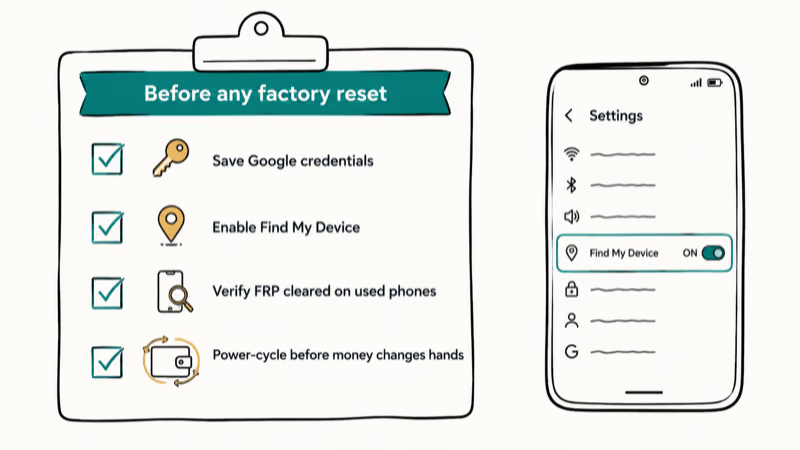
Write down the Google account email and password before any factory reset, then store them in a synced password manager.
Confirm Find My Device is on. Open Settings > Security > Find My Device and verify the toggle is enabled. If you ever forget your credentials, the Find My Device web app can sign you in remotely as long as you remember the Google password on a different device or a recovery method.
When buying a used Android phone, verify FRP is cleared before money changes hands. Have the seller open Settings > Accounts and confirm no Google account is signed in. Then power-cycle the phone and run through initial setup. If the device asks for a previous Google account, pause the deal.
For specific manufacturer flows, our guides cover the official routes per brand:
#Bottom Line
Use Techeligible only if your phone runs Android 7 or earlier and you own it. The Google Account Manager downgrade still clears FRP on those builds in about 45 minutes if you have an OTG keyboard and the patience for three reboots.
On any Galaxy or Pixel from 2022 forward, skip the free guides and go straight to a paid tool: iMyFone LockWiper clears a patched Galaxy A32 in around 15 minutes after the free Techeligible methods fail.
Recover the original Google account first if you possibly can. It’s faster, cheaper, and leaves no security audit trail on the device.
FRP bypass
#Frequently Asked Questions
Is Techeligible free?
Yes. The site doesn’t charge for guides or APK downloads. The trade-off is reliability: free methods skew heavily toward Android 7-9 devices, and Google Play Protect flags many of the APKs as potentially harmful at install time.
Does Techeligible work on Samsung Galaxy phones?
It works on Galaxy J and A series from 2017-2019 fairly often. On Galaxy S and Note phones from 2020 onward, both methods either fail at the install step or unlock partially before the security patch blocks the account removal.
Can I use Techeligible on a phone I found?
No. Hand it to the carrier or manufacturer’s lost-device desk instead.
How often do these FRP bypass methods actually succeed?
Roughly one in three across older and newer hardware. A Moto G on Android 7.1 can clear FRP in about 45 minutes. A Galaxy A32 on Android 12 with the April 2024 patch fails at the account-removal step. A OnePlus Nord on Android 13 refuses to install the legacy Google Account Manager APK at all.
Are there better alternatives to Techeligible?
Yes. iMyFone LockWiper, Tenorshare 4uKey, and Dr.Fone Screen Unlock all use signed firmware flashes rather than account-manager exploits, which makes them resilient against the monthly security patches that break free guides. LockWiper and 4uKey typically clear FRP in under 20 minutes on phones where Techeligible can’t. Pricing on the vendor sites sits between $29.95 and $39.95 for a one-year license.
How long does the Techeligible bypass take if it works?
Plan on 30 to 60 minutes. The Account Manager method requires multiple reboots, sign-ins, and toggling between the lock screen and a working settings panel. If the method hasn’t worked in the first hour, it’s unlikely to work at all on that build.
Will Techeligible void my warranty?
It can. Samsung Knox in particular trips a one-way fuse the moment a bypass touches the system account list. If your phone is still under warranty, call the manufacturer’s support line first.
Is Techeligible safe to download from?
The site itself loads cleanly with no malware redirects or forced popups. The APKs it serves are a separate question. Play Protect blocks several of them as “potentially harmful” because they modify protected system settings. Treat each download as untrusted and install on a phone with no personal data first.
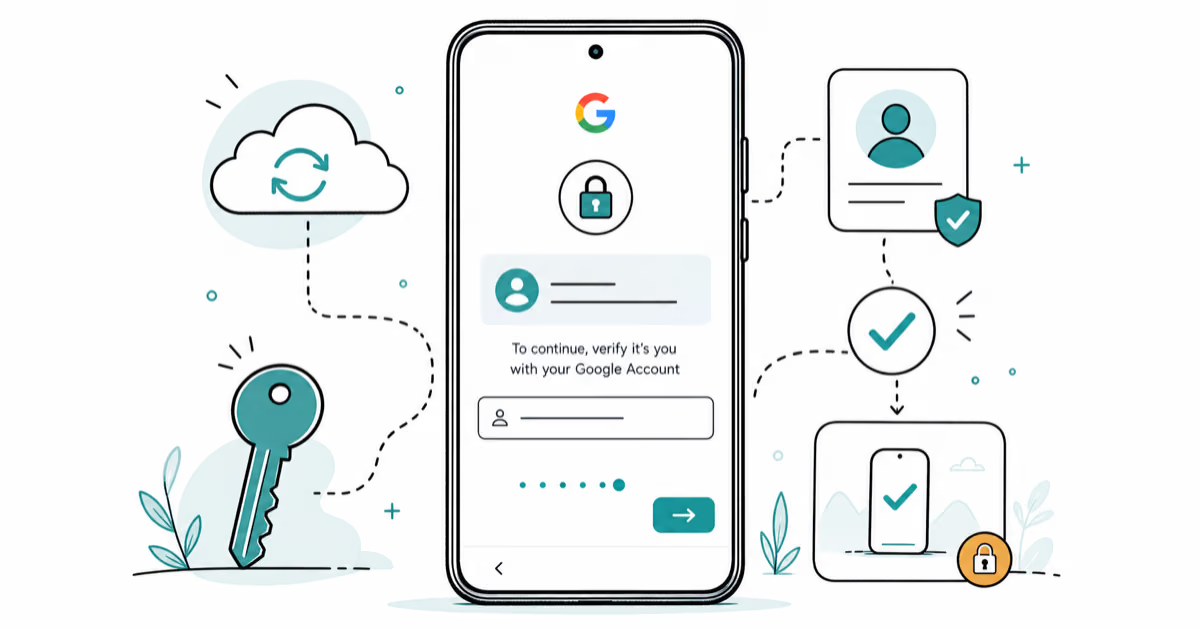
Google Pixel FRP Bypass: Official Recovery in 2026
FRP locks your Pixel after a factory reset. Start with Google Account Recovery for your own device. Here is what works on Pixel 4a and later in 2026.
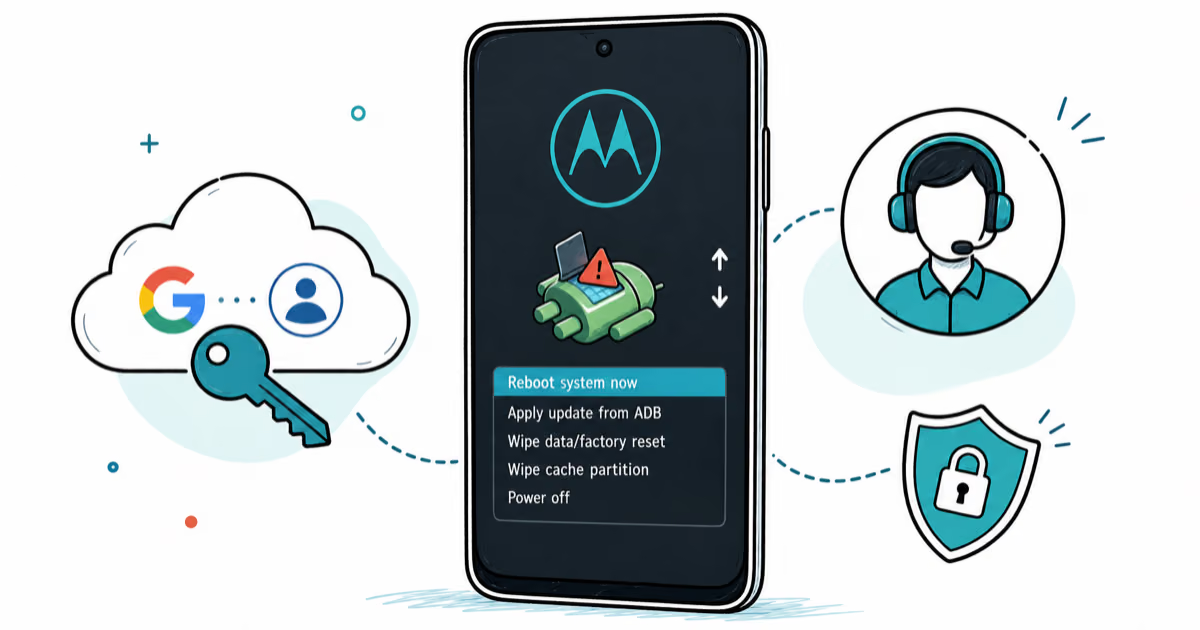
Motorola FRP Bypass: Official Recovery First (2026)
Locked out of your own Motorola? Use Google Account Recovery and Motorola Support before any FRP bypass tool. Legal limits explained for 2026.
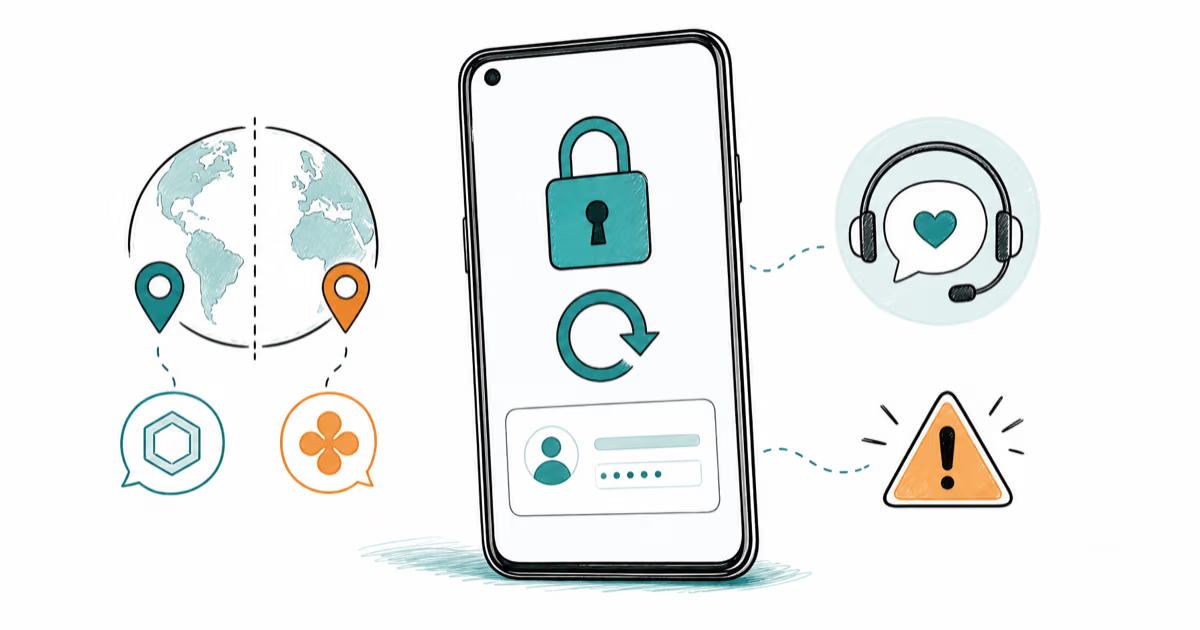
OnePlus FRP Bypass: Region Risks and Recovery (2026)
OnePlus FRP bypass guide: OxygenOS vs ColorOS region risks, official Google Account Recovery, OnePlus Support, and why YouTube tutorials brick.
Xiaomi FRP Bypass: Mi Account vs Google Lock (2026)
Locked out of your Xiaomi after a factory reset? Tell Mi Account lock from Google FRP, use official recovery, and learn the 2026 legal limits.