Best OGG File Players for Windows and macOS in 2026
Find the best OGG file players for Windows and Mac. This guide compares 8 players for codec support, audio quality, and ease of use. VLC tops the list.
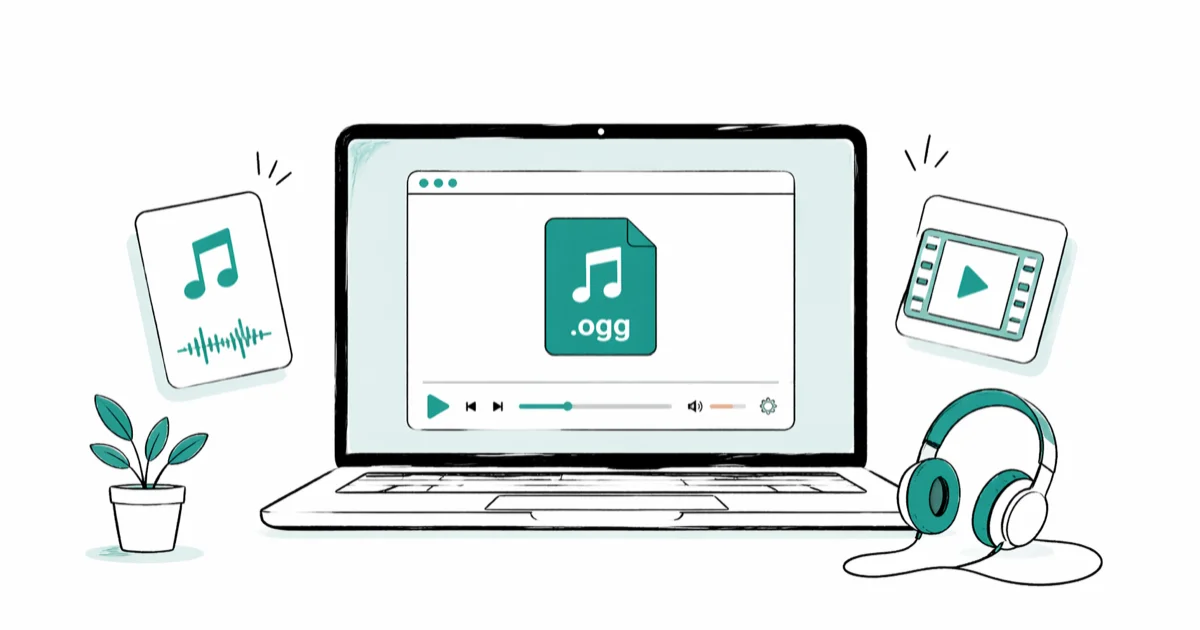
Quick AnswerVLC Media Player is the best free OGG player for both Windows and Mac. It plays OGG Vorbis and OGG Opus files natively without any codec installation, and it handles video in OGG containers too.
OGG files won’t open in most default music apps. This guide compares practical OGG players for Windows, macOS, Android, and iOS.
- VLC Media Player plays OGG Vorbis and OGG Opus on Windows and Mac with zero setup
- OGG is an open container format that usually wraps Vorbis or Opus encoded audio
- Windows Media Player on Windows 11 plays OGG Vorbis natively without extra codec packs
- Converting OGG to MP3 with FFmpeg or VLC takes seconds and fixes most compatibility issues
- Foobar2000 is the audiophile pick on Windows for bit-perfect OGG playback and ReplayGain control
#What Is an OGG File and Why Won’t It Play?
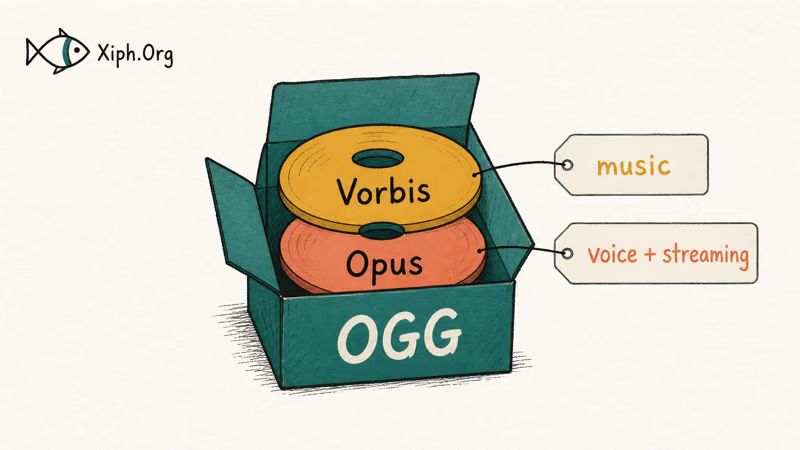
The Xiph.Org Foundation states that OGG is a free, open container format. It usually holds audio encoded with the Vorbis codec for music or the Opus codec for voice and streaming. Think of OGG as the box and Vorbis or Opus as the audio inside it.
Your default player might reject OGG files because of missing codec support. Wikipedia’s Vorbis entry confirms that the codec was finalized in 2002 by the Xiph.Org Foundation as a royalty-free alternative to MP3 and AAC. That history is great for openness, but it also means some commercial players skip OGG entirely. Apple’s built-in apps on macOS and iOS still don’t decode it without help, which is why a Music app double-click on a .ogg file does nothing.
Apple’s built-in apps on macOS and iOS don’t decode OGG files without help. VLC is the simplest workaround because it ships its own codec support.
#Top OGG Players for Windows and Mac
Desktop OGG playback problems usually come down to codec support. Start with a player that ships its own decoders before adding codec packs or changing system settings.
#VLC Media Player (Windows and Mac)
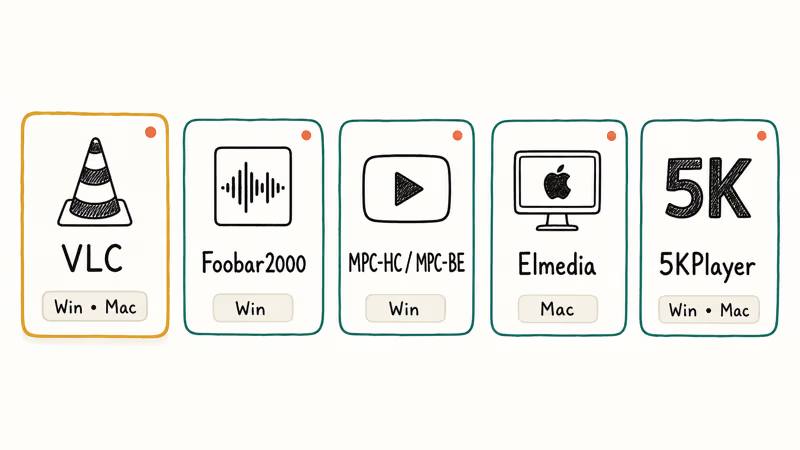
VLC is the default answer for a reason. It plays OGG Vorbis, OGG Opus, FLAC-in-OGG, and Theora video without requiring a separate codec pack. The Mac and Windows builds expose the same menus, the same equalizer, and the same Convert/Save dialog.
It also converts OGG to MP3, AAC, or WAV through Media > Convert/Save. The same dialog handles occasional format conversion, so you don’t need a separate converter for one-off files.
#Foobar2000 (Windows)
The audiophile pick. OGG Vorbis and Opus play natively, and so does FLAC.
The interface looks dated, but Foobar2000’s audio engine is regarded as one of the cleanest free options. You can configure bit-perfect WASAPI output, custom DSP chains, and ReplayGain settings that most commercial players never expose. Setup takes 10 to 15 minutes if you want a polished layout, but daily use is fast.
#MPC-HC (Windows Only)
Lightweight and fast. It handles OGG audio and video without extra codecs, runs on older hardware, and the original project’s last official release shipped in 2017. The community fork MPC-BE picks up where MPC-HC left off with regular updates and modern codec support, so most users grab MPC-BE today.
#Elmedia Player (Mac)
A clean Mac-native player that handles OGG alongside every other format. The free version covers basic playback. The Pro tier costs around 20 USD and adds AirPlay, picture-in-picture, and online video downloads.
#5KPlayer (Windows and Mac)
5KPlayer combines media playback with AirPlay and DLNA streaming in one app. It supports OGG playback and doubles as a YouTube downloader. The interface is clean, though the app pushes the occasional upgrade prompt.
#How Do You Play OGG Files on a Phone?
Neither iOS nor Android plays OGG files in their default music apps. You’ll need a third-party player.
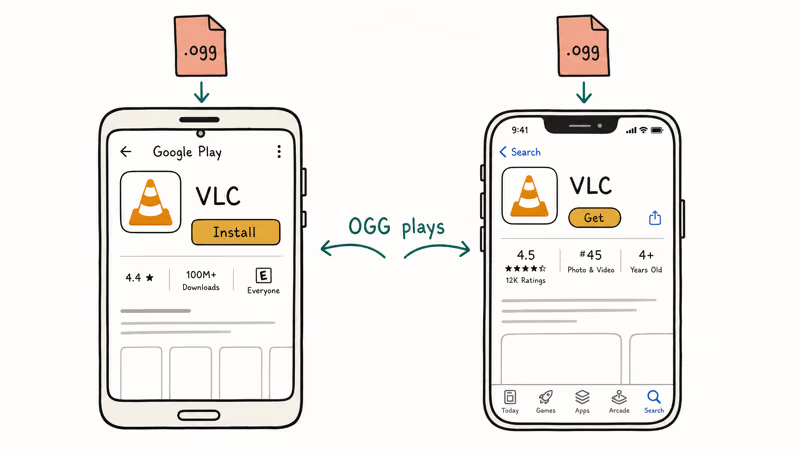
On Android, VLC for Android is the simplest fix. Install it from the Play Store, and OGG playback works inside the app without a codec pack.
On iOS, install VLC from the App Store. It plays OGG just like the desktop version. Or convert your OGG files to MP3 or AAC before transferring them. If you need to convert Opus to MP3, there are online tools and desktop apps that finish the job in seconds.
For other audio workflows, our walkthrough on downloading and converting Spotify music to MP3 covers the conversion process in detail.
#Converting OGG to Other Audio Formats
Sometimes converting is easier than finding a compatible player, especially when sharing files with people who don’t have VLC installed.
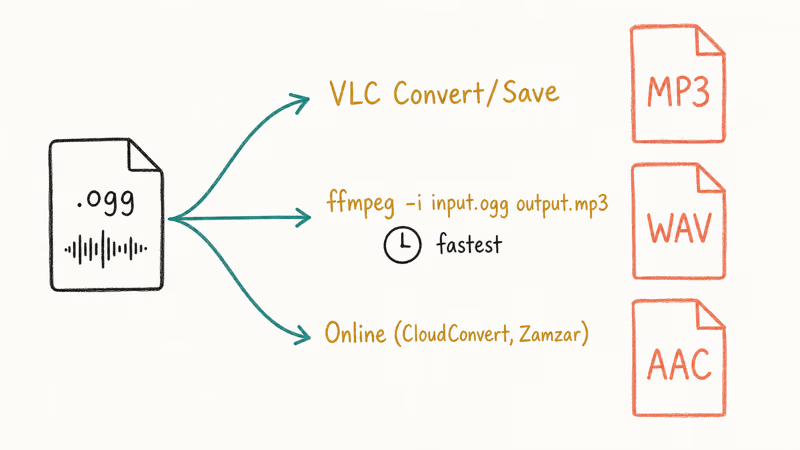
VLC (desktop). Open VLC, go to Media > Convert/Save, add your OGG file, choose MP3 or WAV as the output, and click Start. The VLC project documentation lists more than 20 audio output formats supported by the converter, and conversion finishes in a few seconds per track for music-length files.
FFmpeg (command line). One line does it: ffmpeg -i input.ogg output.mp3. The FFmpeg documentation lists support for almost every audio and video format in active use, and the same binary runs on Windows, Mac, and Linux. It’s the fastest option for batch jobs because you can loop over hundreds of files in a single shell command.
Online converters. CloudConvert and Zamzar handle OGG conversion without installing anything. Free tiers cap at about 100 MB per file, and both keep uploads private and delete them after a few hours.
If you also work with unusual video formats, our guides on converting MTS to MP4 and DAT file conversion walk through similar steps for video containers that most players won’t open.
#OGG vs MP3 vs AAC at the Same Bitrate
Use MP3 for maximum compatibility, OGG Vorbis for better quality at the same bitrate, and AAC inside the Apple ecosystem.
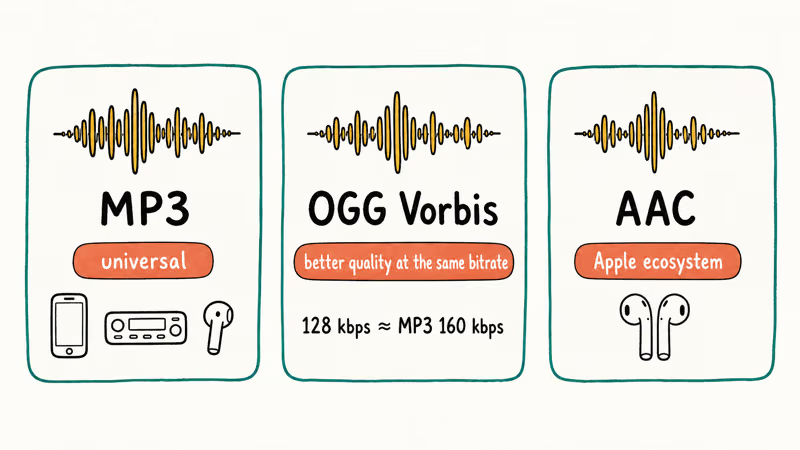
OGG Vorbis at 128 kbps roughly matches the perceived quality of MP3 at 160 kbps. That is a real file-size difference when you store thousands of tracks. Wikipedia’s Opus entry states that the codec was standardized as IETF RFC 6716 in 2012, which is why Opus now powers voice in apps like Discord and Zoom.
MP3 still works everywhere. Every phone, car stereo, smart speaker, and Bluetooth earbud accepts it without question. For sharing audio with people across devices you don’t control, MP3 is the safe default.
AAC is Apple’s preferred lossy format and outperforms MP3 at the same bitrate. If your library lives in Apple Music or you sync to AirPods daily, AAC is the natural choice. Our roundup of free audio downloads lists sources that publish in multiple formats, and our list of the best video players for Windows covers OGG Theora video playback if you need it.
If you keep audio work on your Mac and run into format quirks, converting audio into OGG is another common task where having the right tools matters.
#Troubleshooting OGG Playback Problems
If your OGG file opens but sounds distorted, the file is likely partly corrupt. Try playing it in VLC, which handles damaged streams better than most players.
Files that won’t open at all are usually mislabeled. Rename the extension to .ogg if it’s missing, or try opening it in VLC anyway, since VLC identifies formats by content rather than filename. If the file plays in one player but not another, codec support is the issue. Stick with VLC, install Foobar2000, or convert to MP3.
For playback stuttering on older machines, close other apps and update your audio drivers. MPC-BE and Foobar2000 use fewer resources than VLC and tend to run smoother on hardware from 2015 or earlier.
#Bottom Line
Install VLC first. It plays OGG on Windows, Mac, Android, and iOS without configuration, and its built-in converter turns OGG into MP3 in seconds when you need to share files.
If you’re a Windows user chasing the cleanest possible audio path for a large OGG library, add Foobar2000 alongside VLC for bit-perfect WASAPI output and ReplayGain control. Avoid leaning on Apple’s built-in apps for OGG on macOS or iOS, since they won’t open the format and the codec-extension workarounds aren’t worth the time when VLC is free.
#Frequently Asked Questions
What does OGG stand for?
OGG doesn’t stand for anything. The Xiph.Org Foundation named it after a strategy in the video game Netrek.
Can Windows Media Player open OGG files?
On Windows 11, yes. OGG Vorbis plays natively. On Windows 10 and earlier, install the free Web Media Extensions codec pack from the Microsoft Store first. After that, OGG files open in Windows Media Player without extra steps.
Is OGG better quality than MP3?
At the same bitrate, OGG Vorbis usually delivers better audio quality than MP3, especially in the high-frequency range. For casual listening through phone speakers or basic earbuds, you probably won’t hear the difference.
Why do game developers use OGG instead of MP3?
It’s royalty-free, and files are smaller at equivalent quality. Studios don’t pay licensing fees for OGG, which makes it popular with indie developers shipping on Steam. Bigger studios use it too, often wrapped inside proprietary containers, which is why OGG decoding code shows up inside games from EA, Ubisoft, and Valve.
Can you stream OGG audio online?
Yes. OGG Opus powers real-time audio in Discord and most WebRTC services. Spotify used OGG Vorbis as its main streaming codec for years before adding AAC and other formats to its delivery pipeline.
How do you play OGG on a Chromebook?
Chrome OS supports OGG natively. Double-click the file and it opens in the built-in media app. Dragging an OGG file into a Chrome browser tab also works for quick playback.
Does converting OGG to MP3 lose audio quality?
Yes, because both are lossy formats. Each conversion adds a small amount of degradation. Convert at 192 kbps or higher for best results. If you started from a high-quality OGG file at 256 kbps or above, the loss from a single conversion is usually inaudible in everyday listening.
What’s the difference between Vorbis and Opus?
Vorbis was built for stored music and sounds best above 96 kbps. Opus was designed for real-time communication and excels at low bitrates, which is why voice apps prefer it. For music files you keep on your computer, Vorbis is the standard pick. For live or interactive audio, Opus wins.

Google Messages Error 3100: Why RCS Is Broken on Galaxy
Google Messages RCS error 3100 hits Galaxy owners after phone or carrier switches. Google told 9to5Google a fix is coming. Here's what actually helps.

Is This Bank App Real? Spot a Fake App on Your Home Screen
A bank app can land on your home screen from a web page with no install warning. Learn the checks that tell a real banking app from a phishing web app.

Apps Crashing After iOS 27 Update? Fix Order (2026)
Apps crashing after the iOS 27 update? Update the app in the App Store first, then offload and reinstall to clear stale cache, then restart. The fix order.

Do AI Translation Earbuds Work Offline? What to Know
Do AI translation earbuds work offline? A few do with downloaded language packs, but most need the cloud. Here's what works offline and what you give up.