Keep Inventory Command in Minecraft: Stop Losing Items
Enable keep inventory in Minecraft with /gamerule keepInventory true. Complete setup for Java Edition, Bedrock, mobile, and console platforms.
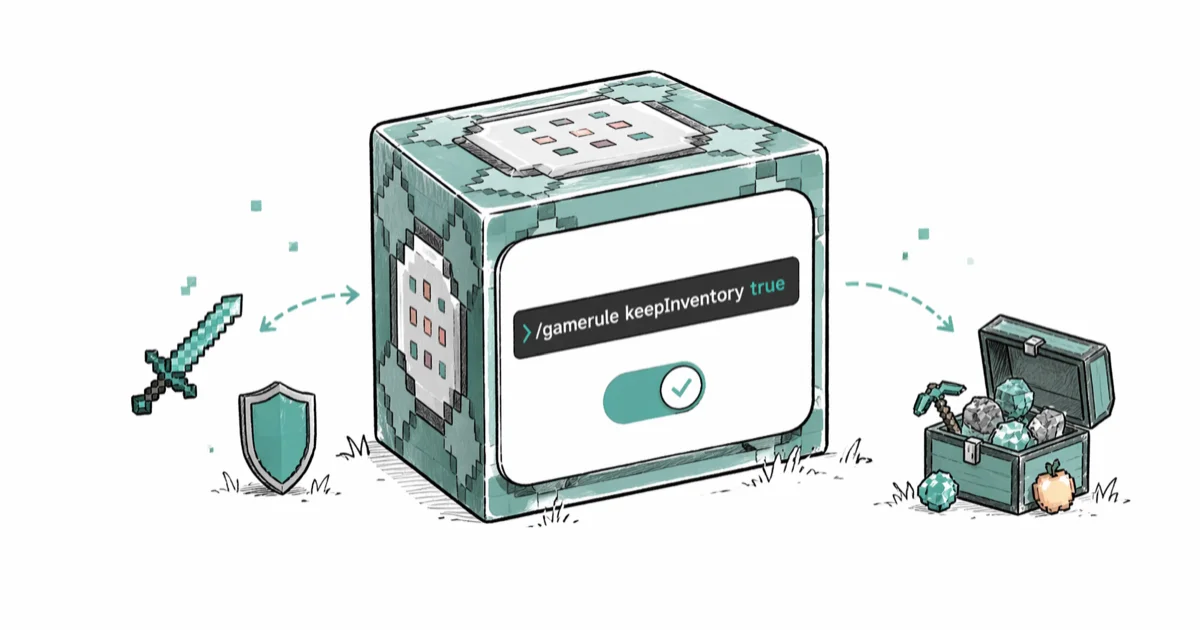
Quick AnswerType /gamerule keepInventory true in the chat window to keep your inventory when you die in Minecraft. This works on Java Edition and Bedrock Edition and requires cheats enabled.
The /gamerule keepInventory true command stops Minecraft from dropping your items when you die. The rule applies to Java Edition and Bedrock Edition once cheats are enabled. Here’s the exact setup for every platform.
- Type
/gamerule keepInventory truein the chat window to keep all items and armor on death across Java and Bedrock editions - Cheats must be enabled first; Java Edition lets you toggle cheats mid-game through Open to LAN, while Bedrock requires them at world creation
- The command preserves inventory items and equipped armor but does not save experience points, which still drop at the death location
- Enabling cheats permanently disables achievements on Java Edition; Bedrock Edition handles trophies differently per platform
- Turn it off anytime with
/gamerule keepInventory falseto restore standard death penalties
#How to Enable Keep Inventory in Minecraft Java Edition
Open the chat window by pressing T, type /gamerule keepInventory true, and press Enter. A message confirms the game rule has been updated.
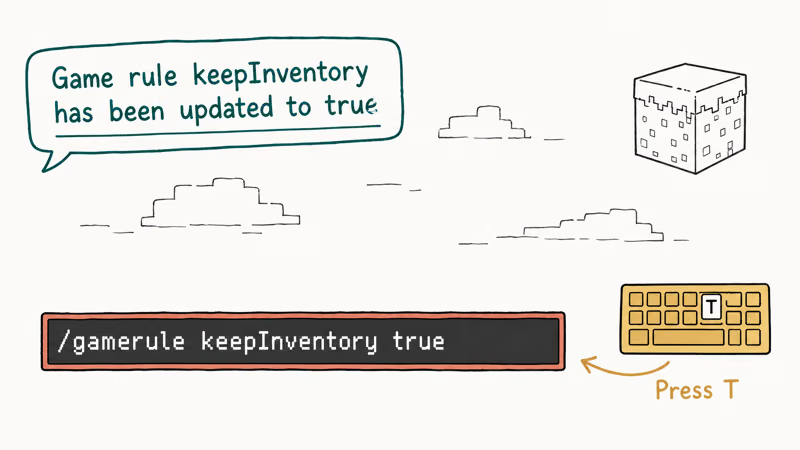
According to Minecraft Wiki’s game rules page, keepInventory is a boolean rule that defaults to false. Setting it to true makes players retain all inventory contents and worn armor upon death. The change applies immediately to every player in the world.
No restart is needed.
Single-player worlds only affect you. On a LAN world, every connected player benefits from the rule once it’s active.
#How Do You Enable Cheats for the Keep Inventory Command?
The keep inventory command requires cheats enabled. Without them, you’ll get an error message in chat.
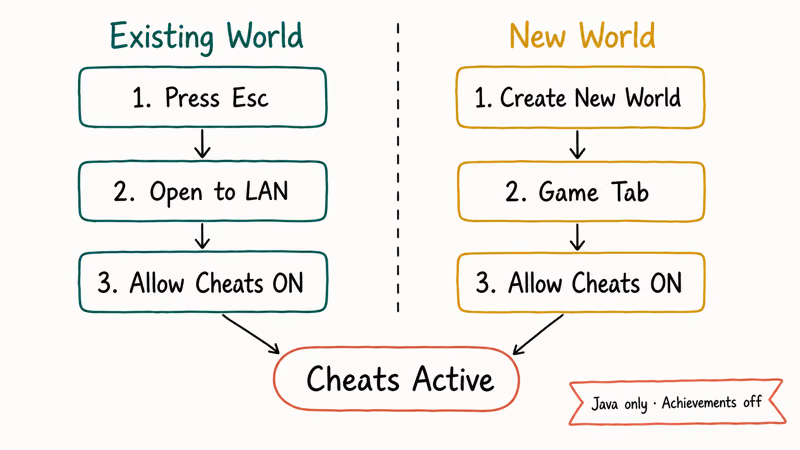
Java Edition (existing worlds):
- Press Esc to open the pause menu
- Click “Open to LAN”
- Toggle “Allow Cheats” to ON
- Click “Start LAN World”
This enables cheats temporarily for the current session. You’ll need to repeat this every time you reopen the world.
Java Edition (new worlds):
- Click “Create New World”
- Go to the Game tab
- Toggle “Allow Cheats” to ON
- Create the world
Mojang’s support article on cheats confirms that enabling cheats on Java Edition permanently disables achievements for that world. There’s no way to reverse this, so consider using a separate creative world if achievements matter to you.
#Using Keep Inventory on Bedrock Edition (Mobile and Console)
Bedrock Edition runs on iOS, Android, Xbox, PlayStation, Nintendo Switch, and Windows 10/11. Wikipedia’s Bedrock Edition page confirms that this unified version has been available on 9 platforms since 2017, and the command syntax is identical across all of them.
On mobile (iOS/Android):
- Tap the chat icon at the top of the screen
- Type
/gamerule keepInventory true - Tap the send button
On console (Xbox/PlayStation/Switch):
- Press the D-pad right button to open chat
- Type
/gamerule keepInventory true - Press A (Xbox), X (PlayStation), or A (Switch) to confirm
The critical difference from Java Edition: Bedrock requires cheats enabled at world creation. You can’t add cheats to an existing Bedrock world through in-game menus. If your world was created without cheats, your options are creating a new world or using a third-party world editor.
If you’re having trouble connecting to multiplayer Bedrock worlds, our guide on unable to connect to world in Minecraft covers the most common fixes.
#What Does Keep Inventory Actually Preserve?
The command protects a specific set of items. Here’s the full breakdown.
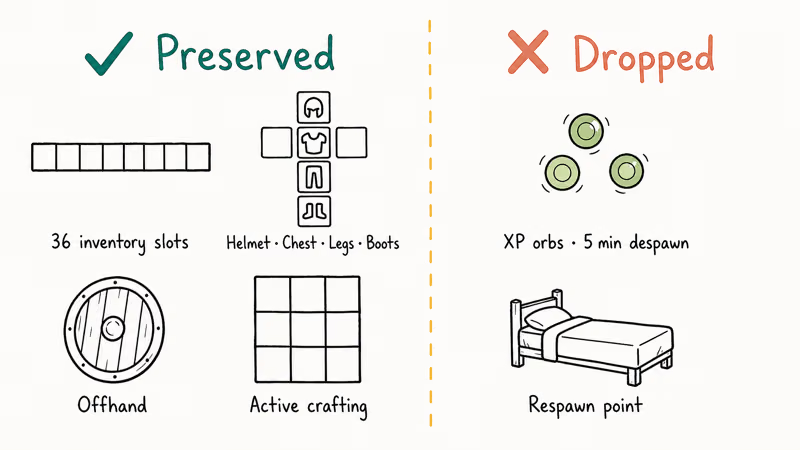
Preserved on death:
- All 36 main inventory slots (hotbar + storage)
- Equipped armor (helmet, chestplate, leggings, boots)
- Offhand slot items (shields, totems, maps)
- Items in active crafting slots
Not preserved:
- Experience points (XP orbs drop at the death location)
- Your position (you respawn at your bed or world spawn)
Minecraft Wiki’s death mechanics page states that keepInventory only affects item drops, not experience. Your XP still scatters as orbs at the spot where you died. Those orbs despawn after 5 minutes if nobody collects them.
With keep inventory enabled, items stay with the player after death, but XP still drops at the death location. This distinction matters for XP-heavy activities like enchanting bows and repairing gear at an anvil. It’s also worth protecting hard-to-find items like saddles that can’t be crafted from raw materials.
#Disabling Keep Inventory
Type /gamerule keepInventory false in chat and press Enter. The change takes effect on your next death.
This is useful after you’ve completed a risky section like a Nether fortress run or an End City raid. Turning it back off restores the survival stakes that make the game rewarding. The command toggles instantly with no restart or world reload needed.
#Keep Inventory in Hardcore and Multiplayer Modes
Hardcore mode: Keep inventory has no practical use here. Hardcore deletes your world on death regardless of game rules. The command technically sets the boolean, but since the world ceases to exist, there’s nothing to keep.
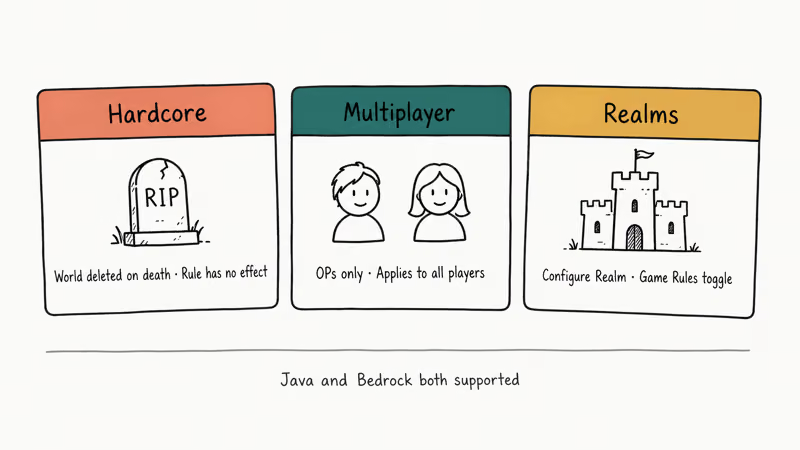
Multiplayer servers: Only operators (OPs) can change game rules. Regular players can’t type the command unless the server admin grants them OP status. The rule applies server-wide, so every player keeps their inventory once it’s enabled. If your friend hosts a vanilla server and grants you OP, you can toggle it for the whole group with a single command.
Realms: Realm owners toggle keep inventory through Configure Realm > Game > Game Rules. Works on both Java and Bedrock Realms.
For multiplayer LAN sessions, Hamachi alternatives can help you set up virtual networks if direct connections aren’t working.
#Troubleshooting Keep Inventory Command Issues
Chat says you don’t have permission
Cheats aren’t enabled. On Java Edition, use Esc > Open to LAN > Allow Cheats. On Bedrock, you’ll need a new world with cheats toggled on. Multiplayer servers require OP permissions from the server admin.
Command entered but items still drop on death
Check the exact spelling. The command is case-sensitive: keepInventory with a capital I. Typing keepinventory or KeepInventory won’t register on most platforms.
Chat window won’t open
Press T on Java Edition (keyboard) or tap the chat icon on Bedrock mobile. Console players press right on the D-pad. If chat is disabled on a multiplayer server, contact the server admin.
If Minecraft has no sound after a recent update, that’s a separate audio issue unrelated to the keep inventory command. Some players also run into OpenGL error 1281 after entering commands on Java Edition, but this is a rendering warning that doesn’t affect game rules.
#Bottom Line
Use /gamerule keepInventory true for stress-free building, exploring, or teaching new players. The trade-off is real: you lose achievements on Java Edition and XP still drops on death regardless. For experienced players, keep it off during normal survival and only enable it for high-risk Nether or End expeditions where losing a full diamond set would sting. Turn it off with /gamerule keepInventory false the moment you want the stakes back.
#Frequently Asked Questions
Does keep inventory work on Minecraft servers?
Yes, but only operators can change game rules. Server admins use /gamerule keepInventory true to enable it for all connected players. Regular players without OP status can’t toggle the setting. Some servers use plugins like EssentialsX that offer per-player inventory protection instead of the vanilla command.
Can you keep experience points with keep inventory?
No. The keepInventory rule only protects items and armor. XP orbs always drop at the death location and despawn after 5 minutes.
Does enabling keep inventory disable achievements?
On Java Edition, yes. Enabling cheats permanently locks achievements for that world, and there’s no way to undo it. On Bedrock Edition, the behavior varies by platform, with Xbox and PlayStation handling trophies under their own console-specific rules.
How do I enable keep inventory on Realms?
Go to Configure Realm > Game > Game Rules and toggle Keep Inventory to ON. Only the Realm owner has access to this settings panel.
Can I use keep inventory in multiplayer without enabling cheats?
Not with the vanilla command. The /gamerule command is classified as a cheat and requires cheats toggled on. Server software like Paper or Spigot supports plugins that provide inventory protection through a separate permissions system. These plugins need server-side configuration by the admin.
What is the exact syntax for the keep inventory command?
The full command is /gamerule keepInventory true with a capital I in Inventory. To turn it off, use /gamerule keepInventory false. Spacing matters: one space after /gamerule and one space after keepInventory.
Does keep inventory persist after closing the world?
Yes. The rule saves with your world data permanently. Reopening the world won’t reset it.
Can you use keep inventory in creative mode?
You can set the rule, but it’s unnecessary. Creative mode already prevents inventory loss on death. Players in creative mode respawn with everything intact and don’t drop XP.

Fortnite Stuck on the Loading Screen? Fix It in 2026
Fortnite stuck on the loading screen? Check server status, fix the Windows N Media Pack and DirectX 11 on PC, clear the console cache, and verify files.

Minecraft Keeps Crashing? Java and Bedrock Fixes (2026)
Minecraft keeps crashing on startup or mid-game? Update your GPU driver, remove mods on Java, and reinstall Gaming Services on Bedrock. Fixes for both.

Pokemon GO Not Loading? Fix the Loading Screen 2026
Pokemon GO not loading or stuck on the Pokeball? Check server status, fix automatic date and time, grant location permission, clear the cache, and update.

PS5 Controller Not Charging? 9 Fixes That Work (2026)
DualSense not charging? Swap the cable, use a rear port in Rest Mode, clean the USB-C port, and check power settings. 9 fixes for a dead PS5 controller.