iPadOS 27 Compatible iPads: The Full 2026 Device List
iPadOS 27 supports iPad Pro M4, iPad Air 4th gen and up, iPad A16 and 9th gen, and iPad mini A17 Pro and 6th gen. See the full list and dropped models.
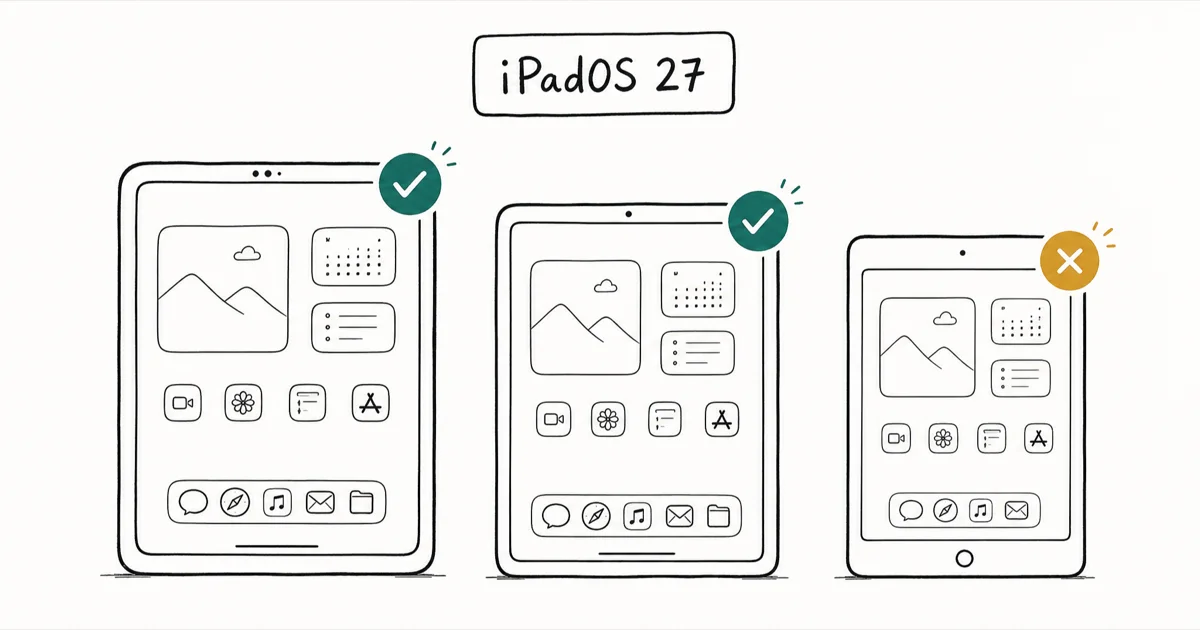
Quick AnsweriPadOS 27 supports iPad Pro M4 and later, the 11-inch Pro 2nd gen and later, iPad Air 4th gen and later, iPad 9th gen and later, and iPad mini 6th gen and later.
Apple confirmed the iPadOS 27 compatible iPads at its WWDC 2026 keynote on June 8, trimming several older tablets. Recent iPad Pro, Air, or mini owners are almost certainly clear, but a handful of 2018 and 2019 models drop off. Here’s the confirmed list and what it means for older hardware.
- iPadOS 27 supports iPad Pro M4 and later, the 12.9-inch iPad Pro 4th generation and later, and the 11-inch iPad Pro 2nd generation and later
- iPad Air needs the 13-inch M2 or the 11-inch M2, M3, M4, or 4th generation and later
- The standard iPad needs the A16 model or the 9th generation and later, and iPad mini needs the A17 Pro or 6th generation and later
- Five model lines were cut from the iPadOS 26 list, including the 1st-gen 11-inch iPad Pro and iPad mini 5
- Apple Intelligence still needs an A17 Pro or M1 chip at minimum, and the strongest on-device features want M4 with 12GB of unified memory
#Which iPads support iPadOS 27?
Apple lists the full set of supported tablets on its iPadOS preview page. According to that page, iPadOS 27 runs on these models:
- iPad Pro (M4 and later)
- iPad Pro 12.9-inch (4th generation and later)
- iPad Pro 11-inch (2nd generation and later)
- iPad Air 13-inch (M2 and later)
- iPad Air 11-inch (M2, M3, M4, and 4th generation and later)
- iPad (A16 and 9th generation and later)
- iPad mini (A17 Pro and 6th generation and later)
The pattern mirrors how Apple handled the iPhone side. Apple held the line there while trimming the iPad lineup. If you also run an iPhone, our guide to iOS 27 compatible iPhones covers that A13 Bionic floor in detail, and our iPadOS 27 features guide covers the new tools rather than the device list.
The short version: anything Apple shipped from late 2020 onward in the Pro line, plus the iPad Air 4th generation and later (which includes the A14 Air 4 and M1 Air 5, not just the M-series 13-inch) and the A16 base iPad, makes the cut. The 9th-generation iPad, which still uses the older A13 chip, scrapes in as the oldest supported standard model.
#Did iPadOS 27 drop any iPads?
Yes. Compared with the iPadOS 26 list, several 2019 and 2020 tablets lose support this year. According to iClarified’s iPadOS 27 device list, the dropped models are:
- 1st-generation 11-inch iPad Pro (2018)
- 3rd-generation 12.9-inch iPad Pro (2018)
- iPad Air 3
- iPad 8 and earlier
- iPad mini 5 and earlier
That’s a sharper cut than the iPhone side saw. The common thread between this year’s and last year’s lists is age plus chip generation: the dropped Pro models use the A12X and A12Z, while the cut Air and mini both run the older A12 Bionic.
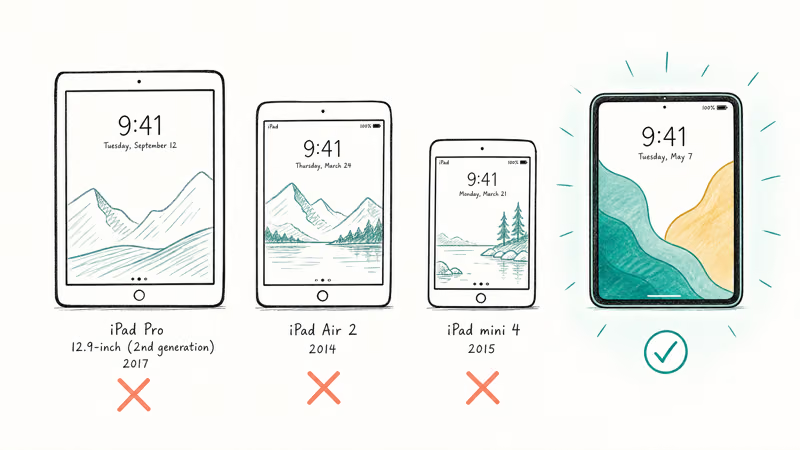
If your tablet sits in that 2018 to 2019 bracket, iPadOS 26 is very likely your last major version. The A12 family is two generations behind the A13 in the oldest supported base iPad, and Apple rarely walks a chip floor back once it’s set, so don’t count on a reprieve next year.
The base iPad story is cleaner. Apple kept the 9th-generation model, so a 2021 entry-level iPad still gets the update. The iPad 8 from 2020 is retired.
#How the iPad Cutoff Compares to the iPhone
The iPad and iPhone lists didn’t move in lockstep this year. On the phone side, Apple held the A13 Bionic floor and kept the iPhone 11, so no iPhone that ran iOS 26 lost support.
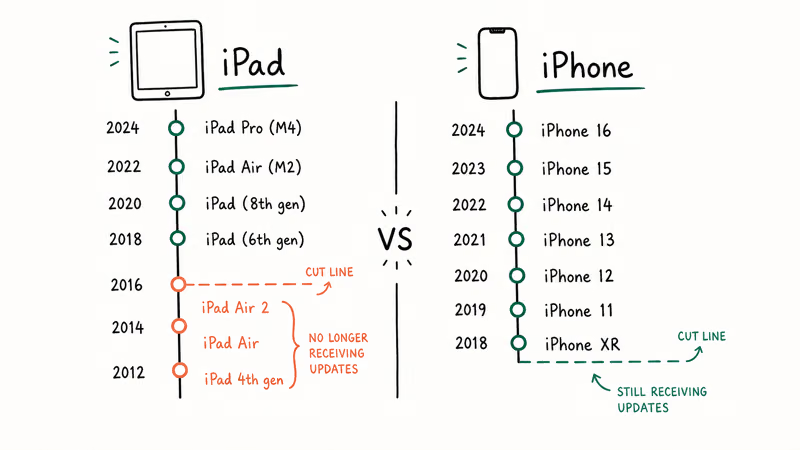
iPads weren’t so lucky. The tablet lineup shed five model lines, mostly older A12-class hardware that the iPhone side never had to carry, since iPhones moved to A13 a year sooner. That mismatch is why an iPhone owner and an iPad owner can have very different upgrade outcomes from the same WWDC announcement. If you want the historical context for how Apple draws these floors, our look at the iOS 26 supported devices list shows where last year’s line sat.
#Apple Intelligence on iPadOS 27 Needs Newer Chips
Compatibility for the operating system and compatibility for Apple Intelligence are two different bars, and the AI bar is higher. iClarified reports that Apple Intelligence on iPadOS 27 needs at least an iPad mini with the A17 Pro chip or any M1-class iPad or newer.
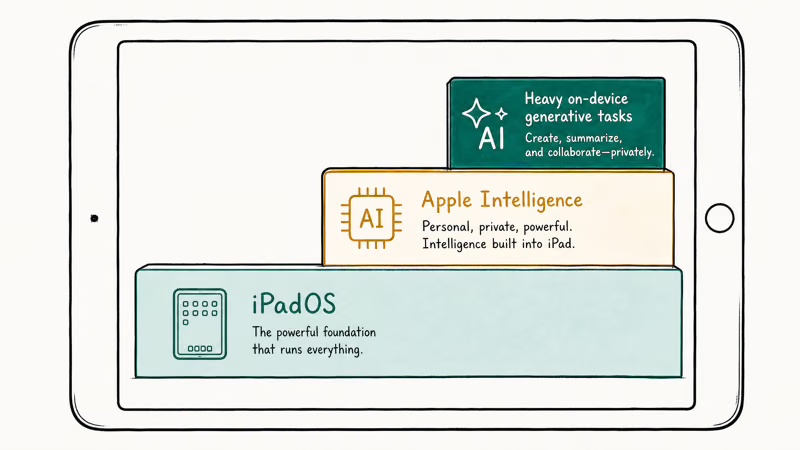
So a supported tablet can run iPadOS 27 and still miss the AI feature set entirely.
Three bars stack up here. Every supported iPad gets base iPadOS 27, Apple Intelligence then needs an A17 Pro or M1 chip, and only the heaviest on-device generative tasks want M4 with 12GB of unified memory. So M4-plus-12GB is not a requirement for iPadOS 27 or for Apple Intelligence overall, just for top-end local processing. Our breakdown of the iOS 27 AI features explains how Apple tiers these capabilities.
The practical split is between base OS support and the heavier AI tools gated to newer silicon. Being on the supported list gets you the OS, not the full AI menu, and that gap is widest on the older A-series iPads that scrape onto the list but lack the headroom for on-device generation.
#iPadOS 27 Release Timeline and Beta Access
The developer beta opened on June 8, 2026, the same day as the keynote, and Apple has kept the seeds coming, with developer beta 6 arriving August 17, 2026 as the latest build for testers. The supported-device list above hasn’t shifted across those builds, so every iPad here still qualifies. Apple states that iPadOS 27 will ship as a free update “this fall,” which lines up with the usual mid-September window alongside new iPad and iPhone hardware.
Public beta testing opened in July 2026, following Apple’s pattern of roughly a month after the developer build. Apple lists public-beta and final-release dates on the beta program page once they’re locked in. For the full rollout calendar, our iOS 27 release date guide tracks every milestone as Apple confirms it.
Tempted to load an early build? Back up your iPad first and keep betas off any tablet you rely on for work. The new features are detailed in our iOS 27 new features overview, since the iPhone and iPad releases share most headline changes.
#iPadOS 27 Performance on Older Supported iPads
Speed is a big part of this year’s story. 9to5Mac’s coverage of the WWDC keynote, in its iOS 27 speed improvements report, notes that Files on iPadOS browses and transfers up to 5x faster.
Apple confirmed those gains apply across supported devices, not just the latest chips.
Apple’s speed work matters most on the 9th-generation base iPad and the 2nd-gen 11-inch Pro, the devices most likely to feel their age. That’s the strongest argument for updating an aging-but-supported tablet rather than sitting on iPadOS 26, since the speed work lands hardest exactly where the hardware is slowest and the lift is most noticeable in routine tasks like opening Files.
One caveat worth flagging: if you rely on multitasking features and run into trouble after updating, our guide to fixing Stage Manager when it’s not working walks through the common causes. Major version updates occasionally reset display or window settings, so it’s worth knowing where to look.
#Bottom Line
If you own an iPad Pro from late 2020 onward, an iPad Air 4th generation or later (the A14 Air 4 and M1 Air 5 both qualify alongside the M-series models), an A16 base iPad, or an iPad mini 6 or newer, you’re set for iPadOS 27 with no action needed beyond updating when it ships this fall. The clearest losers are 2018-era Pro models and the A12-class iPad Air 3 and iPad mini 5, which stay on iPadOS 26.
Best advice: if you have a 9th-generation iPad or a 2nd-gen 11-inch Pro, update for the Files and system speed gains, but don’t expect the full Apple Intelligence toolkit, since that needs A17 Pro or M-series silicon. If Apple Intelligence is the goal and you’re on older hardware, the M4 iPad Pro is the only model that unlocks every on-device feature. Wait for the public release in September unless you have a spare device for beta testing.
#Frequently Asked Questions
Is the iPad mini 6 compatible with iPadOS 27?
Yes. The iPad mini 6th generation is on Apple’s confirmed list, since the supported floor is “iPad mini (A17 Pro and 6th generation and later).” The iPad mini 5 and earlier are dropped this year.
Will my iPad 9th generation get iPadOS 27?
Yes, the 9th-generation iPad is supported. It’s the oldest standard iPad on the list, even though it uses the older A13 chip. The iPad 8 and earlier models don’t get the update.
What’s the difference between iPadOS 27 support and Apple Intelligence support?
They’re separate bars. iPadOS 27 runs on a wide list of tablets going back to the 2020 iPad Pro and the 2021 iPad 9th generation. Apple Intelligence, by contrast, needs at least an A17 Pro or M1 chip, and the heaviest features want an M4 with 12GB of unified memory. So a supported iPad can run the OS without getting every AI tool.
When will iPadOS 27 be released to everyone?
The developer beta launched on June 8, 2026, on keynote day. Apple says the free public update arrives “this fall,” which usually means mid-September. The public beta is now available, following Apple’s normal schedule of opening testing about a month after the developer build.
Which iPads were dropped from iPadOS 27?
Five lines were cut versus iPadOS 26: the 1st-generation 11-inch iPad Pro, the 3rd-generation 12.9-inch iPad Pro, iPad Air 3, iPad 8 and earlier, and iPad mini 5 and earlier. Most use A12-class chips from 2018 and 2019.
Should I install the iPadOS 27 beta now?
Only if you have a spare iPad you can afford to wipe. Otherwise, wait for the final release this fall.
Is iPadOS 27 a free update?
Yes. Apple confirms iPadOS 27 is a free software update for all compatible iPads, consistent with how the company has handled iPadOS releases in past years.

Mac mini M6 vs M5 Pro: Which Model Should You Buy?
Mac mini M6 vs M5 Pro compared on price, memory, ports, displays, and real workloads. Find the better 2026 Mac mini for your desk and budget.

Apple Siri Settlement: Who Qualifies and How to Claim
Apple's $250 million Siri settlement covers iPhone 15 Pro and iPhone 16 models bought June 2024 to March 2025. See who qualifies and how claims work.

iOS 26.6.1 Security Update: What Apple Fixed and Who Gets It
Apple released iOS 26.6.1 on August 17 with 29 security fixes, including an IPSec interception bug. See what it patches, who gets it, and how to update.

iPhone Adaptive Power: How It Works and When to Use It
Learn how iPhone Adaptive Power works, which models support it, what it changes, and when Low Power Mode is still the better battery-saving choice.