Instagram Music Not Available in Your Region: Fix It
Instagram music not available in your region? Learn if it is licensing, account type, or the song, then sync your region and enable Reels without a VPN.
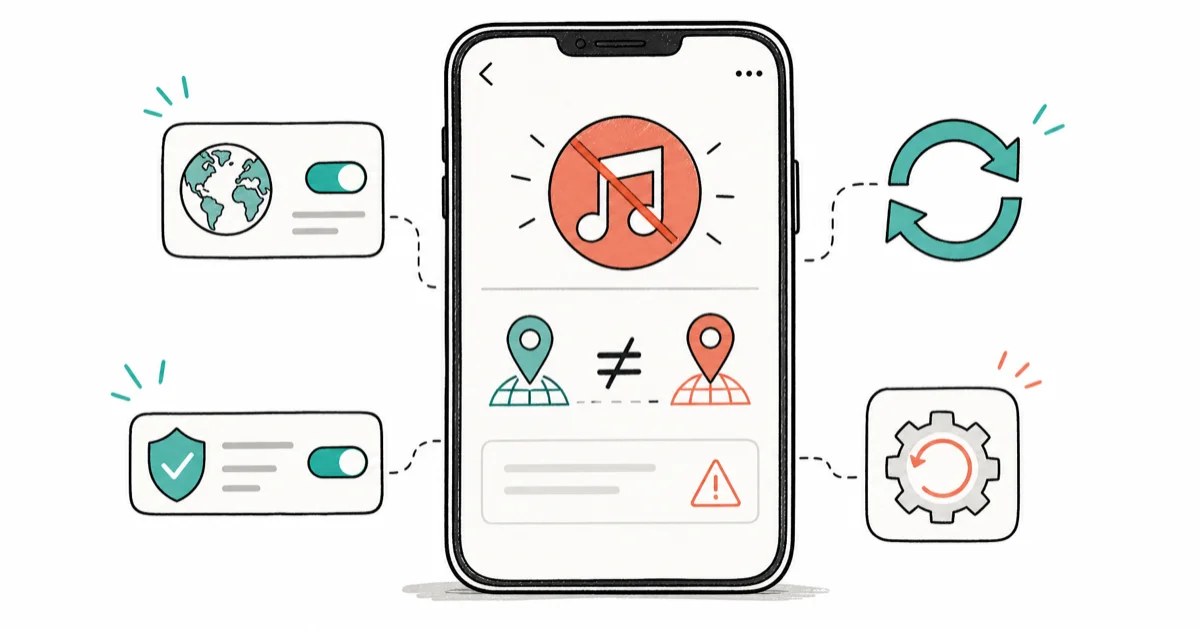
Quick AnswerInstagram music is usually unavailable because of regional licensing, an under-18 or business account, or a region mismatch between your SIM, device, and app store. Sync those regions and enable Reels first.
Instagram music not available in your region is a licensing and account message, not a bug, even though it reads like one. The fix isn’t a VPN; it’s matching your account type and your device region to what Instagram’s music catalog allows. A personal account can show far more music than a business account because account type changes the catalog.
- The message is usually about music licensing or your account type, not a glitch to clear
- Business and creator accounts lose access to most commercial tracks for legal reasons
- A region mismatch between your SIM, device, and app store can hide the music sticker
- Enabling Reels often restores the music library that Stories alone won’t show
- A VPN is a Terms of Service risk, not a recommended fix, and can get your account flagged
#Why Does Instagram Say Music Is Not Available in Your Region?
The message points to the licensing deal behind each song rather than anything broken on your phone. Music labels license tracks country by country, and Instagram can only offer a song where it holds the rights.
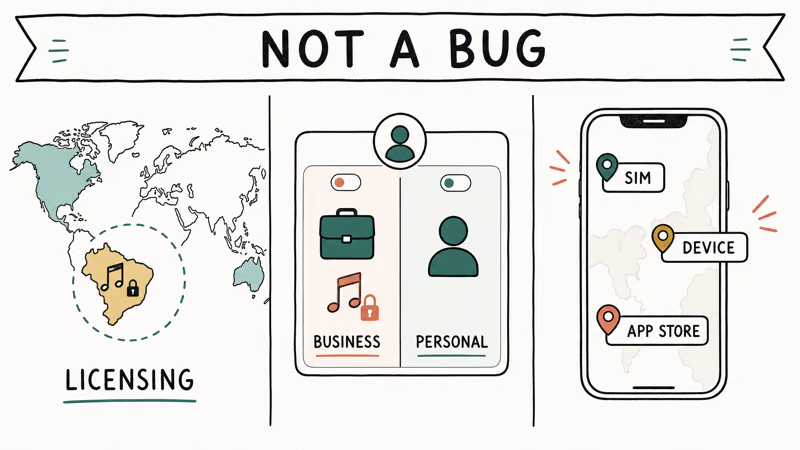
That’s why the same Reel works for a friend abroad but not for you. The catalog is geofenced.
Your account type is the second gate. Business and creator accounts are limited to a royalty-free or commercial-use library, because using popular songs in business content raises licensing liability that Instagram won’t take on, even when the same song is free to use on a personal profile.
A region mismatch is the third cause, and the one you can actually fix. If your SIM, phone region, and app store disagree, Instagram reads an inconsistent location and hides the sticker.
#Is It Your Account Type or the Song?
Sort this out before you change any settings. First, test a different song. If only one track is missing, that single song isn’t licensed in your region and no setting will restore it.
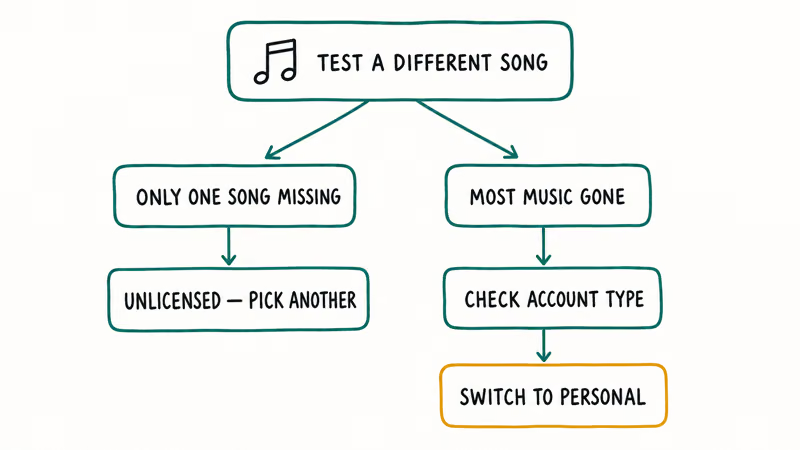
If most music is gone, look at your account type. Open your profile, tap the menu, and check whether you’re on a personal, creator, or business account. According to Instagram’s audio help, music availability depends on your account type and the licensing for each track.
Switch a business account back to personal if music matters more than the business tools. Go to Settings and privacy > Account type and tools > Switch account type, then pick Switch to personal account. Instagram’s help on music on Reels confirms that music access depends on your account type, with business profiles steered to a commercial library. After the switch, the full catalog can return once Instagram refreshes the account state.
If the catalog is still thin on a personal account, the cause is regional, and the next section covers it. The same account-type logic explains other Reels quirks, like the ones in the guide on Instagram videos not playing.
#Sync Your Device and App Store Region
A region mismatch is the most fixable cause, so line up all three location signals.
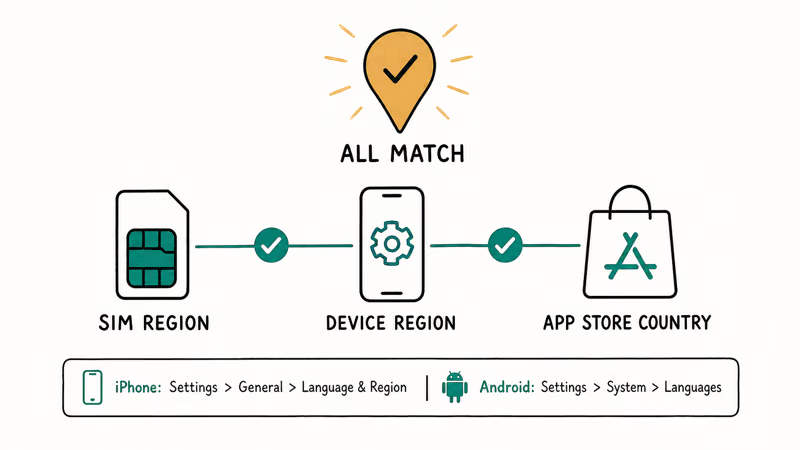
On iPhone, open Settings > General > Language and Region and confirm the region matches where you actually are. According to Apple’s guide to changing your App Store country or region, you must spend any remaining store balance and update your payment method before the change saves.
On Android, set the region under Settings > System > Languages and update the Play Store country from your account settings. Google’s support documentation states that you can change your Play Store country only once every 1 year, so set it deliberately rather than flipping it back and forth.
#Restart Instagram and Clear Stale Data
Restart Instagram after any region change so the app re-reads your location. A force-close and reopen is enough.
The music sticker often returns on the next Reel you start. Clearing a stale local state helps too, much like the steps in the guide to clear Instagram search when the app holds onto old data. Give the change a few minutes to propagate before you decide it didn’t work.
#Enable Reels to Unlock Music
Stories and Reels don’t always show the same music library. The full catalog lives in Reels.
Open the camera, swipe to Reels, and tap the Music sticker. Reels can show songs that Stories don’t, so search from the Reels music picker before assuming the catalog is gone.
If the music note is missing entirely, update Instagram from the App Store or Play Store. An outdated build can drop the music feature, and a fresh version restores it. Your saved tracks stay put, and you can revisit them through the guide on finding saved Reels.
#Why a VPN Is the Wrong Fix for Instagram Music
Treat a VPN as a risk, not the headline fix, because it conflicts with Instagram’s rules even on your own account. Spoofing your location to pull music licensed for another country sidesteps the geofence, and Instagram’s terms prohibit misrepresenting your location.
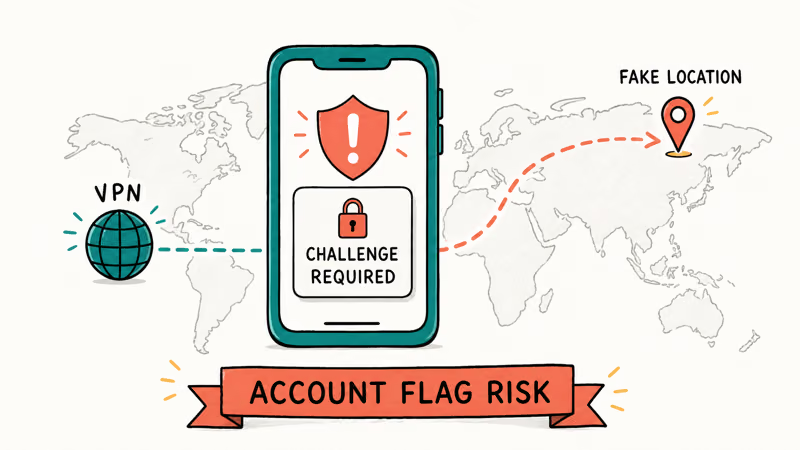
The practical danger is account flagging. Logging in from a sudden new country can trigger a security check, and you may land on a challenge required screen that locks you out until you verify. That trade isn’t worth one song, especially when a working personal account in your real region already shows most of the catalog you want anyway.
If you still use a VPN for genuine privacy on untrusted networks, that’s a separate purpose. The guides on whether you need a VPN on public Wi-Fi and the best VPN for iPhone cover legitimate uses, none of which involve faking your region for music.
Accept that some cases can’t be fixed locally. If a track is unlicensed in your country and you’re on a personal account with matched regions, the music truly isn’t available, and the honest answer is to pick a different song.
#Bottom Line
Update the app, then match your SIM, device, and app store region and enable Reels on a personal account; those steps resolve the common cases without risking your account. Switch a business account back to personal if music matters more than the business tools. Treat a VPN as a Terms of Service risk rather than a recommended fix, and accept that a single unlicensed song may simply stay unavailable.
#Frequently Asked Questions
Why is Instagram music not available in my region?
The track you want isn’t licensed in your country, or your account type and region settings don’t match the catalog. It’s a licensing and account issue, not a bug, so syncing your region and using a personal account fixes most cases.
Is the missing music a bug or licensing?
Almost always licensing.
Songs are licensed country by country, and Instagram can only show a track where it holds the rights. If only one song is missing, that song isn’t licensed for you, and no setting will bring it back. The rest of the catalog will still work normally.
Does a business account block Instagram music?
Yes, partly. Business and creator accounts are limited to a commercial-use library. Switch back to personal for the full catalog.
Will syncing my app store region fix it?
Often, yes. A mismatch between your SIM, device region, and app store country makes Instagram read an inconsistent location and hide the music sticker. Match all three, restart the app, and the catalog usually returns within a few minutes once the region change propagates across Instagram’s servers.
Is using a VPN for Instagram music safe?
No, it carries real risk. A VPN spoofs your location against Instagram’s terms, and logging in from a new country can trigger a security check or restriction. Use the supported region and account fixes instead.
Why is only one song unavailable?
That single track isn’t licensed in your region. Pick a different song instead.

Is This Bank App Real? Spot a Fake App on Your Home Screen
A bank app can land on your home screen from a web page with no install warning. Learn the checks that tell a real banking app from a phishing web app.

Apps Crashing After iOS 27 Update? Fix Order (2026)
Apps crashing after the iOS 27 update? Update the app in the App Store first, then offload and reinstall to clear stale cache, then restart. The fix order.

Do AI Translation Earbuds Work Offline? What to Know
Do AI translation earbuds work offline? A few do with downloaded language packs, but most need the cloud. Here's what works offline and what you give up.
How to Set Up Translation Earbuds (Pairing and Modes)
How to set up translation earbuds: charge, install the app, pair over Bluetooth, pick two languages, and choose a mode. A step-by-step first-use guide.