How to View a Private Instagram Account Without Following
You cannot view a private Instagram profile without following. Here is the honest explanation, follow request workflow, and how to test your privacy.
Quick AnswerYou cannot view a private Instagram account without following it. Send a follow request and wait for the account owner to approve you, or look for the same person on a public platform.
Many guides promise a way to view a private Instagram account without following, but the honest answer is the privacy switch is designed to make this impossible. Instagram’s private mode hides every post, story, reel, and follower list from anyone who is not on the approved follower list. The only legitimate path is the in-app follow request, and the only safe ways around an ignored request are public platforms or a polite direct introduction.
- Private Instagram accounts hide posts, stories, reels, the follower list, and the following list from every non-follower.
- The Instagram follow request workflow is the only built-in way to gain access, and the account owner decides whether to approve.
- Third-party “private viewer” sites either run survey scams, harvest passwords, or push device malware, and none have ever produced verified private posts in independent reviews.
- You can test your own privacy by viewing your profile from a logged-out browser and confirming that only your bio and profile photo show up.
- Instagram’s Community Guidelines forbid creating fake accounts or using unauthorized tools to bypass privacy controls, and violators can lose their own accounts.
#Why Can’t You View a Private Instagram Account Without Following?
Instagram’s privacy switch is not cosmetic. When an account is set to private, the platform refuses every read request for posts, stories, reels, and follower data from any signed-out browser, any non-follower account, and any third-party API token.
Wikipedia’s Instagram entry confirms that the app launched on October 6, 2010, and the private account toggle has been a core feature for most of its history. According to Instagram’s Help Center page on private accounts, only approved followers see content, and pending followers see just 4 pieces of info: the profile photo, username, bio, and follower count.
That design is deliberate.
It also closes the doors people usually try. Search engines don’t index private profile posts, so Google has no cached version to surface. Hashtag and location pages strip out private contributors, so even if a private user adds a hashtag, their post won’t appear there. The Instagram web preview that used to leak a few posts in the page source was patched years ago, and the current public-facing HTML returns only the profile shell.
Public “private Instagram viewer” websites all funnel visitors to one of three dead ends. Some ask for your Instagram username and password on a fake login page. Others push an “offer wall” survey that never unlocks content. A third group tells you to download a Windows .exe that triggers an antivirus warning, and none of them produce any actual private post.
#The Official Follow Request Workflow
The follow request is the only built-in way to gain access. Here’s how it works on both the phone apps and the desktop site.
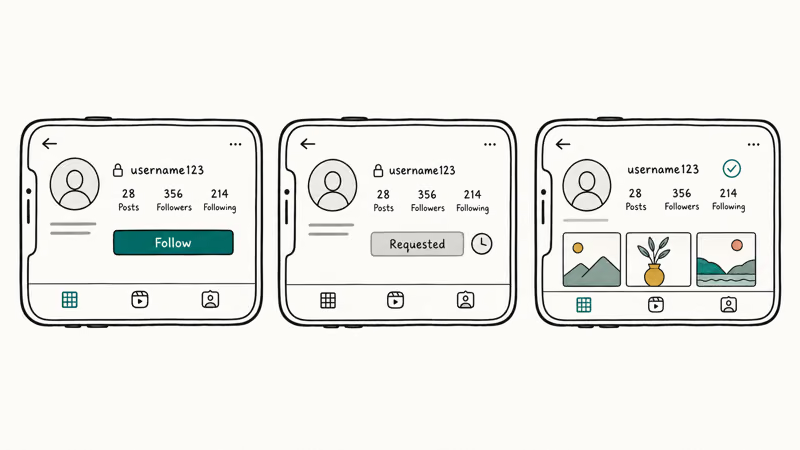
- Open Instagram and use the search tab to find the account by username or real name.
- Tap Follow on the profile.
- The button switches to Requested, and a notification appears in the account owner’s activity feed.
- The owner can approve, ignore, or decline the request from their Followers and following screen.
- If approved, you receive a push notification and the profile unlocks for you. If declined, the button quietly returns to Follow.
Most owners check requests in batches, so wait a few days before assuming the request was rejected. If the owner has deactivated push notifications for requests, your request can sit pending for weeks. According to Meta’s request management documentation, pending requests don’t expire on their own, and the requester isn’t notified when a request is silently ignored. Patience matters more than persistence here.
Tips that actually raise your approval rate without bending rules:
- Complete your own profile first. A profile with a real photo, a one-line bio, and a few public posts looks far less risky than an empty handle.
- Add a short note via direct message. Instagram lets you send a DM even when the follow request is pending. A two-sentence introduction explaining who you are is often the single biggest swing factor in whether a private owner approves a stranger.
- Use a real account name. Random alphanumeric usernames look like bots to most private owners.
#What a Stranger Sees When Searching for a Private Account
When you search Instagram for a private username, the platform shows a stripped-down profile card. You see the profile photo, the username, the display name, the follower count, and the following count. You don’t see posts, story rings, reel thumbnails, tagged photos, or the actual follower and following lists. That is the entire surface area visible to a stranger.
Tapping a tile where a grid would normally appear returns the gray padlock screen with the message “This account is private. Follow this account to see their photos and videos.” That padlock is generated server-side, which means even page-source inspection or a custom user agent won’t pull post URLs out of the response.
Story rings and Reels follow the same rule.
The rings simply don’t render on a private profile to a non-follower, so the URLs that map to a public story are never generated. Anyone selling a tool that supposedly grabs a private story is, by definition, not pulling it from Instagram’s own servers.
#Why Are Third-Party Viewer Sites a Trap?
Sites and apps that claim to view private Instagram accounts split into four patterns, and none of them deliver private content.
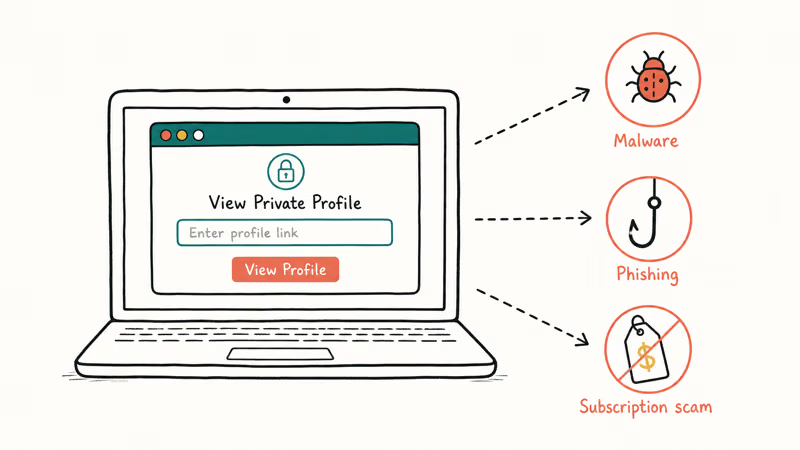
Pattern one is credential phishing. A fake site presents a real-looking Instagram login screen and harvests whatever you type. According to the U.S. Federal Trade Commission’s social media phishing guidance, scammers often reuse those passwords on banks, email, and shopping sites within 24 hours of the leak.
Pattern two is the survey wall. The site claims it’s “unlocking” the target profile while you complete affiliate offers. Each offer pays the operator a few cents and the unlock never resolves.
Pattern three is malware: the site asks you to download a desktop “viewer,” and the download contains adware at best and remote-access trojans at worst. These installers often drop a suspicious .exe before you even press the unlock button, and some try to set themselves as a startup process so they survive a reboot.
Pattern four is dead-end demo content. A generic-looking image gallery seeded with stock photos claims to be the target’s private feed. There’s no actual link back to Instagram’s servers, so nothing in that gallery comes from the real account.
Our why survey-free private Instagram viewers are scams breakdown covers those same dead ends in more depth.
Instagram detects automated access too. The platform’s rate limits and behavior models suspend accounts that act through unofficial APIs. Meta confirms that Instagram disables millions of accounts every 3 months for fake-engagement and policy violations in its Community Standards Enforcement Report. Using a “viewer” tool with your real credentials is the fastest way to land in that pile.
#Testing Whether Your Own Account Is Truly Private
If you want to confirm that your own privacy settings work the way you expect, run the same check a stranger would. The whole audit takes about two minutes and removes any guesswork.
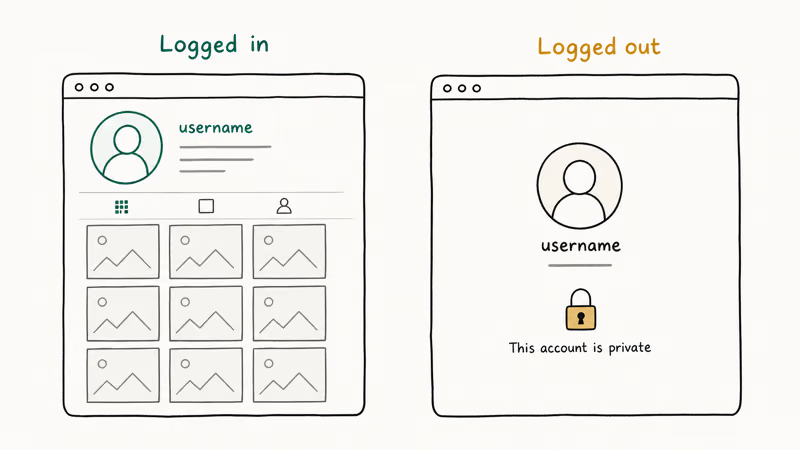
- Sign out of Instagram in one browser, or open a private browsing window.
- Visit
instagram.com/yourusernamedirectly. - Confirm that you see only your profile photo, name, bio, and follower numbers, with the padlock notice instead of a post grid.
- Open the page source (right-click and select View page source on desktop) and search for words from your most recent caption. The text should not appear.
While you are auditing, walk through the four privacy levers Instagram exposes in the app:
- Settings and privacy → Account privacy. This is the master switch. The toggle must read Private account for the rest to matter.
- Settings and privacy → Story. Hide your story from specific users, or restrict story replies to your followers only.
- Settings and privacy → Close Friends. Posts marked for Close Friends are visible only to the curated list, even among approved followers.
- Settings and privacy → Restrict. Restricted accounts can see your posts but can’t tell whether you’ve read their DMs, and their comments are hidden by default.
If you also use a public account or a brand profile, our guide on hiding Instagram posts from specific people covers the visibility controls that span both private and public profiles.
#What to Do When a Follow Request Is Ignored
A silent ignore is the most common outcome for a stranger request, so push the legitimate options before you give up entirely. Most of the alternatives below have higher payoff than retrying the same request three times.
- Use mutual contacts. Ask a real-world friend who already follows the person to vouch for you, in person or by text outside the app.
- Find the same person on a public network. Many private Instagram users keep a public TikTok, X, YouTube, or Threads account. Searching their full name or Instagram handle on those platforms often surfaces public content within minutes.
- Check their own website or newsletter. Creators, small business owners, and journalists often repost their best Instagram content on a blog or newsletter that is open to anyone.
- Respect the no. A private account that declines a request is exercising a deliberate setting. Treat that decision the way you would treat someone not picking up a phone call.
If your request was approved once and you later got blocked, the visibility rules collapse immediately. You won’t be able to see the profile at all, even logged out. Our walk-through on who blocked me on Instagram explains the indirect signs to watch for without breaking community rules.
#Legal Risks of Trying to Bypass Privacy
In most jurisdictions, snooping on a person’s private social media isn’t by itself a crime, but the methods people use to do it often are. According to the Department of Justice cyber crime page, unauthorized access to a computer or online account violates the Computer Fraud and Abuse Act, and many state laws and most countries outside the United States carry parallel statutes.
Beyond criminal exposure, every viewer tool you use sits outside Instagram’s Terms of Use. Instagram can suspend or permanently disable the account you logged in with, and recovery is slow.
If you also reuse the password elsewhere, the suspension is the smaller problem compared with the credential theft. Our piece on the Instagram suspicious login attempt notice covers what those security alerts actually mean if you’ve already entered your password somewhere shady.
#Parental Reasons to See a Minor’s Private Account
Parents asking how to see a private Instagram account often mean their own minor child’s account, and the honest answer here splits cleanly from the stranger case. The legitimate parental path uses Instagram’s own supervision tools rather than any third-party app, because the third-party tools that promise covert monitoring of a child’s phone share the same scam, malware, and credential-theft risks as the generic “private viewer” sites covered earlier in this guide.
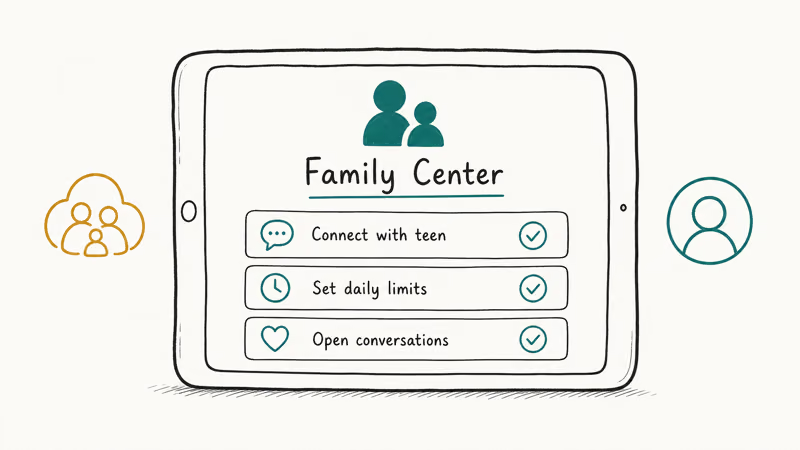
- Have the conversation first. Ask your child to add you as a follower on their private account, and explain why. Most teens accept this trade when the alternative is no phone at all.
- Use Instagram’s built-in supervision tools. According to Meta’s Family Center, supervised accounts let parents see who the teen follows, who follows them, time spent, and reports without reading every private DM.
- Pair supervision with the platform’s parental controls. Our walk-through on Instagram parental controls shows the exact toggles on both the parent and teen side.
Covert monitoring of a minor’s social media without their knowledge is a separate conversation that depends on your jurisdiction and the child’s age. The official supervision flow is the path that holds up legally and emotionally.
#Bottom Line
There’s no honest method to view a private Instagram account without following, and that’s a feature, not a defect. Send a follow request through the app, write a one-sentence DM note if you can, and respect the result.
If the request is ignored, search for the same person on TikTok, X, or YouTube. Skip every site or app that promises a shortcut — the only reliable thing they deliver is a credential leak or a malware install. If the privacy question is about your own account, the 30-second sign-out test in this guide tells you exactly what a stranger sees.
Instagram Tips & Tricks
#Frequently Asked Questions
Can I view a private Instagram account from a desktop browser instead of the app?
No. The privacy rules apply to every interface, including the mobile app, the desktop website, and the Meta Business Suite. A logged-out desktop browser sees the same profile shell that a non-follower phone account sees, and the page source carries no post URLs. Switching browsers or devices doesn’t change the outcome.
Will Instagram tell the owner that I tried to view their private profile?
No, profile views are not surfaced anywhere.
The owner is notified only when you take a visible action like a follow request, a DM, or a tag. The platform doesn’t log silent visits to the public-facing profile shell, even when you reload it 50 times in a row. If you do send a follow request and then cancel it before the owner opens their activity tab, the notification quietly disappears with no trace left behind for them to see later.
Do Instagram private viewer apps from the App Store or Play Store work?
No, and listings claiming this are routinely pulled for policy violations. Anything asking for your Instagram password is phishing.
Can I see the followers and following list of a private account?
You can’t. According to Instagram’s privacy settings documentation, the follower and following lists are hidden from non-followers on private accounts, alongside posts and stories. Approved followers can see the lists, which is one reason owners are choosy about approvals.
What happens to my pending follow request if the user blocks me?
The request silently disappears.
If a private user blocks you while your request is pending, the request vanishes from their inbox at the same moment, and your view of their profile flips to “User not found” on every Instagram surface, including search, direct links, and the explore feed. Unblocking later reinstates the option to request again from scratch, but the previous request is gone, the activity-feed entry is gone, and there’s no record on either side that it ever existed.
Is it safe to ask a mutual friend to share screenshots of a private account?
Only if the owner agrees. Without consent, sharing screenshots can break community guidelines and, in some regions, privacy laws.
Does turning my own account private hide my old public posts retroactively?
Yes. The instant you switch the toggle to Private account, every existing post, reel, story, and tagged photo becomes visible only to your approved followers. Search engines drop the cached versions on their next crawl, usually within a few weeks. If you also want to clear what people have already seen, our guide on clearing Instagram search suggestions walks through the related cleanup steps.
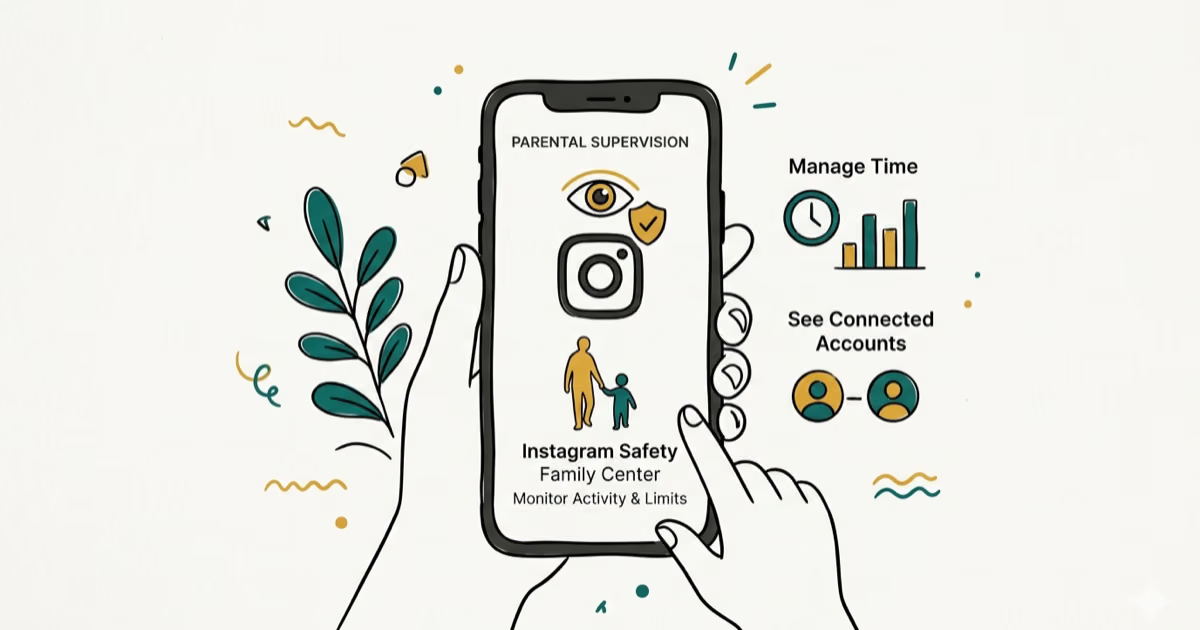
Instagram Parental Controls: Family Center Setup (2026)
Set up Instagram Family Center, privacy settings, Hidden Words, content filters, and time limits with your teen's consent on iPhone or Android.
Instagram Notifications Not Working? Quick Fixes (2026)
Instagram notifications not working? Fix push alerts, DMs, likes, and Stories on iPhone and Android in under 5 minutes with proven 2026 steps.
Instagram "We Limit How Often" Error: How to Fix It 2026
Instagram says "we limit how often you can do certain things"? Wait 24-48 hours, slow down likes and follows, then appeal through Help Center.
Instagram Name Checker: Find Available Usernames Fast
Check Instagram username availability instantly with free tools like Namechk and KnowEm. Find perfect handles and avoid the frustration of taken names.