How to Use Airplane Mode (and What It Actually Does)
Airplane Mode turns off your phone's wireless radios. Here's how to toggle it on iPhone and Android, keep Wi-Fi on, and use it to fix signal fast.
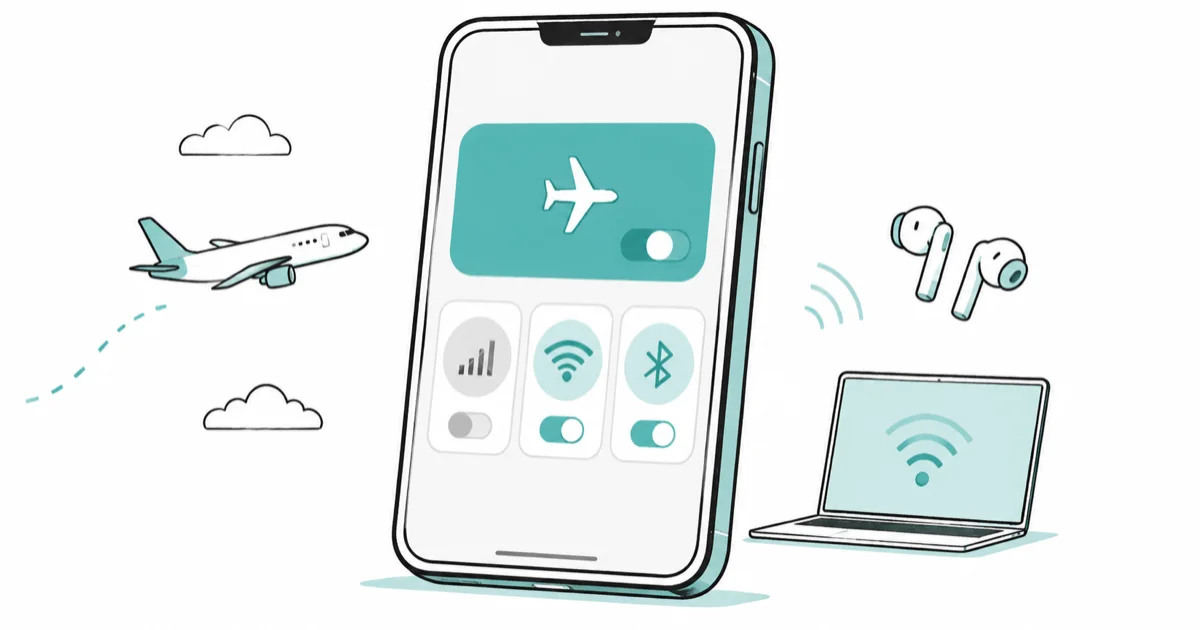
Quick AnswerAirplane Mode switches off your phone's cellular, Wi-Fi, and Bluetooth radios at once, which is why it's required for takeoff and landing. On most phones you can turn Wi-Fi or Bluetooth back on while Airplane Mode stays active, so in-flight Wi-Fi and wireless headphones still work.
Airplane Mode is the toggle everyone taps before a flight without knowing exactly what it kills. The short version: it cuts your phone’s wireless radios. The longer version is more useful, because Airplane Mode quietly fixes dropped signals, charges your phone faster, and still lets you stream in-flight Wi-Fi if you know the trick.
- Airplane Mode disables cellular, Wi-Fi, and Bluetooth in one tap, blocking calls, texts, and mobile data
- On iPhone and Android you can re-enable Wi-Fi or Bluetooth while Airplane Mode stays on
- Toggling it off and on for a few seconds forces a dropped signal to reconnect
- Leaving it on while charging speeds things up because the power-hungry radios are off
- It’s not a privacy tool, GPS can still work, and your alarms will still ring
#What Does Airplane Mode Actually Turn Off?
Airplane Mode shuts down every radio your phone uses to talk to the outside world. No cellular signal, so no calls, texts, or mobile data, and Wi-Fi and Bluetooth go dark too. The whole point is to stop your phone from transmitting, which is exactly why airlines have you flip the switch before pushback and keep it on until the captain says otherwise.
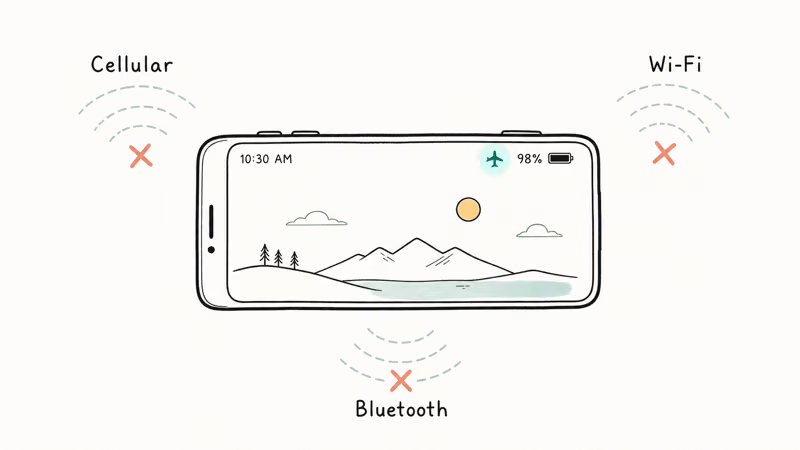
According to Apple’s Airplane Mode guide, turning it on “turns off all radios except for Bluetooth” once you re-enable that one. Standard SMS and regular phone calls stop the moment the radios cut out. Anything that needs a live connection freezes until you reconnect.
One thing it doesn’t reliably turn off is GPS. Your phone keeps listening to satellites even with the radios off, so location features can still work. Surprised? Here’s the full breakdown of whether it turns off GPS.
#Turning Airplane Mode On and Off
The fastest path on both platforms is the airplane icon in the quick-access panel. No menu digging required.
On iPhone, swipe down from the top-right corner to open Control Center, then tap the orange airplane icon. You can also go to Settings and flip the Airplane Mode switch at the top. On Android, swipe down from the top of the screen once or twice to reveal quick settings, then tap Airplane mode.
When it’s active, a small airplane icon replaces your signal bars in the status bar. That’s your quick confirmation that the radios are off, which matters when a crew member checks the cabin.
#Keeping Wi-Fi and Bluetooth On
Here’s the part most people miss. Airplane Mode kills Wi-Fi and Bluetooth by default, but you can switch them back on individually while the mode stays active. That’s how you connect to in-flight Wi-Fi or keep your AirPods playing at 35,000 feet.
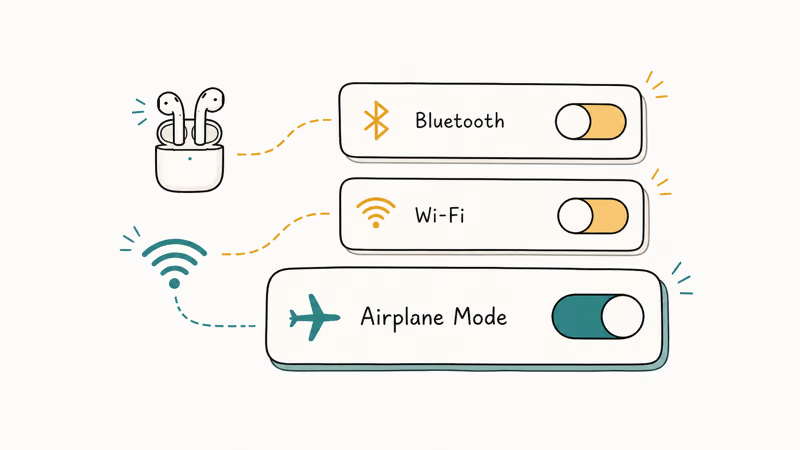
After turning on Airplane Mode, tap the Wi-Fi or Bluetooth tile again to wake it back up. Apple confirms your iPhone even remembers the choice: turn Wi-Fi on over Airplane Mode once, and “it may be on the next time you return to Airplane Mode.” Google’s Pixel airplane mode help states that Android remembers the same preference, so Wi-Fi and Bluetooth stay on the next time you enable the mode.
So the mental model is layered. Airplane Mode is the master off switch, and Wi-Fi and Bluetooth sit on top of it as separate toggles you can flip back on whenever the airline allows.
Struggling to connect after toggling? Here’s how to fix iPhone Wi-Fi connection issues or Wi-Fi that won’t work at all.
#Using Airplane Mode to Fix Signal and Charge Faster
Airplane Mode earns its keep on the ground too. The single most useful trick is the signal reset. Stuck on one weak bar in a basement or elevator? Flip Airplane Mode on, wait five seconds, then flip it off, and your phone scans for a stronger tower.
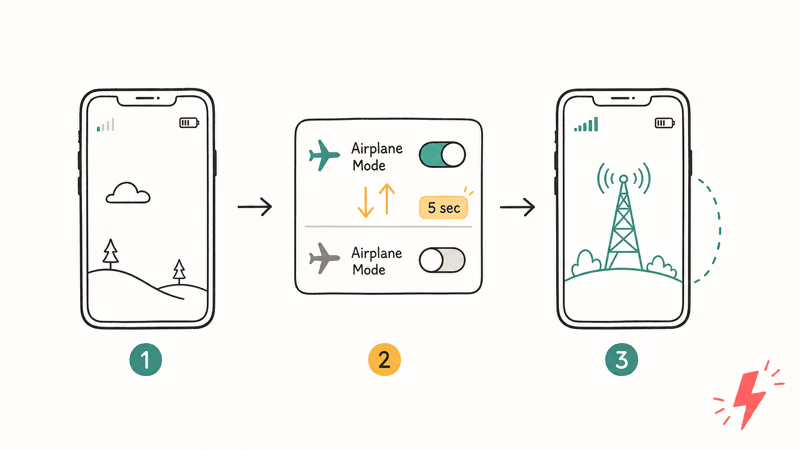
A quick toggle is often faster than a full restart because it forces the phone to rescan without rebooting the whole device.
The second trick is faster charging. Apple’s guide confirms Airplane Mode “can also help to save battery, lower roaming charges while traveling, and force a signal refresh.” With the radios off, nothing fights the charger for power.
There’s a travel bonus too: it kills roaming charges abroad when you only want hotel Wi-Fi. And if your phone runs hot or drains oddly even after a reset, that’s a separate issue worth chasing down. Dig into why an iPhone battery dies fast, or check whether yours is overheating while charging, because Airplane Mode masks those symptoms without fixing the root cause.
#When Should You Not Rely on Airplane Mode?
Airplane Mode is a connectivity switch, not a privacy shield. Treat it as “no live network,” not “invisible.”
Here’s why that matters. Apps still log your activity locally and upload it the moment you reconnect, and GPS keeps running, so a tracking app loses nothing but a few minutes of live updates.
There’s also a rare in-flight exception worth knowing. According to the FAA, about 1 percent of flights have low-visibility landings where devices must be powered off entirely rather than left in Airplane Mode, because some landing systems can’t fully tolerate the interference. The agency’s portable electronics briefing says crew instructions always win in those cases, which is the practical reason a flight attendant can ask you to power down even when your phone is already showing the airplane icon.
It also won’t silence your alarms, since the clock runs independently of any radio. To truly vanish from a network, power the phone down instead.
#Airplane Mode vs Focus and Do Not Disturb
People often reach for Airplane Mode when they really want quiet, but the two are different tools. Airplane Mode cuts the radios. A Focus mode leaves you connected and just silences alerts.
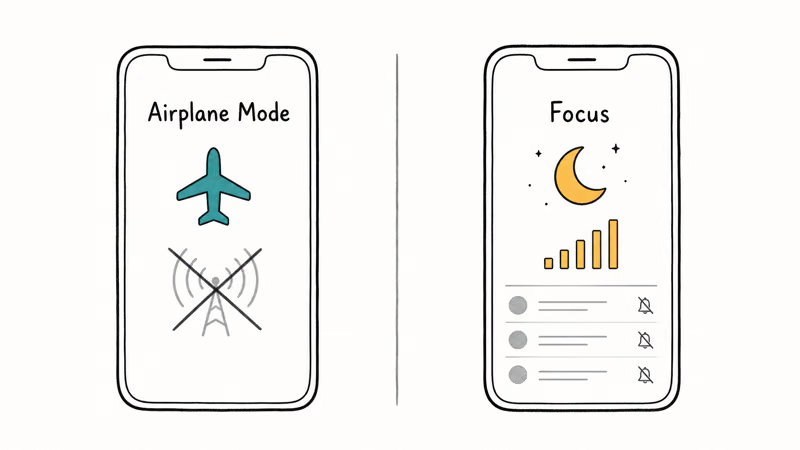
Want an undisturbed hour with messages still arriving quietly? Use Focus. The right call comes down to whether you need silence or full disconnection, so reach for Airplane Mode only when you actually want zero network activity, faster charging, and a clean signal reset rather than just fewer notifications buzzing through.
#Bottom Line
Use Airplane Mode for far more than flights. Toggling it off and on for a few seconds is the quickest way to force a fresh, stronger signal when you’re stuck on one weak bar, and leaving it on while charging shaves real time off the top-up because the radios stop draining power that would otherwise reach the battery.
Remember the layering trick: switch Wi-Fi and Bluetooth back on with Airplane Mode active, and in-flight Wi-Fi plus wireless headphones keep working. Just don’t treat it as a privacy tool.
#Frequently Asked Questions
What does airplane mode turn off?
It cuts your cellular, Wi-Fi, and Bluetooth radios at once. Calls, texts, and mobile data all stop. GPS usually keeps working.
Can I use Wi-Fi while in airplane mode?
Yes, and it’s the trick most people miss. After you enable Airplane Mode, the Wi-Fi tile goes dark, but a single tap brings it back on while the mode stays active. That is exactly how in-flight Wi-Fi works, and your phone remembers the choice so you don’t have to repeat it on every flight. Bluetooth behaves the same way for wireless headphones.
Does airplane mode charge my phone faster?
A little, yes. With the radios off, your phone stops draining power to scan for signal, so more current reaches the battery. The boost matters most from a weak charger.
Can I still get text messages in airplane mode?
Not standard SMS or MMS, since those ride on the cellular network that Airplane Mode shuts off. They queue silently and land the moment you turn the mode back off. If you re-enable Wi-Fi, internet-based messages like iMessage or WhatsApp will still arrive in real time, which is why many travelers keep Wi-Fi on over Airplane Mode during long flights.
Does airplane mode hide my location?
No. GPS can still run and apps log your location locally, then upload it on reconnect. For privacy, disable Location Services instead.
Will my alarm still go off in airplane mode?
Yes. The clock app doesn’t need a network, so your alarm rings on schedule no matter how long the mode stays on.

Apple Siri Settlement: Who Qualifies and How to Claim
Apple's $250 million Siri settlement covers iPhone 15 Pro and iPhone 16 models bought June 2024 to March 2025. See who qualifies and how claims work.

iOS 26.6.1 Security Update: What Apple Fixed and Who Gets It
Apple released iOS 26.6.1 on August 17 with 29 security fixes, including an IPSec interception bug. See what it patches, who gets it, and how to update.

iPhone Adaptive Power: How It Works and When to Use It
Learn how iPhone Adaptive Power works, which models support it, what it changes, and when Low Power Mode is still the better battery-saving choice.

How to Transfer Data to a New iPhone Without iCloud
Move everything to your new iPhone without iCloud: Quick Start device-to-device transfer, wired migration, and encrypted Finder or iTunes backups.