How to Track a Cell Phone Number on Google Maps (2026)
Track a cell phone number on Google Maps the legal way: Location Sharing with consent, Find Hub for your own phone, and carrier help if it is stolen.
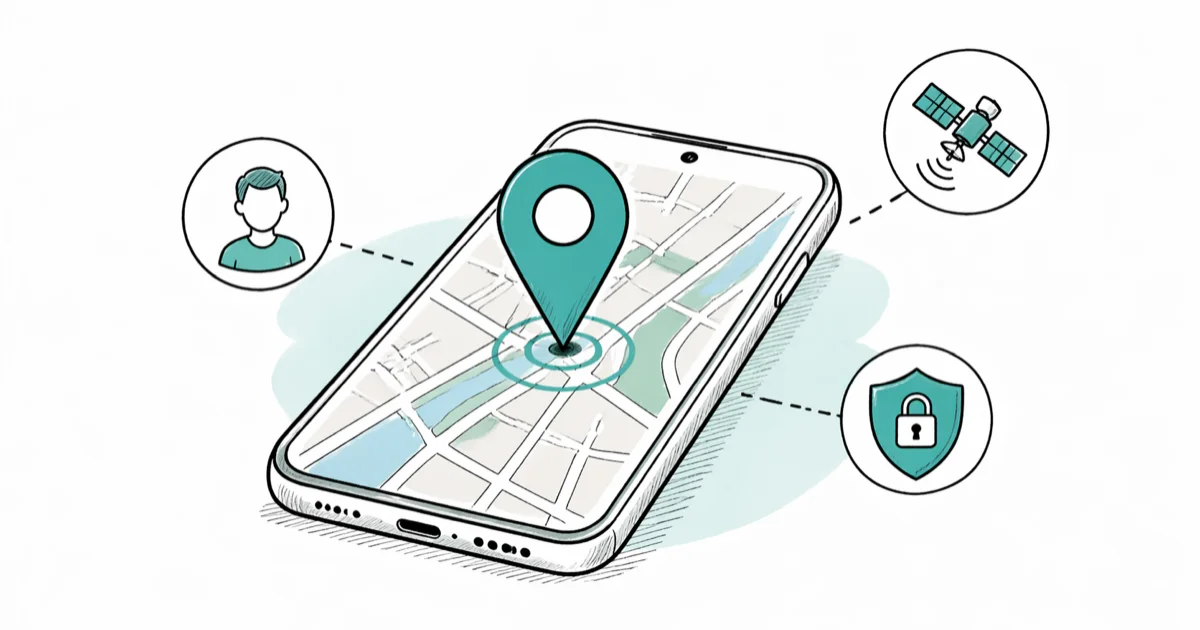
Quick AnswerGoogle Maps cannot pull a stranger's location from a phone number. The only legal paths are Location Sharing with consent, Family Link for your minor child, Find Hub or Find My iPhone for your own lost phone, and a carrier or police report for a stolen one.
Tracking a cell phone number on Google Maps only works when the phone owner has agreed to share their location with you, or when the phone belongs to you. Google doesn’t let any app or website pull a stranger’s location from a number alone, and federal wiretap and state stalking statutes treat covert tracking of another adult as a crime.
This guide covers the official paths, what carriers and police can do for a stolen phone, and where the legal lines sit.
- Google Maps location tracking is consent-based: Location Sharing requires the device owner to tap Share your real-time location before you see anything.
- Find Hub (Android) and Find My (iPhone) work on your own signed-in devices, not arbitrary numbers, and both rely on the device being powered on or recently online.
- Family Link supervises children under 13 in the U.S. and surfaces their device location to a linked parent account, which is the only built-in covert-style tracking Google sanctions.
- Carriers and police can ping a stolen phone using E911 infrastructure, but they won’t share that location with a private requester without a police report number.
- Tracking another adult’s phone without their knowledge is treated as illegal surveillance in most U.S. states and can lead to criminal charges plus civil damages.
#How Does Google Maps Location Sharing Work?
Google Maps Location Sharing is the only built-in way to see another person’s live location on a Google map, and it has to be turned on from the phone whose location you want to see. The owner picks who they share with (a Google contact or a copyable link), how long the share lasts, and whether to share continuously or just for a single trip.
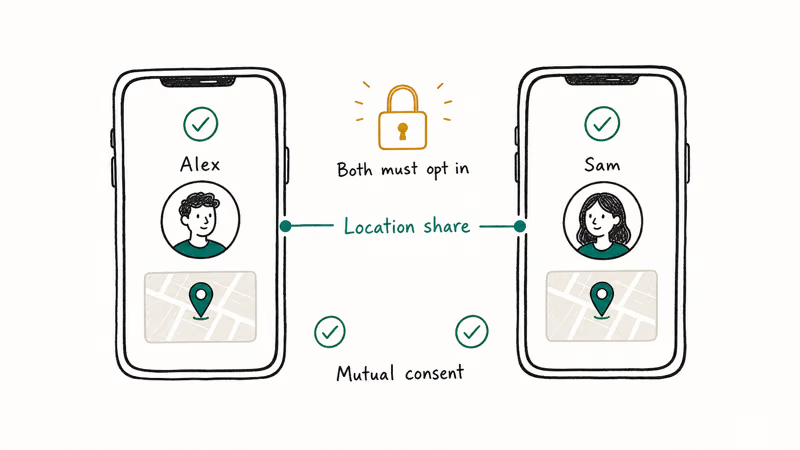
Google states that share durations run from 15 minutes up to 24 hours, per its Location Sharing support page. The owner can revoke the share at any moment.
With Location Sharing active, updates typically appear in the watcher’s Maps app within seconds whenever the shared phone moves, and the share expires automatically after the chosen duration. There is no “stealth mode”: the sharer’s phone keeps a Maps notification visible the whole time.
#Set up Location Sharing on the device you own
- Open Google Maps on the phone whose location will be shared.
- Tap your profile circle in the top right, then Location sharing → Share location.
- Choose a duration (15 minutes, 1 hour, custom, or “Until you turn this off”).
- Pick a contact from your Google address book, or tap Copy link to send the share by message.
- To stop sharing, return to Location sharing and tap the contact’s name → Stop.
If you’re the recipient, the shared person shows up as a labeled dot on your Google Maps map, and tapping the dot shows their last update time and battery level.
#Tracking Your Own Lost or Stolen Phone
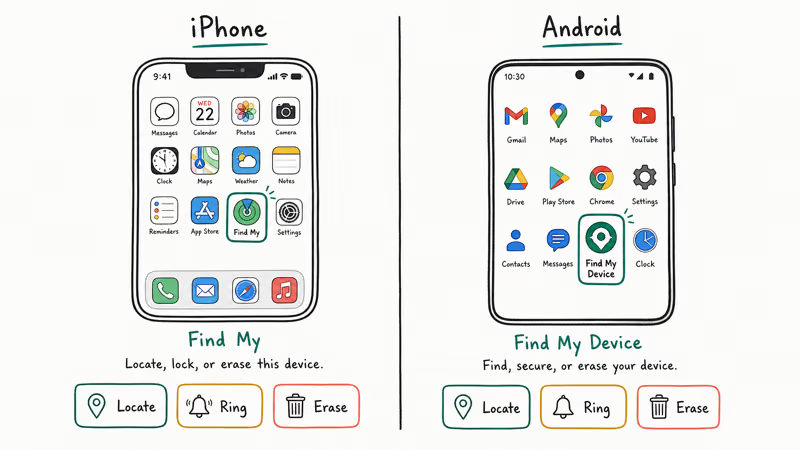
When the goal is to recover your own phone, you don’t need Google Maps. Both Google and Apple ship dedicated tools that locate a signed-in device on a map, ring it, lock it, or wipe it.
#Find Hub (Android, now Find Hub)
Google’s help article confirms that Find Hub works on every Android 5.0+ phone with Google Play services that is signed into a Google account, with location turned on, and connected to mobile data or Wi-Fi. Open android.com/find in any browser, sign into the same Google account, and the dashboard plots the device on a Google map with options to Play sound, Secure device, or Erase device.
In May 2024 Google rebranded the dashboard to Find Hub and added crowdsourced offline tracking through nearby Android phones, similar to Apple’s Find My network. If your phone is off or out of coverage, Find Hub still shows its last known location for up to several days.
For a deeper walkthrough of recovering a missing handset, see our guide on how to track a lost phone and the companion piece on locating a phone that is turned off.
#Find My (iPhone and iPad)
Apple states that Find My works on every iPhone running iOS 13 or later, uses end-to-end encrypted location data, and can locate a signed-in iPhone, iPad, AirPods, or AirTag through the Find My network even when the device is offline. To track your own iPhone:
- Open iCloud.com/find in any browser, or use the Find My app on another Apple device.
- Sign in with the Apple ID the missing phone is signed into.
- Pick the device from the list. Its current or last known location appears on the map.
- Choose Play Sound, Mark As Lost, or Erase iPhone from the action panel.
Find My is opt-in but ships enabled by default during iPhone setup. Our Find My iPhone checker walkthrough shows how to verify the feature is active before you actually need it.
#Family Link and Authorized Family Tracking
Google’s Family Link is the sanctioned way for a parent to see a minor child’s device location on Google Maps without the child opting in each session. The parent links the child’s Google account (eligible for supervision when the child is under 13 in the U.S., per Family Link’s eligibility rules) and the child’s device location surfaces in the parent’s Family Link app.
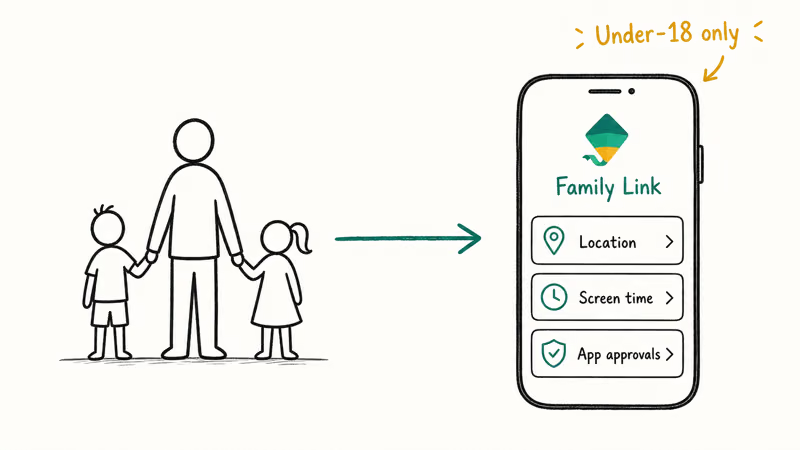
With Family Link on a child’s device, the parent app shows the device’s location shortly after a move and refreshes periodically as the child moves around. The child’s phone displays a “Supervised by parent” banner on the lock screen, which is the disclosure required by U.S. COPPA rules.
For older teens or other family members, sharing has to be mutual and consented. Our roundup of the best family locator apps covers Life360 and Apple Family Sharing.
#Recovering a Stolen Phone the Right Way
A stolen phone is a different problem from a misplaced one. Find Hub and Find My will still show the last known location, but going to that address yourself is dangerous, and police across the U.S. routinely warn against confronting thieves. The official path is:
- File a police report. Bring the phone’s IMEI number (printed on the original box, or visible at android.com/find or in the Apple ID account page).
- Call your carrier to suspend service and blacklist the IMEI so the device can’t be reactivated on any U.S. network.
- Share the Find Hub or Find My location with the responding officer, not with strangers on social media.
- Mark the device as lost in Find My or Find Hub so it auto-locks and displays a recovery message.
The FTC reported that the IMEI blacklist is shared across the 4 major U.S. carriers, which is what makes a stolen phone effectively unusable for resale once it has been reported. Carriers can also ping the phone through E911 infrastructure during an active police investigation, which is more accurate than consumer GPS in dense urban areas. Our explainer on how to ping a phone covers what carriers can and can’t do.
#Is It Legal to Track Someone’s Phone Without Their Knowledge?
In most U.S. states, tracking another adult’s phone without their knowledge or consent is illegal. The Federal Computer Fraud and Abuse Act (CFAA), the Electronic Communications Privacy Act, and a patchwork of state stalking statutes all treat covert location tracking as a criminal act, with penalties that can include fines and jail time. Civil liability for invasion of privacy is on top of that.
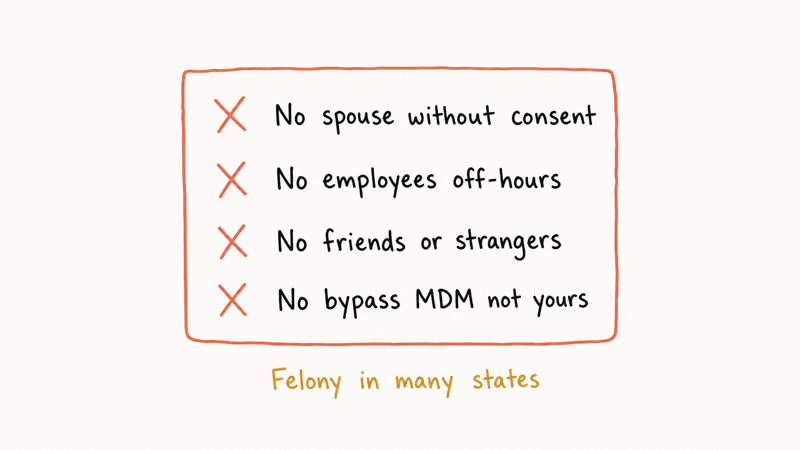
The narrow exceptions are:
- Your own devices. A phone you own and pay for is yours to track.
- Minor children under your legal guardianship, with appropriate disclosure and using a tool like Family Link that’s designed for the purpose.
- Company-owned devices issued to employees who have signed an Acceptable Use Policy that explicitly authorizes location tracking.
Even in those cases, federal law does not preempt stricter state rules: California, Illinois, and Washington, among others, have additional consent requirements. The Stalkerware Coalition, a working group of antivirus vendors, recommends that anyone considering covert tracking of an adult instead seek legal counsel or, in domestic-safety contexts, a court order.
If you’re worried that someone else is covertly tracking your device, our guide on how to detect spyware on iPhone walks through the warning signs.
#Why a Bare Phone Number Doesn’t Work on Google Maps
A bare phone number does not, on its own, expose a location to Google Maps or to any consumer app. SS7 (the global telephone signaling protocol) does carry coarse cell-tower data, but access is restricted to licensed carriers and law enforcement. Any website or app that promises “track any number on Google Maps” without involving the device owner is at best a scam, and at worst a stalkerware product that violates the laws above.
The legitimate ways to associate a phone number with a location on Google Maps are:
- The number’s owner shares their real-time location with you (Location Sharing).
- The number is linked to a Google account that’s signed into your Family Link parent profile.
- The number is on a phone you own and have signed into Find Hub or Find My.
- A carrier or law enforcement agency runs an E911 ping during a documented emergency or investigation.
Anything else falls outside what Google Maps actually does. If you want a deeper comparison of consumer location tools, our piece on tracking a cell phone location online covers the legitimate options end to end.
#Bottom Line
Treat “track a cell phone number on Google Maps” as a consent question, not a technical one.
For another adult, the only legitimate path is Google Maps Location Sharing with their explicit opt-in. For your own phone, use Find Hub on Android or Find My on iPhone, both free, built in, and able to plot the device on a map within seconds when it’s online. For a minor child, Family Link is the only Google-sanctioned tool. For a stolen phone, file a police report with the IMEI so the carrier can blacklist the device.
If a tool promises covert tracking from a phone number alone, it’s either a scam or stalkerware, and using it can land you in court.
#Frequently Asked Questions
Can Google Maps track a phone number without the owner knowing?
No. Location Sharing has to be turned on from the phone you want to see, and that phone shows a persistent share notification the whole time.
How accurate is Google Maps Location Sharing?
Accuracy varies sharply based on environment. Outdoors with a clear sky view of GPS satellites, the shared dot usually stays within about 5 to 10 meters. Accuracy degrades to 30 to 50 meters indoors or in dense urban canyons. If the sharer is on Wi-Fi only with no GPS lock, expect a city block of error.
Does Find Hub work without a SIM card?
Yes. As long as the Android phone is connected to Wi-Fi and signed into a Google account, Find Hub will show its location.
What’s the difference between Find Hub and Family Link?
Find Hub locates a phone you own and are signed into. Family Link supervises a child’s Google account, including device location, with parental controls layered on top. The two tools answer different questions: “Where is my phone?” versus “Where is my supervised child’s phone, and what apps did they install?”
Will the police track my stolen phone for me?
Police will use the location you provide from Find Hub or Find My, plus the IMEI, to investigate. In active cases they can request a carrier ping through E911 infrastructure, which is more accurate than consumer GPS in dense buildings. They generally won’t run a real-time chase from a citizen’s screenshot, and most departments ask victims not to confront thieves themselves.
Can someone with my phone number find my exact location?
No, not from the number alone. They would need either consent through Location Sharing, control of an account you’re signed into, or lawful access through a carrier.
Is there a free way to track my own phone on Google Maps?
Yes. Find Hub on Android (now Find Hub at android.com/find) and Find My on iPhone (icloud.com/find) are both free, built into the operating system, and plot your signed-in devices on a map.

Pixel 11 vs Pixel 10: What Changed and Who Should Upgrade
Pixel 11 vs Pixel 10: same screen and camera resolution, new Tensor G6, 25W wireless, and Gemini Intelligence. Here is who should actually upgrade.

Verizon Not Receiving Texts? How to Fix It in 9 Steps
Verizon not receiving texts? Fix it in 9 steps: check Message Blocking in My Verizon, reset network settings, deregister iMessage, and call support.

Pixel Battery Drain: What Google's July Fix Really Covers
Google marked the Pixel idle battery drain bug fixed in July, but only some phones got the patch. Here is who is covered, who is not, and what to try.

iPhone Stuck on EDGE? How to Get 5G or LTE Back (2026)
iPhone stuck on EDGE with crawling data? Here's why the E icon appears, which settings force 5G or LTE back, and when the problem is your carrier.