How to Play Pokemon on Android in 2026: Apps and Emulators
Want to play Pokemon on Android? This 2026 guide covers official mobile games, the Pokemon HOME app, plus emulator options for classic titles you own.
Quick AnswerTo play Pokemon on Android in 2026, install official Niantic and Pokemon Company apps from Google Play, such as Pokemon GO, Pokemon Unite, and Pokemon TCG Pocket. For classic Game Boy or DS titles, a legal emulator paired with ROMs of games you personally own is the only path that stays on the right side of Nintendo policy.
Pokemon on Android means either official mobile apps or legal emulation. Start with the lane that matches what you miss most.
- Google Play still has official Pokemon apps in 2026, all free to install
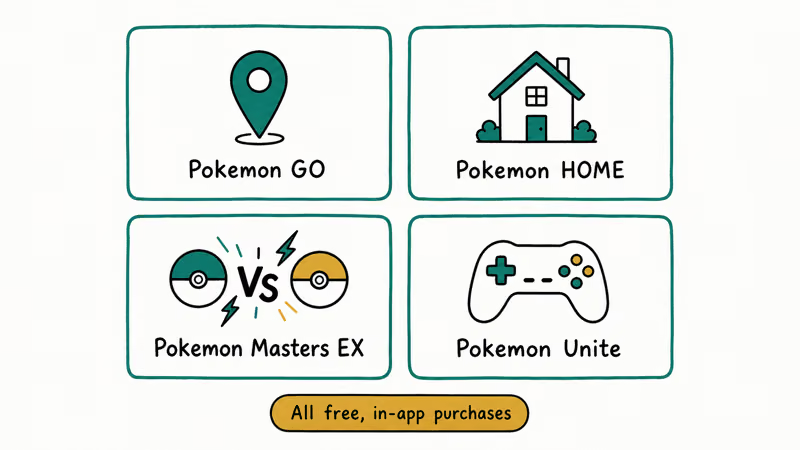
- Pokemon GO, Unite, Masters EX, TCG Pocket, Café ReMix, Sleep, Quest, and HOME are the official Android lineup
- Classic Pokemon Red through White 2 have no official Android port; emulators are the only option
- Nintendo’s anti-piracy policy treats downloading ROMs of games you don’t own as copyright infringement
- DraStic (NDS) became free in late 2023; My Boy! and My OldBoy! cover GBA and Game Boy lines for under $5 each
#Why Is There No Official Classic Pokemon App on Android?
Nintendo keeps its first-party catalog locked to its own hardware. Pokemon mainline titles drive Switch and 3DS sales, which is exactly why you won’t find HeartGold, Emerald, or Platinum behind a paywall on Android. According to Nintendo’s anti-piracy statement, distributing or downloading ROMs of Nintendo titles counts as copyright infringement.
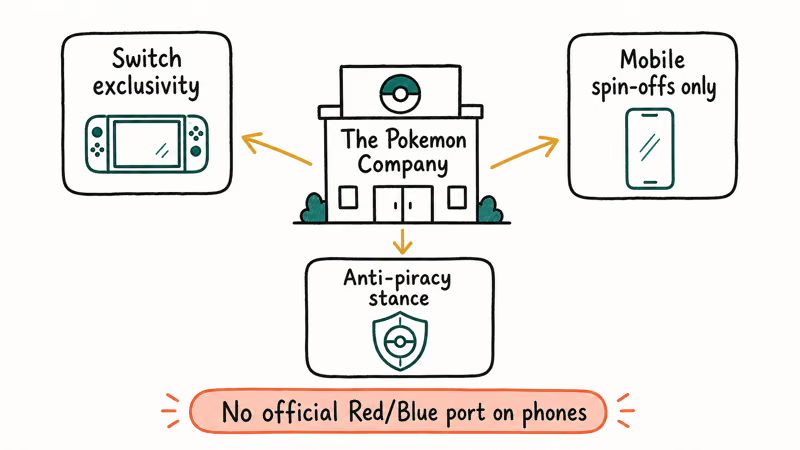
That stance also explains the Google Play gaps. Nintendo has sued emulator distributors that hosted Switch and 3DS games.
When you want to revisit a Gen 1 through Gen 5 storyline, you’re left with two options: keep the original handheld, or run an emulator on your own legal copy. Pokemon’s mobile reality has shifted toward live-service apps, while the classic storylines still depend on original hardware or legally sourced emulation.
#Official Pokemon Games You Can Install on Android in 2026
The cleanest way to play Pokemon on Android is to install what the publisher actually sells. Every app below is free to download.
| App | Publisher | Genre | Android requirement |
|---|---|---|---|
| Pokemon GO | Niantic | AR catching | Android 8.0+ |
| Pokemon Unite | The Pokemon Company | MOBA | Android 6.0+ |
| Pokemon Masters EX | DeNA | Turn-based RPG | Android 7.0+ |
| Pokemon TCG Pocket | Creatures Inc. | Card game | Android 8.0+ |
| Pokemon Café ReMix | Genius Sonority | Puzzle | Android 7.0+ |
| Pokemon Sleep | Select Button | Sleep tracker + collect | Android 8.0+ |
| Pokemon Quest | Game Freak | Action exploration | Android 5.0+ |
| Pokemon HOME | The Pokemon Company | Cloud storage | Android 7.0+ |
Table 1: First-party Pokemon apps available on Google Play.
Pokemon GO is still the entry point most people start with, and Niantic’s Google Play listing for Pokemon GO reports more than 1 billion downloads. If GPS exploration isn’t your thing, Pokemon Unite (a 5v5 MOBA) or Pokemon Masters EX (a story-driven RPG with collectable trainers) work well as couch games.
If the app opens to a spinning Pokeball instead of the map, use the Pokemon GO stuck loading screen fixes before reinstalling.
Pokemon Unite is the controller-friendly option if you want team battles instead of GPS catching.
Pokemon TCG Pocket launched in late 2024 and quickly ate into the Pokemon GO daily-active crowd. The Pokemon Company’s press site states that TCG Pocket is a casual, two-pack-per-day collecting app, which is a meaningful shift from the heavier Pokemon TCG Live program for PC and tablet.
For light pull-and-trade play, TCG Pocket is the right install. See our Pokemon emulator for iPhone guide for the iOS equivalent.
#How Do Emulators Work, and Are They Legal?
An emulator is software that mimics the hardware of an older console so your phone can run that console’s games. The emulator itself is legal in most jurisdictions, including the United States. What sits in a gray zone is the game file, called a ROM, that you load into the emulator.
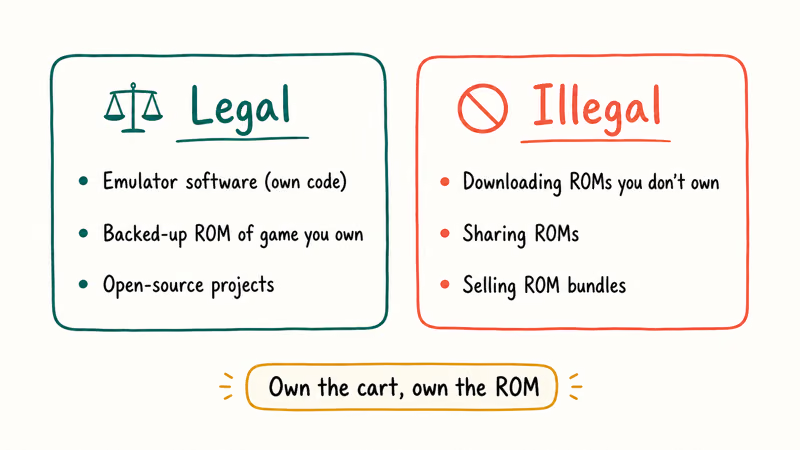
Nintendo’s policy states that downloading a ROM is copyright infringement even if you previously bought the cartridge. The company has won multiple suits against ROM-hosting sites.
The legal path most lawyers point to is “ripping your own cartridge.” Tools like the GBxCart RW let you read save data and ROM content off a Game Boy, GBC, or GBA cartridge you physically own. The Electronic Frontier Foundation’s DMCA analysis confirms that personal backups of media you’ve legally purchased sit in a more defensible position than downloads from random ROM sites. Courts have not ruled definitively on this for Nintendo titles specifically.
Dumping a cartridge with a hardware reader creates both the ROM file and the save file from a cartridge you physically own. That workflow gives you a more legally defensible emulator setup than downloading a ROM from a random site. If you don’t own the original cartridges, buy a used copy from a reputable seller and dump it yourself.
#Best Pokemon Emulators for Android: Free and Paid
Once your ROM file is sourced legally, the emulator picks itself based on which console you’re emulating. The table below groups common Android emulator options by console.
| Emulator | Console | Price | Notes |
|---|---|---|---|
| My OldBoy! Free | Game Boy, Game Boy Color | Free | Ads, full save support |
| My OldBoy! | Game Boy, Game Boy Color | $3.99 | No ads, link cable trades |
| My Boy! | Game Boy Advance | $4.99 | 16x fast-forward, link cable trades |
| DraStic | Nintendo DS | Free (since 2023) | Best NDS performance on Android |
| Lemuroid | Multi-system | Free, open source | Good fallback, no ads |
| RetroArch | Multi-system | Free, open source | Steep setup, deepest config |
Table 2: Pokemon-capable Android emulators by console.
Fast Emulator developed both My OldBoy and My Boy, the safest emulator picks for Game Boy through Game Boy Advance Pokemon games. The free versions handle most casual play, while the paid versions add link-cable trading. That matters if you plan to evolve Kadabra into Alakazam or transfer between Gen 3 saves.
For Nintendo DS games like HeartGold, SoulSilver, Platinum, Black, and White, DraStic is the consensus pick. The developer Exophase announced that DraStic would become free in late 2023, ending years of paid distribution.
Lemuroid is the safer open-source pick if you want one free app across Game Boy through Nintendo DS.
For broader retro coverage beyond Pokemon, our lightweight Android emulators guide compares Lemuroid against four other open-source options. If you came here from the PC side, PPSSPP for Android is the PSP equivalent, though Pokemon never had a mainline PSP entry.
Stick to Game Boy through DS emulators for the official Pokemon RPG storylines.
#How to Set Up a Pokemon Emulator Step by Step
The full setup is straightforward once you’ve already dumped your own ROM.
- Install the emulator from Google Play. My Boy is the GBA pick; DraStic is the NDS pick.
- Copy your ROM file to the phone via USB-C cable or Google Drive. Most ROMs land in the Downloads folder.
- Open the emulator and tap “Load ROM.” Browse to the .gba or .nds file.
- Tap “
Settings>Controls” to remap the on-screen buttons. If the buttons overlap the bezel or system gestures, move the D-pad higher. - Tap “
Settings>Audio” and lower the volume if the emulator is louder than other apps. Default is usually too loud. - Save your progress with the in-game save feature first, then use the emulator’s save state as a backup before risky battles.
The first time you open a Pokemon ROM in an emulator, startup may take longer while the emulator checks the game file. Later launches are usually faster.
If your phone is older or underpowered, our best emulator for low-end PC guide covers desktop alternatives that you can stream to your phone via Steam Link. For Pokemon GO players who came here looking for adjacent tips rather than ROM gameplay, the Pokemon GO spawn map walkthrough covers a more relevant topic.
#Pokemon HOME and the Cross-Device Bridge
Pokemon HOME is the official cloud locker that lives between Nintendo Switch titles (Scarlet, Violet, Sword, Shield) and your Android phone. The mobile app is free, has 30 storage spaces at no cost, and has 6,000 spaces in the $15.99 annual Premium tier. Use it when you need to move boxes between Switch games and the phone app.
The Judge function shows a Pokemon’s IVs in a clear grid. Pokemon HOME also bridges to Pokemon GO catches.
#Bottom Line
For new Pokemon experiences on Android in 2026, install Pokemon GO, Pokemon Unite, and Pokemon TCG Pocket from Google Play. Those three apps cover the catching, battling, and collecting itches that drive most “play Pokemon on Android” searches. They’re free, official, and updated weekly. Add Pokemon HOME if you also have a Nintendo Switch, since it’s the bridge that moves Pokemon between Switch titles and your phone’s collection view.
For classic Game Boy through Nintendo DS titles, buy the original cartridges (eBay works), dump them with a GBxCart RW, and run the legal ROM in My Boy ($4.99) for GBA or DraStic (free since 2023) for NDS. That stack stays compliant with Nintendo’s policy and gives the best emulator performance on Android right now. If you can’t source legitimate cartridges, stick to the official Google Play apps.
Pokémon GO Guide
#Frequently Asked Questions
Are emulators legal on Android?
Yes. The emulator software itself is legal in the United States and most other jurisdictions, though the ROM file you load is a separate question.
Can I play Pokemon FireRed on my phone for free?
You can install My Boy Free at no cost, but you still need a ROM file. The only fully legal source is dumping the ROM from a Pokemon FireRed cartridge you personally own, using a hardware reader like the GBxCart RW. There is no free, official Pokemon FireRed download for Android. Sites that advertise one are usually hosting copyrighted ROMs.
Does Pokemon GO need an emulator?
No. Pokemon GO is an official native Android app from Niantic that you download directly from Google Play.
How much storage do Pokemon ROMs take on Android?
Very little. Pokemon Red is around 380 KB, Pokemon Emerald is about 16 MB, and Pokemon Black is roughly 110 MB. Even a phone with 64 GB of storage can hold every mainline Pokemon ROM through Gen 5 without strain.
Can I trade Pokemon between two phones using an emulator?
Yes, the paid My Boy and My OldBoy editions both simulate the original Game Boy Link Cable over Bluetooth or local Wi-Fi.
Will Nintendo block emulators on Android?
Nintendo has gone after specific emulator distributors, with the Yuzu and Citra shutdowns in 2024 as the most visible cases, but it hasn’t blocked Android emulators broadly. My Boy and DraStic remained available on Google Play through May 2026. The legal landscape shifts when Nintendo files a new suit, so save your purchase receipt in case the app is later pulled.
What’s the safest legal way to revisit Pokemon Red on Android?
Buy a working Pokemon Red cartridge, dump the ROM with a GBxCart RW, transfer the .gb file to your phone, and load it in My OldBoy. That workflow stays within personal-backup territory.
Can I use a controller with Pokemon emulators on Android?
Yes. Any Bluetooth controller that pairs with Android (Backbone One, Xbox Series, DualSense, 8BitDo SN30 Pro) works inside My Boy, DraStic, and Lemuroid. Button mapping is handled inside each emulator’s control settings.
Pokemon GO GPS Signal Not Found: 7 Proven Fixes (2026)
Pokemon GO GPS signal not found? Seven ordered fixes for Android and iPhone covering precise location, permissions, mock-location, and more.
TweakBox Pokemon GO Review: Does It Still Work in 2026?
TweakBox Pokemon GO usually fails. Learn why, what Niantic's ban policy means for your account, and which official alternatives to use instead.
How to Auto Walk in Pokemon GO: Safe and Risky Methods
Learn how Pokemon GO Adventure Sync credits real activity, why fake-step and GPS tools risk account strikes, and which official options to use.
How to Find Magikarp Nests in Pokemon GO (2026 Guide)
Find Magikarp nests in Pokemon GO using community maps, water biomes, and rainy weather boosts. Plus candy farming tips to evolve Gyarados fast.