How to Mirror a Video: 5 Easy Methods That Work in 2026
Learn how to mirror a video using Filmora, iMovie, Movavi, DaVinci Resolve, and Windows tools. Includes step-by-step instructions for each method.
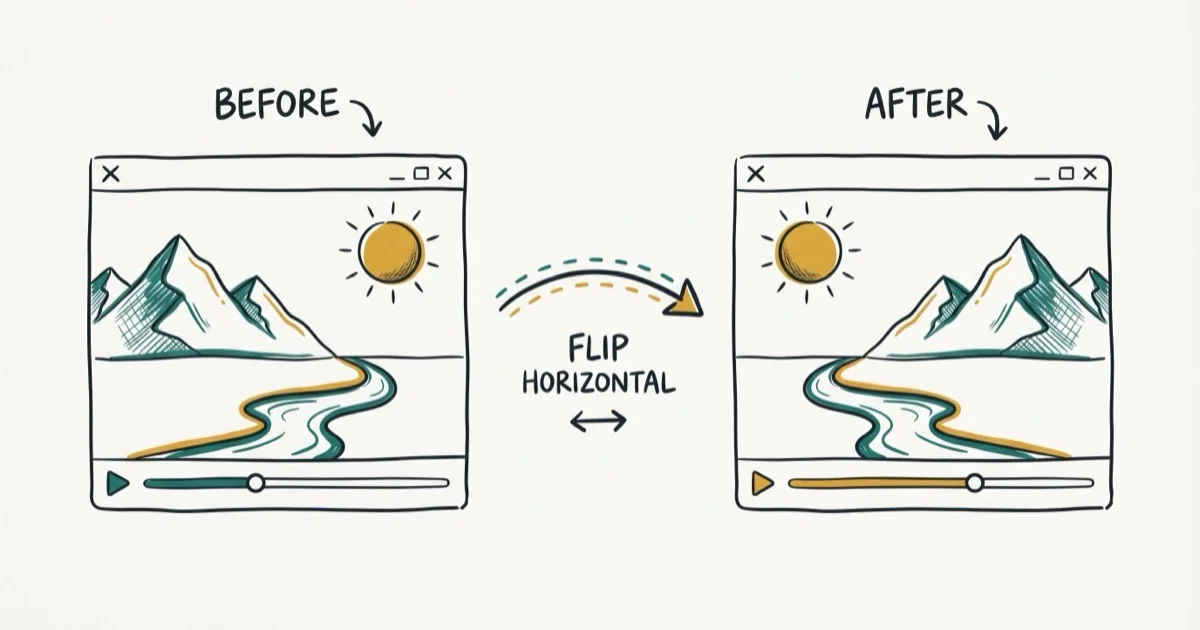
Quick AnswerTo mirror a video, open it in Wondershare Filmora, double-click the clip on the timeline, and select "Flip Horizontal" in the Transform panel. Export when done. Free alternatives include iMovie on iPhone and DaVinci Resolve on desktop.
Mirroring a video flips it horizontally so the left side becomes the right side. It’s useful for correcting mirrored text in screen recordings, fixing backward-facing footage, or creating symmetry effects. This guide covers practical options for phone and desktop editing.
- Wondershare Filmora’s Flip Horizontal option mirrors videos on both Windows and macOS.
- iMovie on iPhone provides a free mirror option under the Crop tool with no app download needed.
- Movavi Video Editor supports horizontal and vertical flip with drag-and-drop workflow and exports in all common formats.
- DaVinci Resolve’s free version handles video mirroring through the Transform controls in the Inspector panel.
- Windows Movie Maker was discontinued in 2017 and doesn’t run on Windows 10 or 11, so use one of the modern alternatives instead.
#What Does Mirroring a Video Actually Do?
Mirroring a video applies a horizontal flip to every frame, making the image a mirror reflection of the original. This is different from rotating (which turns the video 90 or 180 degrees) and different from a vertical flip (which flips top-to-bottom). According to Wikipedia’s article on video editing, horizontal flip is one of the most common geometric transforms applied in post-production.
A horizontal flip is the standard fix for text that appears backward in a screen recording.
#How to Mirror a Video Using Wondershare Filmora
Wondershare Filmora is the most beginner-friendly option.
Some links on this page are affiliate links, which means fone.tips may earn a commission at no extra cost to you.
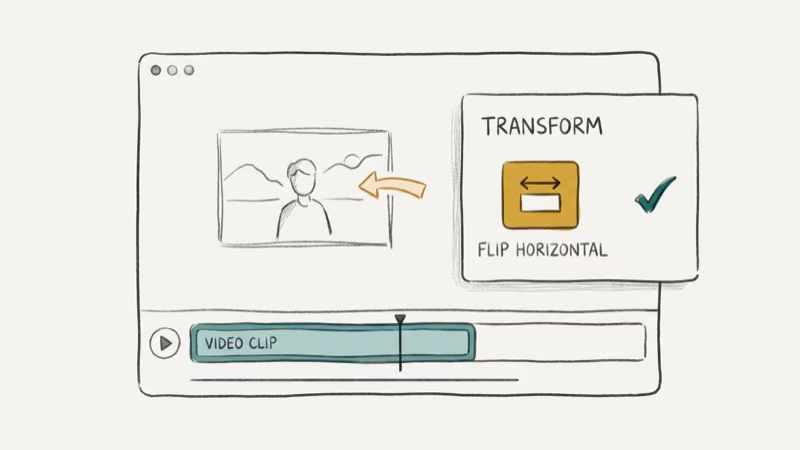 It runs on Windows and macOS, supports MTS, WMV, MKV, MOV, and MP4, and places the flip control in the Transform panel.
Step 1: Open Filmora and import your video. Drag and drop the file into the timeline.
Step 2: Double-click the clip on the timeline to open the editing panel.
Step 3: Click Transform in the editing panel. Check the Flip Horizontal option to apply a horizontal mirror. The preview window updates instantly so you can see the result before exporting.
Step 4: Confirm the image looks correct in the preview window.
Step 5: Click Export and select your output format and destination. MP4 is the most compatible choice.
Filmora’s preview window lets you confirm the mirrored frame before export.
#How to Mirror a Video on iPhone Using iMovie
iMovie on iPhone is free and handles video mirroring
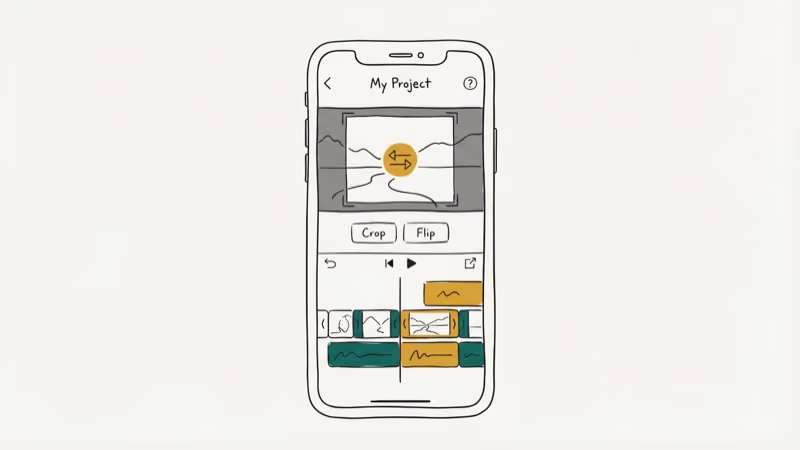 under the Crop tool. This works on iOS 14 and later.
Step 1: Open iMovie and create a new movie project. Import your video clip.
Step 2: Tap the clip in the timeline to select it.
Step 3: Tap the Crop icon in the bottom toolbar. This opens the crop and transform options for that clip.
Step 4: Use a two-finger rotation gesture and rotate 180 degrees, then tap the Flip button to apply a horizontal mirror.
Step 5: Tap Done and export via Share > Save Video.
According to Apple’s iMovie support page, iMovie is compatible with iPhone running iOS 14 or later and exports at the original resolution of the source clip.
#How to Mirror a Video Using Movavi Video Editor
Movavi Video Editor handles both horizontal and vertical flip with a simple drag-and-drop interface. It runs on Windows and macOS.
Step 1: Open Movavi and create a new project. Click Add Media Files and select your video.
Step 2: Drag the clip to the timeline at the bottom of the screen.
Step 3: Go to the Filters tab and select the Adjustments category from the left panel.
Step 4: Drag the Flip Horizontal effect onto your clip on the timeline.
Step 5: Preview in the preview window, then click Export to save.
#How to Mirror a Video Free with DaVinci Resolve
DaVinci Resolve is free and professional-grade.
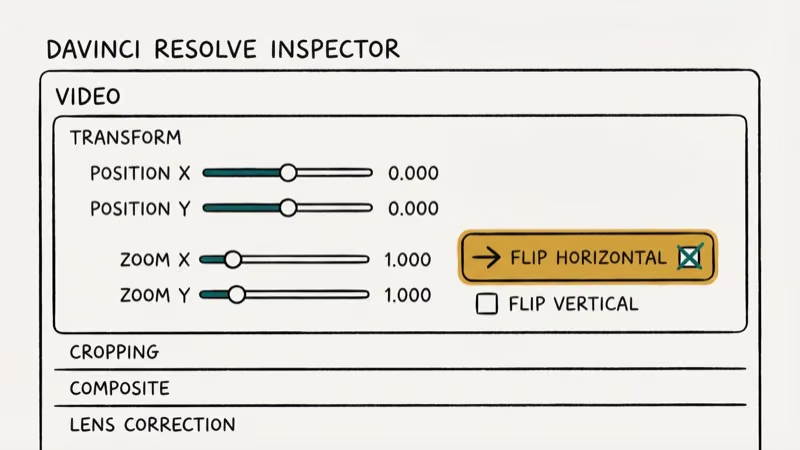 According to Blackmagic Design’s DaVinci Resolve page, it’s the most widely-used color grading and editing tool in professional film production. The mirroring feature is in the Inspector panel.
Step 1: Create a new project in DaVinci Resolve and import your video.
Step 2: Drag the clip to the Edit timeline.
Step 3: Click on the clip, then open the Inspector panel (top right).
Step 4: Under Transform, find the Flip Horizontal checkbox and enable it.
Step 5: Export via File > Export, choose your format (MP4 recommended), and click Start Render.
#Mirroring a Video on Android
Several free apps on Android handle video mirroring. InShot is one of the most downloaded mobile video editors on Google Play. To mirror a video in InShot: import your clip, tap Edit, select Rotate/Flip, then tap Flip. Export when done.
CapCut is another free Android option that also offers direct TikTok export. The flip option is under Edit > Flip in CapCut’s editor.
For related tips, check out how to mirror Android to laptop and mirror Android to Android.
If you need a general-purpose tool, try the best mirror app for phone pick.
#Why Can’t I Use Windows Movie Maker to Mirror Videos?
Windows Movie Maker was discontinued by Microsoft in January 2017 and removed from the official website. It doesn’t run on Windows 10 or Windows 11. If you find it online, you’re downloading from a third-party source, which carries security risks.
For Windows users who want a free option, DaVinci Resolve is the best replacement. For simple flips without a full editor, iMovie works on Mac and CapCut is free on both Windows and Android.
#Bottom Line
For most people, Filmora is the simplest paid option. iMovie is the best free option if you’re on iPhone or Mac. DaVinci Resolve is the right choice for free desktop use with professional output quality. Avoid any third-party downloads of Windows Movie Maker since the original is no longer distributed by Microsoft.
#Frequently Asked Questions
Can I mirror a video on an iPhone for free?
Yes. Use iMovie, which is free on iOS 14 and later. Tap the Crop tool on your clip and use the Flip button to mirror horizontally. Apple’s iMovie page confirms it exports at the original source resolution.
What’s the difference between mirroring and flipping a video?
In most tools, mirroring and flipping mean the same thing. Mirroring is a horizontal flip. A vertical flip turns the image upside down. A rotate turns it 90 or 180 degrees.
Does mirroring a video reduce quality?
Yes, slightly. Most editors re-encode the video when exporting, which can reduce quality. Using a high-bitrate export setting keeps the quality loss harder to notice.
Can I mirror just part of a video?
Yes. In Filmora and DaVinci Resolve, you can split the clip at the desired timestamp, apply the flip to only the selected segment, and rejoin the clips.
How do I mirror a video on YouTube?
YouTube has no built-in flip tool. Mirror it before uploading using one of the methods above, then re-upload.
Why does text appear backward after I record my screen?
Screen recordings of front-facing camera views often mirror text because the camera preview flips the image. Apply a horizontal flip in any of the editors above to correct it.
Does Movavi Video Editor support 4K video mirroring?
Yes. Movavi supports 4K input and 4K output for the Flip Horizontal effect. Export times are longer for 4K than for 1080p. If 4K export is too slow, transcode to 1080p first, apply the flip, then re-render. The quality difference is usually not visible on standard displays.

Google Messages Error 3100: Why RCS Is Broken on Galaxy
Google Messages RCS error 3100 hits Galaxy owners after phone or carrier switches. Google told 9to5Google a fix is coming. Here's what actually helps.

Is This Bank App Real? Spot a Fake App on Your Home Screen
A bank app can land on your home screen from a web page with no install warning. Learn the checks that tell a real banking app from a phishing web app.

Apps Crashing After iOS 27 Update? Fix Order (2026)
Apps crashing after the iOS 27 update? Update the app in the App Store first, then offload and reinstall to clear stale cache, then restart. The fix order.

Do AI Translation Earbuds Work Offline? What to Know
Do AI translation earbuds work offline? A few do with downloaded language packs, but most need the cloud. Here's what works offline and what you give up.