How to Give Bits on Twitch: A Complete Guide for 2026
Learn how to give Bits on Twitch step by step, including how to purchase Bits, send Cheers to streamers, and earn free Bits through ads and surveys.
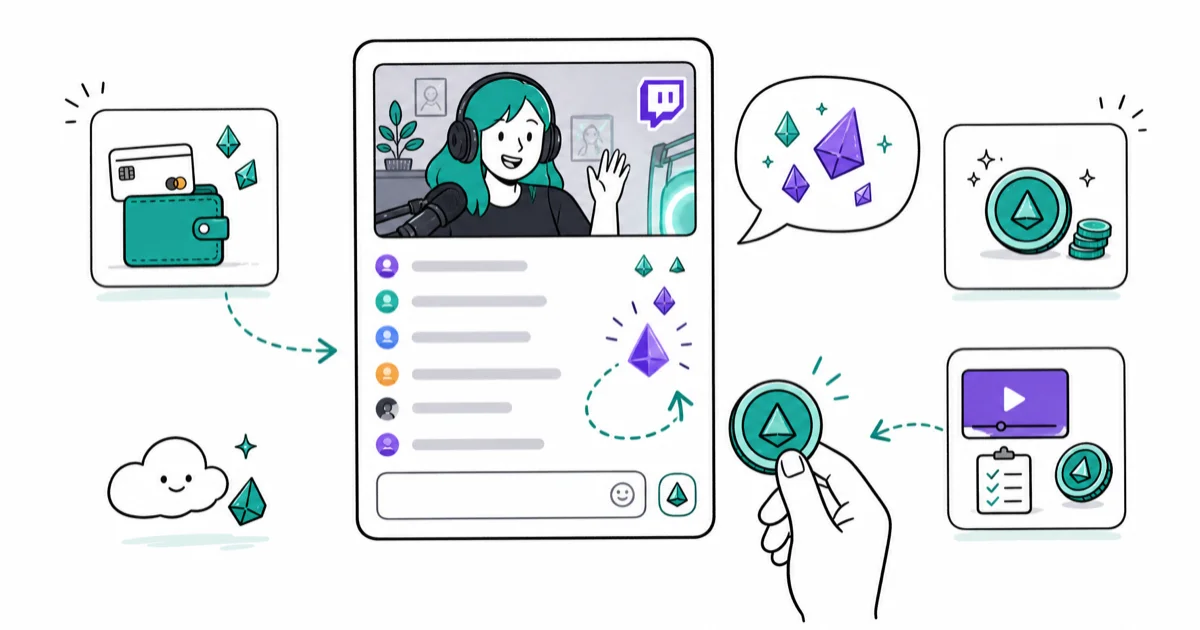
Quick AnswerTo give Bits on Twitch, type "Cheer" followed by the number of Bits in the chat (e.g., "Cheer100"), or click the Bits icon in the chat box to choose a Cheermote. You need to purchase Bits first from the Bits menu in your account settings.
Twitch Bits are the platform’s built-in tipping currency. Giving Bits is faster and safer for streamers than PayPal donations, since Bits carry no chargeback risk.
- Type “Cheer100” in any eligible channel’s chat to send 100 Bits to the streamer; Bits must be purchased or earned first.
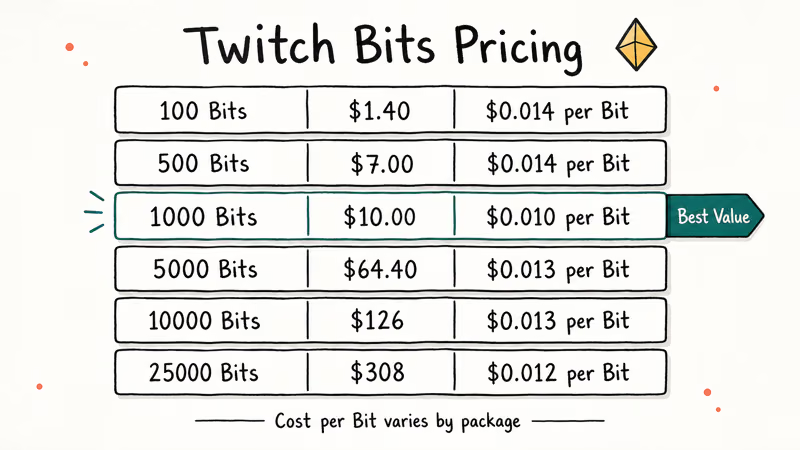
- Bits cost between $1.40 for 100 and $308 for 25,000 when purchased; larger packages offer better value per Bit.
- Streamers receive $0.01 per Bit, meaning 100 Bits equals $1 in direct streamer revenue.
- You can earn free Bits by watching ads or completing TwitchRPG surveys without spending money.
- Only Twitch Partners and Affiliates can receive Bits; independent streamers can’t accept them yet.
#Twitch Bits Explained: Currency, Value, and How They Work
Bits are Twitch’s virtual currency for tipping streamers during live streams. When you give Bits, they appear as animated Cheermotes in the chat alongside your message. The streamer receives $0.01 for every Bit you send. That means 100 Bits equals $1, and 1,000 Bits equals $10 in direct revenue.
According to Twitch’s official Bits documentation, streamers receive the full Bits value with no platform cut on the payout side. Twitch makes their revenue on the purchase side, where buyers pay a slight premium over the $0.01 rate. Once sent, Bits credit to the streamer’s account right away with no processing delay.
Bits are different from Twitch subscriptions. Subscriptions give recurring monthly revenue; Bits are one-time tips. Both show up in stream, but only Bits create the animated Cheermote effect in chat.
#Buying Twitch Bits: Packages and Pricing
You need to purchase Bits before you can give them. Here’s how:
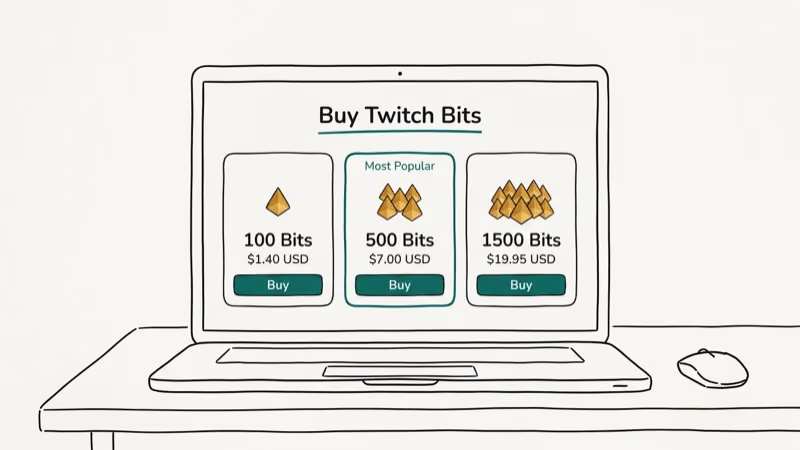
- Log into Twitch and click your profile icon in the top right
- Select Get Bits from the dropdown menu
- Choose your preferred Bits package
- Complete payment via Amazon Pay, credit card, or PayPal
Bits pricing (approximate):
| Bits | Cost | Cost per Bit |
|---|---|---|
| 100 | $1.40 | $0.014 |
| 500 | $7.00 | $0.014 |
| 1,000 | $10.00 | $0.010 |
| 5,000 | $64.40 | $0.013 |
| 10,000 | $126.00 | $0.013 |
| 25,000 | $308.00 | $0.012 |
The 1,000 Bit package offers the best per-unit rate. Larger packages are priced identically or slightly worse per Bit when compared to the 1,000 Bit option.
#How to Give Bits on Twitch?
Once you have Bits, giving them takes seconds. There are two methods:
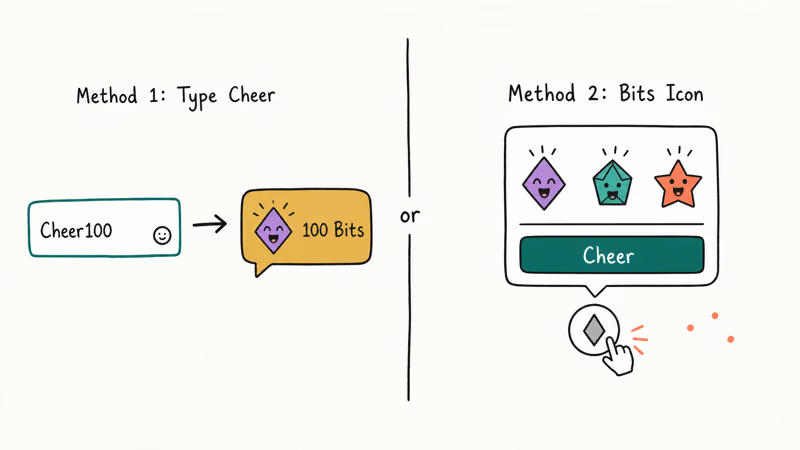
Method 1: Type in chat (fastest)
In any eligible channel, type Cheer followed by a number in the chat box:
Cheer100sends 100 BitsCheer500sends 500 BitsCheer1000sends 1,000 Bits
The chat will automatically convert this into an animated Cheermote. You’ll see a preview before it posts.
Method 2: Use the Bits icon
- Find the diamond-shaped Bits icon in the chat input area
- Click it to open the Bits menu
- Select a Cheermote style and the number of Bits to send
- Click Cheer to confirm
Between the two methods, the typed command is faster, while the icon method surfaces more Cheermote animation options for users who want to customize the visual effect.
#How to Get Free Twitch Bits?
You don’t have to buy Bits to give them. Two free methods exist:
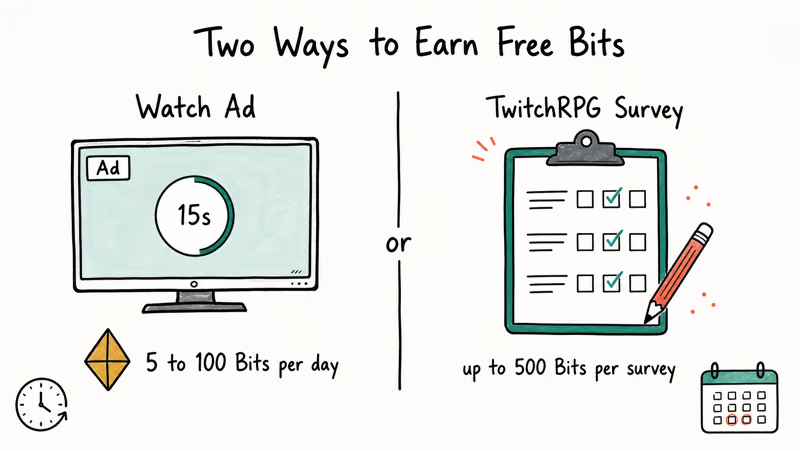
Watch ads for free Bits:
- Open a stream from a channel you follow
- Click the Bits icon in the chat area
- Select Get Bits then Watch Ad
- Complete the ad to receive 5 to 100 Bits
The ad option resets daily. Most ads award 5 to 10 Bits, but occasional premium ads award 50 to 100 Bits. Watching the available ads each day adds up to a modest stream of free Bits over time.
Complete TwitchRPG surveys:
TwitchRPG (Twitch Research Power Group) is Twitch’s official research program. Completing sponsored surveys can earn up to 500 Bits per survey. The catch is that surveys fill quickly once announced. You’ll need to act within minutes of receiving the email notification.
To join: go to TwitchRPG.com, sign up with your Twitch account, and enable email notifications.
For more Twitch tips, see our guides on how to cheer on Twitch and how to set up donations on Twitch.
If you create content yourself, our walkthroughs on how to clip on Twitch and how to cancel Twitch Prime cover the next steps.
#Bits vs. Direct Donations: Pros and Cons for Streamers
Both methods give money to streamers, but they work differently:
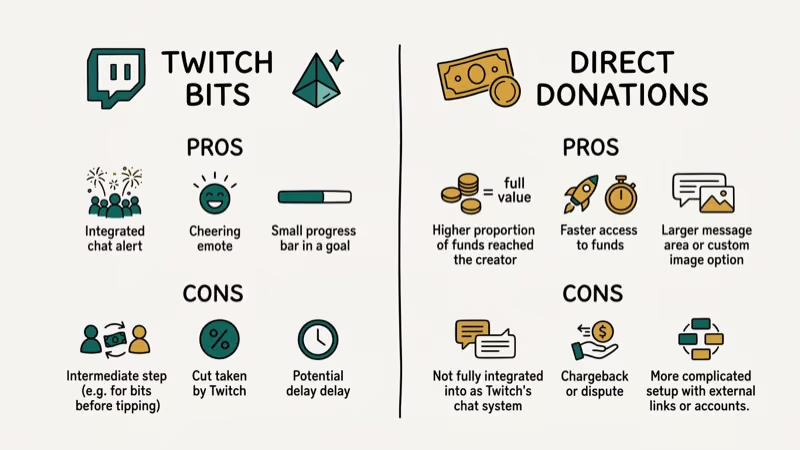
Bits are safer for streamers. Twitch Bits can’t be charged back after being sent. As noted by PCMag’s guide to Twitch streaming revenue, PayPal donations through third-party links carry a chargeback risk where the donor can reverse the payment, leaving the streamer without the money. Bits eliminate that risk entirely.
Bits have a lower payout rate. Streamers receive $0.01 per Bit. A $10 donation via PayPal goes entirely to the streamer. A 1,000 Bit “donation” (worth $10 to buy) only yields $10 to the streamer, which is the same. But larger Bit packages cost slightly more per Bit, meaning you’re paying more for the same streamer payout.
Bits show in stream. Animated Cheermotes and chat notifications make Bits more visible and interactive than direct PayPal donations, which don’t create any on-stream animation.
#Twitch Affiliate Status: Required to Receive Bits
Only Twitch Affiliates and Partners can receive Bits from viewers. Regular Twitch accounts can give Bits but can’t collect them. If you’re a streamer who wants to enable Bit donations, you need to qualify for the Affiliate program first.
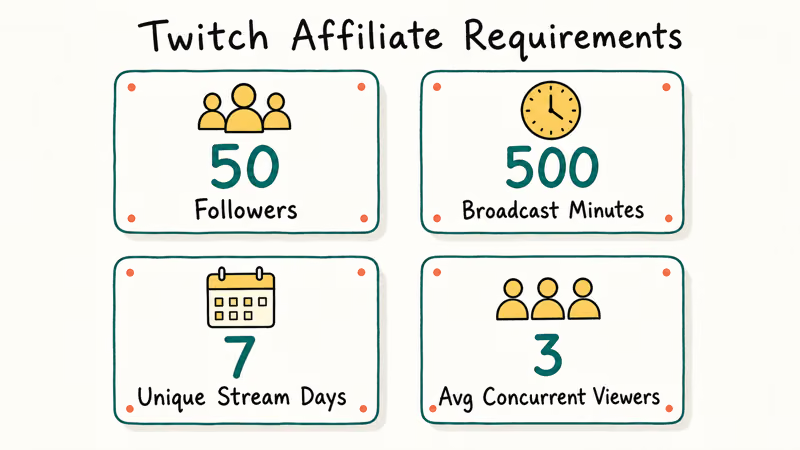
Twitch Affiliate requirements: 50 followers, 500 total broadcast minutes in the last 30 days, 7 unique broadcast days, and an average of 3 concurrent viewers. Once you meet these thresholds, Twitch sends an invitation to your email. After accepting, you can enable Bits on your channel and viewers can start Cheering immediately. See our guide on how to whisper on Twitch for other viewer-streamer interaction tools.
#Bottom Line
Giving Bits takes under a minute once you’ve purchased them. Type “Cheer100” in any eligible channel’s chat to send your first tip. The 1,000 Bit package gives the best value per Bit, and the ad-watching method earns a steady trickle of free Bits at no cost. Bits are safer than PayPal donations for streamers since they can’t be reversed, making them the preferred tipping method for supporting channels you watch regularly.
#Frequently Asked Questions
Can I give Bits on mobile?
Yes. Open the Twitch app, go to the stream you want to support, and tap the Bits icon in the chat area. The same purchase and Cheer options are available on iOS and Android as on desktop.
Are Bits refundable?
No. Once you give Bits to a streamer, they can’t be refunded or transferred. Twitch states in their terms of service that Bits are non-refundable once used. Keep this in mind when sending large amounts.
How many Bits equals $1 for streamers?
Exactly 100 Bits equals $1 in streamer revenue. Streamers receive $0.01 per Bit with no platform commission deducted on their end. Twitch makes their cut on the buyer’s side through the purchase premium.
Who can receive Bits on Twitch?
Only Twitch Partners and Twitch Affiliates can receive Bits. Regular streamers who aren’t in either program can’t collect Bits yet. According to Twitch’s Affiliate program page, reaching 50 followers, 500 total minutes broadcast, and an average of 3 concurrent viewers qualifies an account for Affiliate status.
Can I give Bits to multiple streamers?
Yes. Your Bits balance is account-wide. You can distribute them across as many channels as you want in any session. There’s no limit on how many channels you can Cheer in per day.
Do Bits have an expiration date?
Twitch hasn’t published a Bits expiration policy. In practice, unused Bits carry over indefinitely in your account. However, Twitch can change this policy. Check their current terms of service for the most recent rules.
What’s the minimum number of Bits I can give?
The minimum is 1 Bit (typed as “Cheer1” in chat). However, most Cheermote animations don’t unlock until higher thresholds. The basic animated Bit emoticon unlocks at 1 Bit; more elaborate animations start at 100, 1,000, and 5,000 Bits.

Google Messages Error 3100: Why RCS Is Broken on Galaxy
Google Messages RCS error 3100 hits Galaxy owners after phone or carrier switches. Google told 9to5Google a fix is coming. Here's what actually helps.

Is This Bank App Real? Spot a Fake App on Your Home Screen
A bank app can land on your home screen from a web page with no install warning. Learn the checks that tell a real banking app from a phishing web app.

Apps Crashing After iOS 27 Update? Fix Order (2026)
Apps crashing after the iOS 27 update? Update the app in the App Store first, then offload and reinstall to clear stale cache, then restart. The fix order.

Do AI Translation Earbuds Work Offline? What to Know
Do AI translation earbuds work offline? A few do with downloaded language packs, but most need the cloud. Here's what works offline and what you give up.