How to Find Someone on Telegram: 5 Working Methods
Find someone on Telegram using search, phone contacts, People Nearby, and bots. Five proven methods that work on mobile and desktop in 2026.
Quick AnswerSearch for the person by username or real name in the Telegram search bar. If they are not in your contacts, use Global Search to find any public Telegram account by its unique username.
Telegram has hundreds of millions of users, and finding specific people on the platform isn’t always obvious. This guide covers the common ways to search on mobile, desktop, and public Telegram surfaces.
- Search by username in the main search bar to find anyone with a public Telegram profile
- Sync your phone contacts to discover which friends already use Telegram automatically
- People Nearby shows Telegram users within your geographic area when you enable location sharing
- Global Search finds public accounts, channels, and groups even if the person isn’t in your contacts
- Telegram bots like @TFBot can help discover users by shared interests and location
#How Do You Search for Someone on Telegram?
The built-in search bar is the fastest way to find someone. Open Telegram on your phone or desktop and tap the magnifying glass icon at the top of the screen.
Type the person’s username (the @handle they chose) or their real name. Telegram shows matching contacts first, then public accounts under “Global Search.” Username searches are the most precise, while name searches can pull up unrelated accounts.
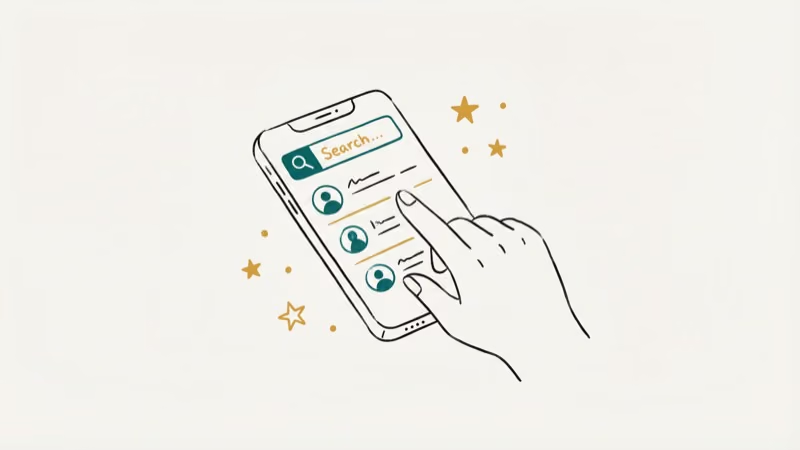
If you don’t see the person you’re looking for, they might not have set a public username. According to Telegram’s FAQ page, usernames are optional, so not every account is discoverable through search. Telegram’s username FAQ explains that usernames are public handles, not required account identifiers.
Because Telegram has grown to hundreds of millions of users, as Wikipedia’s Telegram entry documents, plenty of accounts exist without public-facing usernames. You can still find them by syncing phone contacts.
For similar lookups on other platforms, see the guides on finding people on OnlyFans and social media search by phone number, which cover techniques that also apply to Telegram searches when you have a phone number but not a username.
#Finding Contacts Through Phone Number Sync
Telegram matches phone contacts against its user database.

On mobile: Open Telegram, tap the hamburger menu (three lines), then tap Contacts. Everyone from your phone who uses Telegram shows up here automatically.
On desktop: Click the hamburger menu, then Contacts. Same list, synced through your account.
According to Telegram’s privacy policy, contact data is stored on their servers using 256-bit AES encryption to enable this matching, but you can disable contact syncing in Settings > Privacy and Security > Data Settings.
#Finding People Nearby on Telegram
Yes. Telegram’s People Nearby feature shows users who have opted into location sharing within your geographic area. It’s useful for finding local groups and people, but both parties need to enable it.
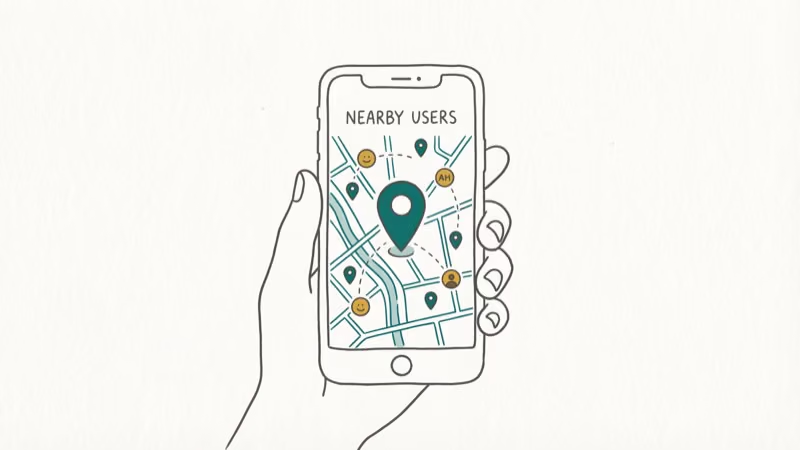
Open Telegram, tap the hamburger menu, then tap Contacts > Find People Nearby. Allow location access when prompted. Tap “Make Myself Visible” to appear on other users’ nearby lists.
You’ll see a list of nearby users along with their approximate distance from you. Local groups can also appear below the user list when enough people in the area have opted in.
To stop sharing your location, tap “Stop Showing Me” at the top of the People Nearby screen.
#Do Telegram Bots Help You Find People?
Telegram bots can expand your search beyond what the built-in features offer. The @TFBot (Telegram Friends) bot helps you discover people by location and shared interests.
Open Telegram and search for @TFBot in the search bar. Tap “Start” to begin the conversation. The bot walks you through setting preferences like location and interests, then suggests matching users.
Bot-based discovery depends on other people using the same bot, so results vary by region. Dense urban areas generally have more matches than rural areas. PCMag’s Telegram review recommends sticking to well-known bots and avoiding any that request your phone number upfront.
If you’re also looking to find someone on WhatsApp or explore messaging alternatives, those guides cover similar search techniques.
#Adding Someone by Username on Desktop or Mobile
If you know the person’s exact username, you can add them directly without searching.
Open Telegram on any device. Go to the search bar and type the username (with or without the @ symbol). Their profile appears under Global Search. Tap on their name to open a chat, or tap their profile picture to view their full profile before messaging.
If the person runs a channel instead of a personal account, you’ll see a “Join” button. Channels are one-way broadcasts, so joining one doesn’t start a private conversation. For tips on understanding Telegram activity indicators, see the guide to what last seen recently means. You can also learn about using Telegram without a phone number if you want more privacy.
#Tips for More Effective Telegram Searches
Use the exact username. Searching by @handle returns a single exact result. Searching by real name returns multiple accounts with the same display name, making it harder to identify the right person.
Check their profile photo. When multiple results come up, the profile picture is usually the fastest way to confirm you’ve found the right person. Tap the account to see a larger version of their photo before messaging.
Try different spellings. Some users use nicknames or transliterations as display names.
#Bottom Line
Start with the search bar and a username. That’s the fastest route. If you don’t have their username, sync your phone contacts or try People Nearby for local discovery. Bots like @TFBot work for broader searches but depend on user adoption in your area.
#Frequently Asked Questions
Can I find someone on Telegram without knowing their username?
Yes. Save their phone number in your contacts, and they’ll appear in Telegram automatically after syncing.
What if the person has a private Telegram account?
Telegram doesn’t have “private accounts” the way Instagram does. Any user can set whether they have a searchable username or not. If they haven’t set a username and their phone number isn’t in your contacts, your only option is to ask them directly for their Telegram handle.
Is People Nearby safe to use?
It shares your approximate location with other users who have the feature enabled. You control when it’s on, and you can stop sharing at any time by tapping “Stop Showing Me.” Don’t leave it running if you’re concerned about location privacy.
Can I find someone on Telegram by email address?
No. Telegram doesn’t use email addresses for account identification. Accounts are tied to phone numbers and optional usernames only.
Why doesn’t my friend appear in my Telegram contacts?
Three possible reasons: they haven’t installed Telegram, their phone number in your contacts doesn’t match the one they registered with, or they’ve disabled contact syncing in their privacy settings. Try asking them for their Telegram username instead.
Do Telegram bots actually work for finding people?
Some do, but results depend heavily on how many people in your area use the same bot. @TFBot is a popular option. Dense urban areas generally perform better for bot-based discovery.
Can I search for Telegram groups and channels?
Yes. The same search bar that finds users also finds public groups and channels. Type a topic keyword and scroll past the user results to see matching groups. Telegram’s global search indexes all public content.

Google Messages Error 3100: Why RCS Is Broken on Galaxy
Google Messages RCS error 3100 hits Galaxy owners after phone or carrier switches. Google told 9to5Google a fix is coming. Here's what actually helps.

Is This Bank App Real? Spot a Fake App on Your Home Screen
A bank app can land on your home screen from a web page with no install warning. Learn the checks that tell a real banking app from a phishing web app.

Apps Crashing After iOS 27 Update? Fix Order (2026)
Apps crashing after the iOS 27 update? Update the app in the App Store first, then offload and reinstall to clear stale cache, then restart. The fix order.

Do AI Translation Earbuds Work Offline? What to Know
Do AI translation earbuds work offline? A few do with downloaded language packs, but most need the cloud. Here's what works offline and what you give up.