How to Find Someone on OnlyFans: 6 Search Methods (2026)
Find someone on OnlyFans using direct URLs, OnlyFinder, Google search, and social media bios. Step-by-step guide with privacy and legal tips.

Quick AnswerType onlyfans.com/username in your browser if you know their handle, or use OnlyFinder to search by name, keyword, or location. OnlyFans doesn't have a built-in search bar for finding specific users.
OnlyFans intentionally limits its search functionality to protect creator privacy. There’s no global search bar on the platform, so finding someone requires workarounds. These methods work for locating creators you want to subscribe to, reconnecting with content you’ve seen before, or managing your own presence on the platform.
- OnlyFans has no built-in search feature for finding users by name or keyword
- The direct URL method (onlyfans.com/username) works instantly if you know the handle
- OnlyFinder and similar tools index public creator profile data and support name or location-style searches
- Many creators promote their OnlyFans link on Twitter/X, Instagram, and Reddit bios
- Always respect creator privacy and only search using publicly available information
#Respecting Privacy When Searching
OnlyFans is built around creator privacy. The platform deliberately avoids adding a user search feature because many creators prefer to control who discovers their content.
These search methods should only be used to find creators who are publicly promoting themselves, to manage your own account, or to locate content you previously subscribed to. Searching for someone’s private account to harass, share their content, or damage their reputation isn’t just unethical. It can violate copyright law and platform terms of service.
OnlyFans states that creators monetize content while owning their intellectual property in an Ofcom submission. Treat any information you find with respect, and don’t reuse or redistribute creator content without permission.
#How Do You Find Someone on OnlyFans by Username?
The direct URL approach is the fastest method. Type onlyfans.com/username in any browser.
If the account exists, you’ll see the creator’s profile page with their bio, profile picture, and subscription price. A 404 error means that username isn’t registered.
OnlyFans states that fans can search for a creator by a specific OnlyFans handle, and often find creators on other platforms before following them on OnlyFans.
Only a few common username variations tend to return active profiles. Most OnlyFans creators use handles that are different from their real names, making guessing ineffective for the majority of searches.
If you know someone’s username from a social media bio or previous interaction, this method works perfectly. If you’re guessing, move to the next approach.
#Using OnlyFinder for Name and Location Searches
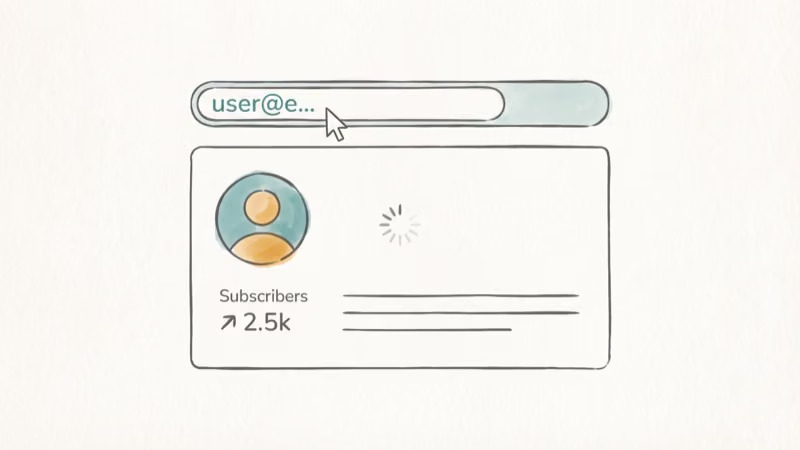
OnlyFinder is a free third-party search engine designed for OnlyFans profiles. It indexes public profile data and lets you search by name, keyword, or location.
That workaround exists because OnlyFans itself is not built around broad discovery. OnlyFans states that it has no site-wide discoverability or keyword search function in a separate response published by Ofcom, and creator pages are normally reached by direct link or username.
Name search: Type the person’s name or display name. Results show matching profiles with subscriber counts and bio previews.
Location search: Use the format Location: City Name, distance (like Location: Miami, 25km). This returns creators who listed that area in their profile.
Keyword search: Enter terms related to the creator’s content niche. Useful when you remember the topic but not the name.
Name searches work well for creators using recognizable display names but return nothing for those using stage names. Location searches can be surprisingly effective, often surfacing a batch of results for major US cities.
The main limitation is that OnlyFinder can’t find creators who’ve removed their location data or use completely unrelated display names. For those situations, check our guide on finding someone on OnlyFans without a username.
#Can Google Help You Find OnlyFans Profiles?
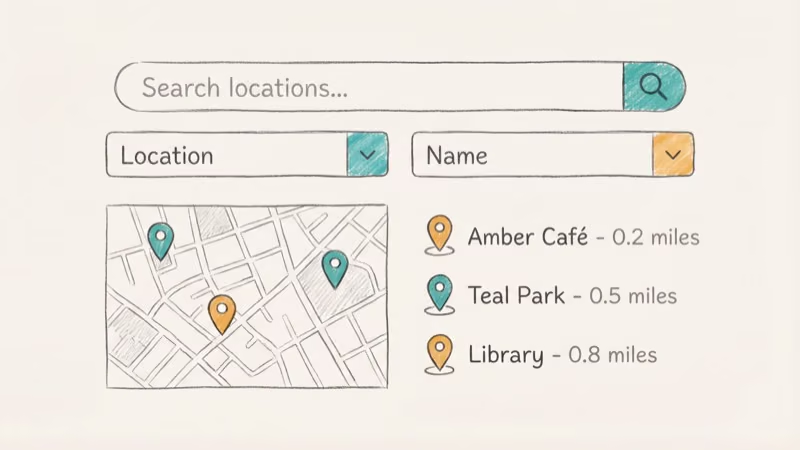
Yes. Google indexes many OnlyFans profile pages. Search site:onlyfans.com "person's name" to see if any profiles match.
Broaden the search by trying "person's name" OnlyFans without the site filter. This catches mentions on Reddit, Twitter, and promotional pages that link back to their OnlyFans.
According to Google’s search documentation, the site: operator limits results to a specific domain, and quotation marks search for an exact word or phrase. This is especially useful for surfacing profiles that OnlyFinder misses.
#Checking Social Media for OnlyFans Links
Creators who want subscribers actively promote their OnlyFans on other platforms. The most common places to check:
Twitter/X is the top platform for OnlyFans promotion. Search the person’s name plus “OnlyFans” or check their bio and pinned tweets.
Instagram prohibits direct OnlyFans links, so creators use Linktree or similar link aggregators. Check the bio link on their profile.
Reddit hosts numerous OnlyFans promotion subreddits where creators post verification photos and account links. Search the person’s Reddit username to see if they’ve cross-promoted.
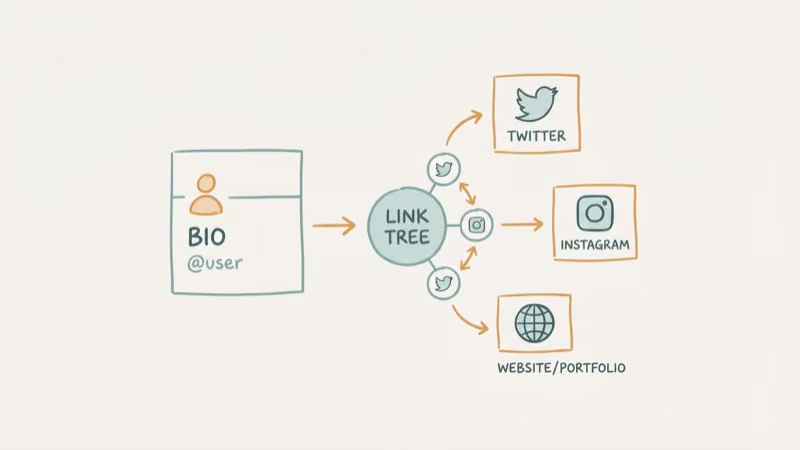
Social media remains the practical discovery layer because creators can choose where to promote. If you’re also trying to find someone on Reddit itself, we’ve covered that process separately.
#Managing Your Own OnlyFans Discovery
If you’re a creator wondering how others find you, these tools work in reverse to audit your public visibility.
Search your own name on OnlyFinder and Google to see what potential subscribers discover. If you’ve removed your location but it still appears in search results, contact OnlyFinder to request removal.
For managing your account itself, check our guides on how to delete an OnlyFans account and canceling subscriptions.
If you need a refund from OnlyFans, that process has its own steps.
#Bottom Line
Try the direct URL first if you have a username. Use OnlyFinder for name-based searches, and check Twitter/X bios for creators who promote openly. Google’s site:onlyfans.com search catches profiles that other tools miss. Whatever your reason for searching, stay within ethical and legal boundaries.
#Frequently Asked Questions
Does OnlyFans have a search feature?
OnlyFans shows suggested creators on the home page, but there’s no search bar to look up specific users. This is intentional. The platform prioritizes creator privacy over discoverability, which is why external tools like OnlyFinder exist.
Can OnlyFans creators see who searches for them?
No. OnlyFans doesn’t track or reveal who visits a profile page. Creators can only see who subscribes, tips, or sends messages. Browsing their public profile page is invisible to them.
Is it legal to search for someone on OnlyFans?
Searching for publicly available information is legal. Accessing someone’s paid content without subscribing, sharing their content without permission, or using search results to harass them is not. Copyright and privacy laws protect creators and their work.
Why can’t I find someone I know is on OnlyFans?
They may be using a display name or username that’s different from their real identity. Many creators deliberately separate their OnlyFans persona from their personal life. If direct URL and name searches fail, try checking their social media profiles for links.
Can I find OnlyFans accounts by email address?
Not directly through OnlyFans or OnlyFinder. Some paid people-search services claim to match email addresses to social media accounts, but results are unreliable and raise privacy concerns. The email-to-profile lookup is not a feature OnlyFans supports.
What’s the difference between OnlyFinder and the OnlyFans homepage suggestions?
OnlyFans homepage suggestions are algorithm-driven and limited. OnlyFinder is a separate third-party search engine that searches public profile data by name, location, and keywords. OnlyFinder is not affiliated with OnlyFans.
How do I remove my OnlyFans profile from search engines?
Delete your profile location data in OnlyFans settings, then request removal from OnlyFinder through their contact page. For Google, submit a content removal request through Google Search Console. It takes 2-4 weeks for cached pages to disappear from search results.
Can I find deleted OnlyFans accounts?
No. Once deleted, the profile page returns a 404 error. Cached versions in Google may persist briefly, but OnlyFans removes all content and profile data upon account deletion.

Google Messages Error 3100: Why RCS Is Broken on Galaxy
Google Messages RCS error 3100 hits Galaxy owners after phone or carrier switches. Google told 9to5Google a fix is coming. Here's what actually helps.

Is This Bank App Real? Spot a Fake App on Your Home Screen
A bank app can land on your home screen from a web page with no install warning. Learn the checks that tell a real banking app from a phishing web app.

Apps Crashing After iOS 27 Update? Fix Order (2026)
Apps crashing after the iOS 27 update? Update the app in the App Store first, then offload and reinstall to clear stale cache, then restart. The fix order.

Do AI Translation Earbuds Work Offline? What to Know
Do AI translation earbuds work offline? A few do with downloaded language packs, but most need the cloud. Here's what works offline and what you give up.