How to Cancel an OnlyFans Subscription Step by Step
Cancel an OnlyFans subscription by turning off auto-renew on the creator profile. Covers refund policy, account deletion, and resubscribing.
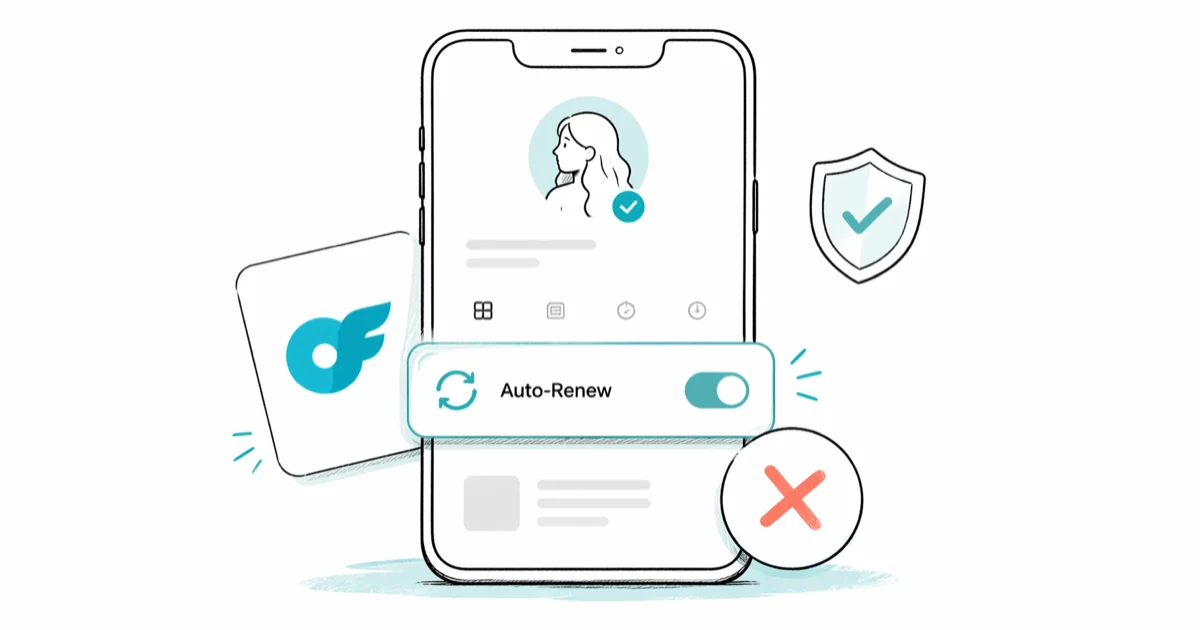
Quick AnswerGo to the creator profile on OnlyFans, find the Auto-Renew toggle, and turn it off. Your subscription stays active until the end of the current billing cycle, but it will not renew or charge you again.
OnlyFans subscriptions auto-renew monthly unless you manually turn them off. This guide walks through managing your own OnlyFans account: canceling stops future charges but keeps your access until the current billing period ends. Stick to the official OnlyFans help center and your account’s billing settings menu first, since DIY chargebacks or third-party “cancellation services” can violate the platform’s terms of service and lock you out before you even confirm the change. Here’s how to cancel on both desktop and mobile.
- Turning off the Auto-Renew toggle stops future billing immediately but keeps your access until the current paid period expires
- OnlyFans has a strict no-refund policy, so once you pay for a billing period, that payment is final with very limited exceptions
- Canceling on the website or mobile app applies to the same account, so you don’t need to cancel separately on each device
- Your previous messages and interactions stay visible after canceling, but you can’t send new messages without an active subscription
- Deleting your OnlyFans account is permanent and removes all data, subscriptions, and transaction history, with no way to recover them later
This guide is written for managing your own OnlyFans account or one you have explicit authorization to handle. Trying to cancel a subscription on someone else’s account without consent violates OnlyFans’ terms of service and can run afoul of state and federal computer-access laws, so always start with the account holder’s own credentials and the official help center.
#How to Cancel on the OnlyFans Website
- Go to onlyfans.com and sign in
- Click on “Subscriptions” in the left menu
- Find the creator you want to unsubscribe from
- Click on their profile
- Find the “Auto-Renew” toggle and turn it off
- Confirm the cancellation when prompted
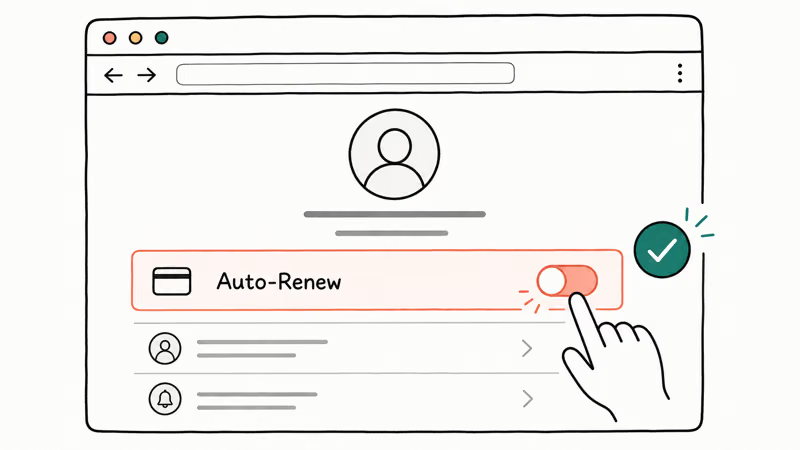
According to OnlyFans’ subscription help page, turning off auto-renew stops future billing but doesn’t end your current access. You keep access to the creator’s content until your paid period expires, and future renewal charges should stop once auto-renew is off.
Worth flagging up front: OnlyFans bills your card directly, not through Apple or Google. Their subscription menus won’t list your creator subs, so cancel on the OnlyFans site itself.
Apple’s App Store subscription guide is for App Store-billed apps, and Google’s Play subscription help found that canceled Play purchases stay active until the end of the current 30-day cycle, which is the same rule OnlyFans applies to direct-card subscriptions.
#Canceling on the OnlyFans Mobile App
The process is similar on mobile:
- Open the OnlyFans app and sign in
- Go to the creator’s profile page
- Look for the “Auto-Renew” toggle
- Tap it to turn off auto-renewal
- Confirm your cancellation
The mobile app and website share the same account, so canceling on one platform applies everywhere. You don’t need to cancel separately on each device.
#What Happens After You Cancel?
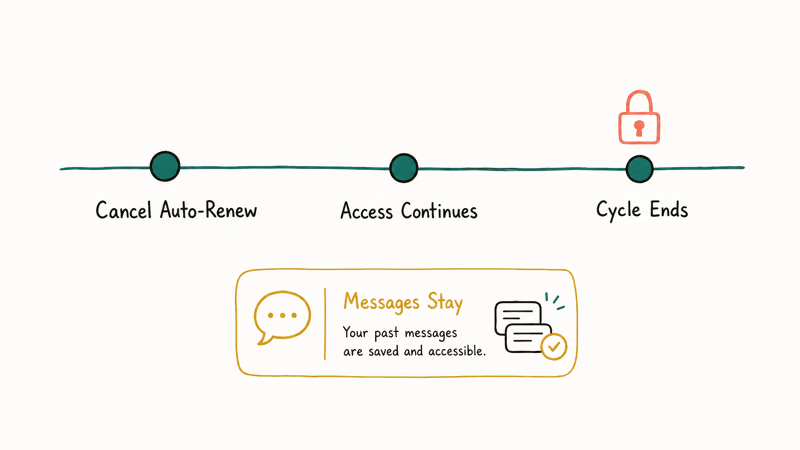
Access continues until billing cycle ends. If you paid on March 1st and cancel on March 15th, you still have access until March 31st. According to OnlyFans’ terms of service, no partial refunds are given for unused time within a billing cycle.
No refunds for canceled subscriptions. OnlyFans has a strict no-refund policy. Once you’ve paid for a billing period, that payment is final. If you want to avoid being charged for another month, cancel at least a few days before your renewal date.
Messages stay in your account. Your previous messages and interactions remain visible, but you can’t send new messages to the creator without an active subscription.
Privacy footprint stays put. Canceling a subscription doesn’t scrub your billing history, payment method, or DM record from the OnlyFans servers. If that matters to you, treat cancellation and account deletion as two different jobs and read OnlyFans’ privacy policy before sending any deletion request.
#Deleting Your OnlyFans Account vs Canceling
Canceling a subscription and deleting your account are different things. Canceling stops payments to a specific creator. Deleting your account removes your entire OnlyFans presence permanently.
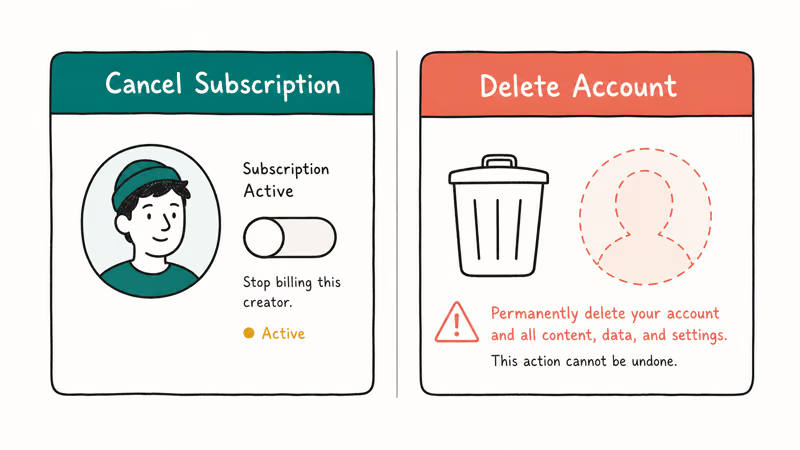
If you want to delete your account entirely:
- Go to Settings on OnlyFans
- Scroll to the bottom and click “Delete Account”
- Confirm the deletion
According to OnlyFans’ account deletion policy, account deletion is permanent and removes all your data, subscriptions, and transaction history. You can’t recover a deleted account.
For more details, see our guide on how to delete an OnlyFans account.
If you’re looking for someone specific on the platform, check our guide on how to find someone on OnlyFans, which also covers finding someone without a username.
#Can You Get a Refund From OnlyFans?
OnlyFans generally does not issue refunds for subscription payments. However, there are limited exceptions:
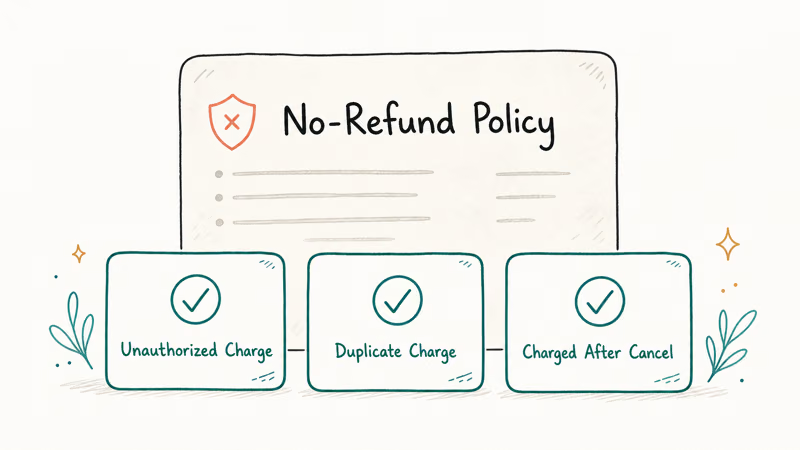
- Unauthorized charges (someone used your payment method without permission)
- Technical errors that caused duplicate charges
- Charges after you already canceled auto-renew
If you believe you qualify for a refund, contact OnlyFans support through their help center. For more details on the refund process, see our guide on OnlyFans refunds.
OnlyFans support may review duplicate charges, unauthorized charges, or charges made after auto-renew was already turned off. Regular subscription payments are generally not refundable under the platform’s stated policy.
If OnlyFans support stalls on a clearly unauthorized charge, a card-issuer dispute is the legal fallback. According to Wikipedia’s chargeback overview, US cardholders have 60 days from the statement date under the Fair Credit Billing Act to contest a billing error. Reserve that lane for truly unauthorized or duplicate charges on your own card. Filing a chargeback on a subscription you simply forgot to cancel can get your OnlyFans account permanently banned and may be treated as fraud.
#Tips for Managing Subscriptions
Keep track of your active subscriptions by checking the Subscriptions page regularly. OnlyFans doesn’t send renewal reminders before charging, so set a calendar reminder a few days before each renewal date if you’re considering canceling.
If you’re managing subscriptions on other platforms too, check our guides on how to cancel a Starz subscription or how to change payment methods on iPhone.
#Bottom Line
Turn off auto-renew on the creator’s profile to cancel an OnlyFans subscription. You keep access until the billing period ends, but you won’t be charged again. OnlyFans doesn’t offer refunds for regular cancellations. Delete your account entirely if you want to remove all your data from the platform.
#Frequently Asked Questions
Will the creator know I unsubscribed from OnlyFans?
Creators can see when their subscriber count drops, but they don’t receive a specific notification naming you. Your previous messages and interactions remain in their inbox, but they’ll see you’re no longer an active subscriber.
Can I resubscribe to a creator after canceling?
Yes. Go to the creator’s profile and subscribe again at any time, and your previous subscription history stays on file so it feels like a clean restart. However, you may lose any promotional rates or discounts attached to your original subscription, since those usually expire the moment you cancel. The new subscription always starts at the creator’s current public price, which can be higher than what you paid before if the creator has raised their rate in the meantime.
How do I cancel all OnlyFans subscriptions at once?
There’s no “cancel all” button. You need to turn off auto-renew on each creator’s profile individually. Go to your Subscriptions page to see all active subscriptions and cancel them one by one.
Does canceling OnlyFans delete my payment information?
No. Canceling a subscription doesn’t remove your saved payment methods. To remove payment information, go to Settings > Payment Methods and delete your cards manually. This prevents accidental resubscriptions.
What if I was charged after canceling my subscription?
Check that you actually turned off auto-renew and didn’t just close the page. If auto-renew shows as off but you were still charged, contact OnlyFans support with a screenshot of your cancellation confirmation. Charges made before you canceled are not refundable.
Can I cancel an OnlyFans subscription from my bank?
You can dispute the charge with your bank, but this may result in OnlyFans banning your account. It’s better to cancel through the OnlyFans website or app first. Only contact your bank if OnlyFans support doesn’t resolve an unauthorized charge.

Google Messages Error 3100: Why RCS Is Broken on Galaxy
Google Messages RCS error 3100 hits Galaxy owners after phone or carrier switches. Google told 9to5Google a fix is coming. Here's what actually helps.

Is This Bank App Real? Spot a Fake App on Your Home Screen
A bank app can land on your home screen from a web page with no install warning. Learn the checks that tell a real banking app from a phishing web app.

Apps Crashing After iOS 27 Update? Fix Order (2026)
Apps crashing after the iOS 27 update? Update the app in the App Store first, then offload and reinstall to clear stale cache, then restart. The fix order.

Do AI Translation Earbuds Work Offline? What to Know
Do AI translation earbuds work offline? A few do with downloaded language packs, but most need the cloud. Here's what works offline and what you give up.