Best Family Games Apps for iPhone and Android: 2026 Picks
Compare 12 current family game picks for iPhone and Android, with live store links, age-rating cautions, access models, and offline limits today.
Quick AnswerThe 12 picks are 8 party titles—Heads Up, Jackbox, Psych, Charades, Trivia Crack, Wavelength, UNO, and Among Us—and 4 board games—Codenames, Ticket to Ride, Catan Universe, and Monopoly.
This guide contains exactly 12 current picks: eight party games and four digital board games. Each entry links to a live publisher or store page so you can recheck price, platform, age rating, and purchases before installing.
This guide applies only to a device or account you own.
- The list is fixed at 12: eight party picks plus four board-game adaptations
- Jackbox needs one host copy; players join the host screen from a phone browser
- Wavelength and Among Us explicitly advertise cross-platform play; don’t assume every app shares purchases or progress
- Every product link now points to a current publisher or store page checked for this update
- Store prices, age ratings, ads, chat, and in-app purchases can change by date and region
#How These 12 Family Games Were Selected
The selection favors a clear family use case, a current first-party listing, and an understandable access model. “Cross-platform” appears only when the current publisher or store page says so; an iPhone and Android listing alone doesn’t prove that the two versions can share a lobby or purchase.
Check age and social features live. Apple’s current App Store age-rating definitions use 4+, 9+, 13+, 16+, and 18+ on iOS and iPadOS 26 or later, while earlier systems use 4+, 9+, 12+, and 17+. The rating shown on the device matters more than an old number in an article. Also inspect chat, user-generated content, advertising, and in-app controls.
Treat price as live data. This article identifies whether the current US listing is paid upfront or free to download with optional purchases, but omits fixed totals. Regional prices, subscriptions, expansion catalogs, and promotions can change without an article update.
Match the input model to the room. Some games pass one device, some require one device per person, and Jackbox uses a host screen plus browser controllers. That distinction is more useful than an unsupported promise that every title works offline or sets up in a fixed number of minutes.
The two groups below are the complete selection. The later free/offline sections compare these same 12 rather than adding extra unranked apps.
#iPhone and Android Availability
Use the listing for the device that will actually join. These US storefronts were checked on August 23, 2026. “Paid” and “free download” describe that snapshot, not a permanent worldwide price.
| Pick | iPhone/iPad | Android | Current access model |
|---|---|---|---|
| Heads Up | App Store | Google Play | Paid on iPhone/iPad; Android installs with optional purchases |
| Jackbox | Browser controller | Browser controller | One player buys a compatible host pack; others join at jackbox.tv |
| Psych | App Store | Google Play | Free download with ads and optional purchases |
| Charades | App Store | Google Play | Free download with ads or optional purchases |
| Trivia Crack | App Store | Google Play | Free download with ads and optional purchases |
| Wavelength | App Store | Google Play | Free download with optional content; both listings describe it as ad-free |
| UNO | App Store | Google Play | Free download with ads and optional purchases |
| Among Us | App Store | Google Play | Free download with ads or optional purchases |
| Codenames | App Store | Google Play | Paid download with optional purchases |
| Ticket to Ride | App Store | Google Play | Paid download with optional purchases |
| Catan Universe | App Store | Google Play | Free download with optional purchases |
| Monopoly | App Store | Google Play | Paid download with optional purchases |
The two stores can assign different ratings to the same game. For example, the current US pages show Psych as 13+ on iPhone/iPad and Teen on Android; Charades as 4+ on iPhone/iPad and Teen on Android; Trivia Crack as 13+ on iPhone/iPad and Everyone on Android; and Among Us as 9+ on iPhone/iPad and Everyone 10+ on Android. Ads and purchase labels also differ in some pairs. Treat each linked listing as a separate disclosure rather than assuming platform parity.
#Top 8 Family Games Apps for Party Nights
These eight emphasize clues, trivia, conversation, or social deduction. “Party” doesn’t mean “safe for every child,” so check each live rating before handing over a device.
#1. Heads Up!
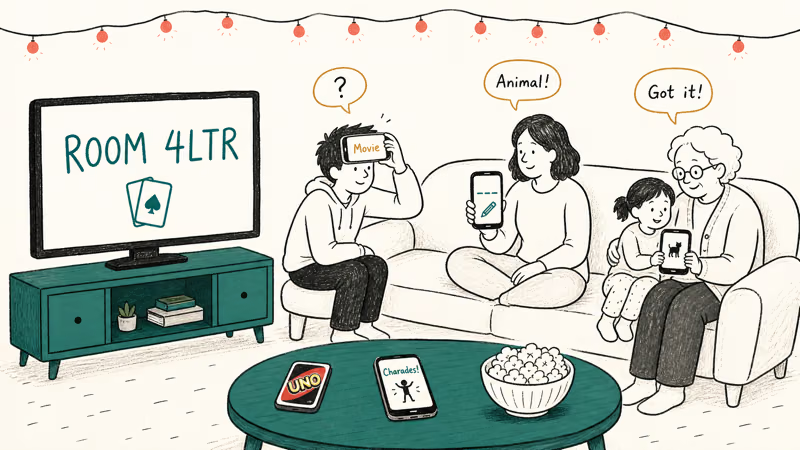
Heads Up is a charades-style game: one player holds the phone outward while the group gives clues. The current US App Store listing describes themed decks, custom categories, tilt controls, and recorded gameplay video.
The iPhone/iPad listing is paid upfront, offers in-app purchases, and currently shows a 13+ rating. That current rating contradicts the former “ages 10+” recommendation, so parents should inspect the live listing for the device being used rather than rely on the old label.
#2. Jackbox Party Pack
Jackbox is a host product, not an iPhone game that every player buys. According to Jackbox’s current How to Play guide, one person purchases and installs a Party Pack, shows the host screen, and everyone else visits jackbox.tv with the room code.
Player counts and content filters vary by the game inside each pack. This is the pick for a TV or computer host plus phone controllers; it isn’t evidence that Party Packs install as ordinary host apps on iOS or Android. See games like Jackbox for other room-code formats.
#3. Psych! Outwit Your Friends
Psych is Warner Bros.’ bluffing trivia game. Players submit fake answers to a real prompt, then try to identify the correct one.
Its current iPhone/iPad listing remains live as a free download with advertising and in-app purchases, but the visible version history stops in August 2023. Install and open it on the devices you plan to use before game night; don’t infer offline pass-and-play or current cross-platform support from its mere presence in both stores.
#4. Charades! by FatChicken Studios
This specific Charades listing avoids the ambiguity of recommending a generic store search. The current page identifies FatChicken Studios as the developer and describes tilt-controlled word cards plus acting, singing, drawing, and trivia challenges.
Its iPhone/iPad listing is currently 4+ and free with advertising-related purchases. That doesn’t prove every deck suits a prereader or that the Android catalog is identical, so adults should preview the exact deck.
#5. Trivia Crack
An old “Trivia Crack 2” link now resolves to a differently named retro product, so this entry uses Etermax’s current main Trivia Crack listing. It offers trivia challenges with friends and a live mode.
Etermax’s current US listing is free with in-app purchases and carries a 13+ rating with advertising and messaging/chat disclosures. Check the language and multiplayer options shown in your regional store instead of relying on the former unsupported language count or annual price.
#6. Wavelength
According to its current listing, Wavelength supports in-person or remote play, cross-platform access on most mobile devices, and groups from 2 to 10 or more. Players place a clue on a hidden spectrum, such as hot to cold.
The listing describes the download as free and ad-free, with optional content purchases. That makes it a clearer remote-family recommendation than the old, wrong Codenames Online link.
#7. UNO!
UNO’s current Mattel163 listing offers real-time online matches, house rules, and a 2v2 mode. It’s free to download and currently rated 4+ on the US App Store.
The same listing also discloses advertising, messaging/chat, and in-app purchases. A 4+ rating isn’t a promise that every online interaction or purchase prompt is appropriate without supervision. The former Heads Up Family Edition entry has been removed because its cited page wasn’t a current retrievable product listing.
#8. Among Us
Among Us is online social deduction for 4–15 players. According to its current listing, it supports cross-platform play between PC, mobile, and console and lets the host change roles, tasks, visibility, and other match settings.
The iPhone/iPad listing is free with in-app purchases and currently rated 9+ with in-app controls, parental controls, messaging/chat, advertising, and fantasy-violence disclosures. Use a private family lobby and review chat settings before a child joins.
#Four Digital Board Games
These four complete the 12-pick list. They suit families that want turn-based wordplay, route building, trading, or a single-device board-game mode. For more options, compare our word board games and board game apps roundups.
#1. Codenames
CGE Digital’s current Codenames app turns the word-association game into turn-based matches. The listing says players can start several games and return when it’s their turn, which suits relatives who can’t meet at one time.
This is a paid download with optional purchases on the current US listing. Use that live listing rather than similarly named companion or web products.
#2. Ticket to Ride
Marmalade Game Studio now publishes the active Ticket to Ride mobile app. The current listing offers online public play and private games with friends, plus separately listed expansion purchases.
The former Days of Wonder app ID and its fixed expansion prices were stale. Don’t assume purchases from the retired app carry into this product; check the current listing and publisher support before buying again.
#3. Catan Universe
Catan Universe’s live USM listing covers the original board game, card game, expansions, and Rise of the Inkas in one app catalog. It also says a Catan Universe account can be used across numerous desktop and mobile platforms.
“In one app” doesn’t mean every expansion is bundled with one entitlement. The listing is free to download with in-app purchases, so confirm the current access model inside the app. The old claim about a fixed monthly pass and bundled expansions has been removed.
#4. MONOPOLY: The Board Game
According to Marmalade’s current licensed Monopoly listing, the app offers online play, offline AI opponents, and Pass & Play on one device. This is the clearest verified single-device and offline pick in the list.
It’s a paid download with optional board and collection purchases. The former app ID, fixed price, “no in-app purchases” claim, and 75-minute session promise were all stale or unsupported.
#Which Picks Are Free to Download?
On the current US App Store pages, Psych, Charades, Trivia Crack, Wavelength, UNO, Among Us, and Catan Universe are free to download with differing ads or optional purchases. Heads Up, Codenames, Ticket to Ride, and Monopoly have an upfront App Store price, while Jackbox requires the host to buy a compatible Party Pack. Android access models are listed separately in the table above.
Those labels are snapshots, not permanent prices. Open the linked page in your country and review the in-app-purchase list before promising a child that an app is “free.” For lower-pressure alternatives, our listening games for kids guide focuses on activities rather than app catalogs.
#Which Family Games Work Offline?
The current Monopoly listing explicitly promises offline AI play and offline Pass & Play. Jackbox browser controllers, Wavelength remote sessions, Among Us online or local-Wi-Fi matches, and the named online modes in Ticket to Ride, Catan Universe, Trivia Crack, and UNO need connectivity. That doesn’t mean every other mode in those products has the same network requirement.
Don’t extend that into a blanket offline guarantee for Heads Up, Psych, Charades, or every mode inside an app. Download updates, open each title, and test the exact mode before leaving Wi-Fi.
#How to Set Ground Rules for Family Gaming Sessions
A few soft rules keep a game night from sliding into a grumpy scroll session.
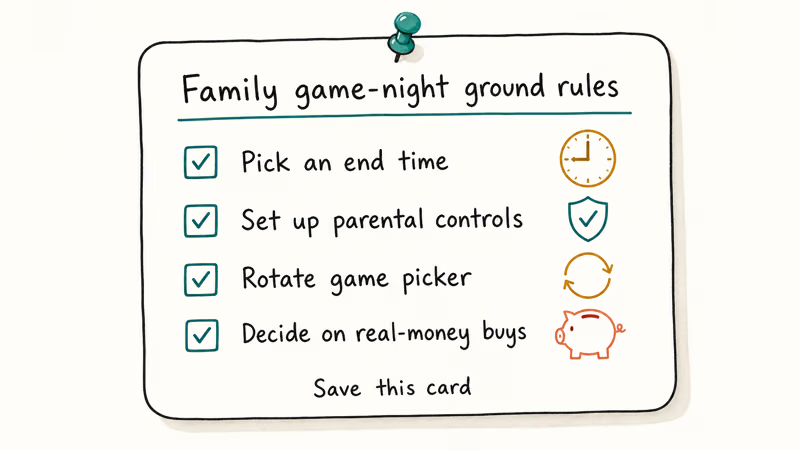
Pick an end time before starting. Use a clock time or a number of rounds. Avoid promising that any app will finish within an unsupported fixed session length.
Set up parental controls if kids play alone. Console steps don’t transfer directly to phones, but our Nintendo Switch parental-controls guide explains the same family conversation. Apple’s current Screen Time guide covers iPhone and iPad app limits and content restrictions.
Rotate who picks the game. Let each person choose a title or mode in turn, especially when the group spans different reading levels.
Decide on real-money purchases up front. Review store disclosures and require approval for purchases before starting. “Free download” doesn’t mean ad-free, subscription-free, or free of consumable currency.
#Bottom Line
Choose by access model. Use Charades or Heads Up when one phone is the prop, Jackbox when one host screen can serve browser controllers, Wavelength or Among Us when the publisher explicitly supports cross-platform play, and Monopoly when verified offline Pass & Play matters.
For longer turn-based play, compare Codenames, Ticket to Ride, Catan Universe, and Monopoly from their current listings. Recheck price, rating, chat, and purchases at download time; none of those fields should be frozen into a permanent recommendation.
#Frequently Asked Questions
Are family game apps safe for kids under 10?
No single answer covers all 12. Current US listings range from 4+ to 13+, and some disclose chat, user-generated content, advertising, or in-app controls. A store rating isn’t a blanket safety endorsement, so review the exact listing and supervise online play.
Can I play family games apps across iPhone and Android?
Only when the current product says so. Among Us and Wavelength explicitly advertise cross-platform play. Jackbox players use supported browsers as controllers, but the host still needs a compatible purchased copy. Don’t assume Codenames, purchases, or saved progress cross platforms without checking publisher support.
How much should I budget for family gaming apps?
Start with the current free-download group, then decide whether ads or optional content justify spending. For paid titles, compare the upfront price with expansion and subscription listings in your region; a fixed budget would become stale quickly.
What’s the best family game app for small kids?
Charades and UNO currently show 4+ on the US App Store, while Heads Up currently shows 13+. Ratings can vary by storefront and app version, and UNO includes online, chat, advertising, and purchase disclosures. Preview the mode with the child rather than relying on age alone.
Do family game apps require internet?
Monopoly explicitly lists offline AI and Pass & Play. Networked Jackbox controllers and online Wavelength or Among Us games require connectivity. Test any other exact mode before travel instead of trusting an old offline list.
Can we play these apps with extended family online?
Jackbox documents remote play through screen sharing, Wavelength advertises remote play, Among Us supports cross-platform online play, and Ticket to Ride lists private online games. Codenames uses turn-based matches with friends. Choose one whose live listing matches the devices and communication tools your family already uses.
What happens if we install a game on one device and want to add more players?
Access differs by product. Jackbox needs one host copy and browser controllers; Monopoly explicitly supports one-device Pass & Play.
Heads Up and Charades use one phone as the shared prop, while many online games require each participant to install or access the game. Check current account and purchase rules before adding devices.

Fortnite Stuck on the Loading Screen? Fix It in 2026
Fortnite stuck on the loading screen? Check server status, fix the Windows N Media Pack and DirectX 11 on PC, clear the console cache, and verify files.

Minecraft Keeps Crashing? Java and Bedrock Fixes (2026)
Minecraft keeps crashing on startup or mid-game? Update your GPU driver, remove mods on Java, and reinstall Gaming Services on Bedrock. Fixes for both.

Pokemon GO Not Loading? Fix the Loading Screen 2026
Pokemon GO not loading or stuck on the Pokeball? Check server status, fix automatic date and time, grant location permission, clear the cache, and update.

PS5 Controller Not Charging? 9 Fixes That Work (2026)
DualSense not charging? Swap the cable, use a rear port in Rest Mode, clean the USB-C port, and check power settings. 9 fixes for a dead PS5 controller.