How to Cancel a StubHub Order as a Buyer or Seller
Cancel a StubHub order as a buyer or seller. Learn the refund policy, FanProtect Guarantee rules, and what to do if your event gets canceled.
Quick AnswerStubHub completed purchases are final. Buyers who can't attend usually need to relist tickets fee-free, while canceled events trigger a credit or cash-refund path. Sellers can deactivate unsold listings, but canceling after a sale can trigger replacement or refund charges.
StubHub doesn’t make canceling easy, and that’s by design. Most sales on the platform are final. But there are situations where you can get a refund or cancel a listing, and knowing the exact steps saves you from wasting time on hold.
StubHub separates buyer refunds, buyer relisting, seller listing removal, and post-sale seller cancellation into different support paths.
- StubHub purchases are final after the sale is complete
- Buyers who no longer want tickets can usually relist them on StubHub fee-free
- Rescheduled-event tickets remain valid for the new date; StubHub says it does not provide refunds for rescheduled events
- Canceled events can trigger a wallet credit or a cash refund to the original payment method
- Sellers can edit, deactivate, or delete listings before tickets sell, but post-sale cancellations can trigger replacement or refund charges
#StubHub’s Cancellation Policy Explained
The core rule is straightforward: all StubHub purchases are considered final. The platform’s FanProtect Guarantee protects buyers with a promise of valid tickets before the event, but it doesn’t cover change-of-plans cancellations.
According to StubHub, completed sales can’t be changed, canceled, or returned; its current cancel-a-purchase help page gives examples such as no longer being able to attend, buying too many tickets, or finding cheaper seats. The same page points buyers toward fee-free relisting when they no longer want the tickets.
According to Wikipedia, StubHub was founded in March 2000; its StubHub page describes the company as a ticket resale broker and primary ticket outlet. That resale-market structure is why cancellation and relisting rules matter.
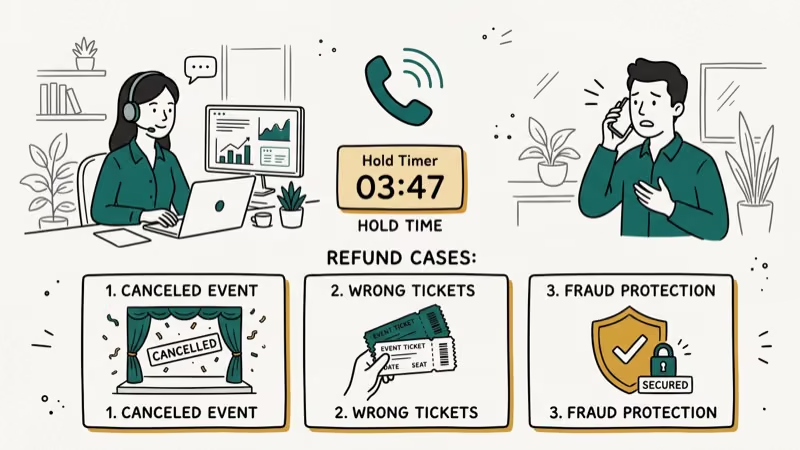
That said, there are exceptions. StubHub will process refunds when:
- The event is fully canceled (not just postponed)
- You received tickets that don’t match your order
- Tickets are invalid or counterfeit
- You didn’t receive tickets before the event
According to StubHub’s official help, the FanProtect Guarantee covers delivery and validity problems, but it won’t help if you simply changed your mind about attending.
#How to Cancel a StubHub Order as a Buyer
If you bought tickets, start with these two paths.
#Contact StubHub Support
Open your StubHub order and use the support path attached to that purchase. Have your order number ready before you contact support.
Explain your situation clearly. If the event was canceled or your tickets have an issue covered by FanProtect, support can route you to the right refund or replacement path. For change-of-plans reasons, expect relisting to be the practical fallback.
#Use the Contact Form
Use StubHub’s contact form or support flow and include your order number, the event name, and your reason for contacting support.
The contact form works better for non-urgent requests or when you want a paper trail.
Put the order number, event name, and issue type in the first support message.
#What Happens After Your Request
If your case qualifies under FanProtect or canceled-event rules, follow the refund path StubHub shows in your order or wallet. For canceled events, StubHub says cash refunds go back to the original payment method within a few business days after you request the cash refund.
StubHub may offer you a coupon or site credit instead of a full refund. You don’t have to accept it. If you want cash back and your situation qualifies under FanProtect, push for the refund. If you’re wondering whether StubHub is a trustworthy platform in general, the FanProtect Guarantee is the main reason most buyers feel safe using it.
#How to Cancel a StubHub Listing as a Seller
Sellers have more control than buyers. If your tickets haven’t sold yet, you can remove the listing anytime.
#Removing an Unsold Listing
Log into your StubHub account, go to My Tickets, and select Listings. Find the listing you want to remove and click Deactivate or Delete Listing.
This is instant and fee-free before sale.
#Canceling After a Sale
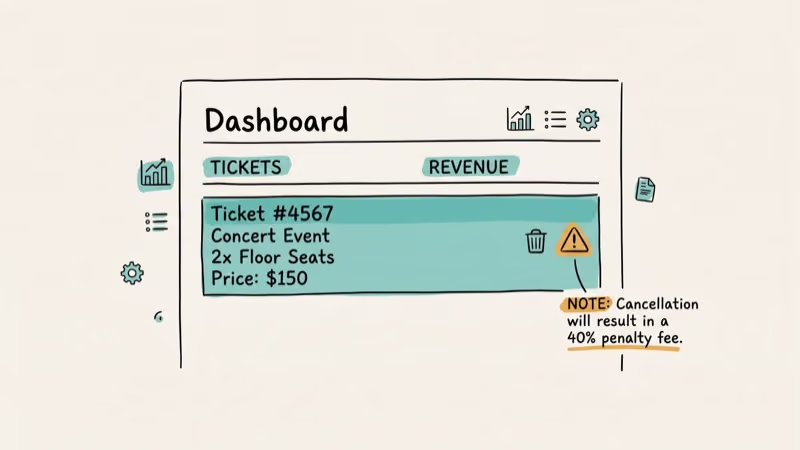
This is where it gets tricky. Once a buyer purchases your tickets, you’re obligated to deliver them. Canceling a completed sale triggers penalties:
- StubHub can charge you 100% of the ticket price or the full amount StubHub spends to remedy the dropped sale, whichever is greater
- Your seller rating drops
- Repeated cancellations can get your account suspended
StubHub states that sellers can edit, deactivate, or delete a listing any time before the tickets sell on its listing help page; after a sale, the seller must fulfill the order or cover the buyer’s replacement tickets or refund.
If you need to sell tickets from Ticketmaster on StubHub, make sure the transfer is complete before listing to avoid delivery issues that could force a cancellation.
#What Happens When an Event Is Canceled or Postponed?
Event cancellations and postponements are handled differently, and the distinction matters for your refund.
#Canceled Events
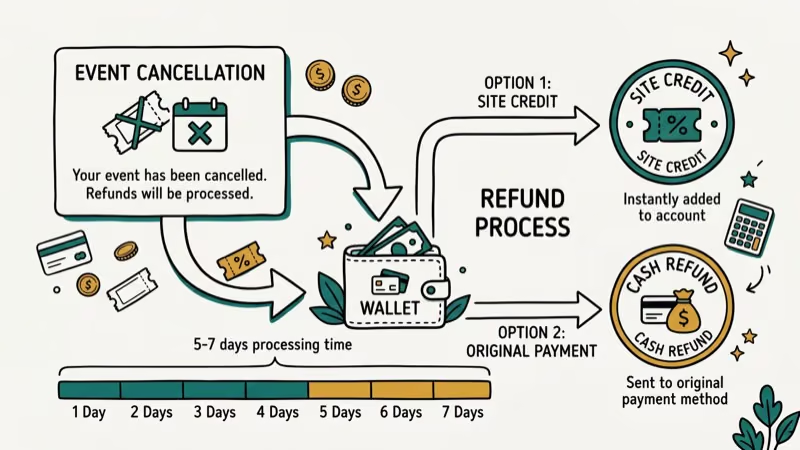
If the event is fully canceled and won’t be rescheduled, StubHub offers buyers a wallet credit worth at least the total paid or a cash refund to the original payment method.
According to StubHub, canceled-event cash refunds go back to the original payment method within a few business days after you request cash from StubHub Wallet; its postponed, rescheduled, or canceled events page also describes the wallet-credit option.
#Postponed Events
Postponed and rescheduled events are the frustrating gray area. StubHub says tickets remain valid for the new date.
If the new date doesn’t work for you, contact customer service. Some buyers have reported success getting refunds for postponed events, but it’s not guaranteed. Your best bet is to resell the tickets on StubHub if the new date doesn’t work.
#What Are Your Options if StubHub Won’t Refund You?
If StubHub won’t approve your cancellation, you still have options.
#Resell Your Tickets
List your tickets back on StubHub. StubHub’s cancellation help page says buyers who no longer want tickets can relist them fee-free, even before the tickets have arrived. Price competitively; tickets listed at or slightly below market value usually move faster than premium-priced seats.
#Transfer to Someone Else
StubHub lets you transfer tickets electronically to another person through the order’s “Transfer” option.
#Check Your Credit Card Protection
Some credit cards offer event ticket protection as a perk. According to Chase’s Sapphire benefits page, premium cards may cover ticket purchases if you can’t attend due to illness, weather, or other qualifying reasons. Check your card’s benefits before giving up on a refund.
If you’re dealing with refund issues on other platforms, the process varies significantly from StubHub’s approach. For digital purchases, getting a refund on an Oculus game follows a completely different timeline.
#StubHub Refund Timeline and Payment Methods
The speed of your refund depends on how you paid and what type of resolution StubHub offers.
When an event is canceled, StubHub typically offers a wallet credit worth more than the original purchase amount, valid for a limited time. If you request cash instead, StubHub says it issues the refund to your original payment method within a few business days.
If a seller cancels after a sale, StubHub’s cancel-a-sale help page says it will offer the buyer replacement tickets or a full refund, then charge the seller for the buyer remedy.
#Bottom Line
StubHub sales are final for buyers in most cases. Your best shot at a refund is when the event is canceled outright or your tickets have a legitimate issue covered by FanProtect. Sellers can remove unsold listings freely but face steep penalties for canceling completed sales. If you can’t get a cancellation approved, reselling or transferring your tickets is the practical fallback.
#Frequently Asked Questions
Can I cancel a StubHub order within 24 hours of purchase?
StubHub doesn’t have a standard 24-hour cancellation window like some retailers. All sales are considered final from the moment of purchase. However, contacting customer service immediately after buying gives you the best chance of an exception, especially if you can show it was an accidental purchase or duplicate order.
Does StubHub charge a cancellation fee for buyers?
No. If StubHub approves your refund, you get the full purchase price back including fees. There’s no separate cancellation charge for buyers. The challenge is getting the refund approved in the first place, since most buyer cancellations are denied unless they fall under FanProtect coverage.
How long does a StubHub refund take?
For canceled events, StubHub says cash refunds are issued to the original payment method within a few business days after you request cash from StubHub Wallet. Other support-approved resolutions can vary by case and payment method.
Can I get a refund if I bought the wrong tickets?
Contact customer service immediately. If you can demonstrate it was a genuine ordering error (wrong date, wrong section, duplicate purchase), StubHub may make an exception. The sooner you catch the mistake, the better your chances. Waiting days or weeks significantly reduces the likelihood of approval.
What happens to my StubHub seller account if I cancel a sale?
You’ll face seller charges tied to the buyer remedy. StubHub says this can be 100% of the ticket price or the full amount StubHub spends to remedy the dropped sale, whichever is greater. Only cancel a completed sale as an absolute last resort.
Is StubHub’s FanProtect Guarantee the same as a cancellation policy?
No. FanProtect guarantees valid tickets in time for the event and protects against fraud, non-delivery, and invalid tickets. It doesn’t cover buyer’s remorse, schedule conflicts, or simply not wanting to go anymore. Think of it as fraud protection, not a flexible return policy.
Can I exchange my StubHub tickets for a different event?
StubHub doesn’t offer direct exchanges between events. Your options are to request a refund (unlikely to be approved for a change of plans) or resell your current tickets and buy new ones for the event you’d prefer. The resell-and-rebuy approach is the most reliable path.
Does travel insurance cover StubHub ticket purchases?
Some travel insurance policies and credit card benefits cover event tickets, but coverage varies widely. Check your specific policy for “event ticket protection” or “trip cancellation” benefits. These typically require a qualifying reason like illness, severe weather, or travel disruption. Changing your mind usually isn’t covered.

Google Messages Error 3100: Why RCS Is Broken on Galaxy
Google Messages RCS error 3100 hits Galaxy owners after phone or carrier switches. Google told 9to5Google a fix is coming. Here's what actually helps.

Is This Bank App Real? Spot a Fake App on Your Home Screen
A bank app can land on your home screen from a web page with no install warning. Learn the checks that tell a real banking app from a phishing web app.

Apps Crashing After iOS 27 Update? Fix Order (2026)
Apps crashing after the iOS 27 update? Update the app in the App Store first, then offload and reinstall to clear stale cache, then restart. The fix order.

Do AI Translation Earbuds Work Offline? What to Know
Do AI translation earbuds work offline? A few do with downloaded language packs, but most need the cloud. Here's what works offline and what you give up.